
 Expert verified
Highlights
- Many-to-many relationships connect records in one table to records in another, creating flexible data structures for complex business scenarios.
- They remove duplicate data, support accurate reporting, and let you model real-world business relationships that don't fit simple one-to-many patterns.
- Employees and projects, products and orders, suppliers and materials, doctors and patients all use many-to-many relationships.
- In many-to-many relationships, a connecting table sits between two main tables, storing the relationships and any additional details about those connections.
- You can build them manually with SQL, use traditional databases that require technical expertise, or work with low-code platforms that handle the complexity automatically.
How do you keep track of which employees are working on which projects? In most companies, one employee works on several projects, and each project requires multiple people with different skills, creating a two-way web of connections.
This same challenge appears in many areas of business data. You may need to connect products to customer orders, link vendors to the materials they supply, or track which team members are assigned to which tasks. All of these situations involve complex, overlapping relationships that traditional, simple database structures struggle to represent effectively. This is where the concept of many-to-many database relationships becomes essential.
This guide explains many-to-many relationships in detail, shows real business examples, and introduces a modern tool that handles the complexity for you. By the end, you’ll understand what they are, how they work, and how to use them easily.
What is a many-to-many relationship?
A many-to-many relationship describes a connection where items in one group—table or form—can relate to multiple items in another group, and the reverse is also true.
Think about employees and projects in your business. ‘One employee’ can work on ‘many projects’ throughout the year. ‘One project’ typically requires ‘many team members’ with different skills. Neither side is limited to a single connection. This two-way flexibility defines many-to-many relationships.
These relationships appear everywhere in business. Employees work on multiple projects, and those projects have multiple team members. Products appear in many different orders, while orders contain many products. Suppliers provide multiple materials to your company, and those materials can come from multiple suppliers. The pattern repeats across almost every business operation you can think of.
Unlike a one-to-many relationship, where one customer has many orders but each order belongs to one customer, many-to-many relationships work both ways. Both sides can have multiple connections.
How do many-to-many relationships work?
Many-to-many relationships use a connecting table that sits between your two main tables. Let’s understand this better with an example of employees and projects:
- You have an ‘Employees’ table with employee information.
- You have a ‘Projects’ table with project details.
To connect them in a many-to-many relationship, you create a third table called something like ‘Employee_Projects’.
This connecting table stores pairs of relationships. Each row contains an employee ID and a project ID. When an employee works on a specific project, you add one row. When that same employee also works on a different project, you add another row. When another employee joins the first project, you add a third row.
The connecting table can also store additional information about the relationship itself. For instance, you might track how many hours each employee spent on each project, or what role they played on the project team.
This structure breaks one complex many-to-many relationship into two simpler one-to-many relationships. The Employees table has a one-to-many relationship with Employee_Projects. The Projects table also has a one-to-many relationship with Employee_Projects. Together, these create the many-to-many connection you need.
What are the types of many-to-many relationships?
Many-to-many relationships fall into different categories based on how you implement and use them. Here's how they compare:
| Type | Description | Best for | Complexity |
|---|---|---|---|
| Simple | Just stores the connections between two tables | Basic tracking needs | Low |
| Attributed | Includes extra details about each connection | When relationships need context | Medium |
| Self-referencing | Connects items within the same table | Hierarchical or network data | Medium |
| Multi-way | Connects three or more tables together | Complex business scenarios | High |
Let's look at each type in detail.

Simple many-to-many
Simple many-to-many relationships just connect two tables without storing extra information about the relationship.
For example, a company might track which suppliers can provide which raw materials. Some suppliers offer multiple materials. Some materials are available from multiple suppliers. The connecting table only needs to store supplier IDs and material IDs.
You use this type when the connection itself is all that matters. You don't need to know when the relationship started, or what the pricing terms are, or any other details. You just need to know which suppliers connect to which materials.
Attributed many-to-many
Attributed many-to-many relationships store additional information about each connection.
Think about products and orders in an e-commerce system. The connecting table doesn't just link product IDs to order IDs. It also stores the quantity ordered, the price at the time of purchase, and any discounts applied. This extra information describes the specific relationship between that product and that order.
For instance, you might sell the same product at different prices to different customers, or someone might order five units while another person orders one unit. These details belong to the relationship itself, not to the product table or the order table.
Self-referencing many-to-many
Self-referencing many-to-many relationships connect items within the same table to other items in that same table.
A company directory might use this pattern for internal referrals. Employees can refer other employees for open positions. Each referral involves two people from the same Employees table. Or consider a mentorship program where employees mentor other employees. Both mentors and mentees come from the Employees table.
The connecting table still exists, but both foreign keys point back to the same source table. This creates networks within your data where items connect to other items of the same type.
Multi-way many-to-many
Multi-way many-to-many relationships involve multiple tables connected together.
For example, a manufacturing system might track which products use which components from which suppliers. Products connect to components (many-to-many). Components connect to suppliers (many-to-many). The full picture requires connecting all three tables.
These relationships are less common but powerful when you need them. They typically appear in complex inventory, supply chain, or logistics applications.
What are the benefits of using many-to-many relationships?
Using many-to-many relationships properly brings several advantages to your business applications.
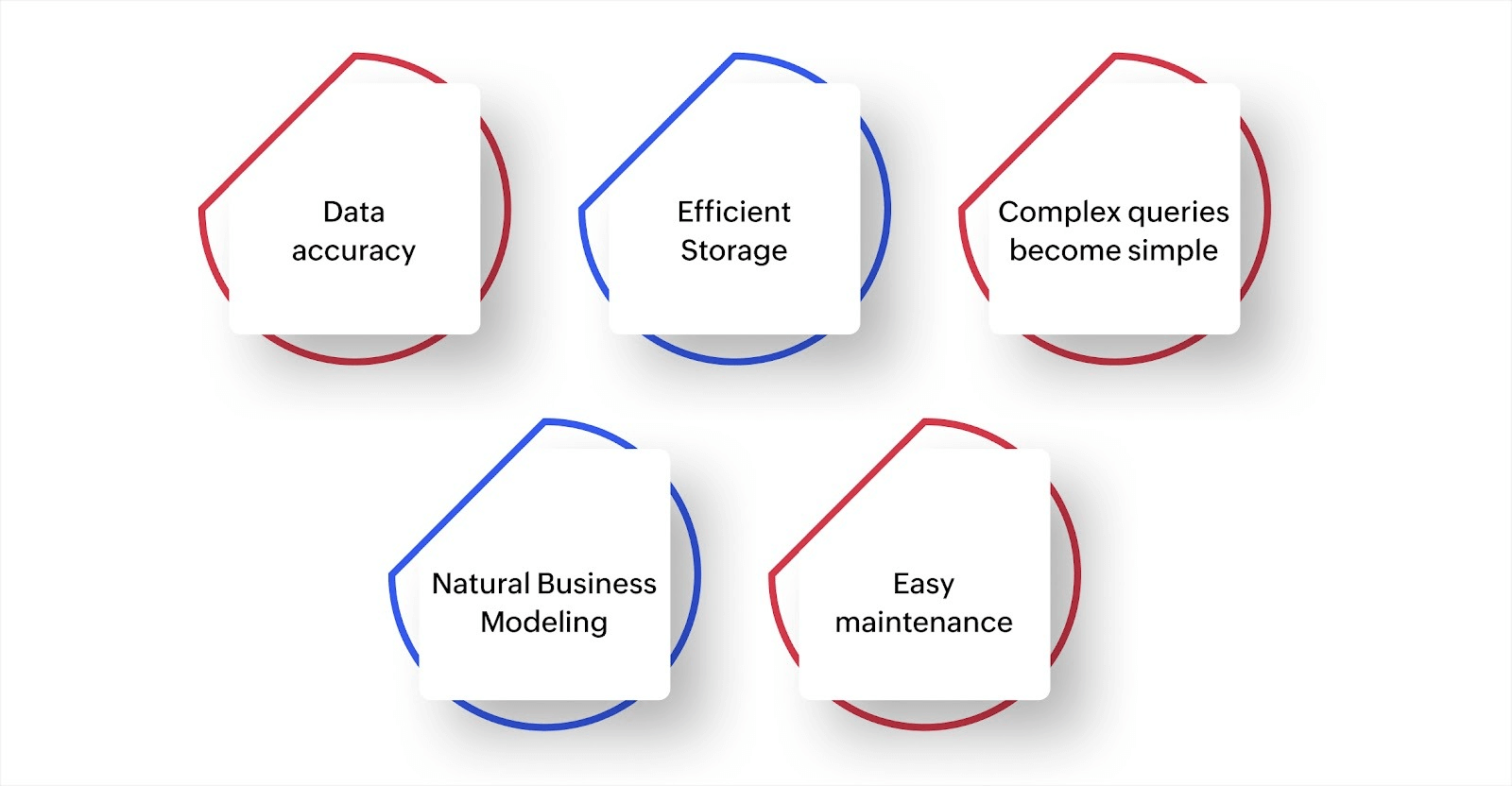
- Data accuracy: You store each piece of information once. Product details live in the products table. Order information lives in the orders table. When you need to update a product description, you change it in one place, and the update appears everywhere that product is used.
- Efficient storage: Instead of copying full records every time you create a connection, you just store IDs in the connecting table. A relationship that might require dozens of duplicated fields becomes two small ID columns.
- Complex queries become simple: With proper many-to-many structures, you can answer complicated business questions with straightforward queries. Which customers bought products from a specific category? Which employees have skills that match an open project? The relationship structure makes these questions easy to answer.
- Natural business modeling: Many-to-many relationships let you build applications that match how your business actually operates. You don't have to force your workflows into artificial constraints because your database can't handle the complexity.
- Easy maintenance: When relationships are structured correctly, adding new connections is simple. A new employee can join existing projects. A new product can use existing suppliers. You don't need to redesign your database structure every time your business grows.
What is the difference between one-to-many and many-to-many relationships?
One-to-many and many-to-many relationships serve different purposes in your applications. Here's the key difference:
| Aspect | One-to-many | Many-to-many |
|---|---|---|
| Structure | One record connects to multiple records | Multiple records connect to multiple records |
| Direction | Flows one way | Work both ways |
| Example | One customers has many orders | Many cutsomers take many courses |
| Connecting table | Not required | Required |
| Complexity | Simpler to build | More complex but more flexible |
| Use case | Clear ownership or hierarchy | Equal relationships between items |
How do you implement many-to-many relationships?
You have several options for implementing many-to-many relationships, depending on your technical skills and needs.

Traditional database approach
If you work with SQL databases directly, you create three tables manually. Write the SQL code to define each table, set up the foreign keys, and build the queries that join them together. This approach gives you complete control but requires database expertise and ongoing maintenance.

Application framework approach
Many programming frameworks include tools for defining relationships. You describe the structure in code, and the framework generates the connecting tables and handles the queries. This option works well if you have developers on your team, but it still requires technical knowledge.

Low-code platform approach
Modern low-code platforms let you create many-to-many relationships through visual interfaces. You define your tables, specify which ones should connect, and the platform handles all the technical details. You get the benefits without writing code or managing database schemas.
For instance, when you build on a platform like Zoho Creator, you use lookup fields in forms and relationship features to connect your data. The platform creates the connecting tables automatically. You focus on your business logic while the platform handles the database complexity.

Spreadsheet evolution approach
Some teams start by tracking relationships in spreadsheets, then migrate to proper database structures as they grow. This gradual approach works but creates technical debt. You eventually need to clean up duplicate data and restructure your information.
The right approach depends on your team's skills, your budget, and how much control you need. For most business applications, low-code platforms offer the best balance of power and simplicity.
What are common examples of many-to-many relationships?
Many-to-many relationships appear across different types of business applications.
- Education: Students enroll in multiple courses. Courses have multiple students. Schools also track teachers and classes (many teachers can teach multiple classes, and many classes have different teachers over time).
- Project management: Employees work on multiple projects. Projects have multiple team members. Some tools also track which skills apply to which projects, creating another many-to-many relationship.
- E-commerce: Products appear in multiple orders. Orders contain multiple products. Products can also have many-to-many relationships with categories (one product fits multiple categories, one category contains multiple products).
- Healthcare: Doctors treat multiple patients. Patients see multiple doctors. Patients can also have many-to-many relationships with medications or treatment plans.
- Events: Attendees register for multiple events. Events have multiple attendees. You might also track speakers and sessions, where speakers present at multiple sessions and sessions can have multiple speakers.
- Supply chain: Suppliers provide multiple products. Products come from multiple suppliers. Warehouses stock multiple products, and products can be stored in multiple warehouse locations.
- Human resources: Employees have multiple skills. Skills belong to multiple employees. Employees can also belong to multiple departments if your organization uses matrix structures.
Build flexible business applications with Zoho Creator
Managing complex data relationships doesn't have to mean hiring database experts or learning SQL. Business applications need to reflect how you actually work, not force you into rigid structures because your tools can't handle the complexity.
When you use spreadsheets or basic databases, many-to-many relationships become a source of duplicate data, manual updates, and reporting issues.
Zoho Creator is an AI-powered low-code application development platform that makes complex data relationships simple. You can build custom applications that handle many-to-many relationships through visual tools, without writing code or managing database schemas manually.
Here's how Zoho Creator handles your data relationship needs:
- Visual relationship builder: Define connections between your forms and tables through drag-and-drop interfaces. The platform creates the necessary structures automatically.
- Lookup fields and multi-select options: Add fields to your forms that connect to other forms or tables with bidirectional relationships. Choose whether users can select one item or many items, and the platform automatically maintains connections in both directions.
- Automated data management: Changes in one place update everywhere. Delete a record, and the platform cleans up the connecting relationships automatically.
- Built-in reporting and dashboards: Query across multiple related tables without writing complex joins. Create reports that show which employees work on which projects, which products appear in which orders, or any other many-to-many scenario.
- AI-powered app building: Describe what you need in plain language. The AI suggests the right structure, including many-to-many relationships where appropriate.
- Mobile apps included: Your applications work on web, iOS, and Android automatically. Field teams can update relationships from anywhere.
Companies across industries use Zoho Creator to build applications with complex data structures. Stop forcing your business processes into rigid structures because your tools can't handle the complexity.
You just need the right platform that handles the technical complexity while you focus on building applications that match your business needs.
Build apps with complex relationships, without SQL.

Frequently Asked Questions
Yes, modern low-code platforms include visual tools for creating many-to-many relationships. You define your data structure through drag-and-drop interfaces, and the platform handles all the technical database work automatically.
Use many-to-many when both sides of the relationship can have multiple connections. If students take multiple courses and courses have multiple students, you need many-to-many. If each order belongs to one customer, but customers place multiple orders, use one-to-many.
Properly structured many-to-many relationships improve performance by reducing duplicate data. However, queries that join multiple tables can be slower with very large datasets. Modern platforms optimize these queries automatically, so performance is rarely an issue for typical business applications.
Not if you use low-code platforms. They provide visual interfaces for creating and managing relationships. You define what you need through forms and menus, and the platform generates the SQL automatically. You never need to write or see database code.
Start by identifying which data currently repeats across multiple rows. These duplicates often indicate where you need many-to-many relationships. Then use a platform that can import your spreadsheet data and help you restructure it into proper relationships with connecting tables.