Fixing scheduling friction: How Zoho Workplace helps streamline your scheduling process

There’s a quiet irony in modern work.
We’ve made meetings easier than ever to run. One-click video calls, seamless screen sharing, and instant collaboration are now the standard. But despite all of this high-speed tech, the process of actually getting someone on a call still feels like a negotiation loop.
You know the drill:
“Are you free at 3?”
“Not today. How about tomorrow?”
“Wait, what time zone are you in again?”
By the time the calendar invite finally lands in your inbox, the spark of inspiration or the urgency of the problem has already started to fade. The momentum you needed for the meeting has slowed to a crawl.
That’s scheduling friction. It doesn’t break workflows dramatically. It delays them, interrupts them, and chips away at productivity in small, persistent ways. It interrupts your deep work to check a calendar, delays critical decisions, and adds a layer of mental clutter you just don’t need.
Zoho Workplace aims to eliminate this scheduling friction by leveraging unified calendars and smart bookings to keep your momentum alive.
The problem isn't time; it's coordination.
Most teams don’t struggle because they lack time. They have the hours; they just don’t have the flow.
When coordination is manual, the friction is everywhere:
- The visibility gap: Availability isn’t visible when you actually need it. You’re forced to jump out of your email or chat, open a separate tab, and find the empty slot while losing your train of thought.
- The sync struggle: Tools don’t talk to each other. Your calendar says you’re free, but your task manager says you’re slammed, and neither one knows you have a client call booked elsewhere.
- Endless emails/chats: External scheduling quickly devolves into endless conversations. "Does Tuesday work? No? How about Friday? Wait, is that your 10:00 or mine?"
- The context-less meeting: Meetings lack structure before they even begin. There’s no agenda attached, no relevant files linked, and half the participants are spending the first ten minutes asking, "Wait, what are we here for?"
The outcome is simple but frustrating: Too much energy goes into planning the work, and not enough into actually doing it.
Fixing this doesn’t require your team to work harder or manage their time better. It requires a better system.
The fix: A unified scheduling flow
We often treat scheduling as a single task. But in reality, successful collaboration follows a natural rhythm. When that rhythm is broken by disjointed tools, friction creeps in.
The fix isn't just a better calendar; it’s a unified scheduling flow. It’s about ensuring that the moment you think of an idea, the path to discussing it and executing it is already paved.
Here's how that progression actually looks in Zoho Workplace.
1. Plan the time with the intelligence of Zoho Calendar
Instead of guessing, you have instant visibility into your team’s availability. Within Zoho Calendar, you aren't just looking at blocks of time; you’re looking at context. You can see resource availability (like meeting rooms) and sync multiple calendars so your personal and professional lives never collide.
2. Run the meeting with the focus of Zoho Meeting
Once the time arrives, the transition should be invisible. You shouldn't be hunting for links or downloading extra plugins.
Zoho Meeting is connected directly into the flow. You launch the call from your calendar or your chat window. It’s secure, high-definition, and most importantly, it’s right there when you need it.
3. Let others book time with Zoho Calendar's Appointment Booking
A truly unified system doesn't just work for your team; it works for your clients and partners, too.
Appointment Booking in Zoho Calendar acts as your 24/7 digital assistant. You set your parameters, share your link, and let others find a slot that works. It automatically syncs back to your calendar and sets up the Zoho Meeting link, closing the loop without you ever lifting a finger.
Zoho Calendar: Where your schedules become transparent
At the center of frictionless scheduling is one thing: Clarity.
Most of our scheduling headaches don't come from being too busy; they come from a lack of information. When information is siloed, scheduling becomes a game of guesswork. You toss out a time, wait for a rejection, and try again. Zoho Calendar eliminates this loop by acting as the single source of truth for your entire organization.
Here's how a truly unified calendar changes the way your team works.
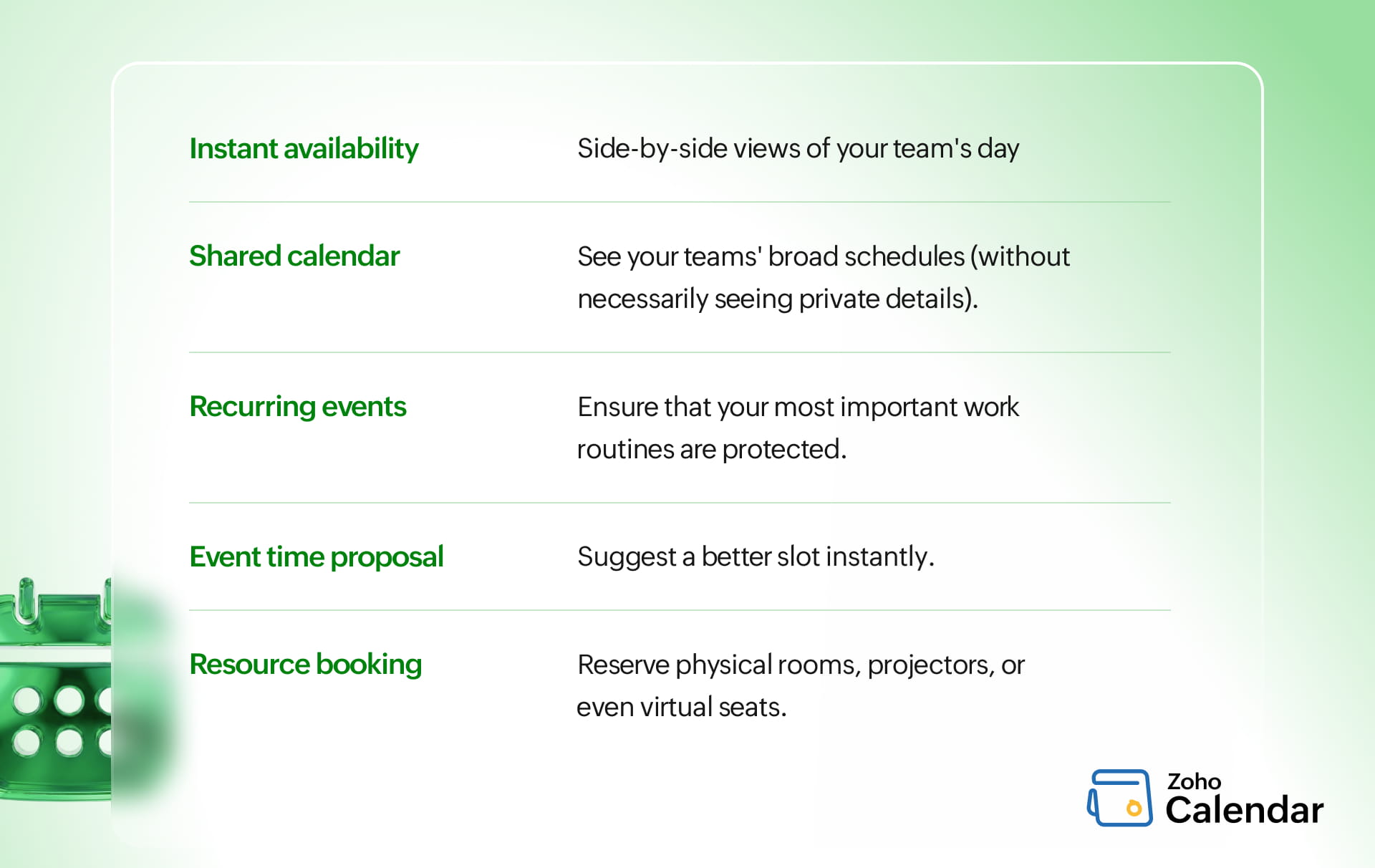
Instant availability
Availability views make open slots visible at a glance.
You can pull up a side-by-side view of your team's day and instantly identify those rare hours where everyone is free without ever picking up the phone.
Conflict-free overlays
Managing a single schedule is easy; managing a cross-functional team is where things get messy.
Multiple calendar overlays allow you to see team schedules simultaneously, ensuring that you never double-book a critical resource. If you see that your lead designer has five overlays stacked with back-to-back calls, you can proactively reschedule to protect their deep-work time.
Shared calendars transparency
When team members can see each other's broad schedules (without necessarily seeing private details), visibility increases and messages decrease. Shared calendars in Zoho Calendar give everyone the big picture.
If one team member's shared calendar shows they're occupied with work or at a doctor’s appointment, the team naturally waits to reach out, preserving everyone’s focus.
Recurring events
Your weekly stand-ups, monthly reviews, and 1-on-1s shouldn't require a fresh invite every time.
By automating these with Zoho Calendar's recurring events, you ensure that your most important work routines are protected. It builds a predictable rhythm for the team, so they can plan their high-energy tasks around these fixed points.
Event time proposal
We’ve all been there: A critical meeting lands right on top of another commitment. Instead of declining or sending a separate "Can we move this?" email, take control directly from your invite.
With the Event time proposal feature, you can suggest a better slot instantly. Once the organizer reviews the feedback, they can lock in a time that works for the whole team, keeping everyone in the loop without the back-and-forth.
Resource alignment
Integrated resource booking lets you reserve physical rooms, projectors, or even virtual seats at the same time you invite the people.
The system ensures that if the room is taken, you’ll know before you book, not when you show up at the door with laptops and ideas.
Zoho Meeting: Where scheduled time turns into productive time
Scheduling a meeting is really only half the battle. We’ve all experienced the frustration of a perfectly planned call being derailed by the first ten minutes of "Can you hear me now" or waiting for that one person whose computer decided it was the perfect time for a 45-minute OS update.
Zoho Meeting is designed to bridge that gap, ensuring that when the time arrives, your focus is on the agenda, not the interface.
Launch directly from calendar
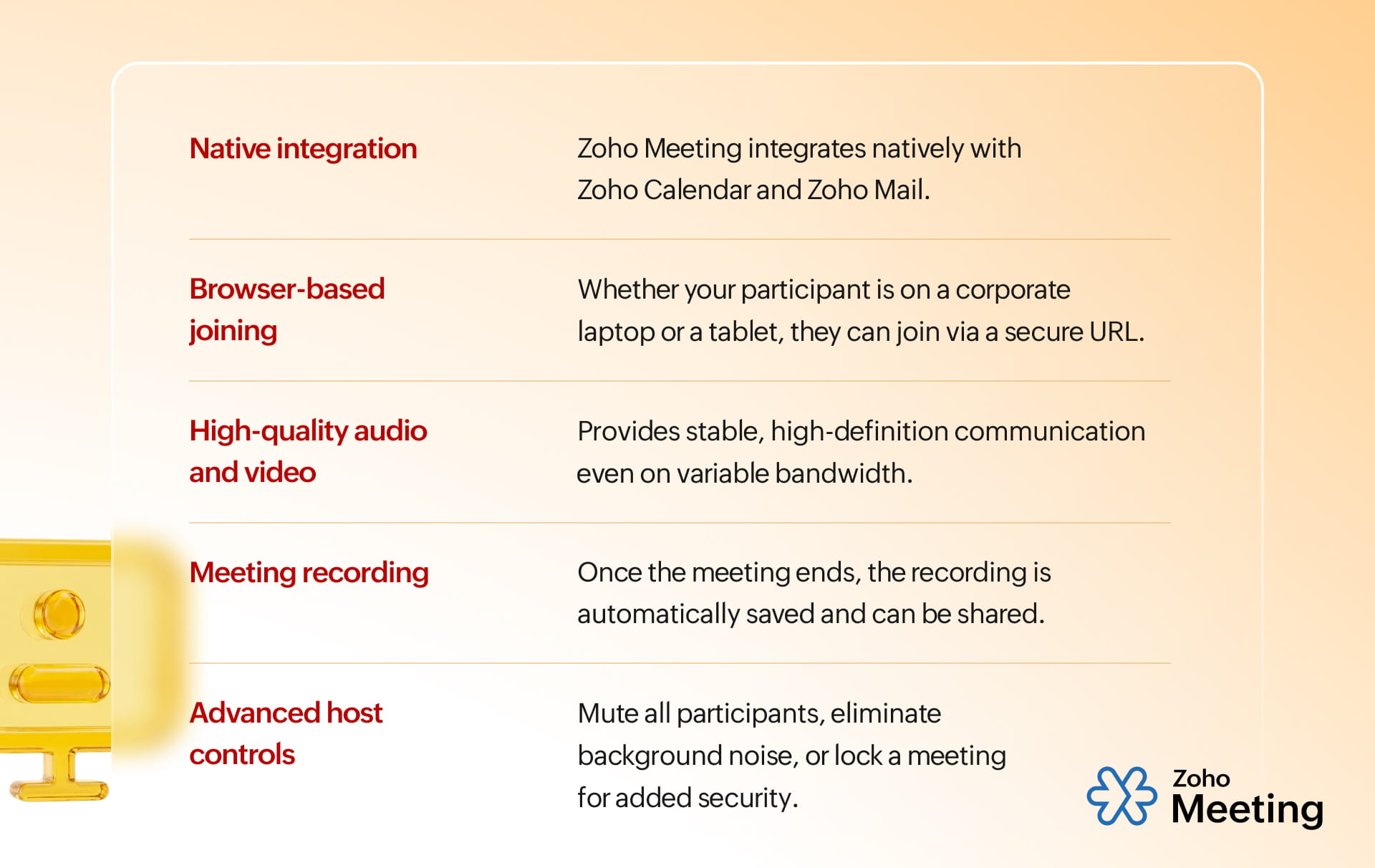
Zoho Meeting integrates natively with Zoho Calendar and Zoho Mail. When the notification pops up on your screen, the "Join" button is right there.
By making the calendar event the definitive doorway to the meeting, you eliminate the need to hunt through chat histories or email threads, ensuring that everyone arrives exactly on time and ready to contribute.
Browser-based joining
Forcing a client or a new teammate to download a 100MB executable file just to talk to you is a major point of friction.
Our browser-first approach means accessibility is universal. Whether your participant is on a locked-down corporate laptop or a tablet on the go, they can join via a secure URL.
High-quality audio and video
Remote work shouldn't feel distant. If the audio is choppy or the video is pixelated, disconnect sneaks in creating friction.
Zoho Meeting uses optimized codecs to provide stable, high-definition communication even on variable bandwidth. When you can see subtle facial expressions and hear clear tone shifts, the human element of the discussion remains intact.
This clarity fosters better brainstorming and ensures that no one’s input is lost to a bad connection.
Asynchronous recording
In a global workspace, someone is always in a different timezone, on leave, or double-booked.
Recording transforms a fleeting conversation into a permanent knowledge asset. Once the meeting ends, the recording is automatically saved and can be shared with missing stakeholders or used as a reference for project requirements.
This capability ensures that no one is left out of the loop and that key decisions are documented exactly as they happened.
Advanced host controls
Host controls give you the power to manage the environment. From muting all participants to eliminate background noise to locking a meeting for added security, these tools keep the session professional and structured.
You can manage "Raise Hand" queues for orderly Q&A sessions, ensuring that the loudest voice isn't the only one heard.
Appointment Booking: Where scheduling becomes self-service
The biggest source of scheduling friction often comes from outside your organization.
Clients, partners, and prospects don’t have visibility into your calendar. So coordination becomes a back-and-forth exchange. Appointment Booking in Zoho Calendar removes that loop entirely.
Shareable booking links
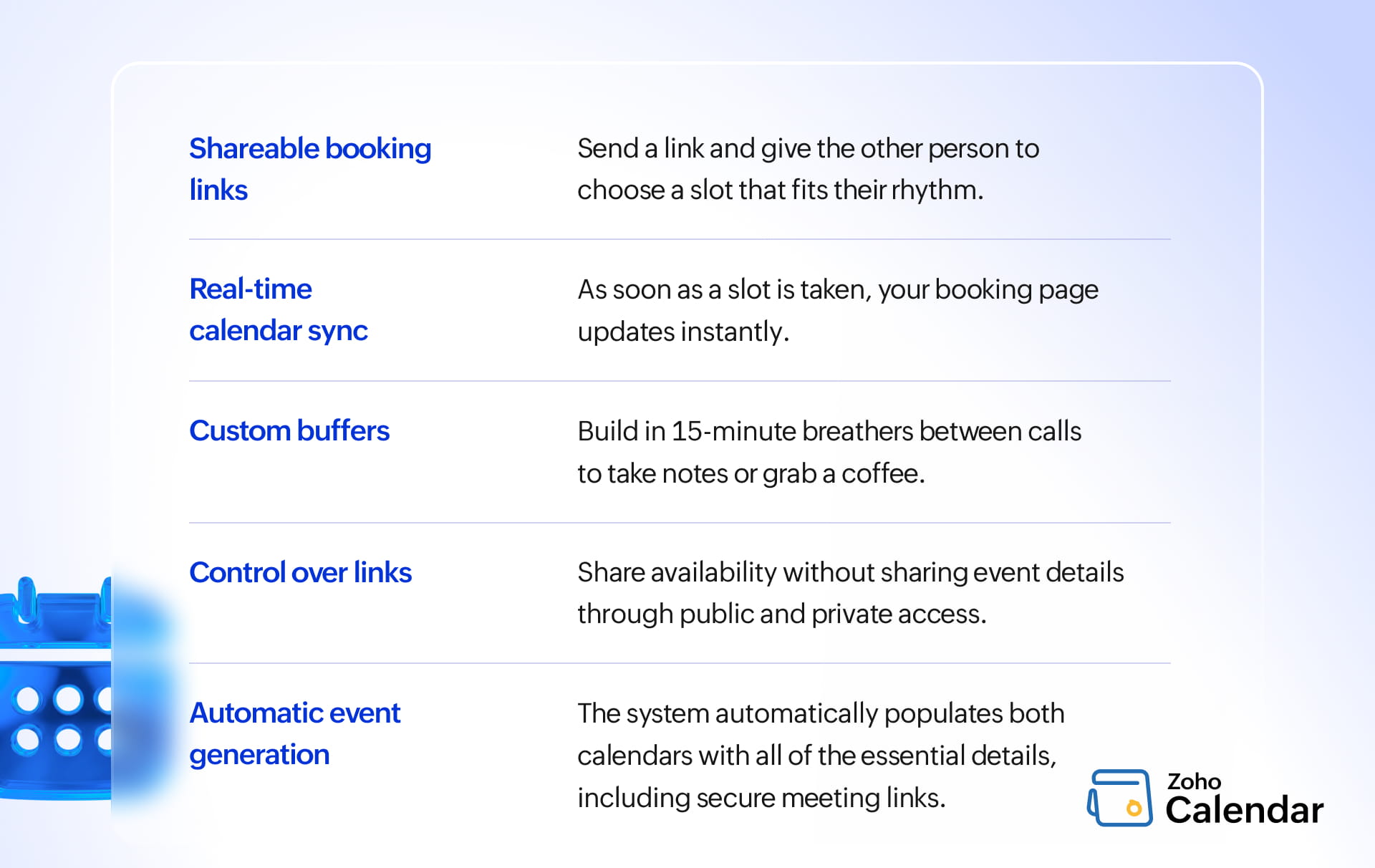
Shareable booking links remove the friction of the middleman. By sending a link, you’re giving the other person the freedom to choose a slot that fits their rhythm, without the pressure of a live conversation.
Real-time calendar sync
Real-time calendar sync is your digital safeguard. As soon as a slot is taken—or if you block off time for a personal commitment—your booking page updates instantly.
Custom time slots and buffers
Custom time slots and buffers ensure that you can build in 15-minute breathers between calls to take notes or grab a coffee, ensuring that you show up to every meeting at your best.
Effective control over links
Zoho Calendar lets you share availability without sharing event details through public and private access. This layered control means you can publish an open booking page for the world without ever exposing the sensitive details of your private calendar.
Automatic event generation
Upon confirmation, the system automatically populates both calendars with all of the essential details, including secure meeting links, ensuring that everyone is prepared from the start.
When everything works together
We’ve all worked at places where the software felt like a group of coworkers who refused to talk to each other.
In isolation, a calendar, a meeting tool, and a booking app are just utilities. But when they're woven into a single ecosystem, they become a productivity engine. The real impact isn't found in the features themselves, but in the invisible bridges between them.
Here's what true continuity looks like in practice:
- You pick a time in Zoho Calendar. It’s simple, it’s clean, and that’s the last time you’ll have to think about the logistics.
- The moment that slot is saved, Zoho Meeting steps in. It automatically generates a secure, unique meeting link and embeds it into the invite. There's no manual copying, no "Where’s the link?" follow-ups.
- For clients and partners, Appointment Booking acts as the front door. When they pick a time, your calendar updates instantly, the meeting link is created, and the confirmation is sent, all while you stay focused on your current task.
Why this continuity is a game changer
- Reduced cognitive load: When you don't have to worry about the how of a meeting, you can focus entirely on the what.
- Data integrity: When tools are synced, there's only one source of truth. You eliminate the risk of having different times or links floating around in different apps.
- Professionalism at scale: To an external client, a seamless booking-to-meeting experience feels premium. It shows that your organization is organized, tech-savvy, and respects their time as much as your own.
- The follow-up loop: Continuity doesn't end when the "Leave Meeting" button is pressed. Because it's all one system, notes, recordings, and follow-up tasks stay attached to the original event, making the post-meeting just as easy as the start.
Where teams still get it wrong
Even with a powerful suite like Zoho Workplace, friction can still find a way into your day. Usually, it’s not the technology that fails; it’s the lingering habits from a time when coordination was purely manual.
- Many teams still treat scheduling as a conversation rather than a shared data point. Relying on "What works for you?" emails instead of looking at shared availability views is a drain on mental energy that should be spent on the actual work.
- Scheduling a meeting from 1:00 to 2:00 and another from 2:00 to 3:00 assumes you've discovered the secret to teleportation. Unless you can fold time and space, you need buffers. Give yourself five minutes to find your coffee or a clean notebook.
- In a distributed workspace, overlooking time zone differences isn't just a logistical error but a communication breakdown. Without a system that automatically handles the math, you risk alienating team members who are being asked to join "9-to-5" calls in the middle of their night.
- Treating scheduling as a one-time task rather than a repeatable system leads to inconsistency. If you're manually typing out the same meeting details and creating fresh links every single week, you’re working for the machine, not the other way around. Automate the routine so you can focus on the remarkable.
- If every team lead runs their meetings differently—different links, different formats, different recording protocols—the rest of the team spends too much time learning the meeting instead of contributing to it.
Wrapping up
We often view scheduling as a necessary evil, an administrative hurdle we have to clear before we can get to the "real" work. But the most productive teams in the world look at it differently.
Scheduling isn’t about finding time; it’s about aggressively removing everything that wastes it.
When you move toward a unified system like Zoho Workplace, you aren't just buying software; you’re making a strategic shift in how your team operates.


Comments