What is an opt-in email? Types and best practices
- Published : June 30, 2026
- Last Updated : June 30, 2026
- 149 Views
- 8 Min Read

An opt-in email is the first step in building a trusted relationship between your business and your customers. It verifies that users genuinely want to hear from you, helps maintain a high-quality email list, and improves email deliverability.
Since it's often the first email your customers receive, it should be simple, clear, and easy to act on. In this article, you'll learn what an opt-in email is, how it works, and the different types of opt-in emails, along with template examples and best practices.
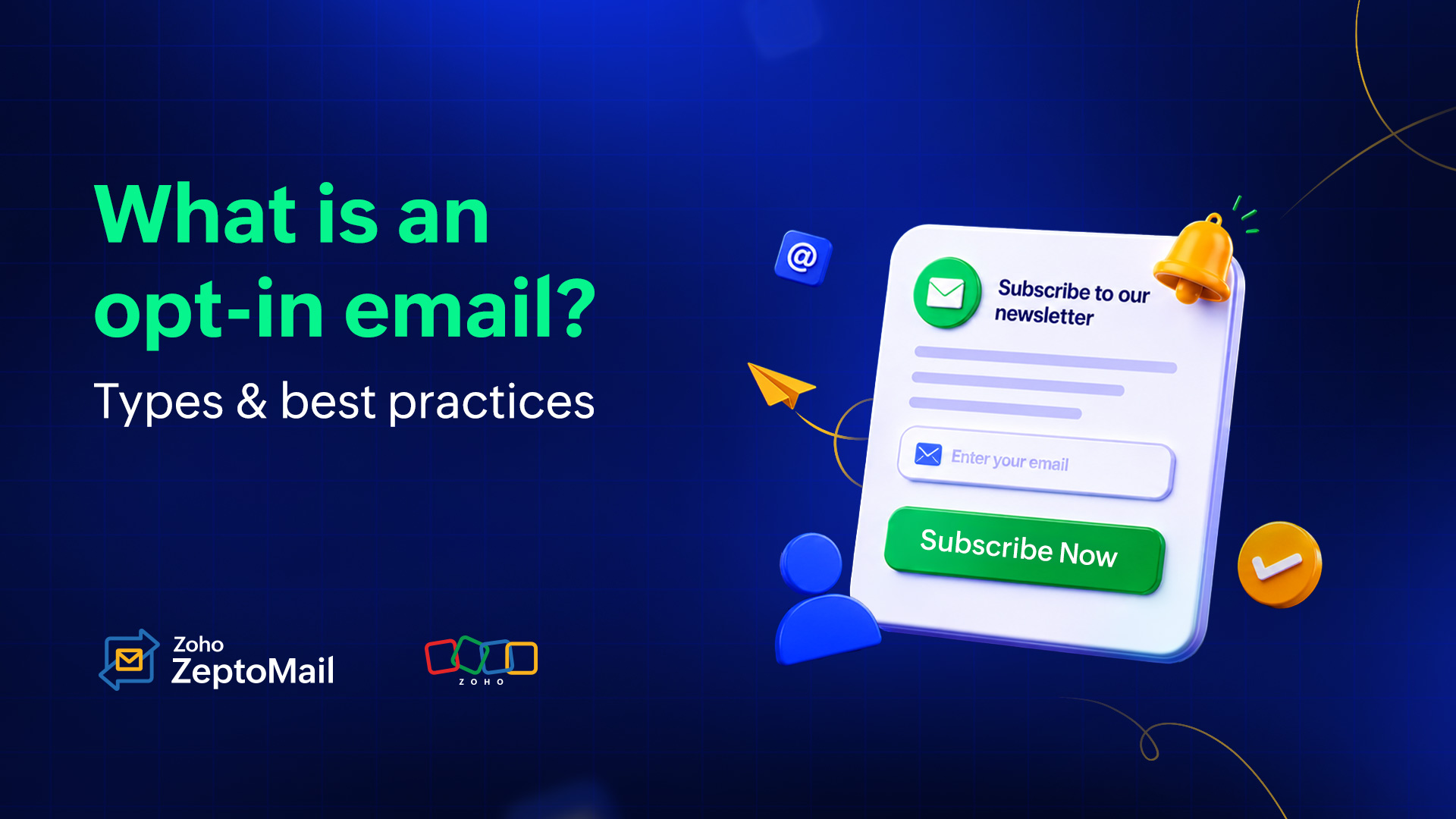
What is an opt-in email?
An opt-in email is a confirmation email sent to verify that a user wants to receive emails from your business. It confirms the user's email address and consent before you start sending newsletters, product updates, offers, or other communications. This helps you build a quality email list, improve deliverability, and ensure you're emailing people who genuinely want to hear from you.
Why do opt-in emails matter for your business?
Here are the key reasons why opt-in emails are important:
Ensure genuine consent: Opt-in emails verify that the email address belongs to a real user and that they intentionally subscribed, reducing fake or mistyped email addresses.
Improve email deliverability: Sending emails only to verified subscribers leads to higher engagement and fewer bounces, spam complaints, and unsubscribes. This helps maintain your sender reputation and increases the likelihood of your emails reaching the inbox.
Build an engaged audience: Subscribers who actively confirm their interest are more likely to open, click, and interact with your emails, resulting in better campaign performance.
Protect your sender reputation: A clean, permission-based mailing list minimizes spam complaints and keeps your domain and IP reputation healthy.
Comply with privacy regulations: Opt-in emails help demonstrate user consent, making it easier to comply with regulations such as the General Data Protection Regulation (GDPR), Digital Personal Data Protection Act (DPDP) and the California Consumer Privacy Act (CCPA), as well as other consent-based email requirements around the world.
Increase customer trust: Asking users for permission before sending emails shows respect for their preferences, helping build credibility and stronger customer relationships.
When and where an opt-in email is used
Opt-in emails are commonly used whenever businesses collect email addresses for ongoing communication.
Website sign-up forms: This includes a pop-up or footer form inviting readers to subscribe to newsletters, blogs, or product updates.
Account registration: Companies ask users whether they'd like to receive product announcements and marketing communications.
Lead magnets: Businesses offer downloadable resources such as ebooks, whitepapers, checklists, and templates in exchange for email addresses.
Webinar and event registrations: Attendees consent to receive event reminders and follow-up emails.
eCommerce stores: Online stores collect consent for promotions, discount alerts, product launches, and loyalty programs.
Types of opt-in emails
There are different ways you can design and present your opt-in emails.
1. Single opt-in
A single opt-in (SOI) is a one-step process. A user is added to the email list right after submitting a sign-up form.
How does single opt-in work ?
The user enters their email address.
The user submits the form.
The user is added as a subscriber to the mailing list.
Advantages
Faster signup experience
Higher subscription rates
Less friction for users
Drawbacks
Risk of fake email addresses
More invalid contacts
Higher chance of spam complaints
Best for
Low-risk newsletter subscriptions
Content-driven websites
Communities seeking rapid list growth
2. Double opt-in
A double opt-in (DOI) is a two-step process. After submitting the form, the user must confirm their subscription through a verification email before being added to the mailing list.
How does double opt-in work?
The user submits the sign-up form.
A confirmation email is sent.
The user clicks the verification link.
Their subscription is activated.
Advantages
Higher-quality subscriber lists
Reduced spam complaints
Better sender reputation
Improved email deliverability
Drawbacks
Lower overall signup conversions
Additional step for subscribers
Best for
SaaS businesses
Financial services
Healthcare organizations
Businesses prioritizing deliverability and compliance
3. Pre-checked opt-in
A pre-checked opt-in uses a sign-up form where the consent checkbox is selected by default. Unless users manually uncheck it, they are considered to have agreed to receive emails.
How does pre-checked opt-in work?
The user fills out the sign-up form.
The email consent checkbox is already selected.
The user submits the form without changing the checkbox.
The user is subscribed to receive emails.
Advantages
Higher subscription rates
Simple signup process
Drawbacks
Consent may not be explicit
Can reduce user trust
It is explicitly a GDPR violation.
Best for
Regions where pre-checked consent is legally permitted
4. Unchecked opt-in
An unchecked opt-in requires users to actively select a checkbox to receive emails. This ensures that consent is intentional and explicit.
How does unchecked opt-in work?
The user fills out the signup form.
The consent checkbox is left unchecked by default.
The user manually selects the checkbox.
The user submits the form and is subscribed.
Advantages
Clear and explicit user consent
Better compliance with privacy regulations
Higher-quality subscriber list
Drawbacks
Lower subscription rates than pre-checked forms
Requires an extra user action
Best for
Businesses collecting marketing consent
GDPR-compliant signup forms
Organizations that prioritize trust and compliance
How to create an opt-in email
A successful opt-in process usually includes two components: a sign-up form and a confirmation email.
Step 1: Create a opt-in form
The first thing to do is get your sign-up form ready. Your sign-up form should be simple, clear, and visible. It should explain what users are subscribing to and the value they'll receive. Ask only for essential information, such as name and email address.
Example:
Subscribe to our weekly marketing newsletter
Get practical email marketing tips, industry updates, and deliverability best practices every week.
Enter email address
CTA: {{Subscribe}}
Step 2: Send a confirmation email
If you choose the double opt-in approach, send the confirmation email immediately after a user signs up. Keep the message clear and focused on a single goal: getting the user to verify their email address. Avoid promotional content or product offers in this email; its primary purpose is to encourage the user to click the verification link or button.
Step 3: Deliver the promised value
Once the user confirms their subscription, you can begin nurturing the relationship by sending a welcome email, delivering any promised resources, and setting clear expectations for future communications. This onboarding sequence helps build trust, reinforces the value of subscribing, and creates a positive first impression from the very beginning.
Opt-in email template examples
1. Website newsletter signup
Subject:
Confirm your newsletter subscription!
You’re almost in! Quick confirmation required ⏳
Hi {{First Name}},
Thanks for subscribing to {{Company Name}}'s newsletter! We’re excited to share our latest articles, tips, and exclusive updates with you.
Before we can start dropping value into your inbox, we just need to make sure we have the right email address.CTA: {{Confirm subscription}}
Note: If you didn't sign up for this newsletter, you can safely ignore this email and you won't be subscribed.
Regards,
Team {{Company Name}}
2. Account registration
Subject:
Welcome to {{Platform Name}}! Let’s set your preferences
Confirm your email preferences, {{First Name}}!
Hi {{First Name}},
Your account is officially ready to go! To ensure we only send you the updates you actually care about, please take 10 seconds to confirm your email and choose your content preferences.
CTA: {{Confirm & set preferences}}
Why do this now? Setting your preferences ensures your dashboard and inbox are tailored precisely to your goals.
See you on the inside,
Team {{Company Name}}
3. Downloadable resources
Subject:
Your link to download {{Resource Title}} 📚
Confirm your email to access your download!
Hi {{First Name}},
You're just one step away from accessing your requested resource, "{{Resource Title}}".
Click the button below to verify your email and instantly download your PDF.
CTA: {{Confirm & download PDF}}
Regards,
Team {{Company Name}}
4. Webinar or event registration
Subject:
Confirm your registration!
Secure your spot: {{Webinar Title}} registration confirmed!
Hey {{First Name}},
Thank you for registering for [Webinar/Event Title]! We’re excited to have you join us.
📅 Event details:
Date: {{Date}}
Time: {{Time + Timezone}}
Where: {{Live stream link/platform}}
To make sure you don't miss a thing, please confirm your attendance and add the event directly to your calendar below:
CTA: {{Confirm & add to calendar}}
See you there!
Team {{Host Name/Company Name}}
5. eCommerce promotions and discounts
Subject:
Confirm your subscription for exclusive offers!
Confirm to receive exclusive offers
Hi {{First Name}},
Want to be the first to know about exclusive discounts, seasonal sales, and new arrivals?
Confirm your email address to receive personalized offers and shopping updates.
CTA: {{Confirm email address}}
Happy shopping,
{{Company Name}}
6. Loyalty program enrollment
Subject:
Confirm your loyalty membership!
Welcome to the club! Confirm your {{Loyalty Program Name}} membership
Hi, {{First Name}},
Welcome to our loyalty program.
You’re on your way to earning exclusive perks, early access, and points on every purchase as a member of {{Loyalty Program Name}}.
To finalize your enrollment and activate your loyalty dashboard, please verify your identity:CTA: {{Confirm membership}}
Best regards,
{{Company Name}}
6 best practices while crafting your opt-in emails
1. Keep the message clear and cut the fluff
The user is highly motivated the moment they trigger an opt-in email. Don't make them scroll through a dense wall of text to find the confirmation button. Keep your copy under 150 words, state the immediate benefit of confirming, and put the email CTA above the fold (visible without scrolling).
2. Use a single, high-contrast CTA
Do not confuse the user with multiple options. Your opt-in email should have one primary CTA button. Make the confirmation button large and easy to tap on mobile, and use action-oriented text instead of generic words. Use clear CTA text like confirm email, verify my account, or confirm subscription.
3. Set clear inbox expectations
Tell users exactly what they are signing up for and how often they will hear from you. Transparency builds trust early and drastically reduces spam complaints later. If you plan to send a weekly newsletter and occasional sales alerts, say so right below the CTA.
4. Reassure users about security and privacy
Let recipients know that the confirmation is for their security and that their email address won't be misused. This builds trust and encourages them to complete the action.
5. Optimize for mobile devices
Most users open emails on their phones while on the go. Use a single-column responsive design, concise copy, readable fonts (at least 14–16pt for body text), and large, thumb-friendly CTA buttons (at least 44 by 44 pixels) to make confirming effortless on any screen.
6. Provide a safety valve
Always include a brief note explaining what to do if the recipient didn't request the email. This reassures users who are worried about security and prevents them from hitting the "Report Spam" button, which protects your domain's email deliverability.
"If you didn't request this download, you can safely ignore this email and you won't be added to our list."
Is opt-in required for transactional emails?
No, explicit opt-in is not required for transactional emails.
Under major laws like CAN-SPAM, CASL, and GDPR, transactional emails are exempt from consent requirements because they fulfill an action the user initiated (e.g., receipts, password resets, and 2FA codes).
However, you must follow these rules to keep them legal:
Use honest subject lines: The subject line should clearly describe the transaction, such as "Your Order Confirmation" or "Password Reset Request", and should not contain promotional messaging.
An unsubscribe link is not required: Critical transactional emails are exempt from unsubscribe requirements because they provide essential information related to a user's action or account.
Avoid marketing content: Do not include promotional banners, advertisements, or marketing messages within a transactional email, as doing so may change its classification and affect compliance.
Wrapping up
By putting the right opt-in types and best practices into action, you protect your sender reputation and ensure your list is packed with genuinely interested subscribers.
Quality will always beat quantity. Treat your opt-in process as your first chance to make a great impression, and you’ll set the stage for higher engagement, fewer spam complaints, and a much healthier return on your email marketing efforts.