
Configuring Your Zoho Payments MCP Server
Before you can automate your payment workflows, you need to configure your Zoho Payments MCP Server. This setup gives your AI agent access to the tools and endpoints required to perform actions like creating refunds, managing customers, generating payment links, and tracking payouts. Learn more about Zoho MCP.
Prerequisites:
- Ensure you have authenticated accounts for Zoho Payments, any third-party services, or custom services you plan to configure as tools.
- Confirm your AI agent has the required plan to access integration sections and create custom integrations.
You can configure your Zoho Payments MCP server in two ways. Choose Zoho Payments from the list of pre-configured servers for a quick setup, or create a custom server by manually selecting the specific tools you need.
- Navigate to the Zoho MCP console and log in using Zoho OneAuth.
- Scroll down and select Zoho Payments from the list of pre-configured servers.
- Click Create.
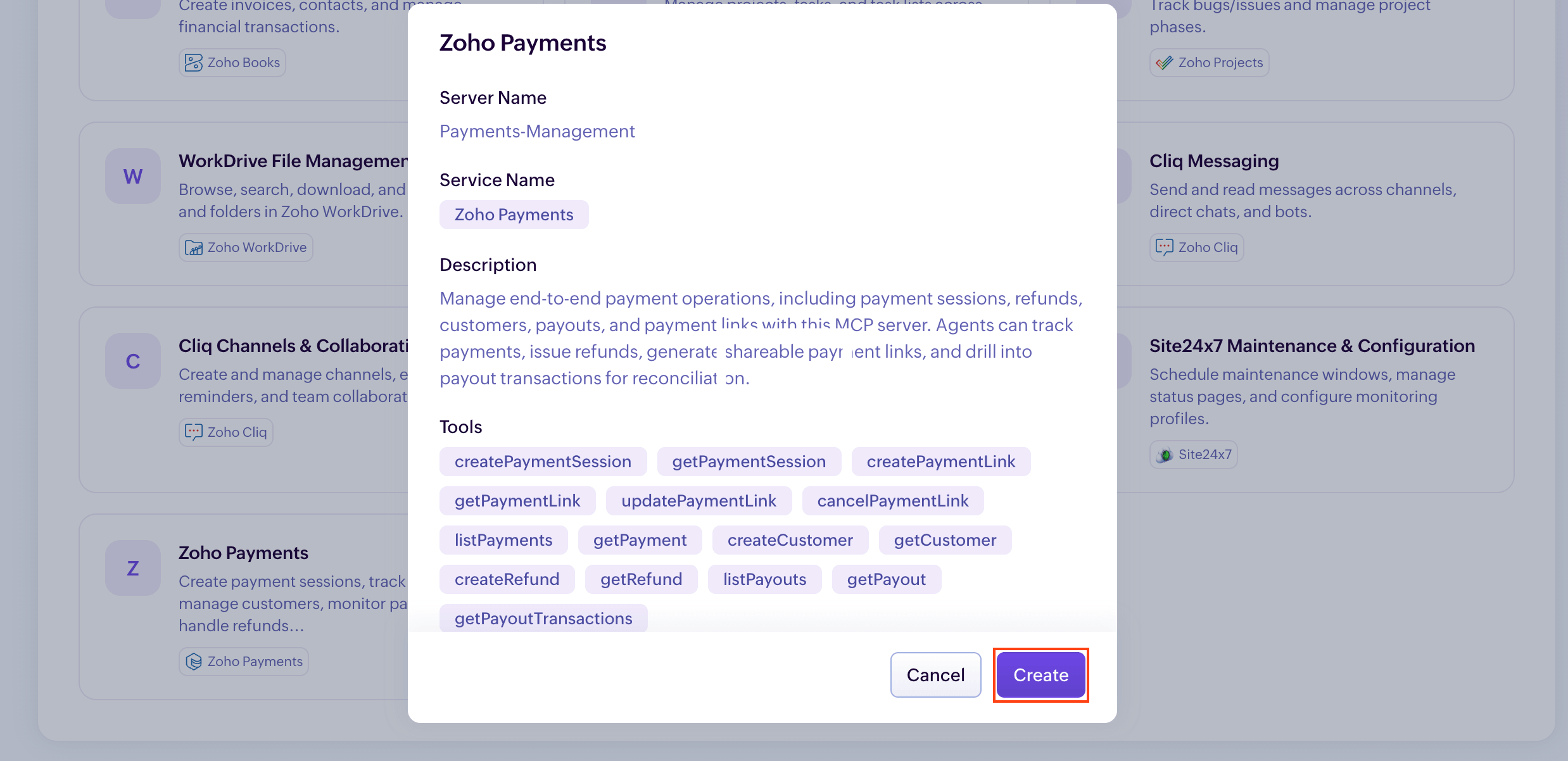
Your Zoho Payments MCP Server will be added along with the pre-configured tools.
- Navigate to the Zoho MCP console and log in using Zoho OneAuth.
- Click Create MCP server below Build MCP Servers.
- Provide a name for your Zoho MCP server and click Create.
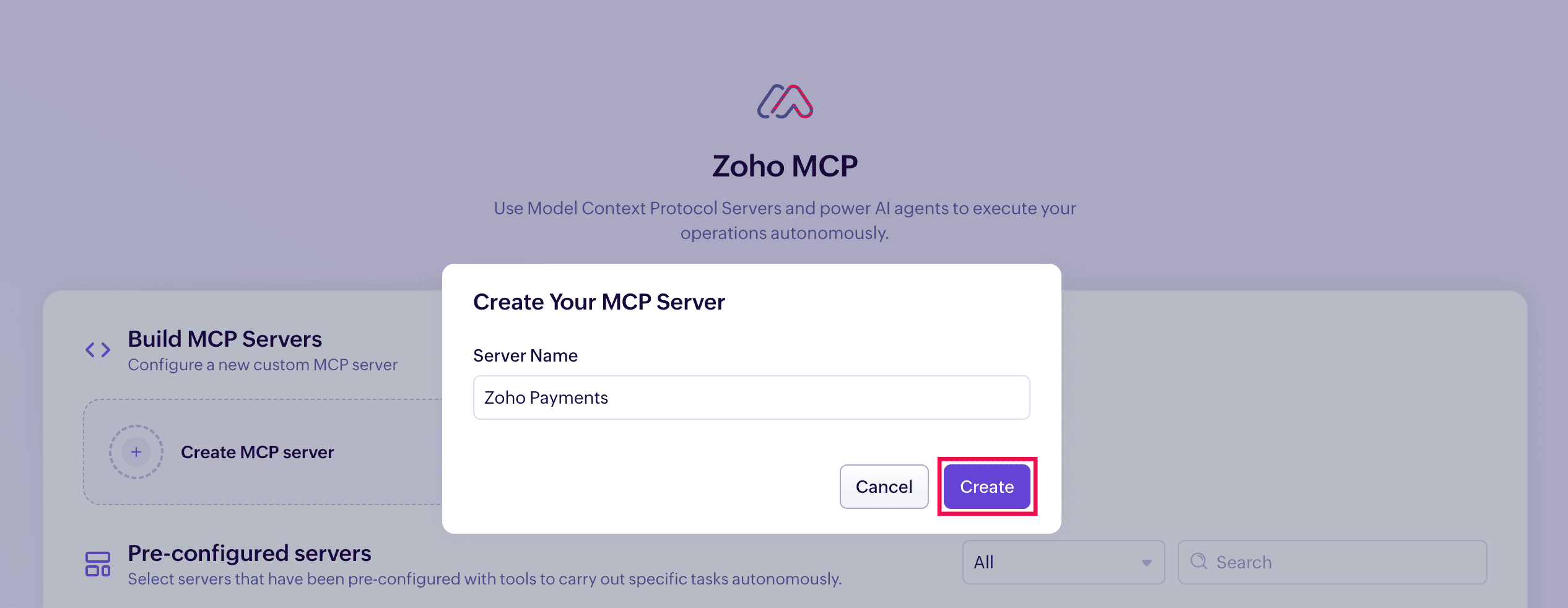
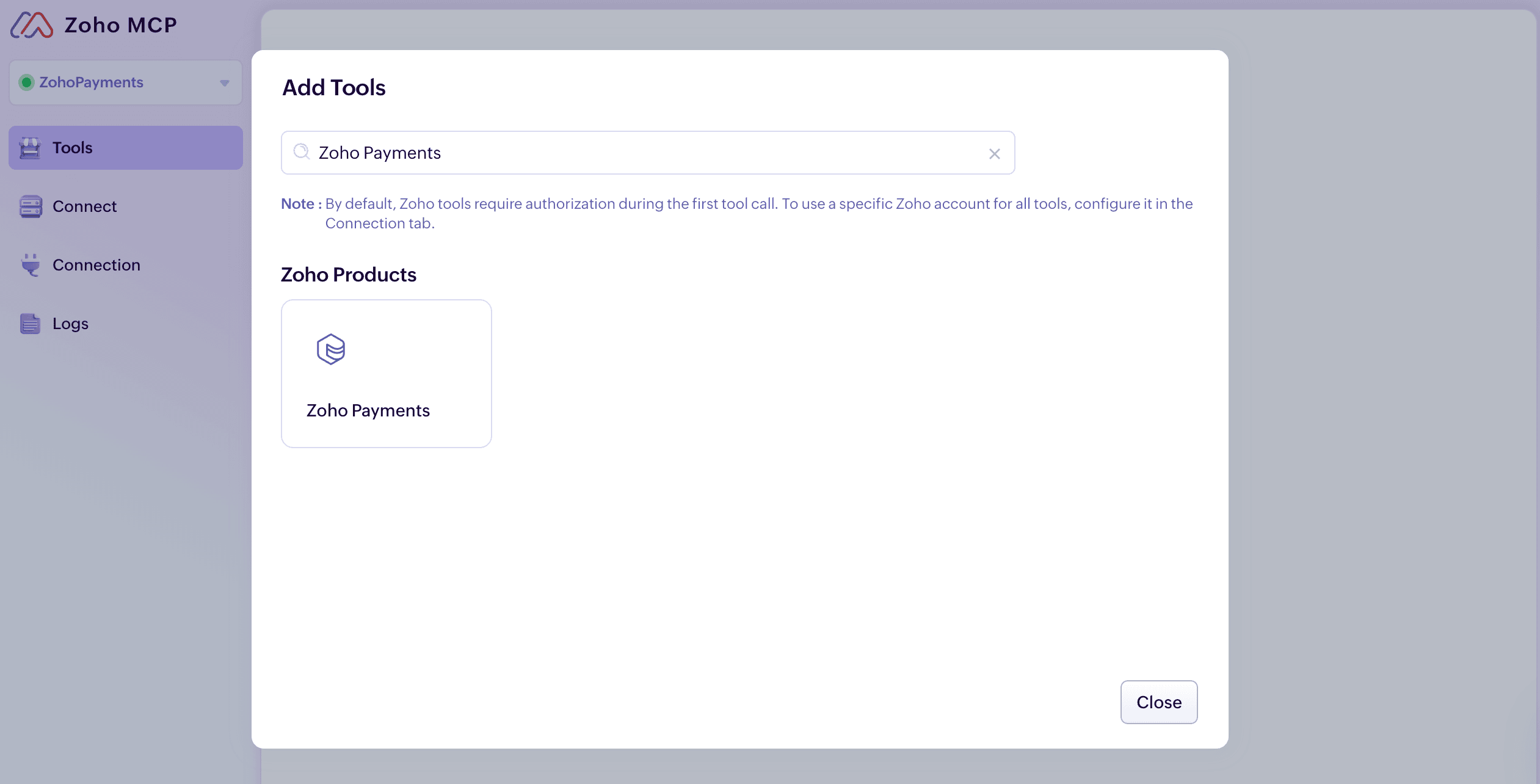
- Click Add Tools to add the tools required for your prompts.
- Search and select Zoho Payments from the list of available tools.
- Select all the payment tools you need.
- Click Add Now once you have selected the required tools.
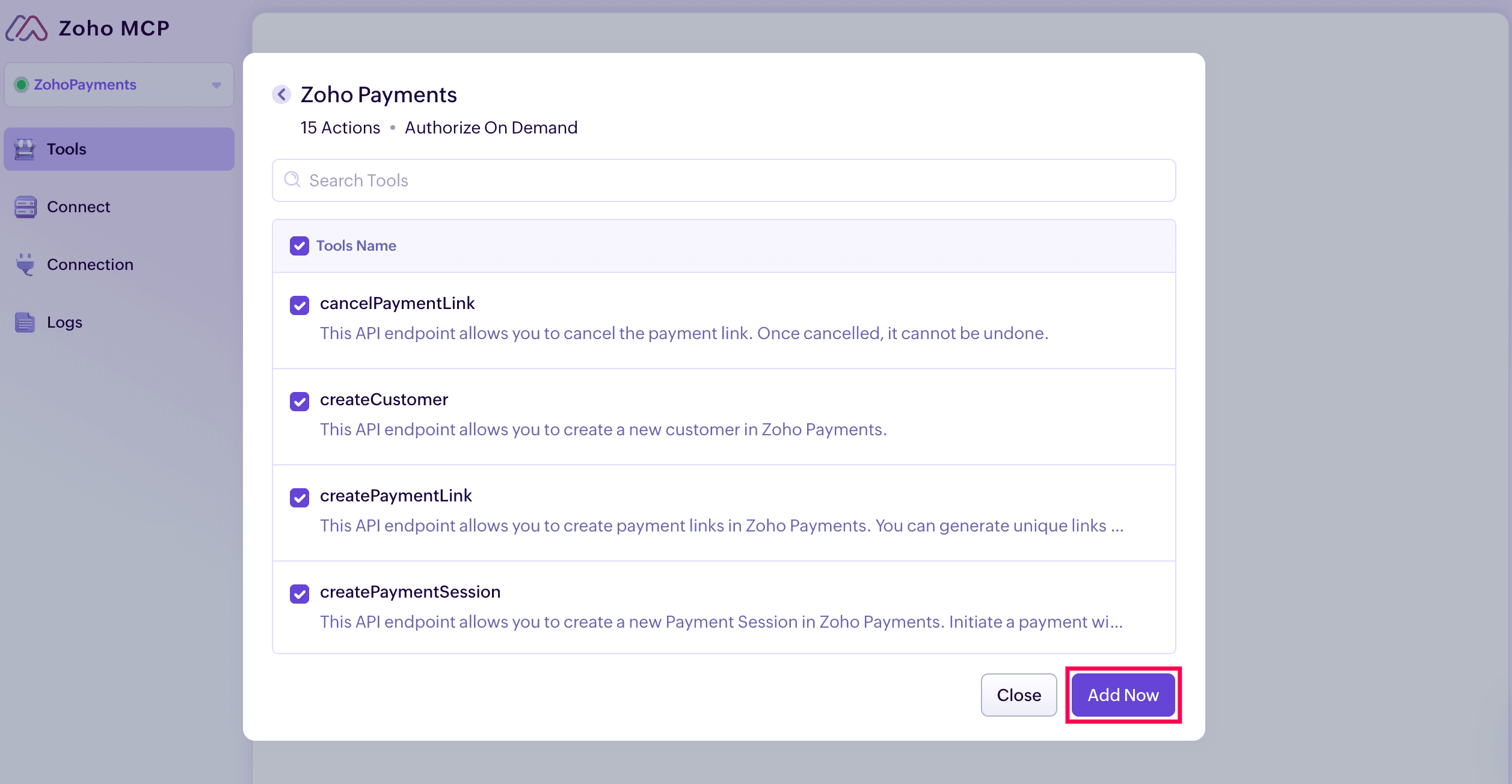
This configures your Zoho Payments MCP server and adds all selected tools to your server.
Connect Your Zoho MCP Server
Once you’ve configured the server, Zoho generates a unique, secure MCP URL for each server. This MCP URL will serve as the endpoint invoked when a prompt is executed from your MCP Client.
To connect:
-
Click the Connect tab in the left sidebar.
-
Click the Copy button next to the URL.
-
Use this URL to integrate your Zoho MCP server with your MCP Client.
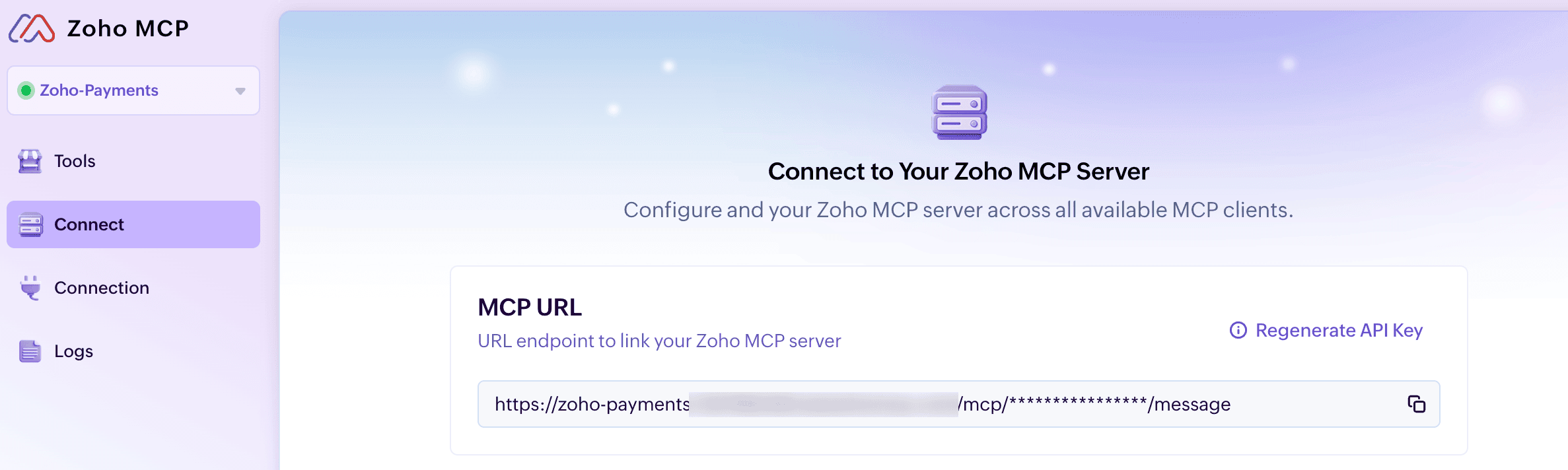
Insight: You can use the Re-Generate API Key button to generate a new MCP URL endpoint if needed.

 Walkthrough of Zoho Payments personalized to your business needs