- HOME
- Work Management
- Time-saving automations in Zoho Tables to improve your content game
Time-saving automations in Zoho Tables to improve your content game
- Last Updated : April 17, 2026
- 191 Views
- 4 Min Read
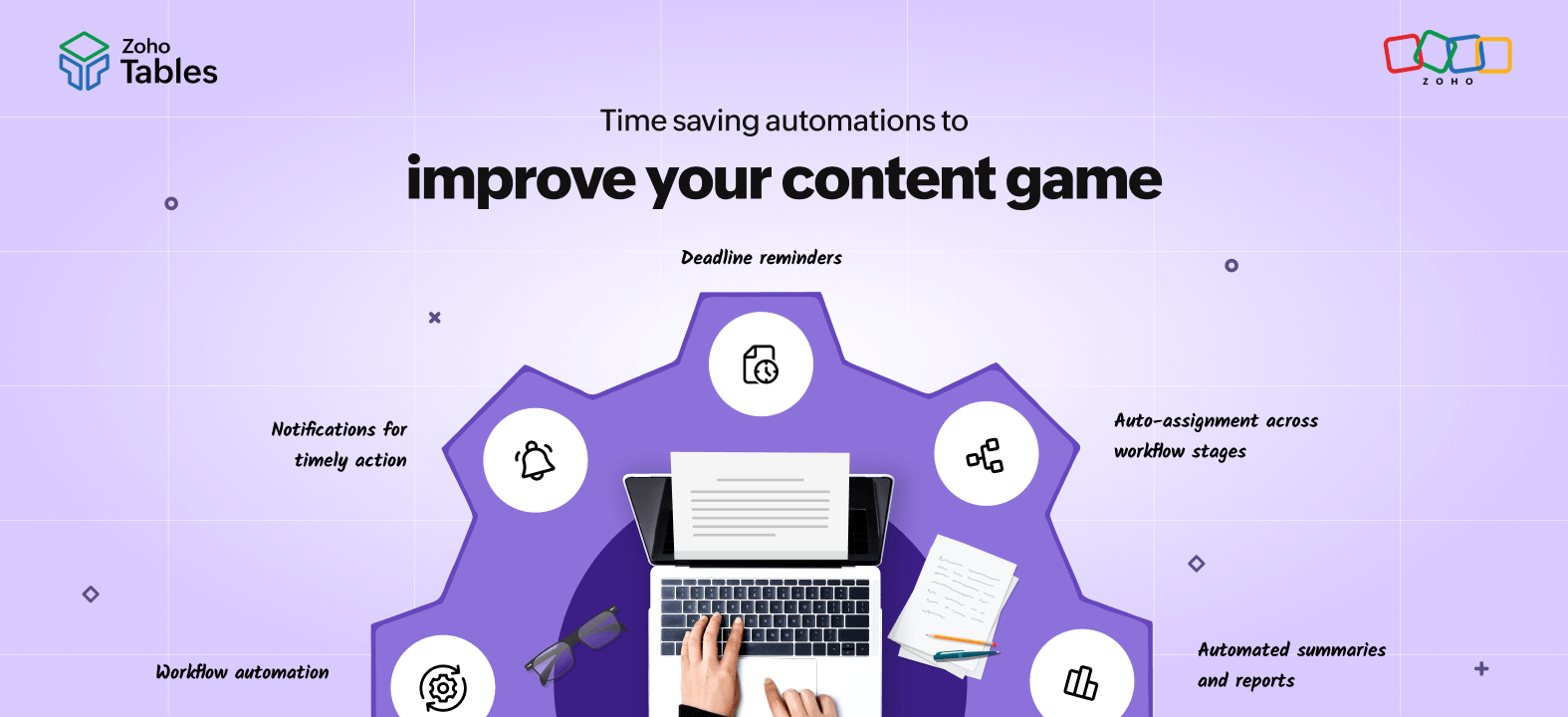
Content marketing looks simple on the surface, but behind every piece of content is a complex workflow involving multiple stakeholders, constant updates, and tight deadlines. Writers, designers, marketers, and reviewers all collaborate to deliver a single output.
In this article, we’ll look at how you can improve the efficiency of your content workflow by setting up time-saving automations in Zoho Tables.
Why should you set up automations?
A content workflow involves more than just tasks. It involves different layers of data that need to stay connected.
- Work data: Content documents, creatives, videos
- Process data: Owners, deadlines, publish dates, links
- Metadata: Last updated time, turnaround duration, contributors
When these are managed manually, you face challenges:
- Keeping information consistent across multiple tools and updates becomes difficult.
- Data inconsistencies or missing details interrupt the flow of work and cause confusion.
- Feedback cycles slow down due to lack of visibility and repeated follow-ups.
- Reporting takes additional time and often depends on manual compilation.
Thankfully, with a bit of automation in a solution like Zoho Tables, you can ensure that your workflow runs consistently without constant intervention.
What is Zoho Tables?
Zoho Tables is a no-code spreadsheet-database hybrid that helps teams manage their workflows in a structured and flexible way. It allows marketing teams to manage their content pipeline in a single system.
If you're just getting started, explore our guide on building a content marketing strategy.
Automation in Zoho Tables
Automation in Zoho Tables follows a simple structure based on triggers and actions:
| Triggers | Actions |
|
|
Setting up automations in Zoho Tables
- Choose a trigger based on how and when you want the automation to run within your workflow.
- Define conditions that reflect your process, such as specific status changes.
- Set actions that move the workflow forward, like notifying stakeholders, updating records, or creating follow-up actions.
- Test the automation to ensure it aligns with your workflow and behaves as expected in real scenarios.
Automations that increase the efficiency of your content marketing
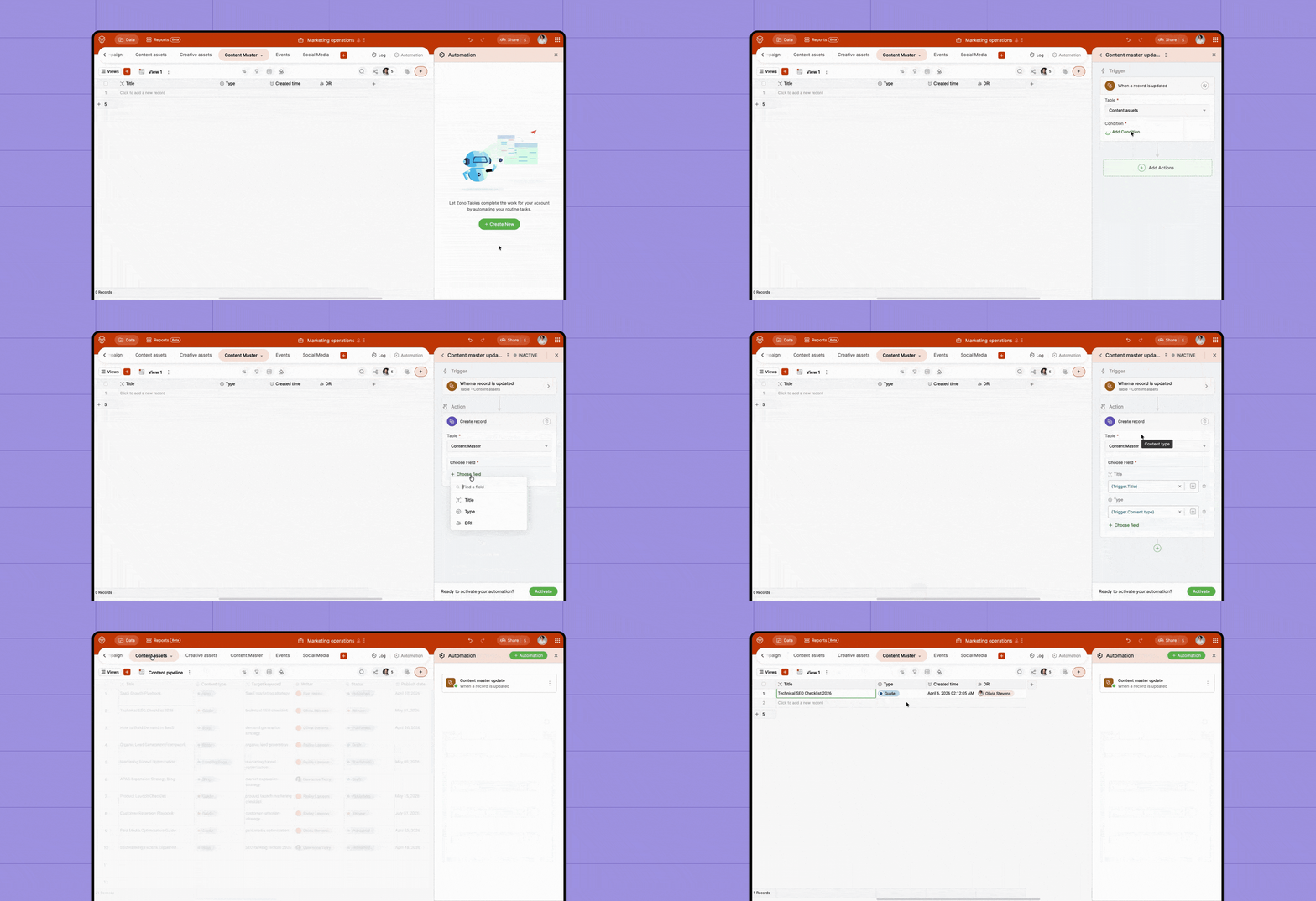
Workflow automation
Content workflows often slow down because the next step depends on someone being informed manually. Instead of relying on updates through messages or meetings, you can automate actions based on status changes.
Example 1
When a social media post is marked as Ready to Publish, an automation can create a draft in Zoho Social. The social media manager can then review and schedule it directly.
Example 2
When a blog or webpage is marked as Live, a new record can be automatically created in the Content Master table. This keeps your published content data updated without manual effort.
Notifications for timely action
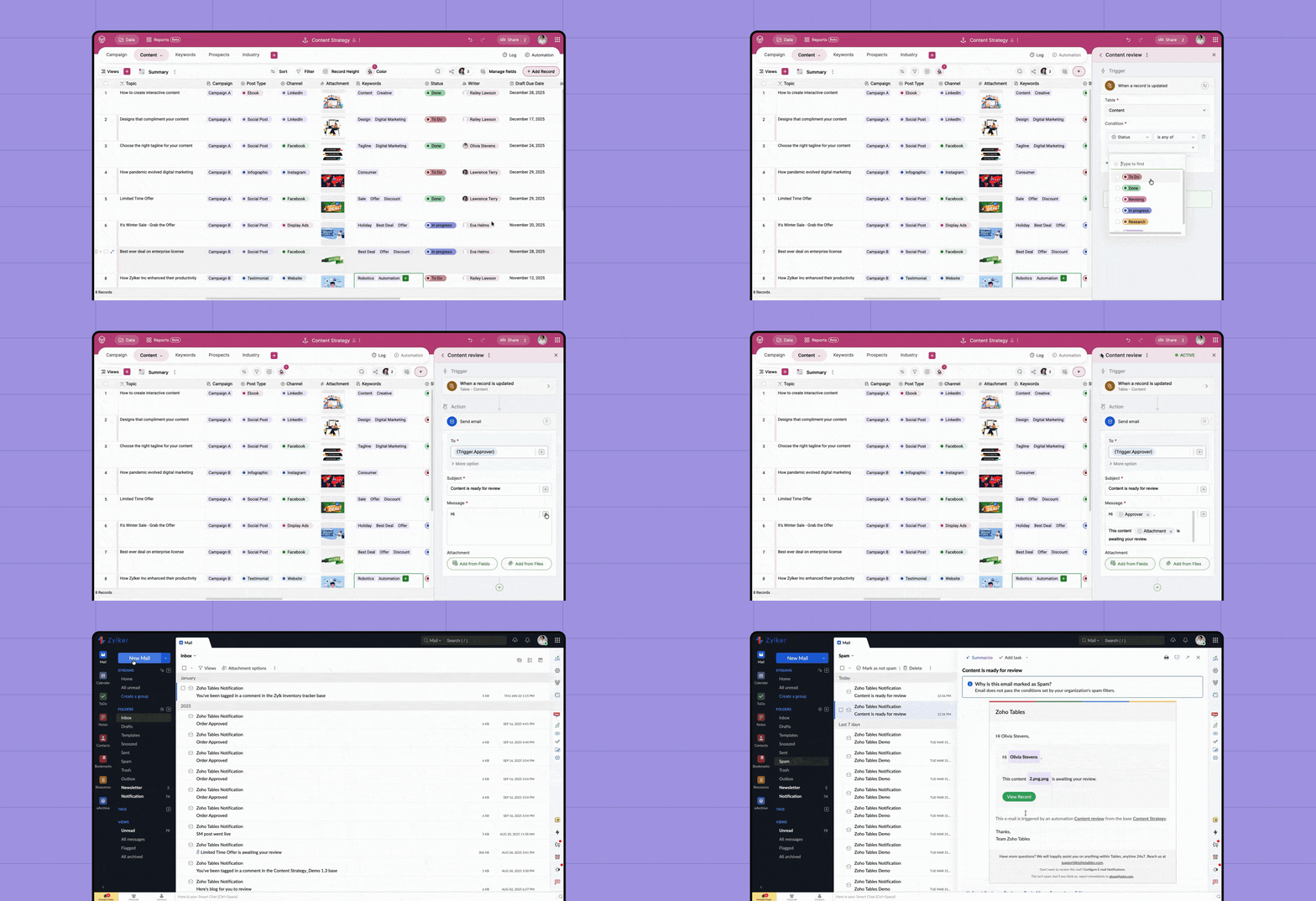
Delays often happen because the right people aren't notified at the right time. Automation helps ensure that every update reaches the relevant stakeholder immediately.
Example 1
When a content item moves to the Review stage, a notification can be sent to the reviewer through email or Zoho Cliq.
Example 2
When content is published and the URL is added, the team can be notified to start distribution and promotion activities.
Automated summaries and reports
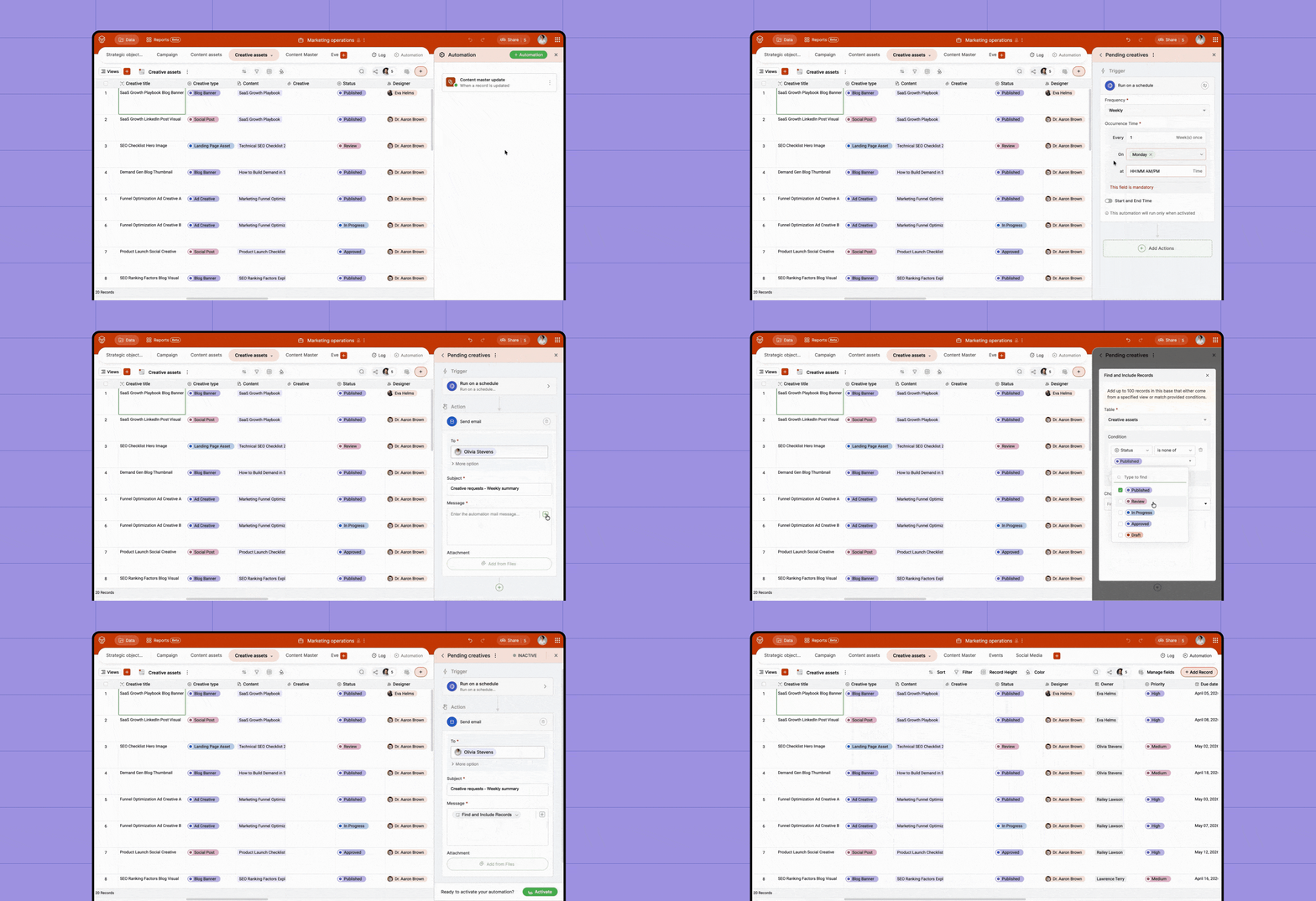
Reporting is essential for visibility, but is often handled manually at the end of each cycle. With automation, summaries can be generated and shared without additional effort.
Example 1
At the end of every month, an automation can run on a schedule to calculate the number of content pieces published and send a summary to stakeholders via email or Zoho Cliq.
Example 2
Every week, an automated report can be generated to list all pending creative requests along with their current status and owners. This helps teams quickly identify bottlenecks without manually compiling data.
Deadline reminders
Deadlines are easy to miss when teams are handling multiple tasks. Automated reminders help ensure that tasks are completed on time.
Example 1
One day before the due date, an automation can send a reminder to the content owner to ensure the task is on track.
Example 2
If a task crosses its deadline, an automated notification can be sent to both the owner and the manager, highlighting overdue items and prompting immediate action.
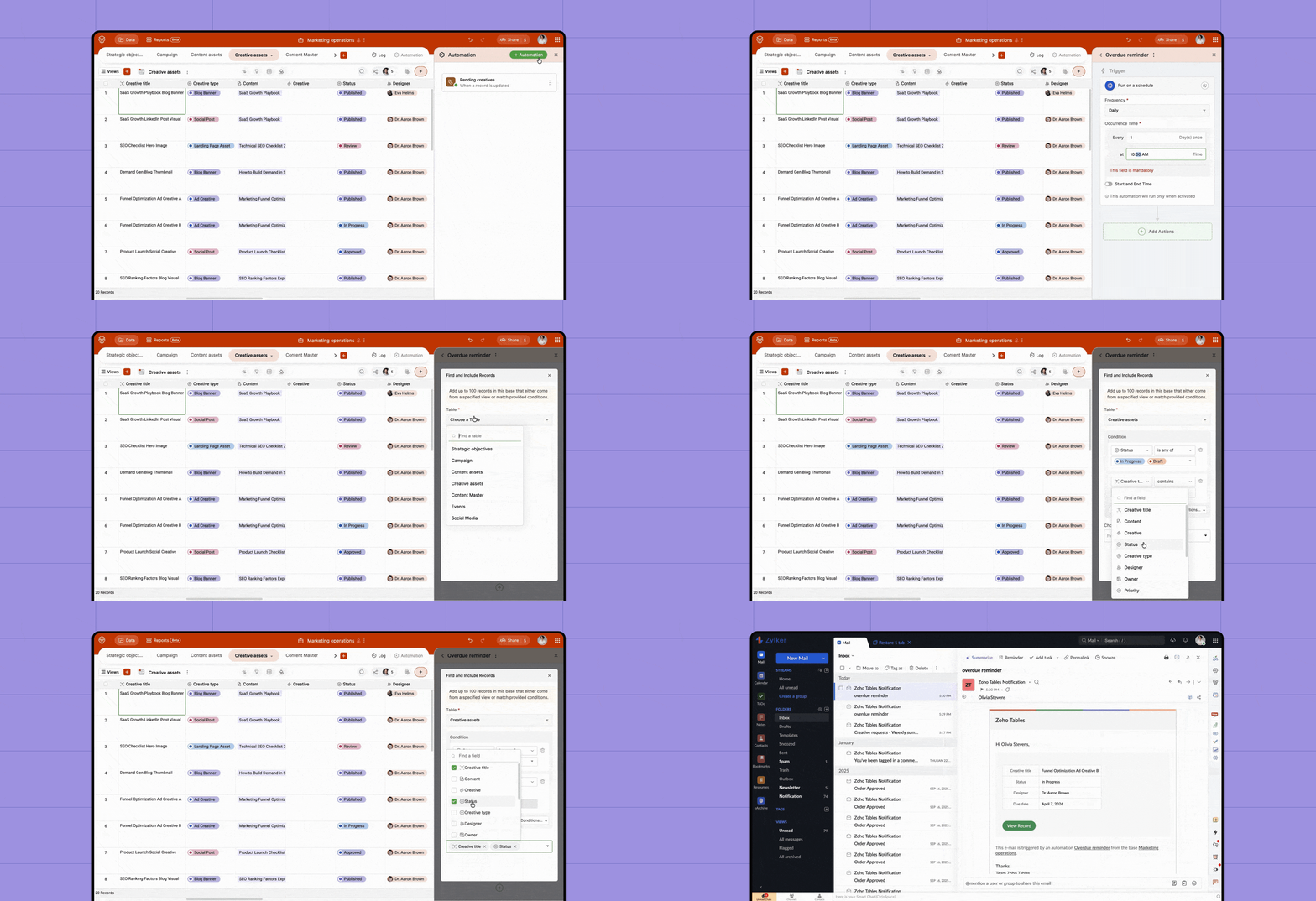
Auto-assignment across workflow stages
Content moves through multiple stages, and each stage often requires a different owner. Instead of assigning tasks manually at each step, you can automate ownership changes.
Example 1
When a blog is marked as Ready for Distribution, it can be automatically assigned to the social media manager to handle promotion.
Example 2
When a task moves from review to design, the designer can be automatically assigned along with all relevant details, reducing the need for manual coordination.
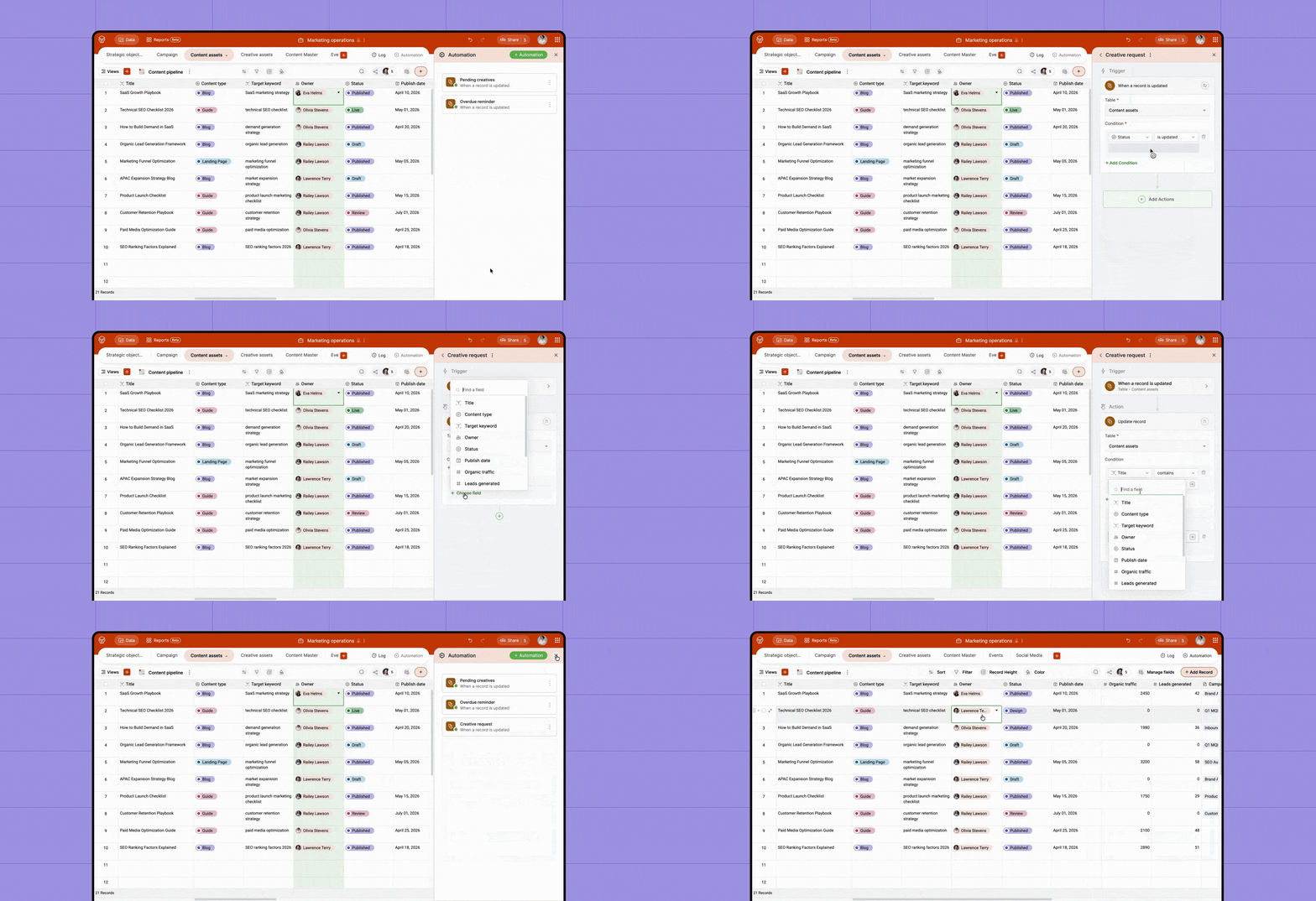
By setting up the right workflows in Zoho Tables, you can reduce manual effort and ensure that work moves forward without delays. Each automation removes a layer of operational overhead and allows your team to focus more on creating and less on managing.
Automate with Zoho Tables and improve your content marketing efficiency today!
Get started
 Haripriya S
Developer turned marketer. Balancing parenting and marketing, and loving every bit of it.