- HOME
- Work Management
- How to choose the right marketing operations tool in 5 minutes
How to choose the right marketing operations tool in 5 minutes
- Last Updated : June 8, 2026
- 108 Views
- 5 Min Read

If you're unsure about how to choose the right tool for your marketing team or agency, you've landed on the right page. In just five minutes, we'll help you choose the best tool to manage your marketing operations based on your work scenario.
Marketing is one of those fields where you can't escape using multiple tools. You'll probably have a social media management platform, PPC websites, a CRM to manage qualified leads, video creation software, and an email marketing tool. If you have these tools, you can't skip them, but you can centralize your marketing operations in one place.
Let's looks at three scenarios to help you decide when you should use a spreadsheet, sophisticated tool, or spreadsheet-database hybrid based on your current work setup.
Scenario 1: You're a freelancer or just starting out
If you're pursuing marketing as a side hustle or just stepping into marketing, spreadsheets can help you get started. The familiar grid interface is user-friendly, easy to adapt, and mostly free to use. When you have only a handful of clients or campaigns to manage, you don't have to worry about advanced automation, views, or real-time collaboration features.
Here's how you could use spreadsheets to manage your freelance projects:
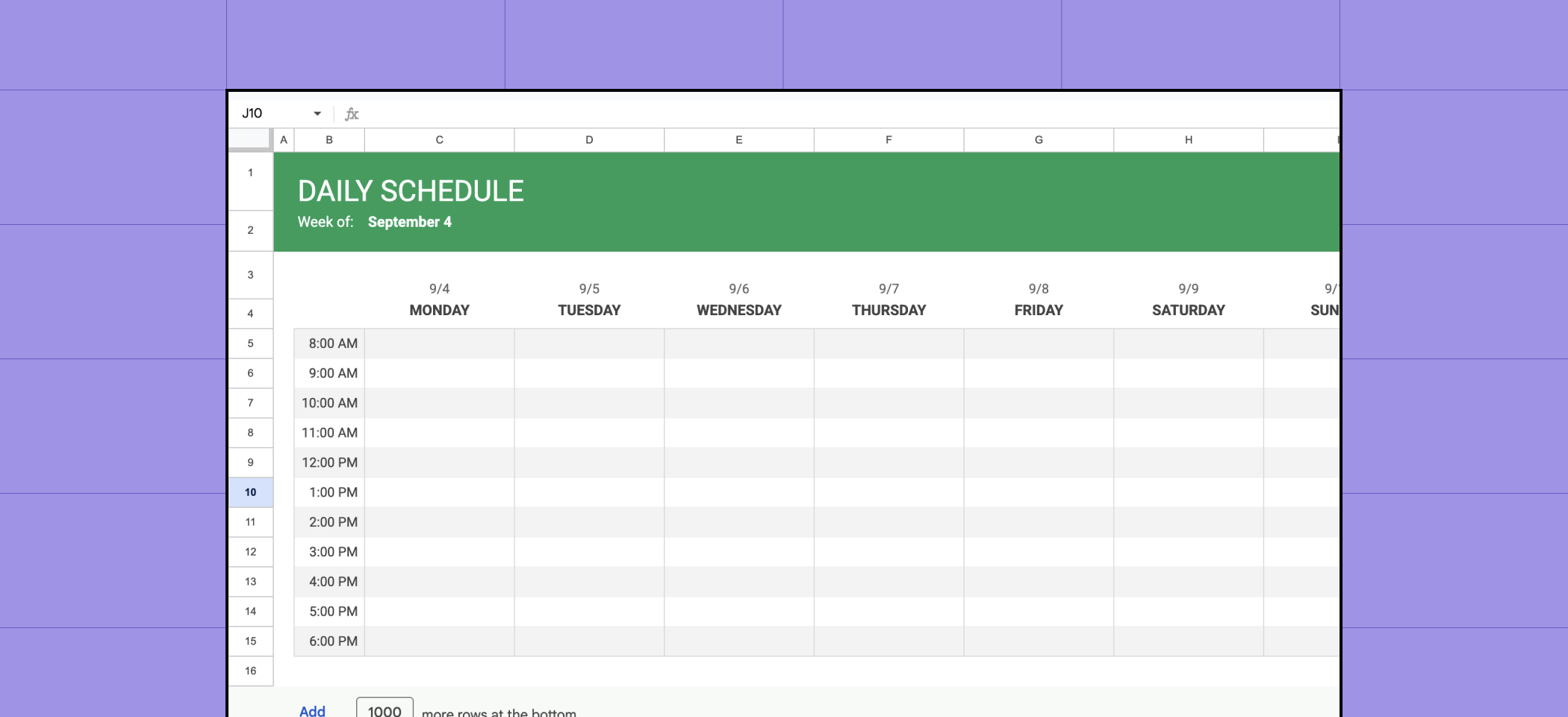
Create a sheet to manage your daily schedule and track your tasks.
Use formula fields to create a weekly timetable setup.
List your tasks for the day based on client requirements and deadlines.
Replicate this setup for each week.
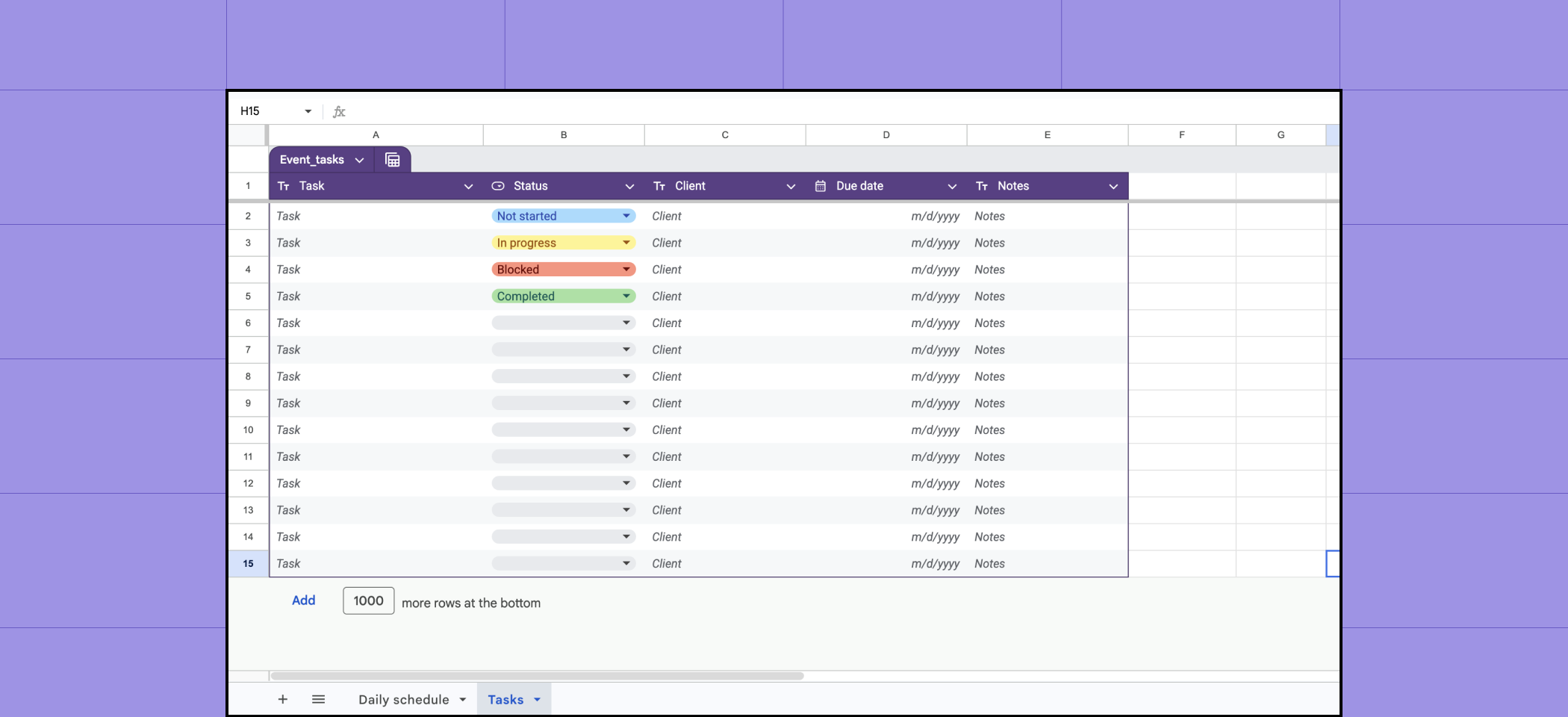
Create a second sheet to track tasks, statuses, due dates, and clients.
While spreadsheets are excellent to begin with, they can't handle data and operations as your business scales. That's when most marketing teams and agencies consider using sophisticated tools.
Scenario 2: You're handling 100+ marketing campaigns with a large team
If your marketing agency handles thousands of clients or your marketing team manages campaigns at scale, you should opt for sophisticated project management software. Unlike omnichannel marketing tools that only focus on execution, project management tools help you with planning, tracking, and collaborating on campaigns. They come with a learning curve, but work well once you know how to use them.
Popular tools include:
These tools are rigid and expensive, but work well for enterprises. They have deep integrations with marketing tools and offer advanced resource management, time tracking, automation, and scalability.
If you can't relate to either of these scenarios, it might be time to assess spreadsheet-database hybrids.
Scenario 3: You're looking for a middle ground between simple spreadsheets and complicated project management software
If you're a small- or mid-sized marketing agency or team that needs an upgrade from spreadsheets but feels sophisticated project management software is overkill, spreadsheet-database hybrid tools are the way to go.
You get the best of spreadsheets and relational databases with the features of a sophisticated tool that small- and mid-sized teams need to manage their marketing operations.
Popular tools include:
Zoho Tables: A popular choice of SMBs for managing marketing operations
Zoho Tables is a spreadsheet-database hybrid tool that helps you plan, track, and generate reports on your marketing campaigns. It has the appearance of a spreadsheet and the linking capabilities of a relational database. It comes with 65+ prebuilt templates, an AI assistant, dynamic views, dashboards, and an intuitive mobile app.
How to create a marketing operations tracker in Zoho Tables
1. Create your base
A base holds all your information, like campaigns, team tasks, deadlines, and performance metrics. You can create a base by importing your spreadsheets, or using a template, an AI prompt, or from scratch.
2. Link your data
Establish bidirectional relationships between your tables so that when data changes in one place, it reflects everywhere. Unlike spreadsheets, where you have to use formulas like VLOOKUP and HLOOKUP, you can simply use a predefined field to link records. You can link your team with campaigns, campaigns with performance, and performance with team members.
3. Create views
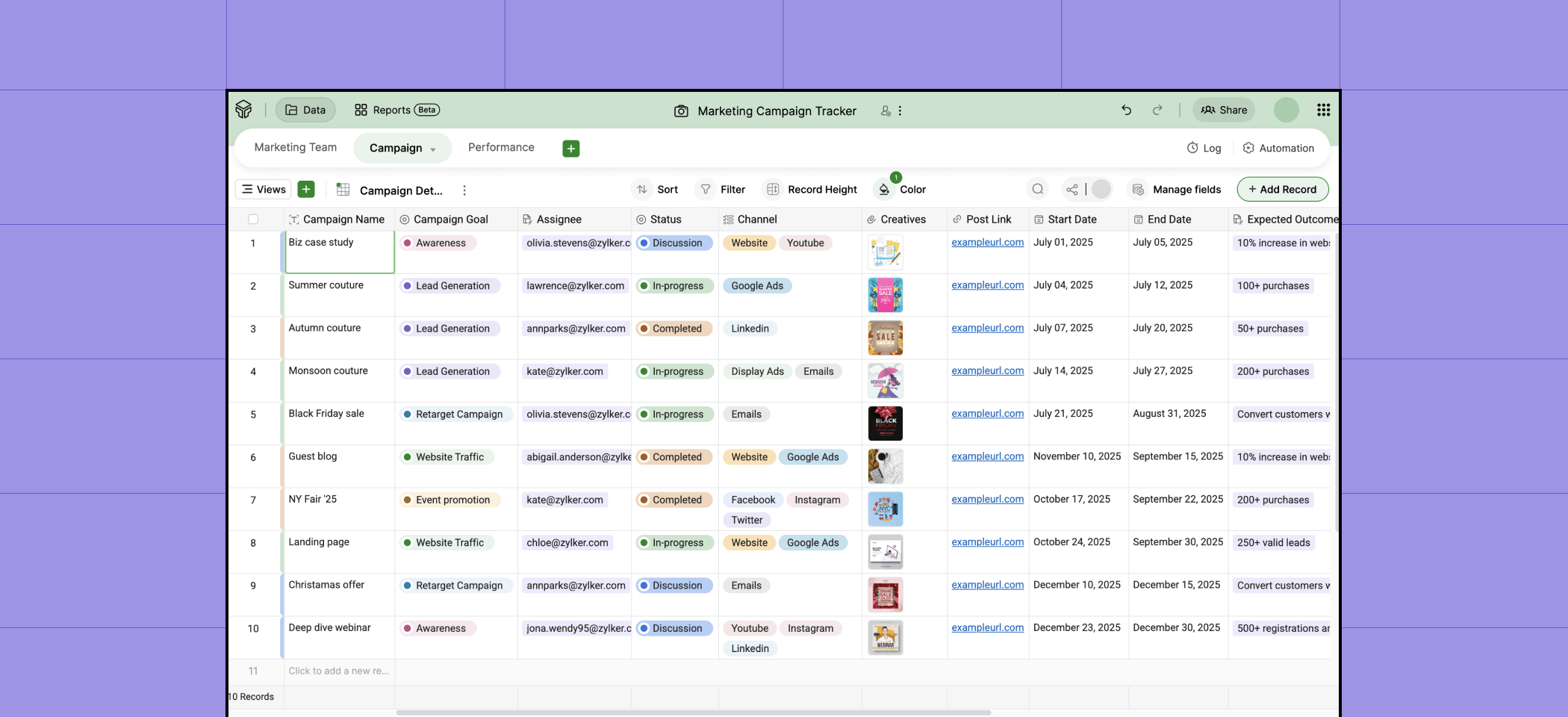
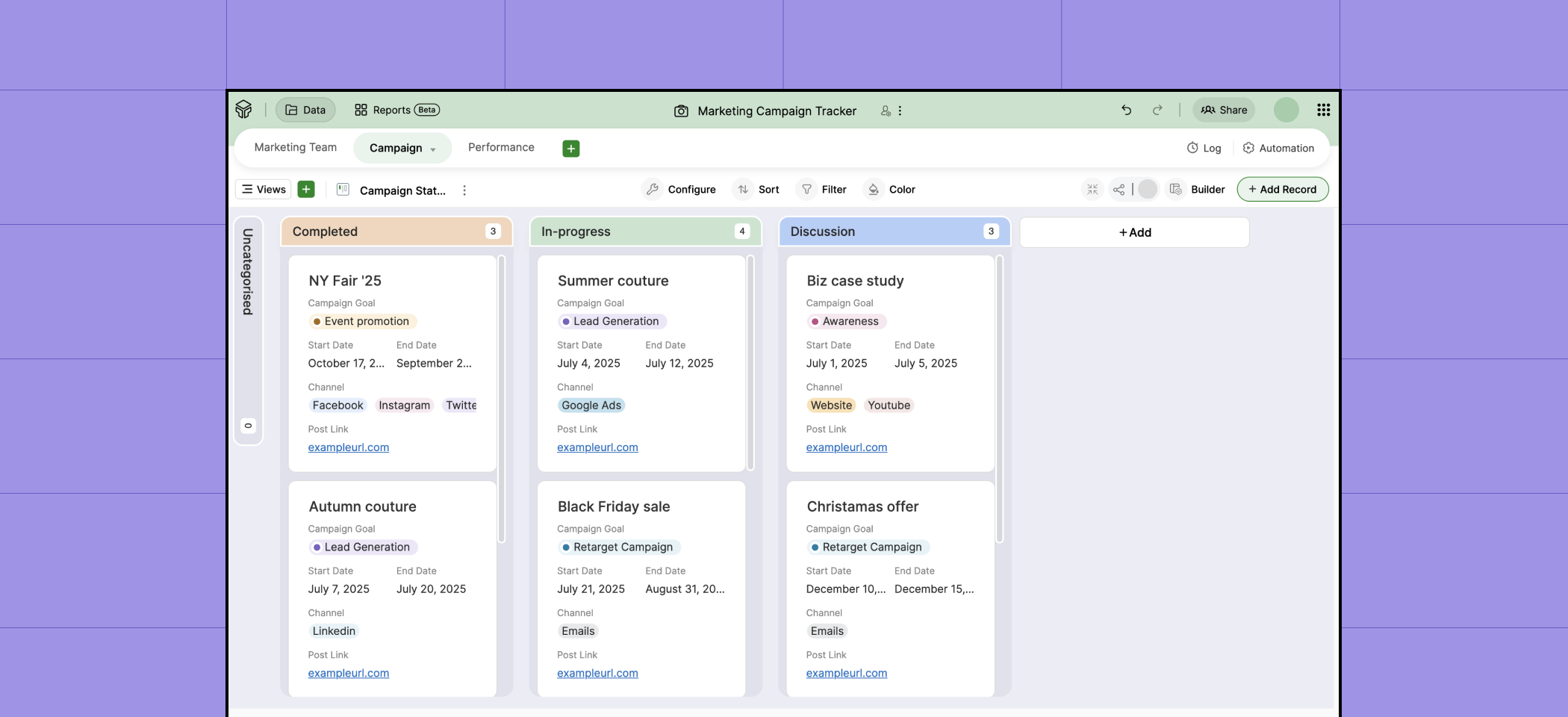
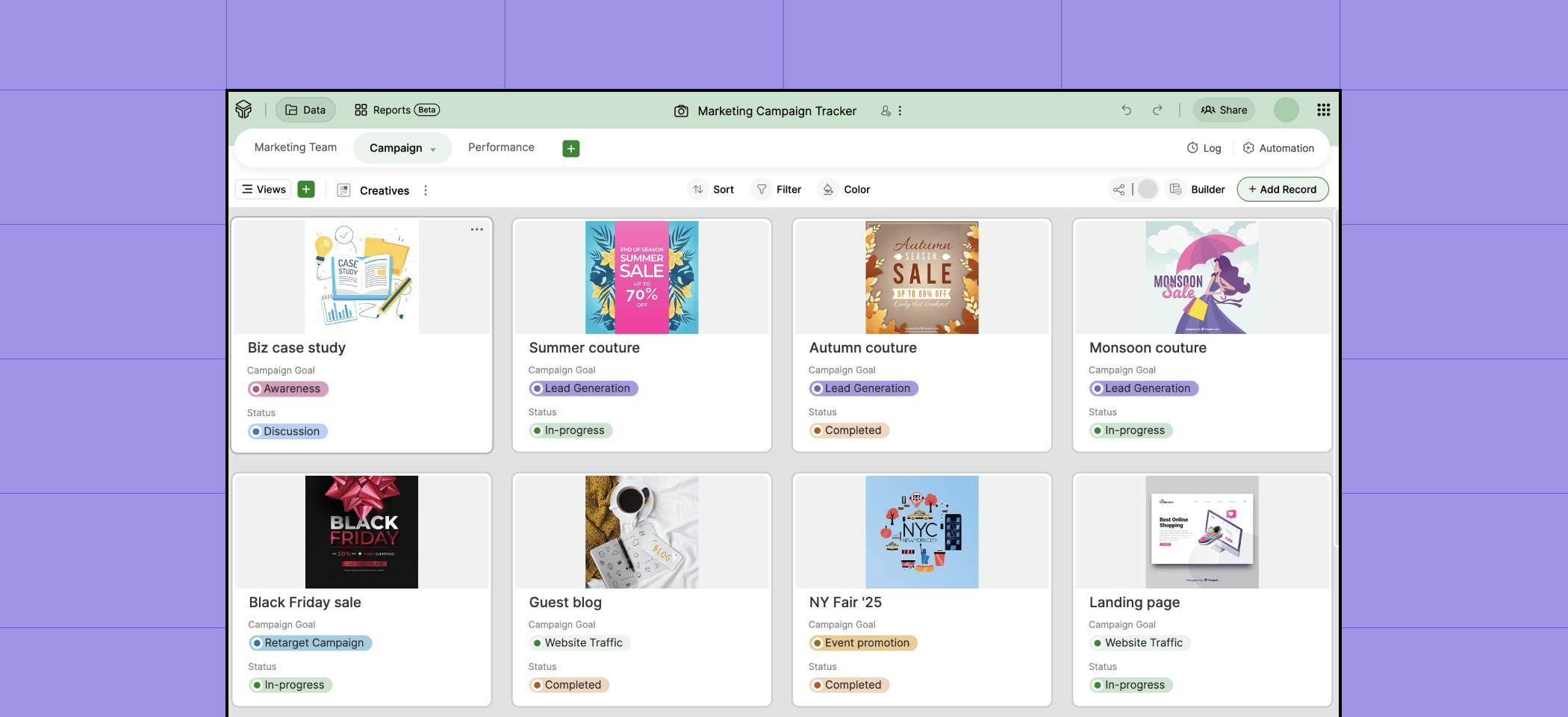
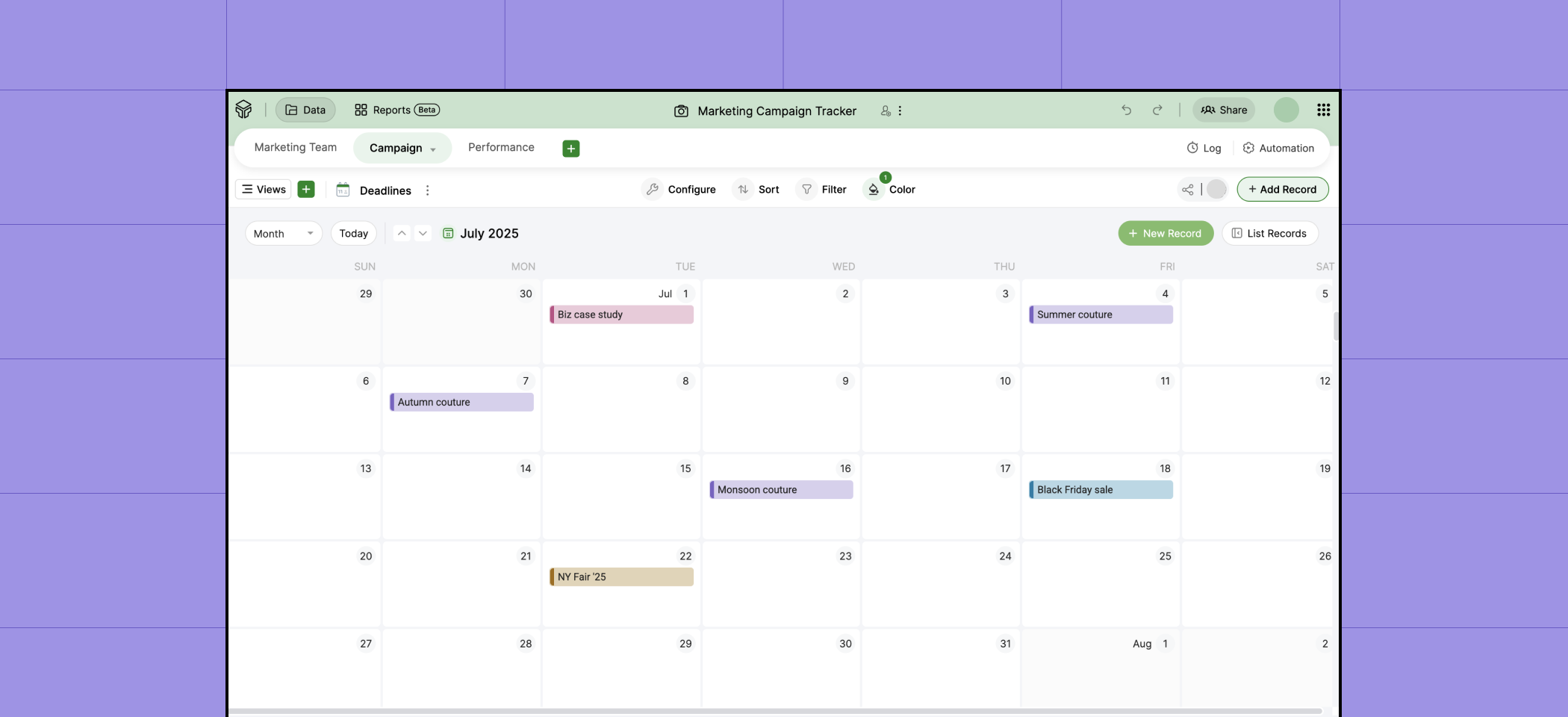
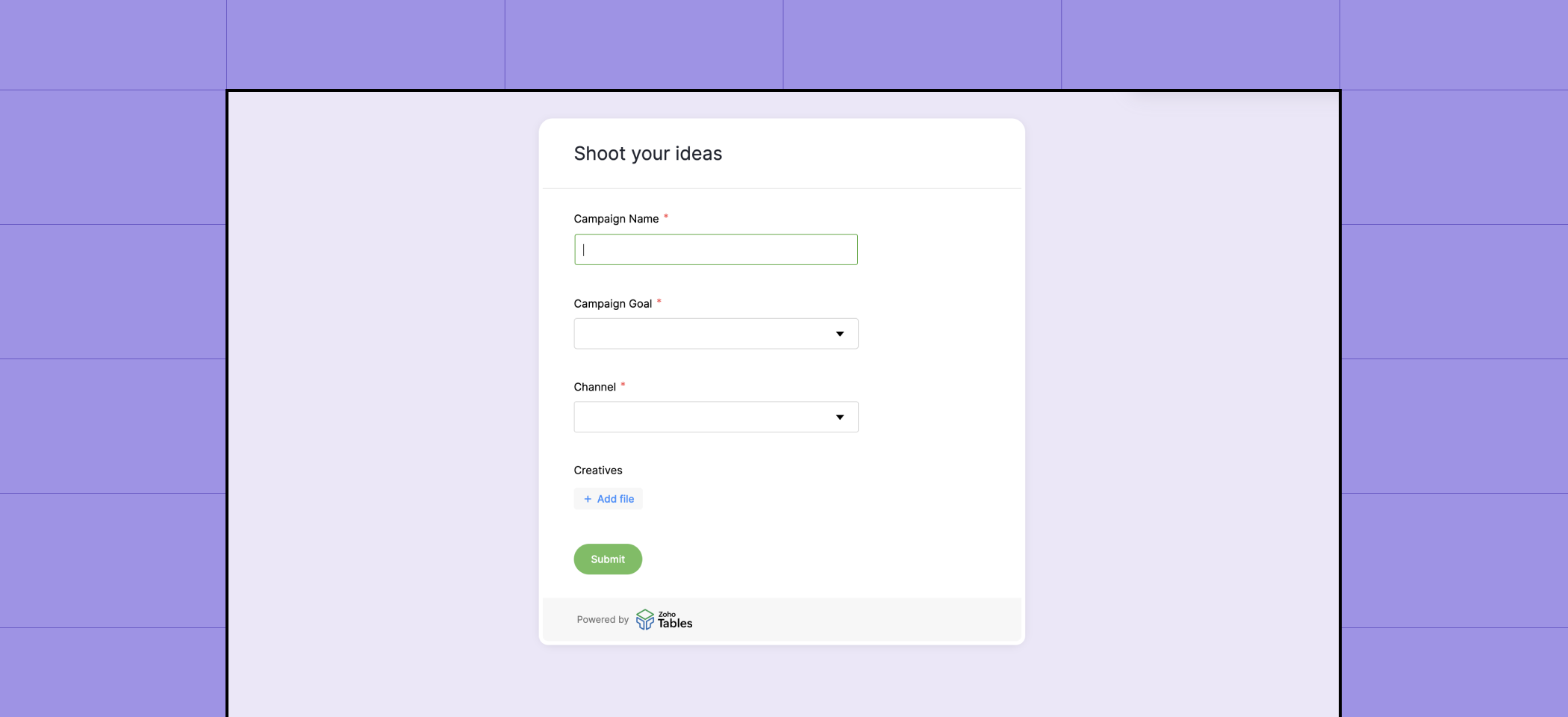
Zoho Tables offers Grid, Gallery, Kanban, Calendar, and Form views. Grid view gives you a master view of your entire dataset. Gallery view helps you centralize creatives like posters, mock-ups, banners, and social media designs. Calendar view shows your deadlines, launch dates, and lead follow-up dates. You can track statuses using kanban cards. Finally, you can use Form view to collect responses, which get added to your grid automatically.
4. Add collaborators and set automation rules
Bring in your team members and set appropriate roles, like Manager, Editor, Data Maintainer, Commenter, and Viewer. You can choose to share the whole base with them or just particular views.
Then, set automation rules to send emails, draft social media posts, and update or create data.
5. Create dashboards to monitor campaigns
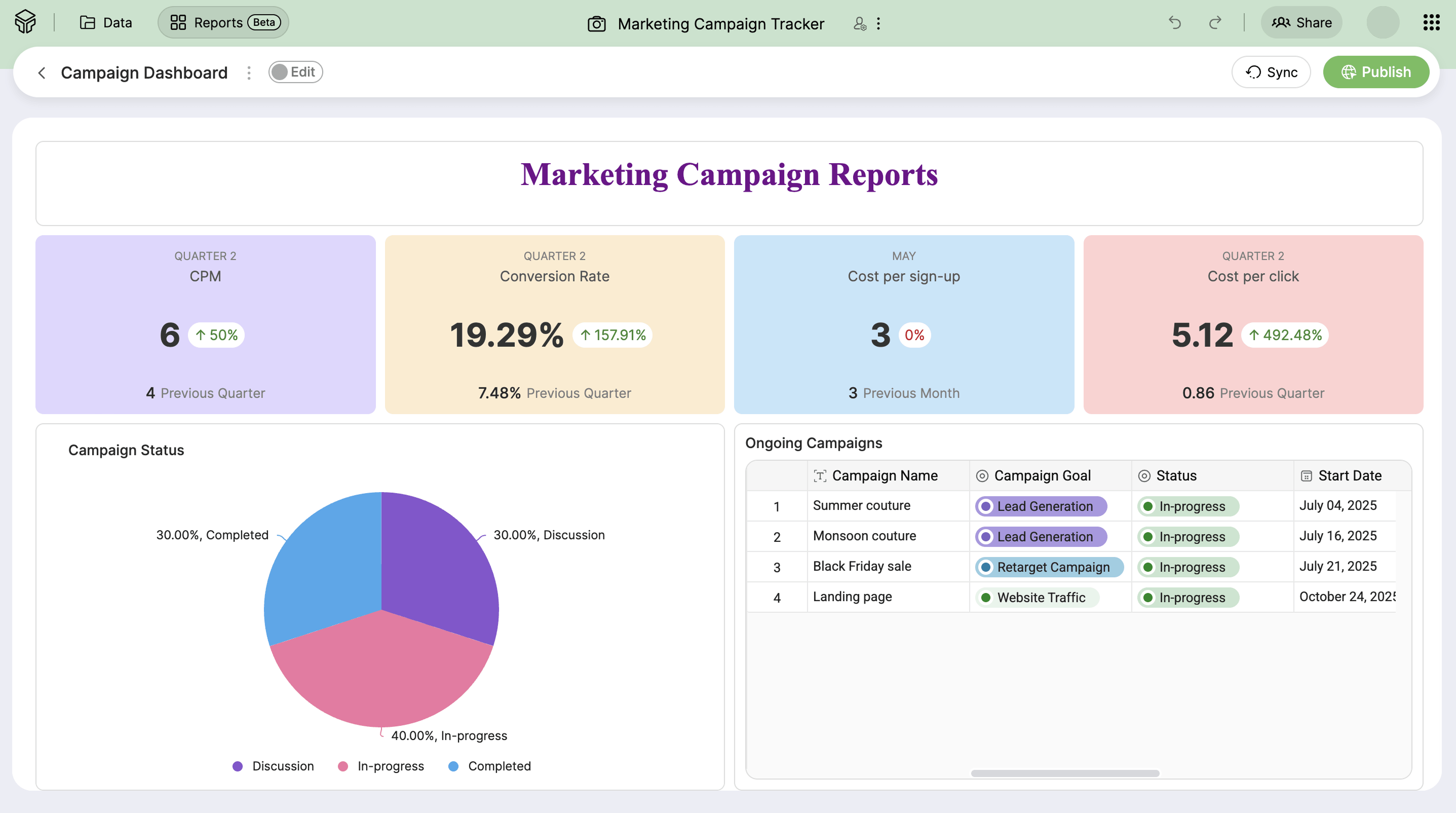
Create real-time dashboards to see the performance of your campaigns. Drag and drop the elements you need in the dashboard, set conditions, and choose the metrics you want to show. You can also share the dashboard within your base or with external stakeholders.
6. Download the Zoho Tables app
The Zoho Tables mobile app is available on iPhone and Android. It has all the features available on the web application, plus mobile-specific features like OCR scanning, base creation with Siri, uploading voice attachments, and watching video attachments in picture-in-picture mode. If you're an iPad user, you can also write inside grids, annotate on images, and sketch forms using your Apple Pencil.
Start your Zoho Tables free trial today
Sign up for Zoho Tables and get 15 days of unlimited access to our Professional plan. You can then choose to upgrade or enjoy the forever-free plan.
Frequently asked questions
1. Why do I need a marketing operations tool?
There are separate tools for each marketing channel, from social media and emails to paid ads and outbound. As this creates disconnected campaign execution, it's good to have a centralized marketing operations tool to plan your campaigns, assign work, and track the performance of your campaigns.
2. How do I choose the right tool for managing my marketing operations?
The right tool depends on your work scenario. If you're a freelancer or just starting out, spreadsheets are your safest bet. If you're a marketing agency or a large team in an enterprise that manages hundreds of campaigns simultaneously, sophisticated project management tools are your savior. If you're a small or mid-sized team looking for a middle ground between spreadsheets and sophisticated software, a spreadsheet-database hybrid is the right tool for you.
3. How does Zoho Tables help manage my campaigns?
Use Zoho Tables to plan campaigns, assign work to your team, track their progress, automate social media drafts, send email reminders, and create dashboards to monitor the performance of your campaigns.
4. How much does Zoho Tables cost?
Zoho Tables has a free-forever plan and a Professional plan. The free plan can be used by up to two users. The Professional plan starts at $4 per user per month when billed annually. You also get a fifteen-day free trial of the professional plan once you sign up.
5. Are there resources to help get started with Zoho Tables?
Watch our recorded webinars and YouTube videos, or read our help guide to get the best out of Zoho Tables.
 Archanaa
A fantasy writer who found a home in product marketing.