- HOME
- Work Management
- What is Smartsheet, and is it the right fit for marketing teams?
What is Smartsheet, and is it the right fit for marketing teams?
- Last Updated : July 23, 2026
- 101 Views
- 5 Min Read
When marketing teams outgrow spreadsheets, they start looking at tools like Smartsheet, Airtable, and Trello. Smartsheet often shows up on that list because it has a familiar grid interface, handles project timelines well, and looks like it can do the job. But the real question is whether it was built for content pipelines, campaign tracking, and fast-moving creative workflows. That is what this article will help you figure out.
What is Smartsheet?
Smartsheet launched in 2006 as a spreadsheet-style project management platform. It gives teams a familiar grid interface to plan projects, track timelines, and automate workflows. It's widely used in enterprise environments, particularly in operations, IT, and construction, for managing complex, multi-stakeholder projects with detailed reporting needs.
Now that we know what Smartsheet is, the real question is whether it's the right fit for marketing work. To answer that, let's start with what most marketing teams are actually trying to solve.
What problems marketing teams are trying to solve
- Keeping everyone aligned across writers, designers, reviewers, and approvers without constant follow-ups
- Getting visibility into how campaigns, content, paid channels, and social workstreams connect and where things are getting stuck
- Maintaining a single source of truth so campaign plans, tasks, and budgets don't live in separate places
- Generating reports without manually pulling data together from multiple tools every week
- Collaborating with agencies, freelancers, and clients without losing context
- Staying on top of work while on the move, not just from a desk
Where Smartsheet works well for marketing
Campaign launch planning: Gantt charts give clear visibility into timelines, dependencies, and what's at risk across multi-team launches
Resource management: Useful for teams running several campaigns at once who need to see who is stretched thin
Proofing and approvals: Lets teams approve documents, images, and videos directly in the platform, which is handy for teams with a heavy sign-off process
Org-wide rollouts: Current Smartsheet users for operations or IT will find value in staying on one system
Where it falls short for marketing teams
Problems tend to surface when marketing teams try to run their day-to-day operations in Smartsheet, rather than sticking to just milestone tracking.
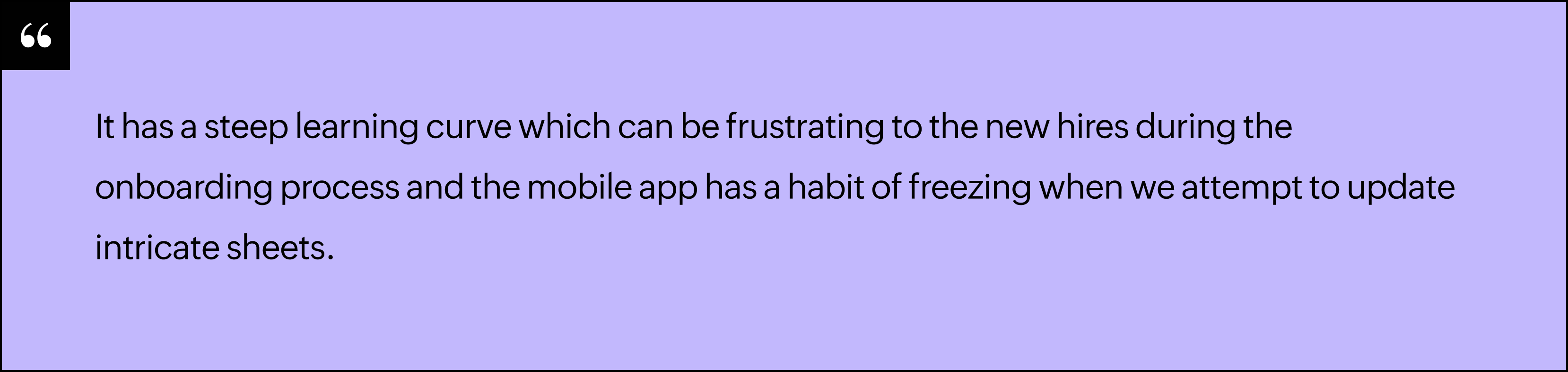
Steep learning curve
Smartsheet requires meaningful time to configure before it's useful. Dashboards, automations, and task structures all need a dedicated person to build and maintain them. For marketing teams where everyone needs to just get in and work, that overhead is a real barrier. And every time your process changes, someone has to go back in and reconfigure it.
Here are some verified reviews from Capterra:

Data silos
Smartsheet restricts each sheet to a single grid with no tabs within a base. If you want your content calendar, campaign tracker, and creative request log to reference each other, you're managing separate sheets and cross-referencing manually. For marketing teams where a blog post links to a campaign that links to a quarterly goal, this gets unwieldy fast.
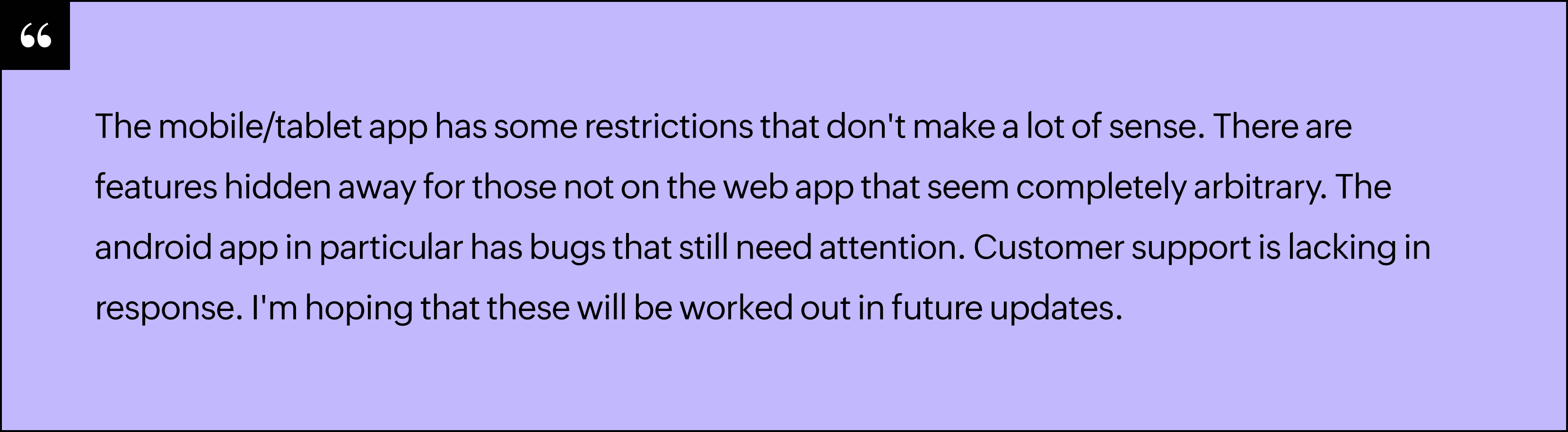
Mobile app
Marketing teams don't always work from a desk. Field marketers, event teams, and anyone working from a client site need a mobile experience that keeps up. Smartsheet's mobile app is widely noted for not matching the desktop experience, which limits what teams can actually do on the go.
Verified review from Capterra:
Pricing
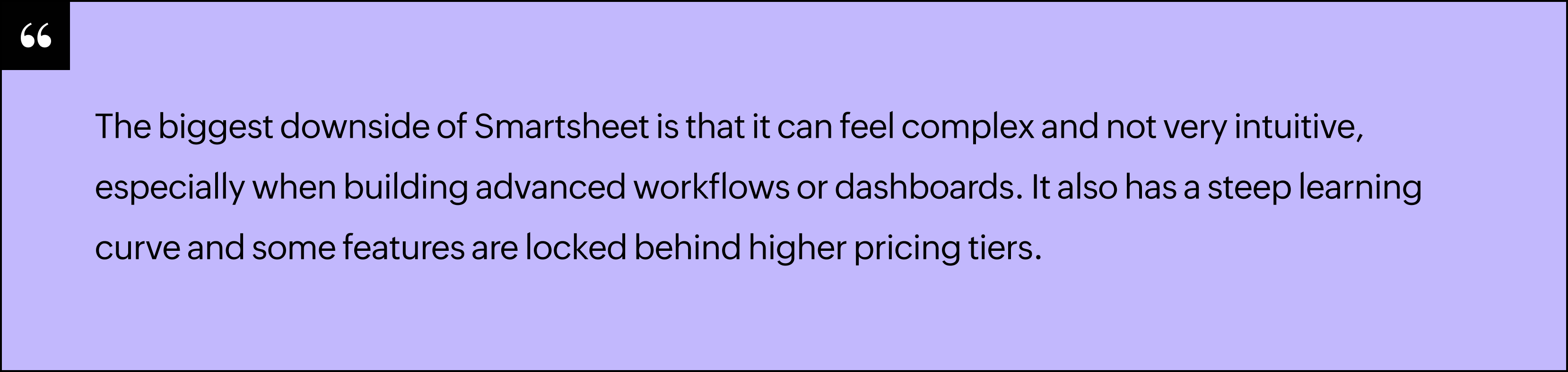
Dashboards, detailed reporting, data analysis, and the full set of AI features are only available on Business and Enterprise plans. For a lean marketing team that needs visibility into campaign performance from day one, the cost adds up before you've unlocked what you actually need. And with no forever-free plan, you're on the clock from the moment you sign up.
Here are some verified reviews from Capterra:

A better fit for marketing teams
Zoho Tables is a spreadsheet-database hybrid that's flexible enough to fit how marketing teams actually work. Here's how it addresses the gaps marketing teams run into with Smartsheet.
Multiple connected tables, no silos
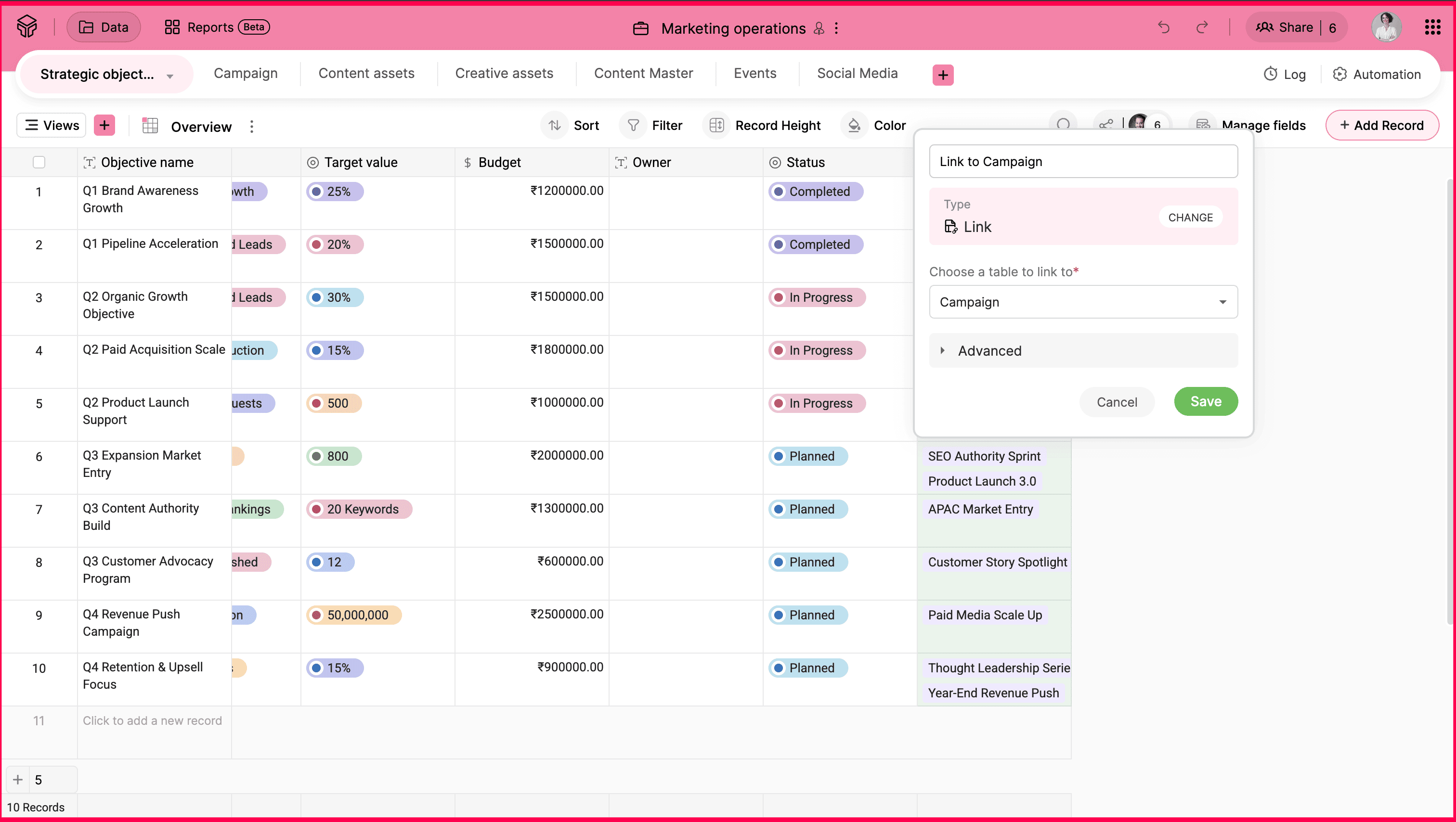
Zoho Tables lets you create multiple tables within one base and link them to each other. Your content calendar, campaign tracker, and creative requests can all live in one place and reference each other without manual cross-referencing.
Views built for content workflows
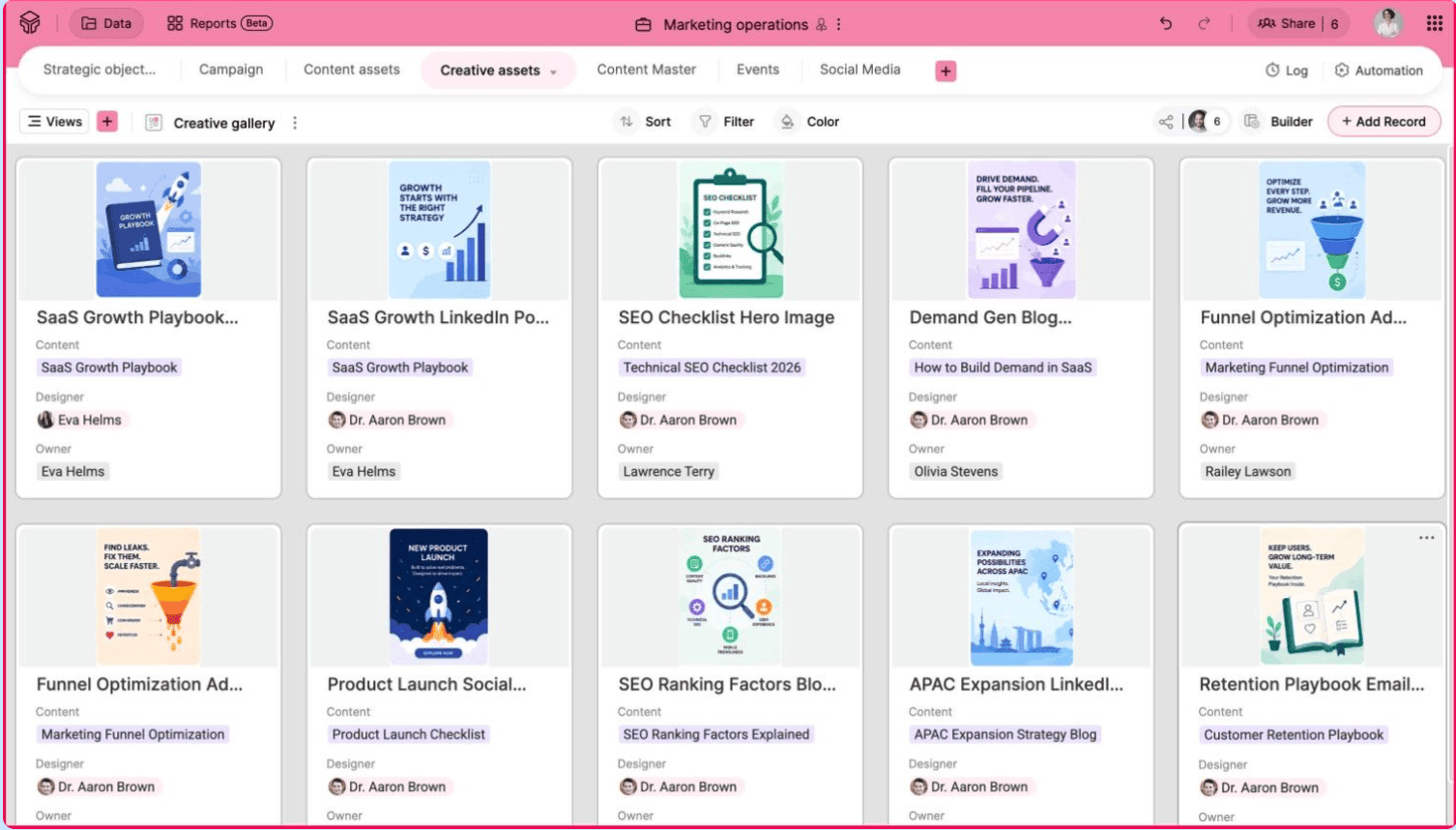
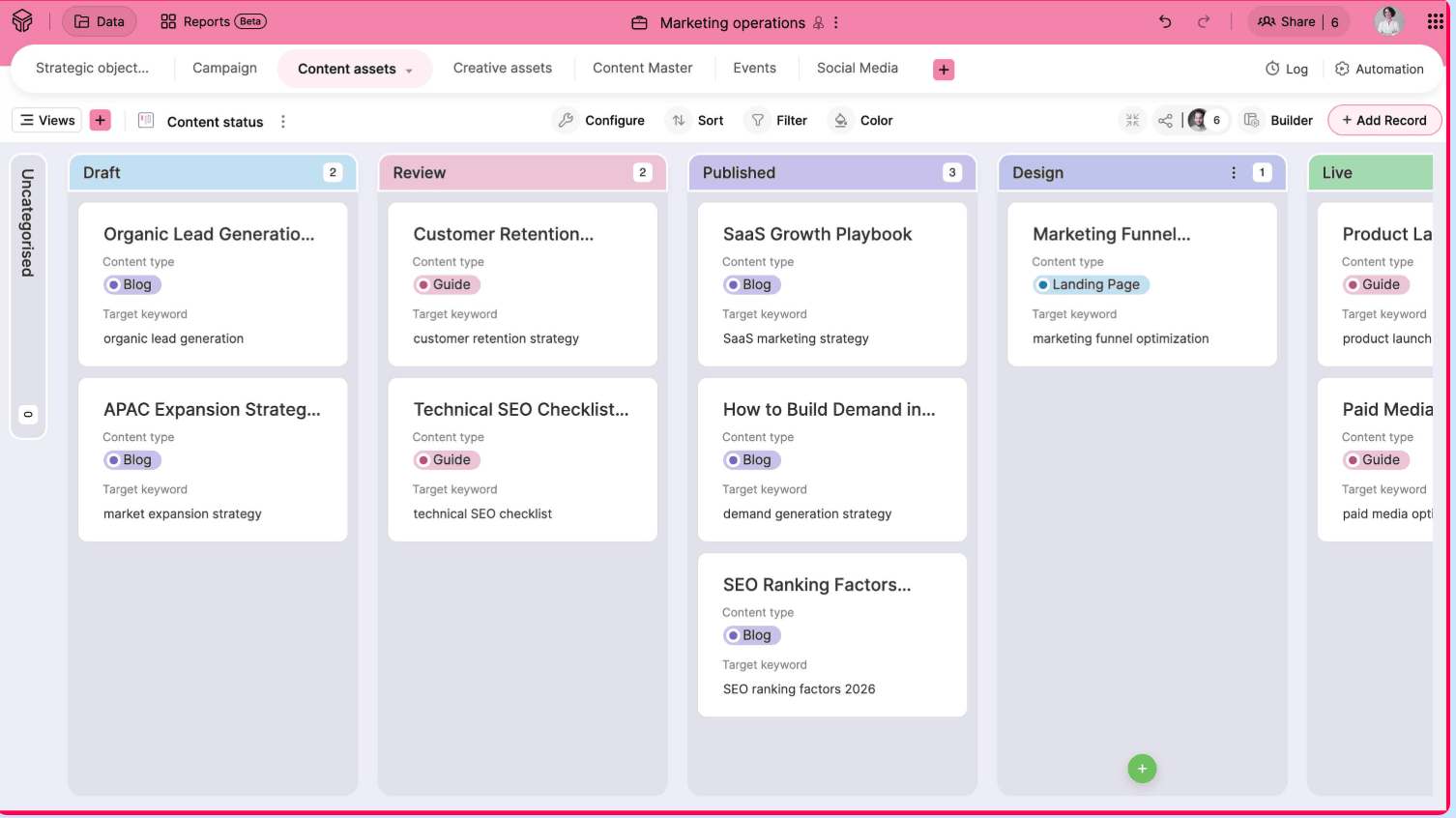
Kanban, Calendar, Gantt, and Gallery views are available built-in, with no additional setup required. You can use Kanban to move content through stages, Calendar to plan your publishing schedule, and Gallery to review creative assets visually.
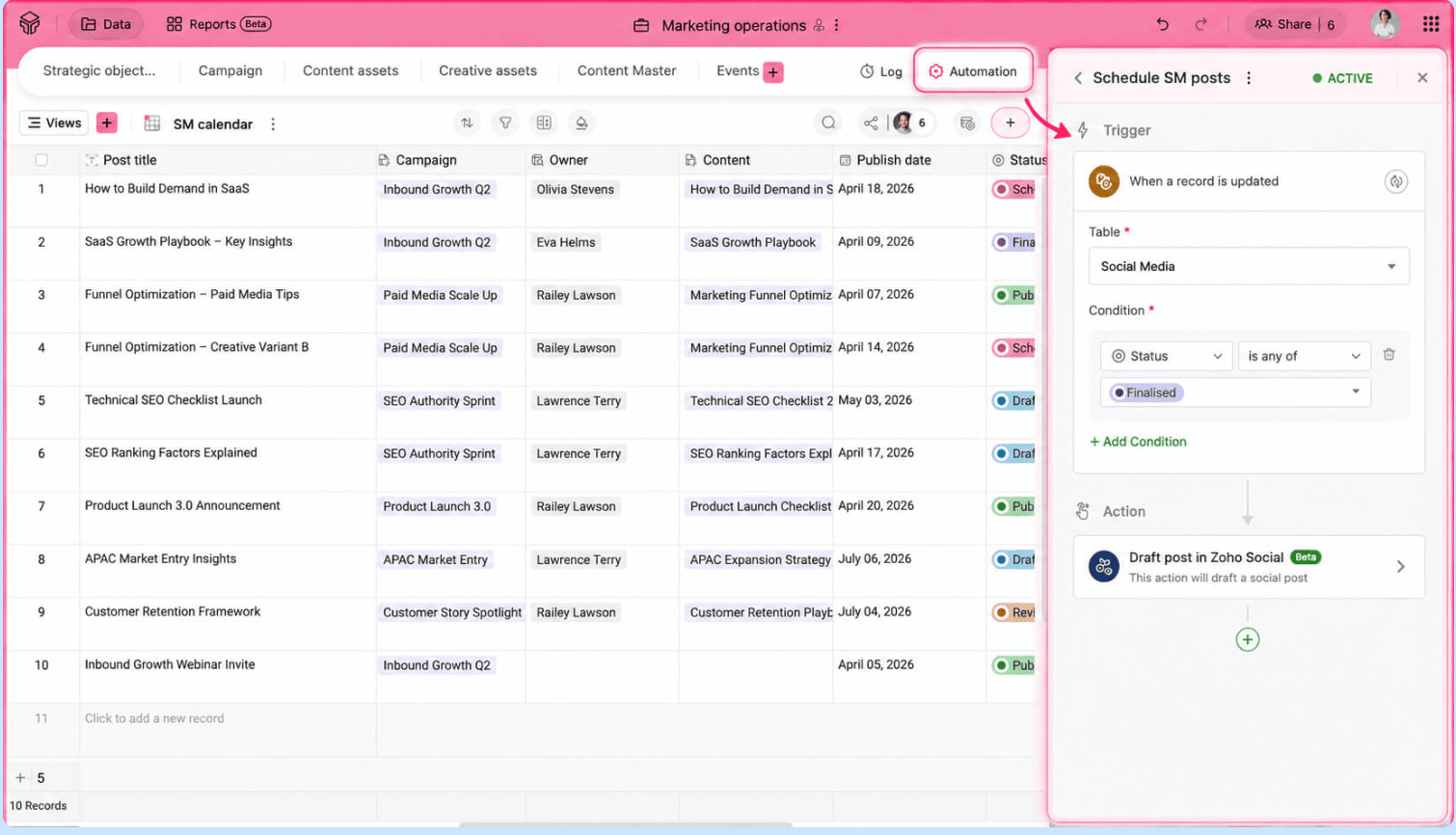
Automation that anyone can set up
Automations in Zoho Tables follow a simple trigger-and-action structure. Any team member can set up notifications, status updates, or task assignments without needing a dedicated admin to configure it.
For example, when a piece of content moves to the review stage, an automatic notification goes out to the reviewer without anyone having to follow up manually.
Access control for external collaborators
Assign one of five access roles to teammates, agencies, freelancers, or clients: Manager, Editor, Data Maintainer, Commenter, or Viewer. This ensures that everyone sees only what's relevant to them, without exposing your full workspace.
AI that helps you build, not just calculate
Smartsheet's AI works inside a setup you have already built, generating formulas, and summaries. Zoho Tables uses Zia, its built-in AI assistant, to build the setup itself. You describe your workflow in plain language, and Zia generates a complete base with the right tables, fields, relationships, and sample data.
For example, a marketing team can describe a content pipeline and have Zia lay out linked tables for campaigns, tasks, and deliverables in minutes, instead of building each one by hand.
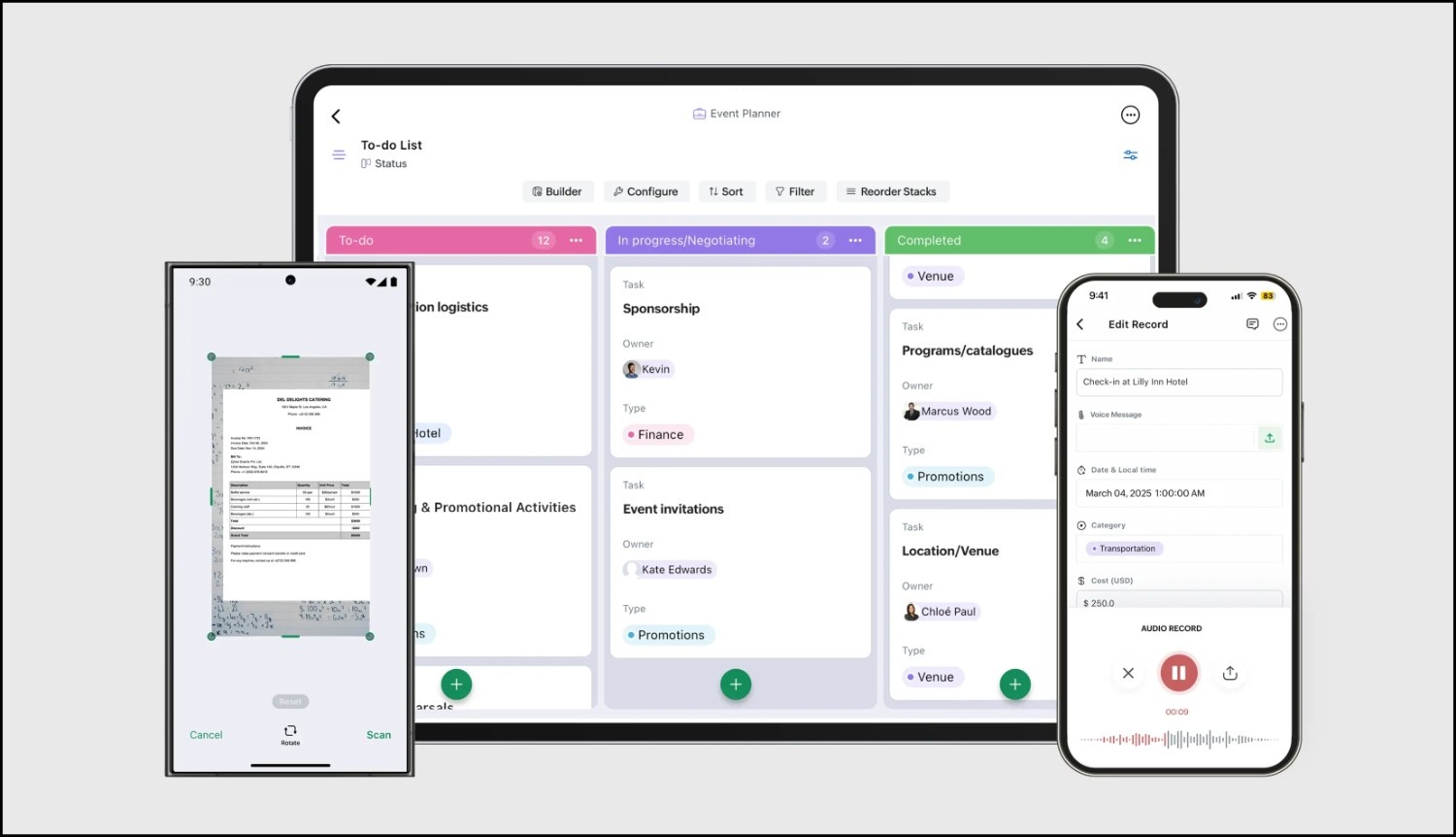
A mobile app that actually works on the go
Zoho Tables has dedicated Android and iOS apps that include everything available on the web app, plus mobile-specific features like voice attachments and OCR scanning.
For example, field marketers can scan tabular data directly into a table on the go without any manual entry.
Pricing that works for lean teams
Unlike Smartsheet, Zoho Tables has a forever-free plan. When you need more, the Professional plan starts at $4 per user per month, with a 15-day free trial that includes all features. Dashboards and reporting are available from day one, not locked behind an enterprise tier.
Marketing teams need a tool that moves as fast as they do. Zoho Tables gives you the structure to stay organized and the flexibility to work the way your team already works. For a full feature comparison, check out the Smartsheet vs Zoho Tables page.
Your work, your way
 Haripriya S
Developer turned marketer. Balancing parenting and marketing, and loving every bit of it.