- HOME
- Data Management
- How modern marketing agencies manage 10+ projects effectively
How modern marketing agencies manage 10+ projects effectively
- Last Updated : June 15, 2026
- 96 Views
- 4 Min Read

Running a marketing agency means you're always juggling multiple campaigns, multiple timelines, and multiple people asking for updates simultaneously. And unlike with an in-house team, you're doing this across clients who have no visibility into each other.
Most agencies start with a spreadsheet here, a shared folder there, a WhatsApp group for quick updates. It holds up for a while. But then the team expands, the client list grows, and suddenly no one's sure where the latest version of anything is.
This article covers how agencies keep things running when the work scales up, and where Zoho Tables fits into that.
Where things start to break
When an agency is small, everyone just knows what's happening without a system. But past a certain point, that stops working. The team is capable, the work is getting done, but things still slip through the cracks because there's no single place where everything lives.
Here's what that usually looks like:
The "who's handling this?" problem
Tasks are often assigned verbally or tracked individually, with no shared record of who owns what. When a client asks for an update, team members check their own sheets and come back with different answers, none of which may be current.
The Monday morning panic
Without a single view of all deadlines across clients, the start of every week involves manually scanning multiple sheets to figure out what needs attention. It's easy to miss something, and the week starts reactively rather than planned.
The approval black hole
Once a piece of content is ready, getting it reviewed and published means a chain of chat messages, emails, and follow-up meetings. There's no structured process to manage it, and the team has no visibility into what is pending, approved, or blocked at any given point.
The reporting scramble
Pulling together client reports means opening separate sheets, extracting numbers manually, and formatting everything from scratch. The effort is the same every month, and it takes time that could be spent on actual work.
The new-hire problem
When there's no structured way to document how work is managed, getting someone new up to speed depends entirely on whoever has time to explain things. It slows down the team and puts unnecessary pressure on everyone involved.
What agencies that manage this well do differently
- They outgrow spreadsheets and actively look for something more structured.
- They bring all client work into one place instead of maintaining separate sheets and folders per client.
- They define clear ownership for every task, so nothing relies on someone's memory or a verbal agreement.
- They give the right people the right level of access so the system works for the whole team, including freelancers and clients.
- They set up workflows and automations that keep work moving without someone having to manually follow up at every step.
- They build reporting into the system from the start, so it is not a separate effort at the end of every month.
How Zoho Tables helps
Zoho Tables is a spreadsheet-database hybrid that gives agencies the familiarity of a spreadsheet with the structure needed to manage complex, multi-client operations.
Here's what it looks like in practice
All work in one place
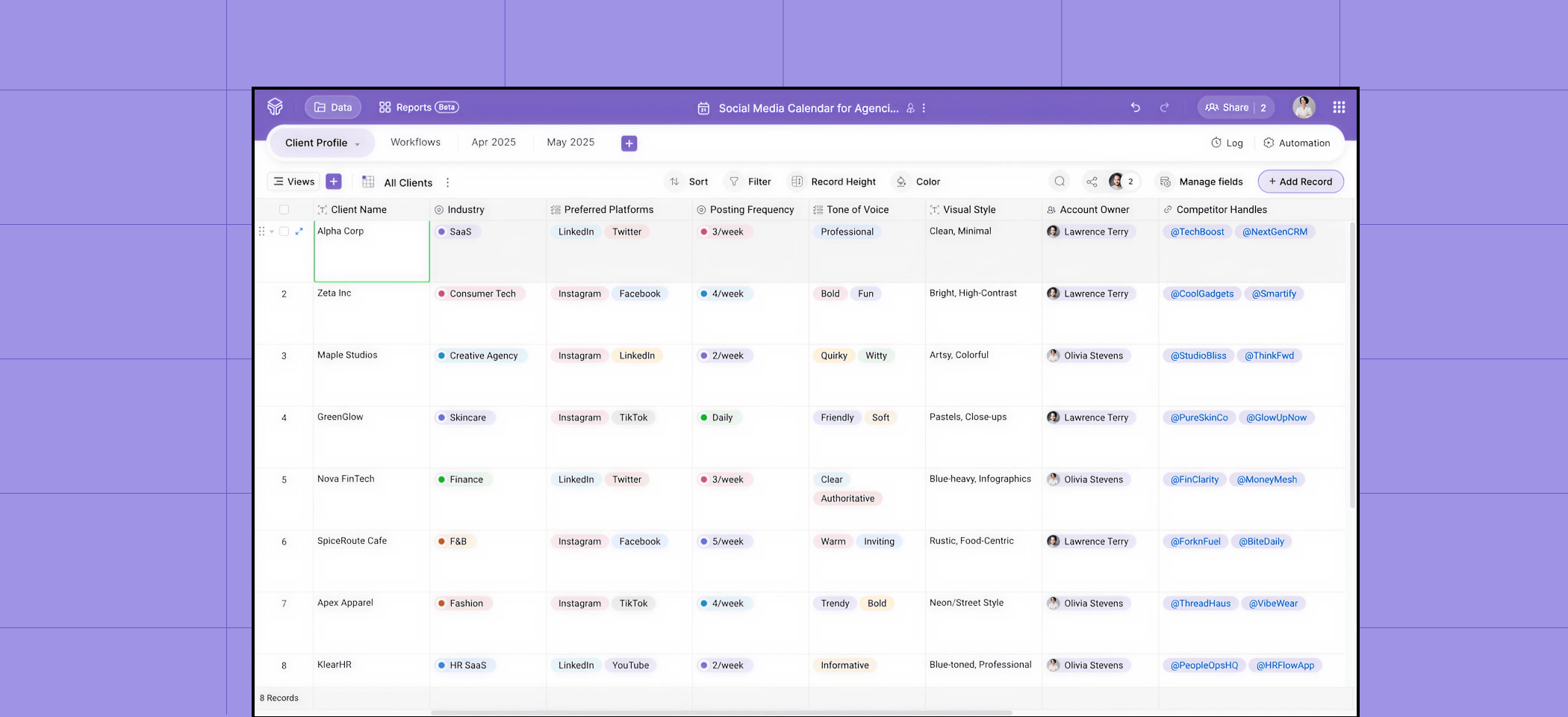
You can set up a base for each client or track everything inside one base with filtered views. Either way, there's no hunting across folders. The work is where you expect it to be.
A clear picture of what's happening
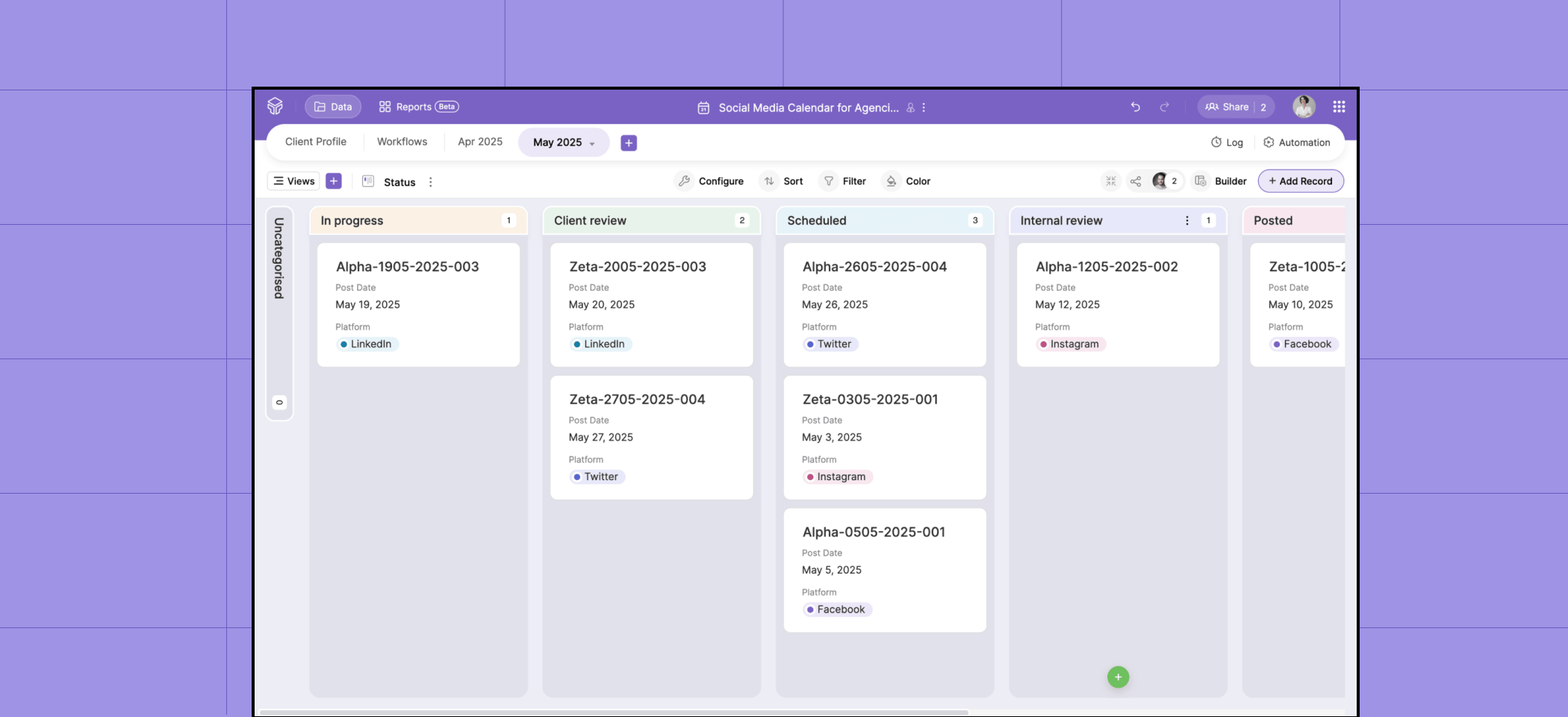
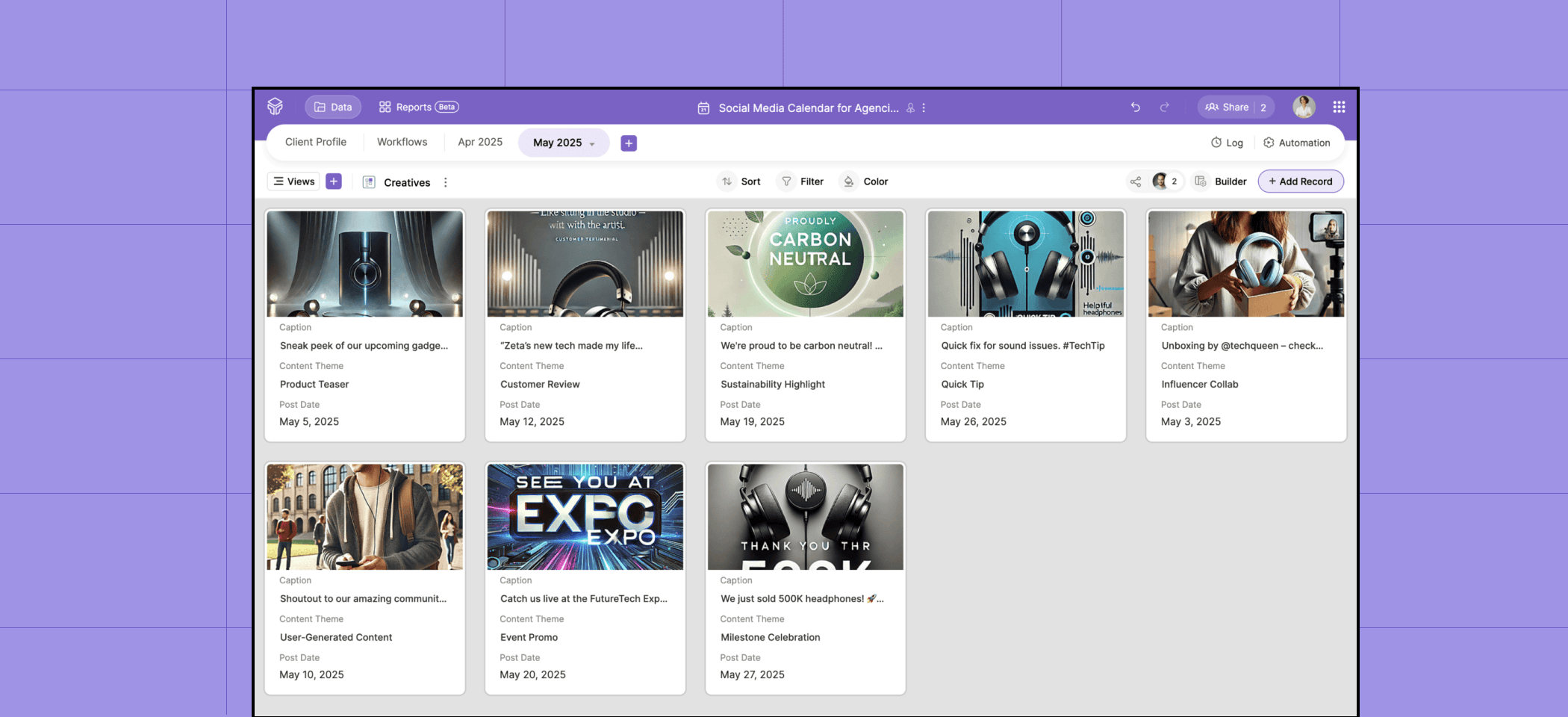
View the same data contextually with the built-in views offered in Zoho Tables:
- Kanban to see every deliverable by stage
- Calendar to see what's due this week
- Gallery view to get a visual overview of all your creatives and assets
- Form view to collect inputs directly from clients or teammates without any back and forth
Reminders that run themselves
Set up an automation once, and it runs every time the condition is met without manual intervention. This saves time that can be spent on more valuable work.
Example: The system sends a reminder before a deadline or a notification when something moves to review.
The right access for the right people
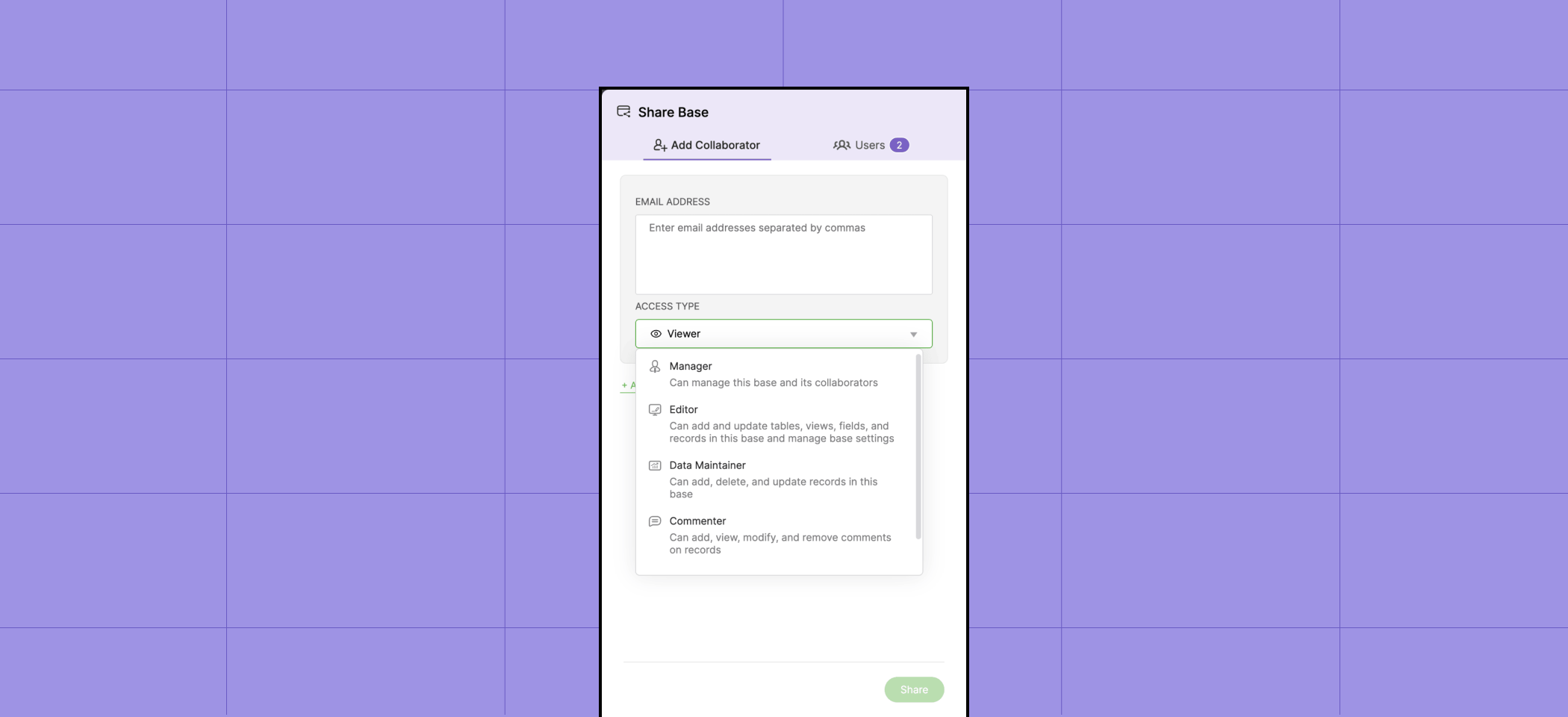
You can assign one of five access levels to each collaborator—Manager, Editor, Data Maintainer, Commenter, and Viewer—so everyone has exactly the access they need.
Example: A freelance designer added as a Viewer only sees the creatives they're working on.
A client added as a Commenter can check campaign status and leave feedback without changing anything else.
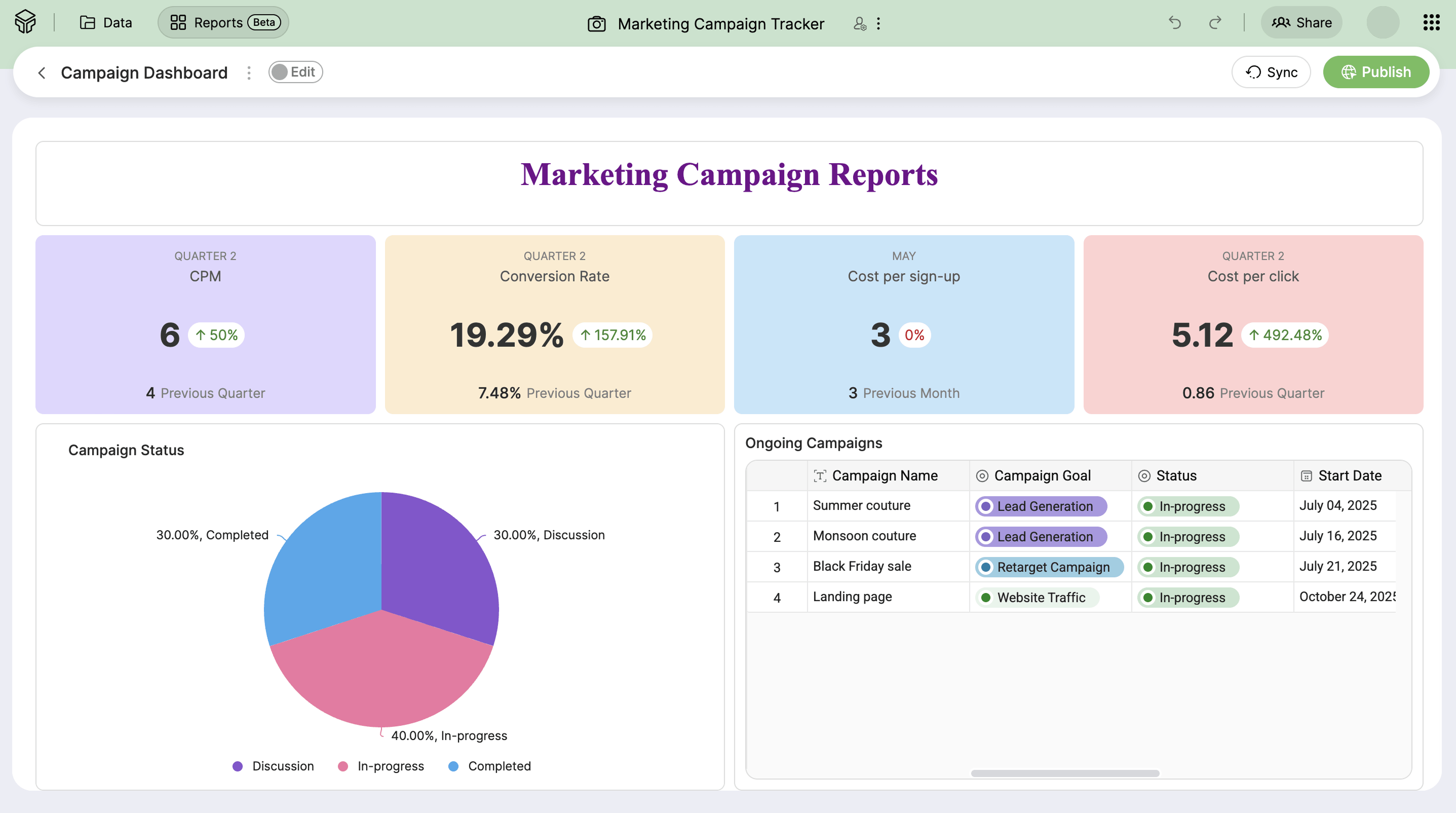
Reports without the manual work
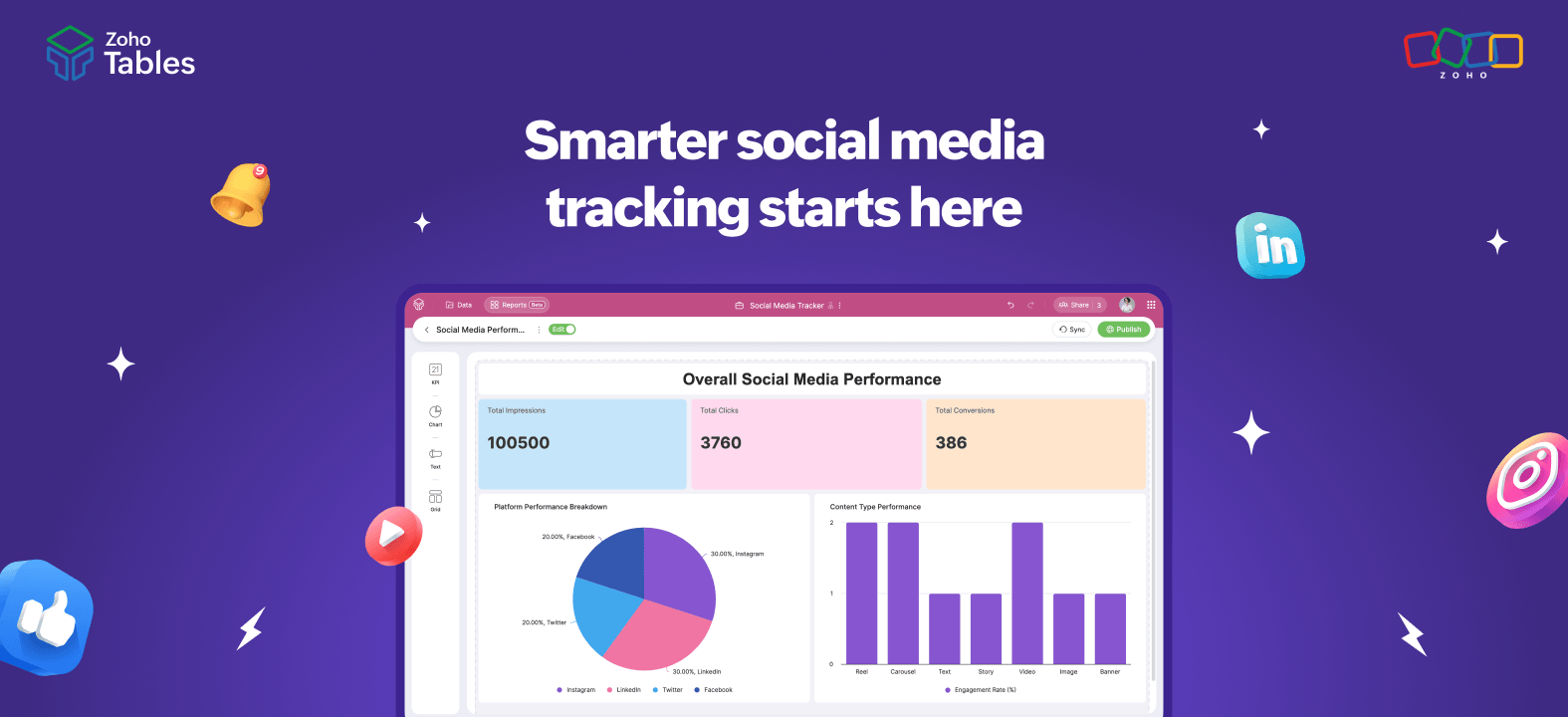
Build a dashboard once, and it stays updated as the data changes. Instead of pulling numbers at the end of the month, as the data changes, the numbers in the report update automatically.
Work from anywhere with the mobile app
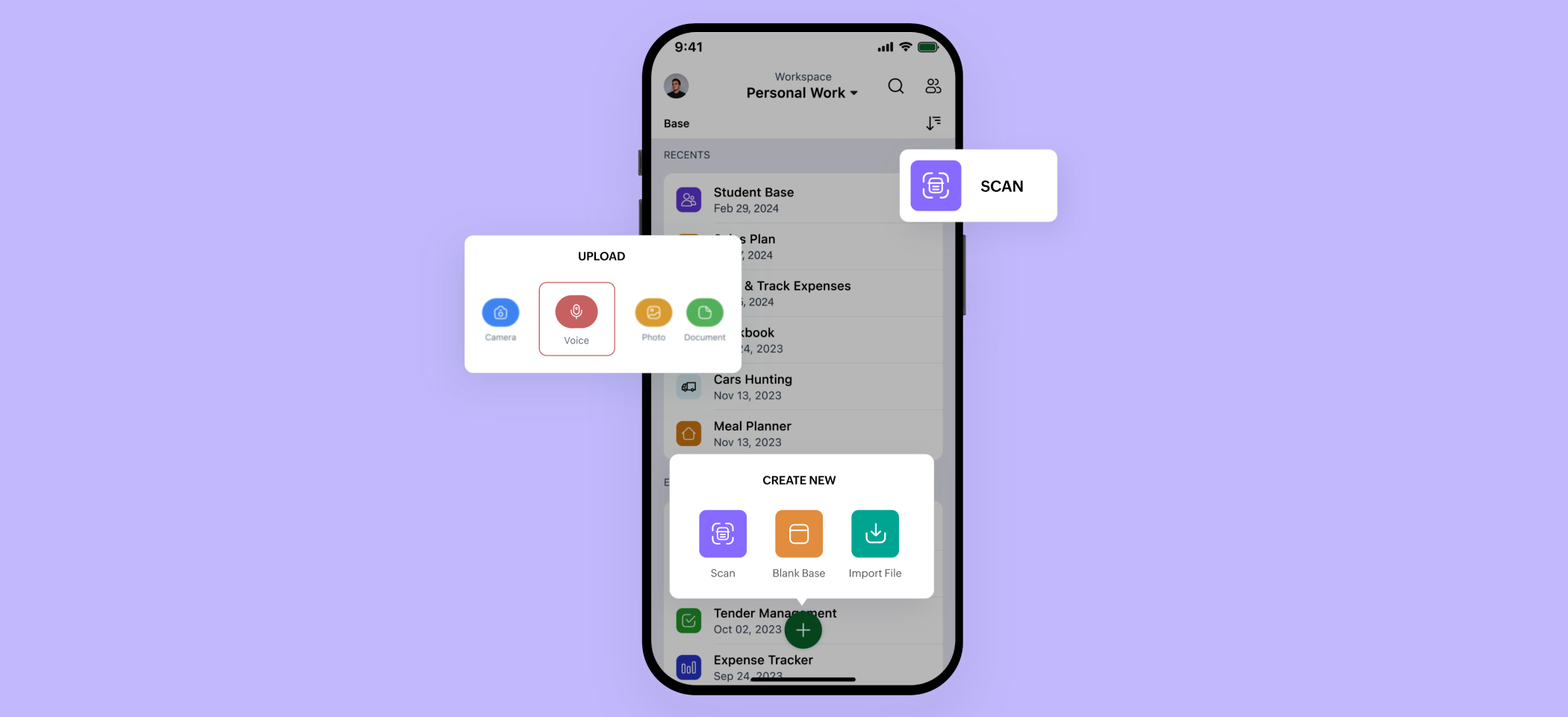
Zoho Tables has dedicated mobile apps for Android and iOS. Team members can update task statuses, check deadlines, leave comments, and stay on top of work from their phones, without needing to be at their desks.
Getting started
- You don't need to rebuild everything from scratch. Zoho Tables has marketing-specific templates you can customize and go live with quickly.
- If you already manage clients in spreadsheets, you can import that data directly.
- You can also use Zia, Zoho's built-in AI assistant, to generate a base just by describing how your team works. It then creates the tables, fields, and relationships for you.
Zoho Tables' 15-day free trial gives you access to all premium features.
Start your free trial today.
 Haripriya S
Developer turned marketer. Balancing parenting and marketing, and loving every bit of it.