- HOME
- Product updates
- The form that kept getting the wrong answer
The form that kept getting the wrong answer
- Last Updated : August 11, 2026
- 578 Views
- 3 Min Read
The people filling out your form weren't being careless. They were doing their best with a field that gave them no guidance. The form asked a question, accepted any answer, and passed the ambiguity downstream.
For a lot of data online forms collect, that's perfectly fine. A name field doesn't need to police how someone spells their own name. A comments box shouldn't restrict what someone wants to say.
But there's a whole category of data where format is everything and "fill in the blank" isn't enough.
Employee IDs, national identification numbers, tax registration codes, license numbers, internal case references - these are structured identifiers that only work if they're entered in exactly the right format.
For example, the PAN number in India is five uppercase letters followed by four digits, followed by one uppercase letter.
"ABCDE1234F" is a PAN number; "abcde1234f" is not. They might look close enough to a human, but to the system waiting to validate it, only one of them is correct.
That gap is where data quality problems are born - submission by submission, until you're spending your Monday mornings cleaning up the fallout.
Developers have had a tool for this problem for decades: regular expressions. A regular expression (regex) is a compact, precise way of describing what a string should look like - how many characters, which types, in what order, etc.
The pattern ^[A-Z]{5}[0-9]{4}[A-Z]$ is regex for an Indian PAN number.
Read it slowly and it's almost plain English: It starts with five uppercase letters, then four digits, then one uppercase letter, then ends. That's the whole format, written in 17 characters.
The question is whether a form builder used by HR professionals, operations managers, and compliance teams who have never touched a line of code could put that power in the right hands, without requiring anyone to become a developer to use it.
The validation has to live in the form itself and not in a spreadsheet formula.
That's the idea behind the new Regex field in Zoho Forms. It is a field type that makes pattern-based validation genuinely usable by the people who build and manage forms every day.
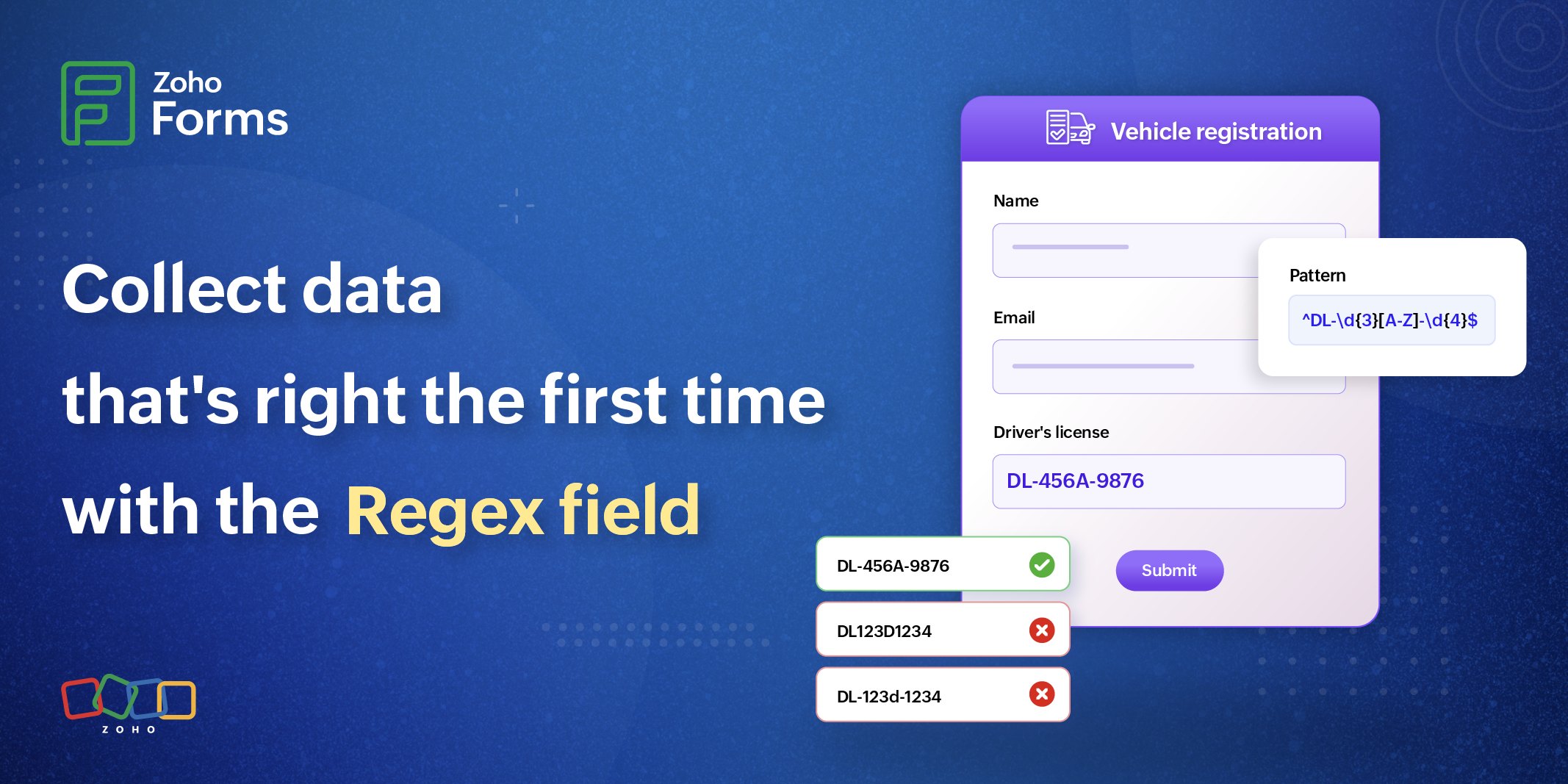
What does the Regex field in Zoho Forms do?
To a respondent, the Regex field looks like any other text input. They click, they type, they move on. The difference is what happens between the typing and the moving on.
As a respondent enters their input, the field checks it against the pattern you've defined. If their input doesn't match - a character is in the wrong place or in the wrong case, or there's a missing segment, the form stops them with the specific message you wrote for this exact situation.
That message is where most of the user experience lives. A pattern like ^\d{2}-\d{7}$ means nothing to someone who has never seen a regex, but "Please enter your EIN as XX-XXXXXXX. For example: 12-3456789" means everything. The field enforces the format; the error message explains it.
How to set the Regex field up?
Setting it up takes three things:
- The pattern
- The error message
- An optional placeholder that shows respondents an example before they've typed
Write these 3 things once, and the field handles validation for every submission that comes after.
A form that uses a Regex field makes a different kind of promise. It says, "I know what I need, and I'll tell you exactly what that looks like."
For example, to collect a Social Security Number (SSN) in the format 123-45-6789, you would add 3 Pattern rows in the field configuration with ^[0-9]{3}$, ^[0-9]{2}$, and ^[0-9]{4}$, each separated by a Hyphen.
Learn how to set up the Regex field in detail
You also have preset patterns to choose from a list of built-in regex patterns.
If you are new to Regex patterns, learn more about what each symbol does and how to use them.
 Samhita V
Samhita is a seasoned product expert at Zoho Forms who blends deep product expertise and user education to help businesses make sense of powerful features without the jargon. Known for her thoughtful storytelling and crisp communication, she adds a subtle creative flair to every piece she writes. With a knack for spotting real-world use cases and adding a touch of fun to her narratives, she’s on a mission to make even the most complex workflows feel approachable. Beyond the desk, she channels her creativity into dance and mural art, finding new ways to infuse her surroundings with color, rhythm, and meaning.