- HOME
- Product updates
- Never deal with overfilled spots again! Try the new Choice Availability option in Zoho Forms
Never deal with overfilled spots again! Try the new Choice Availability option in Zoho Forms
- Last Updated : July 7, 2025
- 891 Views
- 3 Min Read
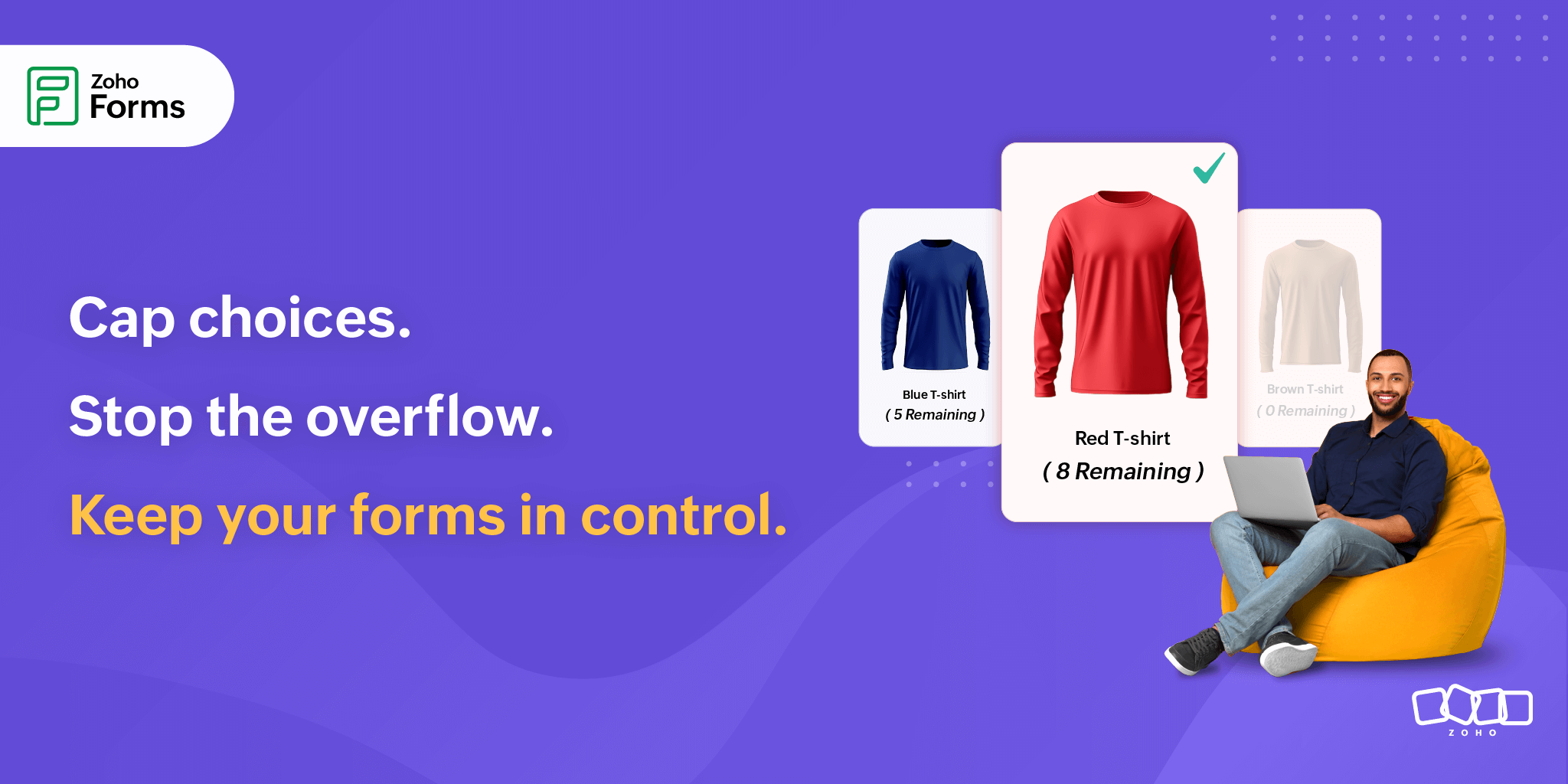
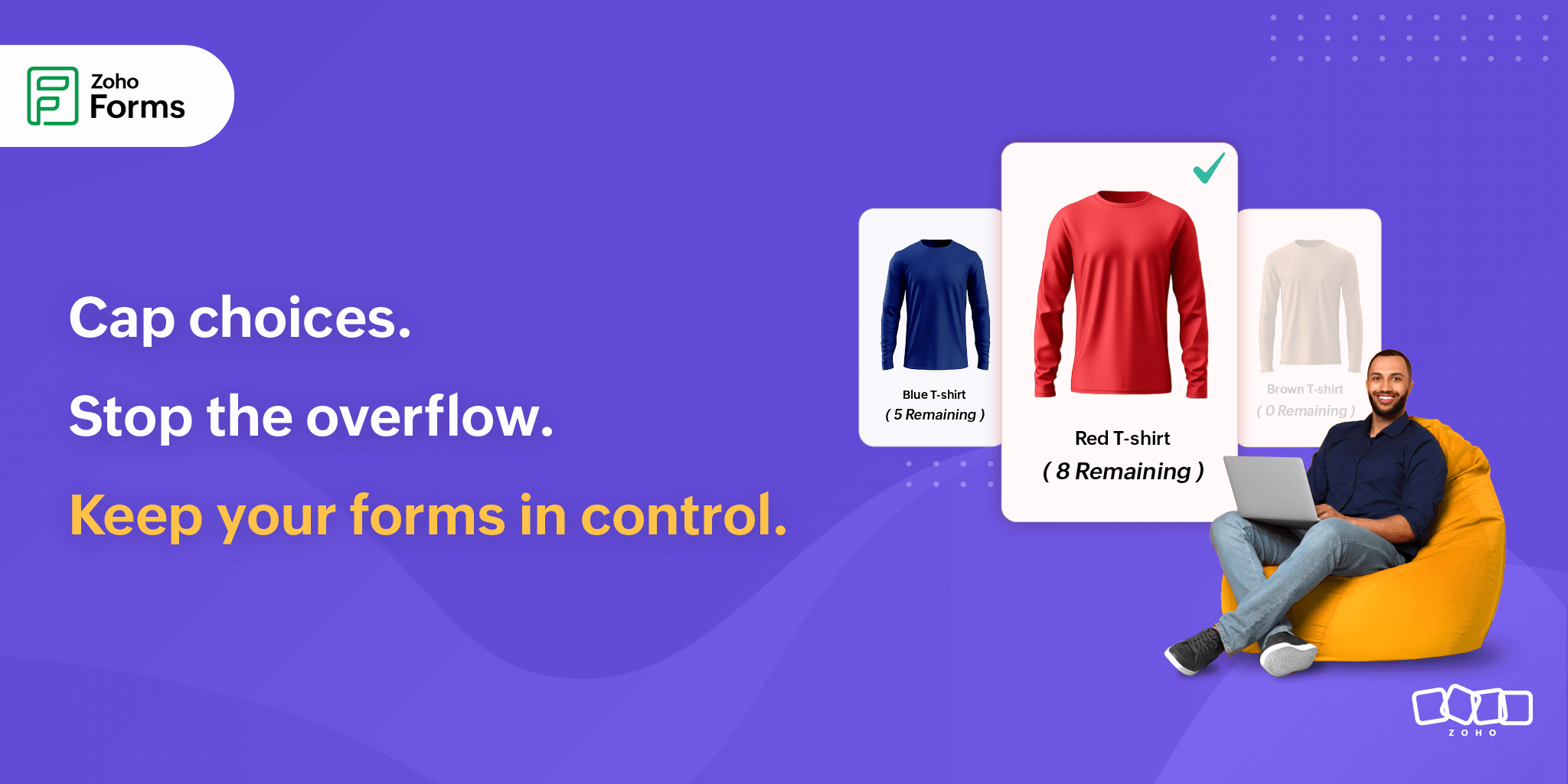
Imagine you’ve just launched 3 limited-edition T-shirt collections. Each drop is exclusive and the stock is limited.
Orders start pouring in. Notifications are lighting up your screen.
Sales are booming and you’re riding the high...
Until reality hits:
Two collections are oversold.
Now you're facing stockouts, frustrated customers, and a fulfillment mess.
Zoho Forms has a better way to help you through such chaos that puts you back in control of limited resources, whether you are managing workshop registrations, product giveaways, or volunteer sign-ups.
What is Choice Availability?
Choice Availability is a smart form setting that lets you set a quantity limit on each option in a choice field, like a checkbox, radio button, dropdown, multiple choices, or image choices.
As people start making selections, the quantity available for each choice automatically decreases in real time.
Turn scarcity into urgency with real-time counts
When people know something is limited, they act faster. That’s the psychology of urgency, and you can tap into it by showing the remaining quantity.
For example, you are selling pizzas using your Pizza order form.
Your customers see:
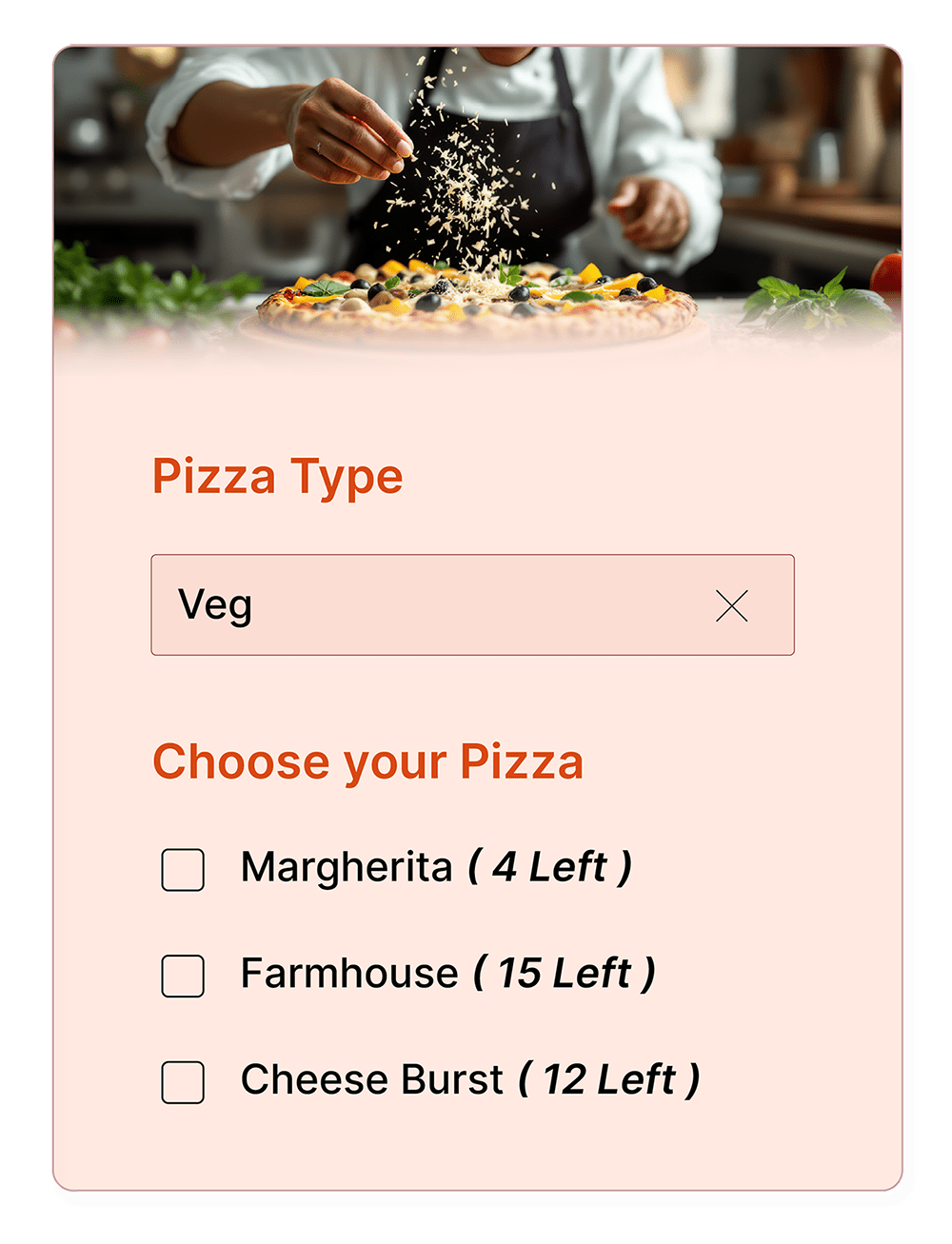
Suddenly, their decision could become urgent, and they are more likely to grab their preferred option before it runs out.
Showing remaining quantity displays the live availability for each choice in your form, whether it’s seats, units, or packages, right as the user fills it out.
This not only creates urgency for faster action but also builds transparency and trust and prevents overbooking automatically.
This is perfect for anything with limited stock or capacity like
- Free giveaways
- Limited-edition product pre-orders
- Club memberships
Add a custom label that appears next to each choice. For example, instead of showing just a number like “3”, you can make it more meaningful by displaying “3 spots left”, “only 2 kits remaining”, or “5 volunteers still needed.”

What happens when a choice runs out?
Choice Availability does not just stop users from picking unavailable options. It gives you complete control over how your form behaves when items or spots run out.
Make it disappear like it was never there
Once a choice hits its limit, you can choose to hide it entirely from the form.
To your users, it simply vanishes, keeping the form clean and confusion-free.
This is perfect when you don’t want people wondering why they can’t select something that’s already full.
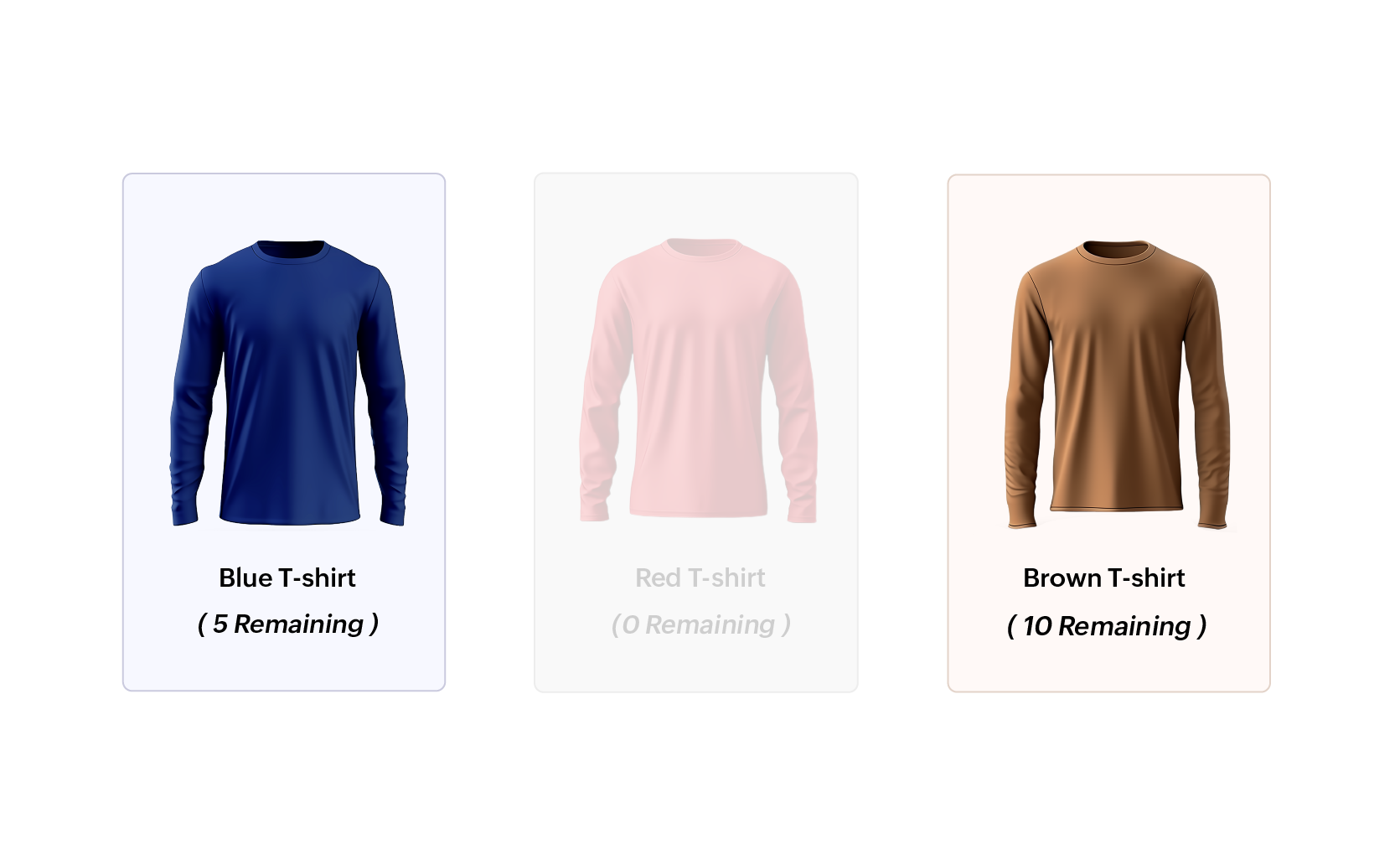
Keep it visible, but out of reach
Want to show that an option existed but is now unavailable?
Disable the choice so it remains visible but grayed out and unselectable.
This is a subtle way to signal high demand (and maybe even generate some FOMO).
No overshooting. No double-booking.
Behind the scenes, Zoho Forms is tracking everything in real time.
This means:
- No more accidental oversubmissions
- No duplicate bookings for the same choice
And yes, no more overpromising that leads to frantic damage control.
Restocking to meet demand? Update availability with ease!
You are offering a limited-edition merch pack for your brand’s anniversary event. You listed just 50 “Gold collector boxes” on your form, and within hours, you are nearly sold out.
Now you have sourced 30 more. What do you do?
No need to rebuild your form. Just update the quantity of that choice. With Zoho Forms, adjusting on the fly is effortless.
Even better? Users see the new live remaining quantity, so that updated urgency stays intact: “Only 18 boxes remaining” → now becomes → “Only 48 boxes remaining”.
Selling holiday gift boxes?
Here’s how payments and choice availability work together
Let's say you are using Zoho Forms to take pre-orders for your holiday gift boxes, and you have 3 types:
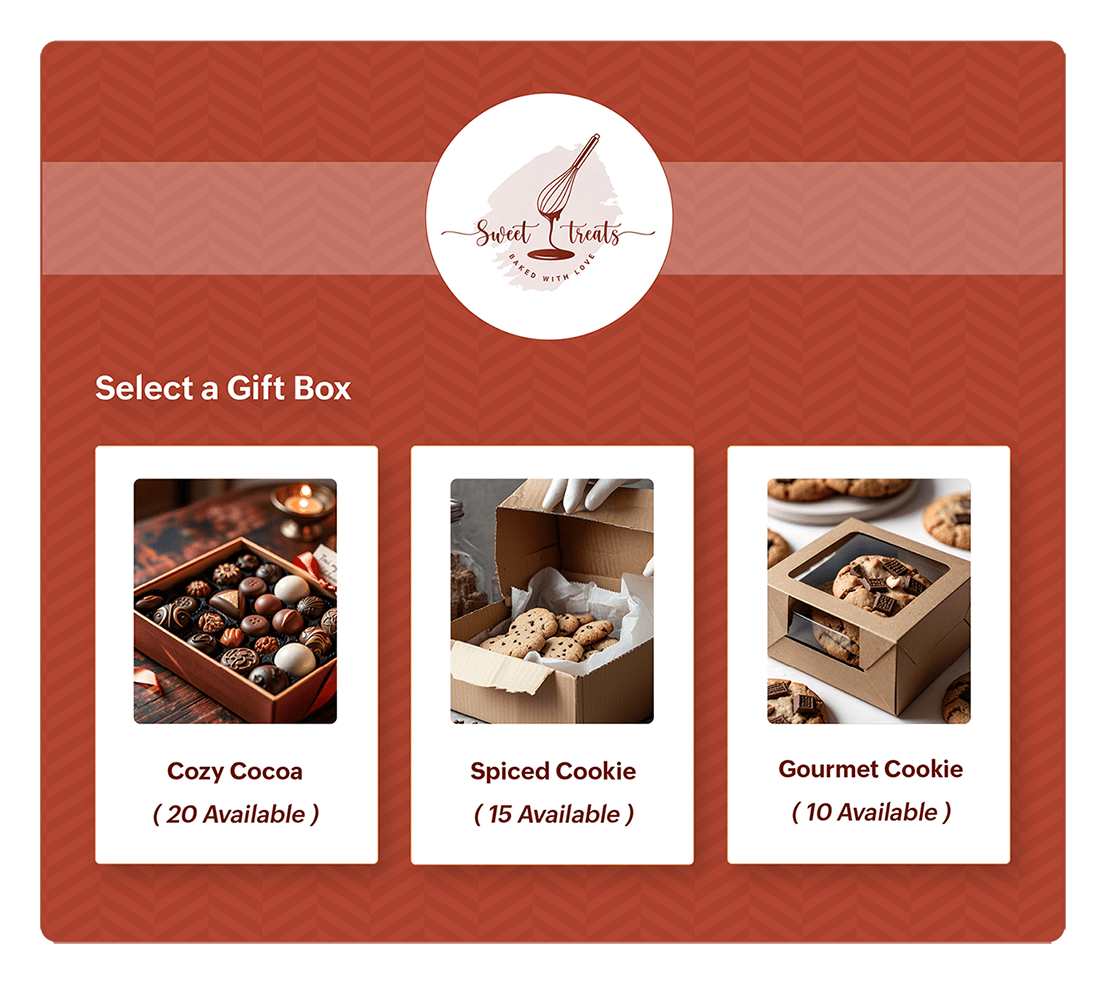
Each customer fills out your form, picks a box, and makes an online payment to confirm their order.
Without smart logic, you could accidentally overbook your limited items or promise something that is no longer available. But with Zoho Forms, choice availability and payments stay in sync, and your customers always get what they paid for (literally).
Learn more about how choice availability and payments work together.
Take control of your orders like a pro!
With Choice Availability in Zoho Forms, managing limited options for products, event spots, special offers, or anything else is no longer a headache.
So go ahead: Launch that pre-order form or start taking bookings.
Zoho Forms will keep everything running smoothly, even when demand takes off.
 Samhita V
Samhita is a seasoned product expert at Zoho Forms who blends deep product expertise and user education to help businesses make sense of powerful features without the jargon. Known for her thoughtful storytelling and crisp communication, she adds a subtle creative flair to every piece she writes. With a knack for spotting real-world use cases and adding a touch of fun to her narratives, she’s on a mission to make even the most complex workflows feel approachable. Beyond the desk, she channels her creativity into dance and mural art, finding new ways to infuse her surroundings with color, rhythm, and meaning.