What is iPaaS? A complete guide to Integration Platform as a Service
- Last Updated : September 1, 2026
- 1.8K Views
- 13 Min Read
Summary:
- iPaaS (integration platform as a service) is a cloud-based platform that connects your apps, systems, and data sources, automating data flow between them without custom code.
- Native integrations work for simple, two-app syncing but lack flexibility; custom integrations offer full control but are expensive to build and maintain—iPaaS bridges the gap between the two.
- Core iPaaS components include prebuilt connectors, trigger-action workflows with logic elements, data mapping and transformation, and real-time or batch processing modes.
When evaluating an iPaaS, focus on connector coverage for your existing apps, ease of use for non-technical teams, pricing transparency, error handling, and security compliance.
What is iPaaS?
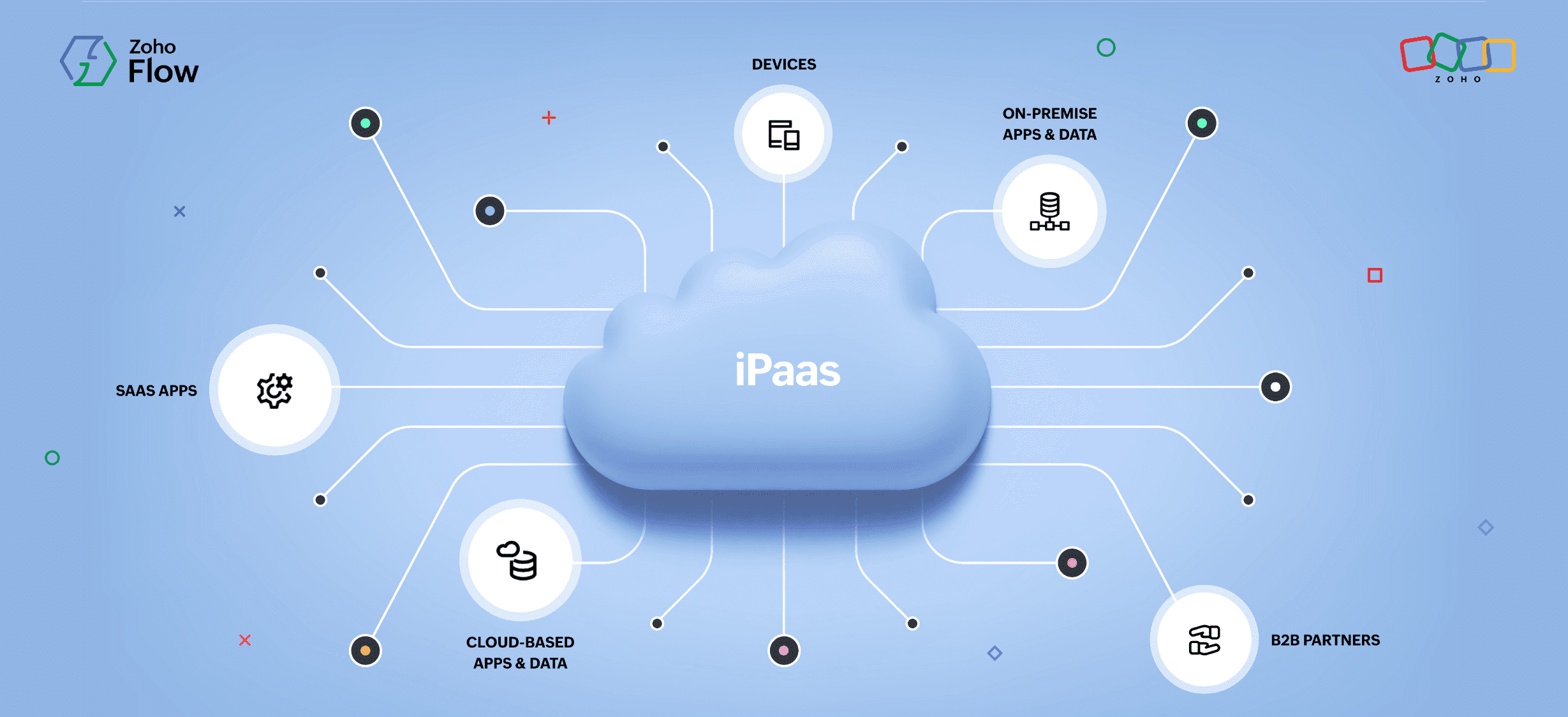
Integration platform as a service (iPaaS) is a cloud-based platform used to connect applications, systems, and data sources used in an organization to automate data flow across them without having to code.
Instead of building and maintaining individual point-to-point connections between every app you use, an iPaaS provides a centralized platform where you can design, deploy, monitor, and manage all integrations from a single interface.
Why your organization needs iPaaS
The need for iPaaS has grown alongside the explosion of SaaS adoption. According to a 2025 report from SaaS management company Zylo, large enterprises now use an average of 660 applications. Even small and mid-sized businesses typically rely on dozens of cloud tools for CRM, project management, communication, finance, and more. Each of these tools generates and consumes data, and without a way to connect them, organizations will end up with fragmented information spread across disconnected systems.
Before iPaaS emerged, businesses connected their applications through native integrations, custom-built integrations, or enterprise service buses (ESBs). Here's how iPaaS compares with these other methods:
iPaaS vs. native integrations vs. custom integrations
Most organizations considering iPaaS are weighing it against two alternatives they're probably already using: the built-in integrations their apps provide, or custom integrations their development team has built. Understanding the tradeoffs between these three approaches is key to choosing the right path.
Native integrations
Native integrations are the built-in connections that come packaged with the software you already use. Your CRM might offer a direct integration with your email marketing tool, or your accounting software might sync natively with your banking platform. These are usually simple to activate, often just a toggle in settings or a one-click authorization.
Pros: The advantage of native integrations is speed and simplicity. There's nothing to build, no additional platform to subscribe to, and the vendor maintains the connection for you. For straightforward, two-app data syncing, they work well.
Cons: The limitations emerge as your needs grow. Native integrations are restricted to the specific pairings the vendor has chosen to build. They rarely support conditional logic, multi-step workflows, or data transformation. You can't add a third or fourth app into the same flow, and you have limited visibility into what happens when the sync fails. If you need to connect apps that don't have a native integration with each other, you're out of options entirely.
Custom integrations
Custom integrations are built in-house by your development team using each application's API. A developer writes code that reads data from one system, transforms it as needed, and writes it into another. This gives you complete control over exactly what data moves, how it's transformed, and how specific cases are handled.
Pros: The flexibility is the strength. Custom code can handle virtually any scenario, including complex business logic, unusual data formats, and proprietary systems that no integration platform supports. For highly specialized requirements, custom integrations may be the only option.
Cons: The cost and effort, however, is significant. Each integration requires a developer to build, test, document, and maintain it. When an API changes, which frequently happens, someone needs to update the code. As the number of integrations grows, the maintenance burden compounds. Organizations with dozens of custom integrations often find that a meaningful portion of their engineering capacity is spent keeping existing integrations alive rather than building new features.
iPaaS
iPaaS sits between these two approaches, combining the ease of native integrations with the flexibility of custom-built ones. Prebuilt connectors handle the API connectivity, visual builders let you design multi-step workflows with conditional logic, and centralized dashboards give you monitoring and error handling across every integration in one place.
Pros: Unlike native integrations, iPaaS lets you connect any supported app to any other supported app, add logic and branching, and build workflows that span multiple systems. Unlike custom integrations, iPaaS doesn't require developer resources for every new workflow, and the platform vendor handles API maintenance, infrastructure, and updates.
Cons: But they may not support every niche application—extremely complex data transformations might still need custom code, and there's a subscription cost to factor in. But for the vast majority of integration needs that fall between "simple two-app sync" and "highly specialized engineering project," iPaaS is the most practical and cost-effective choice.
Quick comparison
| Native integrations | Custom integrations | iPaaS |
| Setup effort | Minimal—toggle or one-click | High—requires developer time | Low to moderate—visual builder |
Flexibility | Limited to vendor-defined connections | Unlimited—full control over logic | High—connectors + logic + custom functions |
| Multi-app workflows | Rarely supported | Possible but complex to build | Core capability |
| Maintenance burden | Handled by the vendor | Falls entirely on your team | Handled by the platform |
| Error handling | Basic or none | Must be built in to the code | Built-in monitoring, alerts, and retries |
| Cost | Usually free (included with the app) | Developer salaries + ongoing maintenance | Subscription-based |
| Best for | Simple, two-app syncing | Highly specialized or niche requirements | Most integration needs across a growing organization |
How iPaaS compares to other integration technologies
Beyond native and custom integrations, iPaaS is often compared to other established integration technologies. Here's how it differs from each:
iPaaS vs. ESB (enterprise service bus)
An ESB is an on-premises middleware architecture designed for routing messages between applications in legacy, service-oriented environments. Unlike iPaaS, which is cloud-native and accessible to non-technical users, ESBs require dedicated infrastructure and specialized IT teams to deploy and maintain. Many large enterprises use both—ESBs for deeply embedded legacy integrations and iPaaS for cloud-native and hybrid workflows.
iPaaS vs. ETL (extract, transform, load)
ETL is a data processing method that extracts data from source systems, transforms it, and loads it into a data warehouse or data lake for analytics, typically in scheduled batches. iPaaS is broader: It connects applications and automates real-time operational workflows, not just analytical data pipelines. Most organizations use both—ETL for reporting and business intelligence and iPaaS for day-to-day operational integrations.
iPaaS vs. RPA (robotic process automation)
iPaaS and RPA both automate workflows, but they operate at different levels. iPaaS connects applications through their APIs and RPA uses software bots to mimic human interactions with user interfaces: clicking buttons, copying data between screens, and navigating legacy applications that don't expose APIs. For a detailed breakdown of when to use each, and when to use both together, read our full comparison of iPaaS vs. RPA.
How iPaaS works
At a high level, an iPaaS sits between your applications and orchestrates the flow of data between them. It moves data between API endpoints in real time, ensuring safe and secure transfer of data between apps in a matter of seconds, all according to rules and workflows you define. Here are the key components of an iPaaS:
Connectors and prebuilt integrations
iPaaS platforms contain libraries with prebuilt connectors for popular applications: CRMs like Zoho CRM and HubSpot, ERPs like SAP and NetSuite, ecommerce platforms like Shopify, communication tools like Slack, and hundreds more. These connectors handle the technical details of authenticating with each app's API securely and understanding its data structure.
These prebuilt integrations are ready-to-build connectors that enable connecting desired apps without having to code. When a new app is added to your tech stack, you connect it to the iPaaS through its connector, and you can integrate it with any other app through that integration platform.
Triggers, actions, and logic elements
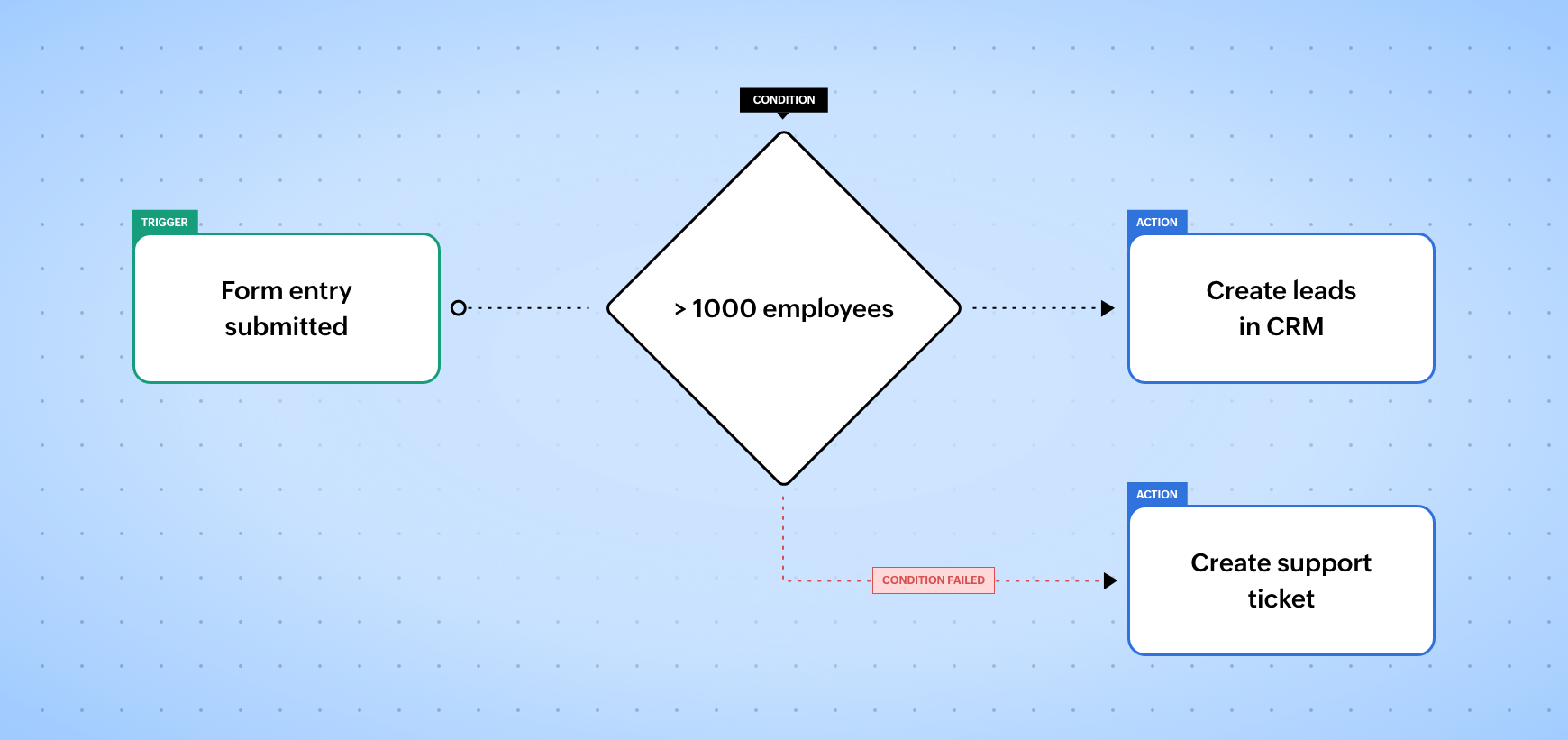
Every workflow you build using iPaaS will have a trigger, one or more actions, and logical elements:
- The workflow will get initiated by a specified event in an application, like receiving an email or text, or when a form is submitted. This event will be your trigger.
- Once the workflow is triggered, you can choose what action to execute in the corresponding app. If a visitor submitting information on a web form is your trigger, your action could be adding their information to your CRM.
- If you want to filter the form by business size or any other field in your form (continuing from the previous example), you'd want to include a conditional block in your workflow. These logic elements can also delay or pause a workflow for a set period, loop the process, and more.
Data mapping and transformation
Data mapping is the process of telling the iPaaS which field in the source app corresponds to which field in the destination app. Data transformation goes a step further by converting formats, merging fields, splitting strings, or applying calculations so the data arrives at its destination in the exact structure the receiving app expects.
For example, different applications store the same information in different formats. One app might label a field "Company Name" while another calls it "Account Name." One stores dates as MM/DD/YYYY; another uses YYYY-MM-DD. One expects a phone number with country code; another strips it out.
Most iPaaS platforms provide visual mapping tools, where you can drag source fields to destination fields and apply transformation rules without writing code. For more complex scenarios, platforms often support scripting or custom functions to handle edge cases.
Real-time vs. batch processing
iPaaS platforms support two primary modes of data synchronization. Real-time processing uses webhooks to move data the instant a triggering event occurs. When a customer places an order on your online store, real-time processing ensures the order appears in your ERP within seconds.
Batch processing uses polling time, by contrast, to move data on a schedule, like every 5 minutes, every 15 minutes, every hour, or once a day. This approach is better suited for high-volume, non-urgent transfers, like syncing daily sales reports to a data warehouse or backing up records at regular intervals.
The right mode depends on the use case. Customer-facing processes (order fulfillment, support ticket creation, lead routing) usually demand real-time sync. Internal reporting, data archiving, and analytics feeds often work perfectly well on a batch schedule, and doing them in batches can reduce API calls and platform costs.
Key benefits of using iPaaS in your organization
Increased productivity
Since iPaaS can connect all the applications you use, it removes the manual effort and time involved in transferring the data across these applications—and because the data transfer is automatic, it eliminates manual errors. This time and effort saved by the organization can be put to more productive use, increasing efficiency and productivity.
Securely transfer data across applications
An integration platform, like Zoho Flow, will usually have a variety of security measures in place, like end-to-end encryption, authentication mechanisms, and compliance certifications. This provides you with a safe and secure transfer of data that will ensure there's no loss or leakage while remaining compliant with security laws like GDPR, CCPA, and HIPAA.
Real-time data sync
iPaaS allows you to share a huge amount of data across applications in mere seconds. By using webhook triggers, you can share data in real-time across any number of applications.
Reduced integration costs
Building a custom integration between two applications requires a developer, API documentation, testing, and ongoing maintenance. Imagine doing that for every integration. iPaaS replaces this with a subscription-based model where prebuilt connectors and visual builders can enable data transfer in a matter of seconds.
Empowers non-technical teams
An HR manager who knows exactly how the onboarding workflow should function can build it themselves, rather than writing a requirements document and waiting for IT to prioritize it. This reduces the bottleneck on engineering teams and speeds up the time from idea to implementation.
Troubleshoot your integrations to eliminate data loss
While native integrations, despite being time-consuming and demanding, can get the job done, iPaaS can offer you the advantage of managing all your integrations in one place, giving you better control and visibility over your workflows.
Every integration in one place
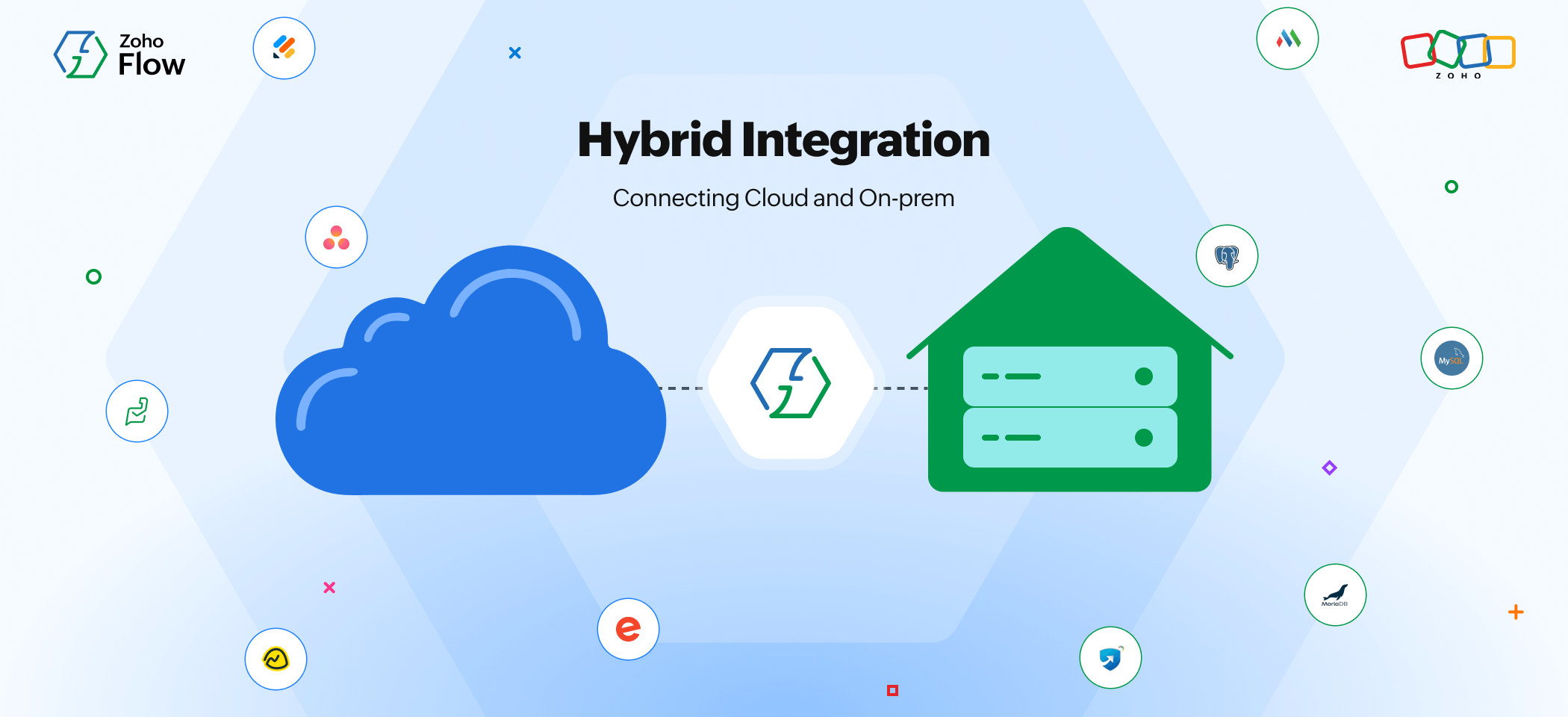
Some businesses prefer having their own private IT network for security purposes. However, they might also need to use cloud applications for certain requirements. With iPaaS in place, you'll be able to connect your private on-prem applications with cloud applications, ensuring a secure and authorized flow of data between them.
To give you a better understanding of what an iPaaS platform can do, here are some examples of what you can use one for:
Common use cases for iPaaS
While the specific integrations vary by industry and tech stack, certain use cases appear across nearly every organization that adopts iPaaS.
CRM and sales automation
Sales teams rely on CRM systems as their single source of truth, but lead data originates from dozens of sources, like web forms, paid ads, events, referral partners, and inbound emails. iPaaS connects these sources to the CRM automatically, ensuring every new lead lands in the right pipeline without manual entry. Beyond lead capture, iPaaS can sync deal updates across tools, trigger follow-up sequences when stages change, and push closed-won data to finance and fulfillment systems.
Learn more about sales automation
Customer support and ticketing
Support teams benefit from iPaaS by connecting their helpdesk to CRM, product, and communication tools. When a customer submits a support ticket, iPaaS can automatically pull their account history from the CRM, assign the ticket based on issue type or customer tier, and notify the relevant team on their messaging platform. This context-rich routing means faster resolution times and a better customer experience.
Learn more about support automation
HR and employee onboarding
Onboarding a new employee touches multiple systems, like the applicant tracking system, HRIS, payroll, IT provisioning, and communication tools. iPaaS automates the handoff between these systems: When an offer is accepted, the new hire's information flows into the HR system, triggers payroll setup, creates accounts in the necessary tools, and adds them to the right channels and groups. What used to take days of manual coordination happens automatically.
Learn more about HR automation
Finance and accounting
Finance teams use iPaaS to sync invoices, payments, and expenses across billing, accounting, and banking applications. When a deal closes in the CRM, the integration can automatically generate an invoice in the accounting system, sync payment status as it updates, and reconcile transactions without spreadsheet exports. This reduces the monthly close cycle and ensures financial data is always current.
Learn more about finance automation
Marketing and lead nurturing
Marketing operations teams connect advertising platforms, analytics tools, email marketing systems, and CRM through iPaaS to build unified campaign workflows. When a lead hits a certain score in the marketing platform, iPaaS can push it to the sales team's queue in the CRM. When a webinar attendee registers, their information flows into both the email nurture sequence and the CRM record. These connected workflows ensure no lead falls through the cracks between marketing and sales.
Learn more about marketing automation
How to choose the right iPaaS platform
Once you've decided that iPaaS is the right approach, the next step is evaluating which platform fits your organization's needs.
Key factors include the breadth and depth of the connector library, the accessibility of the workflow builder for non-technical users, pricing transparency, error handling and monitoring capabilities, security certifications, and hybrid connectivity support.
For a detailed breakdown of evaluation criteria and how to tell whether your team is ready for an integration platform, read our complete iPaaS evaluation guide.
Zoho Flow: A hybrid IPaaS
Zoho Flow is a hybrid iPaaS that can help you integrate your cloud and on-premise applications through a visual drag-and-drop builder. Zoho Flow supports integrations for 1,000+ apps that are spread across different networks, ecosystems, AI tools, and ERPs. You can also connect with any third-party or custom application using webhooks.
Additionally, Zoho Flow offers extensive logic elements, like decision branches and delays, and if you wish to execute custom actions or triggers, you can do that with Deluge scripting. On top of that, Zoho Flow also supports AI capabilities that can deal with content within your workflows and make decisions on its own based on workflow context.
"Zoho Flow has been a lifesaver, because, when you compare with their competitors, Flow offers more value for the money. We hope to see Flow continue to flourish, with its ability to connect so many different ecosystems." - Daniel Chan, Director of Professional Services and Data Protection Officer, Ascent
Being a part of the Zoho ecosystem, Flow can help you seamlessly connect both Zoho and third-party applications. By gaining a better understanding of integration platforms like Zoho Flow, you'll be able to implement complex workflows that can solve the problems at your organization, helping you establish increased efficiency and productivity.
Frequently asked questions:
1. What does iPaaS stand for?
iPaaS stands for "integration platform as a service". It refers to a cloud-based platform that enables organizations to connect applications, automate data flows, and manage integrations from a centralized interface.
2. What is the difference between iPaaS and SaaS?
SaaS (software as a service) delivers software applications over the internet. Your CRM, email marketing tool, or accounting system are all SaaS products. iPaaS connects those SaaS applications to each other so data can flow between them automatically. In short, SaaS is the software you use; iPaaS is what makes your software work together.
3. Is iPaaS the same as middleware?
iPaaS is a cloud-native evolution of traditional middleware, but they're not identical. Traditional middleware (including ESBs) typically runs on-premises and requires significant IT resources to deploy and maintain. iPaaS delivers similar integration capabilities through a cloud-based, managed service with visual builders and prebuilt connectors that make it accessible to a much broader range of users.
4. How much does iPaaS cost?
Pricing varies significantly by vendor and model. Some platforms offer free tiers, and common pricing models include per-flow, per-task, per-connector, and flat-rate structures. You can check out Zoho Flow's pricing.
5. Who uses iPaaS?
iPaaS is used across virtually every department. Since iPaaS focuses on easily building integrations, almost anyone in a business organization, on any team, can build and manage integrations on their own.
6. What is embedded iPaaS?
Embedded iPaaS (sometimes called EiPaaS) is an integration platform built directly into a SaaS product. Instead of requiring users to visit a separate platform to configure integrations, the SaaS vendor embeds the integration capabilities within its own interface. This allows end users to set up connections to third-party apps without leaving the product they're already using.
7. Can iPaaS replace custom integrations?
For the majority of standard integration scenarios, like syncing records between apps, automating notifications, and routing data based on conditions, iPaaS can fully replace custom-built integrations, and do so faster and at lower cost.
8 How is AI changing iPaaS?
AI is reshaping iPaaS in two significant ways. First, many platforms now support AI-powered integration design, where users can just describe a workflow in natural language and the platform generates the workflow automatically. Second, agentic AI is emerging as the next frontier, where AI agents autonomously identify integration opportunities, build connections, and optimize data flows based on observed patterns.
Related reading:
- On-premises vs cloud: The differences and why you should integrate them
- A complete guide to hybrid integration: Bridging on-prem systems and the cloud
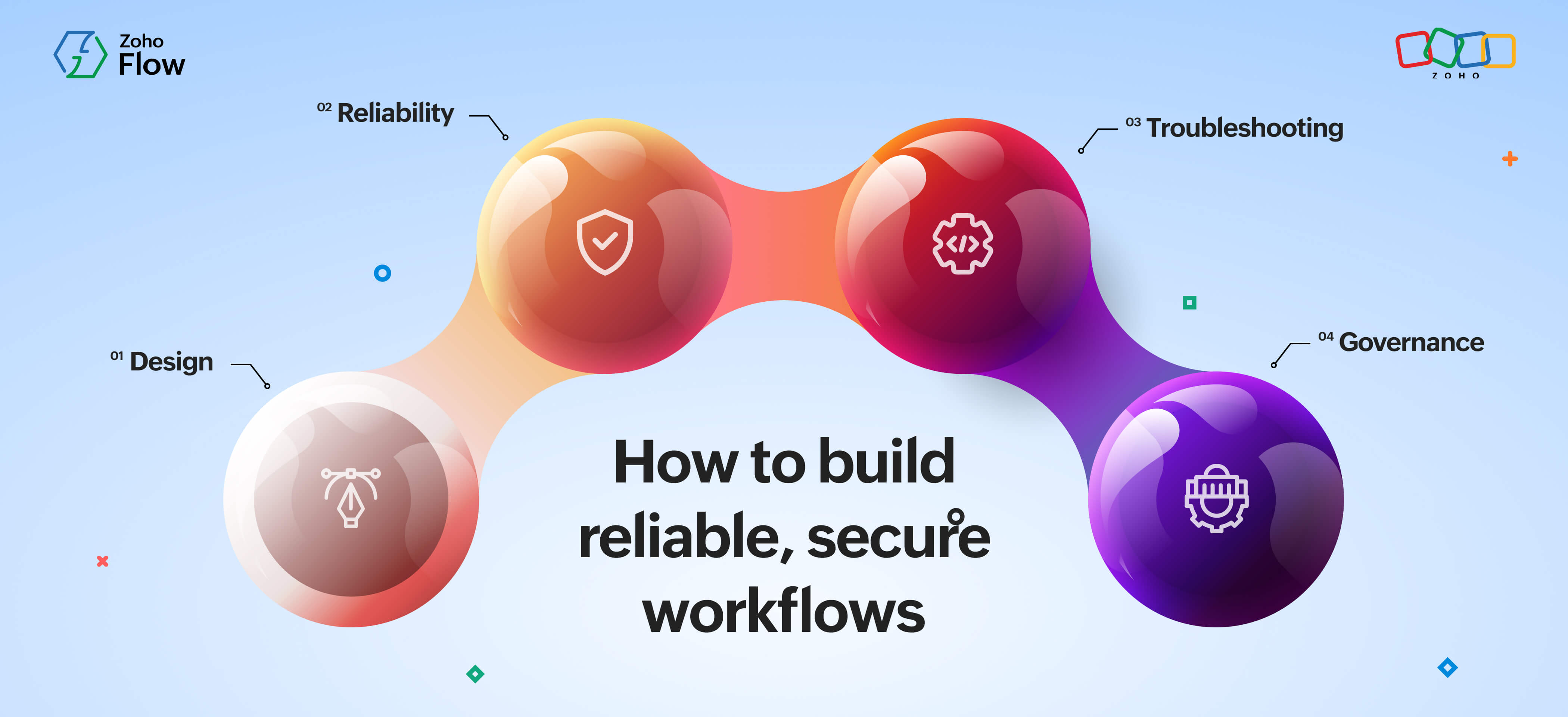
- Workflow automation best practices: How to build reliable, secure workflows
This article was originally published in March 2024. It was most recently updated in August 2026.
 Sooraj
Content writer for Zoho Flow. Ardent fan of sports and movies.