- HOME
- Know Your Tech
- Retail workflow management: Benefits, challenges, and tips
Retail workflow management: Benefits, challenges, and tips
- Last Updated : March 2, 2026
- 390 Views
- 9 Min Read
Running retail operations means managing inventory, processing orders, coordinating staff, and handling customer service all at once. Recent industry analysis found that 96% of retail executives worldwide expect their revenue to rise—but growth creates more operational demands without automatically providing the resources to handle them.
Highlights
- Retail workflow management coordinates tasks across inventory, orders, staff, and customer service through automated processes that reduce manual work.
- Automation reduces errors in inventory tracking, order processing, and billing by removing manual data entry between systems.
- Customer experience improves through faster order fulfillment, accurate inventory availability, and better service coordination.
- Implementation works best when you start small with high-impact workflows before expanding automation across operations.
- Scalability lets businesses handle growth without proportional staff increases by processing higher volumes through existing systems.
Retail workflow management solves this through organized, automated processes that let you handle orders faster, keep inventory accurate, and deliver better customer experiences without a proportional increase in cost.
This blog post explains what retail workflow management is, how it improves operations, and practical steps you can take to build more efficient systems that support business growth.
What is retail workflow management?
Retail workflow management coordinates how tasks move through your business operations. It organizes activities like inventory updates, order processing, staff assignments, and customer service requests into clear sequences with defined steps and responsibilities.
For instance, when a customer places an order online, workflow management can trigger inventory checks, payment processing, warehouse picking instructions, shipment scheduling, and delivery tracking automatically. Each step connects to the next without manual coordination between systems or teams.
This approach uses technology to handle routine coordination, data updates, and task routing. The system tracks what needs to happen, who should do it, and when it should occur. This reduces the manual effort required to keep operations moving and improves consistency across locations and channels.
Benefits of automating retail workflows
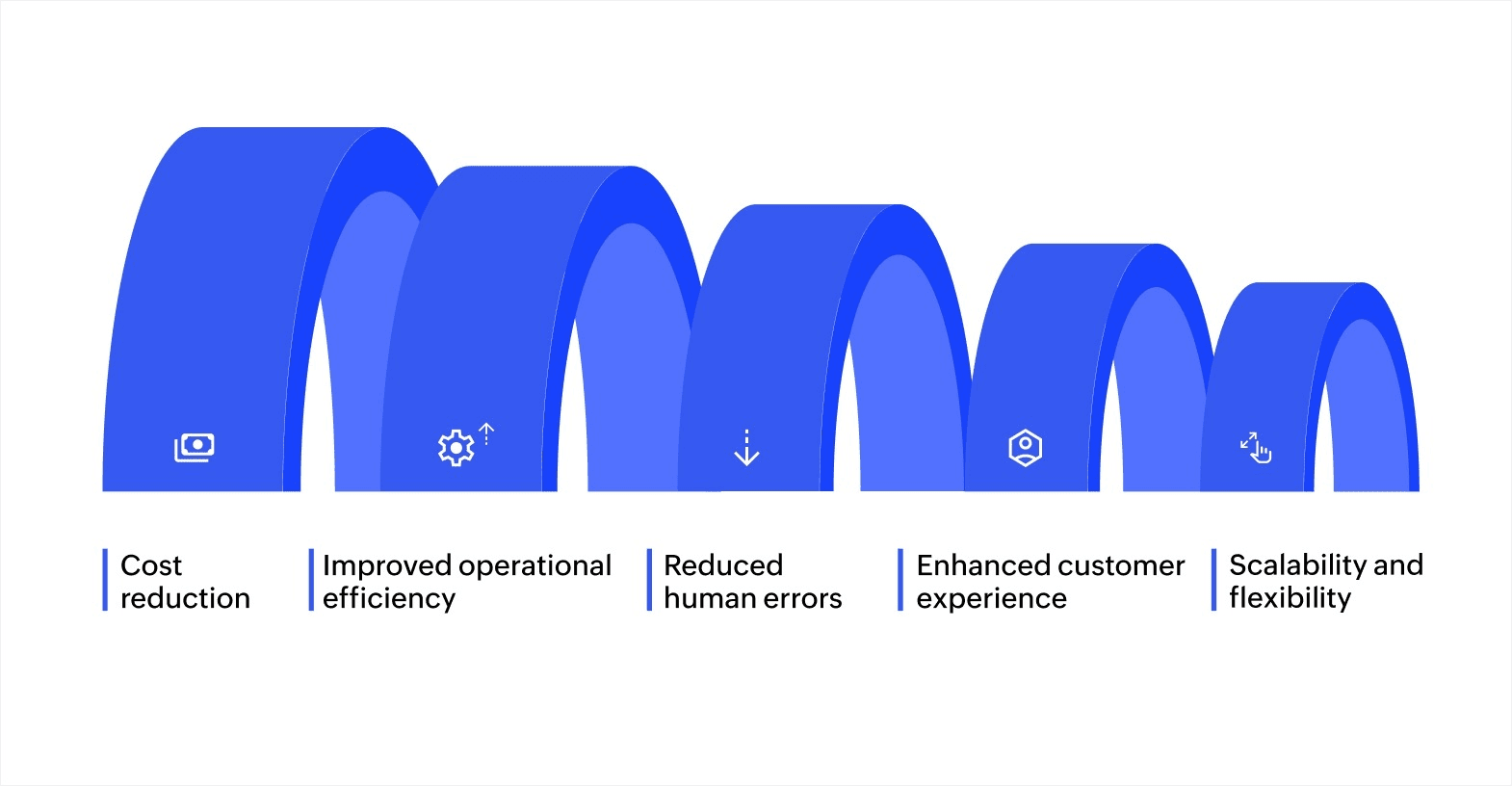
Automation in retail workflow management improves efficiency and customer experience. Below are some of the key benefits that businesses gain when they automate their workflows:
Cost reduction
Automating time-consuming tasks reduces labor costs. For example, inventory management, order processing, and data entry can all be automated, which decreases the need for manual oversight. Automation can help your business do more with fewer resources, leading to cost savings over time. This enables you to redirect resources toward more impactful areas, such as enhancing customer engagement and driving growth.
Improved operational efficiency
Automation streamlines tasks, accelerating their completion while enhancing their accuracy. Take order fulfillment, for instance: Automation can track inventory in real time, update product availability, and manage the entire process seamlessly. These improvements eliminate bottlenecks and speed up operations, even during peak demand, resulting in a smoother, more efficient workflow.
Reduced human errors
One of the biggest challenges in retail is human error, which can affect inventory accuracy, billing, and customer orders. Automating these tasks minimizes the likelihood of errors. By replacing manual data entry with automated systems, businesses can achieve higher accuracy and consistency throughout their operations. This leads to more reliable data, reducing the need for corrections and minimizing costly errors.
Enhanced customer experience
Automation enhances the customer experience by offering features such as automated support, personalized suggestions, and real-time order tracking. These capabilities help businesses meet customer expectations more effectively, resulting in quicker response times, tailored interactions, and a more immersive shopping experience. These factors are essential for boosting customer satisfaction and fostering long-term loyalty.
Scalability and flexibility
As your retail business grows, automation helps scale your operations efficiently. Unlike manual processes that require additional staff as business volume increases, automation can handle larger volumes of data, orders, and transactions without compromising performance. This makes it easier to manage growth, optimize processes, and adjust to changing market demands without the need for major system overhauls.
Automation offers numerous advantages, from reducing operational costs to improving efficiency and customer satisfaction. These benefits highlight the value of retail workflow management and make a compelling case for adopting automation within your business.
Common retail workflow management challenges
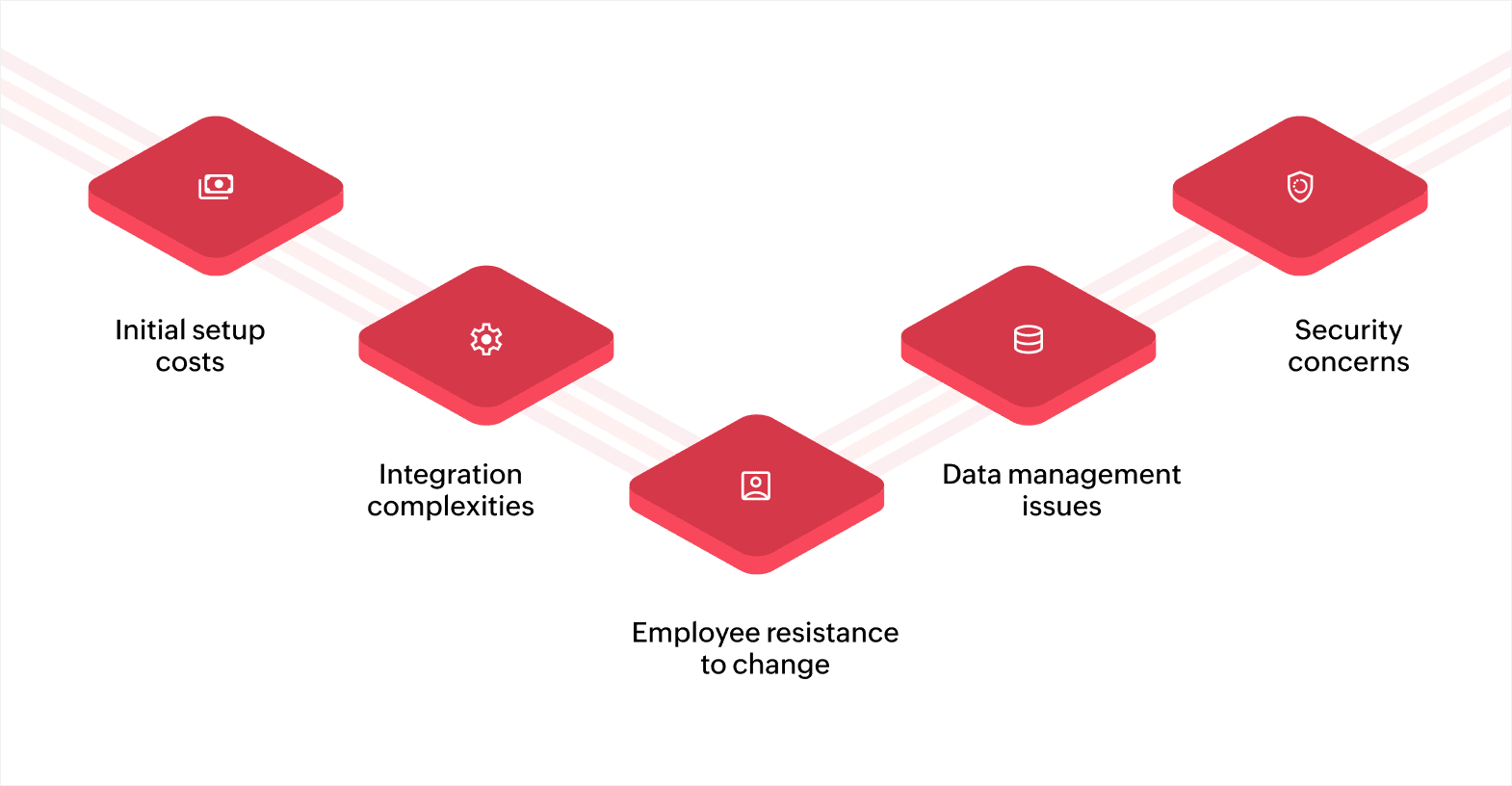
Initial setup costs
Implementing an automation system involves initial costs for software, technology, and infrastructure. Although the long-term savings and advantages are evident, these upfront expenses can be a challenge, especially for small or medium-sized businesses. However, the return on investment (ROI) from automating workflows often justifies the cost over time.
Integration complexities
Retail businesses often rely on legacy systems that may not integrate easily with new automation tools. Ensuring that automation systems work seamlessly with existing technology, such as inventory management systems or point of sale (POS) platforms, can require customization or additional development. This complexity can increase the time and cost involved in the implementation process.
Employee resistance to change
Any change in business processes, especially automation, can be met with resistance. Employees may feel threatened by automation or may be hesitant to adopt new tools and systems. Overcoming this resistance involves effective training, clear communication about the benefits, and ensuring that automation complements human roles rather than replacing them entirely.
Data management issues
As retail workflows become more automated, the amount of data being processed and stored increases. Proper data management becomes critical to ensure that all systems are synchronized and that data remains accurate and accessible. Ensuring data consistency across multiple channels, whether online, in-store, or in the warehouse, requires careful planning and robust data integration.
Security concerns
The automation of retail workflows means handling a large amount of sensitive data, from customer information to payment details. Ensuring that this data is secure and protected from breaches is a significant concern. Adopting strong security protocols, including data encryption and routine audits, is crucial for maintaining customer trust and protecting business operations.
Retail workflow management is an essential strategy for businesses aiming to streamline their operations, reduce costs, and enhance the customer experience. However, it's important to recognize the challenges that come with automation, such as initial investment and integration complexities. By addressing these issues thoughtfully and adopting the right tools, you can successfully implement retail workflow management and transform your business operations.
How retail workflow management works: A step-by-step guide to automation
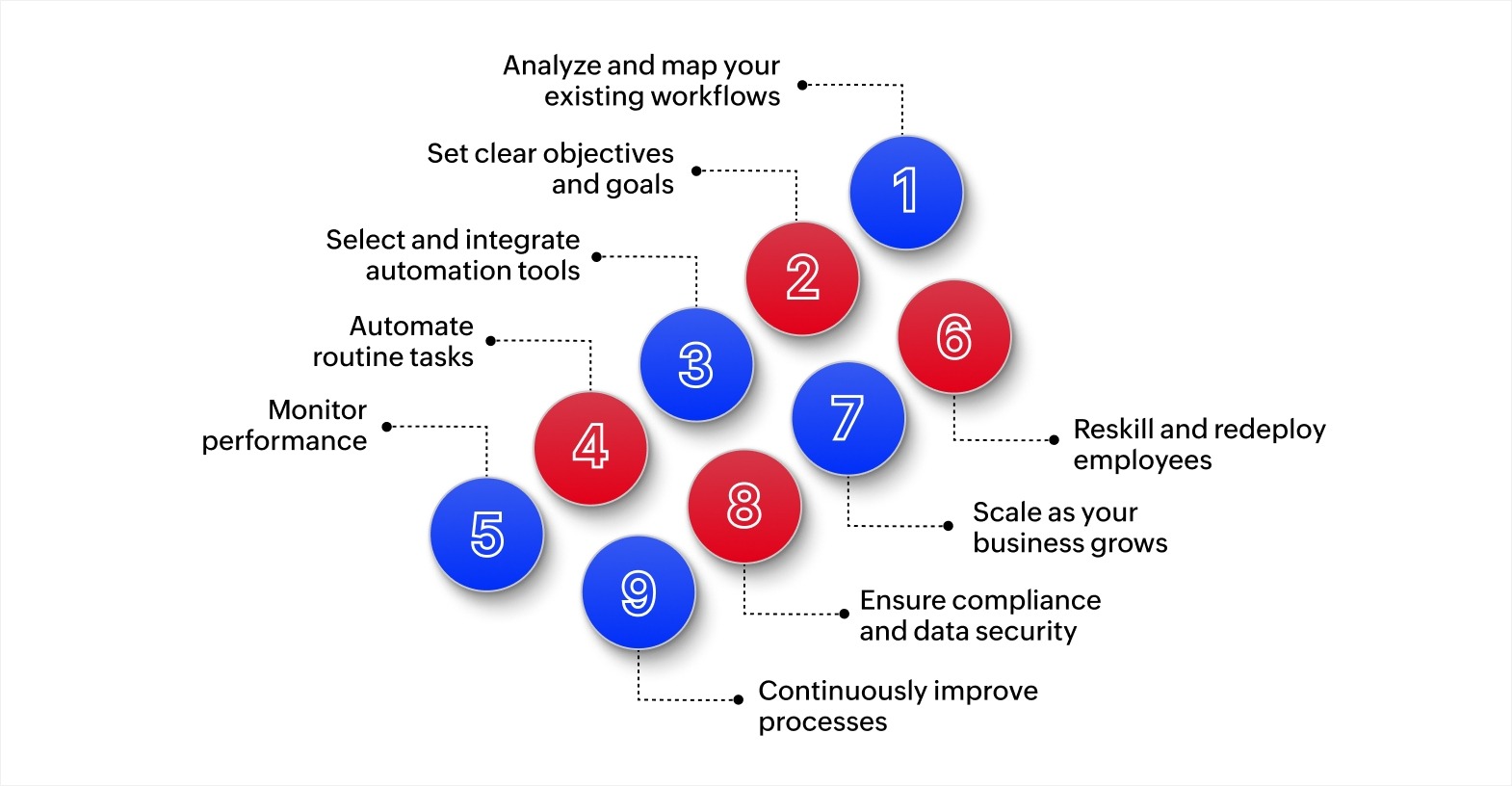
1. Analyze and map your existing workflows
The first step in automating your retail workflows is to analyze and map your current processes. By breaking down tasks, from inventory management to customer service, you can identify inefficiencies and pinpoint areas that are ripe for automation.
For example:
- If inventory levels are only updated once a day, automation can update stock levels in real time, reducing the risk of stockouts and overstocking.
- Mapping workflows will help you pinpoint where automation can save time and increase accuracy.
A platform like Zoho Creator allows you to map these workflows visually. The drag-and-drop interface helps identify areas where automation will have the most impact, like automatically updating stock levels when a sale occurs.
2. Set clear objectives and goals
Once you've mapped your workflows, it’s time to define specific goals for what you want automation to achieve. Clear objectives will guide your automation strategy and determine the tools you need to select.
For example:
- If your goal is to reduce inventory discrepancies, consider setting a target to improve accuracy by 20% within three months.
- Other goals include improving order fulfillment speed or enhancing customer service.
Defining goals ensures that your workflow automation solution aligns with your business needs. It also provides measurable benchmarks to track progress and determine if automation efforts are successful.
3. Select and integrate automation tools
With clear objectives, selecting the right automation tools becomes easier. The tools should smoothly integrate with your existing software, such as POS systems, CRM tools, and inventory management platforms.
For example:
- Integrating your POS system with inventory management ensures that stock levels are automatically updated when a sale occurs, eliminating the need for manual data entry and reducing errors.
Most automation tools offer prebuilt integrations to facilitate smooth communication between systems. These integrations ensure that various parts of your business operate in sync, allowing for efficient data flow and accurate reporting.
4. Automate routine tasks
Once your tools are integrated, it's time to automate routine tasks. These are tasks that require minimal decision-making but consume a significant amount of time. Automating such processes improves operational efficiency and allows your staff to focus on higher-value tasks.
For example:
- Inventory updates can be automated, ensuring stock levels are always accurate.
- Automating customer service inquiries with chatbots allows human agents to concentrate on addressing more complex problems.
Automation of these processes reduces the chances of human error, speeds up operations, and improves consistency.
5. Monitor performance and optimize workflows
After automating your workflows, continuous monitoring is essential to ensure your system performs as expected. Monitoring essential metrics like order fulfillment speed, inventory turnover, and customer satisfaction helps assess how well your automation strategies are performing.
For example:
- Using dashboards, you can track real-time data on order fulfillment, allowing you to identify delays and address them quickly if your system is underperforming.
Many automation platforms offer built-in analytics that provide insights into how your business is performing. These insights help identify areas for improvement and ensure that automation tools continue to meet your objectives.
6. Reskill and redeploy employees
With routine tasks automated, your employees can be reassigned to higher-value roles. This not only boosts employee satisfaction but also enhances customer service and operational efficiency. It’s important to provide training to ensure your team can adapt to new technologies.
For example:
- Employees who previously managed inventory manually can now focus on customer consulting, tech support, or resolving complex issues.
Updating the skills of your workforce helps them remain valuable in a world where automation is growing. It also helps optimize the use of human talent, allowing employees to focus on more innovative and problem-solving tasks.
7. Scale as your business grows
As your business grows, your workflow management system should be able to scale without losing efficiency. Automation tools allow you to add new products, manage multiple locations, or handle higher transaction volumes seamlessly.
For example:
When expanding to new locations, your automation system can synchronize data from all stores, including inventory, sales, and customer information, in real time. Cloud-based automation platforms simplify this process, allowing you to easily scale by adding new workflows, users, and integrations without interrupting daily operations.
8. Ensure compliance and data security
As automation handles sensitive data, compliance and security become a priority. Retail businesses often deal with customer payment information, so it’s essential to ensure that your systems comply with regulations like GDPR and PCI DSS.
For example:
- Payment processing systems can be automated with secure, encrypted methods to ensure data protection and compliance with financial regulations.
Automation systems should be designed with robust security features like encryption, secure payment gateways, and regular compliance updates to help your business stay aligned with regulatory requirements.
9. Continuously improve processes
Retail workflow management is an ongoing process. As technology evolves, it's essential to improve your automated systems to stay competitive. Regularly assess your workflows, gather feedback, and implement new technologies to optimize performance.
For example:
- AI-based predictive analytics can be integrated to forecast demand, allowing you to fine-tune inventory management and optimize stock levels accordingly.
- Machine learning can help adjust product prices dynamically based on demand, competition, and other factors.
Automation tools should be adaptable, allowing you to implement new features or tweak existing processes to stay ahead of the curve.
By mapping out workflows, defining clear objectives, selecting the right tools, and regularly optimizing processes, you can enhance your operations and set your business up for sustainable growth. Automation allows your team to focus on higher-priority, strategic initiatives, fostering long-term growth and enhancing the customer experience in a competitive retail environment.
Transform your retail operations with workflow automation
Retail workflow management through automation is key to boosting efficiency, reducing errors, and enhancing the customer experience. By defining transparent processes, starting small, and training employees, businesses can successfully implement automation.
The advantages of automation, such as reducing costs, boosting operational efficiency, and improving customer satisfaction, highlight its critical role in staying competitive. As the retail sector evolves, adopting trends like AI, omni-channel retail strategies, and personalized experiences will help businesses fulfill customer expectations and drive growth.
Zoho Creator is an AI-powered low-code application development platform that helps retail businesses build custom workflow solutions matching their specific processes. With its drag-and-drop interface, customizable workflows, and seamless integrations, Zoho Creator empowers businesses of all sizes to build custom applications that enhance operational efficiency. Whether you’re managing inventory, orders, or customer support, Zoho Creator provides the tools you need to automate tasks and focus on business growth.
Ready to optimize your retail operations? Start with a 15-day free trial today to see how quickly you can build workflow solutions that organize your retail operations and support business growth.
FAQ
1. What are the key components of retail workflow management?
Retail workflow management involves organizing, automating, and optimizing various processes. It uses technology and software solutions to streamline these tasks, reducing human error and improving operational efficiency.
2. How does retail workflow management help businesses save on costs?
Automating repetitive tasks like inventory updates, order processing, and customer service helps businesses minimize reliance on manual labor. This leads to cost savings, allowing companies to reallocate resources to more critical areas like customer engagement and growth.
3. What challenges might businesses face when implementing retail workflow automation?
Some common challenges include the initial setup costs, integration complexities with existing systems, employee resistance to change, data management issues, and security concerns. Addressing these challenges requires proper planning, training, and the right technological tools.
4. How can automation scale as my retail business grows?
Automation systems are designed to handle increased data, orders, and transactions without sacrificing performance. As your business expands, automation tools can seamlessly integrate new locations, products, and workflows, making scaling more efficient and cost-effective without major system overhauls.
 Ann Elizabeth Sam
Hey! I'm Ann, and I work as a content writer at Zoho Creator. I'm exploring the SaaS world through various forms of content creation. Outside of work, I love dancing and would give up anything to read a good murder mystery.