- HOME
- Know Your Tech
- 5 no-code app examples for your business (with prebuilt templates to get you started)
5 no-code app examples for your business (with prebuilt templates to get you started)
- Last Updated : March 2, 2026
- 355 Views
- 9 Min Read
Your team knows exactly what software would make their work easier. But building custom applications means waiting months for developers and spending thousands on the project. Meanwhile, manual processes continue to slow everyone down.
The solution? No-code platforms that let nontechnical teams create functional applications without writing complex code.
Highlights
- No-code platforms use visual drag-and-drop builders to create functional applications without writing code or having technical expertise.
- Common application examples include client management systems, event coordination tools, loan processing workflows, appointment scheduling, and multi-system integrations.
- Real scenarios demonstrate how businesses use no-code to handle data collection, automated workflows, approval processes, and consolidated reporting.
- Starting with simple automation of repetitive tasks delivers quick wins while your team learns platform capabilities.
- Common mistakes include ignoring maintenance, poor data planning, overlooking scalability, and weak security configurations from the start.
Organizations across industries are using no-code to build solutions that match their exact workflows. These tools provide visual builders that replace traditional development requirements.
This blog post will show you five no-code application examples you can build for your business, along with ready-to-use templates. You'll also see real scenarios demonstrating how these tools work, plus effective steps for creating your no-code application.
3 common no-code myths and the truth behind them
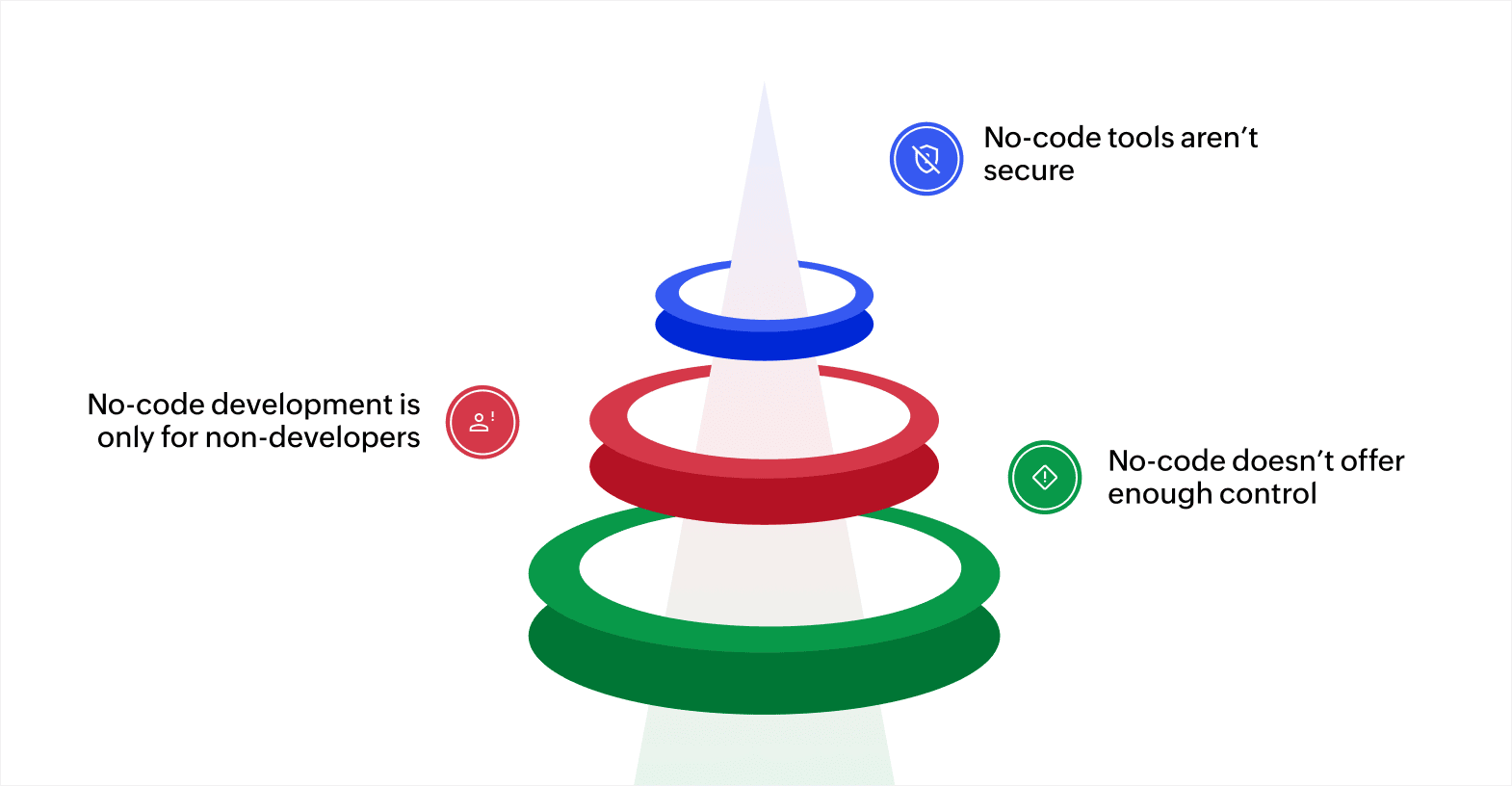
No-code app development is transforming the way businesses create custom solutions. It allows everyone, including people without a technical background, to build apps and automate everyday tasks with ease.
However, despite the buzz and success surrounding it, no-code is still misunderstood, with myths circulating that make some businesses hesitant to give it a genuine chance.
Myth 1: No-code tools aren’t secure
Some believe no-code platforms aren’t secure enough to protect sensitive business data, especially when it involves customer or financial information. But most modern no-code tools come with strong security controls in mind. They include features like encryption, multi-factor authentication, and compliance with standards such as GDPR and HIPAA.
Myth 2: No-code development is only for non-developers
It’s often assumed that no-code platforms are meant only for nontechnical users. While they are easy to use, they’re also handy for developers and IT teams. Developers can use them to build prototypes quickly, automate small tasks, or create internal tools, freeing up time for more complex projects.
Myth 3: No-code doesn’t offer enough control
Some worry that using no-code means giving up too much control over customization. But modern no-code platforms give you plenty of flexibility. You can control how your app looks, how it functions, and how your data flows.
And if you ever need more advanced options, many platforms support adding custom code or integrating with third-party platforms.
Now that we've cleared up these doubts and showed what no-code can truly do, it’s time to see it in action.
5 no-code application examples you can build today
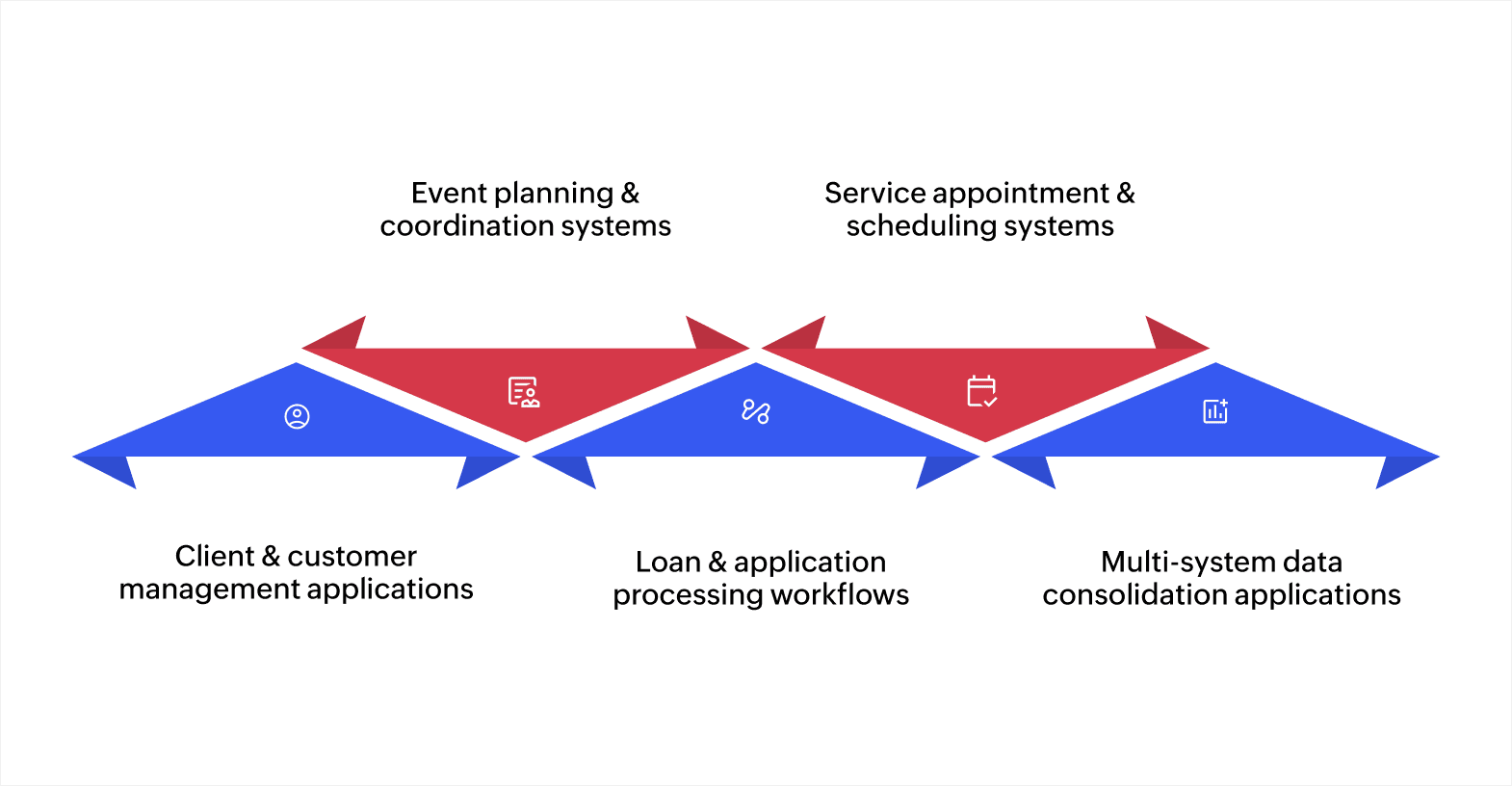
Here are 5 examples of applications you can use to solve common challenges across different industries:
1. Client and customer management applications
Managing client relationships effectively requires organized data and quick access to information. But spreadsheets and disconnected tools make it hard to track interactions, service history, and customer preferences.
Example scenario: A wellness coaching business needs to manage client health programs, track progress, and generate personalized recommendations without spending hours on administrative work.
With no-code, coaches can build an application where they collect client health information and goals through digital intake forms. The system organizes biometric assessments, session notes, and progress measurements in record templates.
Custom reports show client trends and outcomes without manual compilation. Dashboard views display all client information with search functionality that finds specific sessions or reports instantly. As a result, coaches spend more time working with clients instead of managing paperwork.
Best for: Consulting firms, wellness coaches, therapy centers, and any service business that needs centralized client tracking and communication.
Template to use: The customer service template provides a good starting point that you can customize to match your specific client management workflow.
2. Event planning and coordination systems
Organizations that run events struggle to coordinate registrations, schedules, venues, and attendee communication across multiple spreadsheets and email threads. Information gets lost, and manual coordination takes excessive time.
Example scenario: A university hosts multiple academic events, conferences, and workshops throughout the year and needs to manage registrations, track attendance, coordinate speakers, and communicate with participants efficiently.
Event coordinators can build an application where attendees register via online forms that collect dietary preferences, session selections, and contact information. The system organizes speaker schedules, room assignments, and equipment needs in one place.
Automated workflows send confirmation emails, scheduled reminders, and post-event surveys. Dashboard views show real-time registration numbers, capacity tracking, and budget status. Staff coordinate entire events from one platform instead of juggling multiple tools.
Best for: Conference organizers, corporate event teams, nonprofit fundraising groups, and any organization managing regular events or gatherings.
Template to use: The event management template gives you event coordination tools you can adapt to any type of gathering or program.
3. Loan and application processing workflows
Organizations that process applications face bottlenecks when relying on manual review and paper-based tracking. Applicants wait weeks for responses while staff struggle to handle volume efficiently.
Example scenario: A community development financial institution processes small business loans and needs to review applications quickly, verify eligibility, and keep applicants informed throughout the process.
Loan officers can build an application where businesses submit requests through secure online forms that validate required information immediately. Automated workflows check eligibility criteria like loan amount limits and business type, then route applications to appropriate reviewers. The system tracks each application stage and sends status notifications to applicants automatically.
Decision makers see dashboards showing applications by stage, approval rates, and processing times. What previously took weeks now completes in days because the system handles routing, validation, and communication automatically.
Best for: Financial institutions, grant programs, membership organizations, scholarship funds, and any group managing high-volume applications.
Template to use: The approval management template provides approval workflows you can configure for any application or request process.
4. Service appointment and scheduling systems
Service businesses struggle with phone-based appointment booking that creates scheduling conflicts and missed appointments. Staff can't quickly access customer service history during interactions.
Example scenario: An automotive detailing service wants customers to book appointments online, needs staff to manage calendars efficiently, and wants to reduce no-shows through automated reminders.
The business can build a scheduling application where customers visit the website, select their service type, choose an available time slot, and receive instant confirmation. The system displays real-time staff availability and blocks out booked times automatically.
Color-coded calendar views show the daily schedule with service details and customer information at a glance. Staff access complete service history, vehicle details, and customer preferences when clients arrive. Automated text reminders go out before appointments. The system tracks payments and generates invoices without manual data entry.
Best for: Dental practices, consulting firms, home repair services, salons, fitness studios, and any appointment-based business.
Template to use: The appointment scheduling template provides scheduling and calendar management features you can customize for your services.
5. Multi-system data consolidation applications
Businesses using separate systems for CRM, accounting, project management, and operations face constant data fragmentation. Creating quotes or reports requires pulling information from multiple platforms manually.
Example scenario: A manufacturing company uses different systems for inventory tracking, customer relationship management, and production scheduling, but creating accurate project quotes requires data from all three platforms.
Project managers can build an application that connects to each system through APIs and pulls relevant information automatically. When sales creates a quote, the system shows real-time inventory levels, customer pricing history, and production capacity from all connected platforms.
Cost calculations update automatically when any source data changes. Every modification creates an audit trail showing who changed what and when. Quote generation time drops from days to hours because staff work from one consolidated view instead of switching between applications and copying data manually.
Best for: Professional services firms, retail companies, healthcare organizations, and any business managing data across multiple platforms.
Template to use: The vendor management template includes integration capabilities you can extend to connect and consolidate data from your existing business systems.
These application types solve common business needs across industries. No-code platforms provide the forms, workflows, reports, and integrations you need to build them. Start with a template that matches your requirements and customize it to fit your specific processes.
Also read: How low-code and AI are empowering forgotten industries
6 effective tips for bringing no-code into your business
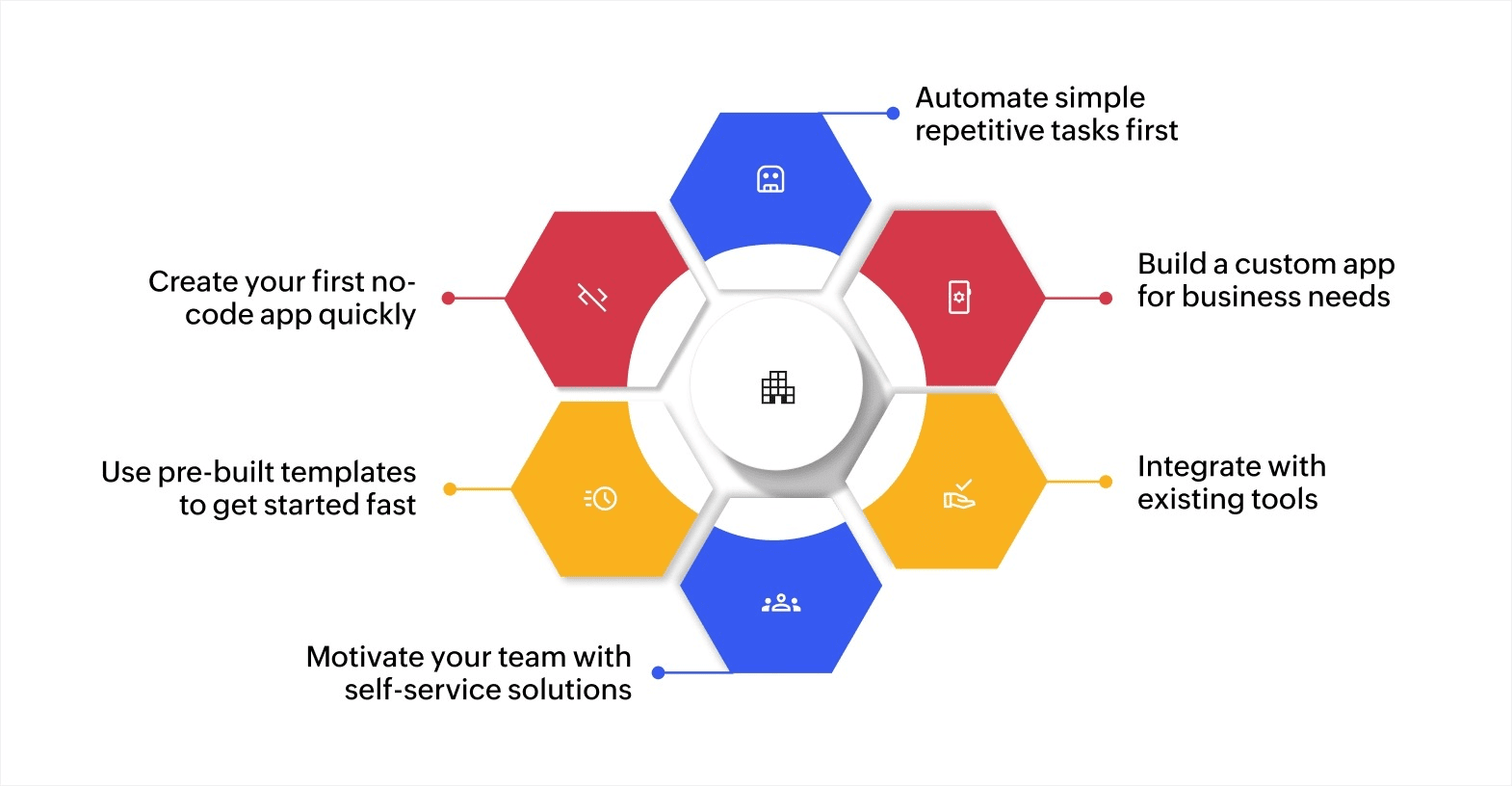
Bringing no-code into your business is easy. Start small, try out different tools, and see how it can make your workflows smoother, your team more productive, and your business more agile. Here’s how to do it:
1. Automate simple repetitive tasks first
Start by identifying repetitive tasks that can be automated with no-code platforms. This could include tasks like email follow-ups, data entry, reminders, or status update requests.
2. Build a custom app for your specific business needs
Think about the specific process you want to improve, whether it’s tracking sales, managing tasks, or collecting customer feedback. Design your app around that process by picking the fields, forms, and workflows you need. Customize the layout to match how your team works, and keep adjusting it as you use it. Start simple and add more features as your needs grow.
3. Integrate with existing tools
Review the applications your business currently uses daily and find ways to automate data transfer between them. For example, connect your CRM with your email marketing system or link project management tools so tasks update automatically.
4. Motivate your team with self-service solutions
Give your team the tools and guidance to build their own solutions. Start with small projects, like a task tracker or feedback form, and show them how to customize it for their needs.
Encourage experimentation so they can improve workflows without relying on IT for every change. Provide support so they can troubleshoot and make improvements as needed.
5. Use prebuilt templates to get started fast
Check out the templates available for common tasks like project management, lead tracking, or customer service. Pick one that fits your needs and then customize it with your own fields, workflows, and branding.
6. Create your first no-code app quickly
AI-powered app builders help you create functional applications quickly without technical knowledge. Choose a simple use case like tracking tasks, collecting customer feedback, or managing requests. Starting small helps you learn the platform while delivering immediate value.
While creating the app, you can add the essential fields your app needs to function properly. For instance, a task tracker needs task names and due dates, while a feedback form requires customer details and requests information. Set up basic automation like email notifications when new entries arrive. Test your app with sample data, share it with a few colleagues for feedback, and refine based on their experience before broader implementation.
Once you start using no-code platforms, it’s also important to know what pitfalls to avoid to make your efforts more effective.
Common no-code mistakes to watch out for
No-code platforms are great for helping businesses build apps and automate processes quickly and easily. But there are a few common mistakes that can hold back your no-code projects. Here are the main pitfalls to watch for and how to avoid them:
| Common mistakes | How to avoid |
| Ignoring app maintenance | Regularly update your app and review integrations and workflows to keep everything current. |
| Underestimating data management needs | Plan how data will be organized, stored, and backed up from the start, and ensure proper data structure. |
| Not considering scalability | Design with scalability in mind by starting simple but planning for growth by ensuring your app can handle more users or data. |
| Overlooking security and privacy | Use encryption and access control, and ensure compliance with relevant regulations. |
Also read: Understanding low-code vs no-code development platforms
Build no-code applications with Zoho Creator
Many businesses need custom applications but lack the technical resources to build them. Traditional development takes months and costs significant amounts of money. But no-code platforms let you create functional applications quickly, without coding expertise.
Zoho Creator is an AI-powered platform with no-code and low-code app development capabilities that help you easily design and build business applications. The platform’s drag-and-drop form builders let you create data collection interfaces in minutes. Workflow automation handles approval processes and notifications. Plus, the customizable dashboards display the real-time metrics and analytics your team needs.
Thousands of businesses worldwide have built custom applications using Zoho Creator's no-code and low-code capabilities. Sign up for a 15-day free trial and start building the applications your business needs today.
FAQ
1. What is no-code development?
No-code development is a way to build apps and automate workflows without writing any code. It uses visual tools and drag-and-drop features, making it easy for nontechnical users to create custom solutions for their business.
2. What is the difference between no-code and low-code development?
No-code platforms let you build apps entirely without code, using simple visual interfaces. Low-code platforms still require a bit of coding knowledge, giving you more flexibility to customize features while simplifying the development process.
3. What are the benefits of no-code development?
No-code development lets businesses build apps and automate workflows quickly, without needing technical skills, saving time and money. It also allows teams to create solutions, scale easily, and make updates without relying on developers.
4. Can I create a no-code app for internal business use only?
Yes, many businesses use no-code apps internally to simplify tasks like employee management, inventory tracking, project management, and internal communication.
5. Are no-code apps mobile-responsive?
Yes, most no-code platforms include mobile-responsive design features, so your app will automatically adjust to different screen sizes. Still, it’s a good idea to double-check your app on mobile devices before launching to ensure everything looks and works as expected.
 Rohith Krishnan S
Rohith is a product marketer at Zoho. He writes about low-code, workflow automation and follows the latest digital transformation trends. Outside work he enjoys spending time with family, watching football matches and reading about futuristic trends, in no specific order.