- HOME
- Know Your Tech
- IT automation: A complete overview
IT automation: A complete overview
- Last Updated : February 2, 2026
- 504 Views
- 8 Min Read
Tired of chasing approvals? Still wondering why simple IT requests take days?
If you're facing these issues, then you're not alone—spending hours a week on repetitive IT tasks can lead to a loss of business momentum.
Highlights
- IT automation is used in provisioning, ticketing, security, and CI/CD pipelines.
- Strong strategies begin with rule-based tasks and expand through frameworks like DevOps or platform engineering.
- Success depends on clear documentation, collaborative practices, and a culture that supports experimentation.
- AI-driven tools, low-code/no-code platforms, and intent-based automation are reshaping what's possible.
- Without governance, automation can cause tool sprawl, compliance issues, and poor system visibility.
But what if we told you that your system could automatically assign tickets or update user access, or that application deployments can run without manual steps? That’s the promise of IT automation—speed, consistency, and control.
This guide will explore what IT automation is and where it makes the biggest impact. We'll also help you build a system that runs smoothly without burning out your team.
What is IT automation?
IT automation uses software to handle repetitive IT tasks without manual input. These platforms follow predefined logic to execute actions consistently across infrastructure, security, support, and deployment processes. It creates a foundation for more scalable, secure, and responsive operations.
Why is IT automation important?
With rising expectations for adaptation, manual processes can’t keep up. IT automation helps close that gap. For teams like yours, it offers a way to stay competitive without overextending your budget.
Here's why it is important:
- Reduces human error: Automation eliminates these risks by executing predefined logic exactly the same way, every time.
- Improves operational efficiency: Repetitive tasks like provisioning access, backing up data, or resetting passwords take up hours weekly. Automation handles them instantly.
- Enables scalability: As your organization adds more users, apps, and devices, automation scales easily.
- Enhances collaboration: Automation gives both IT and business teams clear visibility and accountability. That clarity strengthens coordination across departments.
The value of IT automation comes from how deeply it integrates into everyday IT tasks. Let’s look at some specific functions it handles across infrastructure, security, support, and more.
7 core capabilities and use cases
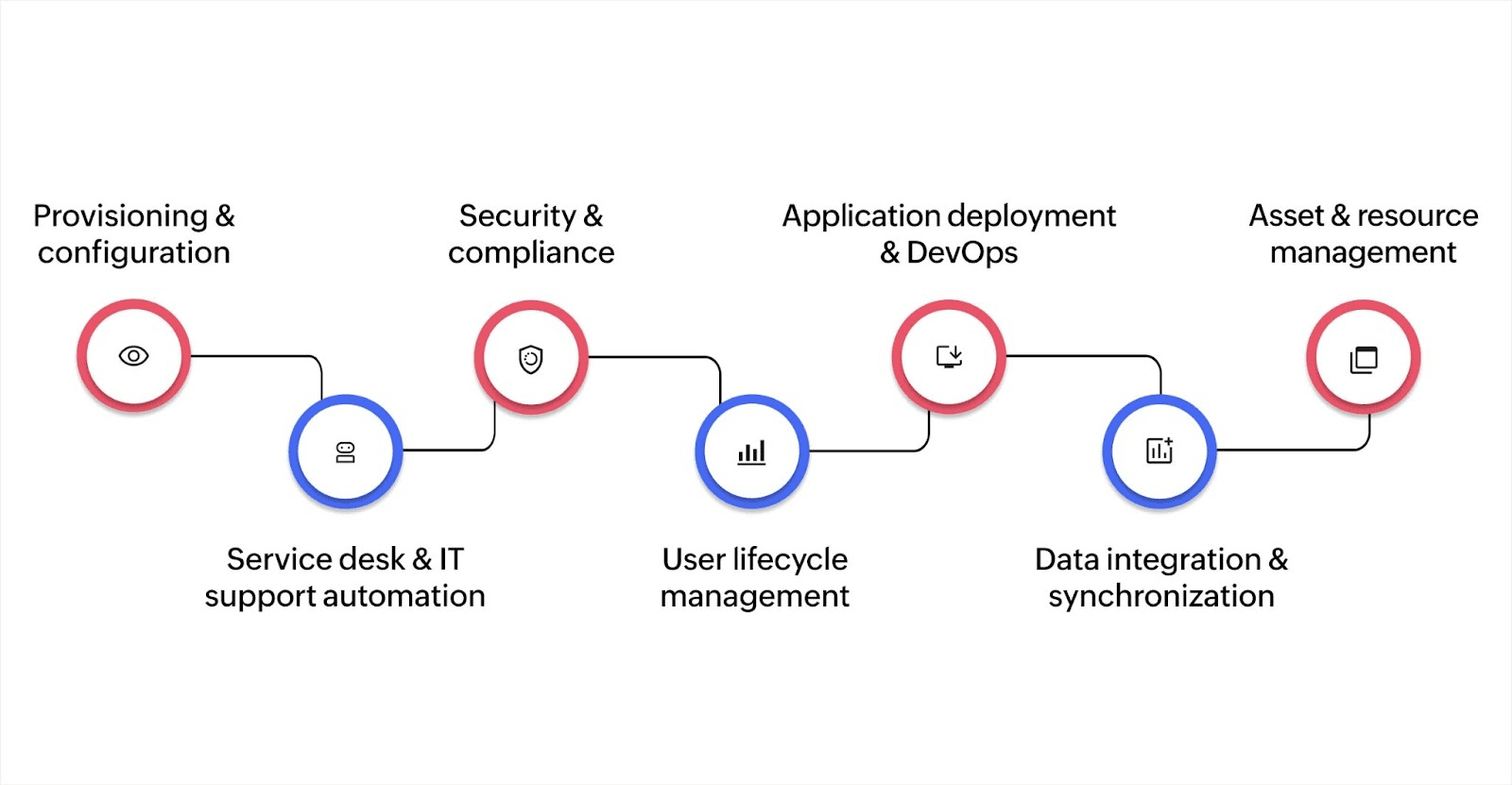
Before choosing an automation strategy, you need clarity on what it can actually handle. IT automation isn’t limited to one function. Here are its key capabilities in real use cases:
1. Provisioning and configuration
The automation of setting up servers, cloud services, user access, and IT environments: Tools like Ansible or Puppet (configuration management tools) help keep systems in a desired state, so they don’t drift from security or performance standards.
2. Service desk and IT support automation
Automatically sorting support tickets, applying fixes, and performing software updates: IT service management (ITSM) tools like Jira (project tracking), ServiceNow (IT workflows), and Zendesk (customer support) help reduce the workload on IT teams.
3. Security and compliance
Uses automated rules to detect unusual login attempts, unauthorized access, or malware activity, generating audit logs and compliance reports automatically to meet standards like GDPR, HIPAA, or ISO.
4. User lifecycle management
Automates onboarding and offboarding tasks, such as creating or removing user accounts, assigning tools, and setting permissions using identity systems like Microsoft Active Directory (user access control) and HR tools like Workday.
5. Application deployment and DevOps
Automates code testing, environment setup, and software releases using DevOps pipelines (development + operations workflows) by utilizing solutions like Zoho Creator’s IT management software, which accelerates app development, enabling rapid creation and delivery to meet business needs quickly. With its powerful tools, legacy systems can be easily modernized and integrated, making the transition smooth and efficient.
The software ensures data security, with end-to-end encryption and reliable cloud-based backups. It also offers high availability, guaranteeing 99.9% uptime to keep your operations running without disruption.
6. Data integration and synchronization
Keeps data consistent between different business tools like customer relationship management (CRM), human resource information systems (HRIS), and internal IT systems. This supports real-time syncing between cloud apps and older, on-premises databases.
7. Asset and resource management
Tracks physical and digital assets like laptops, software licenses, and cloud resources, without manual inventory. Flags unused or missing items and helps manage software renewals on time.
Most automation fails not due to technology, but because there's no plan to sustain or scale it. A strategy ensures automation isn’t just a one-off fix, but a repeatable capability.
Building an IT automation strategy
1. Identify repetitive, rule-based tasks
Start with processes that follow fixed logic and are repeated often, such as password resets, access provisioning, or software installation. These tasks offer a high return on investment (ROI) when automated, because they're frequent, time-consuming, and prone to human error.
2. Connect automation to business outcomes
Don’t treat automation as just an IT efficiency project. Tie each initiative to goals like faster service delivery, improved compliance, or reduced downtime. When automation is linked to key outcomes, it gets executive support and wider team participation.
3. Evaluate your current tools and team skills
Review your IT environment. For example, what automation platforms, scripting languages, or workflow tools are already in use? Common tools include robotic process automation (RPA), scripting languages like Python or PowerShell, and infrastructure management platforms.
You should also assess your team’s readiness. Find out who can build workflows, handle integrations, or maintain systems.
4. Run small, high-impact pilots
Begin with automation that’s easy to implement but offers visible gains. For instance, systematically sort out support tickets based on content. You can also automate user onboarding tasks across tools like Active Directory and your HR platform. Early wins help prove value and build internal momentum.
5. Scale with proven frameworks
Once initial pilots are successful, adopt structured approaches like development and operations collaboration (DevOps). You can also use infrastructure as code (IaC), where infrastructure is managed through code. Another option is platform engineering, which focuses on building reusable internal platforms.
These practices bring version control, monitoring, and scalability to automation.
6. Create a culture that supports automation
Encourage knowledge sharing by forming centers of excellence (CoE) or communities of practice (CoP). These cross-team groups document best practices and offer support to newer teams exploring automation.
7. Document every workflow
Each automated task should have detailed documentation: what it does, where it integrates, who maintains it, and how to troubleshoot. This reduces dependency on individual developers and supports audits, upgrades, and knowledge transfer.
8. Involve all stakeholders
Automation isn’t just for IT. Obtain input from business, compliance, security, and human resources (HR) teams to avoid potential roadblocks later. Collaboration prevents siloed systems and redundant efforts.
9. Measure and communicate success
Use clear, trackable metrics, like time saved per task, reduction in manual errors, or improved service level agreement (SLA) adherence. This helps justify ongoing investment and guide future improvements.
Trends and the future of IT automation
IT automation is becoming mainstream, with an estimated 80% of companies projected to adopt IT automation by 2025. What started as simple scripting for repetitive tasks has grown into intelligent, scalable systems powered by advanced technologies.
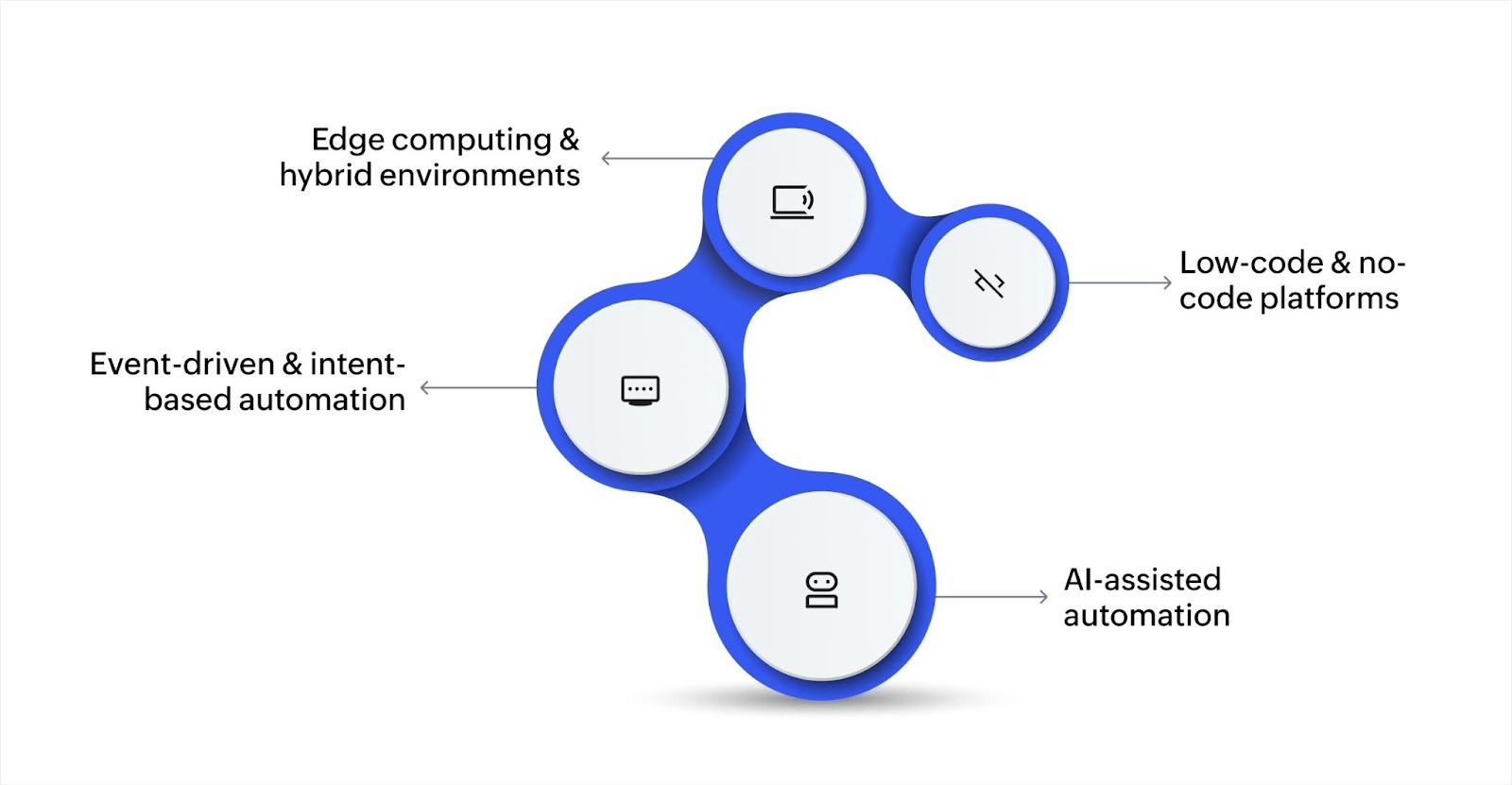
Here are some of the key trends shaping the future of IT automation:
AI-assisted automation
AI is becoming central to automation. Tools like IBM Watsonx and Workato use AI to make automation smarter by predicting next steps. This shift helps IT teams move from rule-based automation to decision-capable workflows.
Event-driven and intent-based automation
Instead of relying on preset schedules, modern automation is triggered by specific events or business intents. For example, a server may exceed its central processing unit (CPU) usage limit. In such cases, an automated system can scale resources in real time to handle the load.
Intent-based automation further aligns actions with business goals, allowing systems to act on high-level objectives.
Edge computing and hybrid environments
As more data is processed outside traditional data centers, closer to where it’s generated, edge computing plays a bigger role. IT automation tools are now adapting to manage multi-cloud and hybrid infrastructure, helping organizations control across diverse environments.
Low-code and no-code platforms
These platforms are lowering the barrier to entry. With drag-and-drop interfaces and prebuilt templates, business users, not just developers, can build automated workflows. This democratization makes automation more scalable and responsive to everyday needs, especially on fast-moving teams.
The right tools can provide powerful efficiencies, but they won’t solve every challenge on their own. As automation spreads across your IT stack, it’s important to pause and assess the trade-offs. You don't need to automate every process, nor is every team ready for a full-scale rollout.
Limitations of IT automation
Without the right checks, automation can lock in inefficiencies, introduce blind spots, or reduce flexibility. Understanding these trade-offs is key to making informed decisions—not just fast ones.
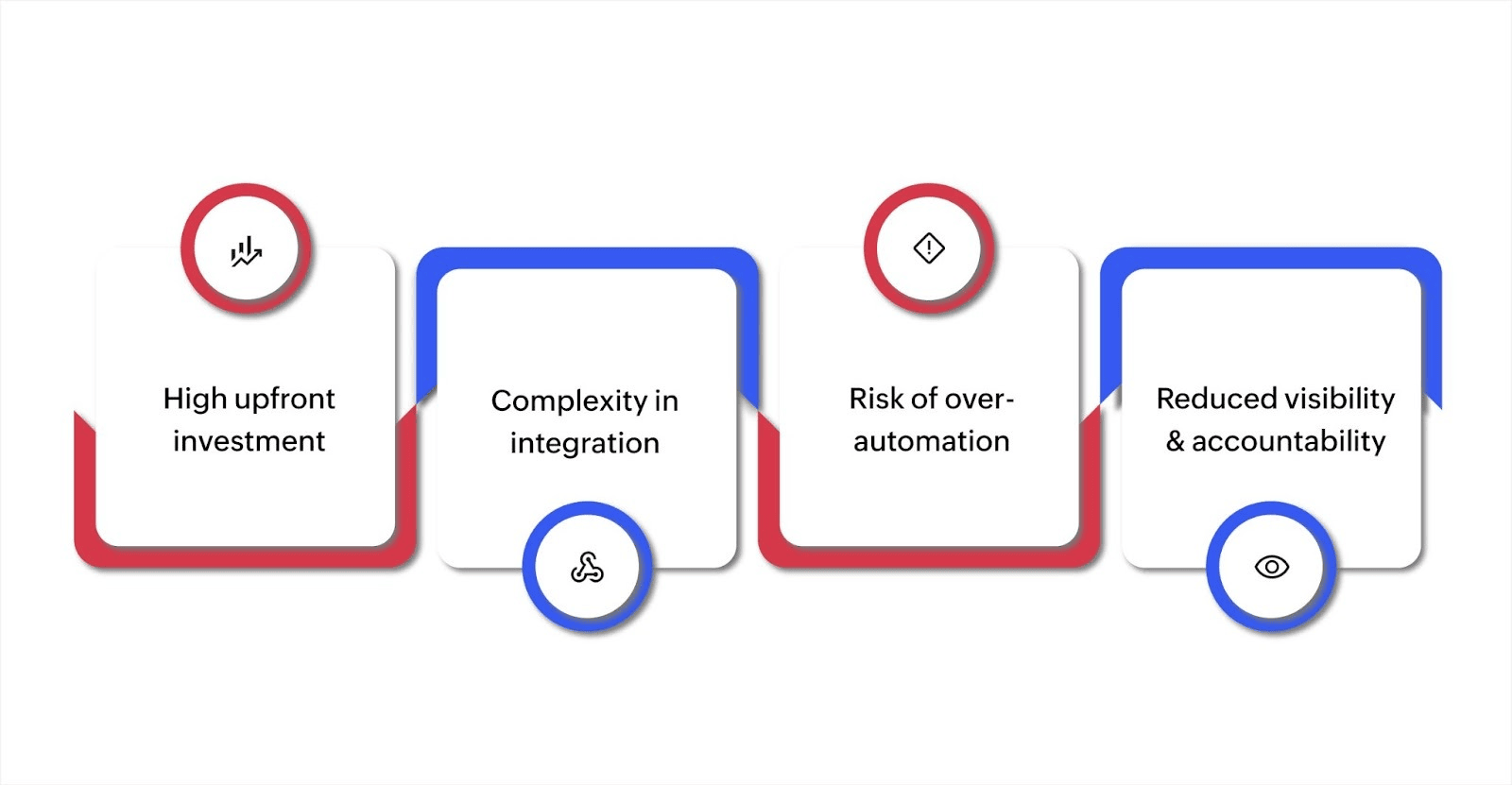
Here's some of the challenges you might face while implementing IT automation:
High upfront investment
Implementing automation requires expertise. You may need to purchase new tools, train your team, and restructure workflows. For smaller teams, this can delay ROI or stretch limited resources.
Complexity in integration
Not all systems talk to each other easily. Legacy applications, proprietary platforms, or outdated infrastructure can make automation integration difficult. This often leads to custom development work and prolonged setup times.
Risk of over-automation
Automating every task can backfire. Some processes still require human judgment or contextual understanding. Over-automation can reduce flexibility and even introduce new points of failure if not carefully managed.
Reduced visibility and accountability
In complex automated environments, it can be hard to trace how decisions are made or who is responsible. Without proper documentation and controls, this can create compliance risks or make it difficult to debug issues.
If you’re starting to explore IT automation, focus on clarity about what to automate, why, and how it will evolve.
Start IT automation with clarity
The best IT automation begins with understanding your challenges. Before deploying scripts or platforms, identify the tasks that drain your time. Ensure the workflows don't break under pressure and that the automation supports the goals. That’s what makes automation sustainable with smarter choices.
Zoho Creator helps you build automations that match how your business actually operates. It enables you to automate user access requests, asset tracking, or custom workflows across departments, without writing complex code. With built-in integrations, low-code logic, and role-based access, teams get full control without needing a dedicated IT team to maintain it.
FAQ
1. What are some real-world IT automation examples?
Common IT automation examples include:
- Automatically provisioning virtual machines for new hires
- Auto-resolving low-priority support tickets using rule-based workflows
- Running nightly backups and patch updates without manual input
- Syncing user access permissions between HR and IT systems
2. What is IT automation?
IT automation refers to using software to execute tasks with minimal human intervention, like automatically onboarding new employees by setting up their email, access credentials, and more.
3. What kind of jobs are available in IT automation?
Common IT automation job roles include:
- Automation engineer
- DevOps engineer
- IT operations manager
- Systems administrator (with automation focus)
- Site reliability engineer (SRE)
These roles often require knowledge of scripting, cloud tools, and automation platforms.
4. What is the average salary for IT automation professionals?
In the US, salaries range from $85,000 to over $130,000 annually for different roles, like automation engineer, DevOps specialist, or IT process manager.
 Ann Elizabeth Sam
Hey! I'm Ann, and I work as a content writer at Zoho Creator. I'm exploring the SaaS world through various forms of content creation. Outside of work, I love dancing and would give up anything to read a good murder mystery.