- HOME
- Know Your Tech
- Effective employee workflow management practices
Effective employee workflow management practices
- Last Updated : March 24, 2026
- 962 Views
- 10 Min Read
Do your employee workflows feel more like obstacles than solutions? If your team is constantly battling missed deadlines, disorganized tasks, and an overwhelming sense of chaos, it’s clear that something needs to change. When workflows aren’t managed well, productivity drops, and valuable resources are wasted.
Highlights
Track key metrics: Use KPIs like cycle time, throughput, and task completion rate to measure employee workflow management and identify areas for improvement.
Automate repetitive tasks: Automate routine tasks to free up time for more strategic work and boost overall team productivity.
Use data for optimization: Analyze workflow data to identify inefficiencies, optimize resource allocation, and minimize errors.
Encourage feedback and adaptability: Promote continuous improvement by gathering regular feedback and adapting workflows to changing business needs.
By taking a more structured approach to workflow management, you can reduce errors, improve task coordination, and ensure that your team is focused on what truly matters. The right tools and strategies can simplify even the most complicated tasks, helping your team work more effectively without unnecessary distractions.
This blog post covers effective ways to improve how your team works together. You'll learn the best practices to reduce coordination overhead, clarify task ownership, and build workflows that scale as your team grows.
What is employee workflow management?
Employee workflow management is how you organize and coordinate the flow of work between team members. It covers who does what tasks, how work moves from person to person, and what happens when someone completes their part.
For example, when a sales team member closes a deal, employee workflow management ensures the account smoothly transitions to the onboarding team. The onboarding team knows exactly what information they need, when they need it, and what their role is. Nobody wastes time asking "what happens next?" or "whose job is this?"
A good employee workflow management ensures your team spends less time coordinating and more time executing. Tasks move between people without delays, everyone knows their responsibilities, and work progresses without constant check-ins.
When you organize how team members hand off tasks and coordinate with one another, you reduce the friction that slows most teams. The results show up in measurable ways across your business processes.
Key benefits of effective employee workflow management
The global workflow management system market was valued at USD 16.95 billion in 2024 and is projected to reach USD 168.97 billion by 2032, growing at a CAGR of 33.30%. This growth highlights the increasing importance of optimizing workflows to improve business operations and productivity.
Here are some of the key benefits of implementing effective employee workflow management:
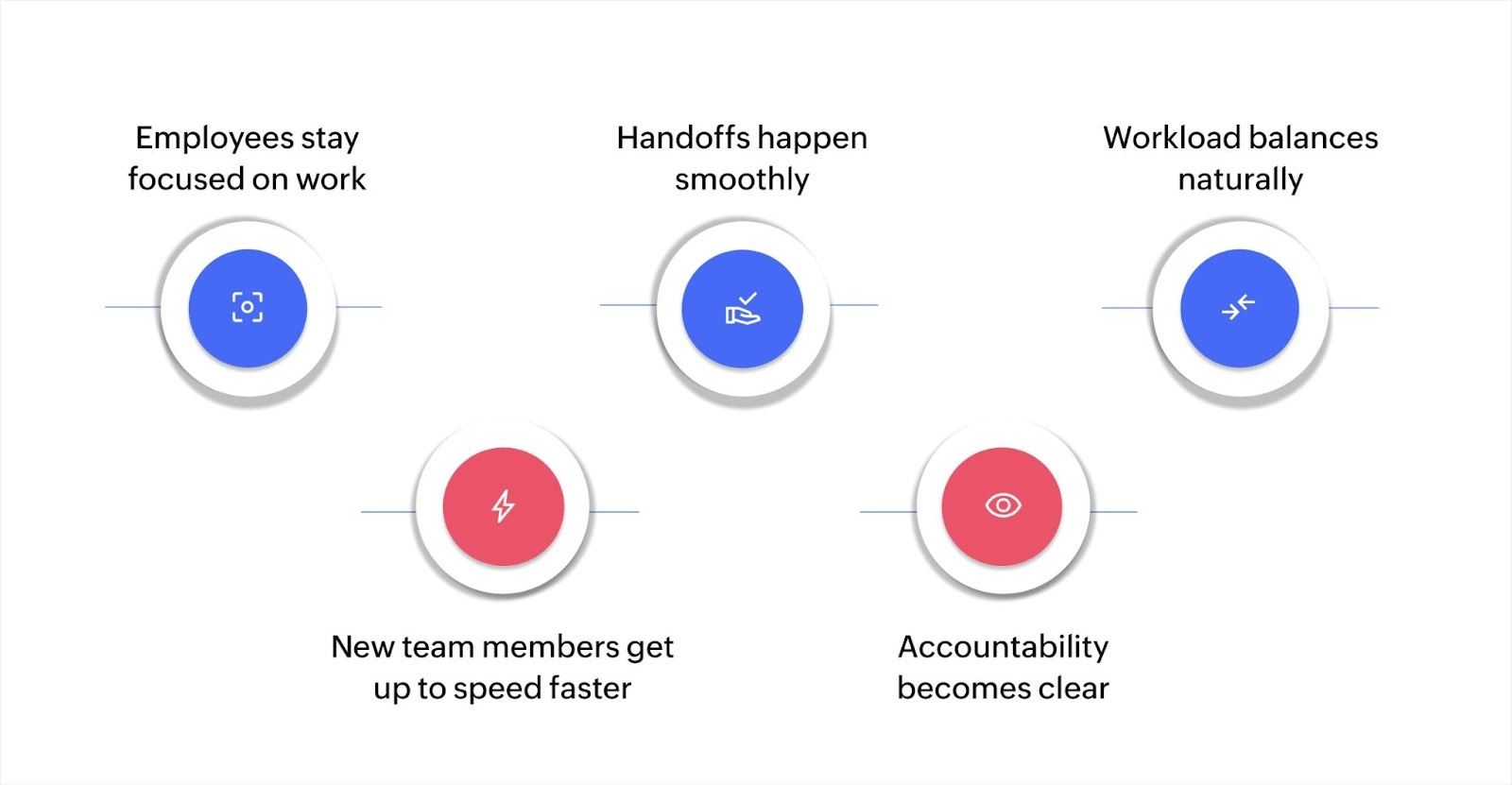
Employees stay focused on work, not coordination: Your team stops spending hours each week on status update meetings and follow-up emails. When everyone can see what's in progress and who owns what, they get updates passively rather than actively hunting for information.
Handoffs happen smoothly: The transition points between team members are where most delays occur. When one person finishes their part, the next person should know immediately and have everything they need to start. Clear handoff processes cut days off project timelines.
Workload balances naturally: You can see when someone has too much on their plate and when others have capacity. This visibility helps you distribute work more evenly, preventing burnout and keeping the whole team productive.
New team members get up to speed faster: When workflows are documented and visible, new hires can see how work moves through the team. They learn the rhythm of collaboration faster and contribute sooner.
Accountability becomes clear: When task ownership is visible to everyone, accountability improves. People take responsibility more naturally when they know their teammates can see what's assigned to them.
These improvements in coordination, handoffs, and workload distribution directly impact your business results. But achieving these benefits requires effectively solving some common challenges.
Challenges in employee workflow management
Most teams face similar obstacles when trying to improve how work flows between people. Recognizing these challenges early on helps you solve them effectively.
Unclear task ownership creates confusion: When multiple people could handle a task, often nobody does. Team members assume someone else will take care of it, and the work stalls. You need explicit assignment and visibility to prevent this.
Communication gaps cause delays: Information gets trapped in email threads or chat messages. The person who needs to know something doesn't see the message, and work can't move forward. This happens especially during handoffs between team members or departments.
Inconsistent processes lead to mistakes: When each team member handles similar tasks differently, quality varies, and errors increase. Some steps get skipped, others get duplicated. Standardizing the core process while allowing flexibility where needed solves this.
Workload imbalances hurt productivity: Without visibility into everyone's current workload, tasks get assigned unevenly. Some team members are overwhelmed while others have capacity, but you can't see the imbalance until it causes problems.
Manual coordination wastes time: Following up on task status, reminding people about deadlines, and checking if handoffs happened takes significant time. This coordination overhead grows as teams scale, eating into productive work time.
Scaling creates new bottlenecks: Workflows that worked for five people break when the team grows to fifteen. Handoff points multiply, communication becomes more complex, and coordination overhead increases exponentially without structured workflows.
Resistance to new approaches slows adoption: Team members who are used to working a certain way may resist changes to workflows. They worry about added complexity or losing flexibility. Getting buy-in requires showing how new workflows reduce their frustration rather than adding work.
Most of these issues happen because of visibility problems and unclear processes between team members. You can't fix coordination issues if you don't know where work is getting stuck or who's overloaded. Solving these problems requires specific practices that enhance how people actually work together.
Best practices for effective employee workflow management
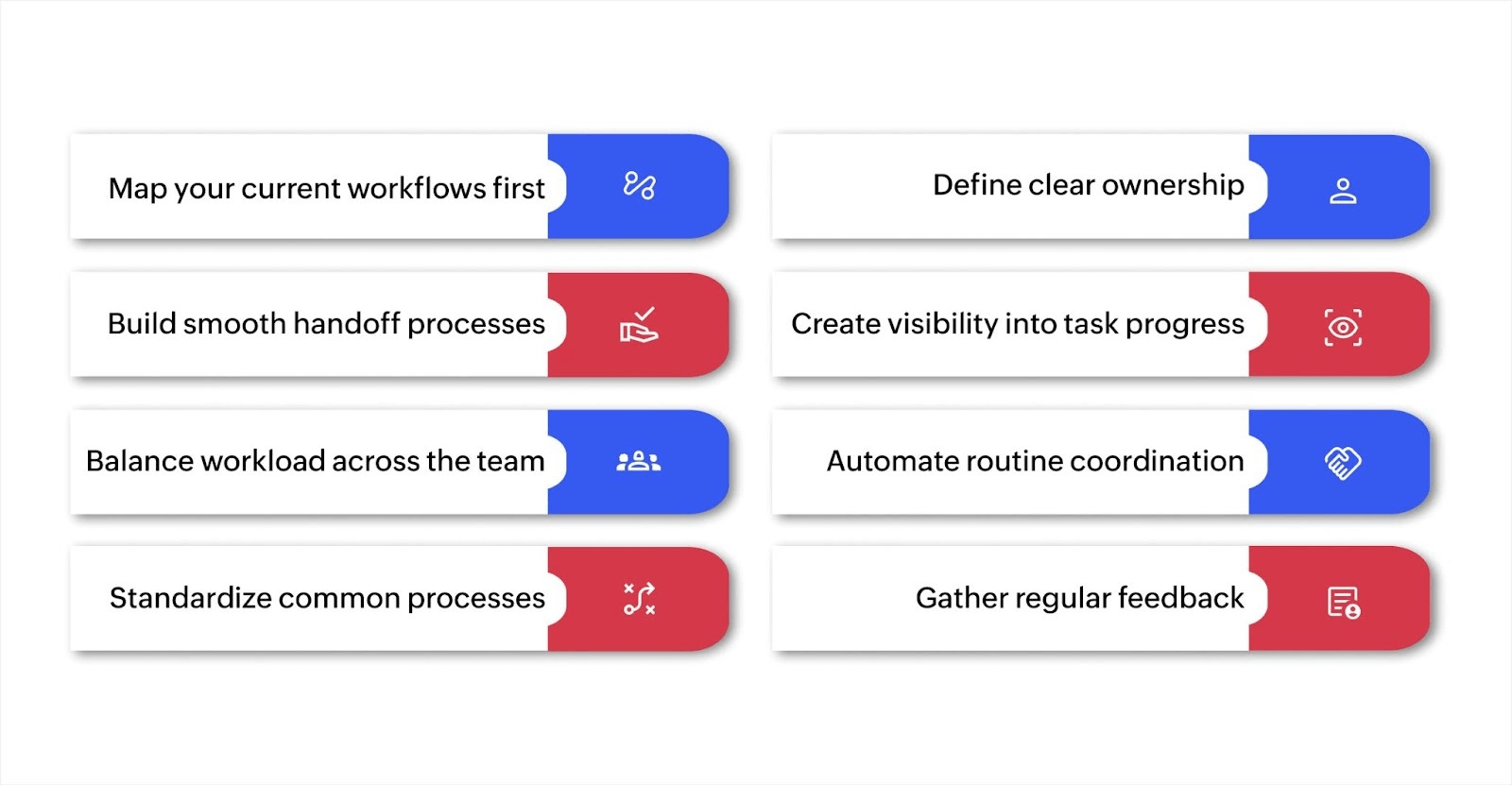
Improving employee workflows starts with understanding your current pain points and systematically addressing them. Here are practical approaches that work.
Map your current workflows first
Start by documenting how work actually flows through your team right now, not how you think it should flow. Talk to team members about their daily tasks, where they get stuck waiting for others, and which handoffs cause the most confusion.
Create a simple visual map showing each step in your key workflows, who handles each step, and where work transitions between people. This reveals bottlenecks, unnecessary handoffs, and places where tasks fall through the cracks.
Define clear ownership for every task
Ambiguity about task ownership causes more delays than almost anything else. For each task in your workflows, assign one person as the owner. This doesn't mean they do all the work, but they're accountable for ensuring it gets done.
Make ownership visible to the whole team. When everyone can see who owns what, coordination becomes easier. Team members know exactly who to ask about a task's status or who needs to act next.
Build smooth handoff processes
Most delays happen at transition points between team members. When one person finishes their part, the next person should be notified automatically and have all the information they need to start immediately.
Document what information each handoff requires. If a task moves from marketing to sales, what details does sales need? Create checklists or templates that ensure complete handoffs every time.
Create visibility into task progress
Your team shouldn't need to ask "what's the status?" They should be able to see current task status, upcoming deadlines, and who's working on what at any time. This passive visibility reduces interruptions and keeps everyone aligned.
Real-time dashboards showing task progress help teams self-coordinate. People can see when their input will be needed and prepare accordingly, rather than being caught off guard by urgent handoffs.
Standardize common processes
For tasks that happen repeatedly, create standard workflows that everyone follows. This doesn't mean rigid processes, but rather consistent core steps with flexibility for special cases.
Standardization reduces errors, makes training easier, and ensures quality stays consistent regardless of who handles a task. Team members spend less mental energy figuring out what to do and more energy doing it well.
Each of these practices reduces coordination friction at different points in your workflows. But the best practices only work if you can tell whether they're actually improving things.
Measuring the effectiveness of your employee workflow management practices
To improve your workflows, you need to measure the right things. Focus on metrics that reflect how well your team coordinates and collaborates, not just system performance.
Handoff completion time: Track how long tasks sit between when one person finishes and the next person starts. Long gaps indicate handoff problems that need fixing. Measure this across different transition points to find your biggest bottlenecks.
Workload distribution: Monitor how evenly tasks are distributed across team members. Look for patterns where certain people are consistently overloaded while others have capacity. Calculate the standard deviation in task count or hours across your team.
Task ownership clarity: Survey your team regularly about whether they understand who owns each task. When ownership is unclear, work stalls. This qualitative measure helps you identify areas needing better definition.
Employee satisfaction with workflows: Ask team members how much time they spend on coordination versus actual work. Survey satisfaction with workflow clarity, handoff smoothness, and tool effectiveness. Happy team members are more productive.
Collaboration speed: Measure how quickly team members respond to requests from colleagues and how fast decisions get made. Delays in team coordination slow down entire workflows.
Bottleneck frequency: Track where tasks consistently get stuck or delayed. These bottlenecks often occur at specific handoff points or with specific team members who are overloaded.
Time to productivity for new hires: Measure how quickly new team members can work independently in your workflows. Well-documented workflows with clear visibility help new hires contribute faster.
These employee-focused metrics reveal patterns you can't see from system-level data alone. Handoff delays, workload imbalances, and collaboration speed tell you where your team struggles with coordination. Tracking these numbers requires tools that can capture workflow data and present it in ways your team can actually use.
Tools for tracking and analyzing workflow performance
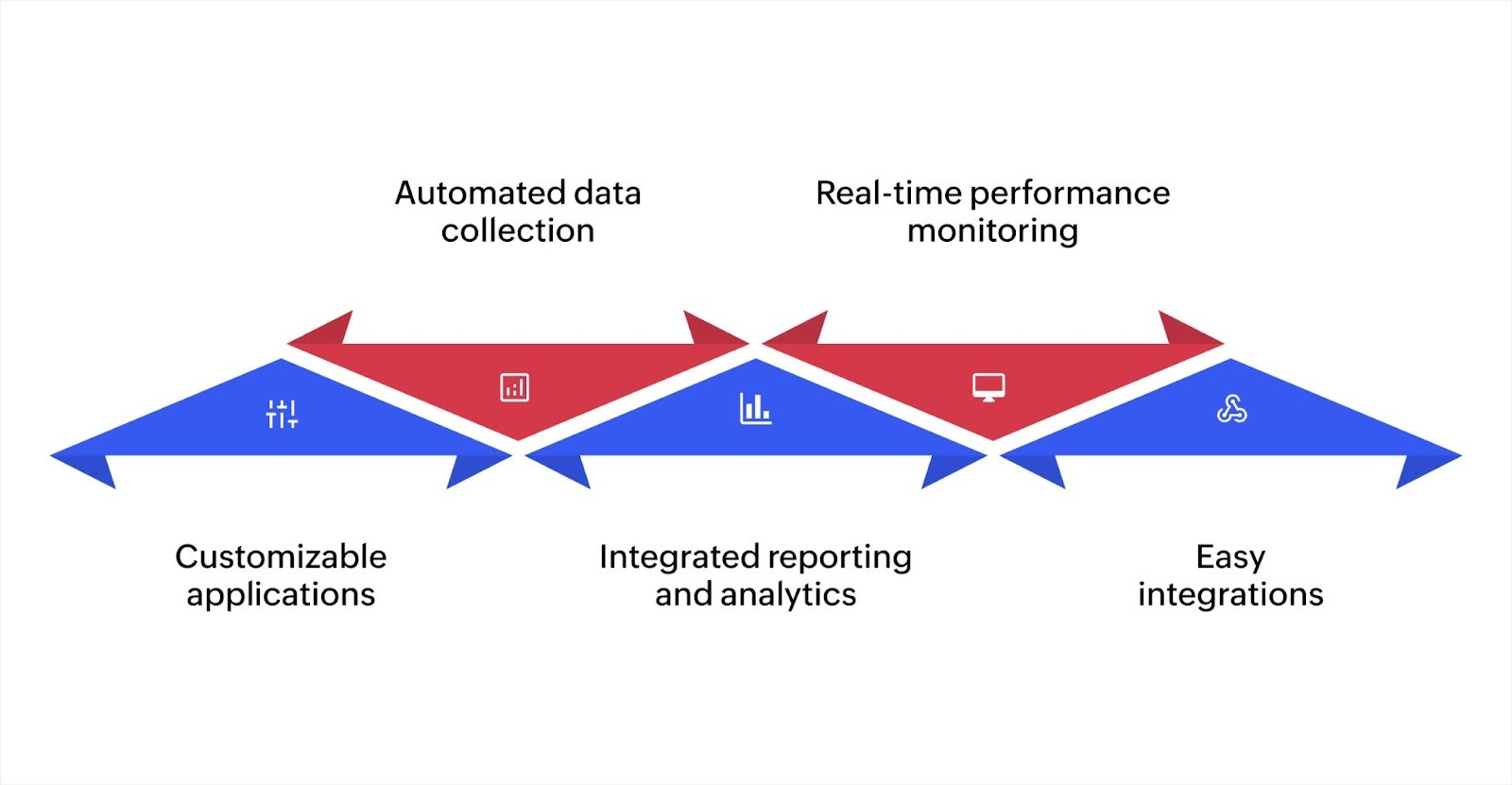
Utilizing platforms like Zoho Creator allows you to integrate data collection, automate reporting, and analyze workflow performance in real time. Zoho Creator offers the following features:
Customizable applications: Build applications that cater to your specific workflow needs, ensuring that data relevant to each task is accurately captured and tracked.
Automated data collection: Automate the process of gathering workflow data, removing the need for manual intervention and ensuring that data is consistently and accurately collected.
Integrated reporting and analytics: Zoho Creator enables you to create detailed reports and dashboards that provide insights into your workflow’s performance, helping you track KPIs in real-time.
Real-time performance monitoring: With real-time data updates, you can monitor your workflows continuously, enabling you to identify issues and optimize processes on the fly.
Easy integrations: Zoho Creator can be smoothly integrated with other business tools, ensuring smooth data flow between your workflow management system and other enterprise systems, such as CRM, ERP, or marketing tools.
Zoho Creator provides the flexibility and tools necessary for tracking and improving workflow performance in your organization, all within a customizable low-code platform.
How to use data to improve and optimize workflows
Once data is collected through your KPIs and the right tools, it's essential to use that data effectively to optimize workflows. From a technical perspective, optimizing workflows involves analyzing performance data, identifying process inefficiencies, and automating or reconfiguring tasks to improve throughput and reduce errors.
Identifying inefficiencies: Analyze cycle time and throughput data to identify areas where processes are taking longer than necessary. For example, if you notice that a particular step in the workflow consistently takes longer than others, this indicates a bottleneck that needs to be addressed.
Optimizing resource allocation: Track resource utilization to ensure that no system or team member is under or over-utilized. In an enterprise environment, this could mean reassigning tasks, increasing or decreasing system resources, or introducing additional automation to improve performance.
Automating repetitive tasks: If data shows that tasks like data entry, report generation, or customer follow-up are repetitive and time-consuming, consider automating these with scripting, macros, or workflow automation tools. This can free up your team to focus on more value-added tasks.
Improving error handling: A high error rate may indicate technical issues such as integration failures or data inconsistency. By reviewing task errors, you can pinpoint weak points in the system architecture and introduce redundancy or more validation checks to ensure data quality.
Refining KPIs regularly: The business environment evolves, and so should your KPIs. As workflows change and new technology is adopted, the KPIs you track should reflect these changes. Periodically revisiting and refining KPIs will ensure you’re always monitoring the most relevant metrics for your workflow optimization goals.
By combining data-driven insights with real-time feedback, businesses can continuously improve their workflows through technical solutions such as automation, reallocation of resources, and process adjustments.
Optimizing employee workflow management with Zoho Creator
Effective employee workflow management plays a vital role in boosting productivity and ensuring smooth operations within your business. By adopting clear strategies, automating repetitive tasks, and using the right tools, you can improve efficiency and reduce delays.
Zoho Creator, an AI-powered low-code platform, offers a powerful solution for managing your workflows more effectively. Its intuitive platform lets you build workflows that suit your business processes, automate routine tasks, and integrate with other tools to ensure smooth collaboration across teams. With real-time reporting and analytics, Zoho Creator helps you track performance and make informed adjustments to keep operations running smoothly.
By using Zoho Creator, you can improve workflow coordination, reduce manual effort, and focus more on driving business growth.
To explore how you can improve your employee workflow management, visit Zoho Creator.
FAQ
What role does employee workflow management play in scalability?
Employee workflow management becomes important as your business grows. Well-defined workflows help ensure consistency and organization as your team expands. Clear workflows prevent confusion, improve task allocation, and ensure that new employees can smoothly integrate into existing processes without disrupting operations.
Can workflow management tools integrate with other business systems?
Yes, many workflow management tools, including Zoho Creator, offer integration with other business systems like CRM, ERP, and marketing platforms. These integrations ensure that workflows are interconnected across departments, allowing data to flow smoothly between tools and reducing manual input errors.
How can I manage complex workflows involving multiple teams?
Managing complex workflows with multiple teams requires setting clear handoffs, roles, and responsibilities for each team. Use workflow management tools that allow for task dependencies and real-time updates. By clearly defining each team's responsibilities and enabling smooth collaboration, you can ensure that the workflow progresses without delays between teams.
 Ann Elizabeth Sam
Hey! I'm Ann, and I work as a content writer at Zoho Creator. I'm exploring the SaaS world through various forms of content creation. Outside of work, I love dancing and would give up anything to read a good murder mystery.