- HOME
- Know Your Tech
- Automating processes: Benefits, challenges, and strategies
Automating processes: Benefits, challenges, and strategies
- Last Updated : February 2, 2026
- 553 Views
- 9 Min Read
Every day, your team spends hours on repetitive tasks that could easily be automated. These manual processes drain time and resources, preventing your team from focusing on high-priority work.
Highlights
- Identify key processes: Focus on automating repetitive, time-consuming tasks to boost efficiency.
- Use scalable tools: Choose automation solutions that can grow with your business and integrate with existing systems.
- Start small: Pilot automation with one process before expanding to other workflows.
- Measure ROI: Continuously track the benefits of automation, from cost savings to improved accuracy.
Automation process improvement strategies use technology to optimize organization workflows. This involves identifying inefficiencies in your current workflows, implementing automation tools to reduce manual work, and creating more efficient processes.
In this blog post, we'll walk you through practical automation strategies that can transform your operations. Whether you run a small business or manage enterprise-level teams, automation can help you simplify workflows, reduce IT dependency, and unlock new levels of productivity.
What is automation process improvement?
Automation process improvement refers to the use of advanced technologies to simplify, enhance, and optimize business operations. It involves identifying inefficiencies in existing workflows, applying automation tools to eliminate manual intervention, and creating more efficient processes. The objective is to enhance productivity, reduce human error, and free up resources for higher-value tasks.
The benefits of automation process improvement
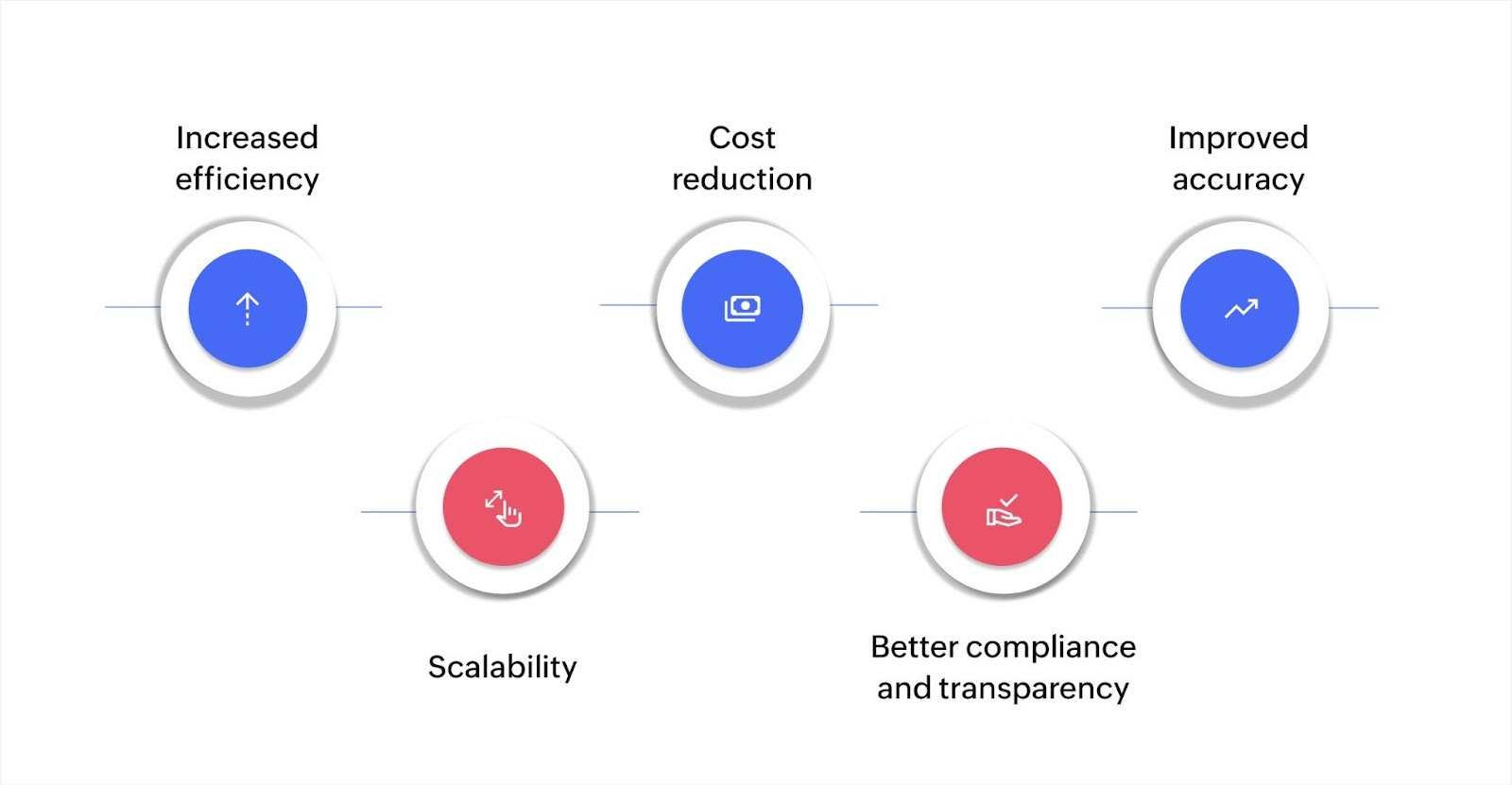
Here are the key benefits of automation process improvement:
Increased efficiency
Automation reduces manual effort, accelerating business processes and enabling faster decision-making. By automating repetitive tasks, you eliminate delays and inefficiencies, allowing your team to focus on high-priority activities. This results in smoother, faster workflows and better overall productivity.
Cost reduction
While there is an initial investment, automation leads to long-term savings. It reduces the need for human resources to perform routine tasks and minimizes costly errors. This efficient allocation of resources helps manage expenses and enhances your bottom line.
Improved accuracy
Automated systems follow predefined processes to eliminate human error. This leads to more reliable and accurate data, which enhances decision-making and operational effectiveness. The result is fewer mistakes, more precise outputs, and greater confidence in your business operations.
Scalability
As your business grows, manual processes can become a hindrance. Automation provides a scalable solution, enabling your business to handle an increasing workload without needing to proportionally increase staffing. This ensures that your operations can expand smoothly without sacrificing quality or efficiency.
Better compliance and transparency
Automation ensures that your processes are carried out consistently, which is crucial for regulatory compliance. Automated systems maintain detailed records and provide clear audit trails, making it easier for your business to adhere to regulations and demonstrate compliance during audits.
Challenges of automation process improvement
Initial investment costs
Automation tools require significant upfront costs for software, hardware, and training, which may be a barrier for small businesses. However, the long-term cost savings often justify the initial investment.
Employee resistance
Employees may resist automation due to fears of job displacement or unfamiliarity with new technologies. Proper communication and training can help ease this transition. These actions show how automation enhances roles instead of replacing them.
Integration with legacy systems
Many businesses rely on older systems that may not easily integrate with new automation tools. This may require additional development or custom solutions to ensure smooth integration.
Ongoing maintenance
Automated systems need continuous monitoring, updates, and support. Ensuring your automation tools remain operational and aligned with business needs requires ongoing attention and resources.
8 key strategies for automation process improvement
1. Identify and map processes for automation
The first step is to identify which processes are best suited for automation. Using process mapping tools, you can visually represent workflows. These tools identify time-consuming, repetitive tasks. This ensures that you focus on automating tasks that have the greatest impact on your operations.
Key actions:
- Use tools like Microsoft Visio or Lucidchart for process mapping.
- Focus on tasks that are repetitive and prone to error.
2. Implement RPA
Robotic process automation (RPA) is a key technology that helps automate tasks like data entry, document processing, and system interactions. RPA bots can perform these tasks faster and more accurately than humans, allowing employees to concentrate on more valuable activities. Tools like UiPath and Blue Prism allow for easy integration with your current systems with little need for custom coding.
Key actions:
- Choose RPA tools based on the complexity of your tasks.
- Automate tasks that involve repetitive, high-volume actions.
3. Use AI for intelligent automation
AI-powered automation moves beyond simple task automation by enabling systems to make decisions based on data. AI can handle tasks that require judgment, such as customer service interactions or predictive maintenance. Over time, AI systems can learn from previous data and improve their decision-making.
Key actions:
- Integrate machine learning models to enable systems to learn from data.
- Use AI for tasks like fraud detection and real-time customer support.
4. Integrate with BPM tools
Business process management (BPM) tools help you optimize workflows across different business units. When you integrate BPM with automation, you gain visibility into how processes perform and can adjust them in real time based on what the data shows.
Key actions:
- Use BPM platforms like Zoho Creator or Appian to manage processes.
- Continuously monitor workflows to ensure they're aligned with your business goals.
5. Use cloud-based automation platforms
Cloud-based platforms offer flexibility and scalability, making them ideal for growing businesses. These platforms allow you to automate processes without requiring large investments in on-premises infrastructure. With cloud automation tools like Microsoft Power Automate, you can access and manage your automation tools from anywhere.
Key actions:
- Use cloud-based platforms to ensure scalability and flexibility.
- Integrate your automation tools with other cloud applications to keep processes connected.
6. Employ data analytics for continuous optimization
Data analytics can be integrated into your automation processes to help you monitor performance and identify areas for improvement. By analyzing real-time data, you can identify inefficiencies and make necessary adjustments to keep your automation systems running smoothly.
Key actions:
- Use analytics tools like Power BI or Tableau to track performance.
- Monitor key metrics to make data-driven decisions that improve processes.
7. Implement API integrations for cross-system automation
APIs help integrate different software systems, enabling them to communicate and exchange data automatically. By using APIs, you can eliminate manual data entry and reduce the chance of errors. API integrations allow for smooth data flow between your CRM, ERP, and other systems, which enhances overall efficiency.
Key actions:
- Set up API integrations to connect your automation tools with other business systems.
- Automate the exchange of data across systems to minimize errors and reduce manual tasks.
8. Prioritize security and compliance in automation
When implementing automation, security and compliance are essential. Automation systems often handle sensitive data, and it’s important to build security measures into the process. This includes using encryption, setting up access controls, and ensuring that your automation processes comply with industry regulations.
Key actions:
- Use encryption to protect data during storage and transmission.
- Implement access controls and ensure that automation processes meet compliance standards, such as GDPR or HIPAA.
Tools and technologies for process improvement
Automation platforms
Automation platforms are essential for automating workflows, building custom applications, and integrating systems with minimal coding. Here are some key platforms that enable businesses to automate tasks:
- Zoho Creator: A low-code platform that allows businesses to create custom applications and automate workflows without heavy IT involvement.
- UiPath: A leading RPA tool that automates repetitive tasks such as data entry and report generation. Its scalability makes it suitable for both small and large businesses.
- Blue Prism: This platform provides RPA solutions for large organizations, helping automate complex processes and improve overall operational efficiency.
These platforms reduce human error, speed up repetitive tasks, and free up employees to focus on more meaningful work. Their flexibility and scalability make them suitable for businesses at any size, from SMBs to large enterprises, that want to implement automation without a large IT investment.
Cloud-based solutions
Cloud-based platforms play an important role in automation strategies by providing flexibility and scalability. These solutions allow businesses to automate processes across multiple units without being restricted by infrastructure limits. Some benefits of cloud platforms include:
- Scalability: Cloud platforms adjust to meet your business's growing automation demands by providing more resources as needed.
- Collaboration: Cloud tools enable teams to work together efficiently, regardless of their location.
- Cost efficiency: By minimizing the need for on-premises infrastructure, cloud solutions help lower operational costs.
Platforms like AWS, Microsoft Azure, and Google Cloud allow businesses to host their automation tools, integrate with existing systems, and manage data efficiently. These solutions are accessible from any location, making them ideal for remote teams and growing businesses.
Data analytics integration
Integrating data analytics with your automation systems is key to optimizing performance and improving decision-making. Analytics tools offer valuable insights into process effectiveness and areas for improvement:
- Real-time insights: Analytics tools provide immediate feedback on process performance, allowing businesses to make adjustments quickly.
- Predictive capabilities: Machine learning models can forecast potential issues, enabling businesses to address challenges before they become problems.
- Continuous optimization: Data analytics help identify inefficiencies, ensuring that processes are continually improved over time.
Tools like Tableau, Power BI, and Google Analytics integrate with automation platforms, enabling businesses to use data-driven insights to monitor and improve operations consistently.
Best practices for implementing automation process improvement
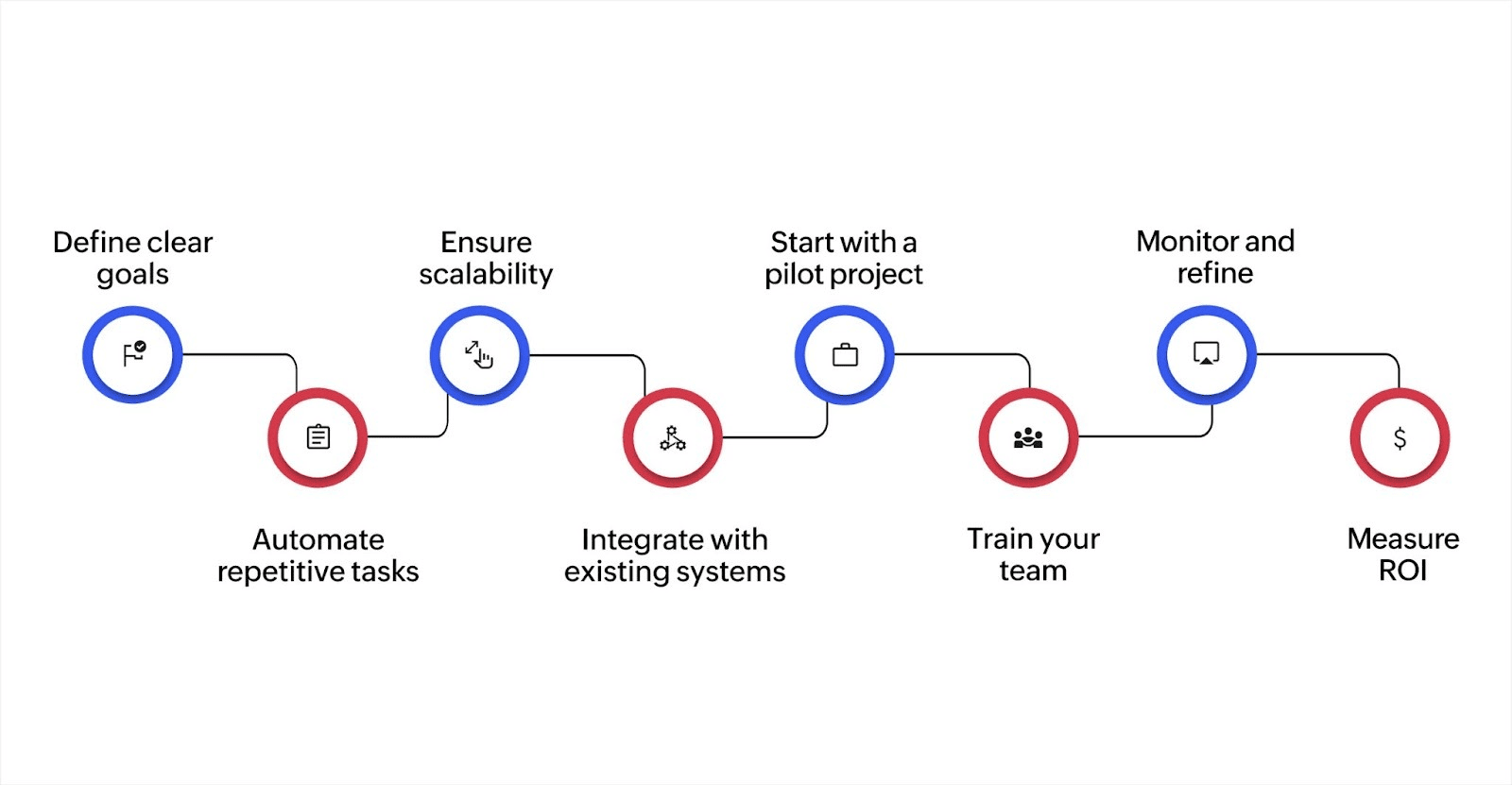
Define clear goals
First, identify your specific automation goal or goals. Whether it’s reducing operational costs, improving data accuracy, or accelerating workflows, having a focused goal will help you simplify your efforts. This clarity ensures that you're automating processes that align with your business priorities.
Prioritize automation for repetitive, rule-based tasks
Automation works best for repetitive and time-consuming tasks that follow clear rules. Identify which processes can benefit most from automation, such as data entry, invoice generation, or customer notifications. These are typically the areas where automation delivers the greatest efficiency improvements.
Ensure scalability for future growth
When selecting an automation tool, ensure it can grow alongside your business. A scalable solution ensures that your automations remain effective as your business expands. This is essential to avoid disruptions as you scale up operations, especially when dealing with higher volumes of data or transactions.
Integrate with existing systems
Successful automation must integrate smoothly with your existing business systems. Whether it’s your CRM, ERP, or communication platform, automation tools should work with your current infrastructure to ensure smooth data flow and avoid silos. Integration helps automation support existing workflows instead of creating new problems.
Start with a pilot project
Rather than automating everything at once, start small. Automate a single process, test it, and assess the results. This gives you the chance to troubleshoot and fine-tune the system before expanding automation to other areas. A pilot project allows you to identify issues early and make adjustments as necessary.
Train your team
Ensure your team is fully equipped to handle new automated systems. Provide comprehensive training to help them understand how to interact with the automation tools and how these tools benefit their work. Well-trained staff will be more confident and effective in using the automation, leading to smoother adoption across the company.
Monitor and refine
After implementing automation, consistently track its performance. Use key metrics to evaluate how well the system is working and identify areas for improvement. Regular monitoring allows you to optimize processes and ensure the automation remains aligned with your business goals.
Measure ROI
Calculate the return on investment (ROI) for your automation processes. Track both direct savings, like reduced labor costs, and indirect benefits, such as improved customer satisfaction and error reduction. A clear understanding of the ROI helps justify further investment and ensures the automation initiative delivers ongoing value.
By following these best practices, you can effectively implement automation process improvement in your business. These strategies help reduce inefficiencies, simplify workflows, and prepare your organization for scalable growth.
Transform your business with automation
Automation process improvement strategies are key to optimizing business operations. By automating repetitive tasks, reducing errors, and boosting efficiency, you free up resources for more strategic work. These strategies help simplify workflows, enhance productivity, and prepare your business for scalable growth.
Zoho Creator is a low-code platform that empowers businesses to automate complex workflows with ease, minimizing the need for extensive coding and IT resources. It enables you to create custom applications and integrate effortlessly with your existing systems. With its BPA capabilities, Zoho Creator enhances accuracy, ensures compliance, and boosts operational efficiency.
Whether you're a small business or managing large teams, Zoho Creator simplifies automation and drives growth.
Ready to transform your business? Get started with Zoho Creator today and experience the power of automated workflows.
FAQ
1. How can small businesses benefit from automation process improvement?
Small businesses can improve efficiency, reduce errors, and lower costs by automating repetitive tasks such as payroll and invoicing, allowing them to focus more on growth.
2. What role does employee training play in the successful implementation of automation?
Training ensures employees are comfortable with new automation tools and understand how to interact with them, which boosts adoption and ensures smoother workflows.
3. How do I ensure data security when implementing automation in business processes?
To secure data, use encryption, set access controls, and ensure that your automation tools comply with industry standards like GDPR or HIPAA.
4. Can automation process improvement be applied to customer service operations?
Yes, automation can enhance customer service by automating ticketing systems, chatbots, and support workflows, ensuring faster response times and improved customer satisfaction.
 Ann Elizabeth Sam
Hey! I'm Ann, and I work as a content writer at Zoho Creator. I'm exploring the SaaS world through various forms of content creation. Outside of work, I love dancing and would give up anything to read a good murder mystery.