- HOME
- Know Your Tech
- AI in app development: Challenges and best practices
AI in app development: Challenges and best practices
- Last Updated : March 30, 2026
- 302 Views
- 8 Min Read
Building a business app used to mean writing code for every form, workflow, and integration. AI has changed how much of that work needs to be done manually.
Highlights
- AI in app development helps teams build, automate, and deploy custom applications faster with less manual effort.
- AI simplifies workflow automation by suggesting rules for task routing, approvals, notifications, and record updates during the build process.
- Data import and migration become faster when AI maps fields, cleans duplicates, and fixes formatting inconsistencies automatically.
- Built-in analytics and reporting features use AI to suggest dashboards, KPIs, and visual reports based on your app’s data model.
- Common challenges include data privacy, integration complexity, algorithm bias, high upfront costs, and ongoing model maintenance after deployment.
Today, AI-powered platforms can generate app layouts from a text description, suggest automation rules, and connect your tools with minimal configuration. The development process looks very different from what it was even a few years ago.
This blog post breaks down in detail how AI fits into app development. You’ll see where it helps most, which key challenges to watch out for, and some best practices to apply to your own projects.
What is AI in app development?
At Zoho, we define AI in app development as using artificial intelligence to make the process of building, deploying, and maintaining applications faster and more accessible. It’s less about replacing developers, and more about removing bottlenecks. This includes AI-assisted app creation, automated workflow setup, intelligent data migration, and built-in analytics.
Traditional app development requires writing code for every feature, manually connecting systems, and building reports from scratch. AI reduces this effort by handling routine tasks, suggesting configurations, and learning from your data to make the process smoother.
Key components of AI in app development
AI-powered platforms simplify workflows and enable smarter decisions through these key features:
- Automation: AI handles repetitive tasks like code generation, testing, and deployments, saving time and allowing developers to focus on high-priority work.
- Data-driven Insights: AI analyzes data to find actionable insights, helping you identify popular features and address performance issues.
- Predictive analytics: AI predicts user behavior based on historical data, enabling you to personalize experiences, plan updates, and stay ahead of trends.
AI-powered development platforms combine key features that enhance efficiency and improve decision-making.
Also read: Hotel management in the digital age: Why smart automation is non-negotiable.
The role of AI in app development
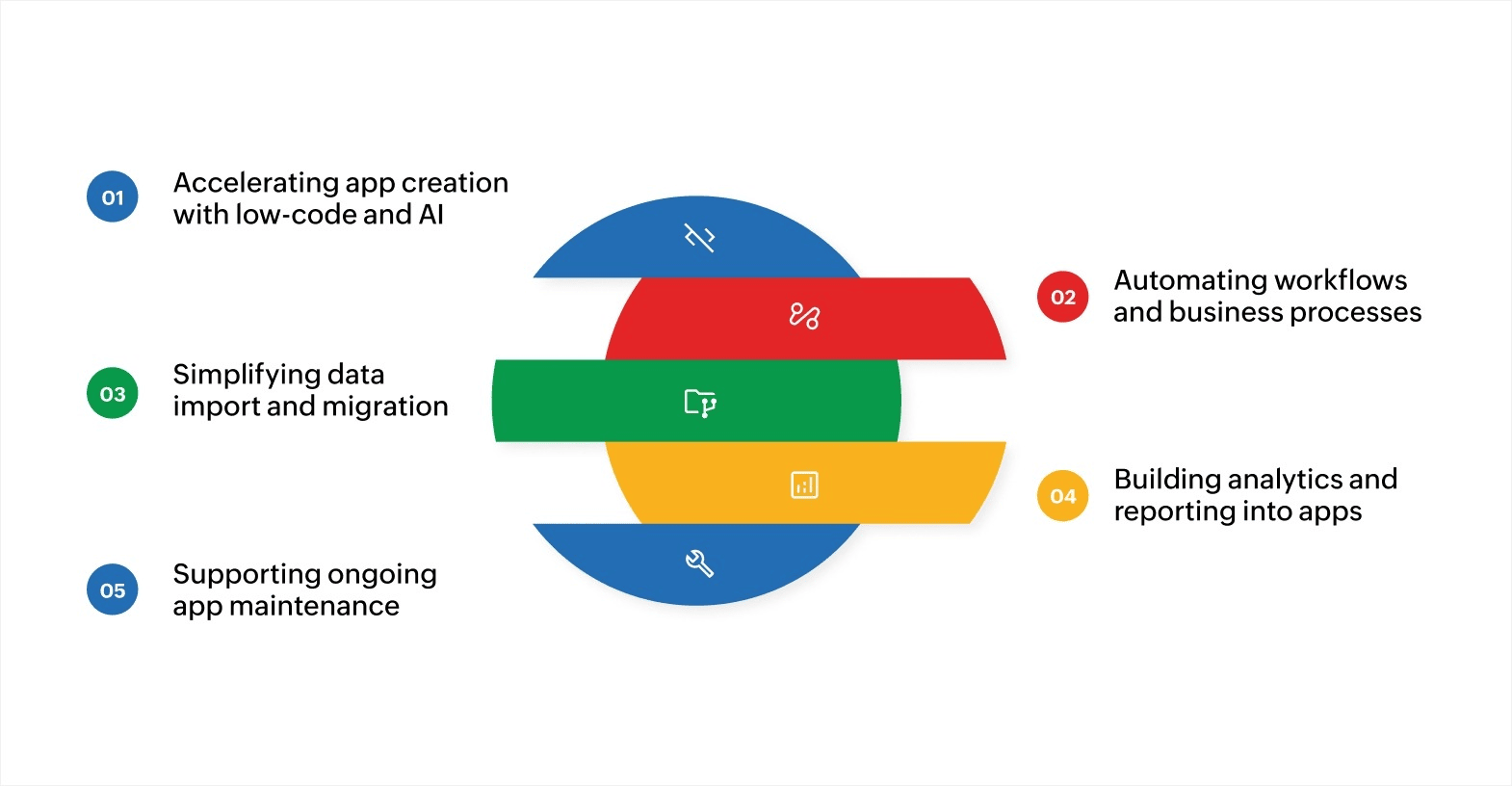
AI is changing the app development process at every stage, from the initial idea to deployment and ongoing maintenance. Here’s how AI fits into each part of the development workflow and what it means for your team.
Accelerating app creation with low-code and AI
AI-powered low-code platforms let you describe what you need in plain language and get a working app structure in return. Instead of writing every form, page, and workflow from scratch, AI suggests layouts, field types, and logic based on your input.
For instance, you can tell the platform you need an employee leave tracker, and it can generate the forms, approval steps, and notification rules for you. This brings app creation within reach for business users who don’t write code.
Automating workflows and business processes
One of the biggest roles AI plays in app development is automating workflows. AI helps you set up rules that route tasks, trigger notifications, send emails, and move records through approval stages, all without manual follow-up.
For example, when building an employee onboarding app, AI can suggest automation rules based on your process: Send welcome emails on the start date, assign training modules to the new hire’s manager for review, and update the HR record once each step is completed.
Simplifying data import and migration
Moving data from spreadsheets, legacy systems, or older apps into a new application is one of the most time-consuming parts of development. AI makes this easier by recognizing data formats, mapping columns to the right fields, and cleaning up inconsistencies during data migration.
For instance, if you’re migrating a customer database from a spreadsheet into your new app, AI can detect duplicate entries, flag missing values, and suggest the correct field types automatically.
Building analytics and reporting into apps
AI helps you add reporting and analytics directly into your apps during the development process. Instead of building dashboards from scratch, AI can analyze your data model and suggest relevant charts, KPIs, and reports. You can also ask questions in plain language and get visual answers.
For instance, after building an inventory app, AI can generate a dashboard that shows stock levels by location, reorder alerts, and trend lines, all without writing a single query.
Supporting ongoing app maintenance
AI doesn’t stop helping you after your app goes live. It can monitor app performance, flag unusual usage patterns, and suggest improvements over time.
For example, if users aren’t completing a particular form, AI can highlight the issue and recommend changes to the layout or field structure. This kind of ongoing support keeps your app relevant and efficient as your business needs change.
AI fits into the app development process from start to finish. The more of these steps you can hand off to intelligent tools, the faster your team can go from idea to a working, deployed application.
Challenges of AI in app development
Implementing AI in app development comes with real challenges. Knowing them upfront helps you plan better and reduce risk during implementation. Here are the most common ones to know:
- Data privacy and compliance: AI-powered apps often rely on large amounts of user data, so you need clear policies for collection, storage, and use that align with regulations like GDPR.
- Algorithm bias: AI models trained on incomplete or skewed data can produce inaccurate results, making regular audits of training data and model outputs essential.
- Integration with existing systems: Adding AI to apps not originally designed for it may require changes to your technology stack, so plan for compatibility testing and phased rollouts.
- High upfront costs: Building custom AI models from scratch demands specialized talent and infrastructure, though pre-trained models and low-code platforms can reduce this investment.
- Ongoing maintenance: AI models need regular monitoring and retraining as user behavior and data patterns shift over time.
These challenges are manageable with the right approach. The key is to treat AI implementation as an iterative process, not a one-time project. Start focused, test carefully, and expand based on what works.
Best practices in AI in app development
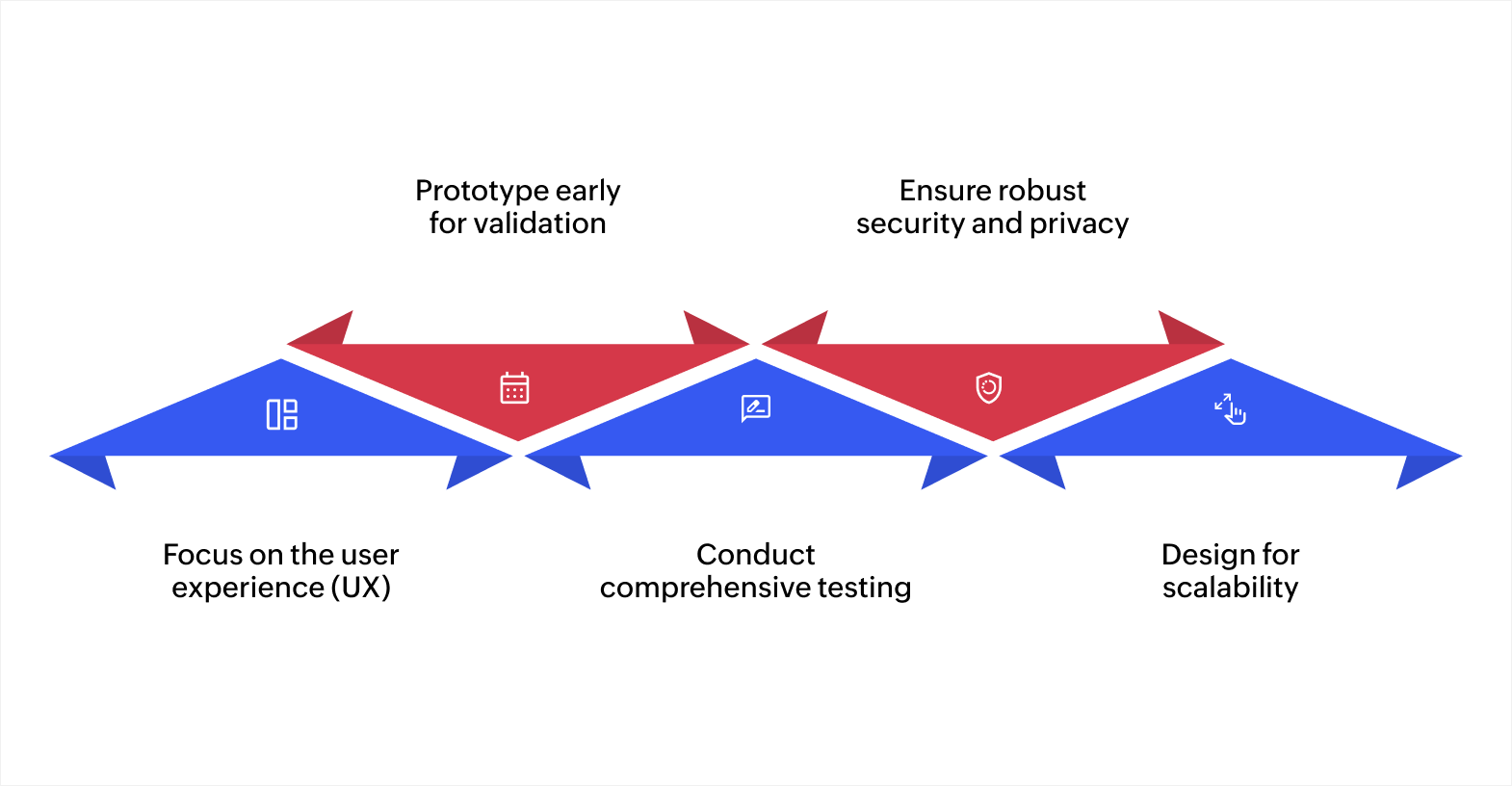
Creating a high-quality AI-powered app requires careful planning and execution. By following these best practices, you can ensure that your app is user-friendly, scalable, and secure.
1. Focus on the user experience (UX)
Keep the interface clean and intuitive. When incorporating AI features, make sure they’re transparent and easy to understand. For example, explain how AI-powered recommendations are generated or how users can adjust automation settings.
2. Prototype early for validation
Before starting full-scale development, create prototypes to test functionality and gather user feedback. Prototyping early helps you catch issues and refine features, saving time and resources in the long run.
3. Conduct comprehensive testing
Testing is critical for reliability. Ensure that you perform unit tests, integration tests, and user acceptance testing to catch bugs, fix security flaws, and ensure optimal performance. The earlier you identify potential issues, the less downtime you’ll experience, and the smoother the user experience will be once the app is launched.
4. Ensure robust security and privacy
Encrypt user data, use secure APIs, and implement continuous monitoring. Regular audits are also essential to detect vulnerabilities. In addition, comply with privacy regulations like GDPR and CCPA, and integrate privacy-by-design principles to give users control over their data.
5. Design for scalability
As your app’s user base grows, so do the demands on your AI system. Build on cloud-based platforms that allow your app to scale effortlessly. Select frameworks that can handle increased data volumes and interactions without requiring costly infrastructure overhauls.
By following these best practices, you’ll be able to build an AI-powered app that’s not only functional but also user-friendly, secure, and prepared for future growth.
AI is just getting started in app development, and its impact will only expand. Let’s understand what the future of app development with AI looks like.
The future of AI in app development
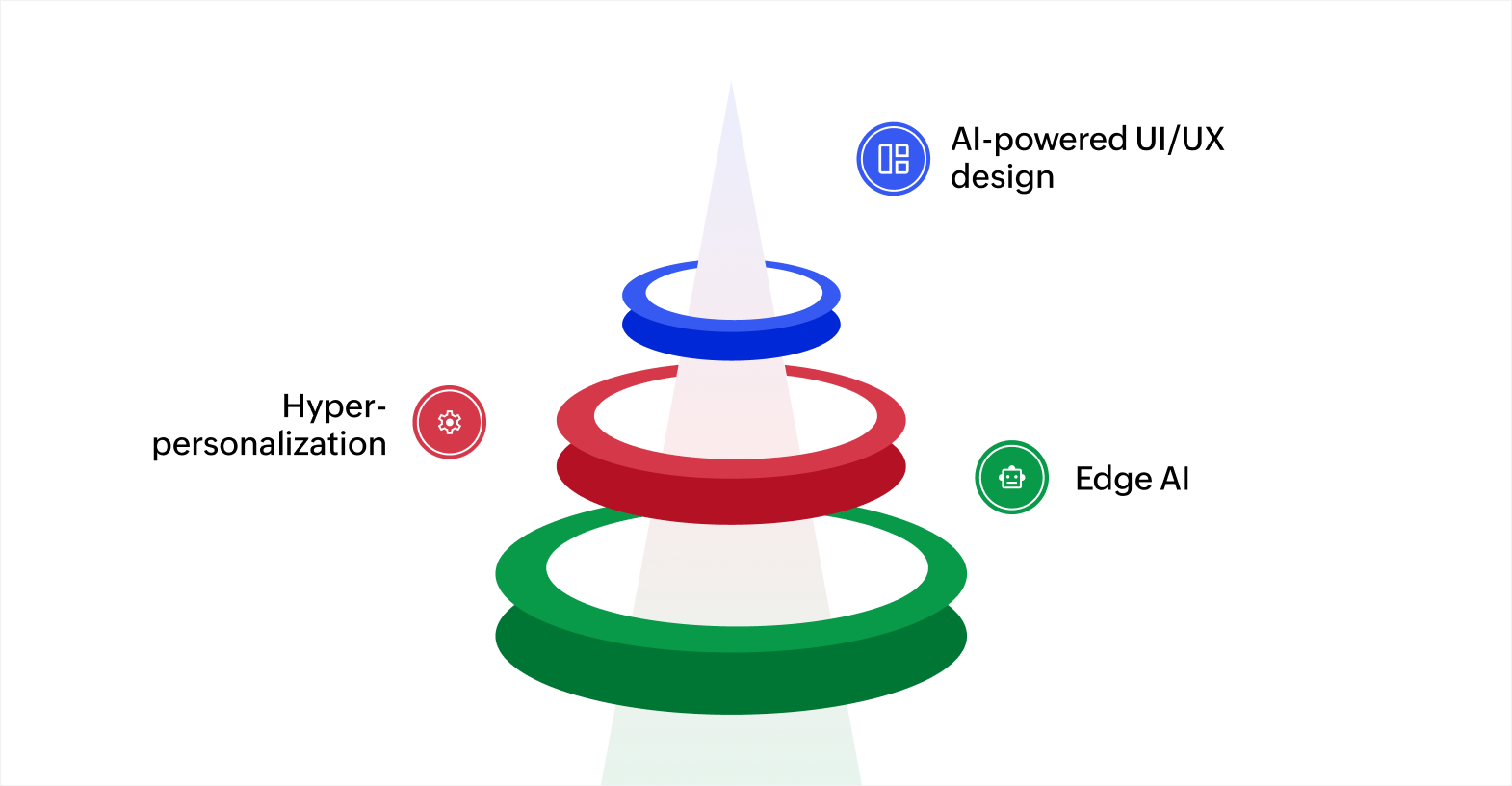
The future of AI in app development is shaping up to be incredibly dynamic, with new technologies transforming how apps are created and used. Here are some interesting trends to look forward to.
1. AI-powered UI/UX design
One of the most noticeable changes will be how AI transforms app designs. Rather than sticking to rigid, one-size-fits-all templates, AI will allow apps to adjust their designs on the fly based on how users interact with them.
This means users will experience apps that feel more tailored to their personal preferences, creating a more intuitive experience that feels right for each user.
2. Hyper-personalization
AI is going to make apps even more personal. Apps will adjust to your behavior in real time, offering content and features tailored to your habits, preferences, and needs.
With smarter recommendations, personalized notifications, and special offers, AI will make sure that every interaction is relevant and timely. This level of personalization will make the user experience much more enjoyable and meaningful.
3. Edge AI
As more devices become connected, Edge AI is poised for significant development. Rather than relying entirely on the cloud for processing data, apps will soon be able to analyze and make decisions directly on the device. This means faster load times, improved performance, and reduced reliance on a constant internet connection.
These advancements are improving how apps look and creating more personalized experiences for users and businesses alike.
Create solutions that truly work for your business
AI is significantly enhancing the app development process, making it more efficient, accessible, and scalable. By prioritizing user experience, building prototypes early, and conducting thorough testing, businesses can create high-quality apps. Ensuring solid security and privacy helps meet user expectations and build trust.
As AI continues to evolve, integrating it into your app development strategy is essential for staying competitive in today’s fast-paced market.
If building apps still feels slow in 2026, it’s not because your ideas are weak. It’s because your tools are. Zoho Creator, an AI-powered, low-code app development platform, lets you build custom applications, automate workflows, and enhance productivity, while maintaining full control. Sign up for free today and see what you can build.
FAQ
1. Is AI used in app development?
Yes, AI helps automate tasks, improve user experience, and enhance app functionality by providing features like personalization and predictive analytics.
2. Which is the best tool for AI-assisted app development?
Zoho Creator stands out by combining low-code development with AI features, helping you build apps faster with automated workflows and smart data insights.
3. Can AI write code for an app?
AI can generate code snippets and assist with routine coding tasks, speeding up development, but human oversight remains essential for complex app logic and design.
4. What are the challenges of using AI in app development?
Challenges include data privacy concerns, the need for large datasets, integration complexities, and ensuring that AI models are accurate and unbiased. It’s important to address these issues during the development process.
5. Is AI in app development suitable for non-technical users?
Yes, platforms like Zoho Creator make AI accessible to non-technical users by offering low-code tools that simplify AI integration into apps, allowing anyone to build and automate without heavy coding.
 Bharathi Monika Venkatesan
Bharathi Monika Venkatesan is a content writer at Zoho Creator. Outside of work, she enjoys exploring history, reading short novels, and cherishing moments of personal introspection.