
Create a Folder in WorkDrive
You can now access WorkDrive and create a folder there, to associate with this application.
- Access your WorkDrive account. If you had not configured your WorkDrive previously, you can create a team in your organization to collaborate and share resources with or create an individual space. You can learn about using WorkDrive in detail from their help documentation.
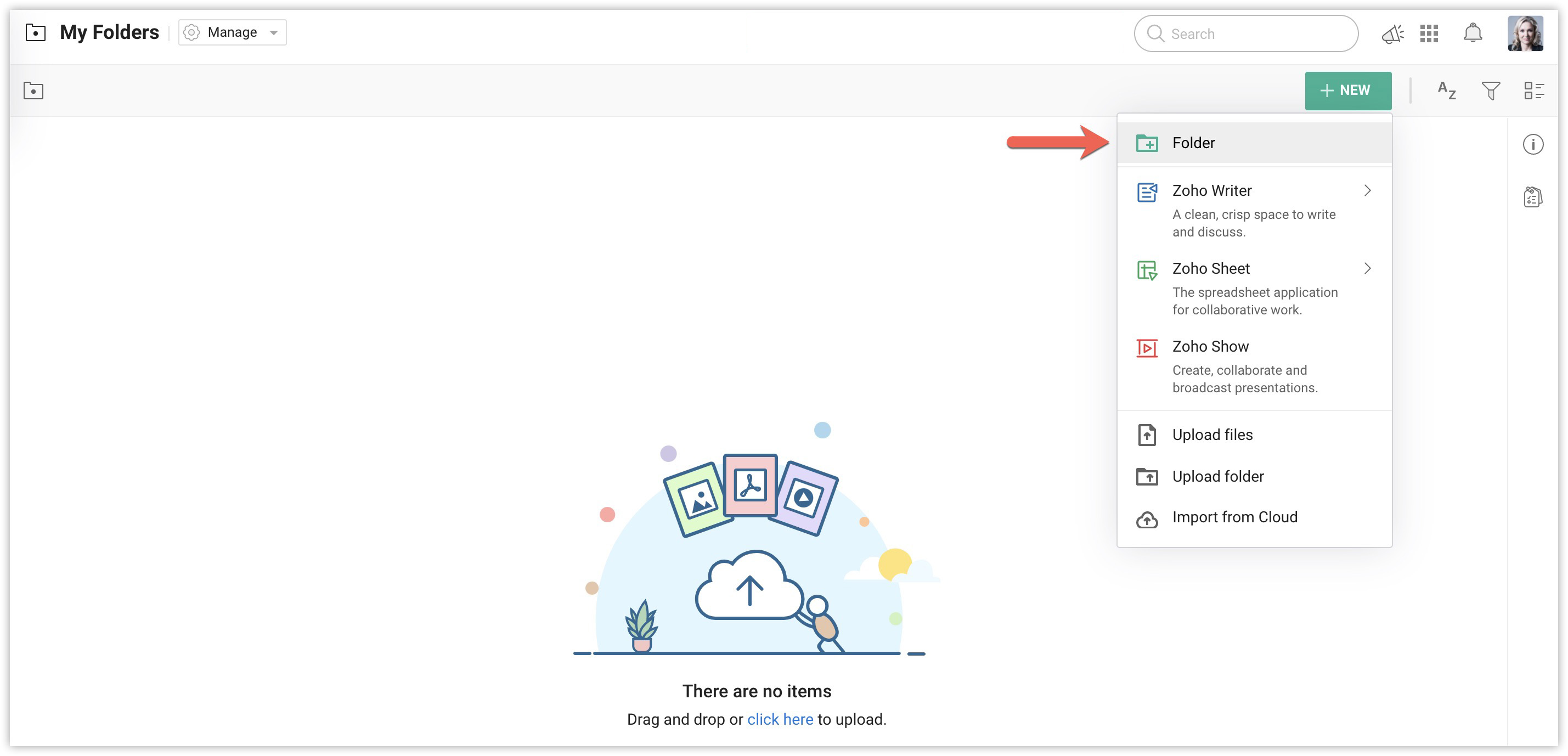
- Open the My Folders section in WorkDrive, then click New. Select Folder from the options.
- Enter the folder's name as "CatalystFileSync" and press Enter.
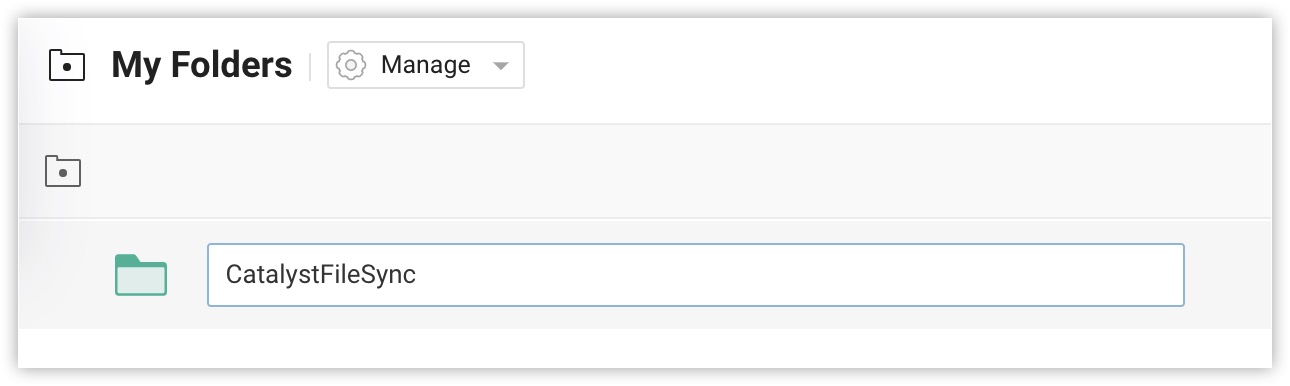
The folder will be created and displayed in your WorkDrive repository.
WorkDrive is now configured for the application.