Decode your recorded calls with Zoho Voice AI Call Intelligence

Information is data. While every business call is loaded with information that can influence and impact a business, raw data often takes a while to process. To help with this, Zoho Voice has launched AI Call Intelligence, which converts raw data (call recordings) into actionable insights (transcription and call summary).
Call Intelligence optimizes business operations by providing crisp information about the call that helps you understand the pulse of the conversation. With the key information available, your business can mitigate any redundancies and improve operational efficiency.
What does Zoho Voice Call Intelligence offer you?
Now, after every call, you'll have access to a super-powered summary that includes:
Call intent: What was the customer trying to achieve?
Customer satisfaction: Did they walk away happy?
Key conversation points: A concise summary of the key topics discussed.
Actionable insights: Identify areas for improvement and learn from every interaction.
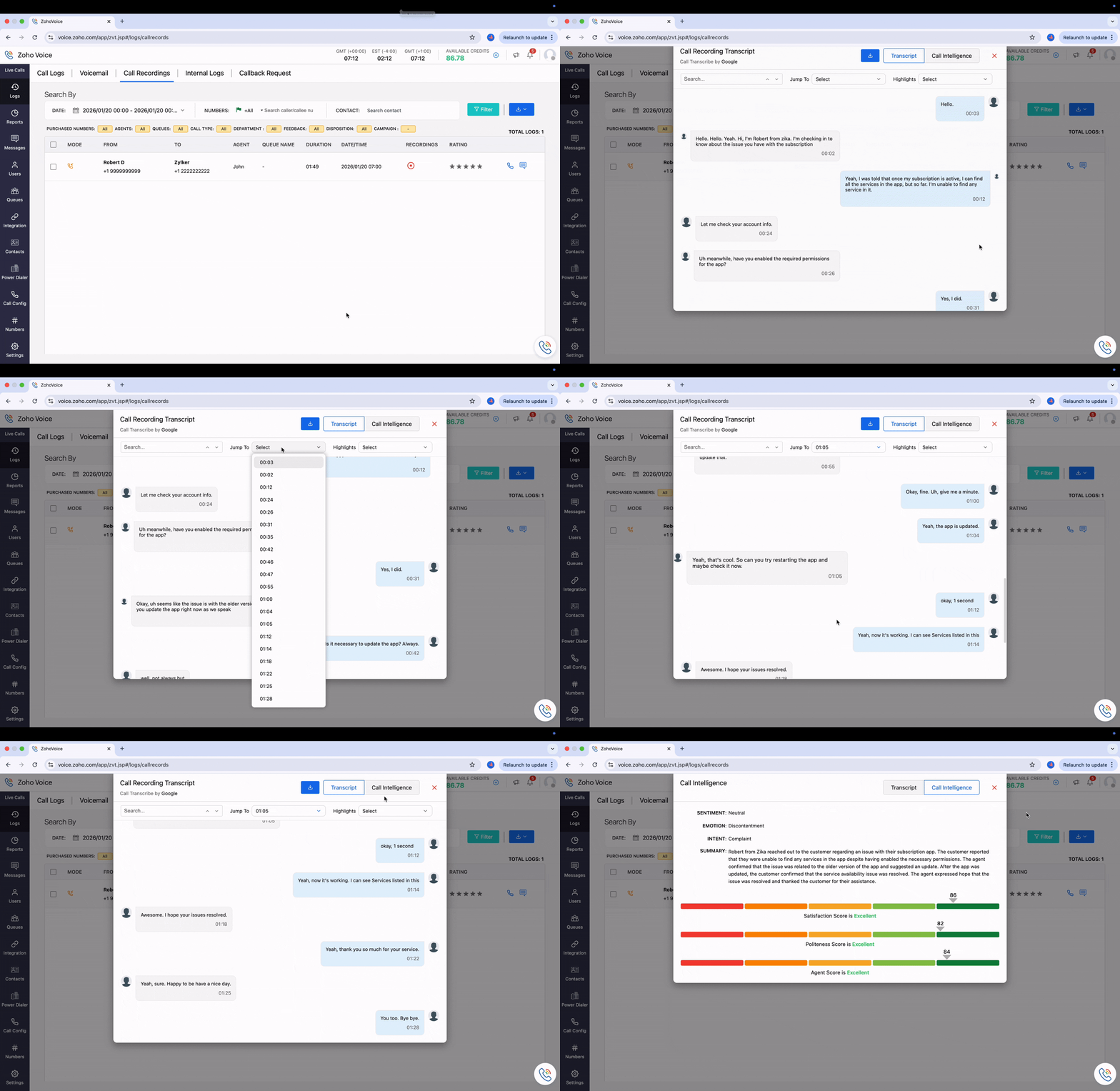
How does Zoho Voice process Call Intelligence?
Here's an overview of how Call Intelligence in Zoho Voice works:
Sign up with Zoho Voice today to analyze your call recordings proactively.
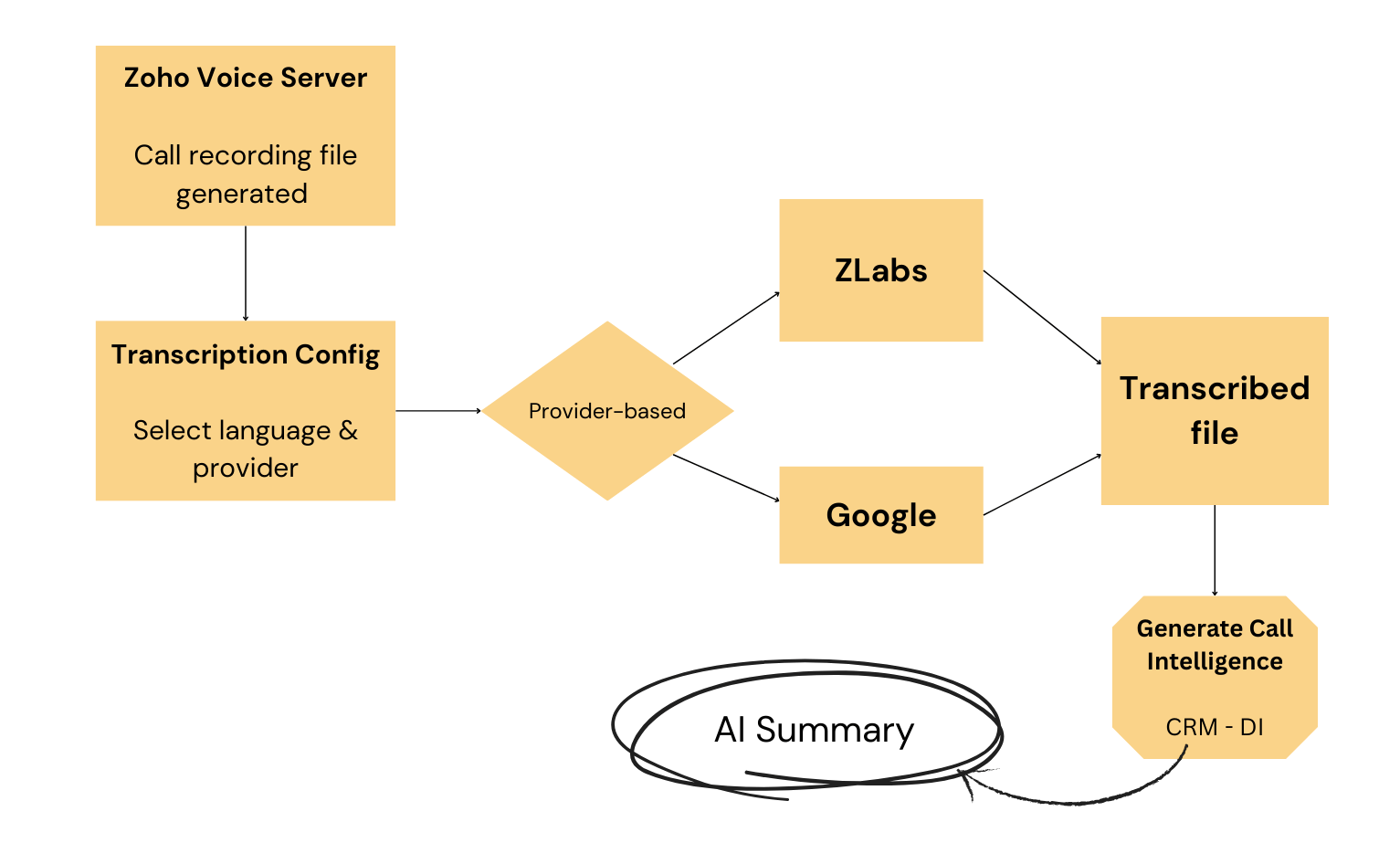
Call Transcription and Analytics Flow
When a call is recorded in Zoho Voice, the recording file is stored on the Zoho Voice server.
Once call transcription is enabled, you select the language for transcription. The transcription provider is automatically chosen based on the selected language:
English → Transcribed using Zoho
Non-English languages (Dutch, French, German, Italian, Japanese, Korean, Portuguese, and Spanish) → Transcribed using Google
Based on the mapped provider, the call recording is transcribed, and a transcribed file is generated.
Note: If the transcription output is unsatisfactory, you can regenerate the transcription up to three times.
From the call log, you can view, download, or delete the transcription.
The transcribed file is then processed by CRM – DI to generate call intelligence and analytics, including AI-powered summaries.
You can generate/view the call intelligence report under Logs -> Call Logs -> Recording button -> Generate / View
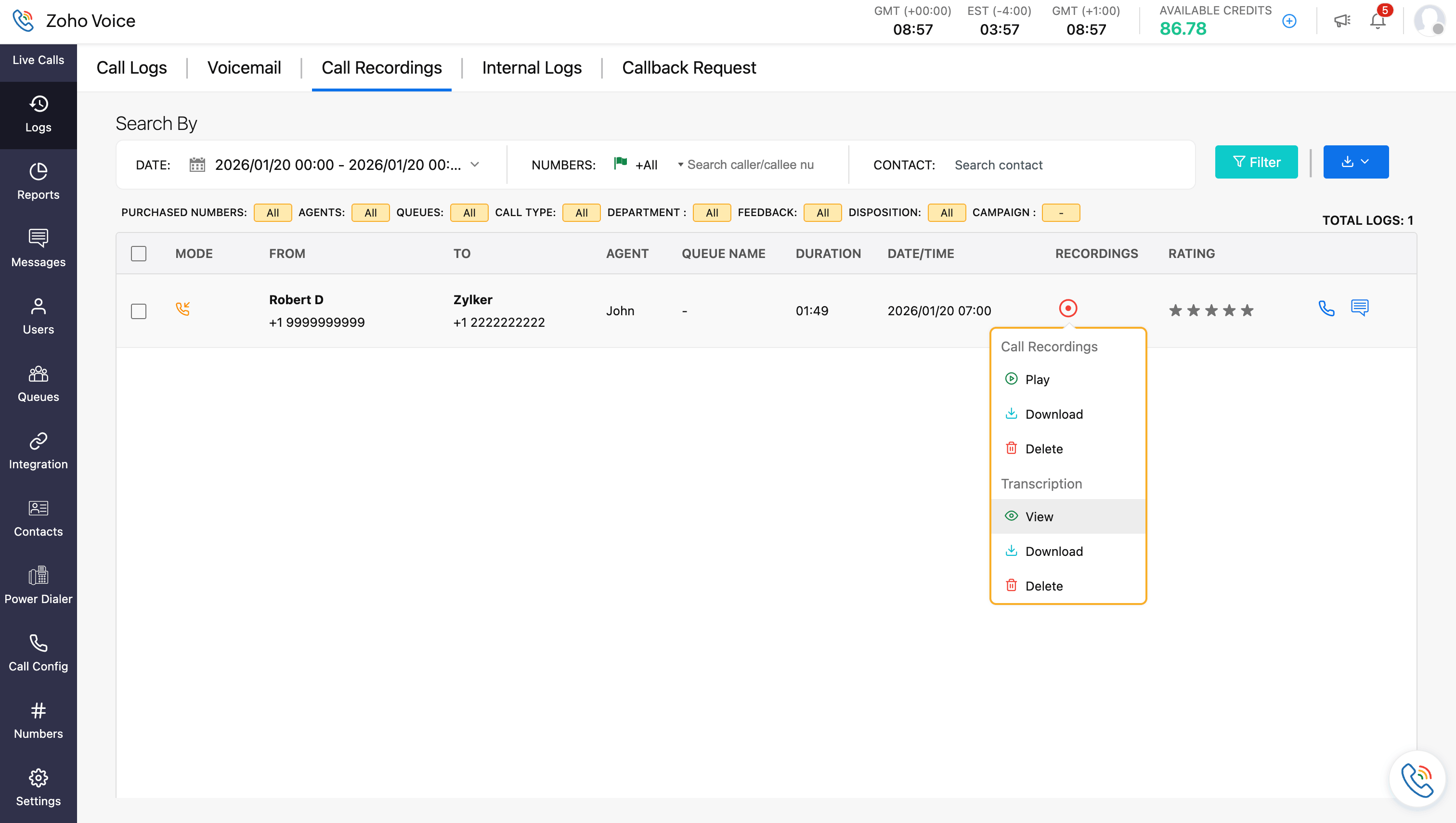
Note: Only recorded calls are eligible for transcription and analytics.
With Call Intelligence in Zoho Voice, you no longer need to listen to hours of call recordings and piece fragmented notes together. Now you can track the key aspects that drive your business and be proactive in handling customer conversations.


Comments