Never lose a call to a busy queue again with Queue Callback

Putting a caller on hold or transferring to the right department is understandable, but missing incoming calls or failing to return them impacts your CSAT. This causes a dent in your customer trust. In high-volume environments, even efficient teams face moments when all agents are occupied, wait times spike, and callers abandon the queue.
Zoho Voice Queue Callback ensures that even during those moments, no opportunity slips through.
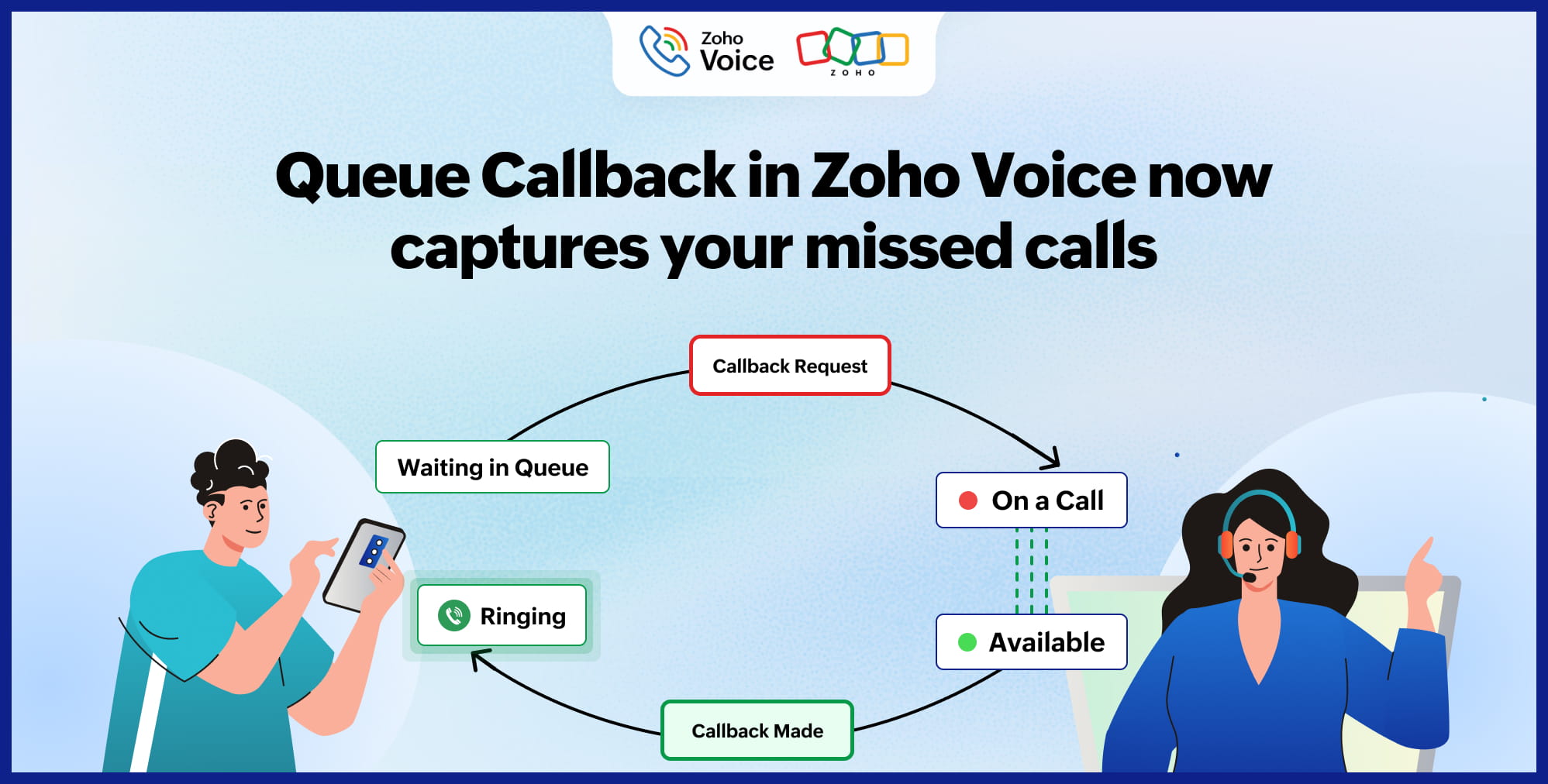
Introducing Queue Callback
With Queue Callback, callers no longer need to wait on hold during peak hours. Instead, they can request a callback and continue with their day, and your system ensures they’re called back as soon as an agent is available.
It’s simple, structured, and works exactly how customers expect.
Two ways to handle callback requests
Zoho Voice gives you flexibility with Auto Callback and Manual Callback modes.
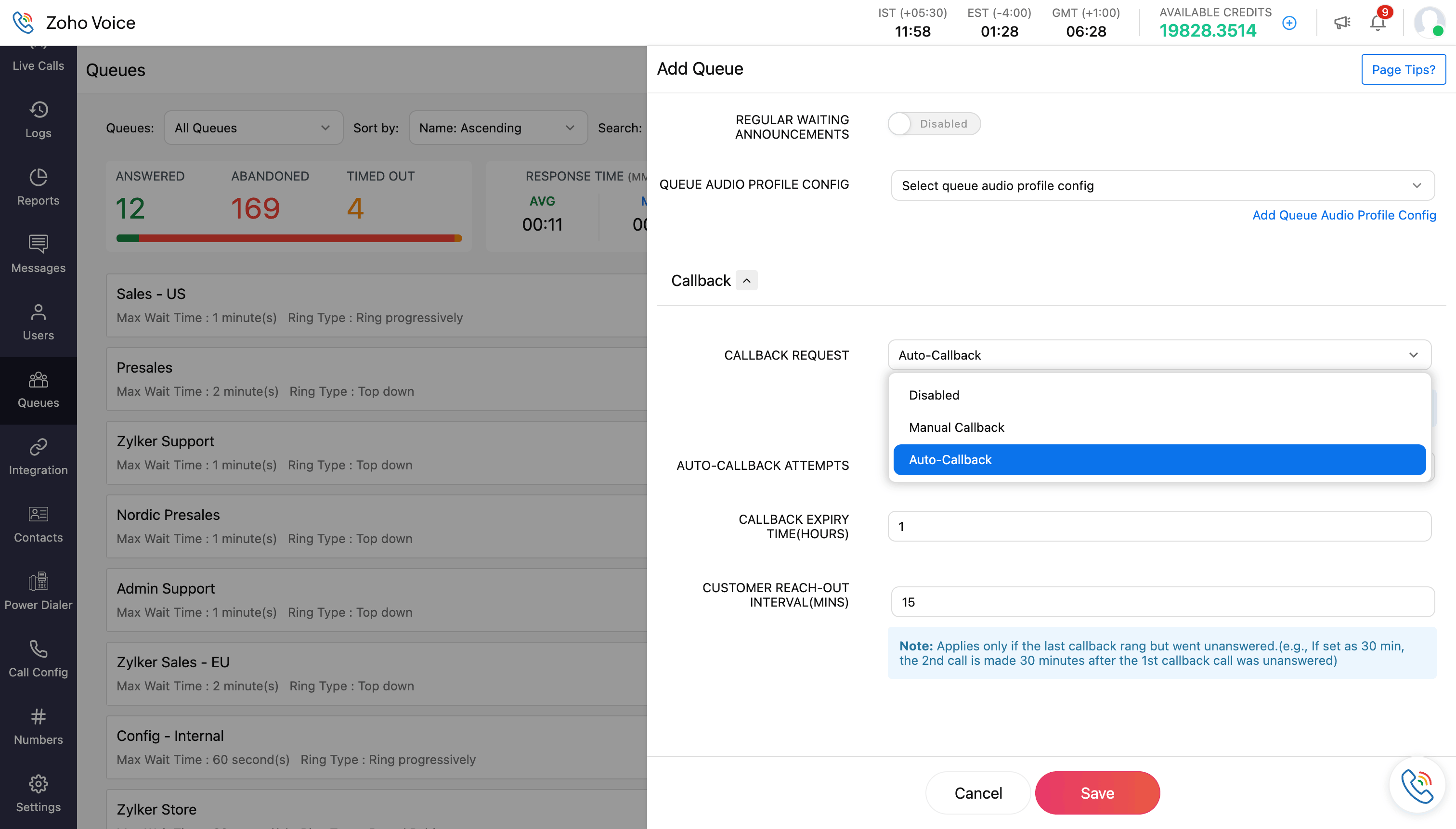
Auto Callback (Recommended)
Auto Callback removes the need for agent intervention.
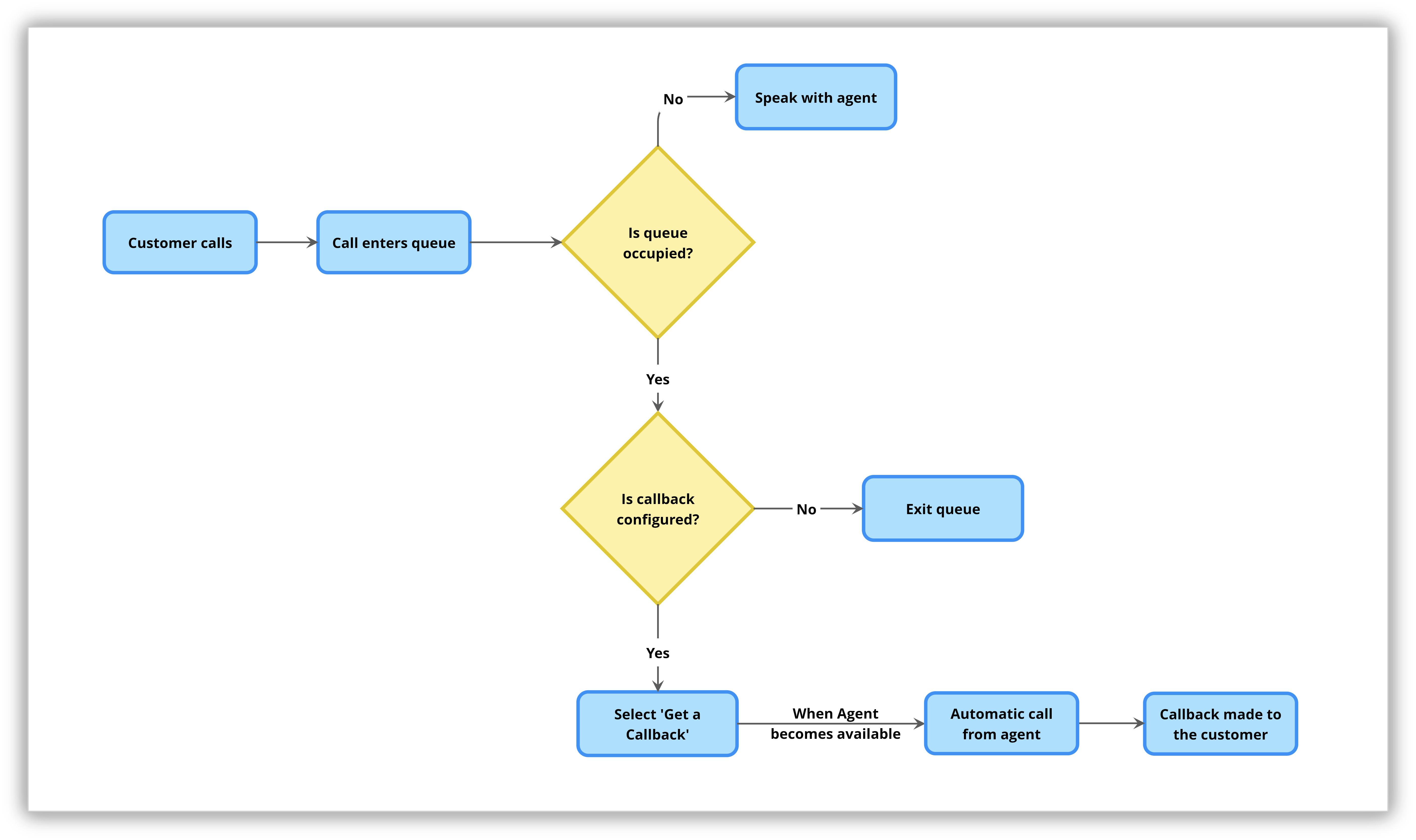
Here’s how it works:
A callback option is offered when no agents in the queue are available.
The customer selects “Get a Callback.”
The request is automatically registered.
As soon as the next agent becomes available, a call is automatically placed from that agent to the customer.
For fast-moving sales and support environments, Auto Callback acts as a safety net.
Manual Callback
Manual Callback follows a more traditional approach.
In this mode:
Callback requests are recorded.
Agents or supervisors review callback logs.
Calls are manually placed based on tracking and prioritization.
This is ideal for teams that prefer oversight and manually allocating follow-ups.
Here’s the flow
Track every callback from Logs
All callback requests are automatically recorded in the Logs page inside Zoho Voice. From there, administrators and supervisors can:
Monitor callback request status
Track completed vs. pending callbacks
Maintain accountability across queues
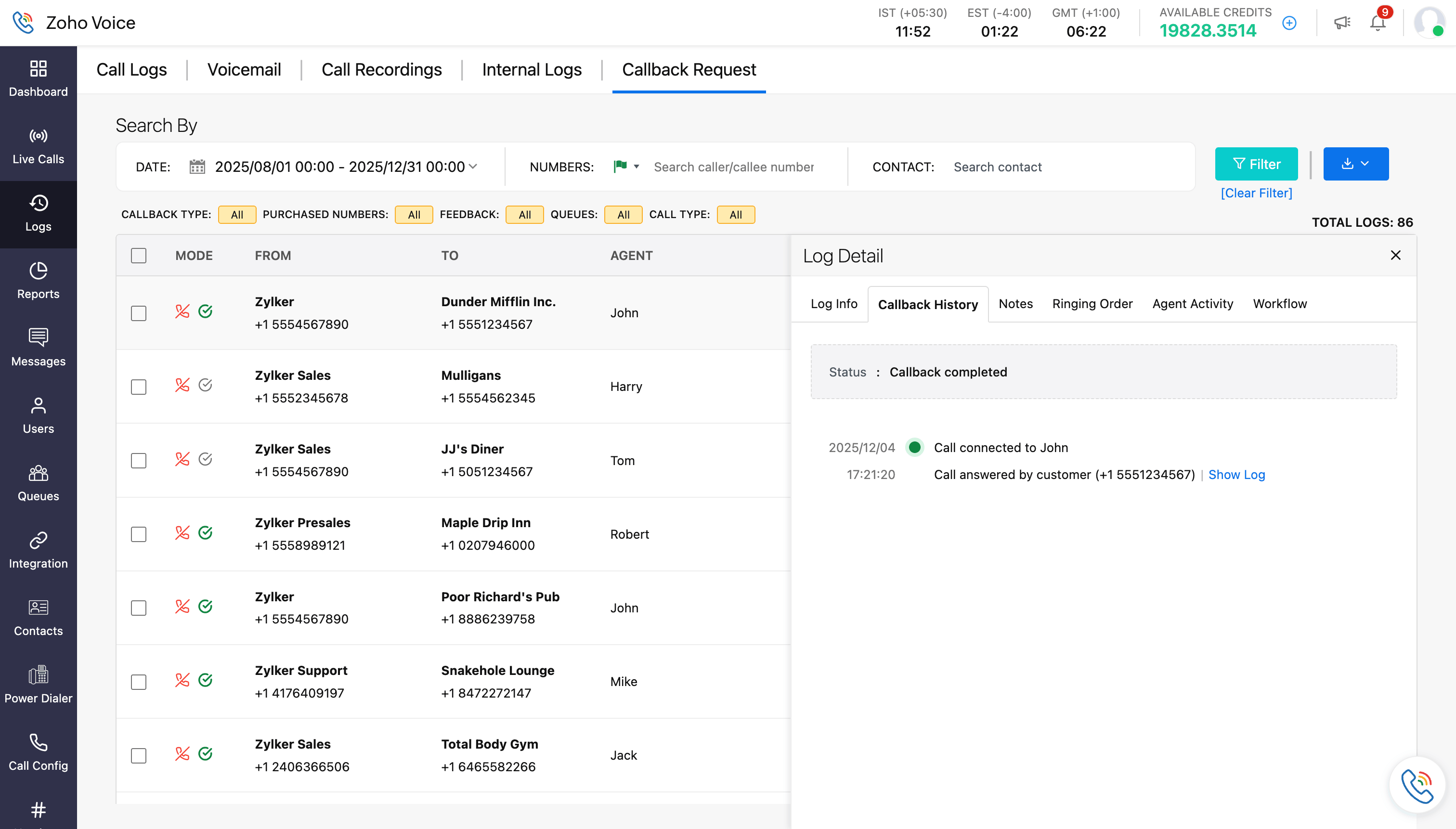
This ensures operational visibility, whether you're using Auto or Manual mode.
For detailed configuration and tracking steps, refer to this help documentation.
Why Queue Callback matters for your business
Protects your CSAT: Customers don’t feel ignored. They feel prioritized, even during peak traffic.
Reduces call abandonment: Instead of hanging up in frustration, callers choose a structured callback.
Preserves every opportunity: Sales inquiries, support issues, service requests... none of them slip through.
Maintains queue integrity: Callbacks remain tied to the original queue, ensuring routing logic and accountability stay intact.
From waiting to reassuring
In customer communication, perception is everything. Waiting without certainty creates frustration. A promised callback creates trust.
Queue Callback shifts your customer experience from reactive to reliable without adding operational complexity.
Now available in Zoho Voice
Queue Callback is now live in Zoho Voice. Enable it in your queue settings and turn busy hours into seamless follow-ups. In a competitive market, being reachable isn’t enough. Being responsive is what sets you apart.


Comments