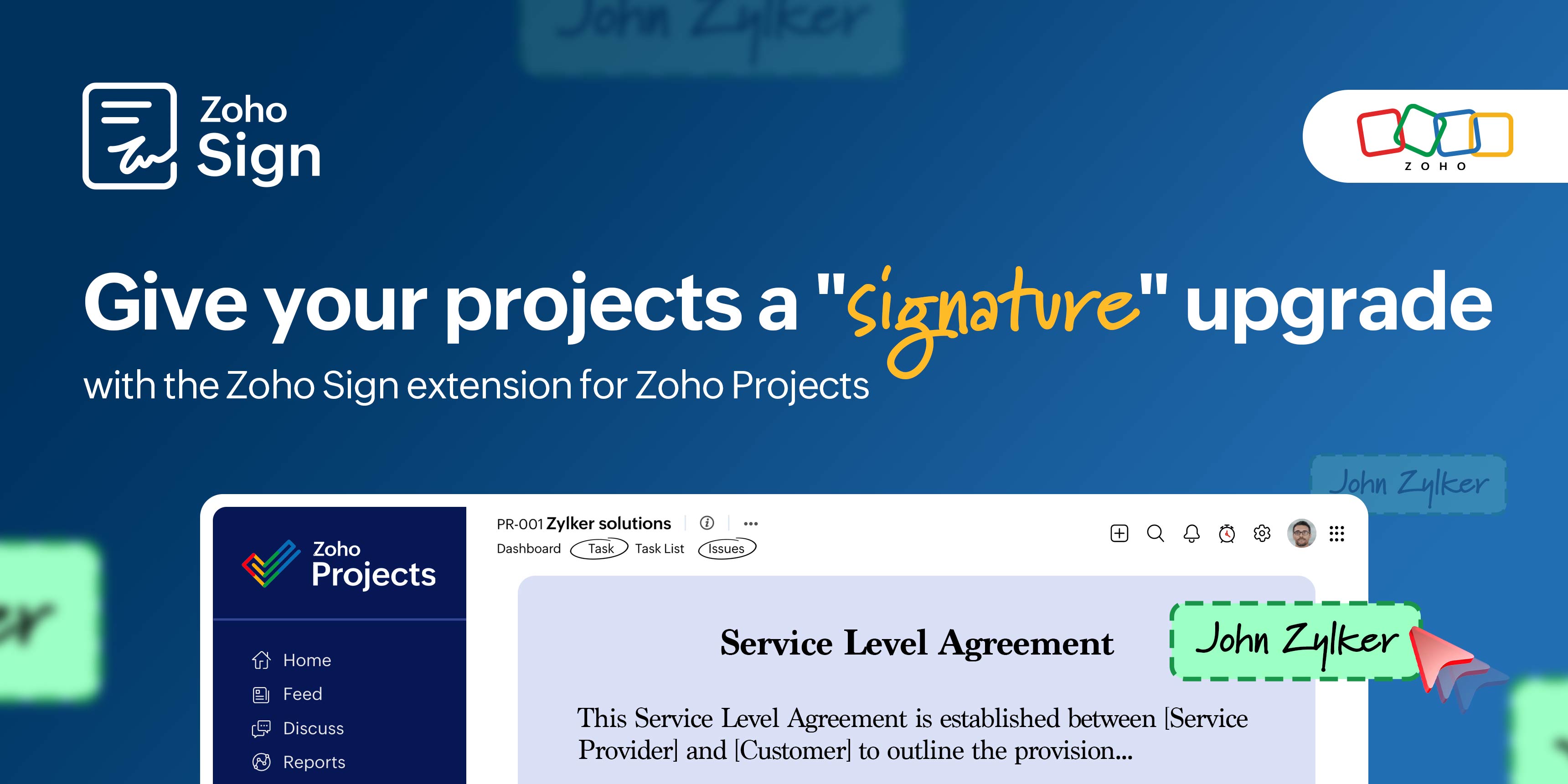
Give your projects a "signature" upgrade with the Zoho Sign extension for Zoho Projects

Well-orchestrated project management keeps people, priorities, and processes all working in sync toward a shared goal. But it doesn't take much to throw the rhythm off. A pending approval, a contract stuck in someone's inbox, a few forms that "won't take long," and suddenly, the tempo drops. The project that once felt perfectly coordinated starts to falter under the weight of documents waiting for signatures, revisions, and follow-ups.
Keep your workflow in sync with Zoho Sign for Zoho Projects
Zoho Projects already helps you break big goals into simple steps, keep your team on the same page, and tackle roadblocks as they come. It's the kind of structure that makes chaos feel a little more doable. Now, with Zoho Sign built right in, handling documents gets just as smooth. You can send, sign, and manage paperwork without ever leaving your project workspace. Everything you need is right there, keeping your projects on track and your momentum going strong.
Before the Zoho Sign integration
1. The bottleneck you don't see coming
Projects stall at "Hey, did you get a chance to sign that yet?" When every approval needs a manual signature or a follow-up email, progress takes a hit. What should've been an agile response turns into days of waiting for people to "get back to it." The delay doesn't show up on the Gantt chart, but everyone on the team feels it.
2. Domino effect of delayed approvals
When approvals don't come through on time, everything that depends on them comes to a halt. Teams can't move to the next phase, billable work stays on hold, and deadlines start slipping—not because the work isn't ready, but because the paperwork isn't. Each delay adds up, nudging the project off course. Clients grow impatient, resource plans fall out of sync, and by the time it's all cleared, priorities have shifted, and the team is left trying to regain lost ground.
3. Disappearing act of project visibility
Project visibility is everything. Yet, approvals and document trails often happen outside the project workspace: in inboxes, scattered across drives, or sitting on someone's desktop. Without a clear view of who has the document, how long they've had it, or which step is currently blocking progress, you're left managing in the dark. By the time you track down the right version or follow up with the right person, the delay has already done its damage, and the milestone has quietly slipped past.
4. Files lost in transmission
Executed agreements like SOWs, change requests, and final delivery reports contain vital project data. But when they're shared through emails and downloads, version control falls apart. Multiple copies float around, edits go untracked, and no one's sure which file is final. What follows is wasted time cross-checking documents, audit hassles, and compliance risks, all because the data isn't where it should be.
Checklist of wins with this integration
Paperwork, neatly tucked into your project: Switching tools just to get documents signed? We've moved past that. Now, you can sign documents yourself, set up e-sign workflows to collect signatures, and create legally binding business documents—all within Zoho Projects.
Documents, right where you need them: Whether it's a file from your device or an attachment in a task thread, you can instantly pull it into Zoho Sign, making it simple to sign or send them for signatures.
Signatures, sorted mid-task: You're reviewing a task or sorting through an issue when you come across a document that needs signing. Instead of breaking focus, just open the extensions panel, upload the file, and pick your signing flow. Zoho Sign takes it from there, ready for you to add fields, sign, and send—right from where you're working.
Comments that fill you in: Once your document's out for signing, Zoho Sign drops a comment into the task or issue thread, complete with sender and document details, so your team's in the loop. As the document moves through the signing process, every update makes its way into the activity stream. No pings, no follow-ups, just a live trail of everything that matters.
Track progress at a glance: Zoho Sign lets you monitor documents directly in Zoho Projects, showing you exactly where each one stands. Head to the Recipient Status section to see the progress for every signer—who's signed, who's next, and who might need a gentle nudge. You get a simple, up-to-date view that keeps everyone aligned and the work moving.
Leave no milestone unsigned: When each phase of a project requires formal approval before moving forward, Zoho Sign helps you secure those approvals quickly. Get confirmations from clients or teammates on deliverables, and move on to the next milestone without a hitch.
When compliance calls, you're already prepared: Every signed document comes with a built-in digital audit trail—timestamps, signer details, and IP addresses. That means your project paperwork is fully traceable and compliance-ready when audits come knocking.
Version control you can trust: Whenever you update or resend a document, Zoho Sign automatically keeps track of each version sent from Zoho Projects. This gives you a clear version history and confidence that everyone's working on the same page.
How Zoho Sign works its magic in Zoho Projects
Here are a few real-world ways Zoho Sign and Zoho Projects team up to simplify your paperwork and help your projects stay on track.
Department / Industry | How Zoho Sign fits in |
Information technology (IT) and software development | Get project proposals and SLAs signed quickly, confirm scope changes with clients, and secure NDAs before sharing code or confidential data. |
Marketing and advertising | Approve campaign briefs, close vendor and influencer contracts, and get creative release forms signed without chasing emails. |
Construction and engineering | Sign work orders, subcontractor agreements, and inspection reports on-site to keep projects moving and ensure safety compliance. |
Education and training | Handle instructor contracts, student consent forms, and course accreditations online to cut down on admin work. |
Event planning | Get vendor contracts, sponsorships, and venue confirmations signed in record time so planning never hits pause. |
Healthcare and pharmaceuticals | Manage patient consent forms, supplier contracts, and clinical trial agreements digitally while staying compliant with regulations. |
Legal services | Onboard clients faster with signed engagement letters, handle authorizations, and execute settlement agreements securely. |
Manufacturing | Approve purchase orders, seal supplier contracts, and sign QA checklists or delivery notes to keep production running smoothly. |
Give this integration a try and tell us how it goes; we'd love to hear your thoughts! Need help? Our help document has everything you need.
If you're new to Zoho Sign, simply sign up for a 14-day free trial, check out our getting started guide to get up and running, or reach out anytime at support@zohosign.com.
Comments