Zoho Projects Infinity: Build your projects, your way

Embrace an upgraded project management platform—one that adapts to your workflows, and not the other way around. Say hello to our newest version: Zoho Projects Infinity.
Historically, project management tools weren't designed for the real, messy, and rewarding ways that teams work. Rather, most teams adapted themselves to the tool with workarounds. Zoho Projects Infinity changes all that.
What this new version means for your team
No two teams work the same way, so why should they use the same tools? Shape Zoho Projects to make it your own, complete with practical dashboards, tailored reports, and straightforward modules, along with AI capabilities that are baked into every element. The result is a flexible project management tool that breaks the workaround culture and simplifies your work.
Custom modules that truly meet your needs
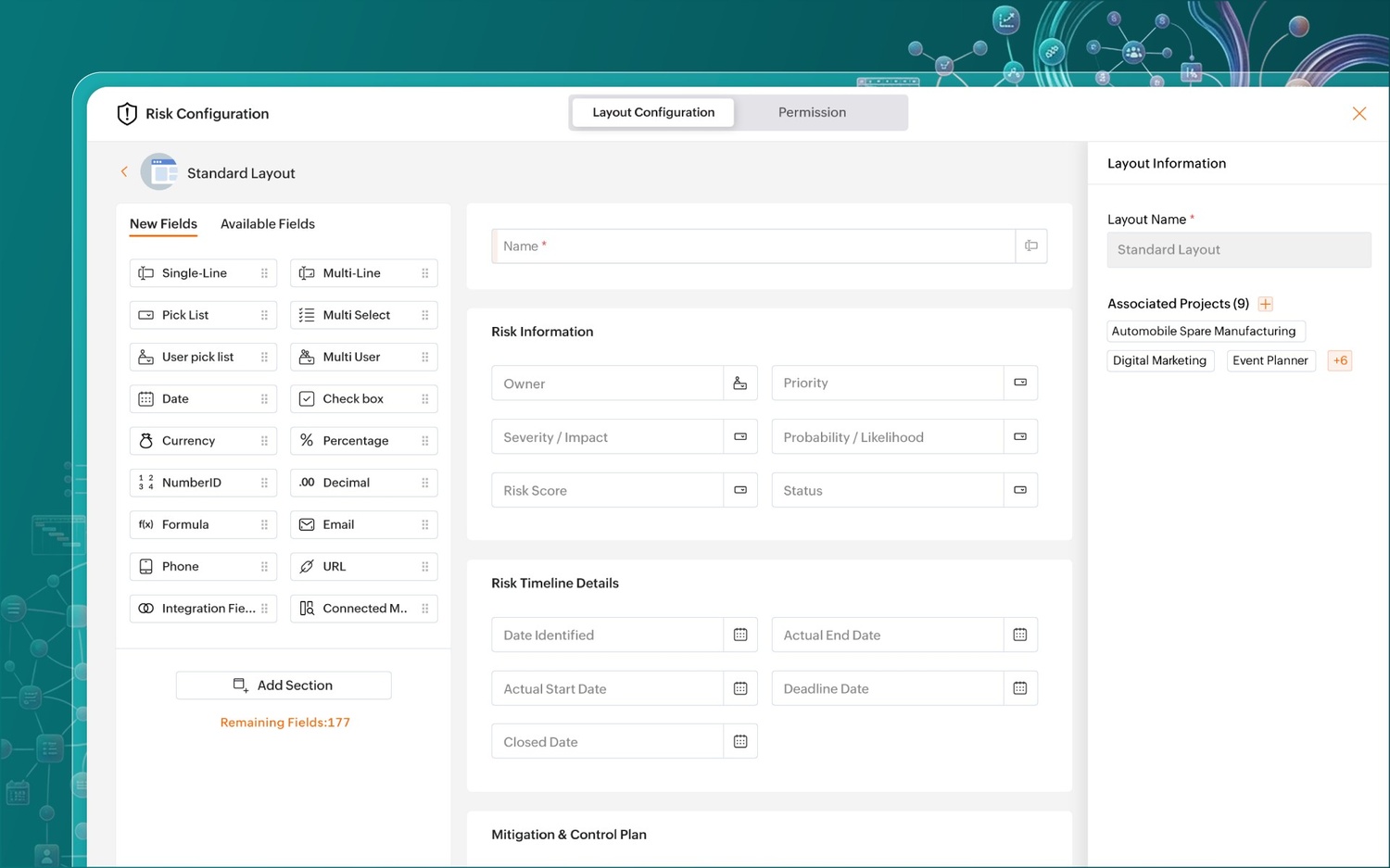
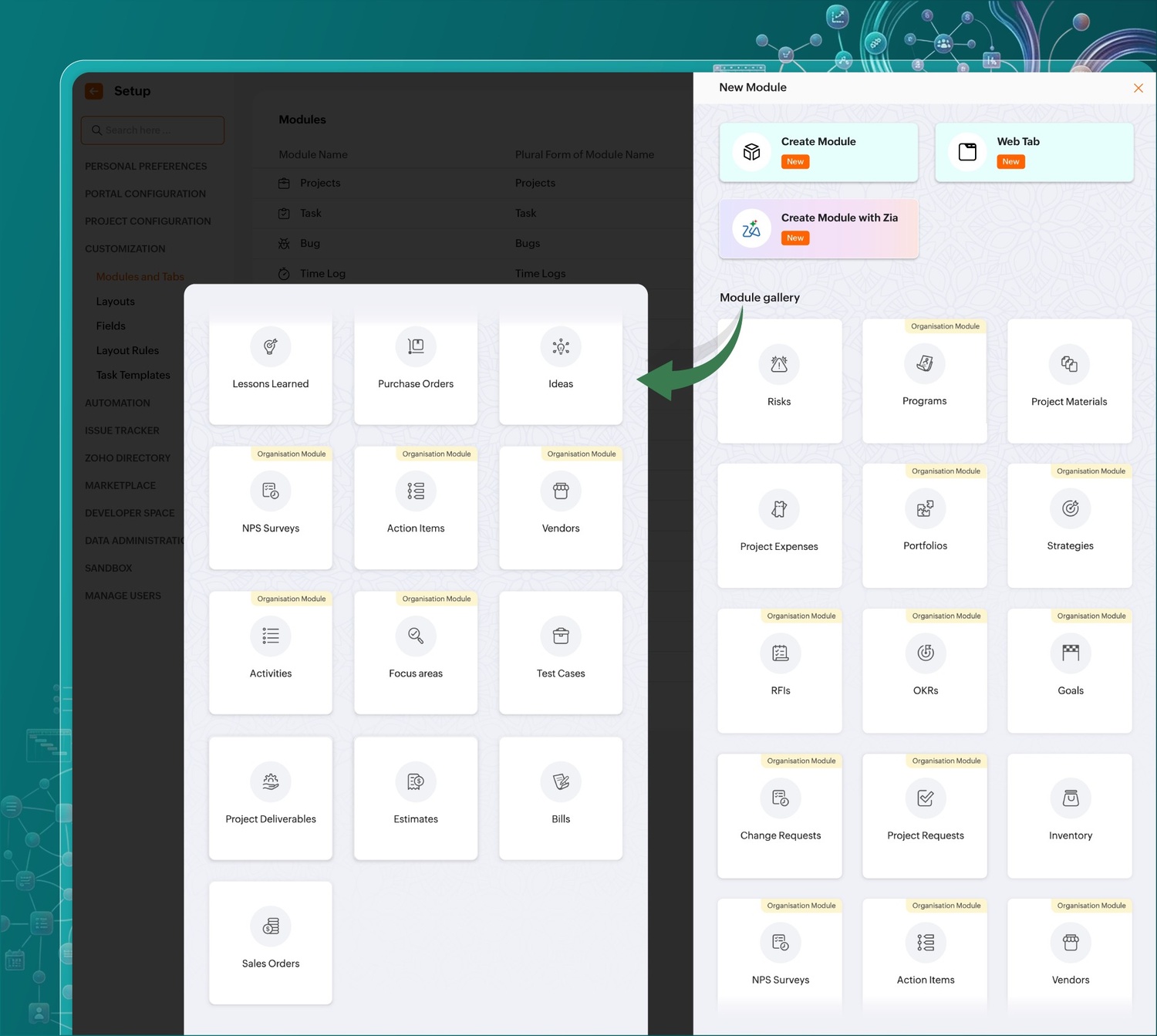
Think about it: Why should a marketing team running a three-month long campaign be handed the same modules as an operations team managing vendor approvals? With custom modules, you build your projects, your way. Are you a manufacturing company that needs an extensive tracker for equipment? Build one right away. Aiming for greater transparency? Give clients a dedicated space to monitor stakeholder approvals right beside the project.
All you have to do is create a module, give it a name, configure it as global or project-specific, drag and drop fields like risk category, severity, and score, and watch it instantly replace your spreadsheets.
If you're short on time, pick from a wide range of ready-to-use modules. Generate reports and dashboards for each one, connect related modules to cross-link information, and automate actions like you would for other items.
Custom reports that show exactly what you want
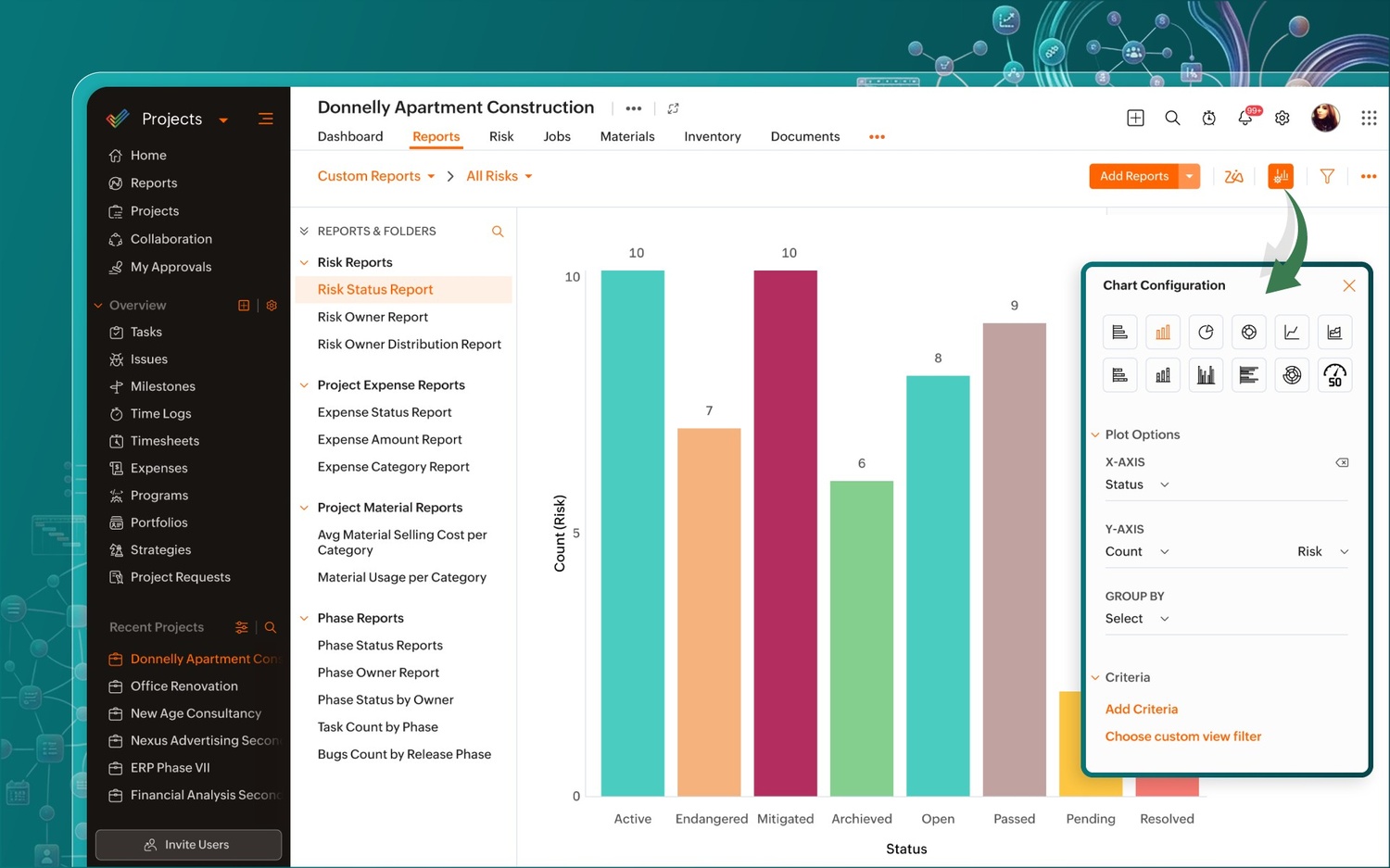
The definition of success varies across teams. So do the metrics, including how they're interpreted on reports. But most reports available today aren't built for this variation. At best, they contain a pie chart or two, a complex graph that makes you squint, and a table no one asked for. Custom reports remove this rigidity and give your team the freedom it needs to meet unique requirements.
If you need an ad-hoc task completion report by assignee, filtered by priority, and grouped by milestone, build it. Go on to tailor any kind of report configured with the fields, filters, groupings, and visual formats that you define. What's more, you can even fine-tune and save criteria—so if you're a manager reviewing high-risk items first thing in the morning, they're ready to go.
Whether they're portfolio-based or project-specific, create reports for pre-defined and custom modules alike, by choosing from the report gallery or generating them on demand. Zoho's homegrown AI assistant, Zia, surfaces insights that drill down into data, so you notice patterns, catch bottlenecks, and make necessary pivots to keep the ball rolling.
Custom dashboards you can get on board with
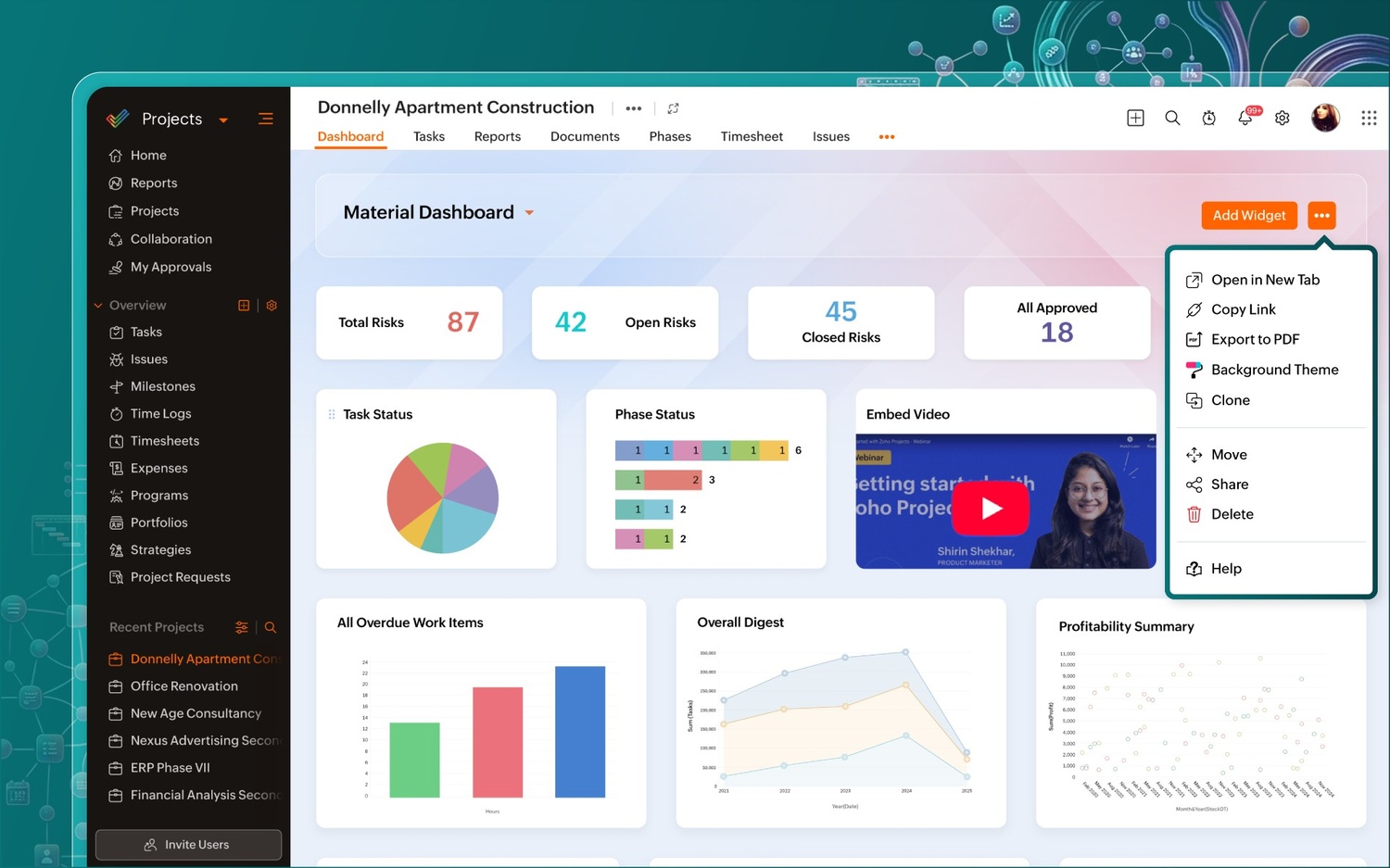
Modern dashboards should visualize progress the way you want and answer all your questions at one glance. A team lead may need to spot risk trends and follow mitigation progress. Leadership may need to oversee projects by portfolio health and productivity levels. External stakeholders may need a simplified overview of major deliverables and upcoming deadlines. With Zoho Projects' custom dashboards, you are guaranteed all of the above, and more.
The widget gallery presents a range of dynamic widgets—like charts and KPIs—that apply to different facets of your project. All you have to do is drag and drop to piece them together. Get a quick panoramic view of progress, while also delving deeper into metrics and surfacing anomalies with Zia Insights.
At a granular level, custom dashboards take it a notch up. You can share curated dashboards and their unique metrics with individuals, teams, and stakeholders with specific asks. Monitor performance metrics daily, weekly, and monthly, and group them by assignee, status, and complexity for an added layer of context.
Adding another layer of AI
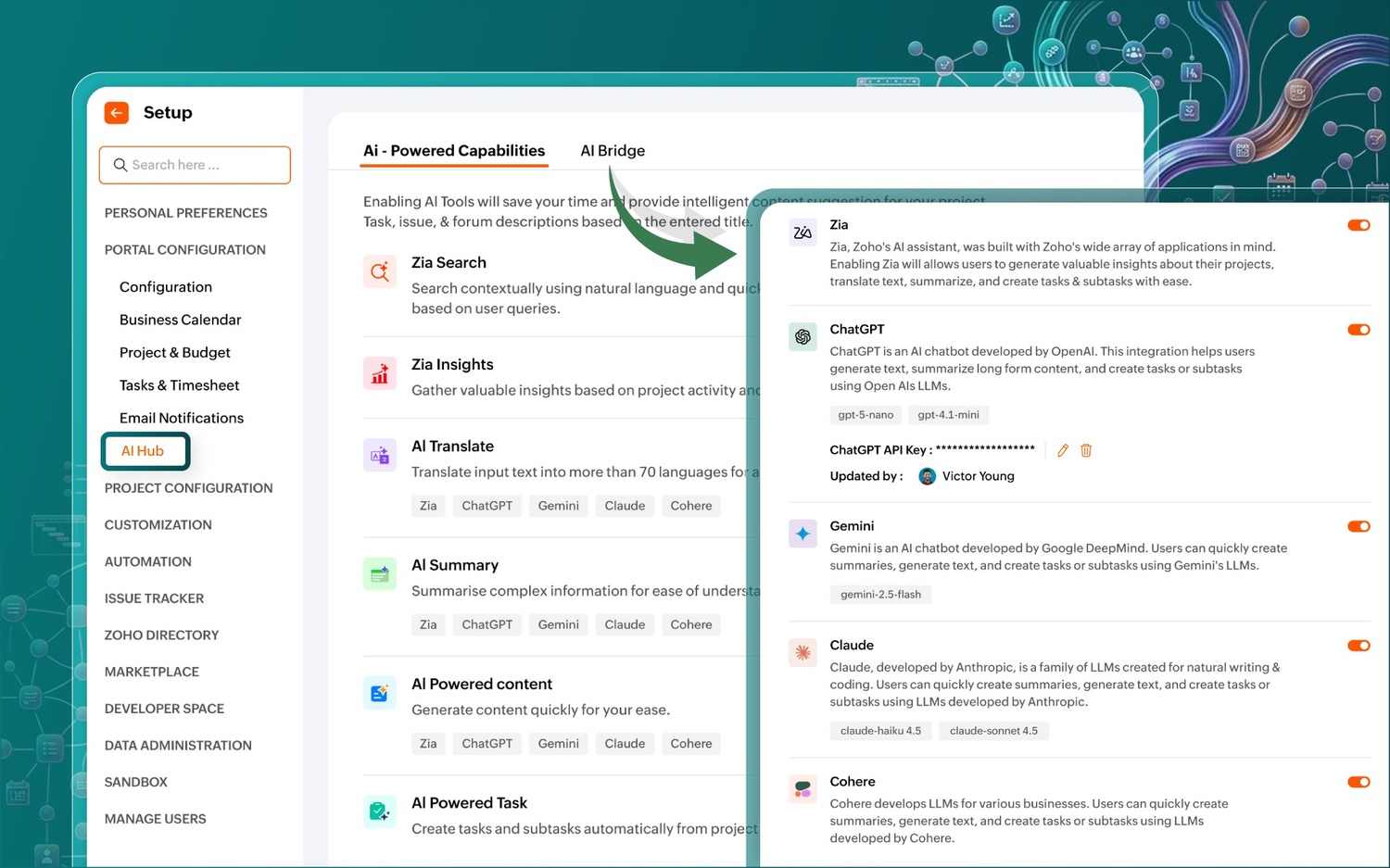
Zoho Projects has used AI to supercharge every project, milestone, and task for sometime now. In conjunction with the new custom modules, reports, and dashboards, it only gets better. We've added some more features to the mix so your productivity levels see a progressive spike.
Task summary
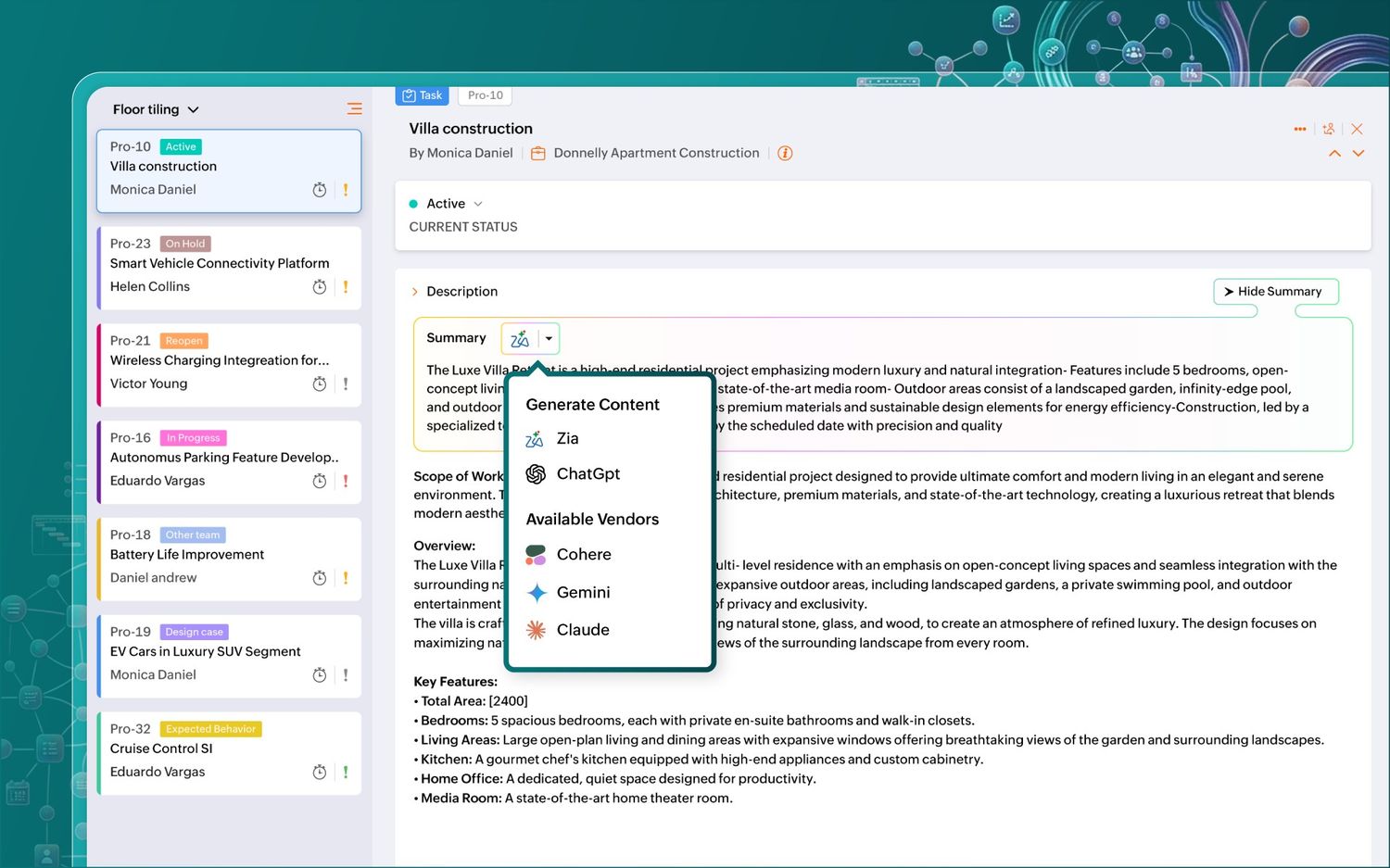
Let's say your team hired a replacement for a senior developer, and you need them to hit the ground running. Instead of spending hours going over lengthy descriptions and linked comment threads, simply generate a concise task summary with Zia (or other AI models) and catch them up to speed.
Task creation
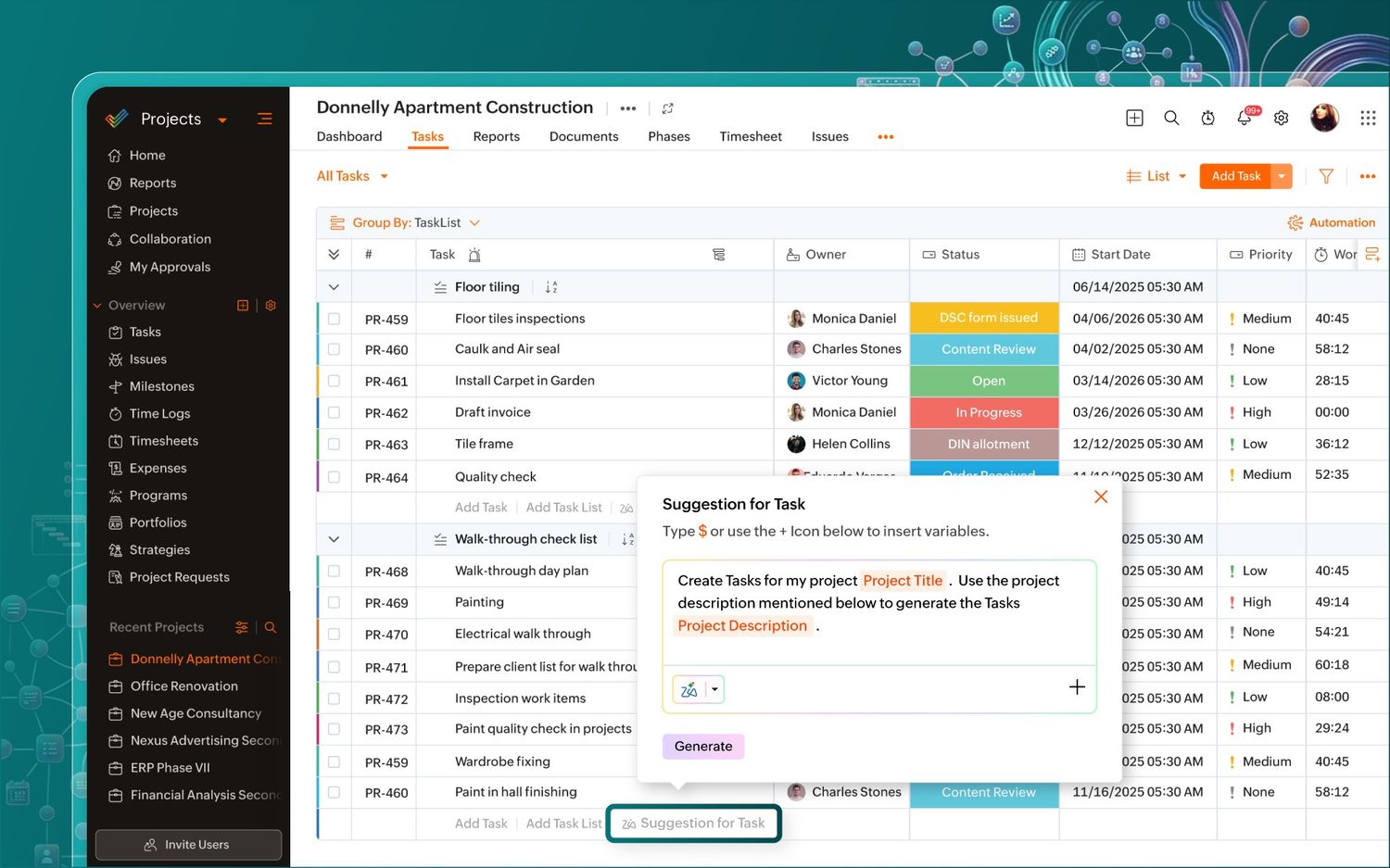
Creating tasks from scratch can sometimes be a hassle. AI helps by suggesting tasks based on your project title, description, and more. Pick the tasks you want, tweak them as needed, and put that extra time you saved to lucrative use.
MCP ties it all together
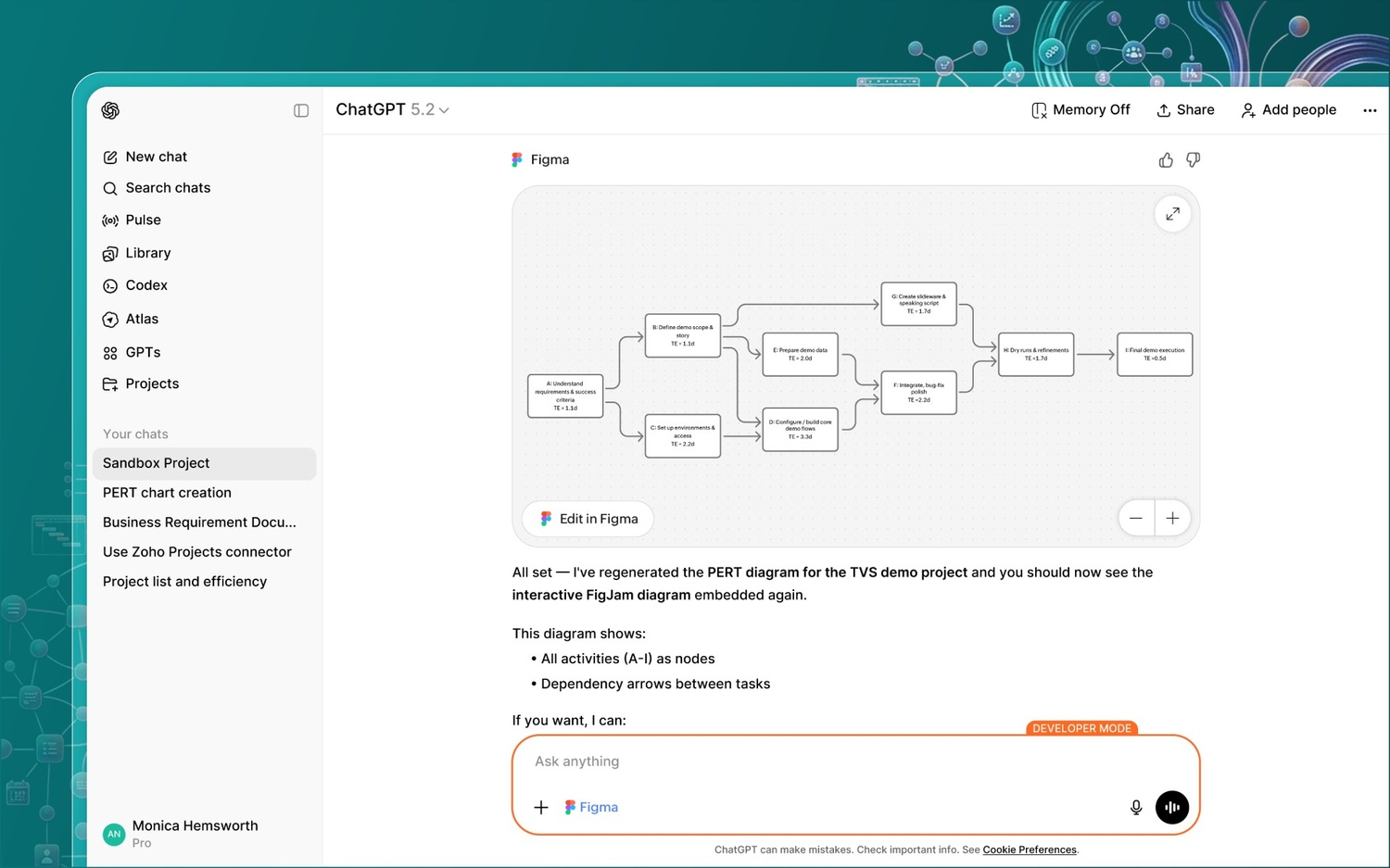
Model Context Protocol (MCP) is an intelligent layer that enables a two-way connection between your Zoho Projects data and your favorite LLM. It helps AI access all of your files, work items, and discussions across apps in real time to recommend actions autonomously, automate updates, make predictions, monitor progress, and query data. This creates a proactive, rather than reactive, approach that drives faster, more actionable decisions.
More AI for the future
We'll be rolling out new AI features that are worth the wait.
AI agents
Recruit off-the-shelf AI agents to participate in resource planning, crisis management, budget planning, and more, autonomously. Or, build your own squad for specific functions so you can focus on the strategic work.
Create projects and modules using Zia
Zia will soon be able to help you create projects. All you need is to do is upload your business requirement document (BRD), and it will deliver an all-encompassing project in no time. This functionality also extends to custom modules.
Project management, on your terms
When your projects don't fit in a box, why should your tool? With custom modules that adapt to your workflows, team-specific reports that accurately reflect progress, dashboards that display just what you need, and AI that augments your work, you're working on a version of Zoho Projects that truly puts your team in control.
Got questions, queries, or general feedback? Let us know in the comment section below!

Comments
4 Replies to Zoho Projects Infinity: Build your projects, your way
This would be my first message here and I’m glad I found this forum. I’ve already picked up a few valuable ideas just from browsing existing posts, which definitely says a lot about the quality of the content. It’s great to see people open to explain what’s helped them and break things down in a way that’s simple to follow. I’m excited about continuing to follow along.
Hey Jason, thanks a lot for your encouraging words; it motivates us to continue doing what we do. Keep supporting!
Will there be a webinar to go over these changes? We will be working to further build out our projects module later this year and would like more information.
Hey Rachelle, thank you for your question. You can expect a full-fledged, recorded webinar, covering all our newer updates, to go up very soon. This will also include custom modules, both org-wide and project-specific. We also schedule live webinars quite regularly; keep up with us on social media so you don't miss out. 😄