Why navigation breaks down in unified software—and how QuickNav fixes it


In unified software environments, navigation stops being a convenience issue and becomes a structural one.
When work spans CRM records, conversations, analytics, tasks, and files, progress depends less on access and more on how smoothly users can move between these surfaces without losing context. The cost isn’t measured in clicks, but in interruptions to attention—moments where users pause to reorient instead of continuing the work already in motion.
Most SaaS systems still treat navigation as a structural problem—menus, hierarchies, and app boundaries. That approach holds when tools are used independently. It becomes inefficient when work is continuous, layered, and cross-functional.
QuickNav was designed to address this gap by making movement across applications simpler and more direct.
Why navigation becomes friction in integrated systems
In day-to-day work, tasks rarely stay within a single application. Reviewing information, taking action, and coordinating with others often happen across different parts of the system, sometimes within the same decision loop.
Traditional navigation introduces friction in these scenarios. Users are required to move through menus, switch interfaces, and recall where specific functions or modules reside—often within the same task.
Each transition may seem minor on its own, but together they interrupt concentration and slow progress. Over time, this friction increases the effort required to complete routine work and makes workflows feel more fragmented than they need to be.
The underlying issue is not discoverability. It is the distance between intent and execution.
A different approach to navigation
QuickNav is a navigation assistant built into Zoho One. It provides a centralized interface for search, navigation, and supported actions across applications.
QuickNav can be accessed at any time by pressing Z + Space, or by clicking the lightning icon in the top-right navigation bar. This makes it available regardless of which application a user is currently working in.
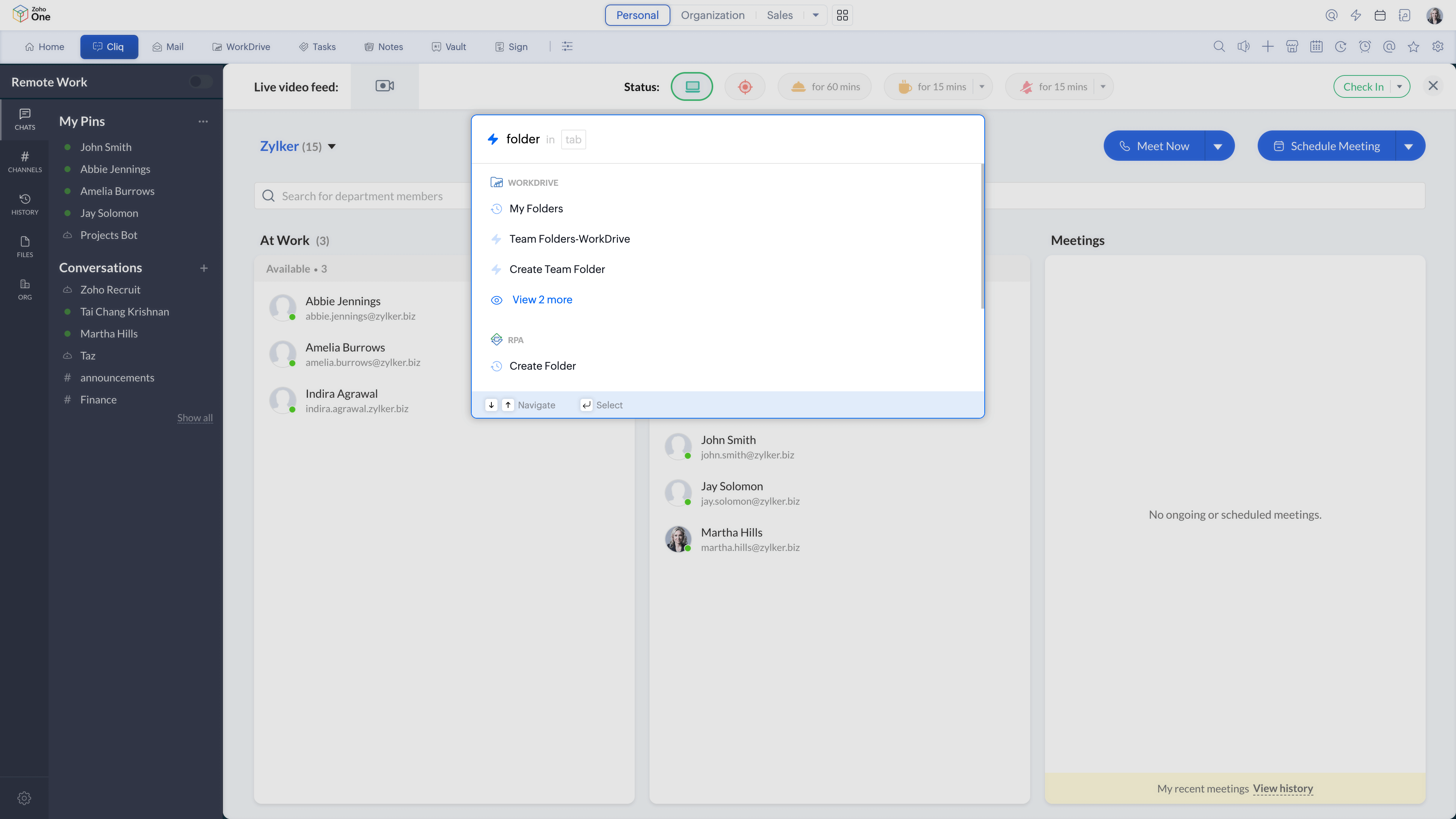
From this single interface, users can move directly to applications, modules, contacts, or actions without stepping through interface paths or switching screens first. The goal is not to replace existing navigation, but to offer a faster and more consistent way to move through the system when users already know what they want to do.
How QuickNav works in everyday use
QuickNav supports multiple types of navigation and interaction through a single command surface. It is designed to align with how work typically unfolds in a unified environment, where users move between applications, actions, and people as part of the same task.
Navigating to apps and modules
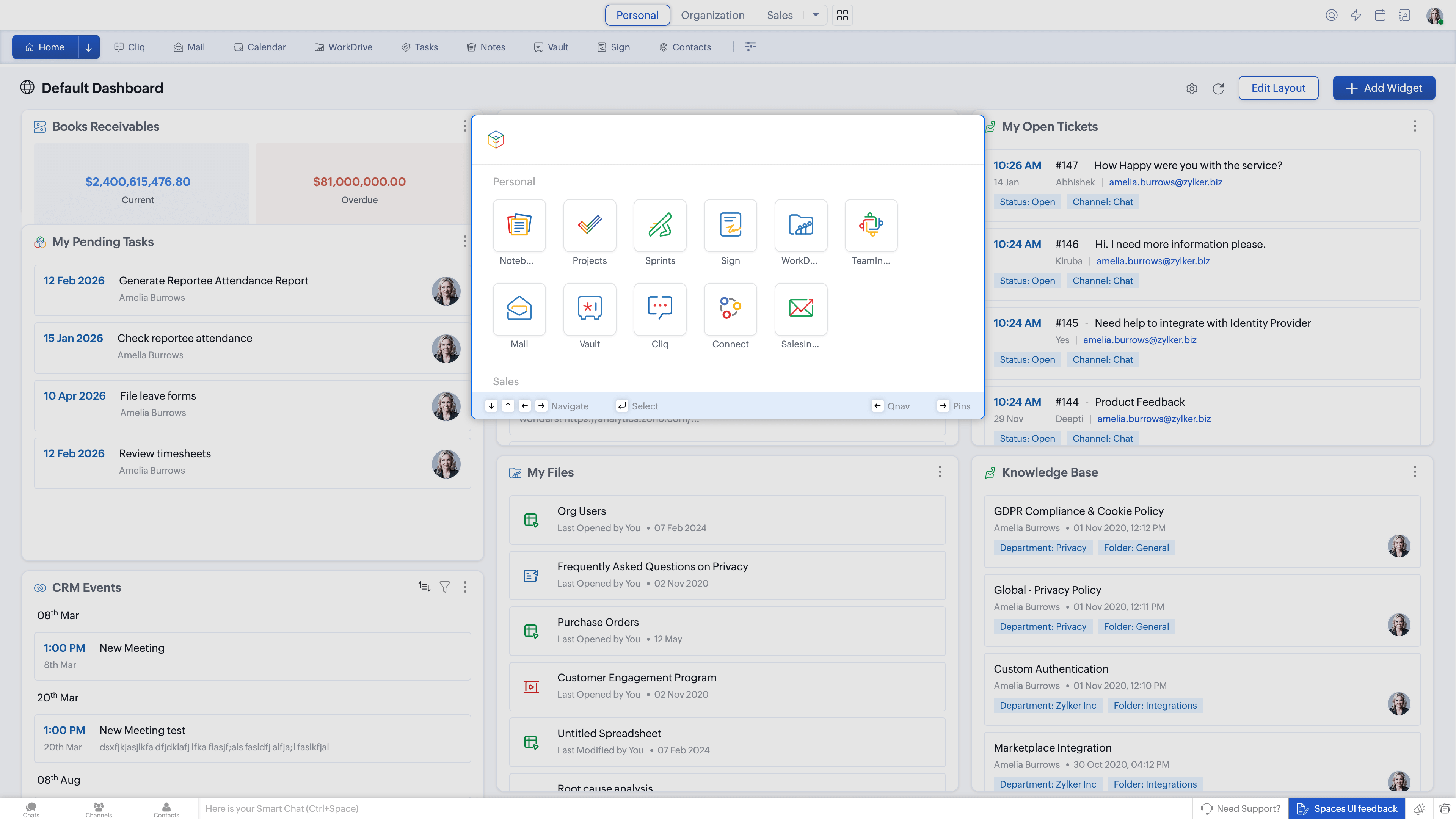
Users can type the name of an application or module and open it directly. This is particularly useful when work spans several apps and users want to move quickly without relying on menus or sidebars.
Triggering actions and commands
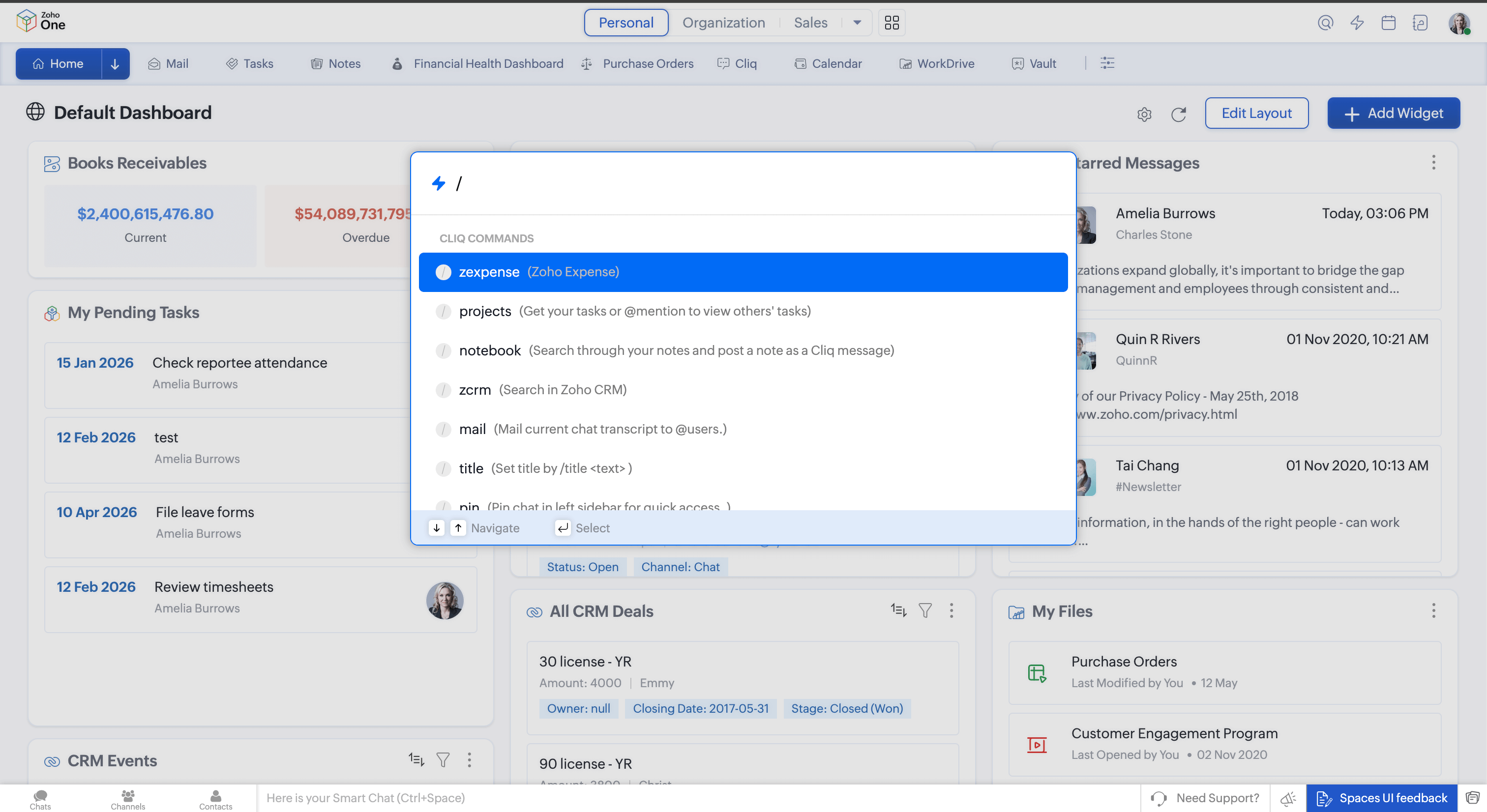
QuickNav allows users to activate supported Cliq commands and quick actions without first opening the related application. This reduces unnecessary screen transitions, especially for actions that are frequently repeated during the day.
Finding and reaching people
Searching for a contact by name allows users to navigate to or communicate with colleagues directly. This keeps collaboration connected to the task at hand, rather than forcing a separate context switch to reach someone.
Pinning frequently used items
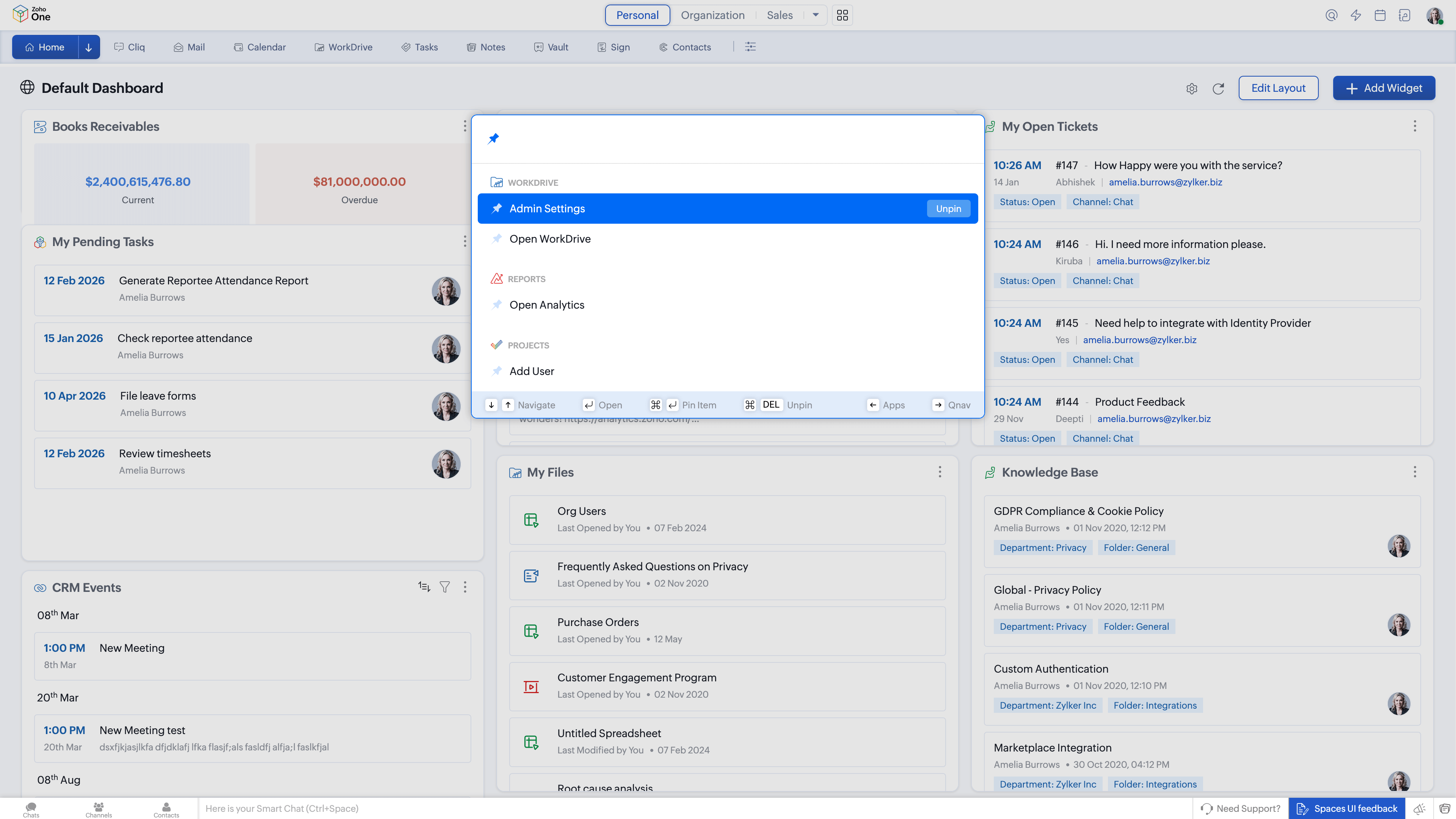
Apps, actions, or destinations that are accessed regularly can be pinned within QuickNav. This creates a navigation layer shaped around individual work patterns rather than a fixed, one-size-fits-all structure.
Staying keyboard-first
QuickNav is designed for keyboard access, allowing users to navigate and act without switching input methods. For users who spend long periods working within the system, this reduces visual scanning and helps maintain continuity.
What changes when navigation is simplified
When navigation requires fewer steps, users spend less time reorienting themselves and more time continuing the work already in progress.
Tasks are less likely to stall because moving to the next step feels easier. Actions tend to happen closer to the moment decisions are made, rather than being deferred. Over time, this reduces the cognitive effort involved in managing work that spans multiple applications.
The value of QuickNav lies less in speed and more in reducing unnecessary navigation overhead in a unified environment.
How QuickNav fits into Zoho One’s design direction
QuickNav is part of a broader design shift in Zoho One focused on reducing friction across the work cycle:
Spaces — where work lives
Dashboard 2.0 — how work is seen
QuickNav — how work moves
Together, these changes focus on making movement through the system predictable and unobtrusive, allowing attention to remain on the work itself rather than on navigating software.




Comments