


Why do small businesses need event management software?
Event management software helps small and mid-sized businesses plan, organize, and run events end-to-end without requiring large teams or costly manual coordination. It centralizes all event activities in one place, automating tasks such as registration, ticketing, promotions, and analytics. With everything organized digitally, SMBs can execute professional, well-managed events while keeping teams and budgets lean and operations efficient.
They can start with a small 50-person event and gradually scale to hundreds or even thousands of attendees as business requirements grow, and even experiment with in-person events like conferences, hybrid product launches, and virtual events like webinars.
Let's explore these benefits in detail and explain why, even as a small business owner, you need event management software to make your event much more impactful and memorable.
Phase 1: Event budgeting and staffing
As a small business owner, every hour and every dollar counts when you start planning and budgeting for events. Using event management software can save around 200 hours per year for a business by cutting down the heavy lifting in manual processes such as ticketing, vendor management, and registration.
Often, small businesses need to hire external staff or outsource key operations to agencies, which can quickly inflate costs. An all-in-one platform brings together all the essential event planning features, reducing dependence on multiple tools. This helps you minimize extra spend, freeing up your small team to focus on event strategy and enhancing attendee experience.
Here's a close look at the essentials you'll need to pull off an event, and how a comprehensive platform stacks up against juggling separate tools for every event task.
How much does event software really cost for SMBs?
| Requirement | Individual tools or outsourcing (monthly) | Event management software (monthly) |
|---|---|---|
| Event management software spending (basic setup, add-ons) | NA | $100--$250 |
| Event website creation | Website builder tool + developer: $50--$200/month | Built-in |
| Event registration set-up and ticketing | External tool: 3--5% commission on tickets. | Built-in with zero commission |
| Marketing tools: email, social media, etc. | $25--$60/month | Built-in |
| Check-in & badging | QR tools + external staff: $25--$100/event | Built-in |
| Virtual streaming software license | $15--$100/month | Built-in |
| Estimated total monthly cost | $200--$400 + commissions | $100--$250 (flat) |
Phase 2: Event planning and operations
Small teams, a tight-paced event strategy, and the right event management software—this triad enables small businesses to run events that rival even larger competitors with bigger budgets.
With a unified event management platform, every authorized team member has the flexibility to view workflows across attendees, sponsors, venue, and logistics as per their role. Strong encryption and secure, role-based access ensure seamless hand-off and safe collaboration.
Some of the key advantages for small businesses include:
- Workflow automation: Automate tasks at every stage, from registration to email promotions and instant check-ins, with detailed configuration rules that you can monitor and control through automation.
- Unified dashboard: Track tasks, assign roles to team members, and plan out activities from a single, centralized view, minimizing errors or delays.
- Budget tracking: Keep your expenses tracking tight while managing invoices, vendors, sponsorship, and exhibitor-related finances in one place.
- Suite of digital tools: We've seen how you no longer have to rely on a scattered set of tools and software (or endless spreadsheets). Your event management software comes equipped with streaming capabilities, CRM integrations, and more. With mobile event apps created exclusively for the events, event managers can ensure on-field tracking of live updates, even by small and dispersed teams.
- Real-time data: Imagine being able to track every move in your audience's event journey as it happens, with dedicated dashboards to track live ticket sales, session-wise analytics, audience reaction, and more, automatically and accurately.
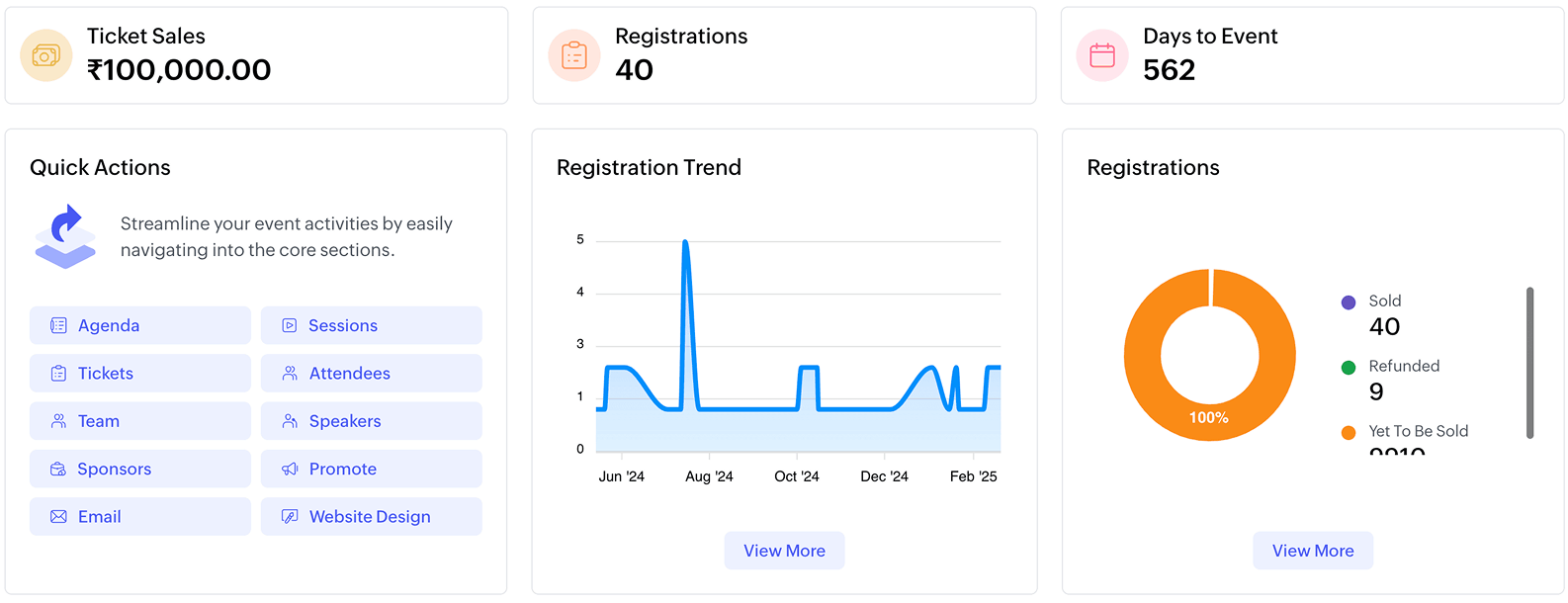
Here's an example of how event management software can bring both early results and event-day stability.
PPAM (Pet Practitioners Association Mumbai) and Captain Zack were gearing up to run their first large-scale webinar. With a well-planned promotional strategy, a comprehensive event website, and clear agenda management, the event drew over 1,800 participants from 60 countries. The coordinated effort from the website to social promotions ensured the entire experience ran smoothly. With Zoho Backstage, they even saw 80% more registrations than they expected.
"The roaring success of the webinar led to us organizing another mega one within a week, which we could only dare to do because of Zoho's fantastic tech toys."
- Dr. Jamshyd Cooper, Veterinarian, Captain Zack
Phase 3: Event marketing and promotions
52% event planners say that increasing attendance is their biggest challenge. Your event promotions must drive qualified registrations and measurable engagement, and not just visibility. For event marketing teams in small and medium-sized businesses (SMBs), the challenge to promote events is even more amplified. Lean teams juggle design, social promotion, and communications, all on a tight budget and stiff deadlines.
A unified event management software can be a great way for event teams to build a more flexible and creative event marketing strategy. Here are some ways an event management software can help small teams effectively promote events:
- Instant event website: Create stunning, on-brand websites and landing pages for your event using an integrated website builder in a few hours. No designer or developer needed.
- Promo codes & discounts: Drive early registrations and boost ticket sales with early-bird discounts and offers using promo codes. You can create them directly on the website using event management software.
- Email campaign management: Curate a list of attendees, and send them email campaigns with promotional content, event communications, reminders, and more, all from a single interface for complete visibility and tracking.
- Social promotion tools: While executing your social media event marketing strategy, your event planning tool lets you share your event landing pages on your own social channels to maximize reach without extra effort.
- Affiliate promotions: Affiliate marketing is a great way to bring quick registrations without heavy marketing spend. You can create and leverage affiliate links and track performance within your event management software.
These are just some of the basic capabilities of event marketing automation brought by event management software. A comprehensive event planning platform can offer detailed tools and integrations, while remaining accessible for non-technical teams.
Here's another example of how SMBs can maximize reach, efficiency, and creativity in event marketing. Even with limited resources, La French Tech México hosted an anniversary event that drew 450+ attendees with just a six-member team. They built a no-code event website using Zoho Backstage, which they used to sell tickets directly and track engagement with built-in dashboards, achieving impressive results without expanding their team.
Phase 4: Attendee management and experience
Creating an engaging and immersive attendee experience doesn't have to be expensive. Using your event management software, you can ensure that every attendee touchpoint—from registration to post-event engagement—is smooth, enjoyable, and intuitive.
Here are some ways event management software can enhance your attendees' overall event experience.
- Registrations & ticketing: Quick, functional registration forms (connected directly to your CRM) streamline attendee signups. For events, you can set up flexible ticket pricing, early-bird options, or VIP passes. With Zoho Backstage, for example, you can set up "ticket classes" with free-to-tiered ticket pricing and other benefits, without any commission.
- Check-in and badging: Automating check-in with QR scanning can be a considerable time and effort saver for your team. Using event management software helps keep your registration data connected to your front desk. In Zoho Backstage, for example, you can introduce modern features like QR-scan-based check-in and instant badge printing to save time while creating a seamless, personalized entry experience.

- AI-powered engagement tools: Use features such as AI-based networking, polls, Q&A, gamification, and other options to keep attendees active and engaged. You can also use these tools to gather feedback and calculate metrics such as NPS (Net Promoter Score) through dynamic, automated feedback forms.
- Post-event content: Attendee engagement doesn't have to stop with event day. Post-event, you can host all your content, such as virtual sessions, ebooks, and other event-related documentation, directly on a dedicated website powered by your event management software. It not only grants attendees easy access but also allows you to track which content from your event resonates most with attendees to plan future events.
The best part? All of these capabilities can be integrated into a single workflow with an event management platform, so you do not need to configure each enhancement or tool individually, without compromising speed, quality, or creativity. This ensures that you retain focus on your audience and their experiences, rather than drowning in operational logistics.
Phase 5: Scaling multi-event strategy
The right software solution to manage events isn't just stable. It is also scalable. As a small business, your growth rate might follow an exponential curve over the next few months and years—this means your event management software should keep pace with your event strategy.
Here are capabilities that support multi-event growth:
- Multi-event management: Plan, create, and manage multiple events concurrently across formats (in-person, virtual, hybrid, etc.), without process breaks at any point.
- Expos, conferences, trade shows: Dedicated modules help manage exhibitors, sponsors, and vendors seamlessly. Plan larger in-person events, such as expos and trade shows, with ease.
- Data and analytics: Your event planning platform makes it possible to collect, organize, and analyze your data in real time across attendee management and task planning. With data by your side, optimizing your event process is much easier, as it makes it easy to course-correct early and plan for your event without hitches.
Event success lies in repeatability—delivering consistent quality, memorable experiences, and fresh ideas. A scalable event management platform like Zoho Backstage allows you to maintain high standards with a small team, even as your event portfolio grows.
