Facebook Analytics Tool for Marketers
Facebook doesn't make it easy to see the full picture of your Page and Ads performance in one place. Zoho Analytics pulls your Facebook data into visual reports and dashboards, so you can track what's actually working, benchmark against competitors, and share results with your team or clients without exporting a single CSV.
Sign up in less than 60 seconds
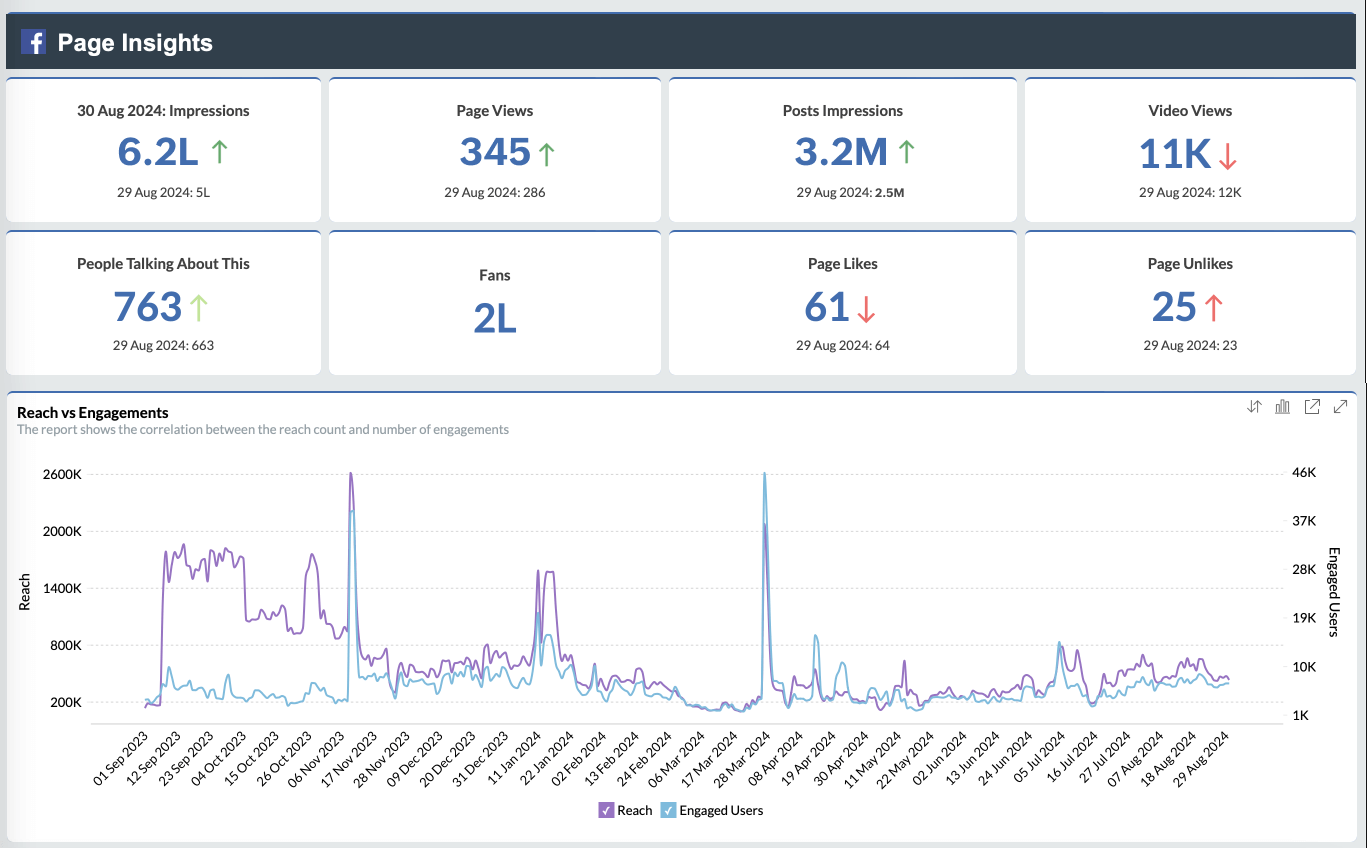
Turn your Facebook data into decisions, not just reports
Connect your Facebook Page and Ads account once, and Zoho Analytics keeps the data flowing automatically. Build the reports that answer your actual questions, instead of switching between tabs in Meta Business Suite.
Key features of our Facebook Analytics Tool
4 Million Users. 50 Million Visualizations. 1 Analytics Platform.
Collaborative analytics
Build and review reports with your content and marketing team. Share or embed dashboards for anyone else who needs the numbers.
Pre-built visualizations
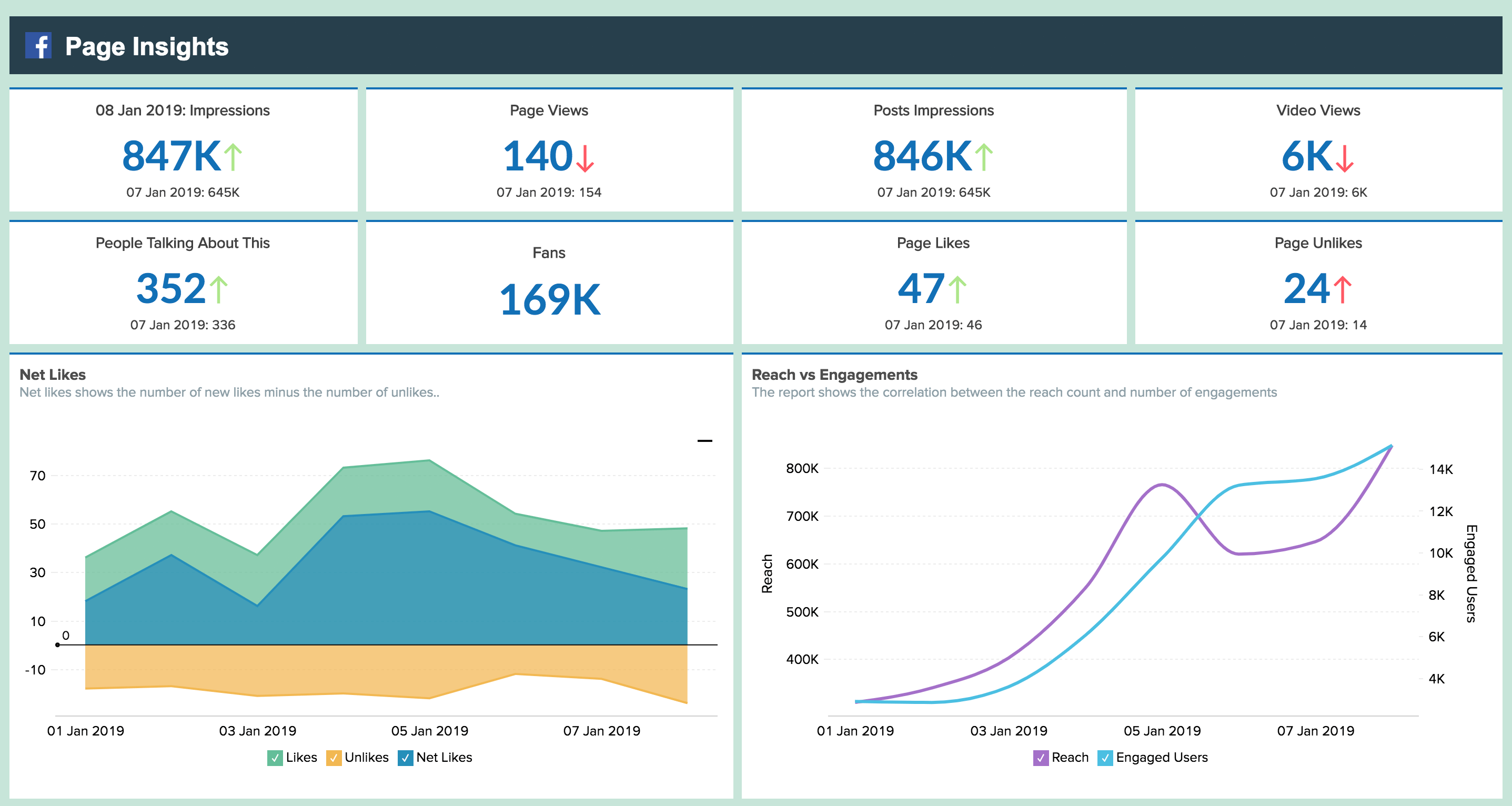
Start with more than 75 ready-made reports and dashboards on your Page's performance instead of building from a blank canvas.
Email, export and print reports
Export or print reports for offline use. Schedule dashboards to land in the right inbox automatically every week.
Data blending
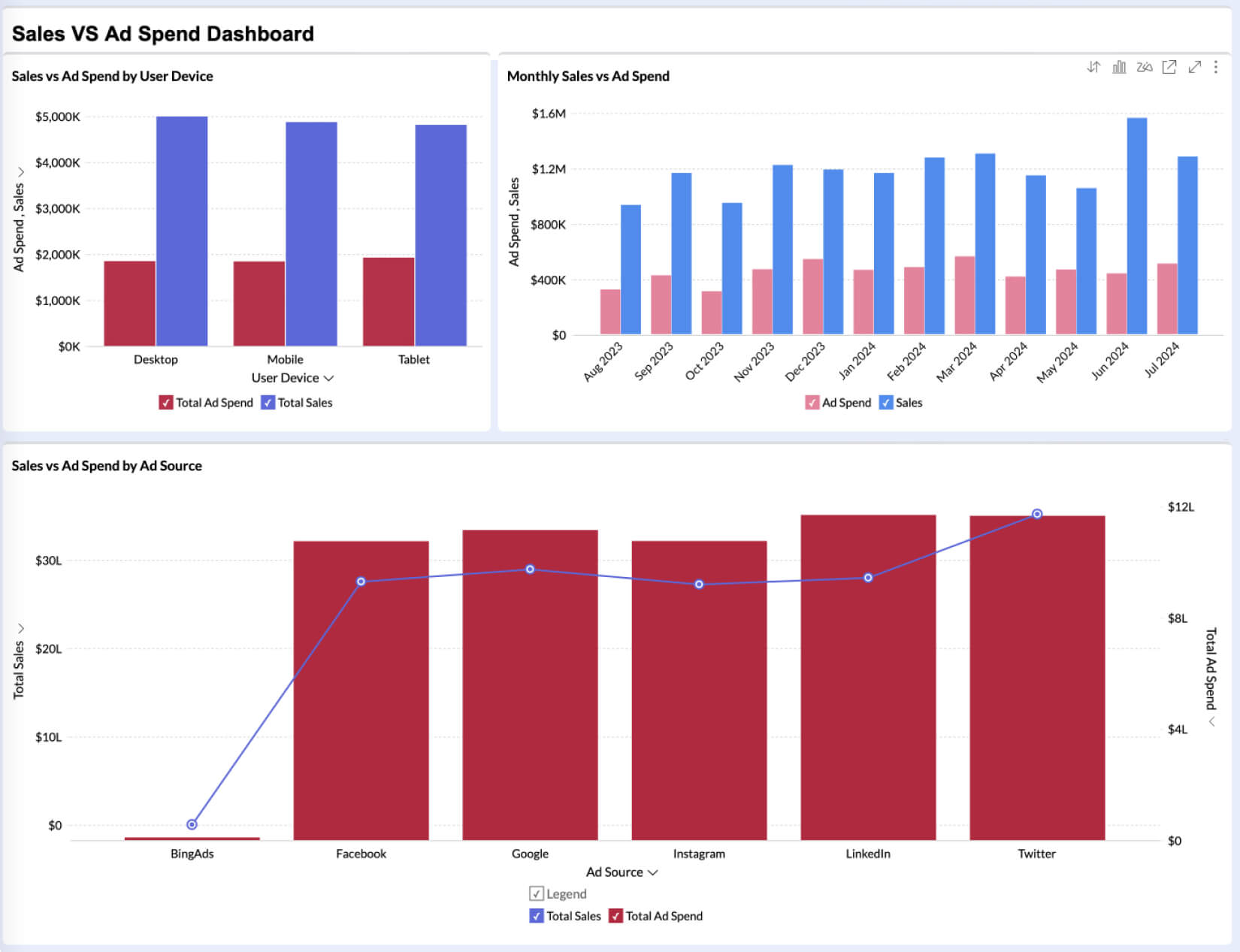
Combine Facebook data with your other marketing or sales sources to see the full story, not just the Facebook slice of it.
Smart analytical assistant
Ask Zia a question in plain English and get back a report or KPI widget, no formulas required.
Embedded analytics
Put a full BI and reporting experience inside your own product or client portal, under your own brand name.
Other related connectors
View more connectorsInstagram
Learn moreYouTube
Learn moreTwitter
Learn moreLinkedIn Ads
Learn moreGoogle Ads
Learn moreBing Ads
Learn more
Hear it from our customers
"Zoho Analytics is such a powerful BI tool. I have connected to a database, excel sheets from my Drive, Google Ads, Google Analytics and Facebook Ads, and it lets me create tables, reports, and dashboards. The best thing is that it is very easy-to-use and I use it every day to get my main KPIs and take decisions based on the results and trends. "

Verified Reviewer
Google Play
Solutions / How-Tos
Analyze your Facebook data today
Sign up for freeFacebook analytics: frequently asked questions
What happened to Facebook's own Analytics tool?
- Meta shut down its native Facebook Analytics product in 2021 and folded basic reporting into Meta Business Suite. Meta Business Suite covers Page and post-level metrics, but it doesn't let you combine that data with your ad spend, CRM, or any source outside Facebook, and it doesn't give you custom reports or dashboards you can share externally. That's the gap tools like Zoho Analytics fill.
What does a Facebook analytics tool actually do?
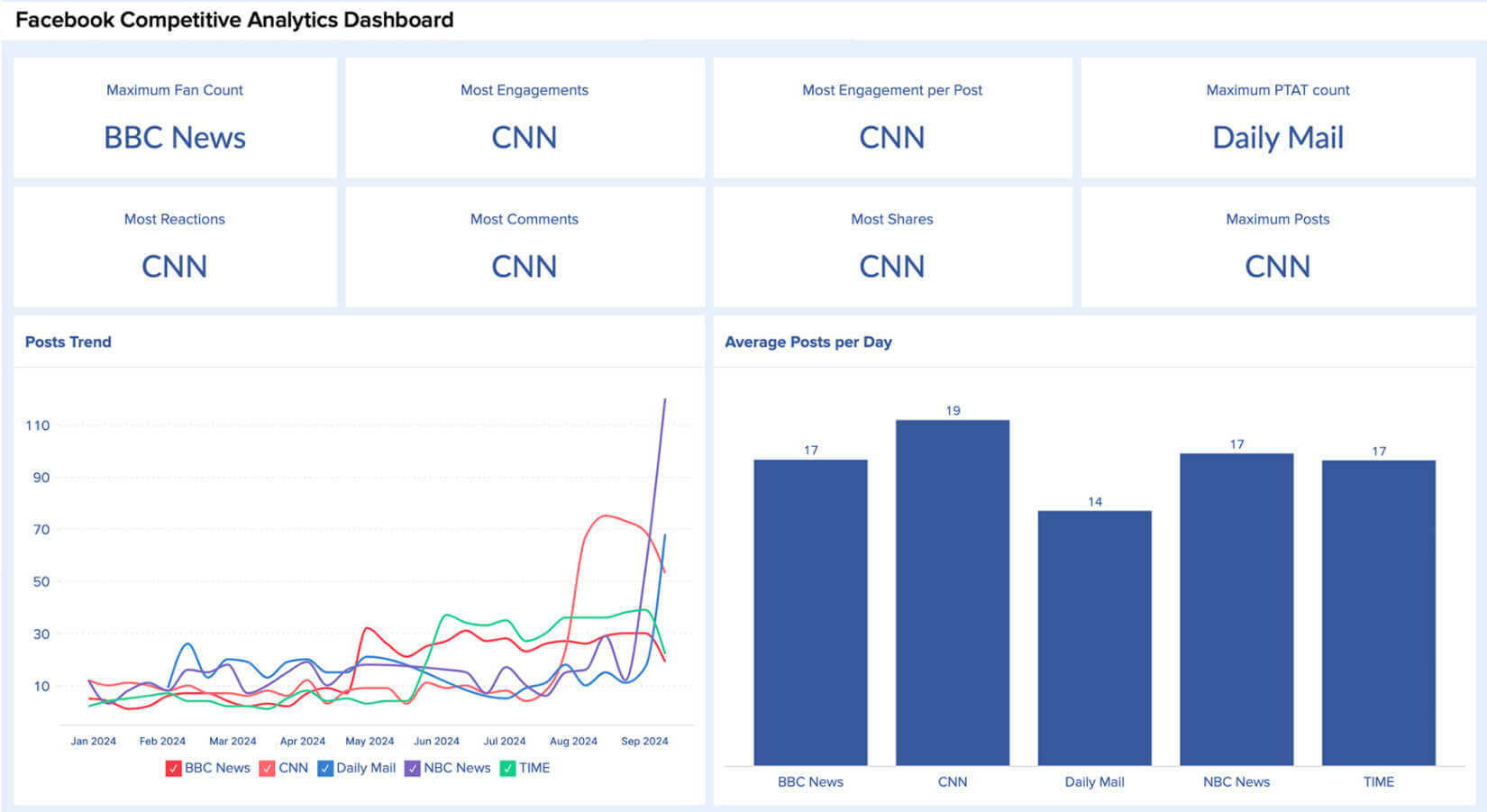
- It pulls your Page and Ads data out of Facebook's native interface and into reports you control: custom dashboards, scheduled exports, and comparisons Facebook itself doesn't offer, like side-by-side competitor benchmarking.
What are the real key Facebook Page and Ad metrics that you should be tracking?
- Monitoring the following key metrics is essential for summarizing your overall performance on Facebook:
- Reach and impressions: how many people saw your content, and how often.
- Engagement rate: likes, comments, and shares as a share of your reach.
- Follower growth: whether your audience is actually growing or plateauing.
- CTR (Click-Through Rate): how often people click through on your posts or ads.
- CPM (Cost Per Thousand Impressions): what you're paying per thousand impressions.
- Best time to post: when your specific audience is actually active, not a generic industry average.
Why use Zoho Analytics instead of Meta Business Suite alone?
- Meta Business Suite shows you Facebook in isolation. Zoho Analytics lets you blend that data with your other marketing channels or business data, build the specific reports your team needs instead of using fixed templates, set up automatic email and scheduled reports, and share dashboards with clients or stakeholders who don't have access to your Facebook account.