




Rated by the finest.
Leading work management software for project teams.

- App Store



What is project collaboration?
Collaboration in project management involves individuals in a team sharing their expertise, skills, and knowledge to achieve common goals. Involving all stakeholders, especially clients, during the planning phase is crucial in preventing any scope creep or changes at later stages of the project.
Things to look for in a project collaboration tool
There are several important factors to look for in a project management collaboration tool. These are make or break features that ensure complete project collaboration is enabled for your team. Zoho Projects is a comprehensive tool that has all of these features. Let's check them out:
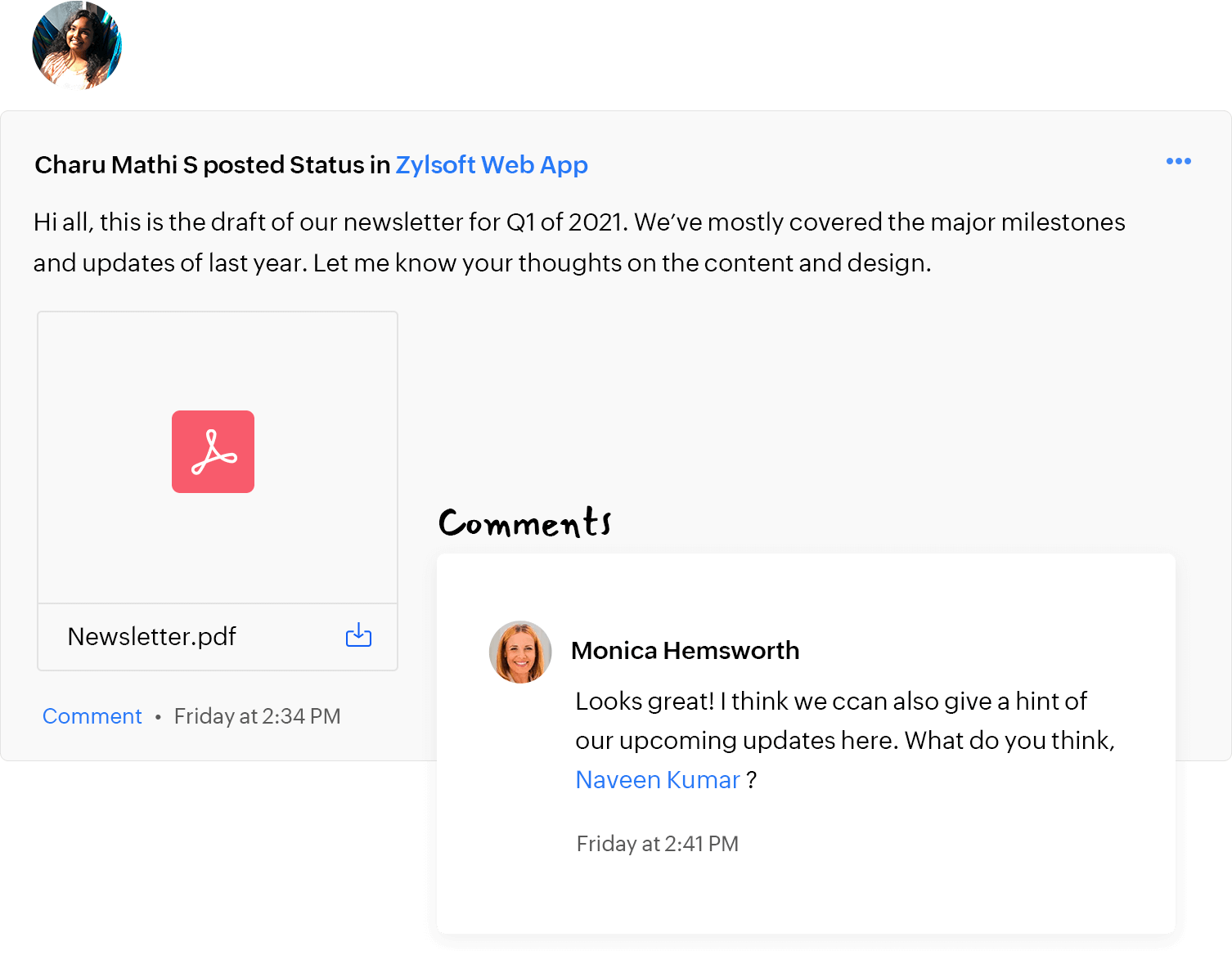
Stream of latest activities
Project Feed that facilitates online project collaboration by giving you a quick overview of the latest activities happening in your project. Learn More.
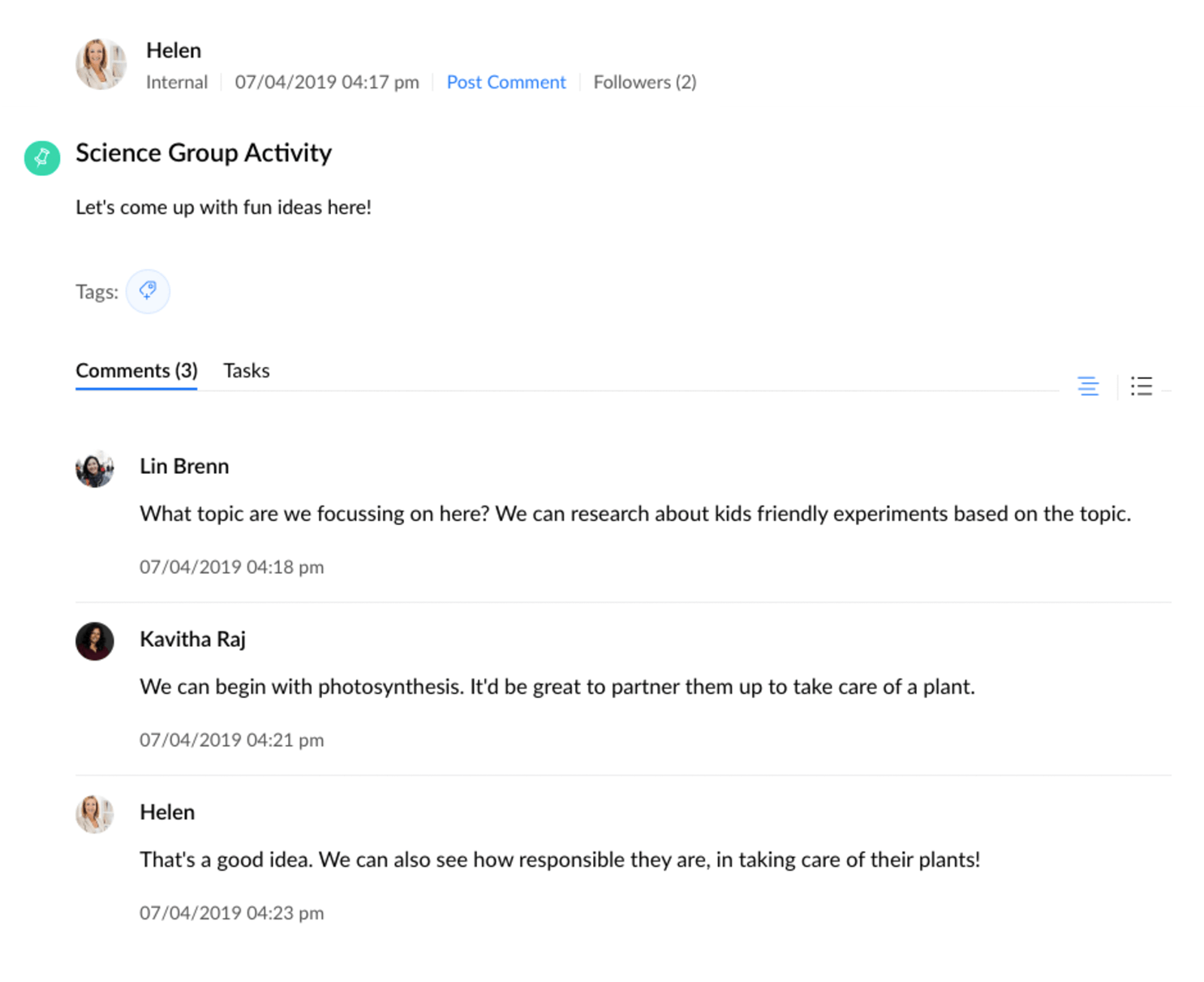
Discuss in project forums
Forums are interactive message boards where one can post a topic and let ideas flow back and forth. Any group project involves discussions, unlike emails, all topics are available at a central location. Learn More.
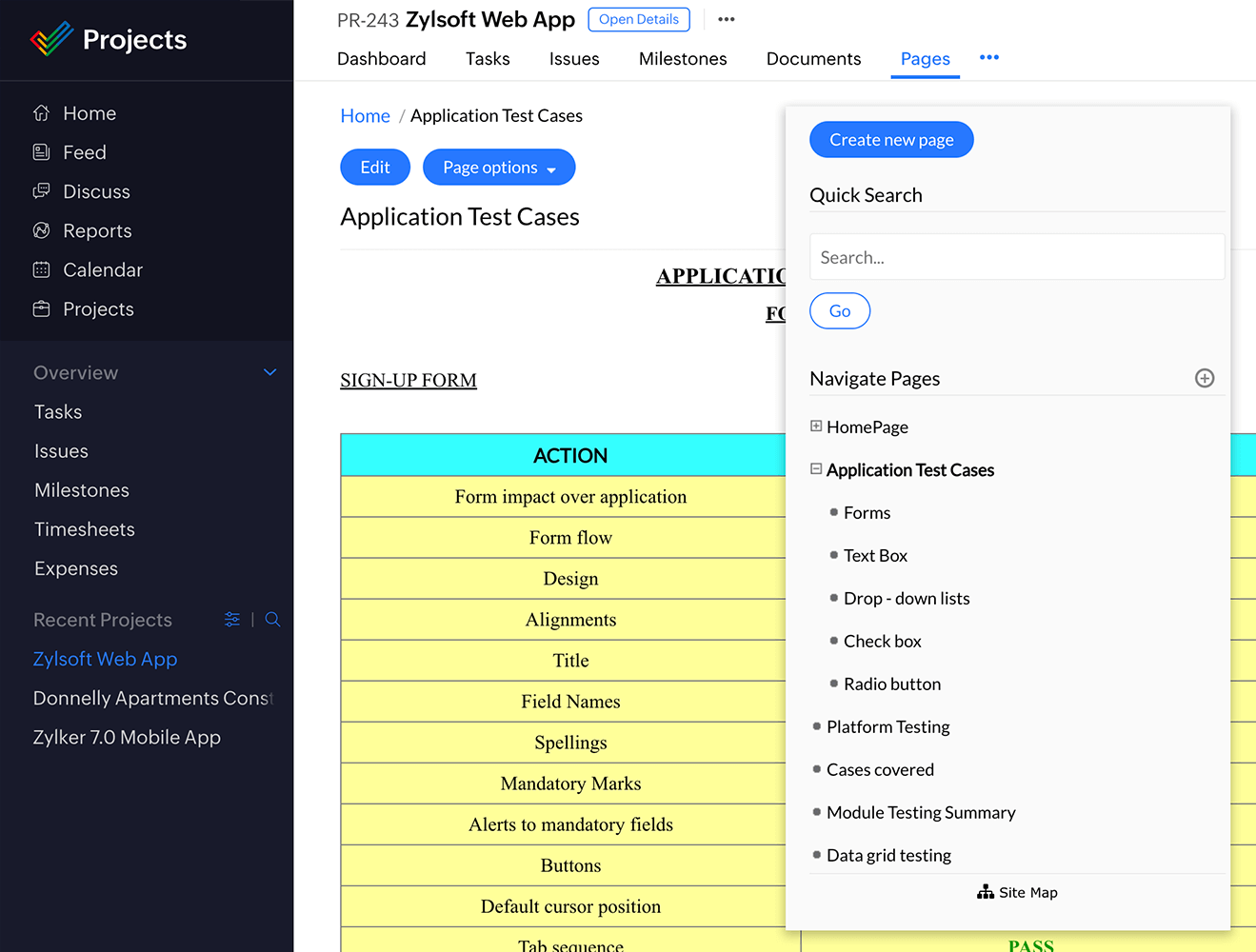
Create intranet in project wiki
The Pages module in Zoho Projects offers an integrated wiki interface for your projects where you can create, share and organize your pages. Learn More.
Chat with your project team
The chat rooms in our free project collaboration tool allow everyone on the project to quickly come together to discuss important topics and make decisions faster. Learn More.

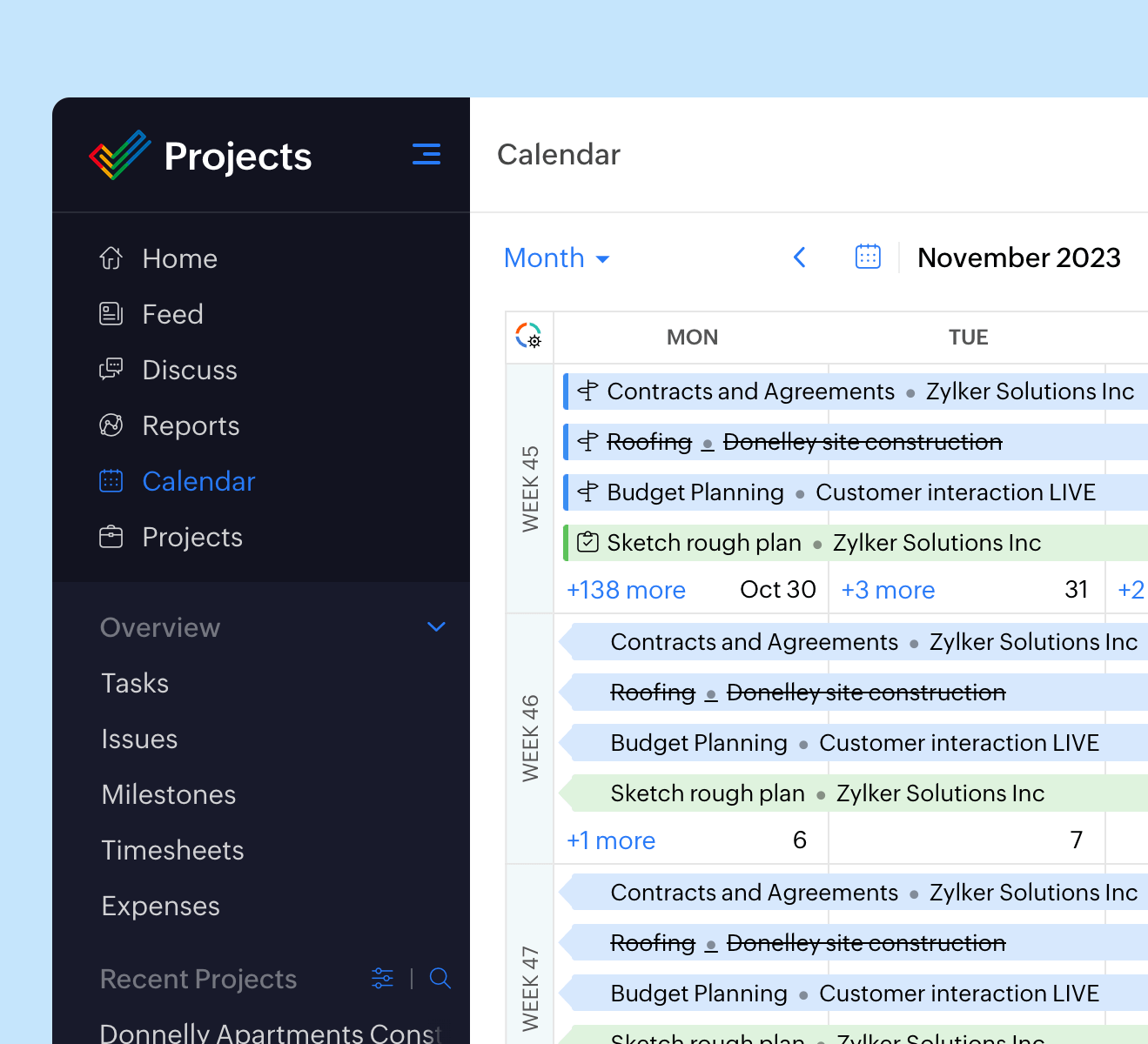
Shared project calendar
Calendar gives you the power to revolutionize the way your project team works. In addition, you can gather notes, post links all in one place. Learn More.
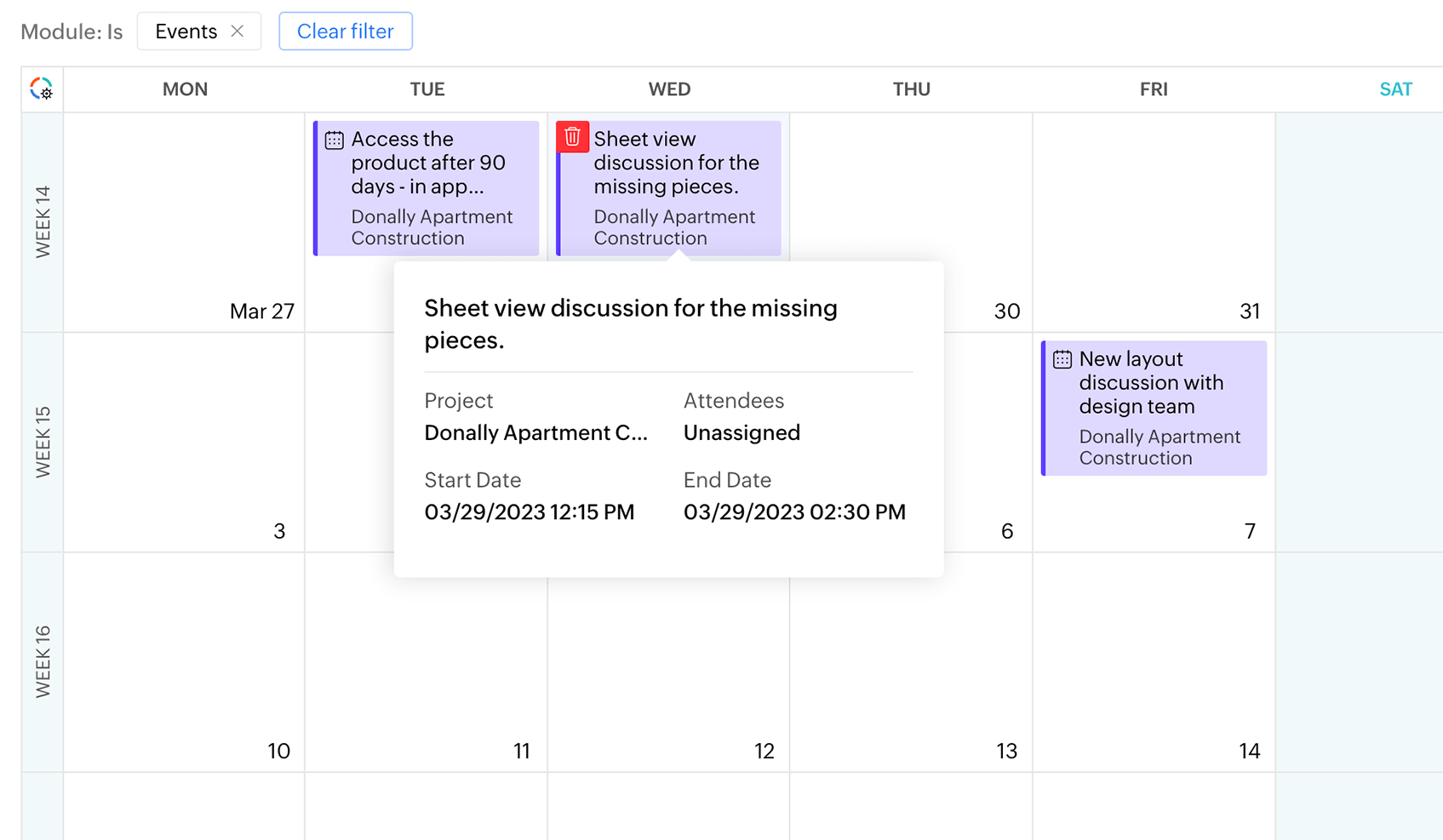
Schedule team events
Schedule team events, gather notes, post slides and manage all important meetings of a project from a single place. Learn More.
What are project collaboration tools?
Project collaboration tools refer to software with features designed to enable effective communication and collaboration among project managers, team members, and other stakeholders. Collaboration can take different forms depending on the team's preferences, ranging from face-to-face meetings and instant messaging to regular status updates. Project management collaboration tools typically cater to some or all of these needs to facilitate smooth project execution.
Why do project teams need collaborative project management software?
Project teams need collaborative project management software to facilitate open communication between project managers, team members, and all other stakeholders involved in the project. Collaborative project management software allows teams to work together and achieve common business goals by providing features like email, document sharing, group calendar, team collaboration, and real-time collaboration
To fulfill these requirements, collaborative project management software should include essential features such as email integration, document sharing, group calendars, team collaboration tools (e.g. calendars and meetings), and real-time collaboration tools (e.g. streams, chats, and forums).
Importance of project collaboration
Collaboration allows team members to leverage their strengths, knowledge, and skills to work towards a common goal. It encourages creativity, innovation, and problem-solving by exposing teams to diverse perspectives. This process is also vital in fostering a sense of unity and ownership, which directly impacts motivation and productivity.
Effective collaboration also ensures that all team members are on the same page and working towards the same objectives. By working together, team members can share resources, distribute workloads, and support each other throughout the project lifecycle.
Overall, project collaboration is crucial for achieving efficient, high-quality results that meet project goals and stakeholder expectations.
Project management vs. project collaboration
| Aspect | Project collaboration | Project management |
|---|---|---|
| Definition | Involves working with others to achieve a common goal, emphasizing teamwork and communication. | Involves planning, organizing, securing, leading, and controlling resources to achieve specific goals. |
| Focus | Team interaction and cooperation. | Reaching project goals and meeting success criteria at a specified time. |
| Scope | Generally broad, encompassing all forms of communication and interaction among participants. | More structured with defined objectives, timelines, and deliverables. |
| Tools used | Communication platforms, file sharing, live editing software, and discussion forums. | Scheduling tools, resource allocation tools, risk management tools, and budget management software. |
| Outcome | Enhanced teamwork, improved communication, and more inclusive decision-making. | Successful project completion within the allocated time and budget constraints. |
Tips to improve project collaboration
- Use collaborative tools: Invest in good quality collaboration software that offers features like messaging, video conferencing, document sharing, and live document editing. Tools such as Zoho Projects, WorkDrive, Cliq, and Mail can be crucial.
- Regular updates and meetings: Hold regular meetings to ensure all team members are on the same page. These can be daily stand-ups or weekly check-ins. Use these meetings to address concerns, update the team on progress, and discuss future steps.
- Clear roles and responsibilities: Clearly define each team member’s role and responsibilities to avoid confusion and overlap. This clarity helps team members know to whom they should turn for specific issues and how they fit into the overall project.
- Encourage open communication: Foster an environment where team members feel comfortable sharing their ideas, concerns, and feedback. Open communication can lead to innovative solutions and help prevent minor issues from becoming major problems.
- Document everything: Maintain thorough documentation of all project-related communication and updates. This can include meeting minutes, project timelines, decision logs, and feedback sessions. Documentation ensures that everyone has access to the same information and can refer back to it as needed.
- Set common goals: Align your team around common goals and objectives. When everyone understands the big picture and their role in achieving it, it can increase motivation and cooperation.
- Foster a team culture: Build a positive team culture that encourages trust and mutual respect. Activities that enhance team bonding or informal gatherings can improve interpersonal relationships, making collaboration more natural and effective.
Top project collaboration tools
Here's a list of tools that you can use to enhance collaboration in your organization.
- Zoho Projects
- Zoho Cliq
- Slack
- Zoho Mail
- Gmail
- Zoho Meetings
- Zoom
- Microsoft Teams
- Wrike