

- HOME
- Accounts payables
- Accounts payable automation: The smartest investment your finance team can make
Accounts payable automation: The smartest investment your finance team can make
Picture this.
An invoice arrives by email on a Tuesday. Someone downloads it, keys the details into a spreadsheet, and forwards it to a manager for approval. The manager is traveling. The invoice sits in their inbox for four days. A reminder is sent. The approval comes through on Friday. By then, the early payment discount has expired. The invoice gets processed on Monday, entered into the accounting system by a different person, and paid a week later, two days past the vendor's due date. The vendor follows up. Someone else spends an hour sorting it out.
This is not the worst-case scenario. For businesses running accounts payable on manual processes, this is a typical work week.
Every delay, error, and wasted hour in that sequence is solvable. That is what accounts payable automation does, and the reason more finance teams are treating it not as a nice-to-have upgrade, but as a foundational shift in how their business operates.
Why manual accounts payable processes hold businesses back
Manual AP works... until it doesn't. For early-stage businesses with a handful of vendors and a low invoice volume, spreadsheets and email chains are manageable. As the business grows, the cracks appear quickly.
The most visible cost of manual accounts payable is time. Processing a single invoice manually which involves receiving it, validating it, entering data, routing it for approval, following up, and recording the payment, takes far longer than it should. Multiply that by hundreds of invoices a month and you have a finance team spending a significant portion of its working hours on tasks that produce no analytical value.
The less visible cost is errors. Manual data entry is inherently inaccurate. A transposed digit, a duplicated invoice, or an incorrect vendor code, these mistakes are easy to make and hard to catch after the fact. Duplicate payments alone cost businesses billions of dollars globally each year, and the majority happen because there is no automated system checking whether an invoice has already been processed.
There is also the fraud risk. Manual AP processes with weak internal controls are an open invitation for invoice fraud, whether from external bad actors submitting fictitious invoices or internal employees exploiting gaps in oversight. Without automated validation and matching, these schemes can run undetected for months.
Finally, manual AP makes cash flow planning difficult. If your finance team cannot see in real time what invoices are outstanding, approved, or overdue, every cash flow forecast is built on incomplete information. That uncertainty has a compounding effect on every financial decision the business makes.
What is accounts payable automation?
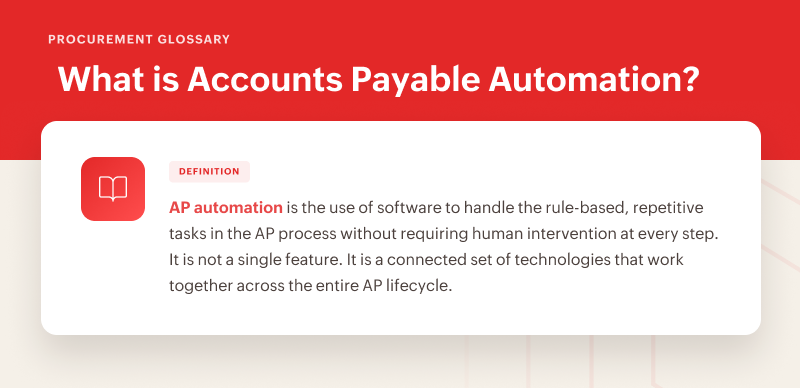
AP automation is the use of software to handle the rule-based, repetitive tasks in the AP process without requiring human intervention at every step. It is not a single feature. It is a connected set of technologies that work together across the entire AP lifecycle.
At the point of invoice capture, automation uses a combination of optical character recognition and artificial intelligence to read incoming invoices, regardless of format or source, and extract the relevant data. Vendor name, invoice number, line items, amounts, tax, and due dates are pulled automatically and accurately, without anyone typing them in.
Once data is extracted, the system validates it against existing vendor records and flags anomalies before they move forward. Duplicate detection runs automatically, checking new invoices against historical data to catch submissions that have already been processed.
Matching logic is one of the most technically important capabilities in accounts payable automation. A 2-way match checks an invoice against a purchase order to confirm the amounts and terms align. A 3-way match adds a third check against the goods receipt, confirming that what was ordered was actually delivered before payment is approved. These checks happen in seconds and remove one of the most common sources of payment errors from the equation entirely.
Approval workflows in an automated AP system route invoices to the right people based on predefined rules like invoice amount, expense category, department, or vendor type, without anyone manually deciding who needs to see what. Approvers receive notifications, review on any device, and the invoice moves forward the moment authorization is given.
Payment execution and accounting sync close the loop. Once approved, payments are scheduled and processed automatically. Every transaction is recorded in the accounting system in real time, keeping the books accurate without a separate reconciliation effort at month-end.
The automated AP lifecycle: What each step looks like in practice
The AP lifecycle does not change with automation. What changes is who or what does the work at each stage.
An invoice arrives by email, through a vendor portal, or directly from a procurement system. The system captures it immediately, regardless of format, and extracts all relevant data using AI. No downloading, no manual data entry, no filing.
The extracted data is validated automatically. The system checks the vendor against existing records, flags discrepancies in amounts or terms, and runs duplicate detection in the background. If something does not look right, it is flagged for human review. If everything checks out, it moves forward.
Matching runs next. The invoice is checked against the corresponding purchase order and, where applicable, the goods receipt. Mismatches are caught before the invoice reaches an approver, which means the approval stage is faster and cleaner because the groundwork has already been done.
The invoice is routed to the right approver automatically, based on the rules the finance team has defined. The approver receives a notification, reviews the invoice in the system, and approves or flags it. There are no email chains, no manual follow-ups, no invoices stuck in someone's inbox over a long weekend.
Once approved, payment is scheduled according to the vendor's terms and executed via the appropriate method. The transaction is recorded automatically in the accounting system. The liability is cleared. The books are current.
From invoice arrival to payment execution, the process is faster, more accurate, and fully traceable, without a proportional increase in the time your team spends on it.
How AP automation solves your biggest challenges
Duplicate payments
These happen when the same invoice enters the system more than once and there is no mechanism to catch the overlap. Automation solves this at the capture stage. Every incoming invoice is checked against historical records before it moves forward. If a duplicate is detected, it is flagged immediately rather than processed and paid.
Approval bottlenecks
Bottlenecks in approval are the single biggest source of delayed payments in manual AP. When approvals depend on individuals being available and responsive, the process is only as fast as the slowest person in the chain. Automated workflows eliminate the dependency. Invoices are routed instantly, approvers are notified in real time, and escalation rules ensure that an invoice does not stall because one person is unavailable.
Manual errors
Manual data entry errors are removed from the equation when AI handles invoice capture. The system reads and extracts data with a level of consistency that manual entry cannot match, and validation logic catches what does slip through before it causes a downstream problem.

Fraud risk
Fraud risk is significantly reduced when automation enforces controls that manual processes cannot. Vendor verification at onboarding, duplicate detection, 3-way matching, and approval workflows with segregated duties create multiple layers of protection against both internal and external fraud. Every transaction carries a clear, traceable record of who authorized what and when.
Cash flow visibility
Visibility into cash flow improves because the system always knows the current state of every invoice in the pipeline. Finance teams can see exactly what is outstanding, approved, and due at any point in time. That visibility turns cash flow forecasting from guesswork into a reliable planning tool.
What AP automation means for the people on your finance team
The most common concern AP teams raise about automation is the most understandable one, that it replaces people. It does not. What it replaces is the part of the job that nobody finds valuable.
AP professionals who spend their days keying in invoice data, chasing approvals, and manually reconciling payments are not doing work their skills are suited for. Automation handles the mechanical tasks so that the people on your AP team can focus on vendor relationship management, exception handling, spend analysis, and process improvement. The work becomes more meaningful, not less.
For business owners, automation means the AP function can scale with the business without scaling headcount at the same rate. A team that processes 200 invoices a month manually will struggle at 600. With AP automation in place, that same team can manage significantly higher volumes without a corresponding increase in errors or workload.
How to know if your business is ready for AP automation
There is no perfect moment to make the switch, but there are clear signals worth paying attention to.
If your invoice volume is growing and your team is consistently stretched to keep up, that is a signal. If payment errors or duplicate payments have started appearing in your reconciliations, that is a signal.
If approval bottlenecks are causing late payments and vendor friction, that is a signal. If your last audit required significant manual effort to reconstruct a payment trail, that is a signal.
The businesses that wait for a crisis before automating typically spend more time and money recovering from that crisis than they would have spent on AP automation in the first place. The right time to automate is before the problems become expensive, not after.
How Zoho Procurement tackles every AP challenge automatically
The challenges covered in this article are not abstract. They are the daily reality for AP teams still running on manual processes. Zoho Procurement is built to solve each of them directly.
For teams drowning in manual data entry, Zoho Procurement's AI-powered invoice capture reads incoming invoices from multiple sources and formats, extracting header and line-item data automatically with high accuracy. The hours spent keying in invoice details go away entirely.
For businesses losing money to duplicate payments and invoice mismatches, automated 2-way and 3-way matching checks every invoice against purchase orders and goods receipts before it ever reaches an approver. Problems are caught before money leaves the account, not after.
For finance teams where approvals are a constant bottleneck, dynamic workflows route every invoice to the right person instantly based on rules the team defines. Escalation paths ensure nothing stalls. Approvals happen faster because the system handles the routing.
For businesses spending too much time on vendor communication, a dedicated vendor portal gives every supplier a single place to submit invoices, check payment status, and stay aligned, with no back-and-forth email required.
For teams that need AP data to stay current in their accounting records, Zoho Procurement connects directly to your accounting workflows through built-in integrations and configurable syncs. Every payment is recorded accurately, in real time, with no separate reconciliation step.
If your AP process still runs on manual effort and you are ready to change that, explore Zoho Procurement now!
Conclusion
Manual AP is not a permanent condition. It is a starting point. The businesses that recognize it as one, and act on it, build finance functions capable of supporting growth rather than slowing it down. Accounts payable automation is not the finish line. It is what clears the path to get there.