
How can I charge my customers a convenience fee in Zoho Payments?
A convenience fee is an optional charge applied to customers to help cover payment handling costs. The convenience fee feature in Zoho Payments is enabled or disabled by the Zoho Payments team. To enable this for your account, contact us. Once enabled, the convenience fee is automatically applied at checkout based on the agreed upon percentage.
How the convenience fee is calculated
For card and net banking transactions
The convenience fee is calculated as a fixed percentage of the transaction amount. This is based on the agreed upon percentage.
For UPI and RuPay credit card transactions
UPI payments can be made using either bank accounts or RuPay credit cards. Zoho Payments lets you set a single, unified convenience fee for all UPI transactions. You can choose whether this fee is based on UPI payments from bank accounts or RuPay credit cards, depending on what works best for your business.
Note: Convenience fees cannot be collected for recurring payments and bank transfers.
GST at 18% is applied on the convenience fee and collected from the customer along with the payment amount.
How the convenience fee is applied during checkout
The convenience fee is applied at checkout before the customer completes the payment, and is included in the payment summary. Zoho Payments automatically calculates the convenience fee, adds the applicable GST(18%), and shows the final payable amount to the customer. The customer can review a clear breakup of the base amount, convenience fee, and taxes before confirming the payment.

Once the payment is received, Zoho Payments charges you a platform fee on the total amount. After deducting the platform fee and applicable taxes, the remaining balance is paid out to you.
Note: An additional 18% GST is applicable on the platform fee, except for domestic card payments up to ₹2,000.
The platform fee is charged to you as the merchant for using Zoho Payments and is independent of the convenience fee collected from the customer. Collecting a convenience fee does not replace or offset the platform fee.
Where you can view the convenience fee
If a customer has paid a convenience fee, it appears in the Payment Details section of that transaction. To check this:
- Go to Payments and select the transaction.
- Click View Details under the Payment Details section.

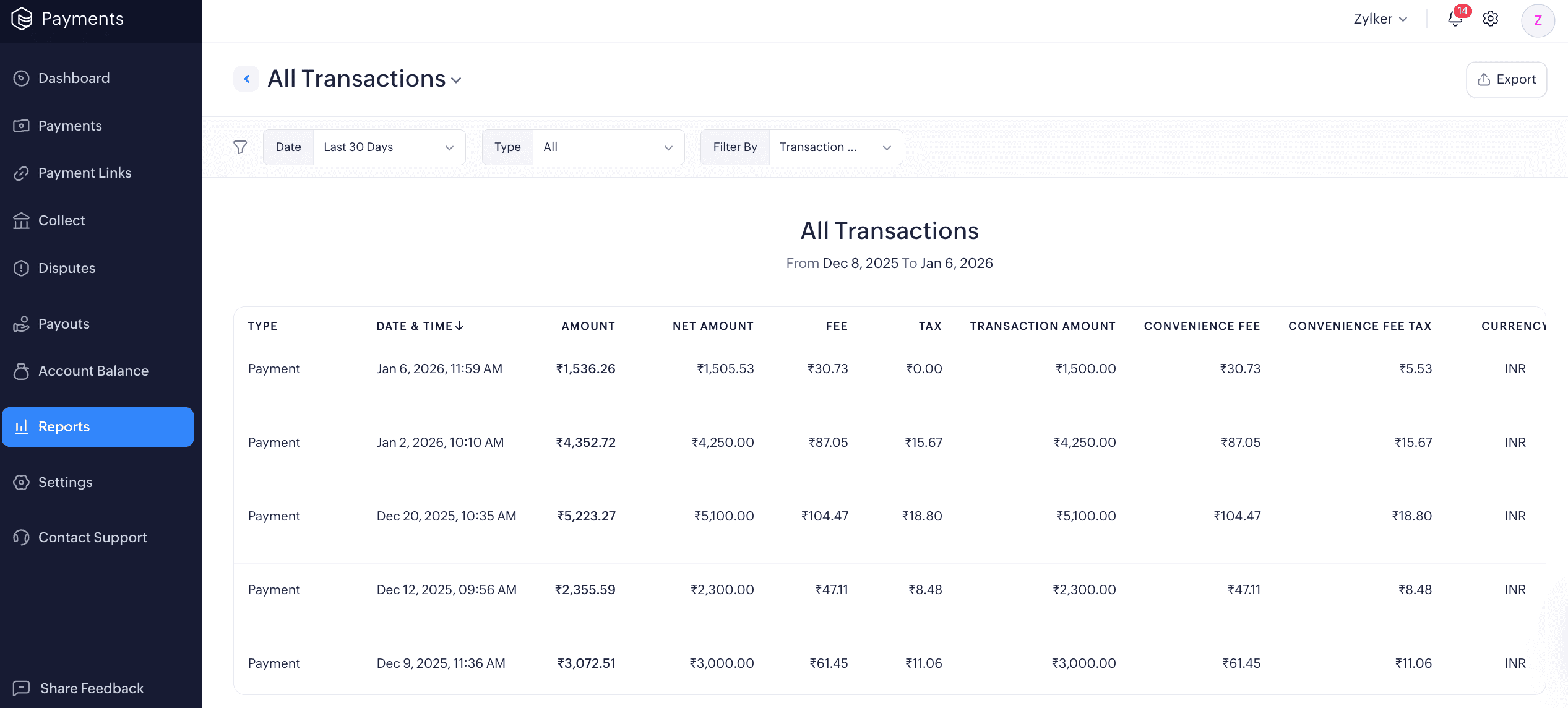
You’ll see the full breakup, including the convenience fee and taxes. If you want a consolidated view of all convenience fees collected, you can refer to the All Transactions Report in Zoho Payments.

 Walkthrough of Zoho Payments personalized to your business needs