- HOME
- Customer Support Operations
- The ultimate guide to ticketing and case management for modern customer support
The ultimate guide to ticketing and case management for modern customer support
- Published : January 13, 2026
- Last Updated : June 4, 2026
- 551 Views
- 7 Min Read

In today’s digital world, customers expect quick replies. Studies show that most customers want a response within 60 minutes of sending a support request. When support teams can’t keep up, customer satisfaction drops fast.
That’s where ticketing and case management systems come in. Ticketing systems help teams organize and resolve individual customer requests efficiently. Case management groups related issues, conversations, and customer history into one structured workflow. It is especially useful for complex and long-term issues that need collaboration and follow-ups over time. In modern customer support, ticket management and case management work together.
Without structured ticket management, support teams often face scattered communication, slow response times, unclear ownership, and limited visibility into performance. These issues don’t just affect agents; they also hurt customer trust and loyalty.
In this guide, you’ll learn how ticketing and case management work, why they are essential for modern customer support, and how to choose the right tools to manage tickets, track cases, and improve customer experiences at scale.
What is a help desk ticketing system?
A help desk ticketing system is a software tool that helps customer support teams organize, manage, and resolve customer issues. Whenever a customer reaches out for help through multiple channels like email, chat, phone, or a support form, this ticketing system creates a ticket that captures the details of the request.
This ticket serves as a single source of truth, allowing support agents to track the issue from when it’s reported until it’s fully resolved. Once a ticket is created, it’s placed into a queue where it can be assigned to the right agent or team based on priority, category, or expertise. The system tracks each update, response, and status change, ensuring nothing gets overlooked.
It can include service level agreements (SLAs) that help teams meet response and resolution deadlines. Automated workflows streamline tasks such as ticket routing, escalation, and follow-ups. Together, these parts help support teams work more efficiently, stay accountable, and provide consistent, timely customer service.
How to streamline ticket creation, assignment, and resolution
Efficient ticket workflows are the backbone of modern customer support. When tickets are created automatically, routed intelligently, and resolved with clear accountability, teams can respond faster and deliver consistently great experiences. Here’s how to streamline each stage of the ticket lifecycle.
Automating ticket creation from email, chat, social media, and forms
Customers reach out through multiple channels. Expecting agents to manually log every request from each channel slows everything down. Automation ensures that no inquiry is missed and every conversation turns into a trackable ticket.
Unified intake: Automatically convert emails, live chats, social media messages, and web forms into tickets within a single system.
Standardized data capture: Use predefined fields like issue type, priority, and customer details to make sure tickets are complete and consistent from the start.
Reduced manual effort: Automation removes the need for copy-pasting and cuts down on human error, allowing agents to focus on solving problems.
Rule-based ticket assignment and routing
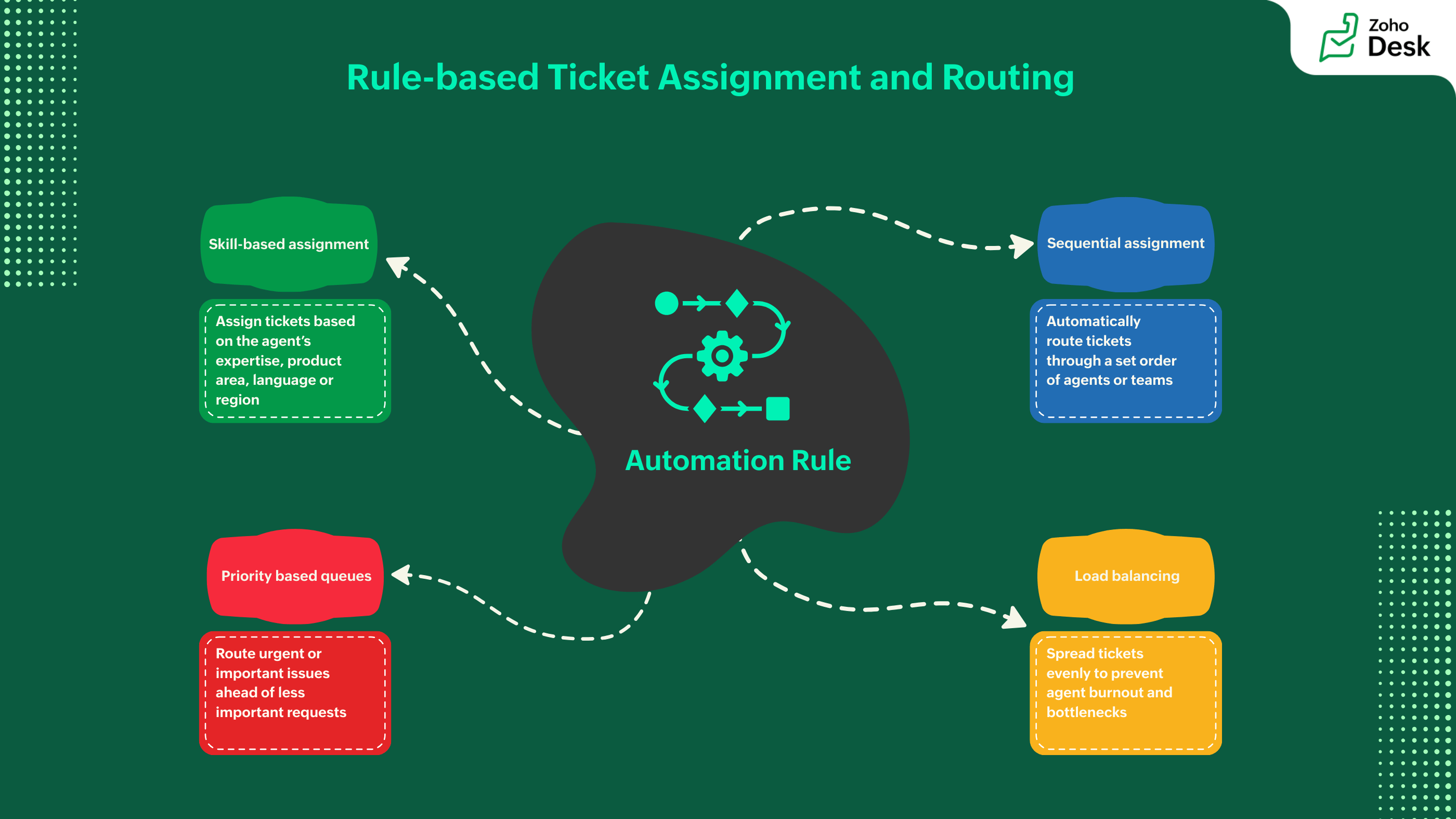
Assigning the right ticket to the right customer representative is tough when done manually. It slows down customer service and affects the overall customer experience.
Skill- and category-based routing: Assign tickets based on the agent's expertise, product area, language, or region.
Sequential routing: Automatically route tickets through a set order of agents or teams. This ensures requests are addressed even when the main agent is unavailable.
Priority-based queues: Route urgent or important issues ahead of less important requests.
Load balancing: Spread tickets evenly to prevent agent burnout and bottlenecks.
When ticket routing rules are in place, tickets move smoothly to the customer representatives most qualified to handle them, without manual effort and unnecessary delays.
Escalation rules and SLA management
Not every ticket is equally urgent, and some need more attention when there is a risk to the resolution time.
Automated escalations: Trigger alerts or reassign tickets when response or resolution limits are at risk.
SLA tracking: Monitor first response time, resolution time, and compliance in real time.
Visibility and accountability: Dashboards and notifications keep teams aware of deadlines and performance expectations.
Strong escalation and SLA management prevent issues from being overlooked and help maintain customer trust.
Best practices for faster resolution times
Along with the tools and automation, process consistency helps teams resolve tickets efficiently. For instance, organizations that use workflow automation and smart ticket routing have reduced average ticket resolution times by more than 25 to 30% compared to manual processes.
Use templates and macros for common types of issues to speed up responses.
Maintain a knowledge base so customer representatives can quickly find reliable solutions.
Encourage internal teamwork by linking tickets to internal notes or side conversations.
Review and improve workflows regularly by using ticket data and resolution metrics.
By combining automation, smart routing, and solid best practices, support teams can significantly lower resolution times while providing high-quality, personalized service. These are essential for modern customer support that can grow.
Managing customer support tickets efficiently
Managing tickets efficiently is the backbone of modern customer support. When business grows, the customer touchpoints increase too. It becomes important for customer support teams to adopt smart prioritization, structured workflow, and seamless collaboration to ensure fast resolution of tickets without compromising on quality even during peak ticket volumes.
Proven workflows for handling high ticket volume
When the same kind of requests come in, high-performing customer support teams rely on standardized workflows to maintain consistent support for the repetitive queries. Automated ticket routing ensures that the ticket is assigned to the right customer rep in the right department without any confusion or delay based on the issue type, urgency, and customer tier.
Predefined response templates, clear SLAs, and escalation paths helps agent resolve issues faster and consistently.
Enabling internal notes, tagging, and smart prioritization
Handling tickets often requires internal communication between support reps. They can use internal notes (which are invisible to the customer) containing account history or hand-off instructions and tag tickets based on type or urgency. Ticket tags and notes help reps prioritize tickets accordingly.
Facilitating collaboration across support reps and teams
Tickets often require attention from different teams and departments before they can be resolved. Modern ticketing systems allow customer reps to collaborate across teams and departments in real time and provide visibility into actions taken by each team. This not only helps with faster ticket resolution but also eliminates duplicate responses and confusion to deliver a better customer experience and ensure high scalability.
Mobile ticket management empowering remote and on-the-go support teams
Customer support teams are no longer centralized in one location or structure. Mobile ticket management has become a necessity for such teams to operate efficiently. Mobile help desk solutions help teams to stay responsive and productive irrespective of their geographical location.
Why mobile app access matters for modern support teams
Mobile app enables the modern support teams to monitor and respond to tickets outside of the conventional desk based workflows. The real-time notifications help customer reps to gauge the urgency of an issue and take action instantly. This prevents SLA breaches and improves customer satisfaction. Mobile helpdesk access keeps customer reps agile during high volume of tickets flow and ensures timely response to the customers even if the representatives are away from their desks.
How AI improves ticket and case management
AI-powered ticket and case management simplifies the whole support lifecycle. It starts when a request comes in and goes all the way to the final resolution. This system cuts down on manual work and boosts accuracy, speed, and customer satisfaction.
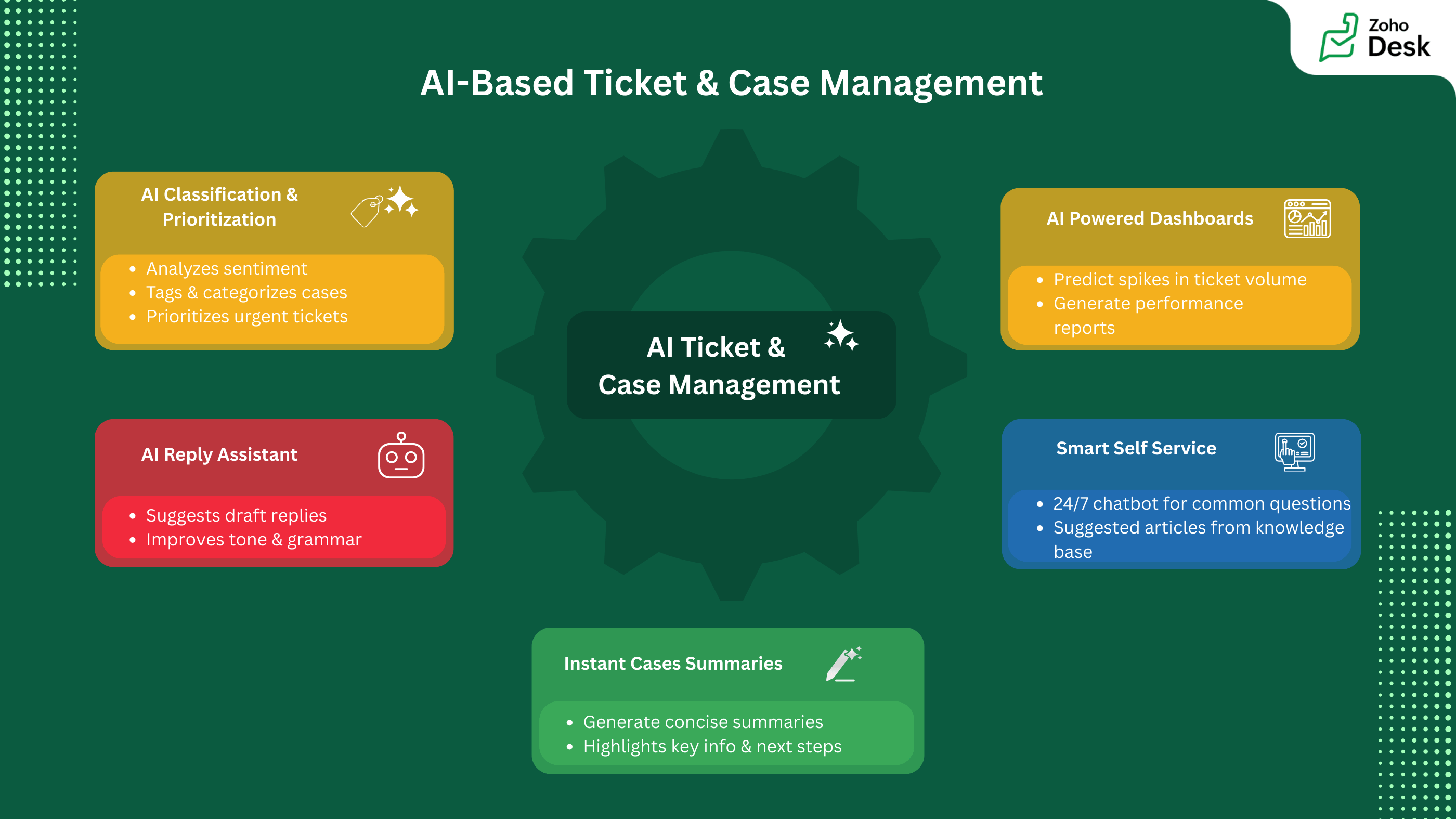
Intelligent ticket analysis and prioritization
AI automatically analyzes incoming tickets to identify topics, key phrases, and intent. It tags and categorizes cases and extracts critical details like issue type or deadlines. It also assesses customer sentiment. This ensures urgent or sensitive cases get prioritized and routed correctly from the start.
Smarter, faster agent responses
With AI-assisted reply drafting, agents receive suggested responses based on past cases and knowledge content. Generative AI helps create clear, well-structured replies while offering grammar and tone improvements. This allows agents to respond faster without compromising quality, even on mobile.
Instant case summaries for better context
Instead of going through long conversation threads, agents can use AI-generated ticket summaries. These summaries focus on the main issue, past actions, and next steps. This helps agents understand quickly and resolve issues with confidence.
AI-powered self-service and automation
AI-driven bots offer 24/7 self-service by answering common questions and guiding users through structured conversations. When necessary, these chats easily turn into tickets, while smart workflows manage auto-routing, prioritization, and context-based auto-replies.
Predictive insights and knowledge growth
AI tracks ticket patterns to anticipate spikes, spot unusual issues, and avoid backlogs. It also automatically converts resolved cases into knowledge articles, helping support teams continuously improve self-service content and operational efficiency.
Finding the right ticketing and case management solution
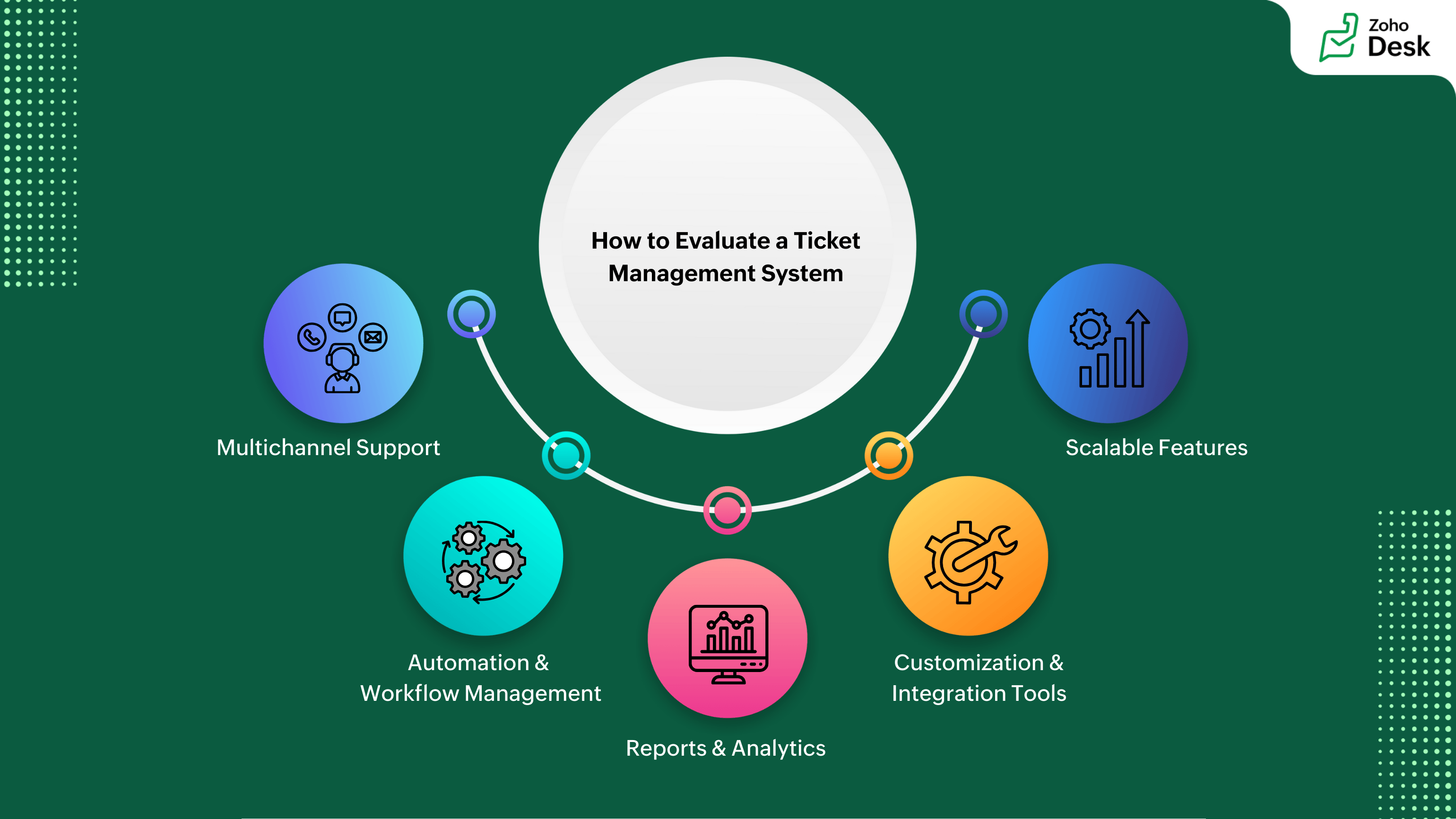
To provide customer-focused support operations, it's crucial to select the right ticketing and case management solution. As noted earlier, the best platforms combine automation, teamwork, prioritization, and mobility to offer efficient customer support.
The right solution depends on your organization's complexity, size, and support model. Small teams can meet their needs with simple platforms that have basic ticketing and automation features. For fast-growing businesses, platforms with omnichannel support, collaboration tools, and performance tracking features work better. Large organizations need strong integrations, customization options, and detailed analytics to manage multiple teams effectively.
To improve efficiency, prioritize solutions that meet your current needs and allow for growth. Focus on platforms that simplify workflows, give agents context and collaboration tools, and offer actionable insights through reporting. In the end, the best ticketing and case management system will help your team resolve issues faster, work smarter, and consistently meet customer expectations in a modern, always-on support environment.

 Pallavi Sinha
Pallavi Sinha is a Product Marketer at Zoho Corporation, where she works on product positioning and messaging for Zoho Desk. With hands-on experience in both customer support software and the HR tech industry, she brings a strong understanding of how SaaS products solve real business challenges. Outside of work, she enjoys reading business stories and biographies to learn from real-world leadership and growth journeys.