- HOME
- Customer Support Operations
- Helpdesk vs CRM: Which does your business actually need?
Helpdesk vs CRM: Which does your business actually need?
- Published : April 21, 2026
- Last Updated : June 4, 2026
- 361 Views
- 9 Min Read
Your sales rep just closed a deal. The customer is onboarded. Three weeks later, they face a problem and send an email about it. The email lands in a shared Gmail inbox that six people can access. Now, each person is thinking that someone else will handle it. So, no one responds. The customer follows up and this time a customer rep takes the responsibility but couldnt find proper context for the customer as it is scattered between several email threads and a Slack message.
Does this sound familiar?
While most enterprise businesses' sales and support operations are now powered by a CRM and a helpdesk, respectively, many small businesses are still dealing with disorganized records.
As per a study by Stibo Systems, most businesses still operate in fragmented systems—76% rely on off-system tools, and over 78% struggle to share data across teams due to disconnected systems.
Finally when businesses make a decision to fix this, they run into the question of whether they need a CRM or a helpdesk. Both seem to do the same work: track customers, log conversations, and help teams stay organized. So, the confusion is understandable.
Even when you search for one, the other keeps showing up. Vendors pitch both to every customer problem. Now, businesses get even more confused than they were before.
Here is a truth: a CRM and helpdesk software are built for fundamentally different jobs. One helps you win customers while the other helps you retain them. Choosing either one or both without having proper knowledge of their use case and how they integrate can cost you money, time, and the valuable customers whom you are trying to serve.
Let's learn about each of them and see how they serve different purposes separately or when they are integrated.
What is a CRM?
CRM stands for customer relationship management, but don't get confused with the word "customer" here. CRM is a sales tool. It is used to capture prospects, nurture them throughout the sales cycle until they make a purchase decision, and store their information when they become a customer.
So, literally everything from the incoming lead and conversations with the prospect via email, message, or call to the conversion of a lead into a customer is captured inside of a CRM.
It keeps detailed information about the customer's purchase history and past conversations.
What a CRM actually does day to day
CRM gives visibility and structure to the sales team who handles the leads. In practice, this means:
Contact and account management — A centralized database of every prospect, lead, and customer, with their history, preferences, and communication log attached.
Deal and pipeline tracking — A visual view of where every opportunity sits in your sales funnel, from first contact to closed-won.
Activity logging — Automatic or manual capture of calls, emails, meetings, and notes so the full context of a relationship is always one click away.
Sales forecasting — Data-driven projections on revenue, helping leadership make informed decisions about hiring, targets, and growth.
Automation — Follow-up reminders, lead scoring, email sequences, and task assignments so reps spend less time on admin and more time selling.
Who works on the CRM?
CRM is primarily built for the people who are responsible for bringing in revenue. The sales development reps chase leads, presales confirms the lead status, account executives close deals, and account managers nurture renewals, and revenue operations teams keep the whole engine running. While it has more involvement from the sales team, the marketing team also uses the CRM for running and measuring lead generating campaigns through emails, landing pages, pop-up banners/forms, and the like.
It tracks the end-to-end sales lifecycle, and if anyone asks, where a specific deal is and what the next steps should be, the CRM has the answers.
What a CRM is not built for
CRM is meant for building presales relationship with prospects until they become customers. Once they become a customer, all their concerns are handled by the support team, which does not operate on CRM but on helpdesk software.
There are many popular CRMs on the market like Zoho CRM, Salesforce, and HubSpot, to name a few.
You can compare top CRMs here and make an informed decision before purchasing.
What is a helpdesk and what is it actually built for?
If a CRM helps you win customers, a helpdesk helps you keep them. While a CRM keeps track of the sales journey, a helpdesk comes into the picture whenever a customer faces a problem or a concern, and makes sure it gets resolved quickly and efficiently, with a great customer experience. Talking from a broader business perspective, just having a customer on board is not enough; retaining them makes the difference.
At its core, the helpdesk is a support operations tool. It is built on a simple vision: every customer is valuable and their issues deserve to be tracked, tackled, prioritized, and resolved. For this to happen, your team needs a structured system.
What a helpdesk actually does day to day
A helpdesk brings order to the chaos of customer support. In practice, that involves different things.
Ticketing system — Every customer issue, regardless of where it comes in, becomes a ticket. Email, live chat, phone, social media, or web form—it all flows into one organized queue so nothing gets missed and no customer is left waiting in an inbox nobody checks.
SLA management — Service level agreements define how fast your team must respond and resolve issues. A helpdesk tracks these commitments automatically, escalates breaches before they happen, and keeps your team accountable to the standards your customers expect.
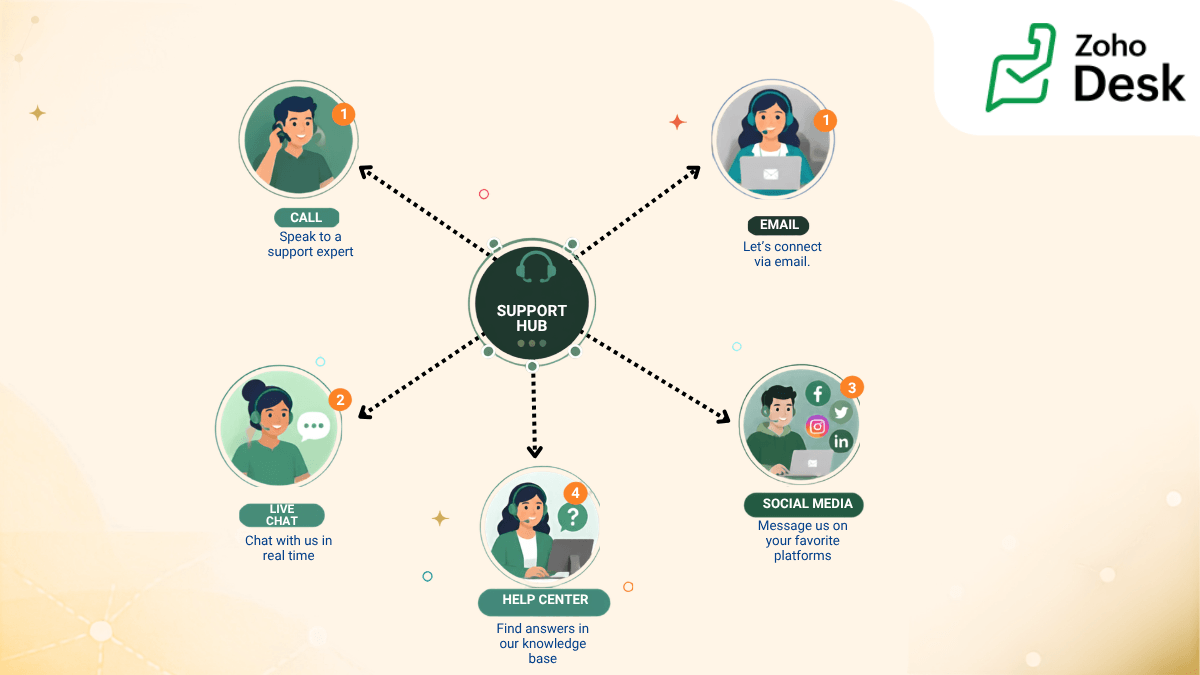
Omnichannel support — Customers reach out from wherever the tool is convenient for them. A helpdesk unifies all those channels—email, chat, phone, WhatsApp, social—into a single agent view, so your team isn't jumping between six tabs to piece together one conversation.
Agent workflows and automation — Ticket assignment rules, canned responses, macros, and escalation workflows mean agents spend less time on repetitive coordination and more time actually solving problems.
Knowledge base — A self-service library of FAQs, how-to guides, and troubleshooting articles let customers find answers on their own, reducing ticket volume and freeing up agents for more complex issues.
Reporting and CSAT tracking — Dashboards that surface first response time, resolution time, ticket volume trends, and customer satisfaction scores help support leaders always know how the team is performing.
Who works on a helpdesk
A helpdesk is for the people whose job it is to support and retain customers—frontline support agents handling the daily ticket queue, team leads monitoring SLA compliance, customer success managers tracking satisfaction, and IT helpdesk teams managing internal requests. In larger organizations, QA analysts and support operations teams also rely heavily on helpdesk data to identify gaps and improve processes.
If your team's daily question is "What's the issue, who owns it, and how fast can we resolve it?"—a helpdesk is the tool built to answer it.
What a helpdesk is not built for
A helpdesk is not a sales tool. It is a support tool. It doesn't keep an account of customer sales cycles or purchase history. Support agents working on a helpdesk of 10 have no information about the customer's background, the subscription purchased, for how long they are using the product, and similar metrics. This gap of information often gets frustrating for the customers when they have to re-explain everything.
Popular helpdesk solutions on the market are Zoho Desk, Freshdesk, and Help Scout, to name a few.
You can compare helpdesks here before making a purchase decision.
Signs your business needs a CRM or a helpdesk
Signs your business needs a CRM | Signs your business needs a helpdesk |
|
|
Signs your business needs both a CRM and a helpdesk
At a certain point, the question of using a helpdesk or CRM fades and a new question arises—how do we connect both? Here is what you should know if you are at this point.
Your team is scaling and the gaps are starting to show. When you're a five-person operation, a shared inbox and a spreadsheet can hold things together. But once you're past 50 employees—or your support ticket volume is growing faster than your team can handle—the cracks become customer-facing problems. Two separate tools with no shared data means two teams operating with half the picture.
Your sales reps are walking into renewal calls blindly. Imagine an account executive jumping on a call to discuss a contract renewal, unaware that the same customer has had three unresolved support tickets in the past month. That's not just an awkward conversation; it's a churn risk that could have been avoided. When CRM and helpdesk data don't talk to each other, sales and support operate in silos, and customers pay the price.
Your support agents have no idea who they're actually talking to. Not every ticket deserves the same urgency, but without visibility into deal value, contract tier, or account history, support agents are forced to treat every customer the same. A helpdesk connected to your CRM changes that. Agents can instantly see whether they're looking at a $500 account or a $50,000 one, and prioritize accordingly.
You want a true 360-degree view of every customer. Marketing acquired them. Sales converted them. Support is now retaining them. But if each of those teams is working out of a different tool with no shared context, nobody has the full picture of the customer relationship. A unified view—from first touch to the latest ticket—is what separates businesses that react to customer problems from those that anticipate them.
The fix isn't buying more tools; it's connecting the ones you have. This is where a CRM and helpdesk integration becomes the practical answer. When Zoho CRM and Zoho Desk are connected, for example, support agents can see a customer's deal history, open opportunities, and account value directly inside a ticket. Sales reps can see open support issues before a call. Leadership gets a single, unbroken view of the customer journey without anyone having to switch tabs, export data, or chase down a colleague on Slack. The gap between winning a customer and keeping them finally closes.
How to decide: A simple decision framework
If nothing helps and you can't make a decision, here are three questions you should ask yourself to cut through the noise and point you in the right direction.
Question 1: Is your biggest problem finding and converting customers?
Are leads going cold because nobody followed up? Is your pipeline invisible, living across sticky notes and spreadsheets? Are deals slipping because your sales team has no structure around the next steps? If this is where the pain is, start with a CRM. Get your revenue engine organized before you worry about anything else.
Question 2: Is your biggest problem resolving issues and retaining customers?
Are support emails getting lost? Are customers repeating themselves every time they reach out? Is your team reacting to fires instead of staying ahead of them, with no real visibility into response times or resolution rates? If this is where the pain is, start with a helpdesk. Fixing your retention engine will have a faster, more immediate impact on your bottom line than adding more tools to an already leaky bucket.
Question 3: Are both equally painful?
If you answered yes to both, you're not alone; buying two disconnected tools isn't the answer. What you need is a suite that handles both natively, where your CRM and helpdesk share the same customer data, speak the same language, and work as one system rather than two tools bolted together with an integration. The less your teams have to manually sync information across platforms, the more time they spend actually serving customers.
The case for an integrated suite
Buying a CRM and a helpdesk from two different vendors sounds reasonable until your sales team is exporting CSVs to share with support, and your agents are asking customers to repeat information that already lives three tabs away. Standalone tools create data silos, and data silos make a customer feel what no one wants to feel: invisible.
Native integrations eliminate this entirely. When your CRM and helpdesk are built to work together—like Zoho CRM and Zoho Desk are—the context gap between sales and support disappears. A support agent opens a ticket and instantly sees the customer's deal value, contract tier, and account history without leaving the screen. No tab switching, no chasing colleagues, and no guesswork on who deserves priority attention.
Beyond the experience, there's a straightforward business case: one ecosystem means one vendor, one contract, one learning curve, and a significantly lower total cost of ownership compared to stitching together multiple standalone tools and hoping the integrations hold.
So, which one does your business actually need?
CRM owns the pipeline. Helpdesk owns the resolution. But both, ultimately, own the customer relationship—and that's the point. The right tool isn't the most popular one or the one with the longest feature list. It's the one that solves your biggest problem right now.
If customers aren't converting, start with a CRM. If customers aren't staying, start with a helpdesk. If both are hurting, stop buying separate tools and start thinking in systems.

 Pallavi Sinha
Pallavi Sinha is a Product Marketer at Zoho Corporation, where she works on product positioning and messaging for Zoho Desk. With hands-on experience in both customer support software and the HR tech industry, she brings a strong understanding of how SaaS products solve real business challenges. Outside of work, she enjoys reading business stories and biographies to learn from real-world leadership and growth journeys.