OnePlus
Step 1: Enable notification for Cliq in your phone settings
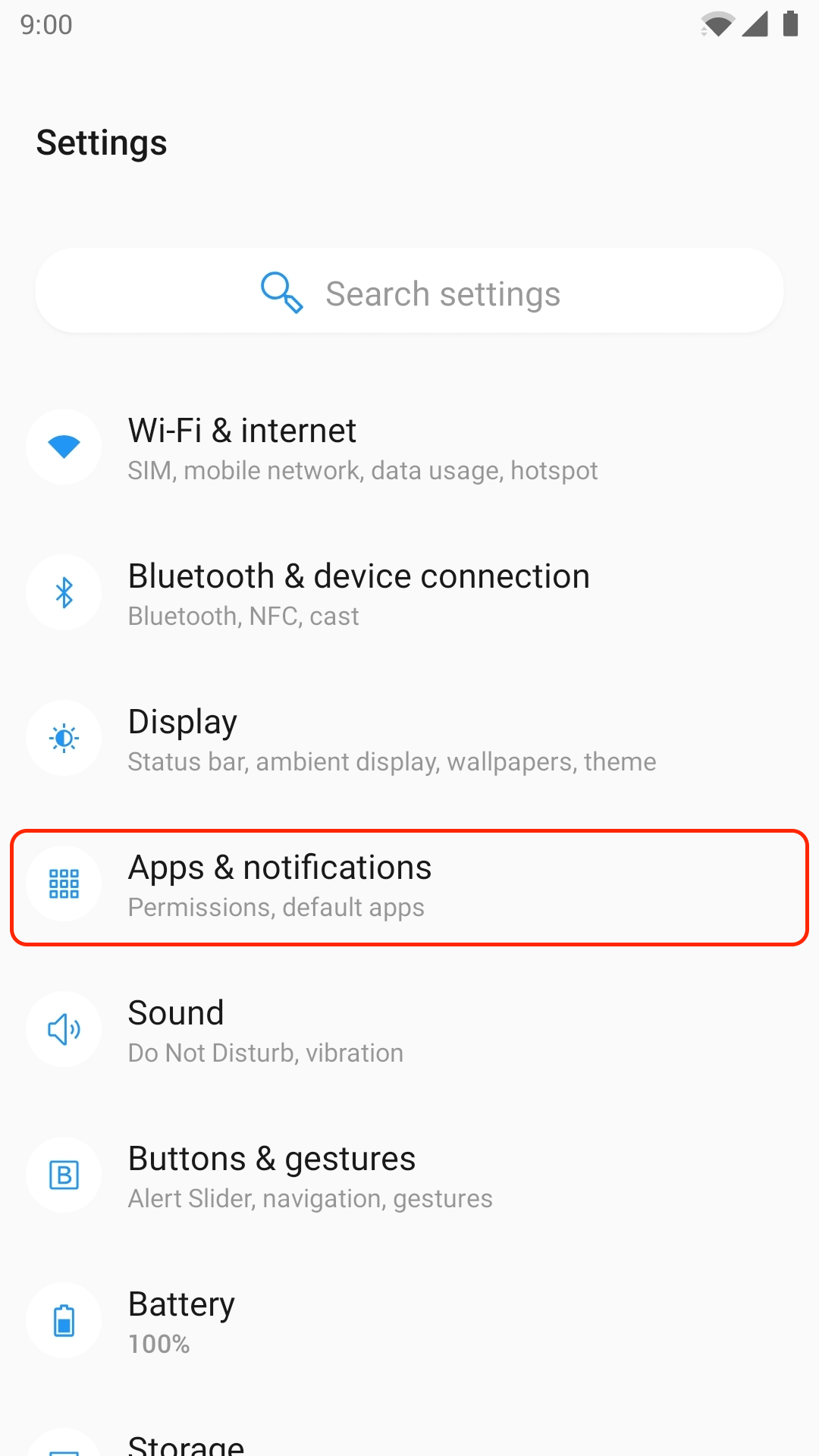
- Open phone Settings -> Apps & Notifications.
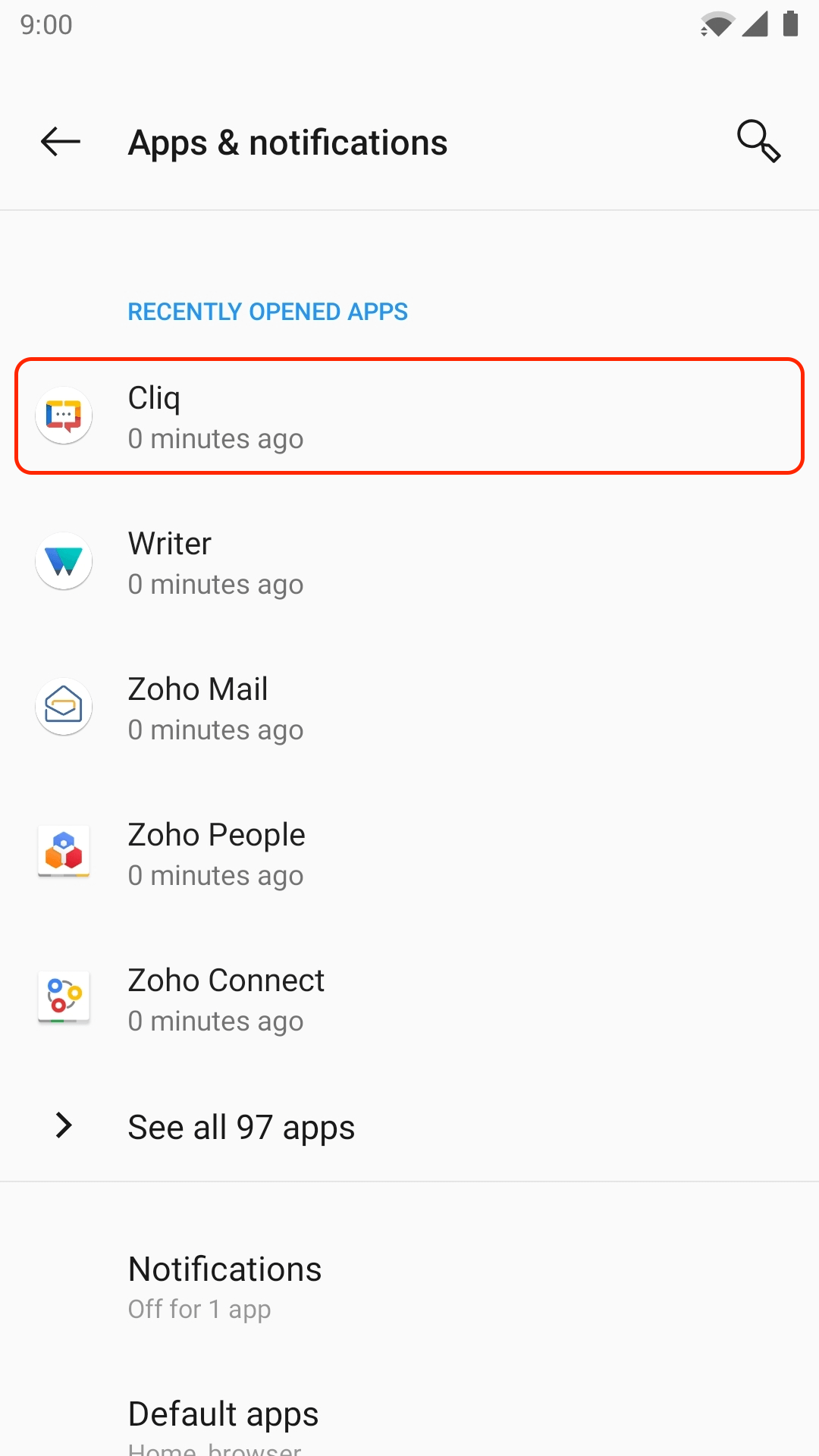
- Find and tap on Cliq.
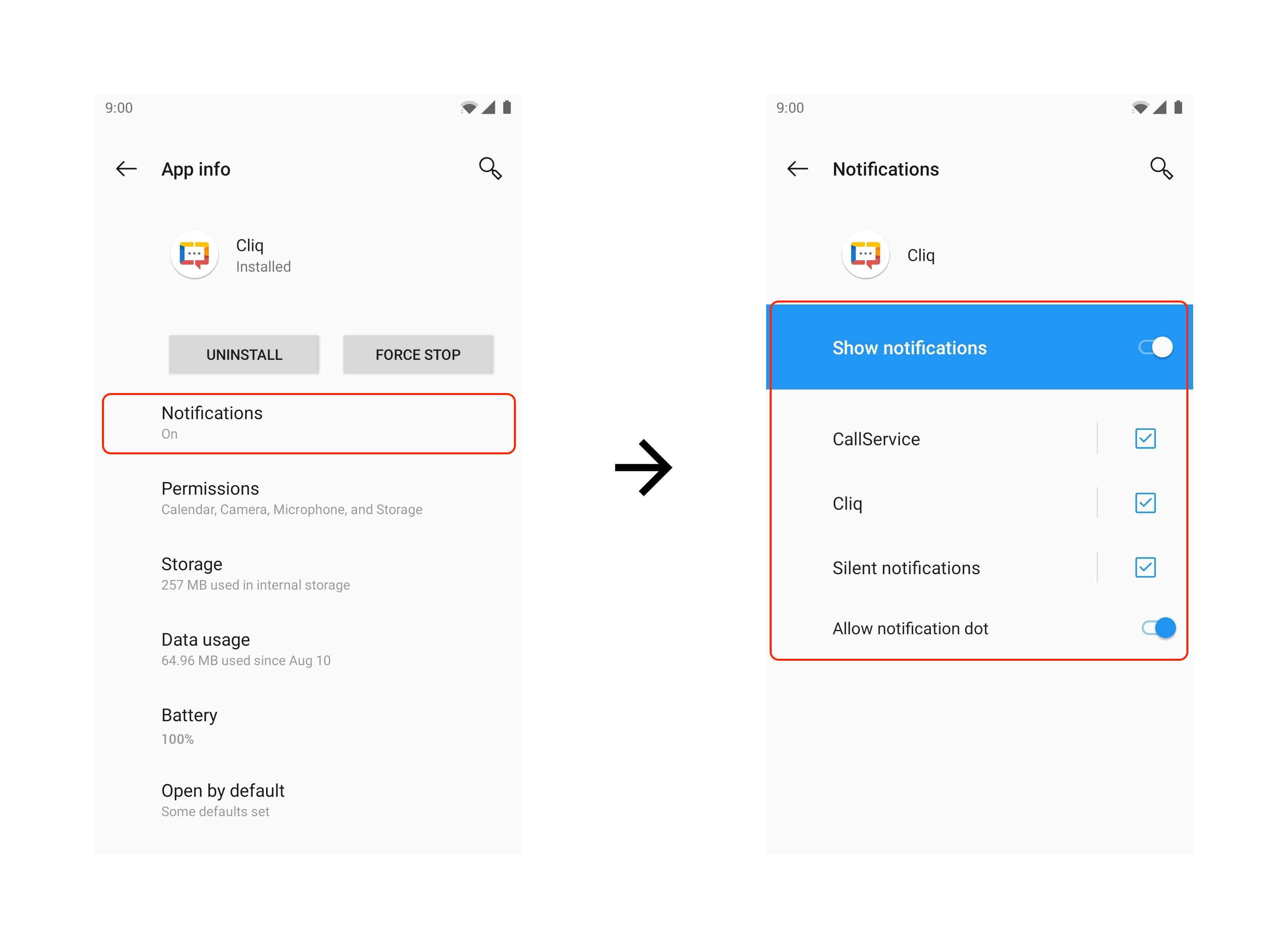
- Tap on Notifications and turn on Show Notifications.
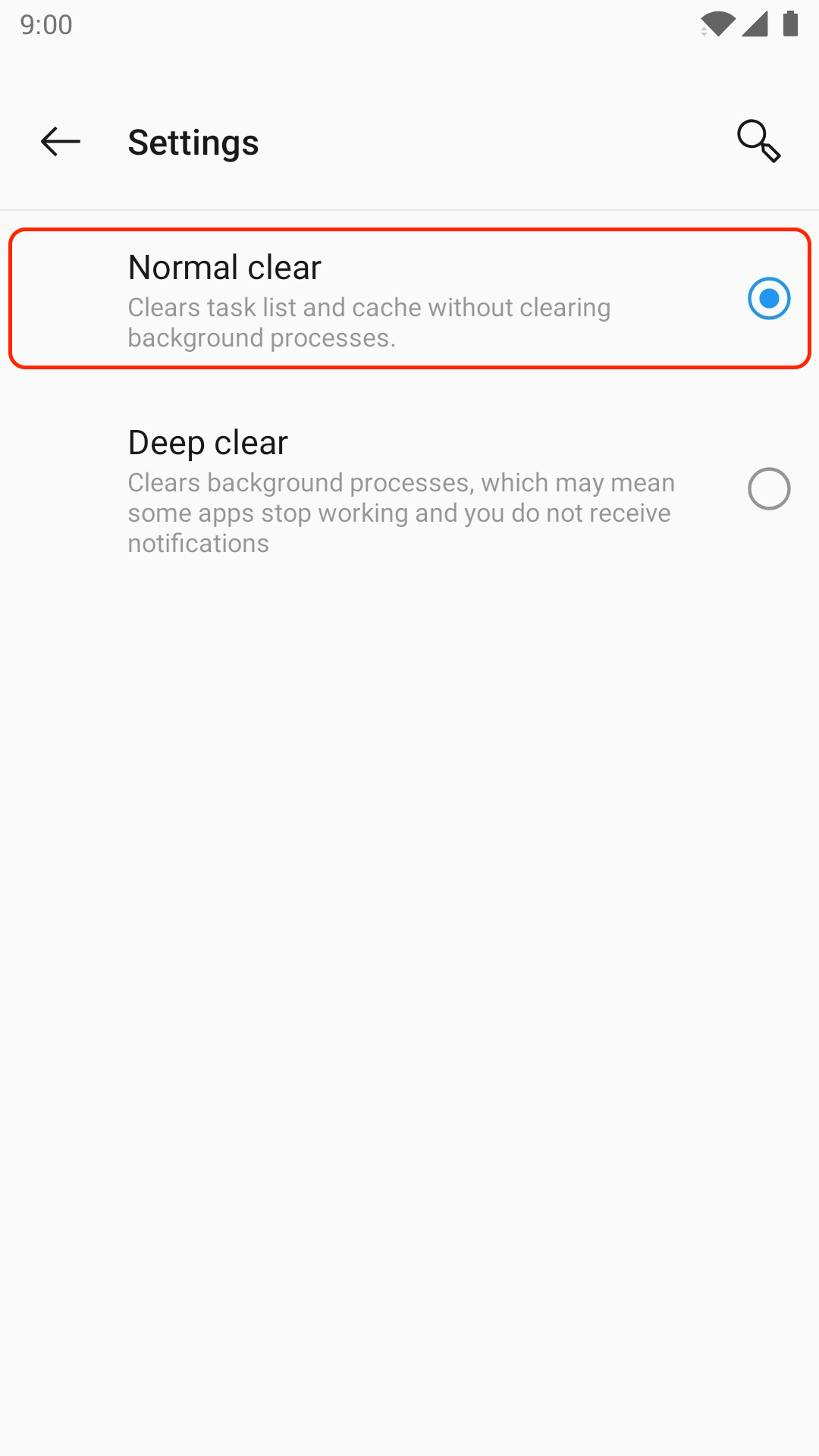
Step 2: Set app storage to clear normally
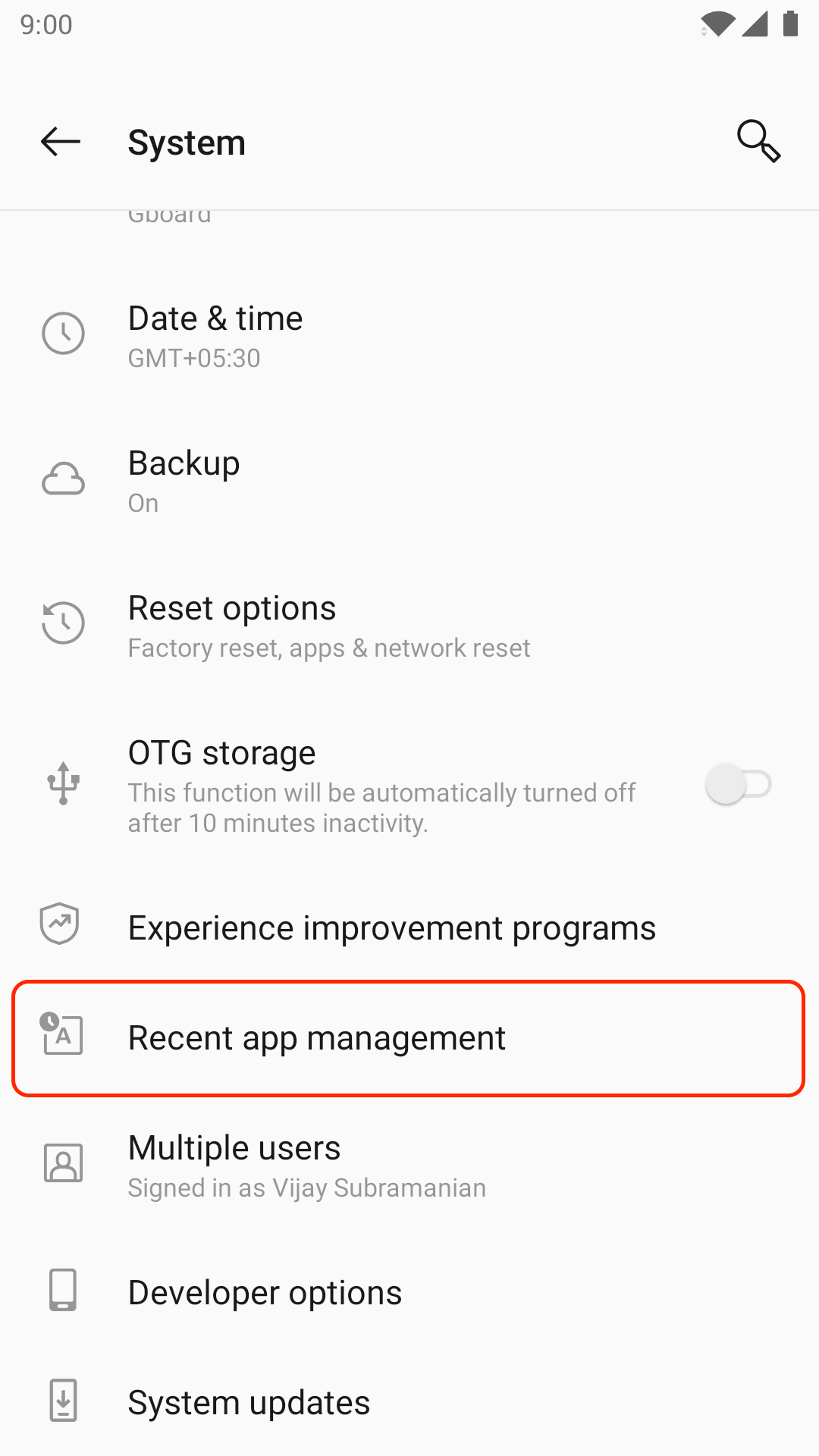
- From the app drawer, open Settings -> System.
.png)
- Select Recent app management.
- Ensure that Normal clear is enabled.
.png)
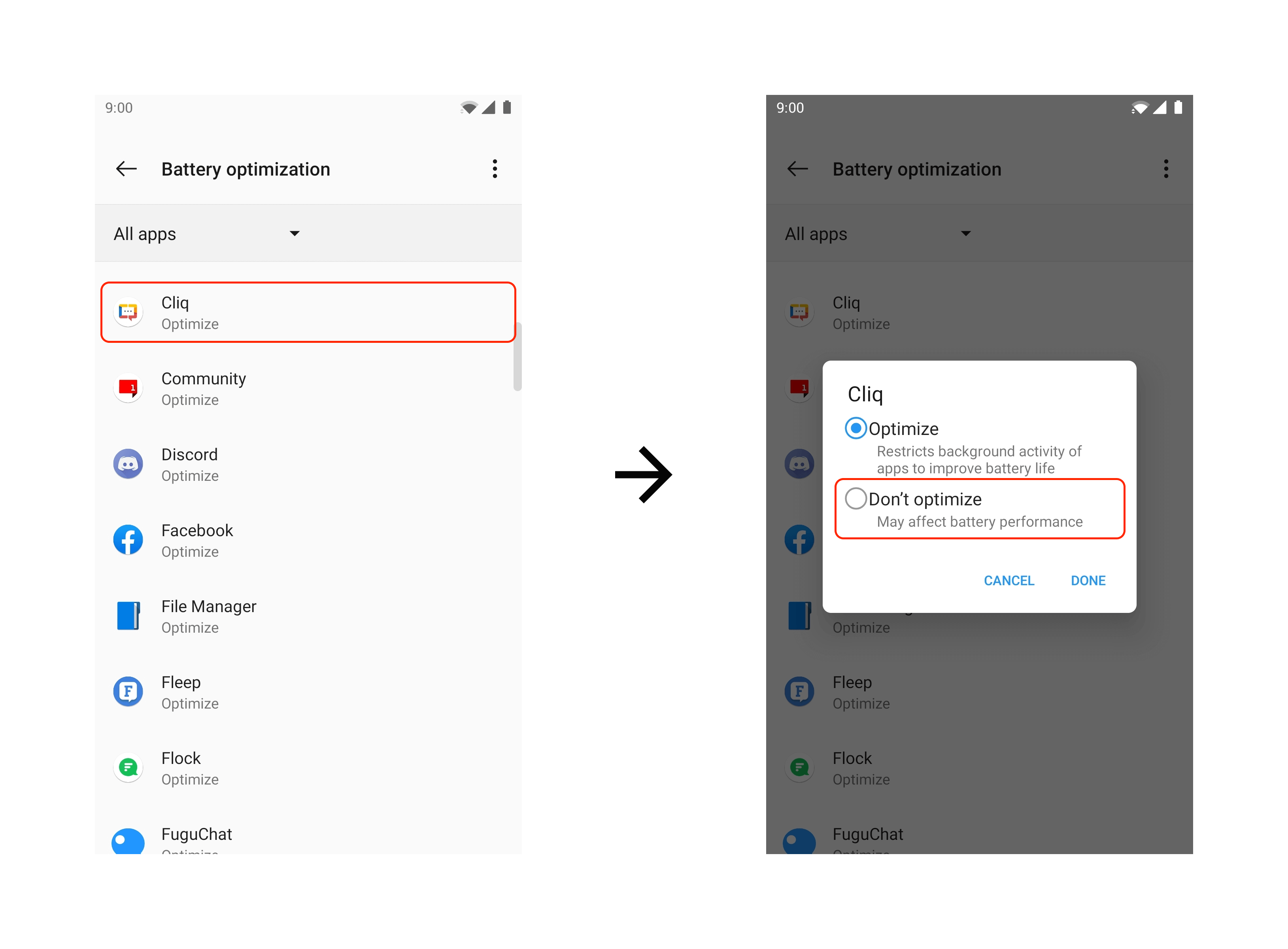
Step 3: Exclude Cliq from battery optimization
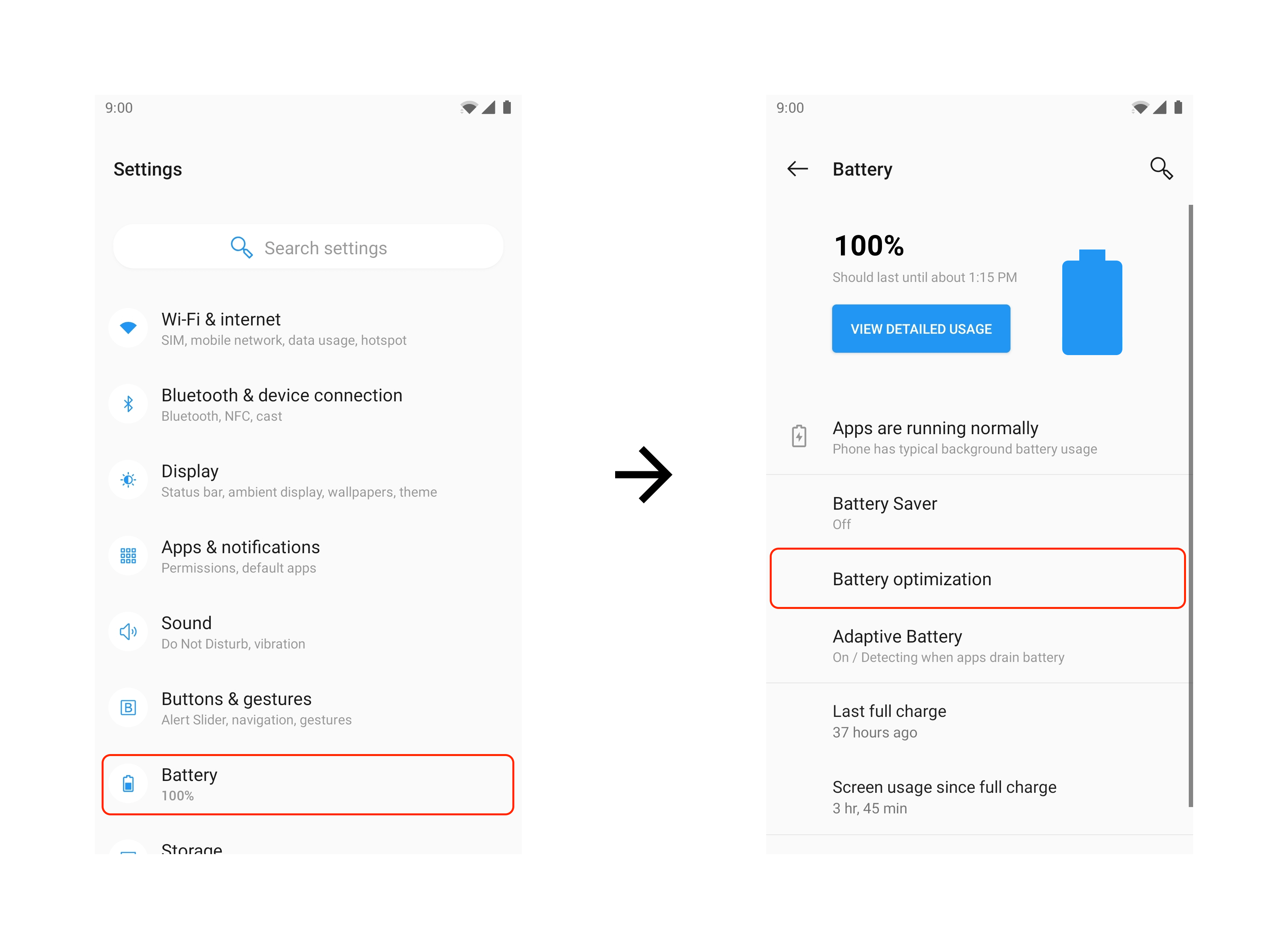
- From the app drawer, open Settings.
- Tap Battery -> Battery Optimization.
- Tap Apps not optimized and select All apps.
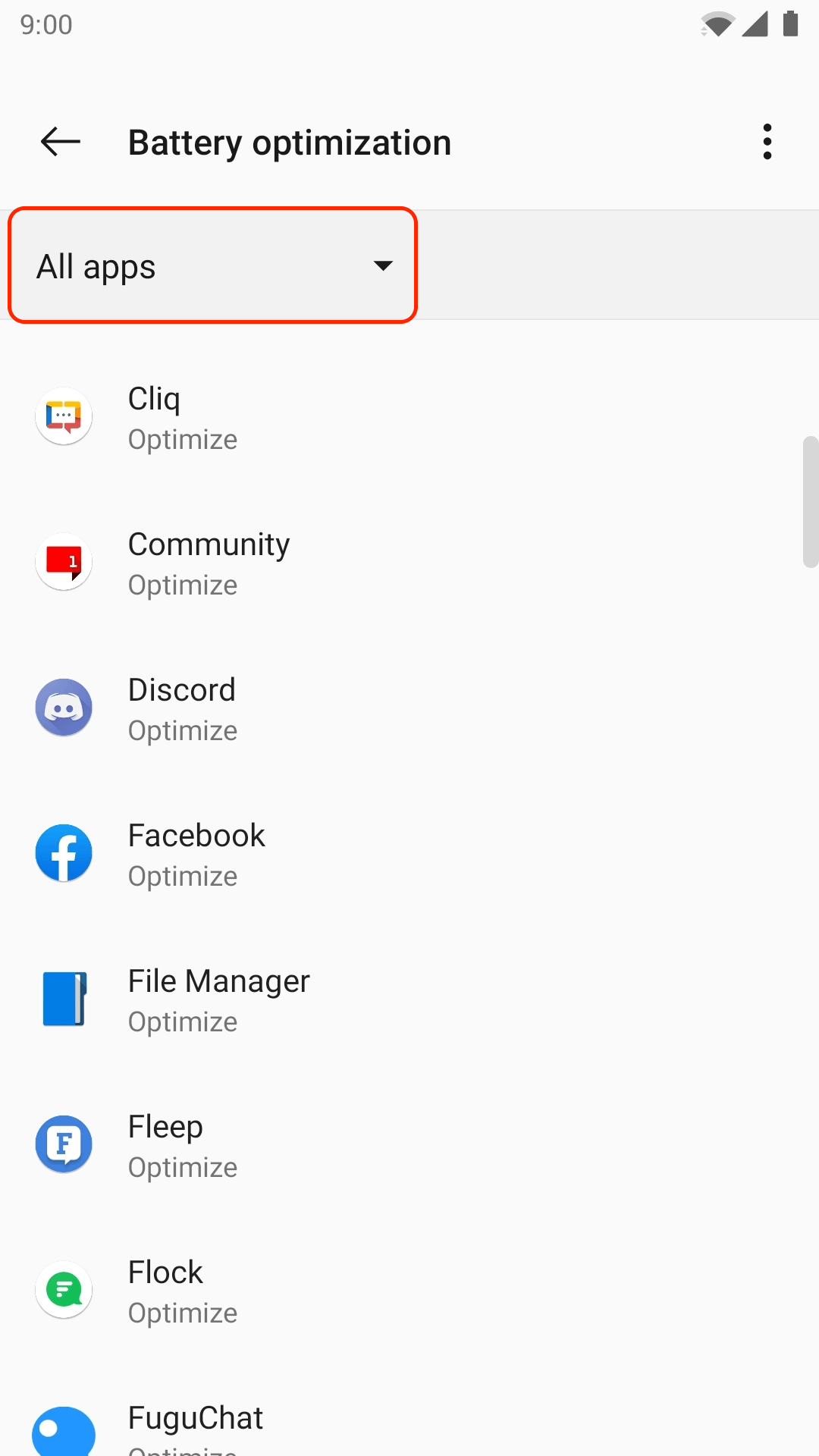
- Find Cliq and ensure it's set to Don't optimize.