Samsung
Step 1: Exclude Cliq from battery optimization
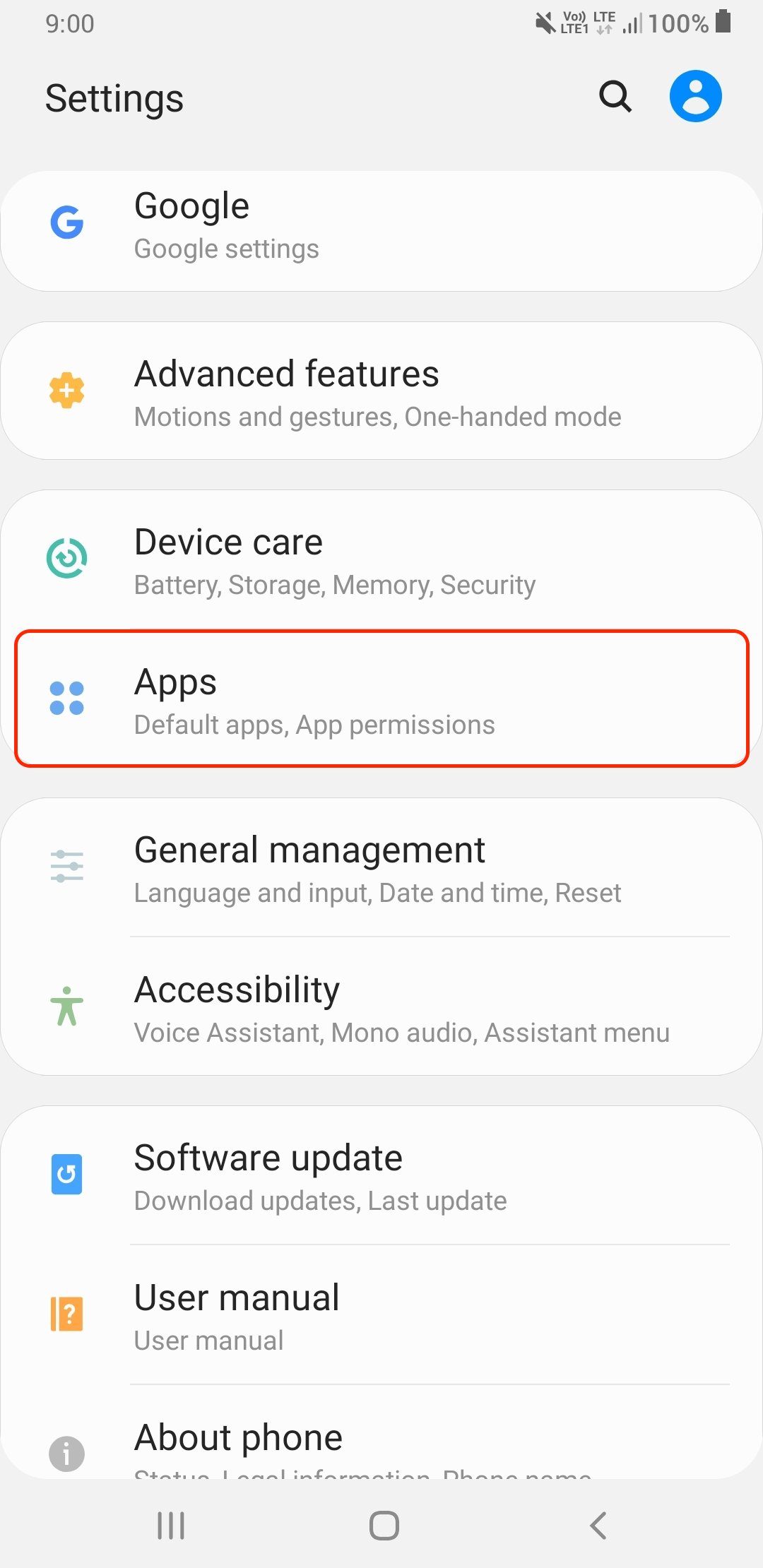
- Open phone Settings -> Apps.
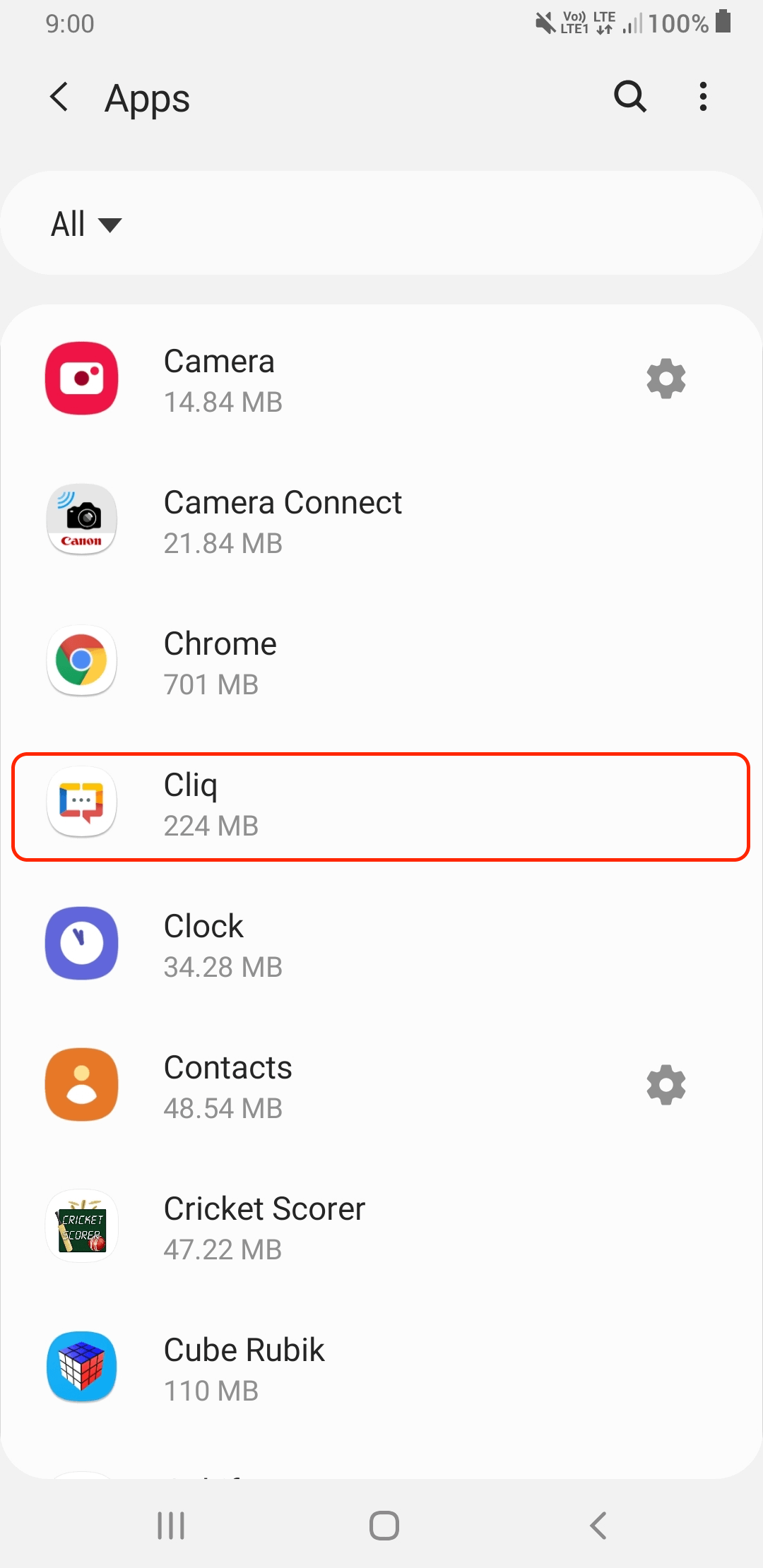
- Find and tap on Cliq.
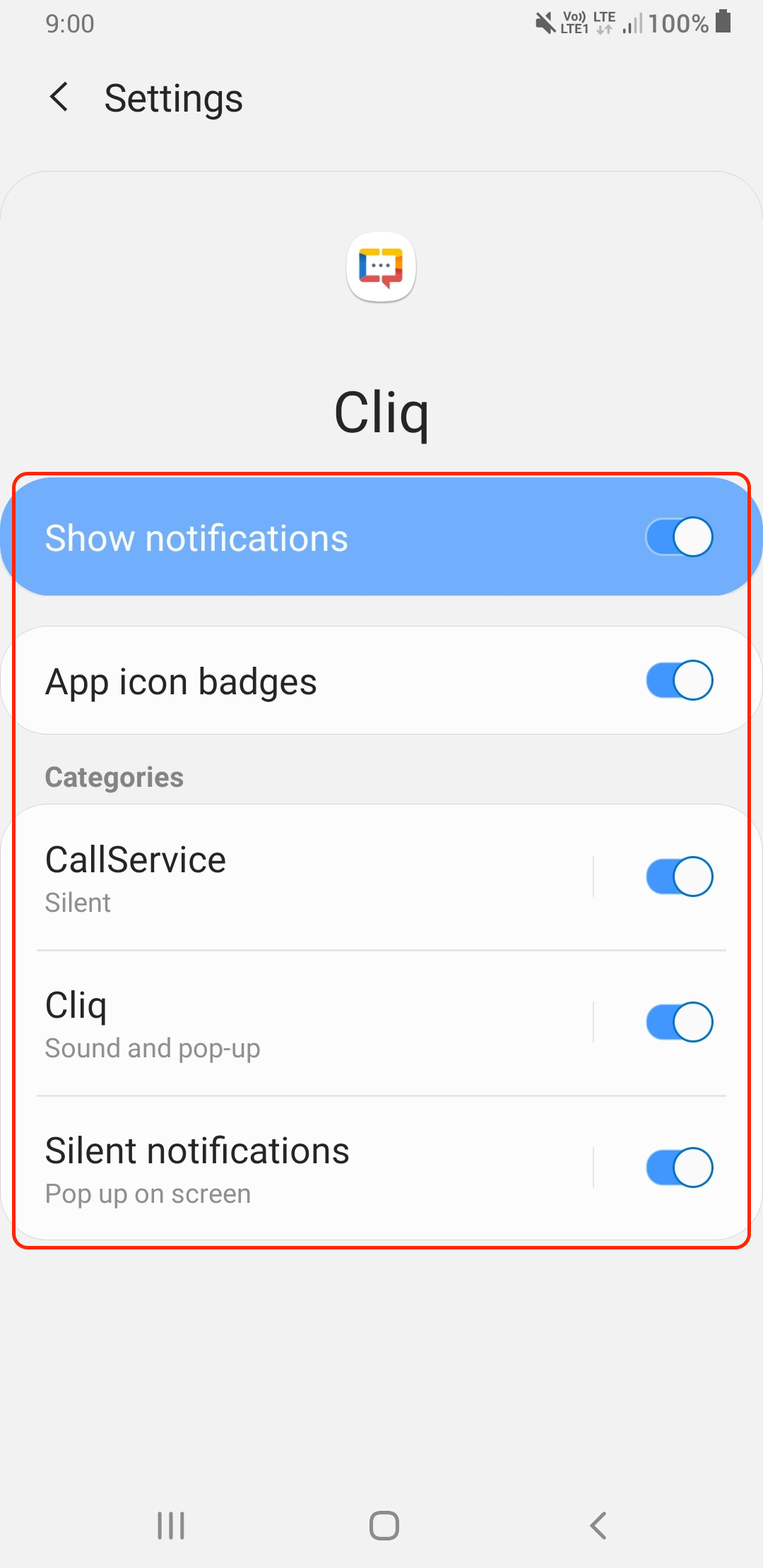
- Under App settings, tap Notifications
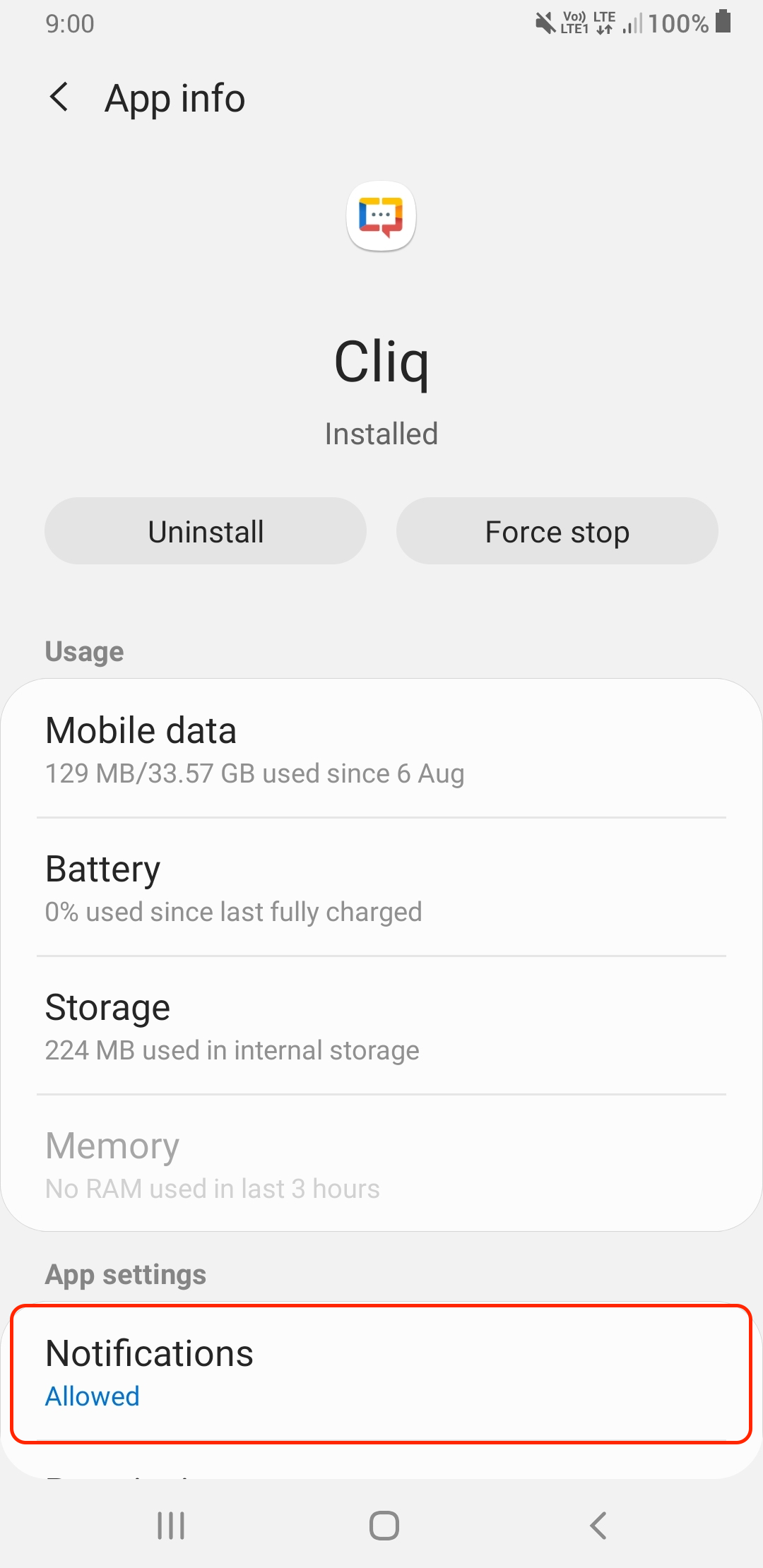
- Then ensure that Notifications are enabled (Allowed).
Step 2: Exclude Cliq from battery optimization
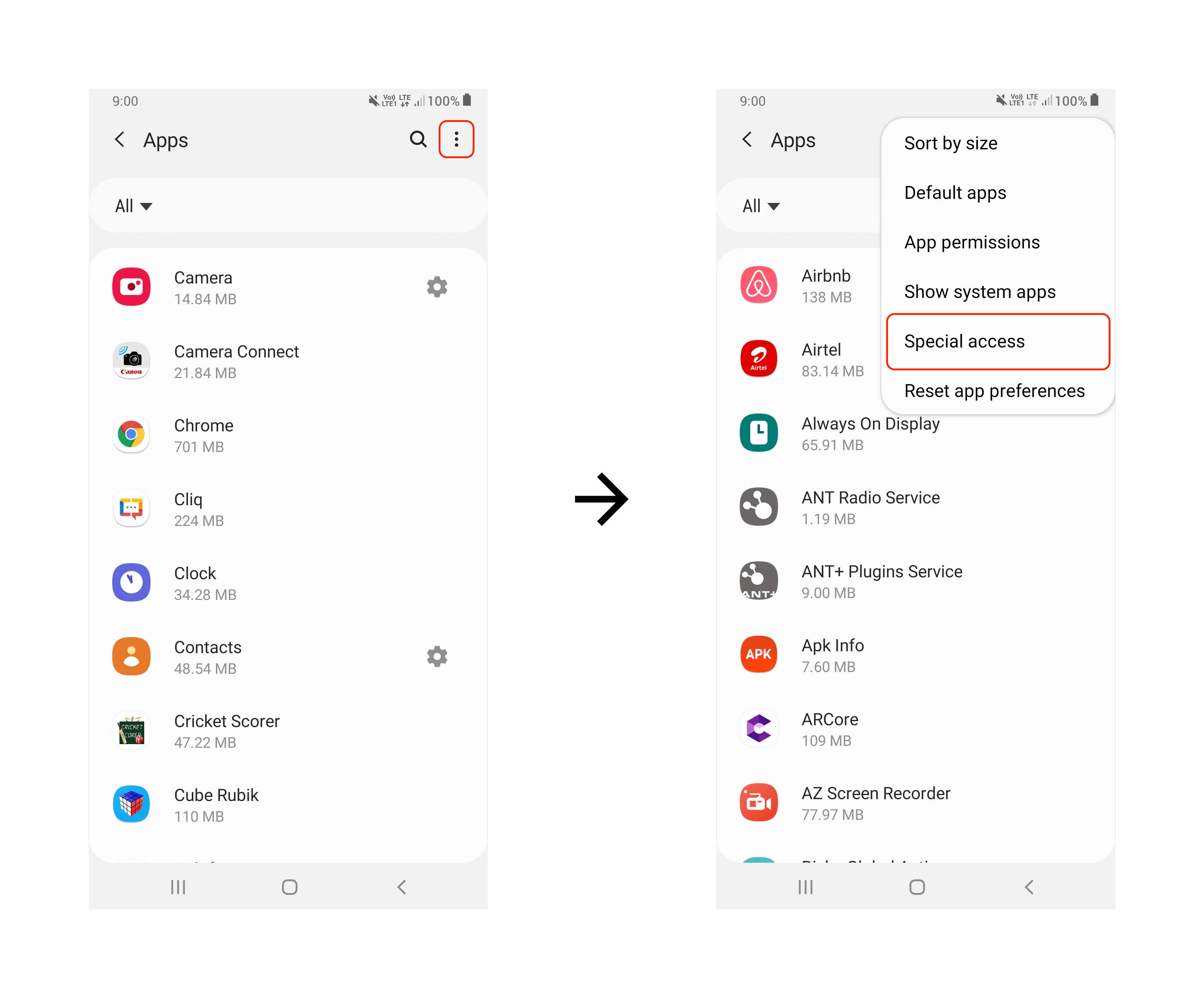
- From the app drawer, open Settings -> Apps.
- Tap the menu button on the top-right and select Special access.
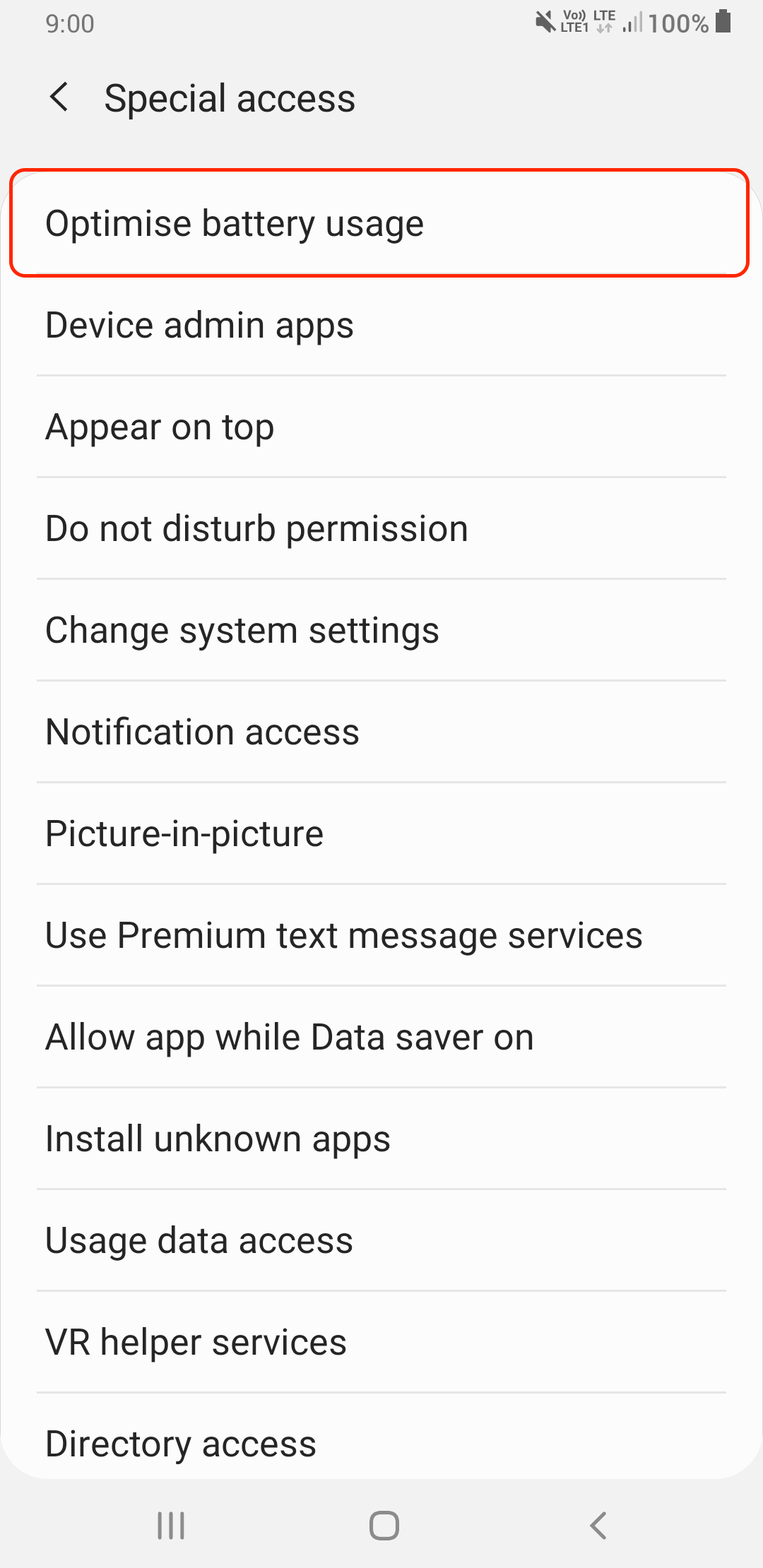
- Tap on Optimize battery usage.
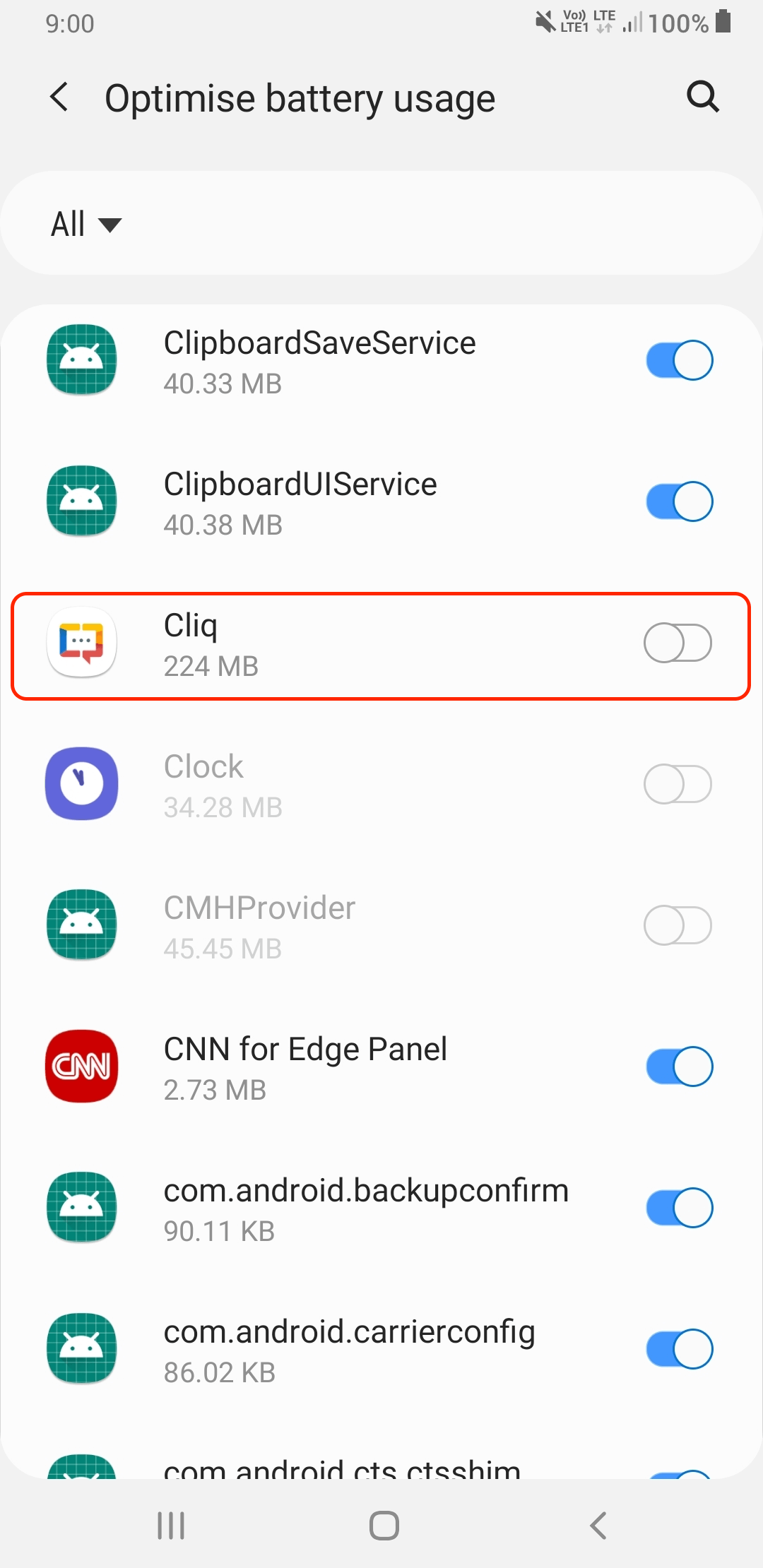
- Scroll down to locate Cliq and toggle the slider to OFF.