Xiaomi
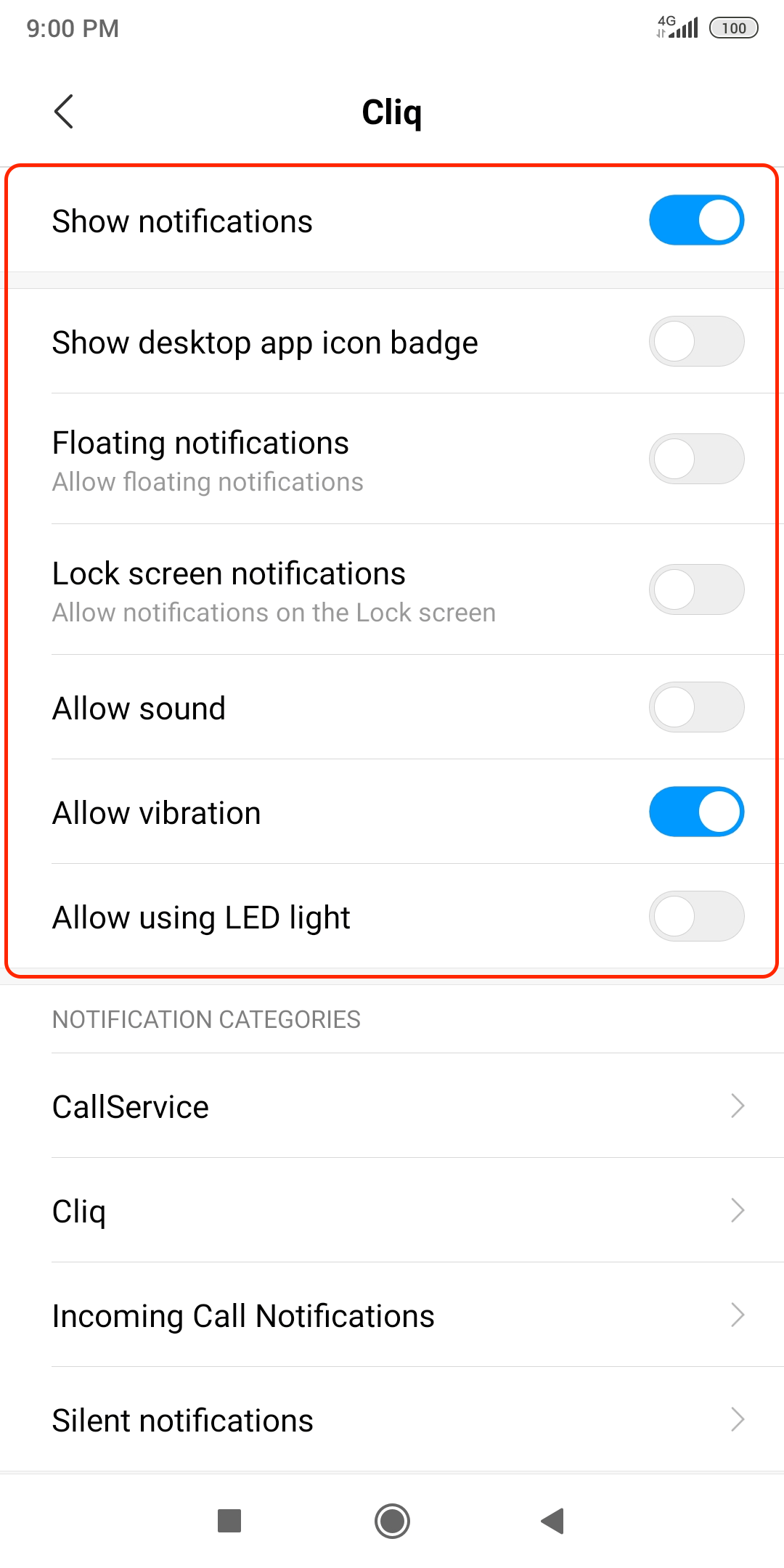
Step 1: Enable notifications for Cliq in your phone settings
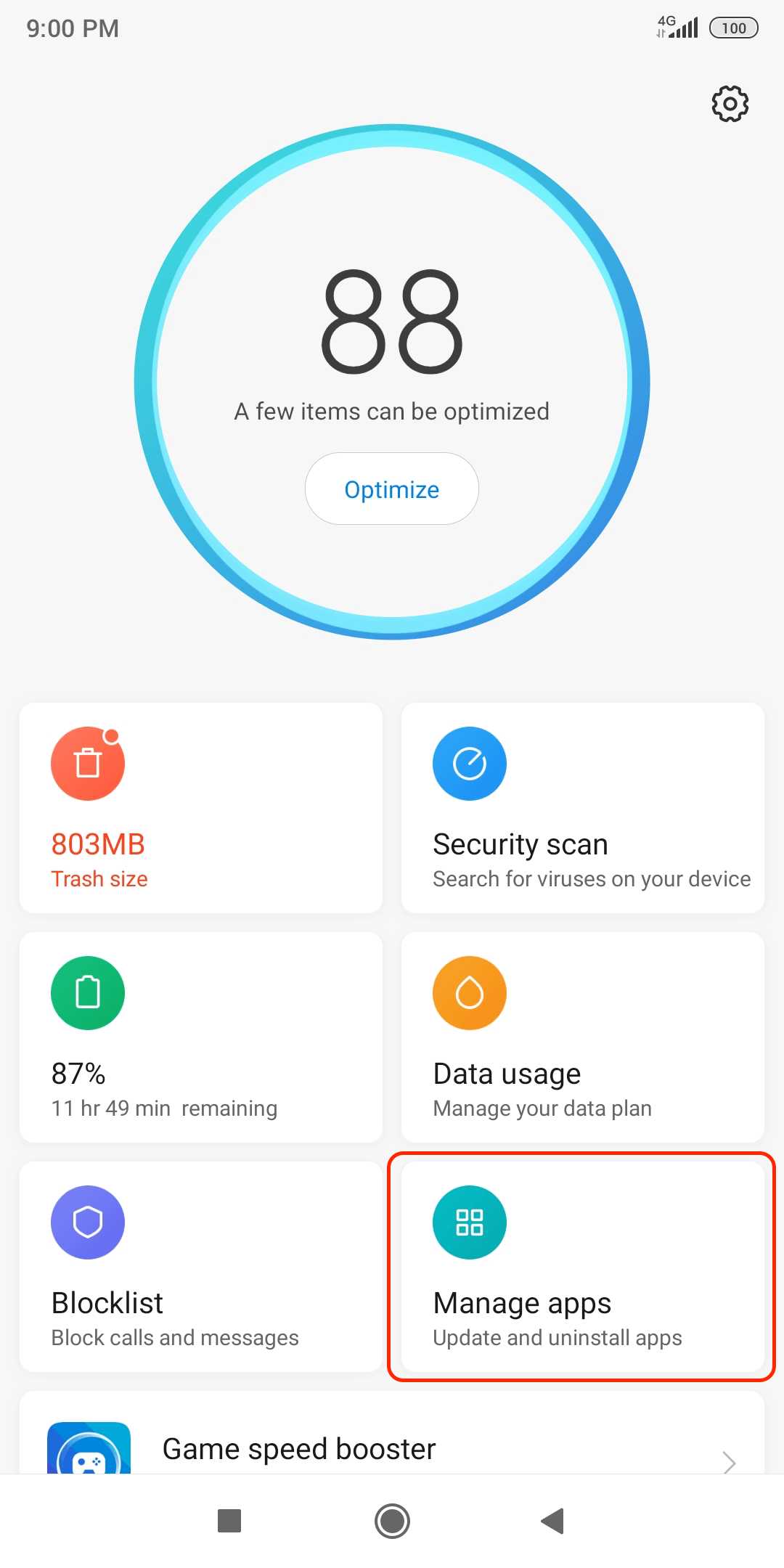
- Open Security app on your phone and tap on Manage apps.
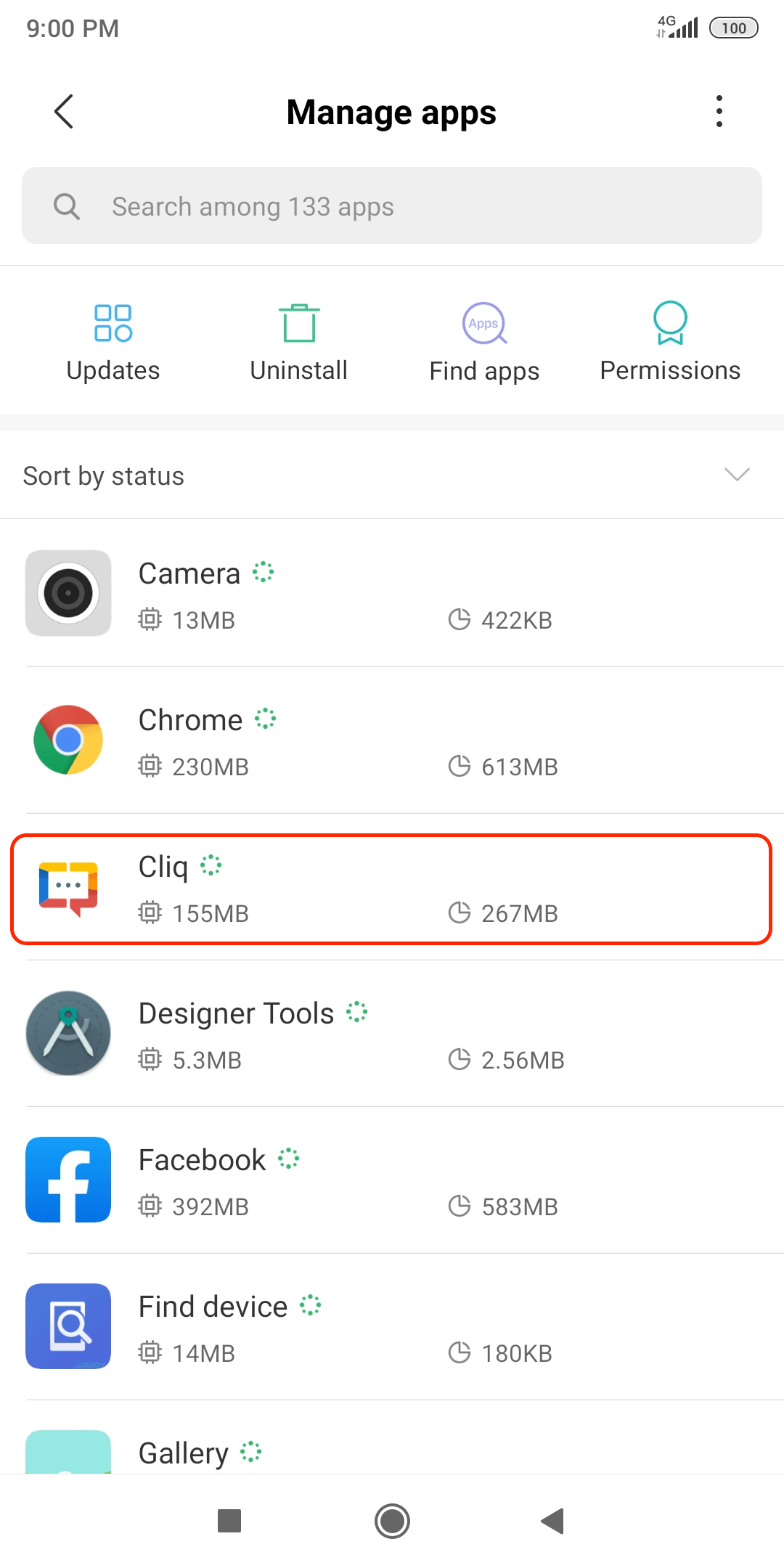
- Look for Cliq and tap on it.
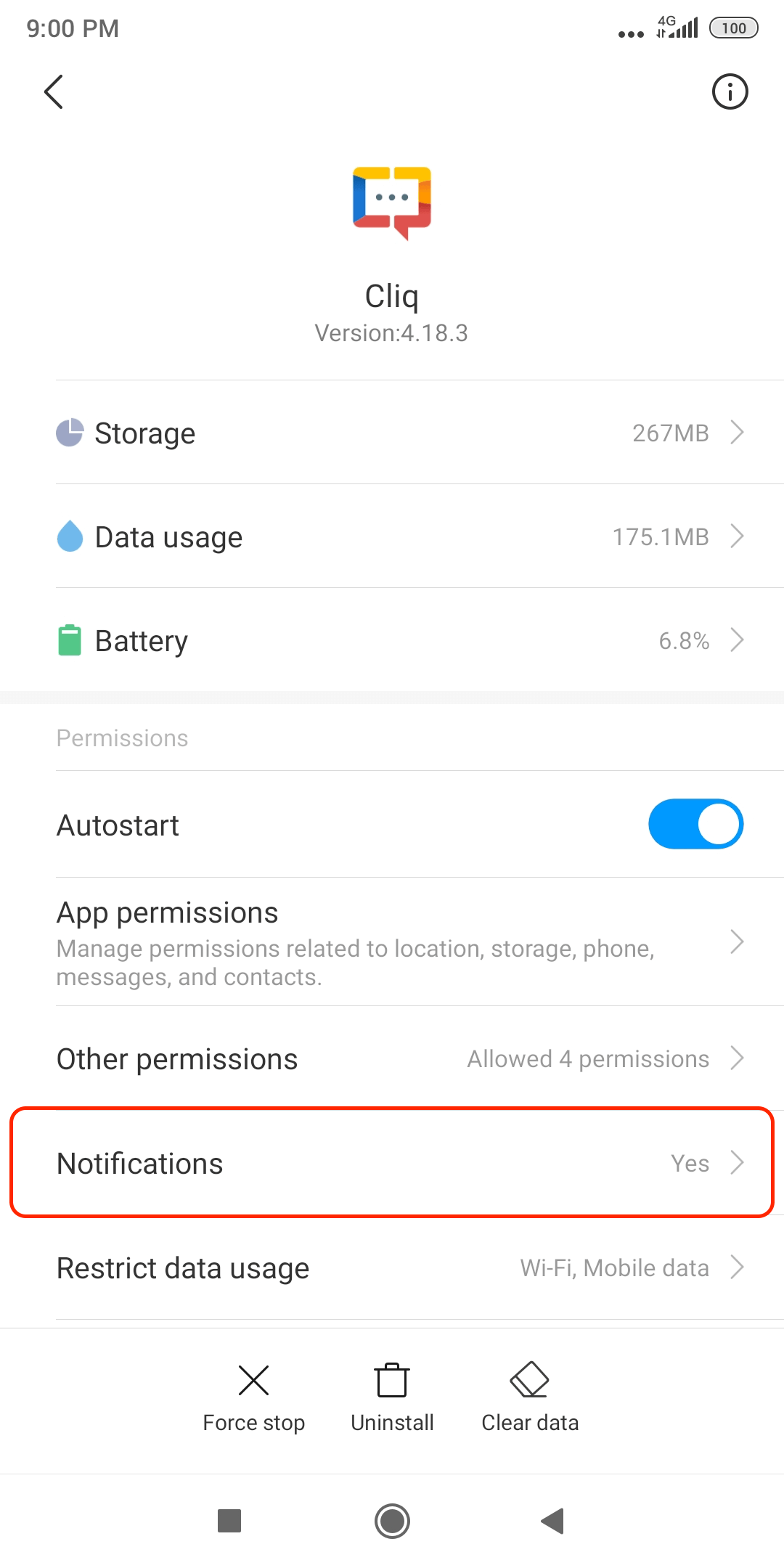
- Tap on Notifications.
- Ensure that Show notifications are turned on.
- Under Categories, slide the toggles and enable Floating notifications, Lock screen notifications, and Sound.
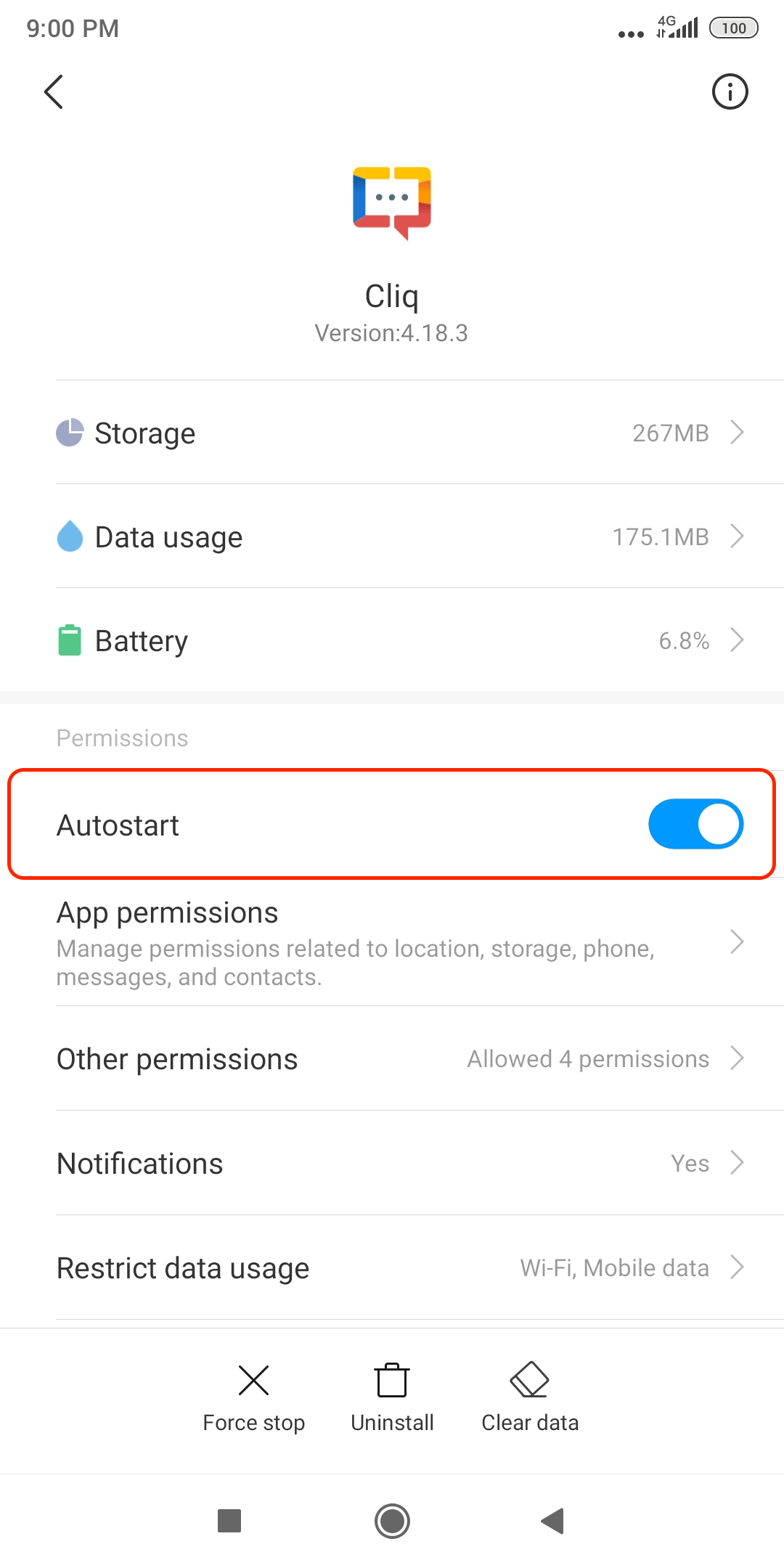
Step 2: Enable autostart of Cliq
- Open Security app on your phone and tap on Manage apps.
- Look for Cliq and tap on it.
- Enable Autostart.
Step 3: Exclude Cliq from battery optimization
- Open Security app on your phone and tap on Manage apps.
- Look for Cliq and tap on it.
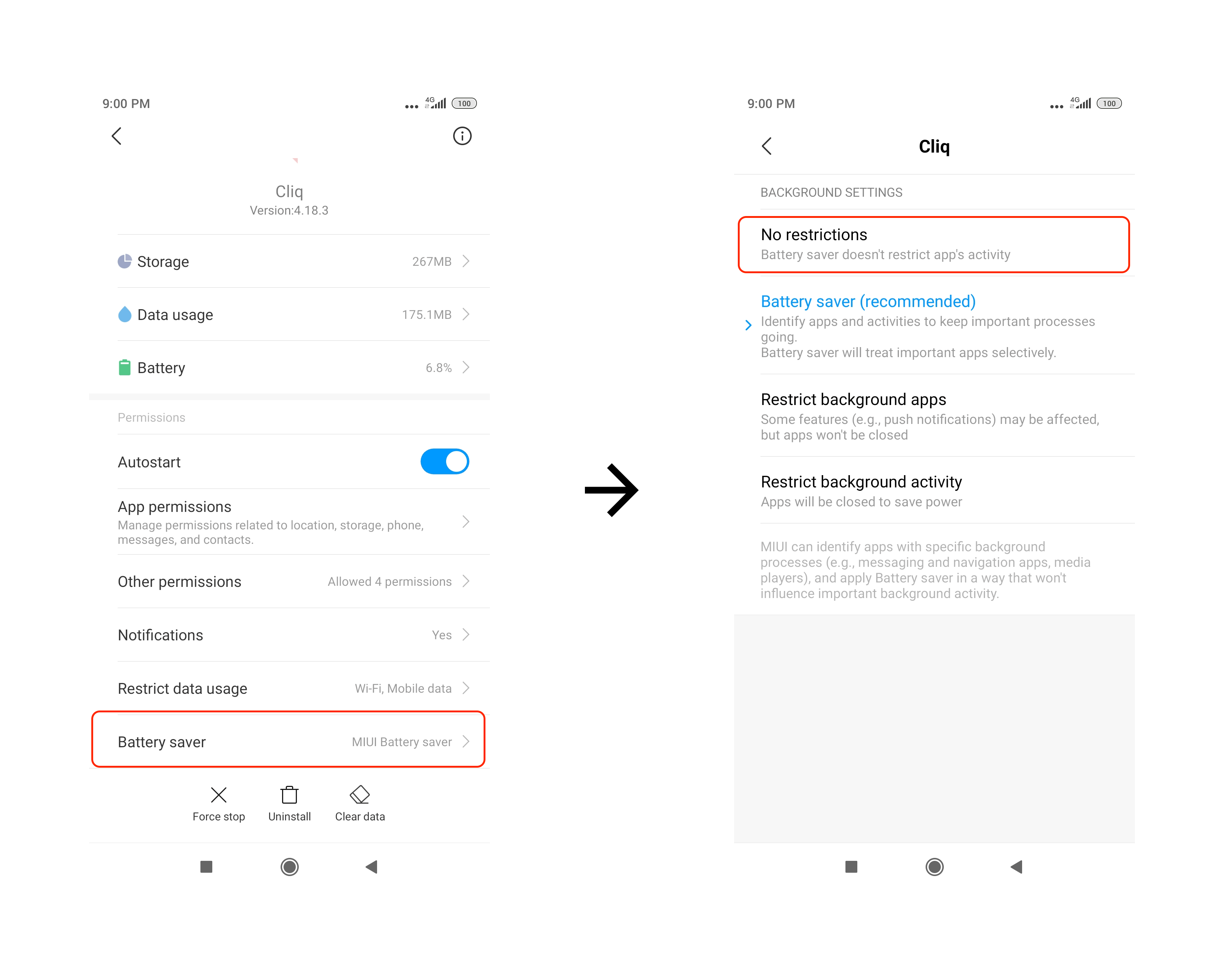
- Tap on Battery saver, and select No restrictions.