How do I create a group chat?
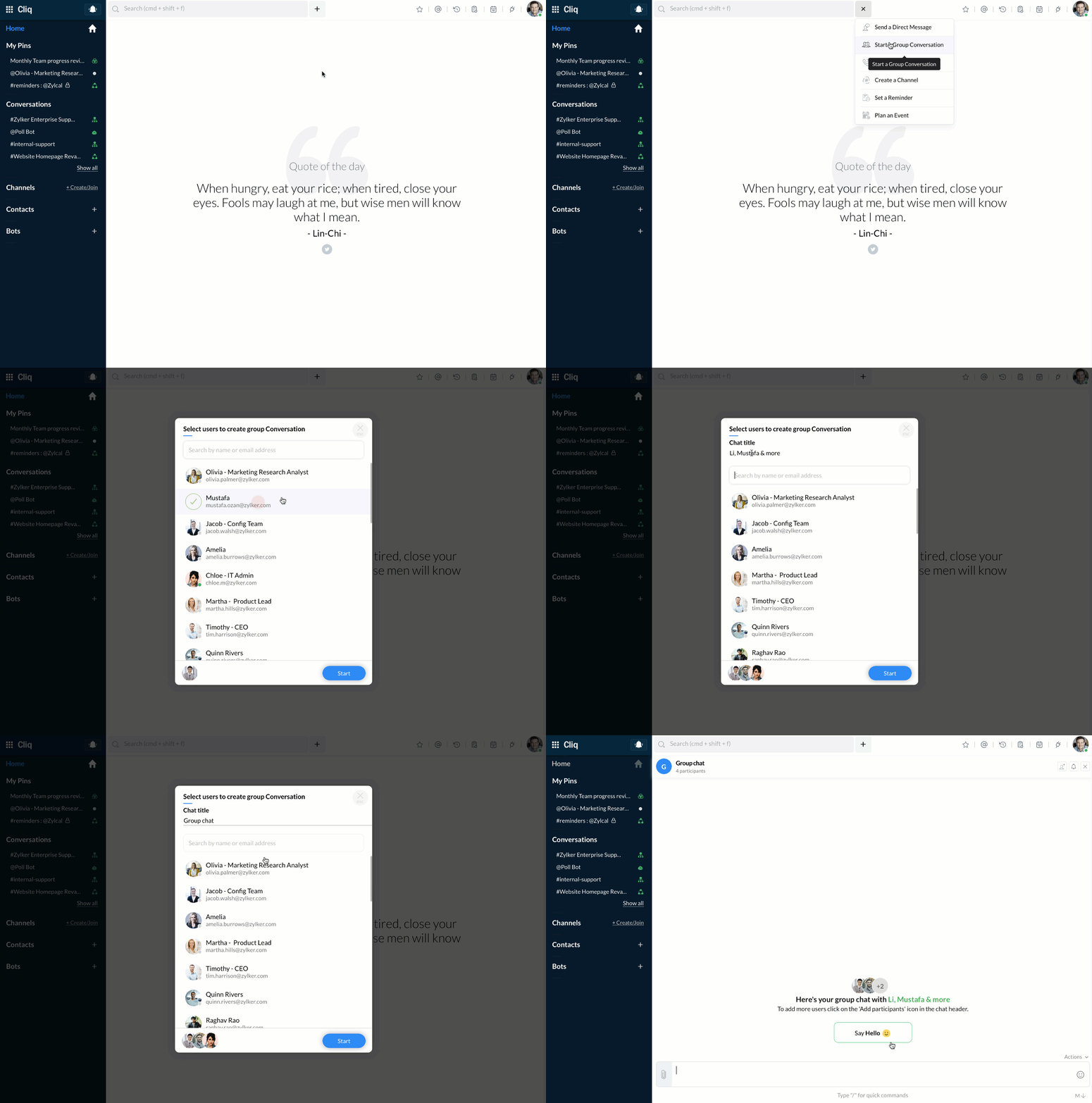
Connect and collaborate via group chats to arrive at quick decisions. To create a group chat follow the given steps:
- Click Quick Plus icon next to the search bar.
- Select Start a Group Conversation.
- In the selection screen that appears, select the users whom you want to create a chat with, give a title for your chat and click Start.