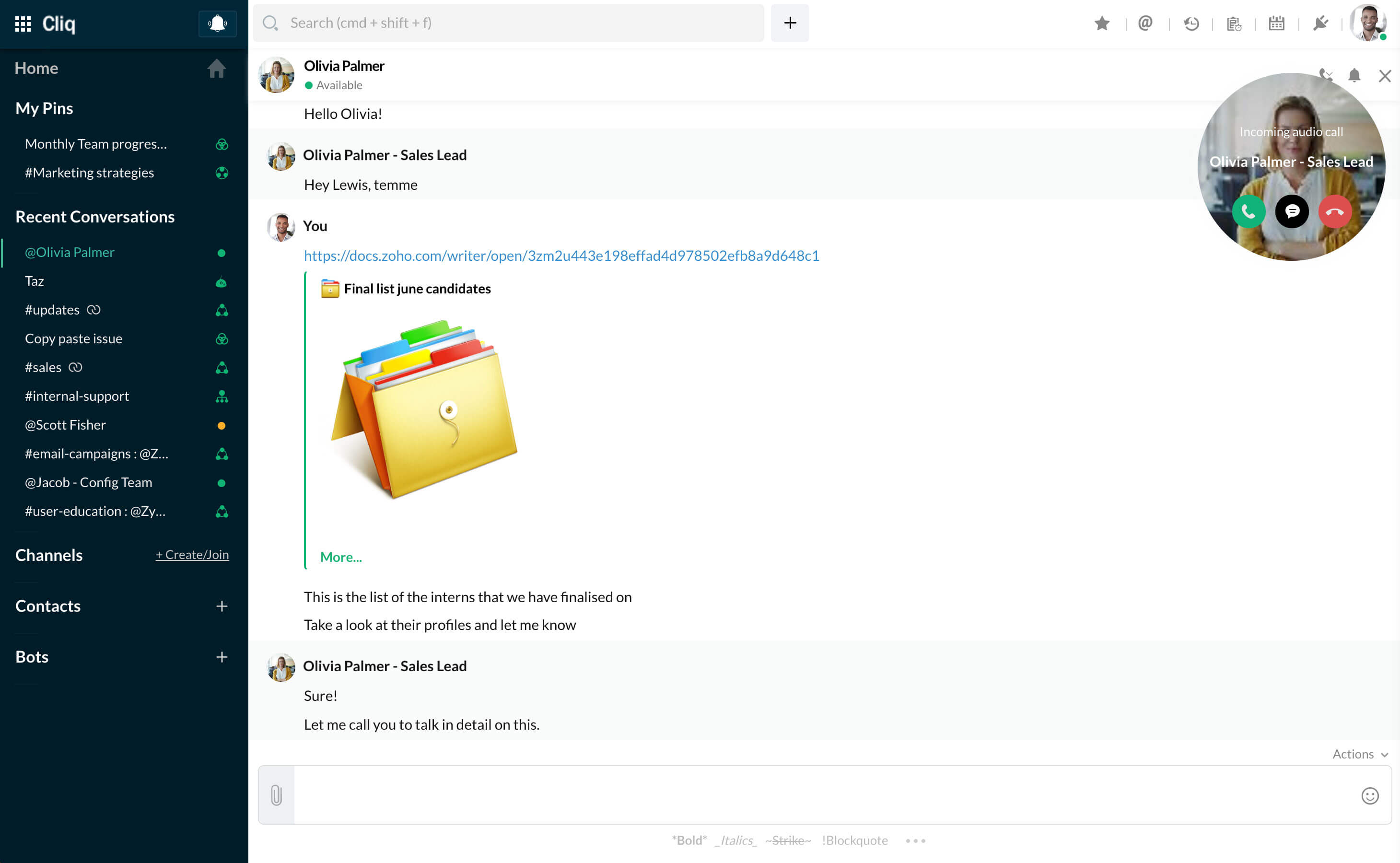
What options does a user have when receiving a call?
When an audio or video call is made, the receiver will receive the call in the form of a circle specifying the caller name and the type of call (audio or video), and 3 buttons: Accept, Reply and Decline.
Note: The call will be received across all tabs in which chat-bar is enabled and also in mobile device if the Cliq app is signed-in.
- Accept: When the receiver accepts the call for the first time, they will get a popup asking for permission to access their microphone and camera for audio and video calls respectively. When the permission is granted by the receiver, the call will be connected.
- Reply: If the receiver is busy and can't talk at the moment, then the receiver can choose to reply. When Reply is clicked, a text bar will appear followed by a few reply options. The receiver can type a custom reply or choose any of the given replies. The caller will get the specified message in the chat window.
- Decline: The receiver can decline the call. When the call is declined, the caller will be notified that the receiver is busy.