It boils down to what you look for in an appointment scheduler:
- Location management?
- Enhanced scheduling automation?
- Resource rentals?
- Customization capabilities?
- Integration with your tech-stack?
- Subscriptions?
While Acuity excels at helping businesses sell services in packages or subscriptions, Zoho Bookings offers robust team-scheduling features, extensive customizations, and deep integrations with the Zoho ecosystem.
Both tools bring their unique strengths to the table. Let's compare how they stack up against each other.
Key takeaways:
- Unlike Acuity, Zoho Bookings lets you create custom workflows. This enables you to trigger pre- and post-meeting notifications or other actions based on your conditions.
- Zoho Bookings' flexible user-based pricing can help your small or growing businesses scale without incurring high upfront costs.
- Zoho Bookings helps you completely white label all customer-facing elements, unlike Acuity.
- If you offer services in the form of subscriptions or would like to offer packages, Acuity support for bundled offerings can work for you.
Acuity Scheduling vs. Zoho Bookings: A quick comparison


Custom domain
White label the booking URL with your brand name. Learn more about custom domains
Resource management
Manage and rent resources from a single dashboard. Learn more about resource management
Workflows and custom functions
Build custom workflows with the script builder. Learn more about workflows
Send notifications via WhatsApp
Send notifications and reminders through WhatsApp. Learn more about the WhatsApp integration
Browser extension
Schedule and manage appointments without switching browser tabs. Learn more about the browser extension
Customization capabilities
Automated notifications
Reporting capabilities
Situations where Acuity Scheduling may work well
Acuity Scheduling might be a better fit when:
- You're offering packages so clients can pay for multiple appointments upfront. This can be used to redeem any of your services at any preferred time.
- You're offering a recurring subscription that clients can use to redeem services at a time of their choice.
What gives Zoho Bookings an edge over Acuity?
- Custom domain
- Zoho integrations
- Resource management
- Automated workflows
- Flexible pricing
- Other highlights
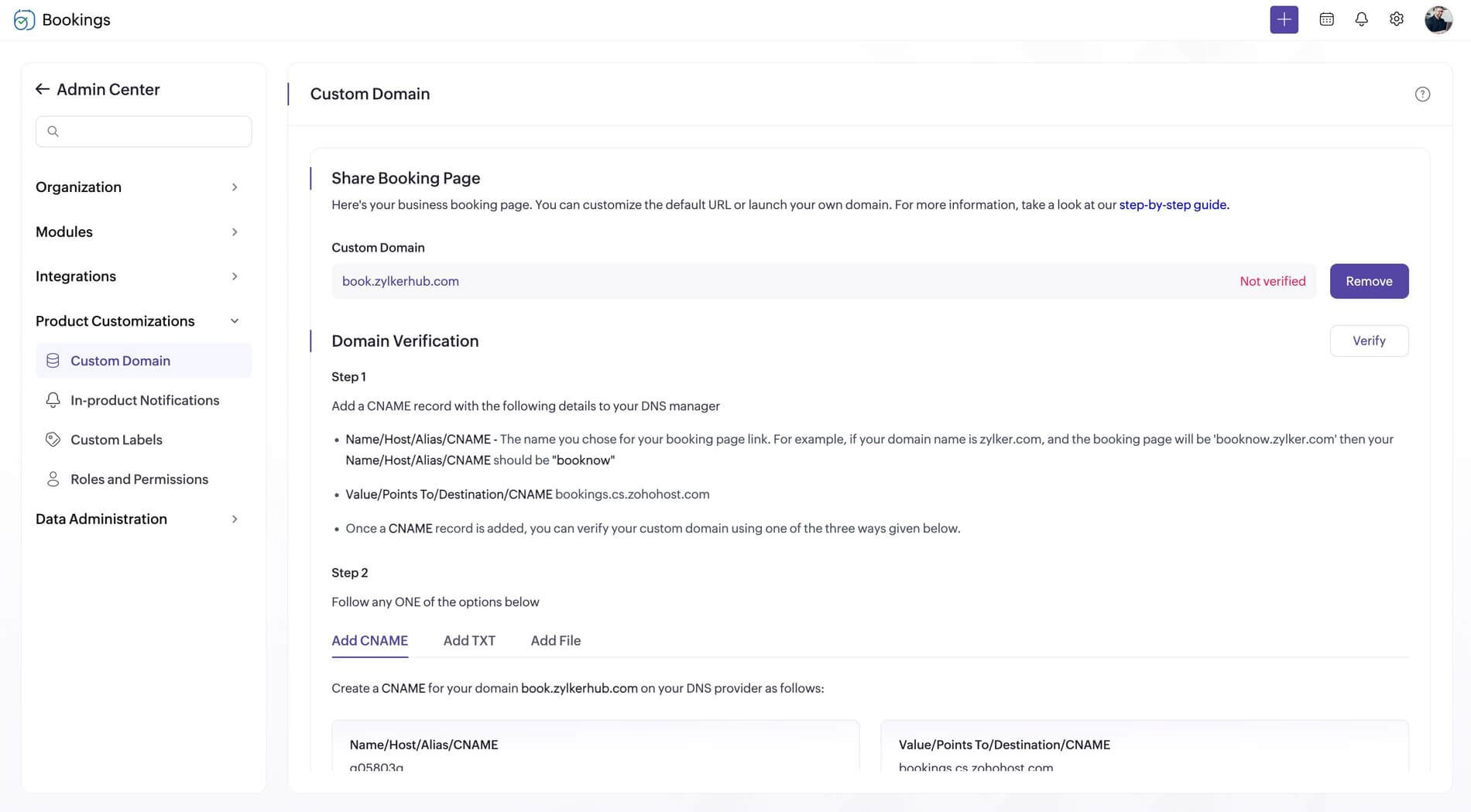
Boost booking page credibility with your domain
While Acuity Scheduling helps you tailor booking page URLs, you cannot completely white label it. With Zoho Bookings, you can add booking pages to your domain, boost credibility, and stay true to your business branding.
Integration with Zoho ecosystem
Eliminate data silos and simplify scheduling across all your Zoho apps. Zoho Bookings has deep ties within the Zoho ecosystem and integrates with multiple Zoho apps to streamline scheduling.
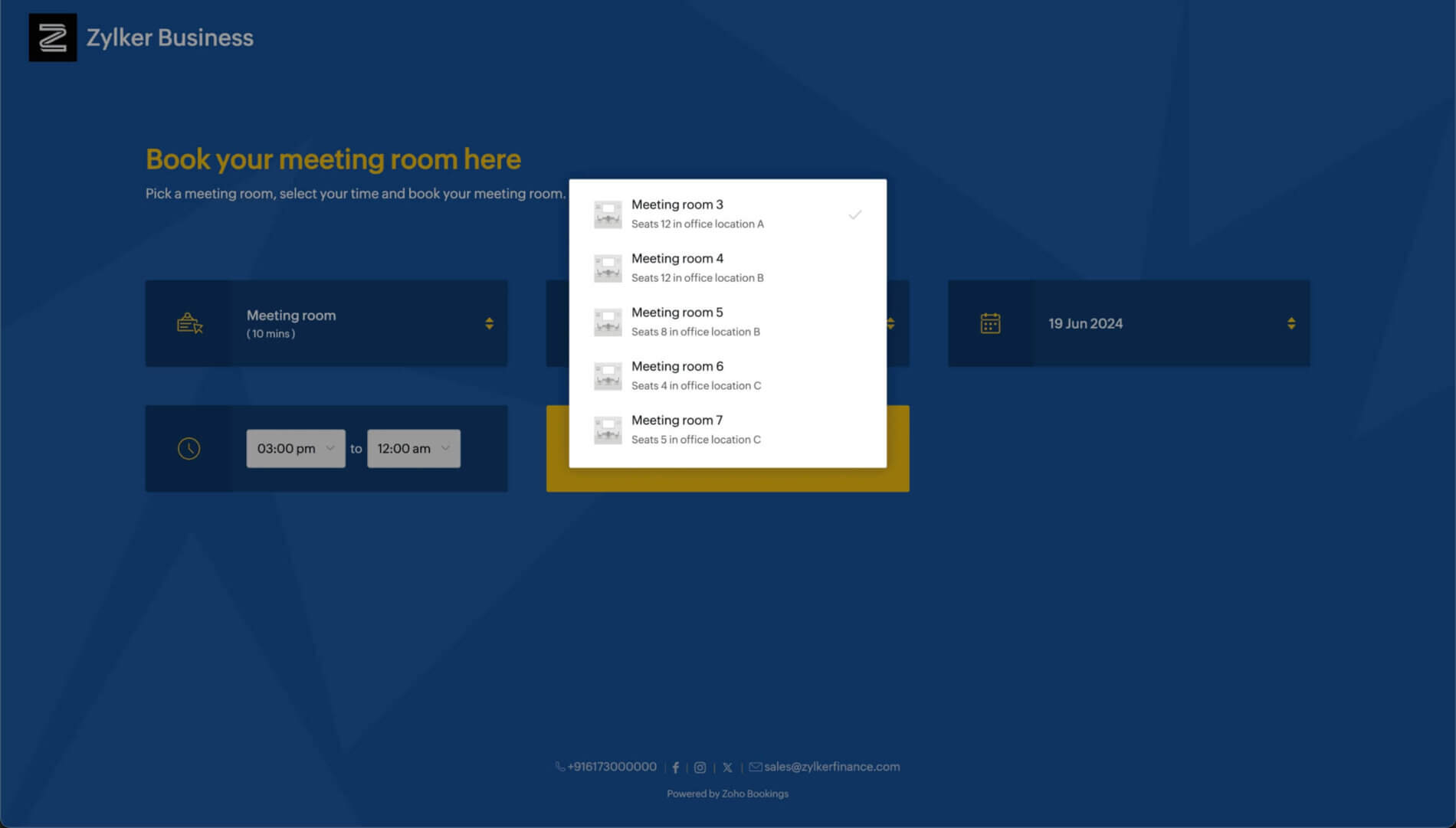
Manage resources with ease
Using Zoho Bookings, you can:
- Rent resources like meeting rooms or sports equipment.
- Charge dynamically based on a custom duration.
- Track all of this in a single dashboard.
With Acuity, resources are used only to limit booking times based on existing availability, rather than having independent calendars of their own.
Set up automated workflows
While Acuity helps you send notifications and reminders, it falls behind when it comes to automated workflows. With Zoho Bookings, you can set up email, SMS, or custom workflows that are triggered based on predefined conditions. You can:
- Send meeting agendas, prep materials, or share prerequisites 24 hours before a session.
- Collect feedback on your last service, or interest customers with your other offerings.
- Sync your data to Zoho CRM based on custom conditions.

Flexible plans for scalable businesses
Acuity imposes a plan-wise calendar or user restriction.
| Plan (when billed annually) | Starter | Standard | Premium |
| Cost | $16/month | $27/month | $49/month |
| Number of calendars (Each user needs to integrate with at least one calendar to receive appointments. The number of users you can have depends on your plan: a maximum of one user in Starter, six in Standard, and 36 in Premium.) | 1 calendar | 6 calendars | 36 calendars |
While users can integrate with multiple calendars, be aware that:
- The calendar limits in the Starter and Standard plans might not always be enough.
- You cannot add calendars or users to your existing plan. You can only upgrade.
- Eventually, when you opt for the Premium plan due to calendar restrictions, you might end up paying for calendar connections that you don't even use.
This lack of flexibility can affect growing businesses.
On the other hand, with Zoho Bookings, you only pay for the number of users you need. You can add or remove users at any point without restrictions.
| Plan (when billed annually) | Basic | Premium |
| Cost | /month/user | /month/user |
Other areas where Zoho Bookings excels:
- Staff can charge a custom cost for their services based on their expertise.
- Workspaces help you manage services by location or department and assign admin rights to the respective branch manager.
- Custom labels let you tailor the Zoho Bookings UI based on your industry. Our AI-assisted onboarding process helps you set it up from the start.
- Zoho Bookings has native integrations with regional payment providers, Microsoft Teams, SMS providers, and even WhatsApp.


What else does Zoho Bookings have to offer?
- Meeting types
- Scheduling rules
- Customization
- Reports
- Exclusive time slots
- Mobile apps
An array of meeting types
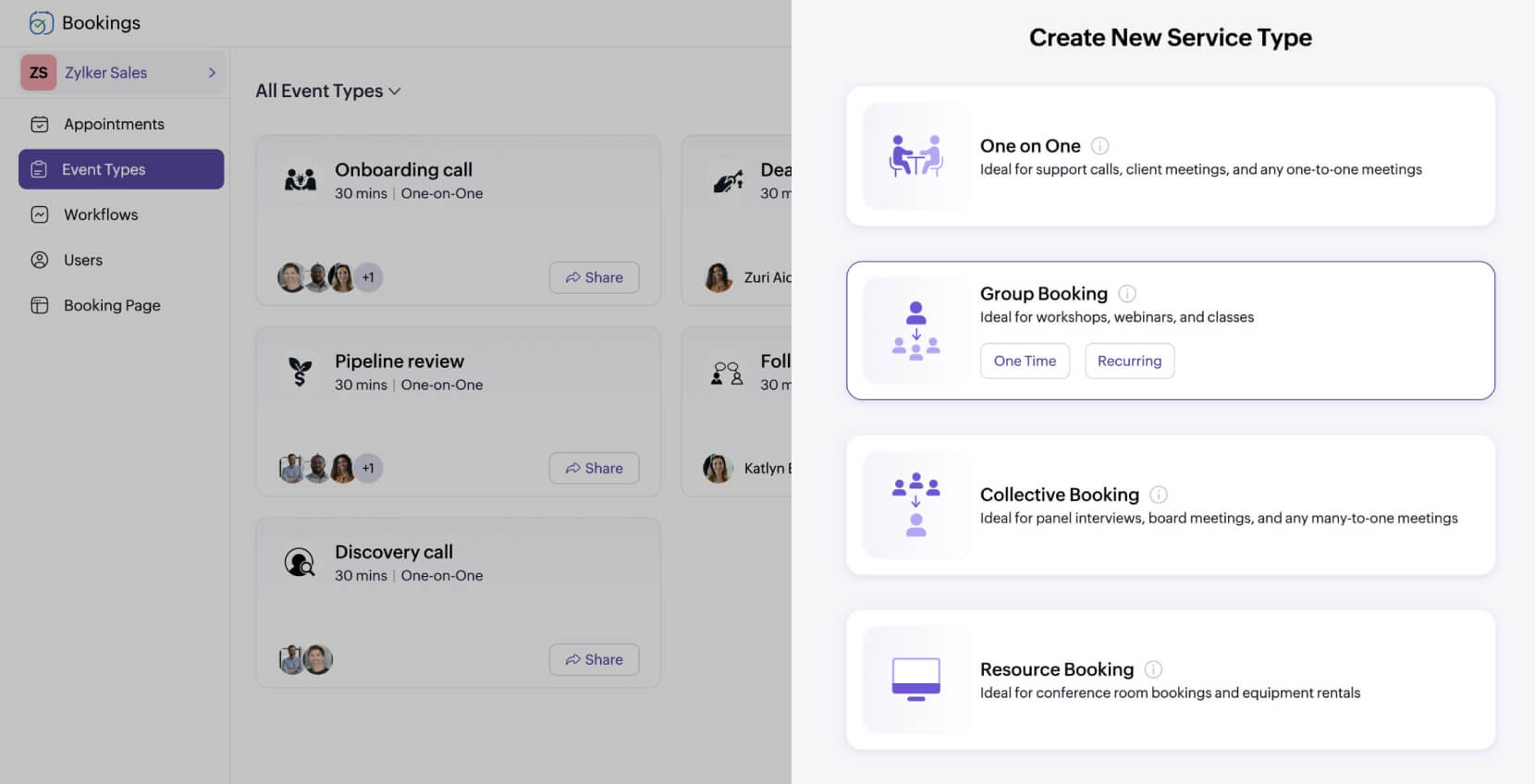
In addition to resource rentals, Zoho Bookings offers three other event types, which can be further customized to suit your scheduling needs.
- One-on-ones (with recurring options): For consultations or sessions
- Group events (with recurring options): For workshops or classes
- Collective events: For panel interviews or multi-host meetings
Fine-tune availability with scheduling rules
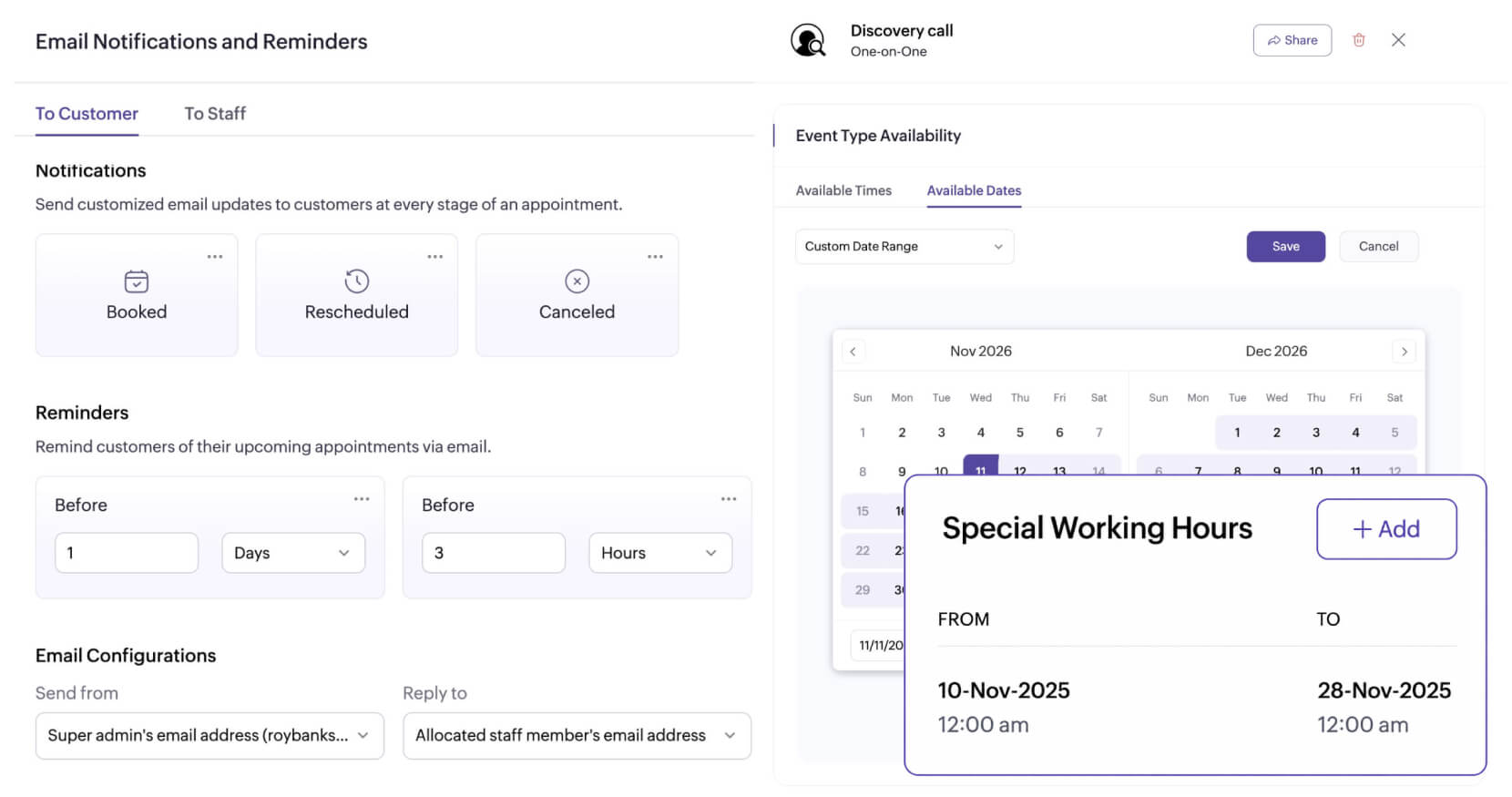
Reduce cancellations with a last-minute cancellation window, and avoid spam bookings with appointment limits or add buffers between meetings to give yourself breathing room. Zoho Bookings' offers granular control over your availability to help you streamline your schedule.
Align all customer-facing elements with your brand
In addition to a customizable domain, Bookings lets you import custom HTML for your communication emails and tailor intake forms for every event type. With Zoho Bookings' AI, you can customize your booking dashboard and booking pages end-to-end. Additionally, you can white label all lead-facing elements and stay in line with your branding preferences.
Generate actionable reports
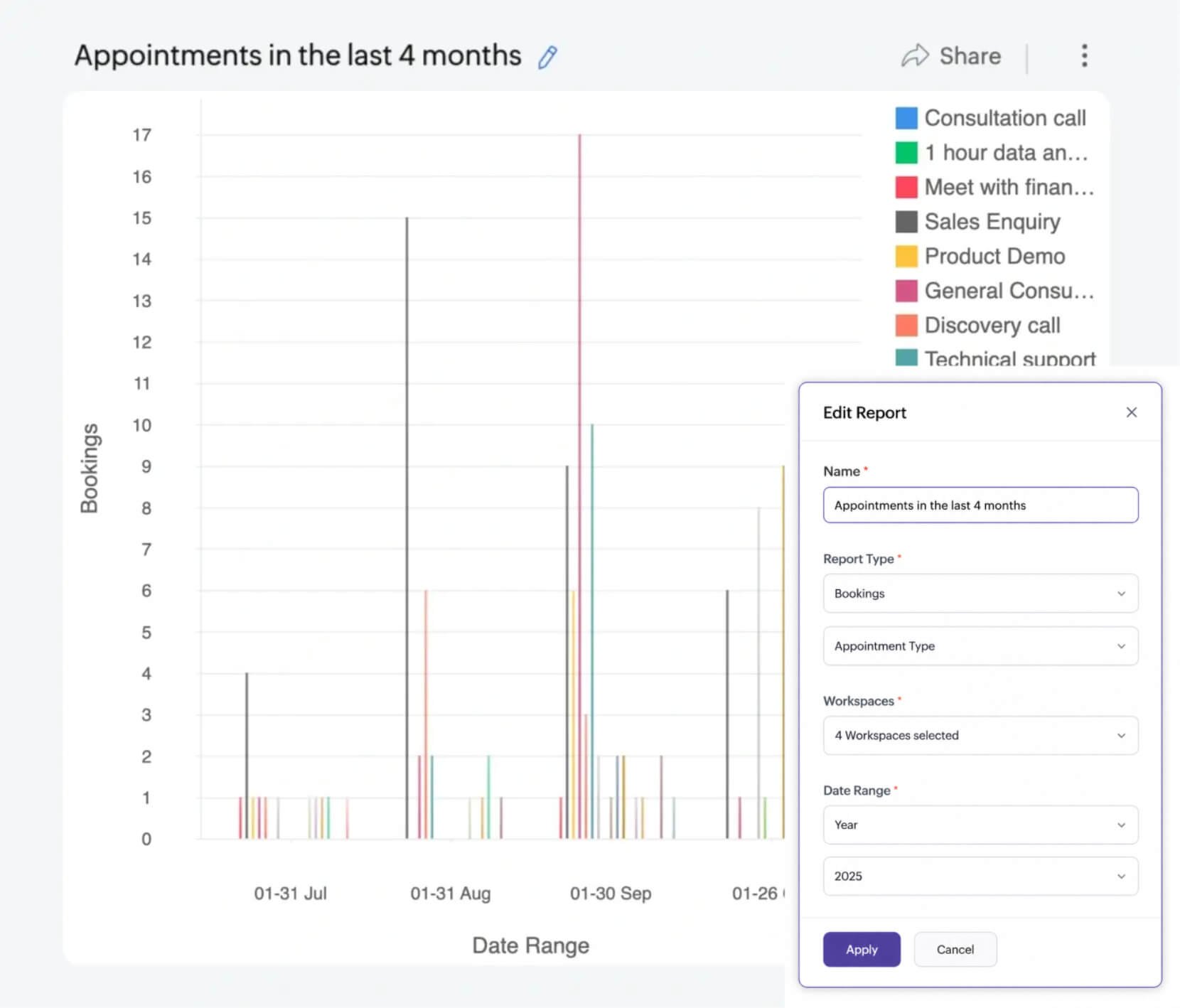
Identify bottlenecks in your business workflow or reallocate resources to revenue-driving services with customizable reports. You can generate them based on appointments or revenue and further tailor them with variables based on your requirements.
Create exclusivity among customers
Instead of presenting your entire availability, share a few exclusive slots to show clients you're in demand. Select time slots create urgency, eliminate calendar fragmentation, and convert interest into appointments faster.
Manage your schedule without the hassle
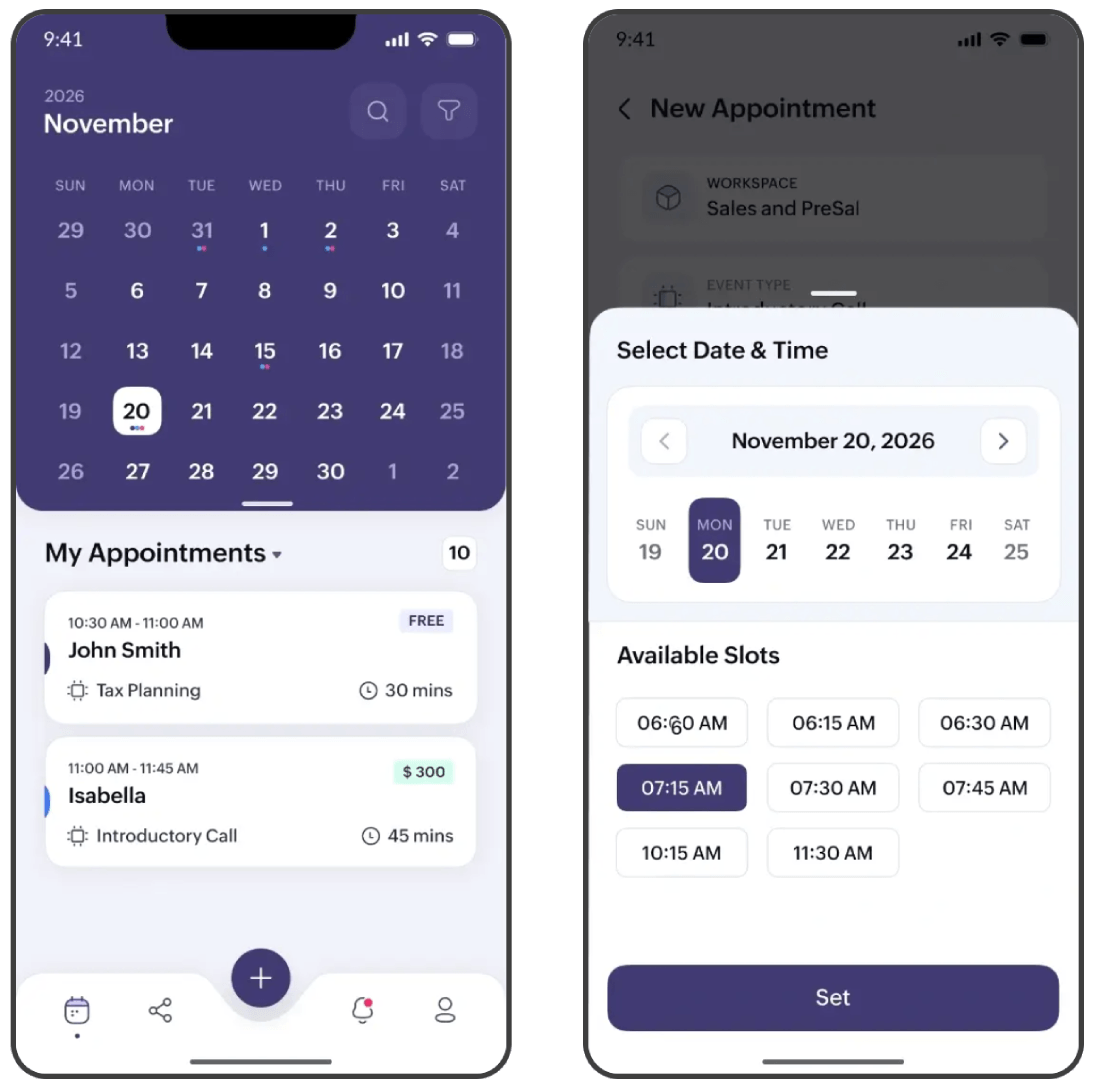
Track your upcoming meetings, update your availability, share booking links, or stay updated on the go with notifications via Android or iOS apps. Alternatively, you can also use our browser extension to navigate your schedule without switching browser tabs.
What next?
While both apps are powerful in their own regard, Zoho Bookings shines through when you're looking for an app that can:
- Integrate seamlessly within the Zoho Ecosystem.
- Help you set up customizable workflows.
- Simplify team-based scheduling.
- Manage your resources.
It does all this while offering flexible payment plans. Zoho Bookings is a scalable solution that automates scheduling, helping you direct your time and focus towards revenue-driving activities.