Contract Signed. Project Ready. Tasks Created.

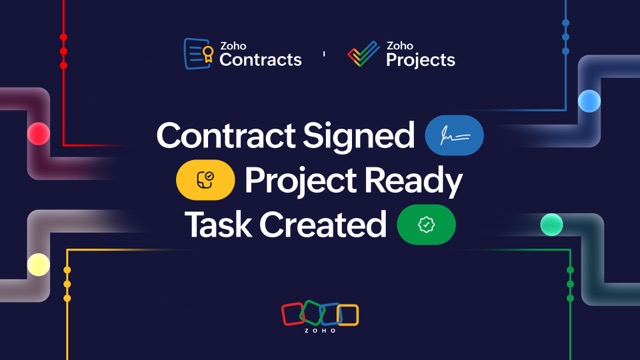
Every project begins with a promise; a contract that outlines the deliverables, the timelines, and the terms. But for most businesses, the journey from a signed contract to actual project execution is tedious, with endless emails, data duplication, and follow-ups.
But what if you could automatically turn your signed contracts into live projects instantly? That's where the integration of Zoho Projects with Zoho Contracts via Zoho Flow comes in!
Zoho Contracts is a contract lifecycle management (CLM) solution that helps businesses manage the entire contract lifecycle from authoring to execution and post-execution within a single platform.
This blog post will walk you through how this automation streamlines post-signature contract workflows, ensures a seamless handover between legal and project delivery teams, and eliminates manual effort spent duplicating information across multiple tools.
The challenges in initiating projects post contract signature
No matter the industry, the project initiation process follows the same pattern:
Once the deal is closed, the sales team shares the signed contract with the project management team.
The project management team manually creates a new project based on the information shared in the contract, like the client name, start date, and the deliverables, and manages the tasks until project completion.
Meanwhile, the legal and finance teams are tracking their own versions of the same information.
This disjointed process leads to errors in data entry, delays in project kick-off and execution, and communication breakdown between different departments. We’ve come up with two specific use cases to help project managers overcome these frustrations and improve their productivity.
Automating project creation in Zoho Projects using Zoho Contracts
When a contract status is moved to “Active” (i.e., fully signed) in Zoho Contracts, Zoho Flow fetches the necessary contract details and automatically creates a new project in Zoho Projects filled with these details.
Here's how it works:
The contract moves to “Active” in Zoho Contracts.
Zoho Flow fetches the contract details like the contract's start date, end date, owner details, timelines, and deliverables.
A new project is automatically created in Zoho Projects using a predefined template, complete with the above details.
Creating tasks from the obligations in the contract
This integration also lets you automate task creation in Zoho Projects whenever an obligation is added in Zoho Contracts.
Here's how that workflow looks:
An obligation is created in Zoho Contracts (for instance, "Initial software release to be delivered by October 17").
The obligation data, like the description, due date, and assigned owner, is retrieved from the contract in Zoho Flow.
A corresponding task is automatically created under the designated project in Zoho Projects.
Every contractual commitment now translates into a clear, trackable task, making it easier for project managers to plan, assign, and stay ahead of deadlines.
Why this integration matters
This integration brings the entire post-contract phase into one streamlined workflow.
With Zoho Contracts, Zoho Projects, and Zoho Flow working together, project managers can:
Kick off projects automatically the moment a contract is signed and activated.
Convert contractual obligations into actionable tasks, ensuring that nothing slips through the cracks.
Eliminate manual coordination with legal or sales teams.
Get started today!
You've seen how integrating Zoho Contracts and Zoho Projects via Zoho Flow can transform the way you manage project initiation and execution.
Looking to set it up for your organization?
You can explore this integration in Zoho Flow, try configuring the workflow yourself, request a demo, or connect with our support team for assistance. Automate your contract-to-project journey today!

Comments