AI that actually helps: Practical intelligence in Zoho Workplace

Lately, most AI assistants feel like that one over-eager intern who interrupts every five minutes with a suggestion you didn’t ask for.
At Zoho, we’ve always believed that AI should be more like a silent partner; powerful, present, and most importantly, not an expensive add-on.
For years, Zia has been the quiet overachiever behind the scenes of Zoho Workplace. Zia’s the reason your grammar stays sharp in Zoho Writer and you can translate a global email in Zoho Mail without opening a new tab.
With the newer OpenAI capabilities, Zia helps your team to automate the mundane, generate high-quality content in seconds, and find actionable insights.
In this blog post, we’re pulling back the curtain on the live AI features across your Zoho Workplace apps. We’re going on a guided tour of how Zia, our built-in assistant, is quietly doing the heavy lifting in your daily workflow.
Important note: The features listed in this blog post work as an integration between Zoho and OpenAI. You will need an existing OpenAI account (free or paid) to generate an OpenAI key to activate these features within Zoho Workplace. Learn more on how this works.
Zoho’s AI principles
Many vendors treat AI like a premium topping; extra cost, extra complexity, and often arriving as a disconnected side dish. At Zoho, we’ve built our approach on a different foundation: AI that’s integrated, intelligent, and most importantly, already included.
Value-driven
Most companies see AI and think “upsell.“ We see it and think “upgrade.“ Instead of hitting you with pricey per-user licenses, we’ve integrated AI directly into the Zoho ecosystem.
Long-term
While many are just now jumping on the AI bandwagon, Zoho has been quietly perfecting it for over 10 years. This isn’t a feature sprint; it’s a marathon of research and real-world refinement. Our deep technological commitment means every evolution of Zia is thoughtful, stable, and built to last.
Contextual
Zia doesn’t live in a silo. Because Zoho covers everything from your email to your expense reports, Zia has a big-picture view of your business. Zia brings you exactly what you need, precisely when you need it.
Assistive, not disruptive
Zia is designed to collaborate, not dominate. Zia supports decision-making, sparks creativity, and automates the routine, but never takes control. The goal is to make your team more capable and independent, not to create a new dependency.
Key AI features in Zoho Workplace
Here are some of the major AI features included in the Zoho Workplace suite.
Zoho Mail
1. Draft emails
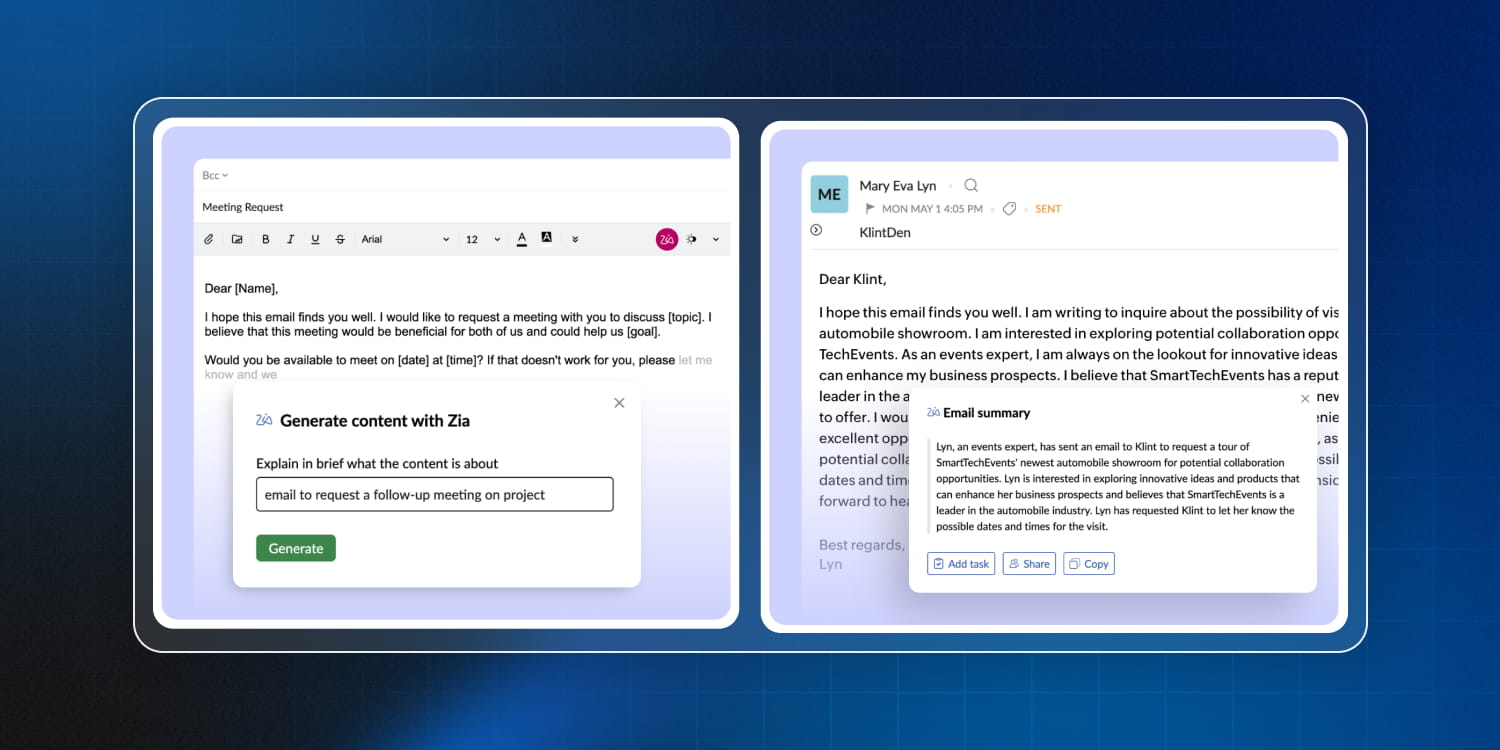
We’ve all likely stared at a blinking cursor, trying to turn a three-word thought into a professional-sounding email. With Zia’s generative compose, you can now just... ask. Whether you’re starting from scratch or hitting Reply at 4:55 PM, Zia is your on-call copywriter.
- Give Zia a rough idea, and it’ll hand you a polished draft.
- As you type, Zia predicts the rest of your sentence.
- Zia provides fresh content every time you regenerate, enabling you to iterate until you achieve the desired outcome.
Perfect for: Imagine you need to schedule a meeting. You could spend five minutes checking dates and typing out “I hope this finds you well.“ Or, you could just tell Zia.
The prompt: Invite the team to a monthly sync on Feb 12.
The result: A perfectly formatted invite with a clear agenda, a professional tone, and zero typos.
2. Summarize email threads
Sometimes, you receive a mega-thread of emails: 52 emails, 12 participants, three different arguments about a font choice, and somehow you’ve been CC’d on all of it. Reading through all of them feels like a historical research project.
Zia can scan those endless email chains and distill them into a concise, bulleted summary. Zia doesn’t just pick random words; it identifies the decisions and deadlines that actually matter to your job description.
Perfect for:
- Not spending your first Monday morning digging through your inbox. Get the highlights in one click.
- Walking into a meeting and realized you missed the last 15 updates? Turn 50 emails into a 5-second summary while you’re waiting for the elevator.
- When multi-person threads go off the rails, Zia finds the who, what, and when so you don’t have to.
3. Writing assistant
There may be times where you’ve written a sentence so long that you’ve forgotten how it started.
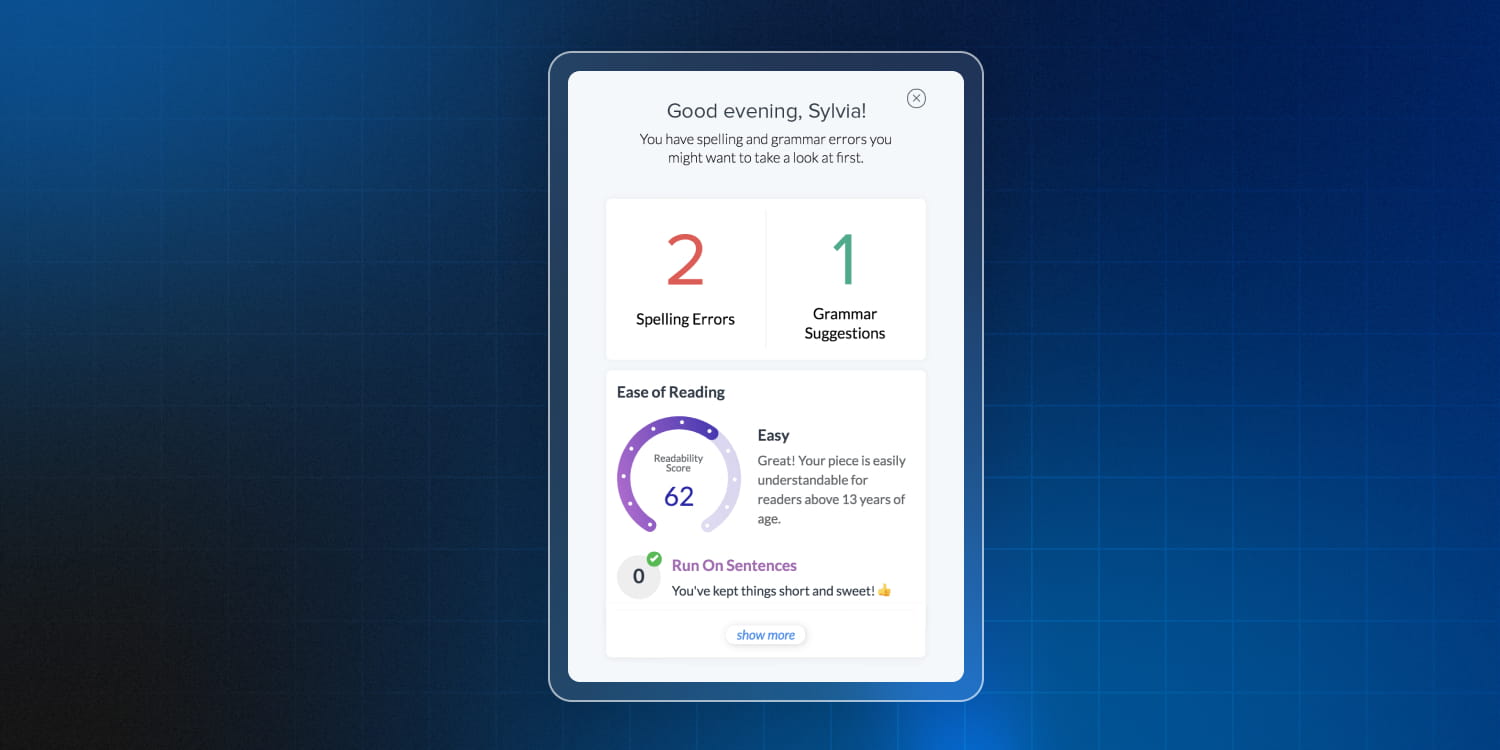
Zoho Mail’s writing assistant is like a high-end filter for your professional reputation.
- Beyond just basic spelling, Zia hunts down those sneaky grammatical errors that standard spell-checkers ignore.
- If your email looks like a legal contract from the 1800s, Zia will nudge you to simplify. It ensures your message is human-readable.
Zoho Cliq
1. Unread message summary
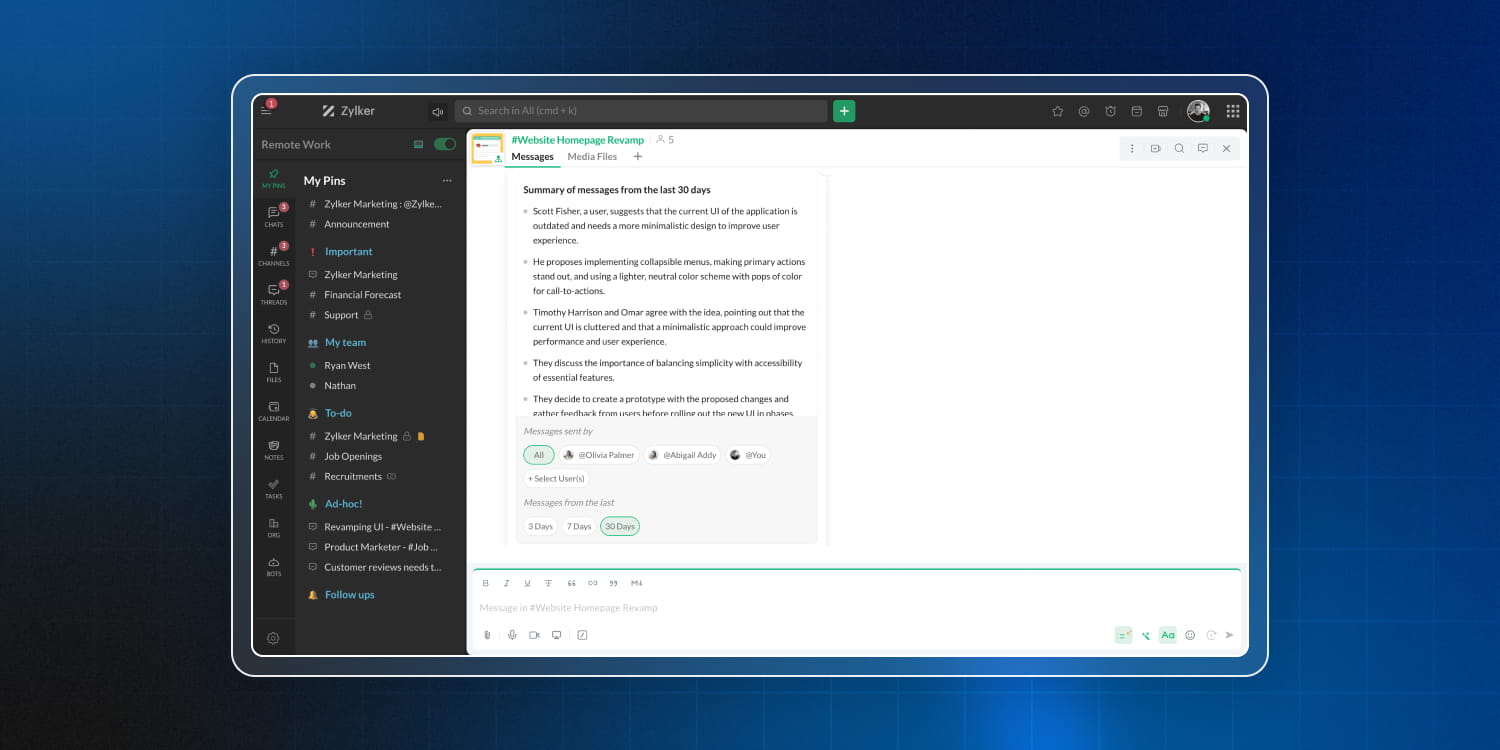
The “mega-thread” doesn’t occur only in emails but also in chats. You step away for a one-hour lunch, and you return to find that you’ve been tagged in three channels and one of them overflows with more than a hundred messages.
With Zoho Cliq’s unread message summary, Zia scans your unread messages and hands you a crisp, summarized report of what you missed.
Perfect for:
- Just got back from a long holiday? You can view one centralized summary of all your unread pings and decide which fire to put out first.
- When you log back in after a day off, you can see the highlights of every conversation in one glance and catch up in seconds, not hours.
- Quickly scan your summaries to see if you’re actually needed, or if you can go back to that high-focus project.
2. Meeting transcript, summary, and action items (also available in Zoho Meeting)
Trying to lead a brainstorm while simultaneously typing the action items is a headache. You either miss a brilliant idea because you were typing, or you miss the deadline because you forgot to write it down.
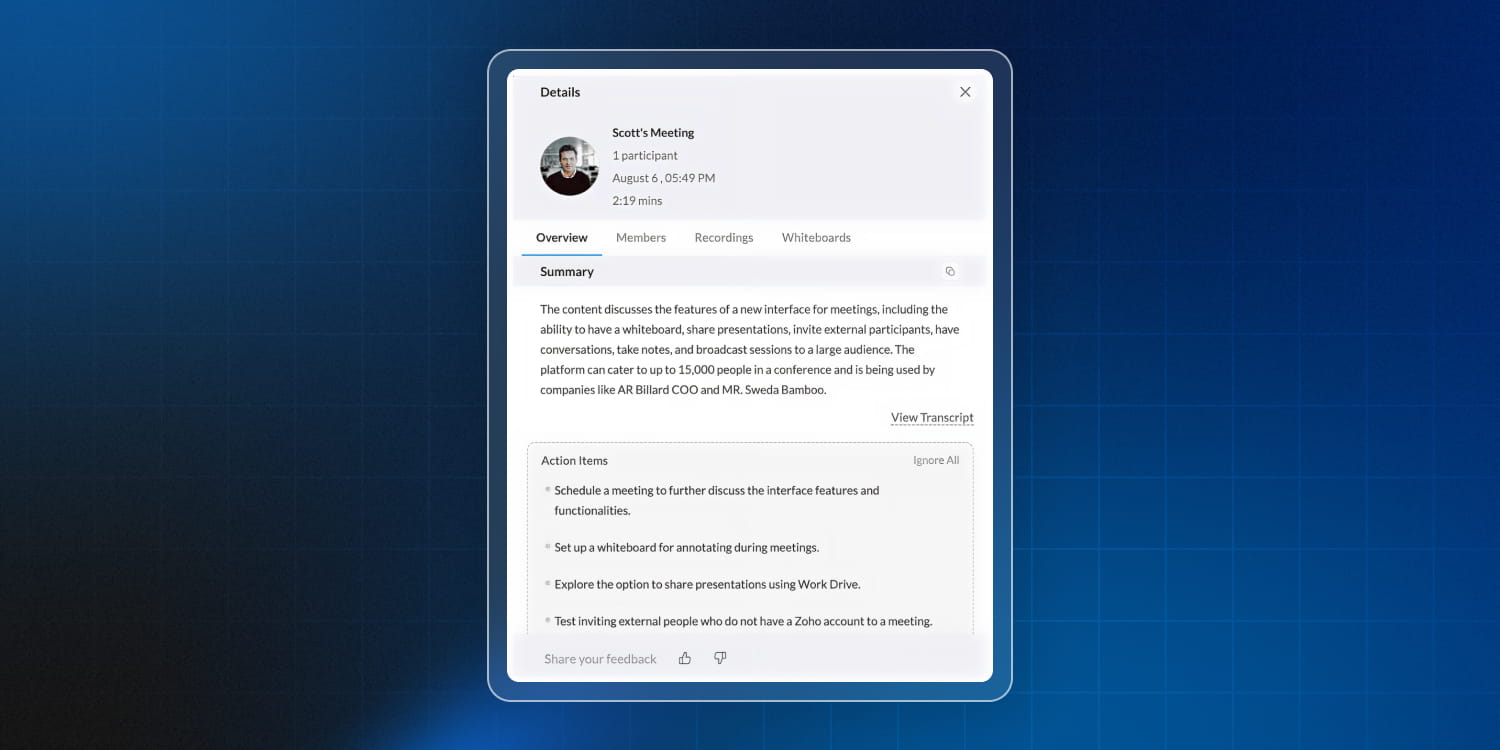
With Zia for Zoho Cliq, you can finally stop scribbling and start participating. Zia takes the notes; you take the credit.
- Zia gives you the word-for-word record of who said what.
- It condenses an hour-long deep dive into a few digestible paragraphs.
- Zia automatically identifies tasks and the people to whom they were assigned.
Perfect for:
- Five minutes after the call, you can blast out the summary and action items to the whole team.
- If someone missed the call, they don’t need a 30-minute debrief. They just need Zia’s summary.
- Having a clear list of assigned tasks means projects actually move forward, without any awkward “just checking in” emails.
Zoho WorkDrive
1. Generate image and cover image
Stop searching for specific images and start describing. With Zia’s image generation, you can describe exactly what you need, and Zia brings it to life.
Similarly, for video covers, instead of hunting for a timestamp that doesn’t look awkward, just tell Zia what the video is about. It’ll generate a high-quality, relevant image, giving your internal training or educational videos a high-end look.
The images are generated right inside WorkDrive, so there’s no need for downloading from third-party sites, forgetting where you saved them, and re-uploading them to the wrong folder.
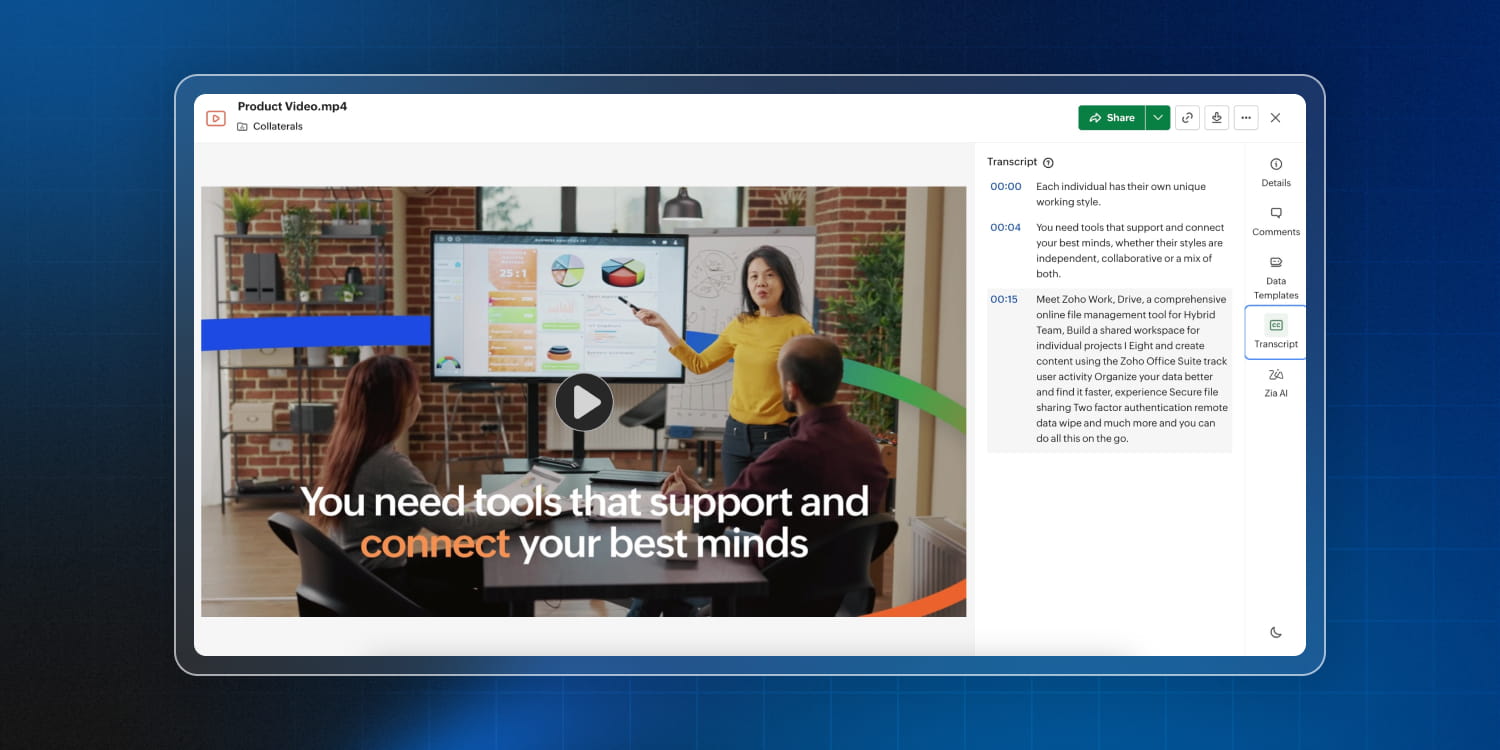
2. Audio and video transcription
You’re listening back on a recorded client call, trying to catch that one specific budget figure, but the audio gets fuzzy, someone’s dog starts barking, and suddenly you’re stuck in a loop of hitting Rewind.
With WorkDrive’s built-in AI transcription, Zia listens to your audio and video files so you don’t have to, turning spoken words into a searchable, readable, and highly useful document. Whether it’s a 2-minute voice note or a 2-hour board meeting, you get a clean text transcript generated directly within WorkDrive.
Perfect for:
- Transcribe training sessions and orientation videos to create quick reference guides and captions, making learning faster and more accessible for diverse teams.
- Turn recorded webinars, interviews, and podcasts into blog posts, social snippets, or knowledge articles, without starting from scratch.
- Capture accurate text records of client calls, reviews, or board presentations, helping with documentation, compliance checks, and future reference.
3. Zia Hubs
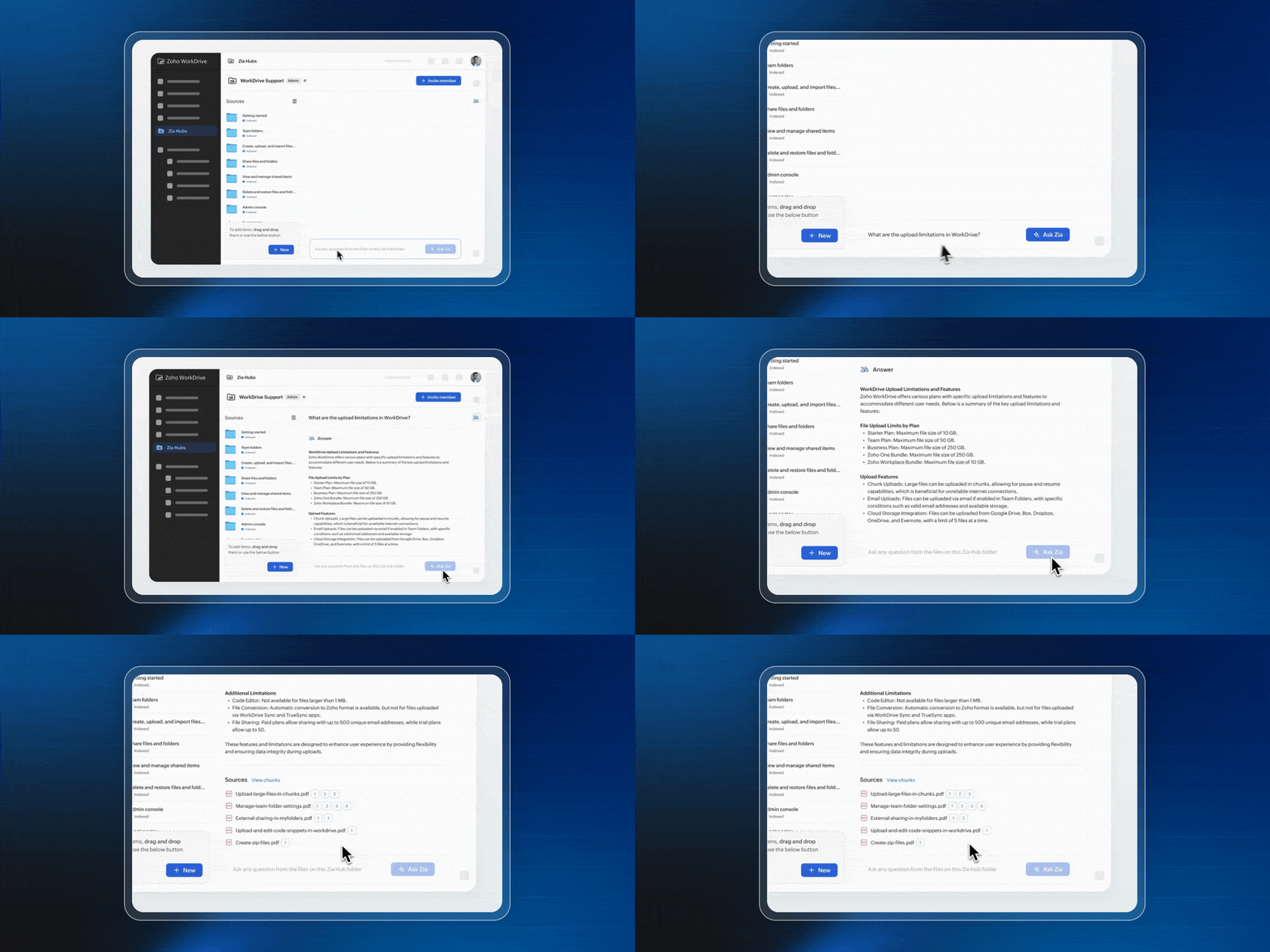
Picture this: Your team is talking about last year’s car sales, competitors’ revenue, or comparing Q2 performance against Q3 targets. Even though the relevant data is scattered across various folders, how can you quickly gather all of the needed information with just one query?
That’s where Zia Hubs comes in. Zia Hubs uses AI to categorize, connect, and surface your data exactly when you need it.
Zia Hubs doesn’t just store files; it understands them. It looks at the context, the content, and the relationships between your documents to create a centralized knowledge base that actually makes sense.
Perfect for: You just hired a new marketing manager. Usually, their first week is spent drowning in 15 different shared folders, trying to figure out which brand guidelines are current.
But with Zia Hubs, you point them toward the Marketing brand hub. Instead of digging through folders, the new hire simply asks the hub: “What are our primary hex codes?“ or “Show me the latest social media templates.“ Zia pulls the exact files and info instantly.
Or you’re responding to a massive Request for Proposal (RFP). You need technical specs from engineering, case studies from sales, and legal disclaimers.
With Zia Hubs, you can create a knowledge hub for the RFP. Zia scans all incoming documents and creates a living index. When you need to know the specific latency requirements discussed in a meeting transcript three weeks ago, you just ask and Zia brings the required information promptly.
Zoho Writer
1. Ask Zia
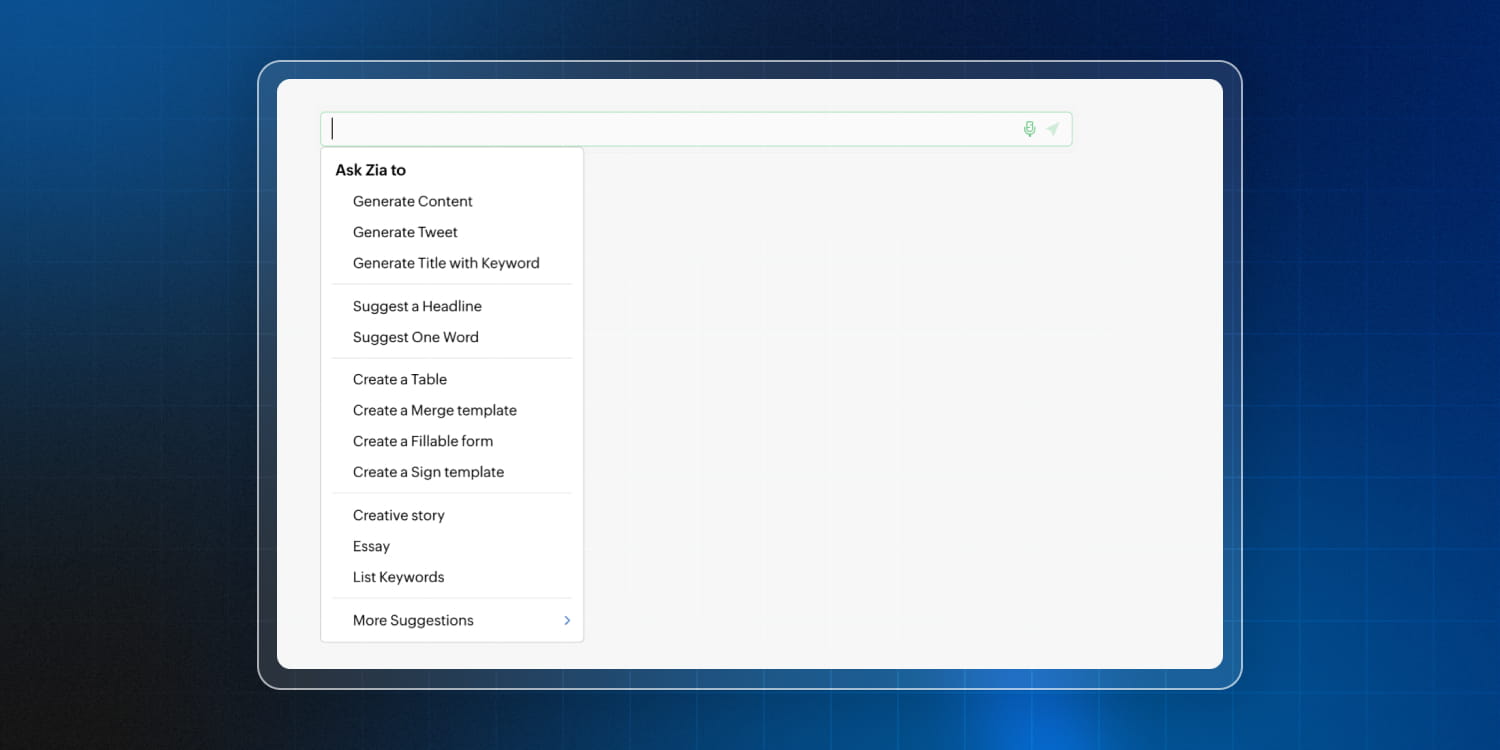
You’re in the middle of writing a brilliant document, but you need a quick summary, a creative spark, or a bit of research. Just type // anywhere in your document or chat, and Zia pops up like a digital genie, ready to help you work through your writer’s block in real time.
- Ask Zia to draft a section while you’re still looking at the outline.
- Highlight a clunky sentence and use the shortcut to ask for a more professional or punchier version.
2. Plagiarism checker
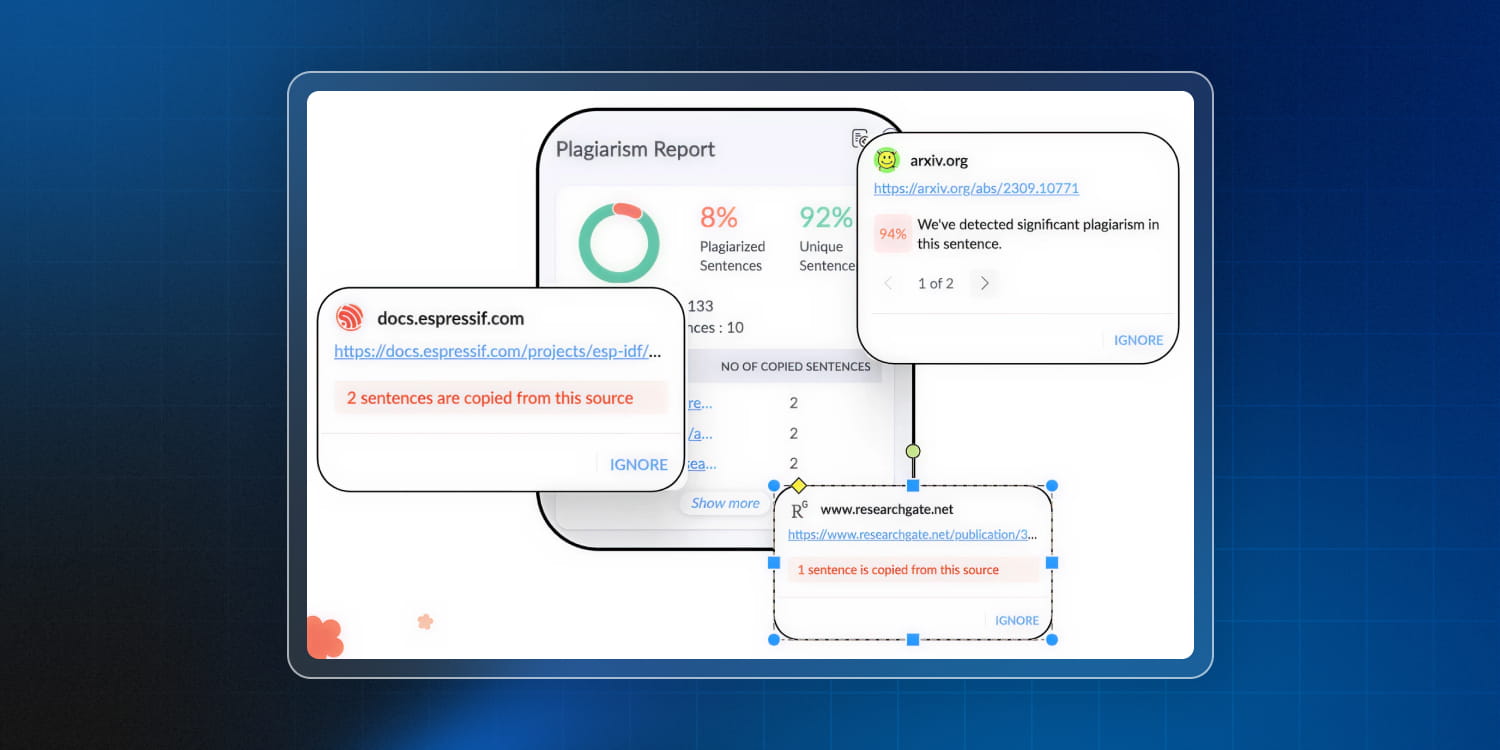
In the professional world, your reputation is built on your ideas. Zoho Writer’s Plagiarism Checker is your built-in safety net, ensuring that your content is 100% yours.
- Get a clear percentage of how unique your work is.
- If you did borrow a quote, Zia helps you find the source so you can give credit where credit is due.
Perfect for: You’ve hired a freelance writer to draft a high-stakes whitepaper for your company. The copy looks great—maybe too great. You run the draft through the Plagiarism Checker in Zoho Writer. Zia flags a few paragraphs that were lifted directly from a competitor’s 2022 blog post. You catch the issue before it goes live, saving your company from a PR nightmare.
3. Auto-detect fillable/sign fields
With Zia’s auto-detect, Zoho Writer scans your document, recognizes where information is missing, and automatically suggests fillable or signature fields. It can:
- Turn a static Word doc into a smart, fillable form in seconds.
- Zia knows the difference between a decorative line and a spot for a middle initial.
Perfect for: Your HR team has a standard 15-page New Employee Handbook that needs 12 different signatures and a dozen emergency contact fields. You upload the document to Zoho Writer. Instead of manually placing 24 boxes, you hit Auto-Detect. Zia identifies every underline and label, converting them into neat, fillable text boxes and signature fields.
Zoho Sheet
1. Data cleaning
You open a shared spreadsheet and there are names in all caps, dates in three different formats, and more missing values than a high school math test.
With Zia’s Data Cleaning Suggestions, you can stop the manual labor. Zia doesn’t just look at your data; it audits. It identifies the red flags that mess up your pivot tables and charts:
- Zia spots duplicate entries that are bloating your lists.
- It highlights missing values
- Zia notices when “NY,“ “New York,“ and “n.y.“ are all in the same column and offers to tidy them up.
Perfect for: You’ve imported a list of leads from a recent webinar. Between people registering twice and some leaving the Company field blank, the data is a mess. You select your data range and let Zia run a scan. It instantly flags 15 duplicate emails and 10 rows with missing phone numbers.
2. Data from picture
With Zia’s data from picture in Zoho Sheet, you can just snap a photo of any hard copy, and Zia converts those physical rows into a smart, editable spreadsheet in seconds.
Zia uses advanced optical character recognition (OCR) to do the heavy lifting for you:
- Turn paper tables into digital cells without touching a keyboard.
- Zia recognizes dates and currency, keeping your formats intact so “12/02“ actually stays a date.
- Not everything in the photo is important. Zia lets you crop the image and preview the data to ensure it’s perfect before it hits your sheet.
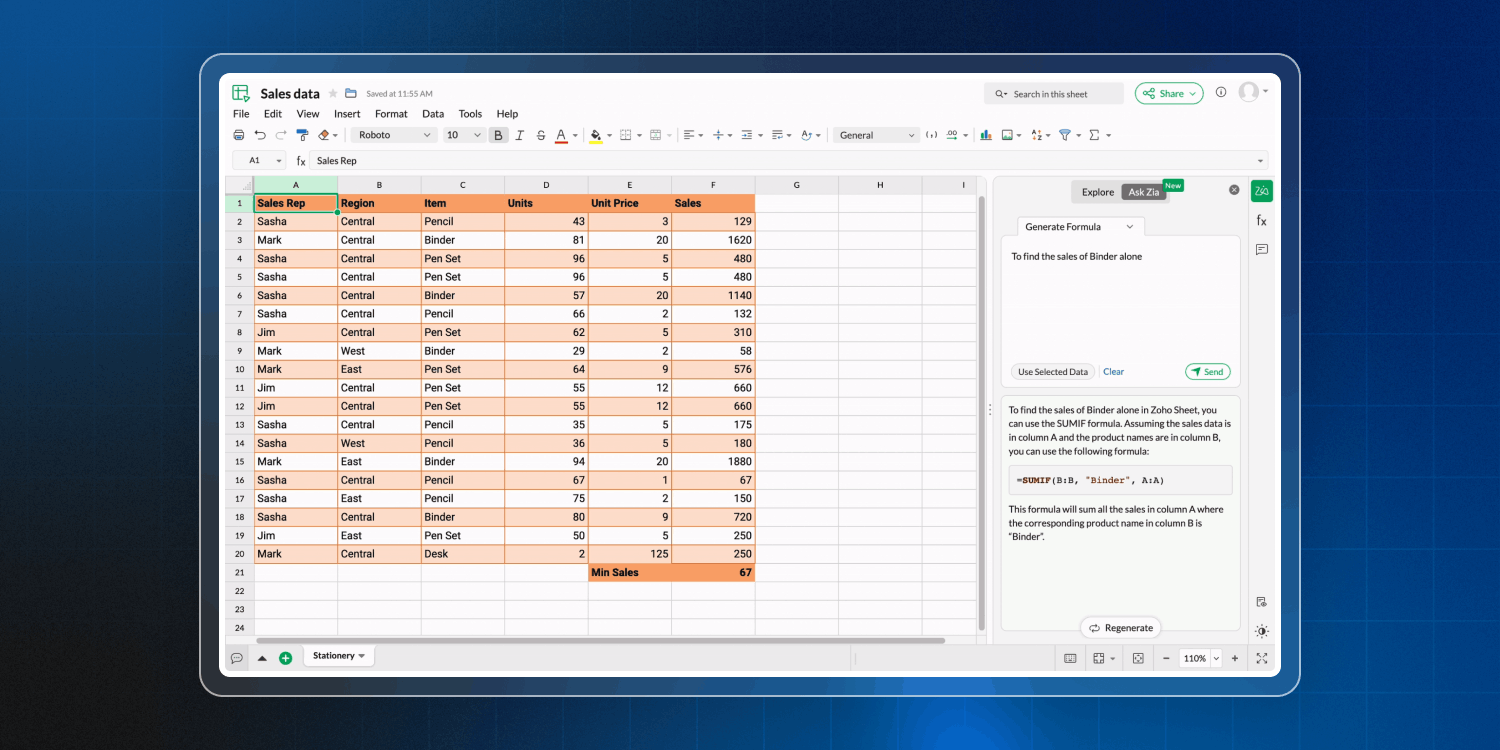
3. Generate formula
Zia in Zoho Sheet turns your plain-English requests into high-powered spreadsheet logic. Whether you need a simple sum or a complex automated workflow, Zia handles the coding.
Tell Zia what you want to calculate, and it’ll write the formula for you.
Always wanted to automate a repetitive task but never learned Visual Basic for Applications (VBA)? Just ask Zia. It’ll write the VBA macro code for you, so you can automate like a pro.
Perfect for: You have a massive dataset of 5,000 transactions and you need to find the total sales for “Product X“ in the “South“ region during “December“, but only if the discount was under 5%. Instead of wrestling with nested SUMIFS, you ask Zia: “Find the total sales for Product X in the South region for December with a discount less than 5%.“ Zia generates the perfect formula and inserts it into your cell.
Zoho Show
1. Generate a presentation using a theme
You open a fresh presentation, stare at that empty white box that says “Click to add title,“ and suddenly, your mind becomes as blank as the screen.
But Zia in Zoho Show can generate presentations. You provide the topic; Zia provides the talent. Just give Zia a title or a brief description, and it’ll handle the heavy lifting of structuring, designing, and drafting the content.
You don’t even have to fiddle with font sizes or trying to make those three boxes line up. Zia applies a consistent, professional visual theme automatically.
Perfect for: Let’s say you need to brief the executive team on “Remote work trends in 2026”. You can either spend three hours googling stats or simply input the title, select “Formal tone,“ and ask for a 10-slide deck to Zia.
Even if you want to tweak the details, starting with a 90% finished deck is infinitely better than starting from zero.
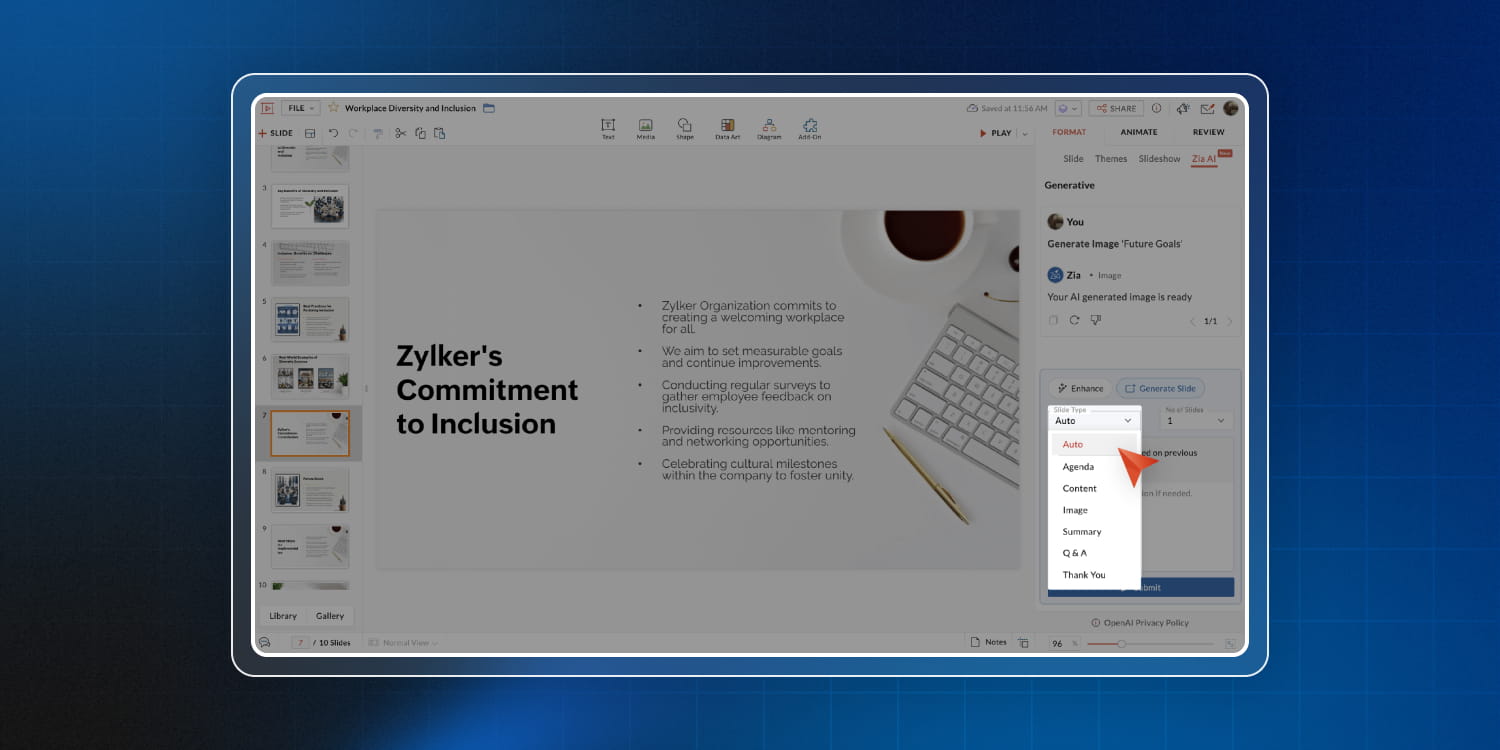
2. Generate images
Just describe the image you need, and Zia generates a unique, contextually relevant visual that perfectly matches your message.
Now, you can create and insert images directly into your slides without ever leaving the presentation platform.
Perfect for: Instead of browsing through endless options, you simply type: “A diverse team collaborating on a laptop in a modern, sunlit office“, and replace any outdated group photos or uninspired stock images.
3. Fill slide (based on previous slide)
We all may have seen that presentation where one slide talks about the problem, the next slide is a random graph about the weather, and the third slide is a list of team birthdays. It lacks flow and by slide four, half of your audience is checking their phones.
In Zoho Show, Zia doesn’t just look at one slide at a time; it reads the narrative. By analyzing what you just wrote, Zia maintains the context of your presentation and suggests what should come next. When you hit “New slide“ and don’t know where to go next, Zia provides the roadmap.
Perfect for: You don’t have to spend 20 minutes figuring out how to transition from “Customer pain points” to “Strategic success”. Zia maps out the fixes that correspond directly to the problems you just listed.
After defining the messaging, data style, and tone in the first few slides, Zoho Show generates subsequent slides aligned with that structure and terminology.
Zoho Connect
1. Sentiment Analysis
In a physical office, you can tell how the team is feeling by the vibe in the breakroom or how fast people are typing. But in a digital intranet like Zoho Connect, it’s a bit harder to read the room.
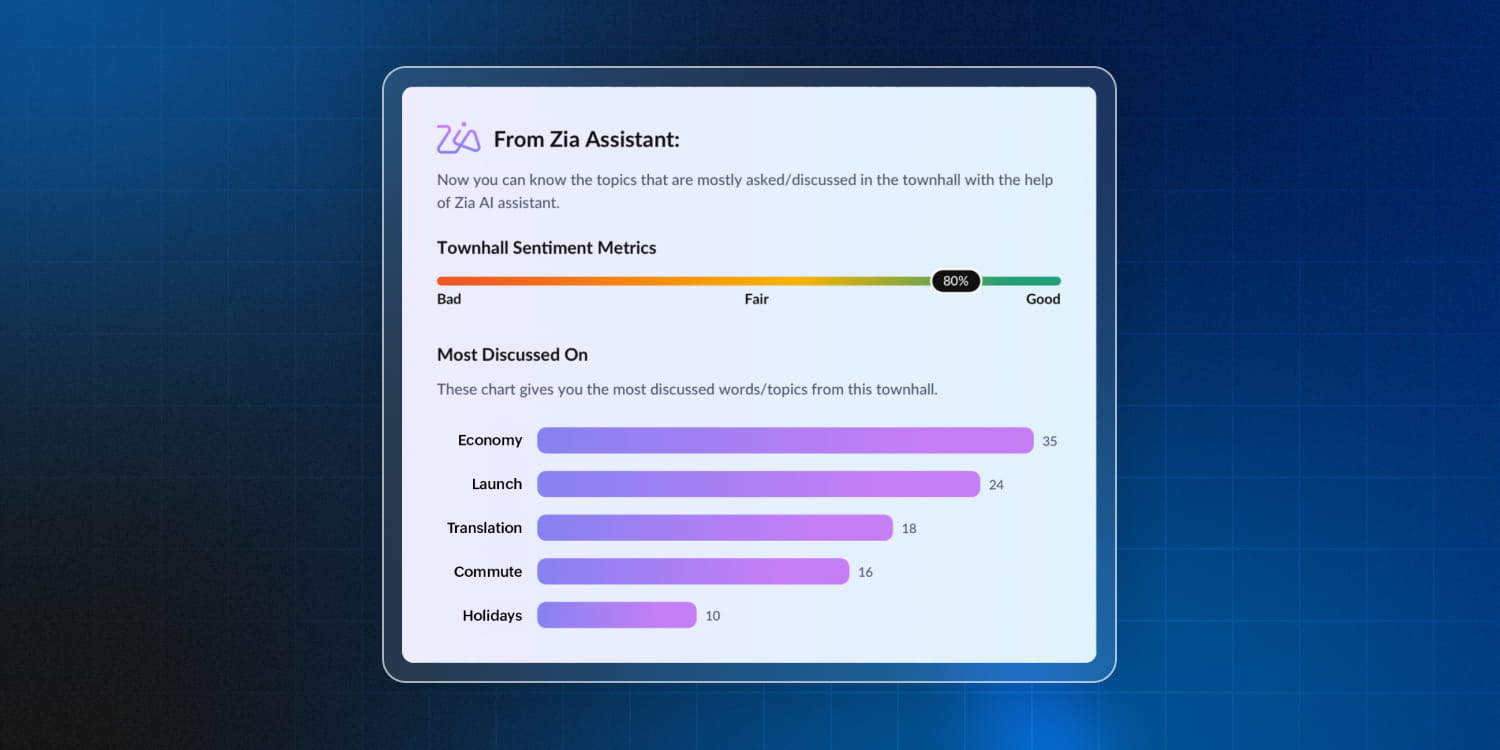
With Zia’s Sentiment Analysis, you don’t need to be a mind reader. Zia analyzes the tone of posts, comments, and discussions to give you a real-time pulse on your company’s culture.
Perfect for:
- Automatically gauging how employees feel about internal announcements, policies, or changes by analyzing discussion threads.
- Analyze sentiment across surveys, polls, or town-hall discussions to understand true sentiment trends rather than relying only on ratings.
- Aggregate sentiment across multiple teams or topics to spot patterns—positive or negative—that may not surface in traditional reports.
Wrapping up
Zoho Workplace was built to connect people. Now, we’re extending that connection to include advanced AI functionalities. This isn’t about adding AI as a feature—it’s about embedding intelligence into every collaboration.
If you’ve tried out our AI features, let us know what you enjoyed using the most in the comments below.
You can also check out our AI features in this guide and our webinar on how you can boost your productivity with our AI features.
Comments