Meet Zoho Books MCP: Bring AI-powered accounting to your business

Isn't change the only constant? And that holds true for accounting too. For years, accounting software has helped businesses manage their finances, track their income and expenses, and stay compliant. While that's the fundamental purpose of using accounting software, the method to it is undergoing a radical shift.
Today, businesses don't just want a software solution that can automate, and scale. With the advent of AI, their expectation of what AI and their tech stack combo can do for them is significantly increasing. They don't want to toggle tabs to create invoices, follow up on their pending payments, or spend time reading and interpreting reports. They want an AI assistant to execute tasks faster on their behalf, efficiently, and at the same time without compromising on accuracy.
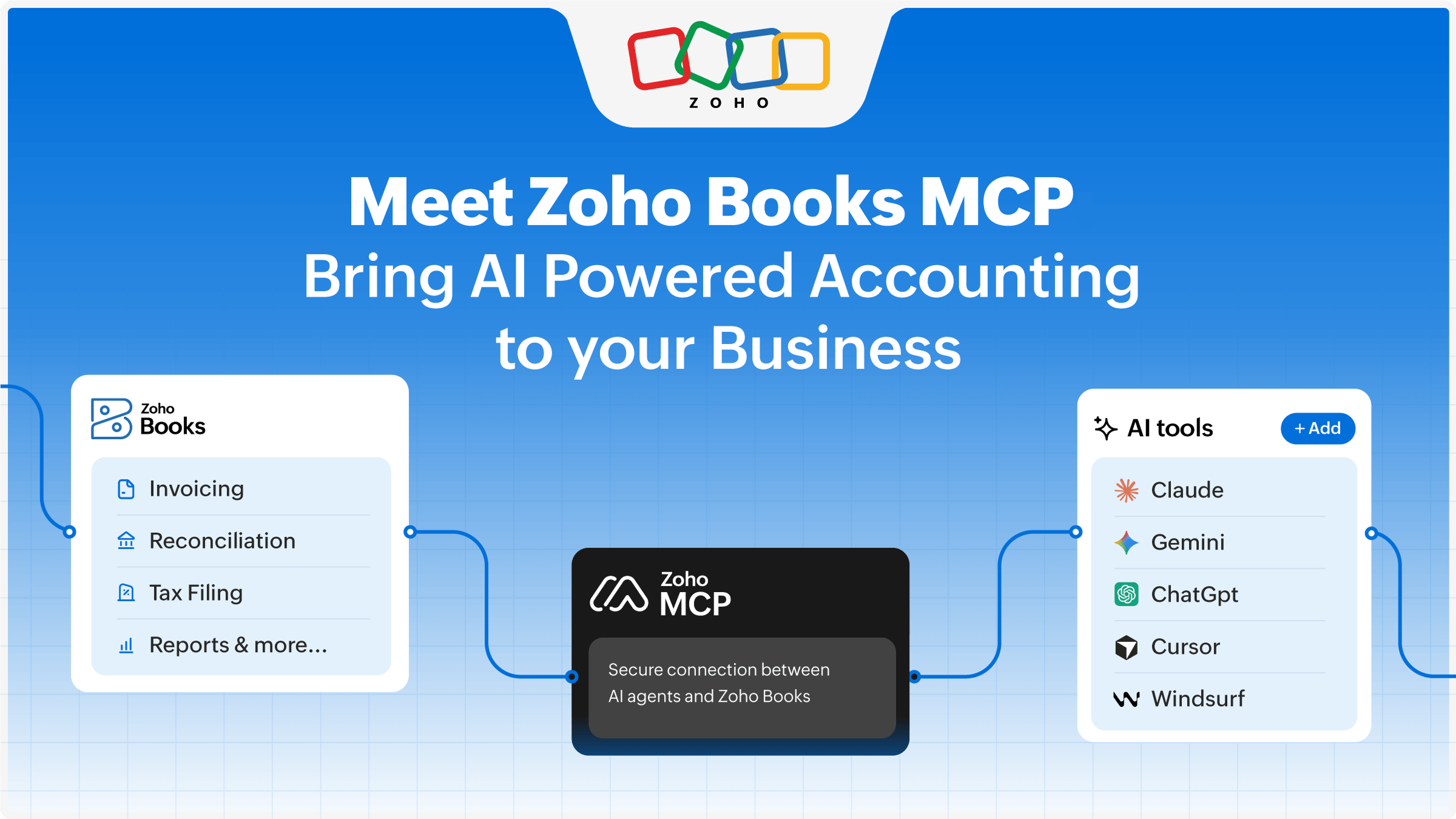
That's where Zoho Books MCP comes in. The MCP allows AI tools like Claude, ChatGPT, and Windsurf to directly connect with Zoho Books so users can perform accounting tasks using chat prompts. Imagine asking Claude to create an invoice in Zoho Books for a customer. That's what Zoho Books MCP enables. Whether it's creating transactions, doing bank reconciliations, or interpreting your financial reports, your AI assistants can now do much more than answer questions. They can take action within your accounting software.
What is MCP?
MCP, expanded as Model Context Protocol, is an open protocol that enables large language models (LLMs) to communicate with external systems. MCP enables AI models to access and perform actions in other applications by acting as the middle layer.
What can you do with Zoho Books MCP?
Create and manage financial transactions
With Zoho Books MCP, you can create invoices, record expenses, reconcile bank statements, and do much more using simple native language prompts.
For example:
“Create an invoice for XYZ for $2,000 with...”
“Record an expense of $150 for stationeries under the Admin account paid via card.”
“Reconcile the bank transaction of $1,500 received from ABC Group against the transaction...”
Actions that usually take a few clicks and toggling windows can be executed with a single prompt.
Stay on top of receivables
Nobody likes sitting on a pile of unpaid invoices. Reminding customers for timely payments is essential for the business' cash flow. While one can already use the workflow automation capability within Zoho Books application and send payment reminder alerts, one more convenient channel through which you can execute this is through AI agents. Zoho Books MCP allows your AI assistant to track your outstanding invoices and send payment reminders to your customers proactively.
You can ask the assistant to:
"Send reminders to customers with outstanding invoices."
"List all unpaid invoices from last month."
"Check the outstanding amount due from XYZ Corp."
Keep your business data up to date
Item details and customer and vendor records might need frequent updates. Even minor delays in updating them can disrupt operations. With MCP, you can maintain and update this information swiftly.
For example:
"Update the price of earbuds to $250."
"Add a new vendor called XYZ Electronics with the following details..."
"Make electronic batteries tax exempt."
This reduces administrative work while ensuring accurate transactions.
Get instant business insights
Business owners should be able to get meaningful insights from their accounting reports. Zoho Books MCP makes reporting conversational.
Instead of sifting through reports and dashboards, you can simply use prompts like:
"What is the total revenue this quarter?"
"Who are my top salespersons of this year?"
"List the top 10 customers."
"What are my top expenses in the last six months?"
The result is faster decision-making and staying on top of key financial metrics.
Connect with other business applications
Zoho Books MCP also connects with other business tools like Zoho CRM, helping teams work across platforms without switching windows.
For example, with this connection you can ask the AI assistant to:
"Create an invoice in Zoho Books for leads closed this month in Zoho CRM for the product..."
"Create new customer in Zoho Books for closed deals in Zoho CRM."
This removes silos between finance and other business functions and helps streamline your operations.
Connect Zoho Books with Claude connectors
Zoho Books is available as a connector on Claude making it even easier for you to perform accounting transactions. You can connect multiple Zoho Books organizations to Claude and do your accounting with prompts.
For businesses that need more advanced workflows, Zoho MCP allows you to configure your own MCP server and connect it to other MCP clients like ChatGPT, Cursor, and more.
This gives you the flexibility to work with your preferred AI environment while keeping your accounting workflows connected and secure.
Security and control still come first
While AI keeps evolving and doing more for us, it should never operate without necessary controls in place. Zoho Books MCP works with permission-based access and requires admin approval before users can perform any action. Admins can decide which tools are enabled and what data can be accessed by AI assistants through MCP. This ensures convenience without compromising compliance. Another additionaly layer of security that we have seen our clients leverage is to have an approval layer on top of your AI actions within your finance team.
Prompts are the next big thing and accounting is not an exception
Accounting has always been about accuracy, control, and better decision-making. But as businesses grow, the time spent on doing these tasks grows as well. Business owners and accounting teams have constantly looked for ways to simplify accounting. The goal has always been to divert time from doing manual processes to making better business decisions.
Zoho Books MCP makes that goal achievable. By connecting Zoho Books with AI agents, it transforms everyday finance operations into simple conversations. It's about doing a lot more with less effort, and Zoho Books MCP enables businesses to do that.

Comments