Live Analytics on ClickHouse and Databricks: Query Where Your Data Lives
- Last Updated : March 16, 2026
- 257 Views
- 4 Min Read
You Chose ClickHouse for Speed. Why Is Your BI Dashboard Still Running on Yesterday's Data?
You architected your data infrastructure carefully. ClickHouse because sub-second OLAP queries matter to you. Databricks because your lakehouse is the single source of truth, and Delta Lake keeps it governed and reliable. You made the right calls. Then someone asked for a dashboard. And suddenly, there's an ETL job, a data copy, a sync schedule, and a refresh lag. Your warehouse runs in milliseconds. Your analytics runs on last night's batch.
This is the contradiction most data teams live with. It's not a data problem, but a BI tooling problem.
The Copy-Paste BI Pattern Nobody Talks About
Most BI tools were built in an era when storing data locally was the only reliable way to query it quickly. So they pull data out of your warehouse, store it internally, and serve dashboards from that copy.
The result? Your BI tool is always slightly out of sync with reality. Worse, you now have two versions of your data.
- The governed, audited source in Databricks or ClickHouse, and
- The copy inside your BI platform that may or may not match it.
For teams that chose ClickHouse specifically because it handles analytical queries at speed, or Databricks because Unity Catalog gives them a single governed data catalog, copying data into a BI tool is an architectural step backwards.
Live Connect: Query Where Your Data Lives
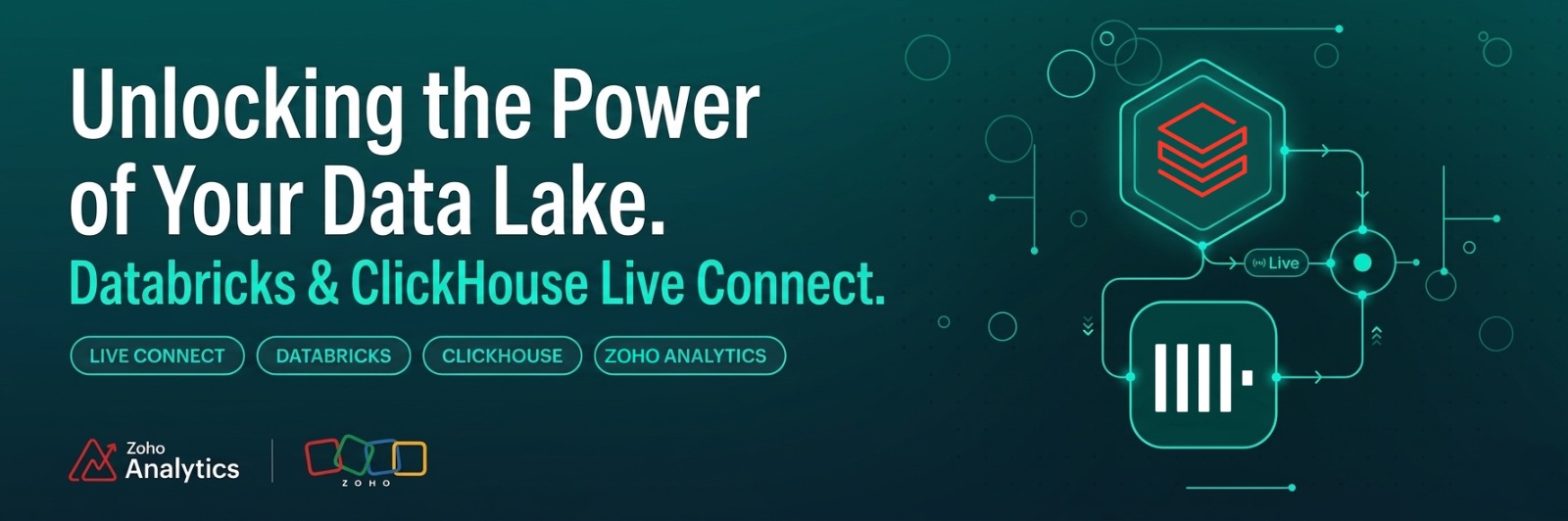
Zoho Analytics connects to both ClickHouse and Databricks through a Live Connect mode, a direct, real-time connection that queries your data in place, without importing or storing a copy.
When a user opens a dashboard or runs a report, the query goes directly to your ClickHouse cluster or Databricks workspace and returns the freshest result. No sync schedule. No lag window. No second copy to maintain.
For ClickHouse users, this means your dashboards are as fast as your queries (which is why you chose ClickHouse in the first place). For Databricks teams, Live Connect respects your Unity Catalog governance model: data stays in the lakehouse, access is controlled at the source, and there's one version of the truth.
When You Do Want to Import: Incremental, Not Full
Live Connect is the right choice when freshness matters most. But there are legitimate cases for importing data into Zoho Analytics. Like for historical analysis, complex cross-source blending, or reducing query load on production systems.
For those cases, Zoho Analytics gives you incremental fetch: only new and modified records are pulled on each sync, not the full dataset. For large ClickHouse tables or Databricks Delta tables that accumulate millions of rows, this is the difference between a 30-second sync and a 30-minute one.
You can also write custom SQL SELECT queries for imports. So, instead of pulling entire tables, you define exactly the slice of data you need. Scheduling is flexible: hourly for near-real-time use cases, daily or weekly for reporting workloads.
Non-Technical Users Get Dashboards. Technical Users Keep Control.
The most common objection to connecting a self-service BI tool to production data infrastructure is governance: what happens when a business user runs a badly written query and brings down the warehouse?
Zoho Analytics handles this in two ways. First, the self-service layer - drag-and-drop reports, Ask Zia natural language queries, pre-built dashboards - generates optimized queries that users never see or edit. Second, technical users can define Query Tables (custom SQL views) that expose only the data and joins business users should be working with. Users get the freedom of self-service; the data team controls what they can access.
For BI managers managing both a technical team and a business-facing audience, this split is practical: your data engineers define the data model, your business users explore it without filing tickets.
Blend ClickHouse or Databricks with the Rest of Your Stack
Your ClickHouse tables probably don't contain everything you need for a complete business picture. Product usage data lives there; customer data is in your CRM; marketing data is in your ad platforms.
Zoho Analytics' data blending lets you join ClickHouse or Databricks data with 500+ other connectors - Salesforce, HubSpot, Google Ads, Stripe, Shopify etc - in a single workspace.
Getting Connected
Setup is straightforward. For ClickHouse:
- Allowlist Zoho Analytics IP addresses, or use the Zoho Databridge utility for private networks
- Enter your server host, port, database name, and credentials
- Choose Live Connect or Data Import
- Select tables, or write a custom SELECT query
For Databricks:
- Connect via your Databricks HTTP path and access token
- Specify your catalog and database (Unity Catalog is supported)
- Same choice: Live Connect for real-time, Data Import with incremental fetch for batch
Both connections support SSL and SSH tunneling. The full setup walkthrough for ClickHouse and Databricks.
 Aravind
Aravind leads content and inbound marketing for Zoho Analytics, where he's focused on the embedded analytics and ISV segment. He's been writing about business intelligence, SaaS, and data products for Zoho since 2005, making him one of the longest-running voices in the Indian B2B SaaS content space. Connect with him on LinkedIn.