- HOME
- BI & Analytics
- How AI token costs silently drain your analytics budget
How AI token costs silently drain your analytics budget
- Last Updated : June 2, 2026
- 258 Views
- 8 Min Read
This is the second post in our series on why businesses need a deep analytics platform in the AI era. Read the first post here.
A Reddit user recently shared that they burned through around 1.15 billion input tokens on Claude in a single month.
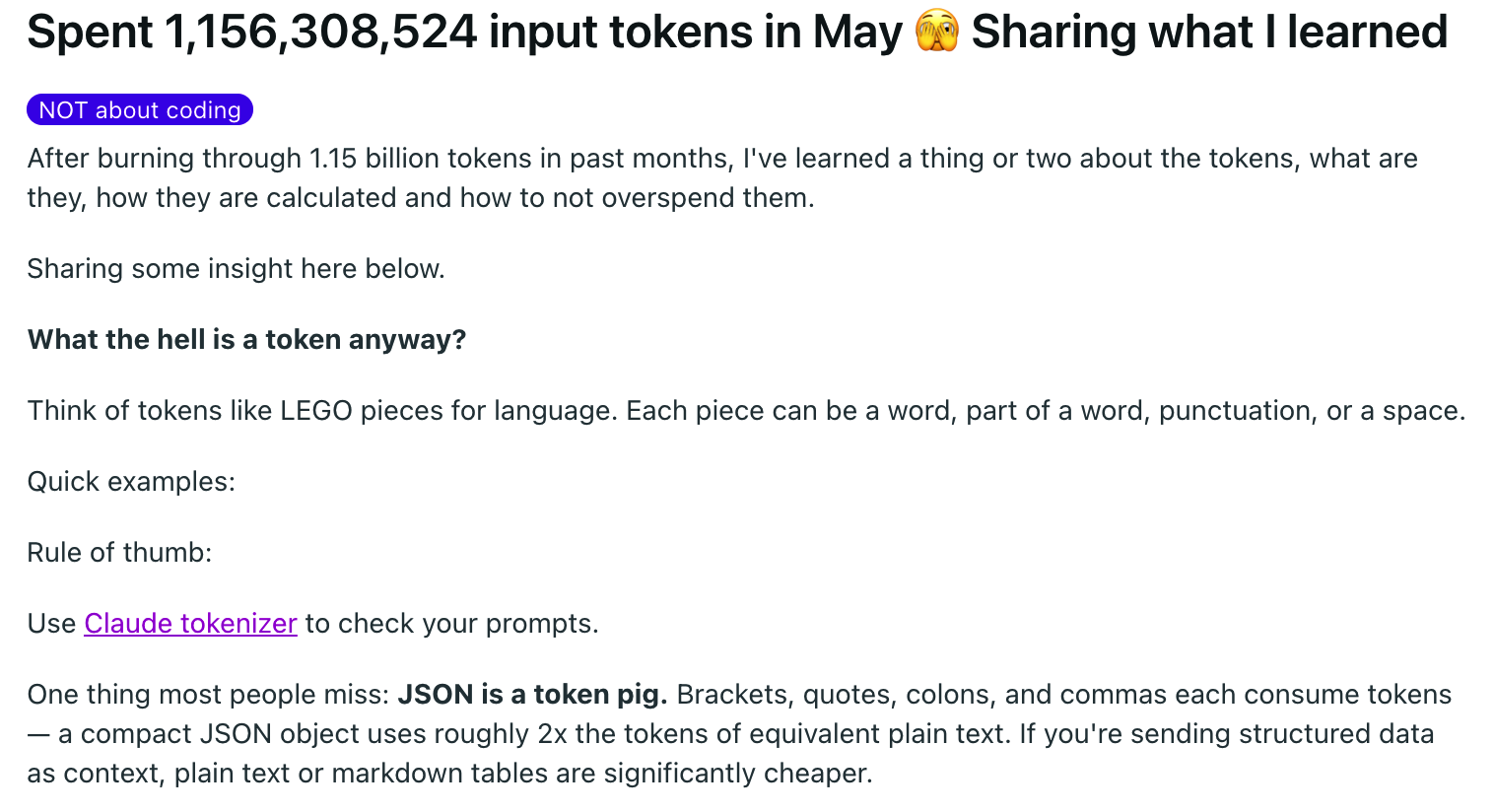
That was about general usage, and this blog is about something more specific.
What happens when businesses use AI tools for data analysis instead of a BI platform and why data analysis burns tokens faster than others?
Companies that treat AI tools as a replacement for BI tools are not saving money. Actually, they are spending more and getting less reliable output in return.
Disclaimer: I'm not arguing against the AI tools. This blog is to help you understand what you're actually paying for when you use AI tools for data analysis.
The subscription feels cheap until the limit
Note: The token counts, usage patterns, and cost scenarios in this article are illustrative estimates based on typical analytics workloads. Actual token consumption varies depending on data volume, schema complexity, MCP implementation, query design, model selection, and conversation length.
Claude Pro starts at $20 per month, and that sounds like a great deal compared to a BI platform.
But here's where it gets interesting. That $20 does not offer you unlimited analysis. It has a 5-hour window that roughly supports 45 messages per window for simple, short conversations. The moment you want to pull data from your business apps like CRM records and Google Analytics and want to blend the sources, those conversations require large context, and your message count per window drops sharply. Anthropic's own documentation says that this estimate assumes relatively short conversations. For your information, data analysis conversations are really not short.
When you hit this window limit, you have to wait for 5 hours, or if you really want to keep working, you can start consuming tokens at standard API rates: $3 per million input tokens and $15 per million output tokens. This is only if you selected to use it under the Claude Sonnet 4.6 model. Anthropic offers this as usage credits, which you can enable in settings, and every token you consume over your limit is billed at this rate.
People who tried an ad-hoc analysis on Claude by uploading a dataset and extracting insights don't realize it. They will only realize until they are 2 to 3 weeks in and connect their business tools through MCP and pull data from those tools for analysis.
What actually happens when you ask a data question via MCP
Let's say you connect GA4 to your Claude account and you ask, "What are my top acquisition channels for signups this quarter?" In order to answer this, Claude pulls your raw GA4 session data, somewhere between 5,000 and 10,000 rows for a 90-day window. It loads all the data into its context window for reasoning, and then it answers your question. In a typical analytics workload, the data load alone may consume roughly 15,000–25,000 tokens, depending on the volume and structure of the retrieved data. And, it's only the GA4 data.
Now, let's say you want to cross-reference your acquisition channels with your CRM to see which channels actually convert to paying customers, not just signups. When you ask Claude to pull your CRM records, it will consume another 12,000 to 20,000 tokens. When you ask a follow-up question, Claude has to reread the entire conversation history plus the data it already loaded, so the follow-up will cost another 30,000 to 50,000 tokens. If you do one particular analysis session with one initial question and three follow-ups, it will cost you around 90,000 to 130,000 tokens.
The Pro plan window holds roughly 44,000 tokens for data-heavy work. You blow through your window in the first two conversations, and everything after that is overage. At API overage rates, that session would cost $0.30 to $0.55 cents on top of your $20 per month subscription.
| Scenario | Subscription | Monthly overage | Total |
| 1 user, 1 question type, weekly | $20 | ~$2 | ~$22 |
| 1 user, 2 question types, daily | $20 | ~$25–35 | ~$45–55 |
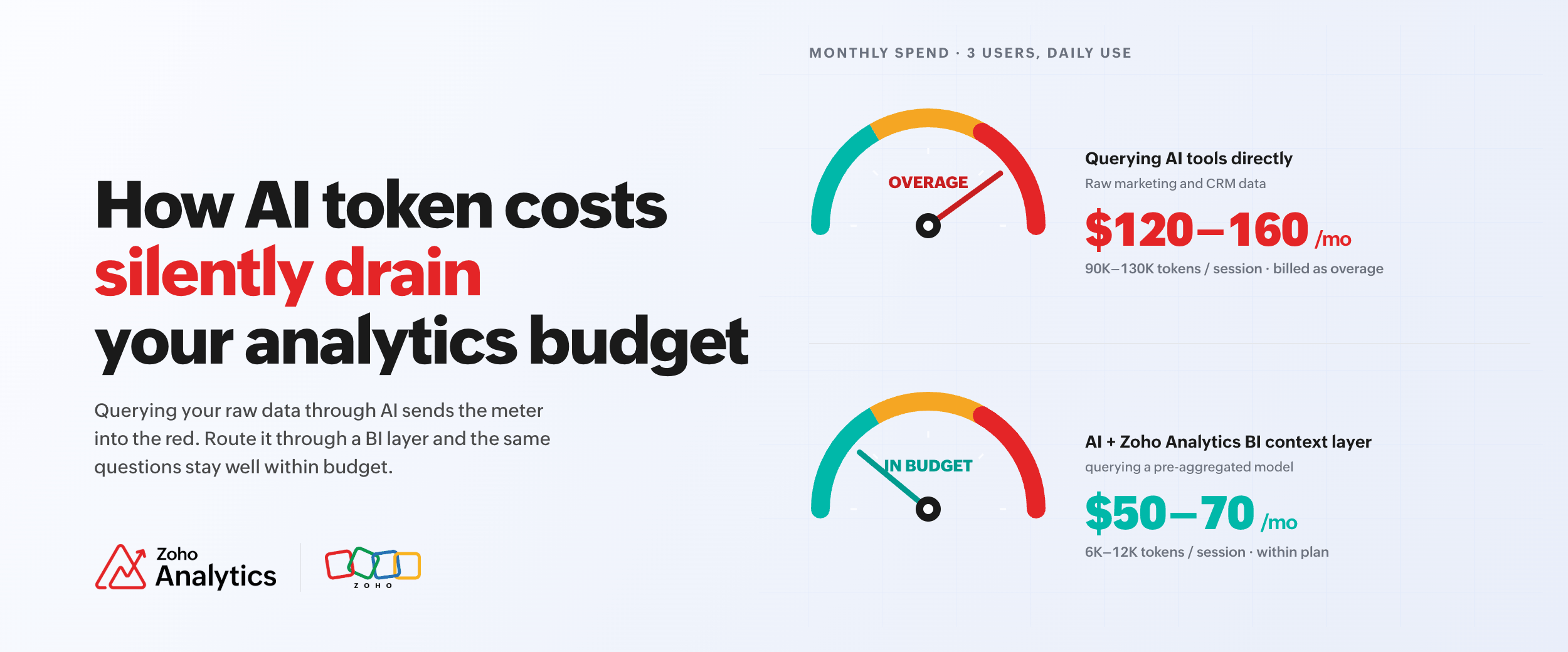
| 3 users, multiple question types, daily | $60 | ~$60–100 | ~$120–160 |
Note: Illustrative cost estimates based on representative usage assumptions. Actual costs vary based on token consumption, model choice, team size, query frequency, and data volume.
If three users perform daily data analysis on a Pro plan, it will cost more than most dedicated BI tools. Remember that you don't have a shared dashboard and governed data model.
Max doesn't solve the structural problem either
Some teams also upgrade to Max plan (starts at $100 per month) after running into limits on the Pro Plan. Yes, Max 5x plan gives you approximately 88,000 tokens per 5-hour window, which is five times more than Pro Plan's budget. For the channel-signup analysis above, which is 90,000 to 130,000 tokens per session, you still blow through the window on a complete session. The only difference is you hit the limit later, not never.
Teams that switch to Max 20x plan get roughly 220,000 tokens per window, which fits one complete multi-source analysis session, with little room for a second.
There is a second layer most buyers never read about: a weekly compute cap. Introduced in August 2025, it runs alongside the 5-hour window as a separate limit on active processing time (not just message count). The 5-hour window controls how much you can do in a single session, and the weekly cap controls how much you can do across the entire week. If you hit both in the same week (three users running data analysis daily almost certainly will), you are blocked until the weekly reset, regardless of which plan you are on. On Pro and Max 5x, there is no override, and you only have to wait. However, on Max 20x plan, you can keep going at standard API overage rates.
But the deeper issue is none of these plans were created for data analysis requirements. These AI tools are built for conversational use.
You pay for the same data every single day
These AI tools don't have memory between conversations. If you close a session and open a new one tomorrow, every dataset gets pulled fresh (no matter whether data has new records or not, the data needs to be fetched).
Your GA4 data from Tuesday did not change much by Wednesday, but the 15,000 to 25,000 token gets billed. If your marketing team checks their channel performance every morning (like us) across GA4, CRM, and ads platform data, you will be paying the data loading cost aka tokens every day.
And, that's the difference between these AI tools and BI tools. It is how stateless AI architectures work. For casual use, the cost may look insignificant. However, for analytics workflows, from simple to complex, you'll be spending a large portion of your tokens toward acquiring context the system already had.
AI analysis with the BI layer
I understand that you want to better reason your data and extract meaningful insights with the help of AI tools. But there's a better way.
You can still use AI tools like Claude to identify key insights with the help of a BI context layer: Connecting Claude to BI tools like Zoho Analytics via MCP instead of connecting directly to GA4 and CRM.
When connected, Claude is not pulling raw source data. It is querying the Zoho Analytics data model, which is already blended and pre-aggregated. Now, the context window receives a compact result set.
Here's what the token consumption looks like for the same channel-signup analysis:
| Steps | Tokens |
| Query to Zoho Analytics MCP (pre-aggregated) | ~500–1,500 |
| Response generation | ~1,000–2,000 |
| Each follow-up | ~1,500–3,000 |
| New session next day (same query) | ~500–1,500 |
| Full session, 3 follow-ups | ~6,000–12,000 |
That is a 90% reduction in token consumption for the same analysis. The re-pull cost also shrinks to nothing because you're pulling an aggregate, not 10,000 rows of data.
The data blending and modeling happens inside Zoho Analytics by defining the join between GA4 and CRM and setting up the metric definitions. After this setup, every AI query hits this prepared data. It also eases up the reasoning overhead for Claude too. Claude doesn't have to figure out your schema from scratch every time.
In addition, you also get governed shareable reports and dashboards for effective collaboration.
One caveat: Zoho Analytics MCP consumes API units from your Zoho Analytics plan. A typical MCP session (fetching workspace metadata, running a query, returning aggregated results) uses just around 15-25 API units in total. But the Standard plan offers 10,000 API units per day. So, a full session with three followups consumes less than 0.25% of your daily API budget. Even multiple users performing analysis daily, the API unit consumption stays under 2% of your daily limit. Honestly, it's not a cost you need to track.
The full comparison
| AI only (Claude Pro) | BI only (Zoho Analytics) | BI + AI (Zoho Analytics + MCP) | |
| Cost | |||
| Subscription | $20/mo per user | Zoho Analytics from $30/mo (org-wide) | Same Zoho Analytics plan |
| Token cost per analysis session | ~$0.30–0.55 overage | None | Negligible. Within plan window |
| Zoho Analytics API units cost | NA | NA | ~15–25 units/session (of 10,000 daily limit) |
| Monthly total, 3 analysts, daily use | ~$120–160 | ~$30–50 | ~$50–70 |
| Cost predictability | Unpredictable. Spikes with session length | Fixed | Fixed |
| Token usage | |||
| Tokens per full session (3 follow-ups) | ~90,000–130,000 | None | ~6,000–12,000 |
| Re-pull cost on next session | Full reload every time | None | Negligible aggregate |
| Speed and effort | |||
| Setup time to first answer | Minutes | 4–8 hrs (model + reports) | Minutes (Setup time takes an hour) |
| Analyst effort per question | Low. Natural language | Average. Need to build charts manually | Low. Natural language |
| Time to insight (recurring question) | 2–5 min, every time | 2–5 min (need to analyze manually) | Instant + conversational follow-up |
| Reliability and scale | |||
| Consistent answers across sessions | Not guaranteed | Yes | Yes |
| Works across multiple analysts | Degrades. Each session is isolated | Yes | Yes |
| Persistent reports and dashboards | No | Yes | Yes |
| Data governance and access control | No | Yes | Yes |
| Handles multi-source data blending | Per-request, no memory | Persistent, governed | Persistent, governed |
When AI tools can be used for data analysis
If you run ad hoc analysis a few times a month on small datasets, like a quick Search Console check, a single-source export, direct MCP access to your business tools is fine. Cost is also manageable and the speed benefit is real.
However, if you are running analysis weekly or daily, across multiple sources, with multiple people querying related questions in separate sessions, the economics flip. You're paying more than a BI tool costs to get less of what a BI tool does.
So, what's the recommended option?
Connect your data sources to Zoho Analytics once, blend and model the data, define your business metrics, then query that context layer via AI using Zoho Analytics MCP. Your plan's token budget will go toward reasoning, not raw data fetching. The answers are consistent because they draw from the same governed source. And the cost, too, stays predictable regardless of how many users are asking how many questions.
You can test this on a free 15-day Zoho Analytics trial.
Connect your GA4, CRM or any of the 100+ business apps supported by Zoho Analytics, set up data blending, and then run the analysis with and without the pre-built context layer. You'll straightaway notice the difference.
15-day free trial. No credit card required.
 Pradeep V
Pradeep is a product marketer at Zoho Analytics with a deep passion for data and analytics. With over eight years of experience, he has authored insightful content across diverse domains, including BI, data analytics, and more. His hands-on expertise in building dashboards for marketing, sales, and major sporting events like IPL and FIFA adds a data-driven perspective to his writing. He has also contributed guest blogs on LinkedIn, sharing his knowledge with a broader audience. Outside of work, he enjoys reading and exploring new ideas in the marketing world.