Delete Connections
Summary
This guide explains how to permanently delete connections from your Zoho Sigma account and extensions. It covers removing connection references from your extension and managing the connection lifecycle.
When to Delete Connections
- Service is no longer used
- Extension functionality changed
- Duplicate connections exist
- Security concerns (compromised credentials)
- Deprecated third-party service
- Testing/development connections no longer needed
Step-by-Step Guide
Step 1: Remove from Plugin-Manifest (First!)
Important: Always remove the connection from
plugin-manifest.json and publish the updated extension before deleting the connection from Sigma.{
"connectors": [
// REMOVED: deprecated_connection entry
{
"name": "active_connection", // Only keep active connections
"type": "OAuth",
"authorizationUrl": "https://..."
}
]
}Step 2: Publish Updated Extension
- Save the updated plugin-manifest.json
- Publish/update your extension in Sigma
- This removes the connection requirement for users
Step 3: Delete from Sigma
- Option A (Quick): In the Connections page, hover over the connection → Click the Delete icon → Confirm deletion
- Option B (Menu): Click the connection name → Click More Icon (three dots) → Select Delete → Confirm
Step 4: Confirm Deletion
A confirmation dialog appears. Review the connection details, then click Yes or Confirm.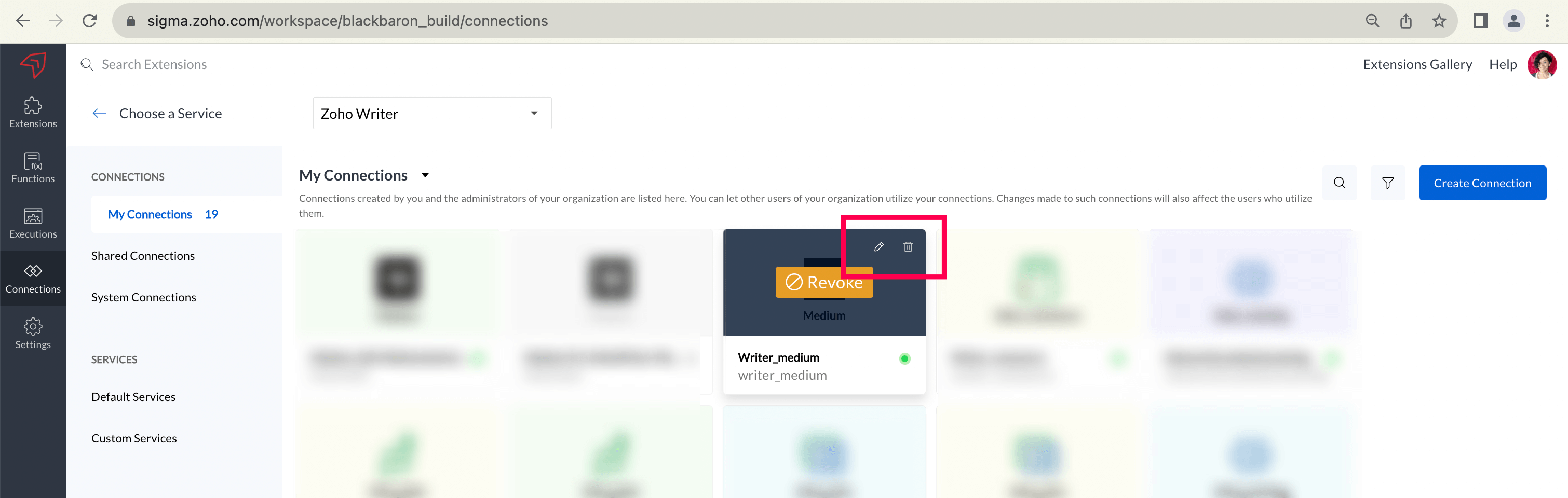
Warning: This action is permanent. Once deleted, the connection cannot be recovered.
After Deletion
- Connection is permanently deleted from Sigma
- No longer available for use in extensions
- Authorization with the service is revoked
- Any extension code referencing this connection will fail
Pre-Deletion Checklist
| Check | Action |
|---|---|
| Search for usage in extensions | Verify no active extensions use this connection |
| Notify affected users | If connection is shared, inform users before removing |
| Remove from manifest | Update plugin-manifest.json and publish first |
| Backup information | Document connection settings if needed for recreation |
Troubleshooting
Problem: Extension feature breaks after connection deletion
Solution: Ensure you updated the plugin-manifest.json to remove the deleted connection reference and published the updated extension before deleting from Sigma.