


Compensation

The Compensation module in the Employee Portal provides a comprehensive view of your earnings, benefits, and time off details.
This page helps you verify your pay rate, understand your benefits contributions, and review your time off policies.
Salary and Wages
This section shows your salary-based compensation details. It ensures transparency around how much you earn on a regular basis, making it easy for you to keep track of your income.
Benefits
In this section, you’ll find a breakdown of contributions toward your benefits, like 401(k), health, dental, and vision plans. This overview shows how both you and your employer are contributing toward your benefits:
- Employee Contribution: Your portion of the contribution towards the benefit.
- Employer Contribution: The portion contributed by your organization.
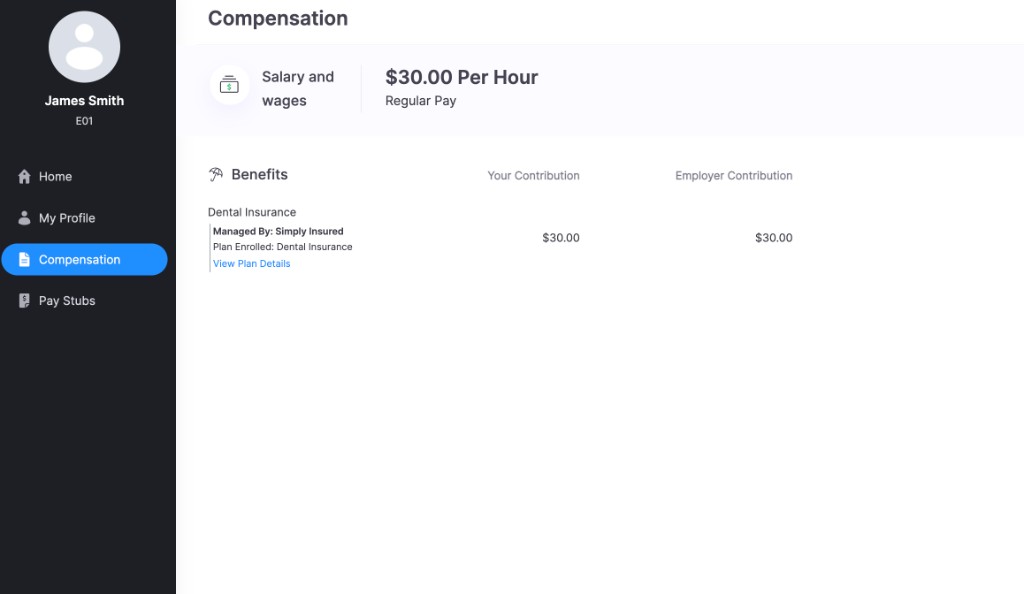
Health Insurance with SimplyInsured
If your organization offers health insurance through SimplyInsured, you’ll receive an email from SimplyInsured to enroll in or decline coverage. Once you enroll, your health insurance benefits (medical, dental, and vision) are managed through SimplyInsured and shown here in the Zoho Payroll Employee Portal, with your contribution and your employer’s contribution for each. Any change you make in SimplyInsured updates these amounts here automatically.
Here’s how the sign-up works: click the link in the email and create a SimplyInsured account (or log in if you already have one). Then you’ll go through four steps:
- Basic Information: Add your phone number, gender, and marital status.
- Choose Plan: Choose if you require each medical, dental, and vision plan. You’ll see the monthly cost before deciding.
- Additional Information: If you opt out of a plan, pick a reason why (like being covered by a spouse’s plan, Medicare, or other insurance) and fill in a few extra details, like your job title.
- Signature: Review your choices and click Submit.
Once you’ve enrolled, your plan contributions appear in this section. Each benefit shows as Managed By: Simply Insured, with your contribution, your employer’s contribution, and a View Plan Details link.
Workers’ Compensation with ERGO NEXT
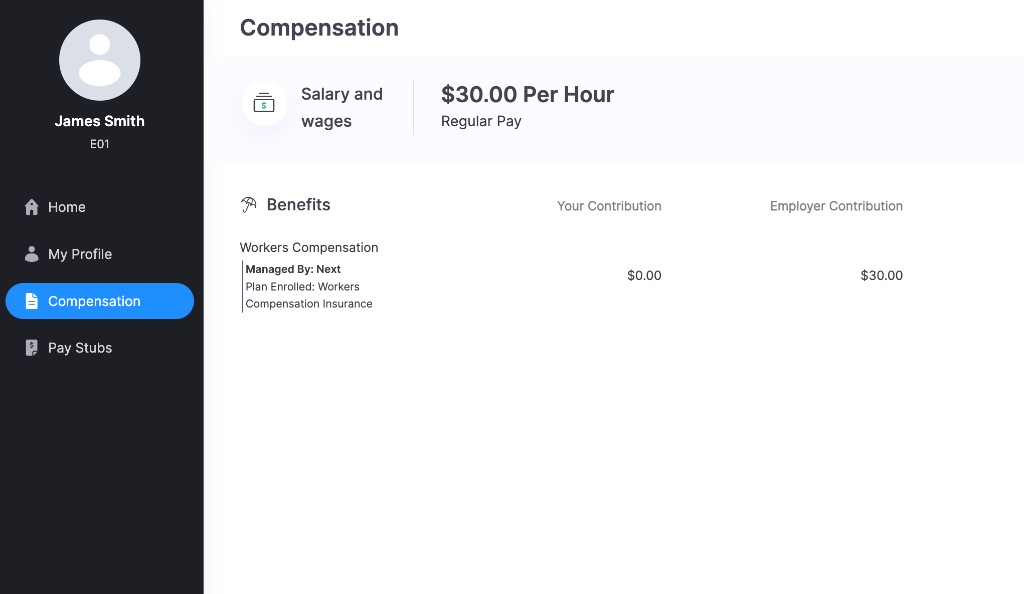
If your organization provides workers’ compensation insurance through ERGO NEXT, it appears here too, managed by Next. Workers’ compensation covers you if you’re injured on the job, and it’s paid fully by your employer, so there’s nothing for you to enroll in or pay. You’ll see it listed under your benefits with the plan you’re covered by.
Time Off
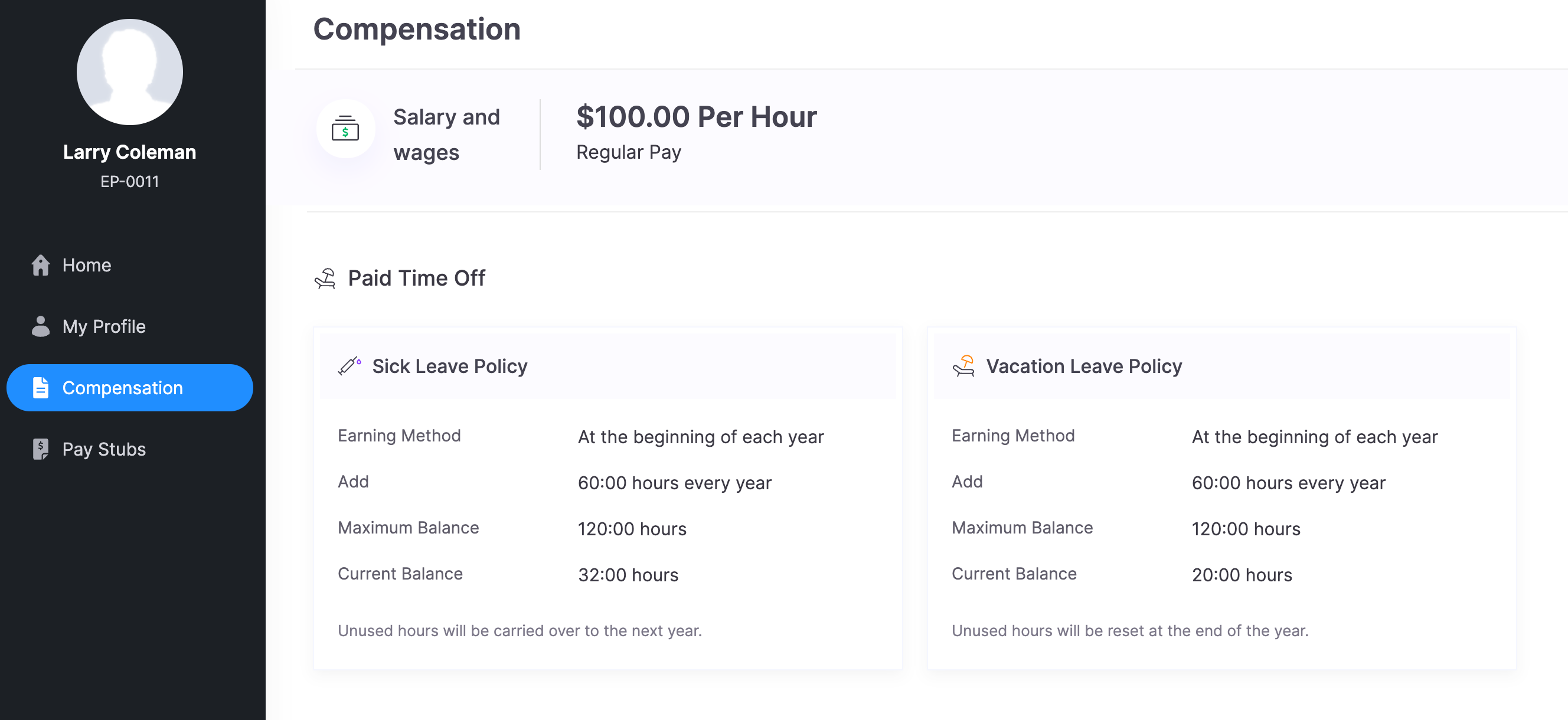
The Time Off section provides an overview of your leave policies, including Sick and Vacation time off. Each policy is outlined with specific details, ensuring clarity around your entitlements and balances.
Sick Leave Policy
| Field | Description |
|---|---|
| Earning Method | How and when sick leave hours are allocated |
| Add | The number of hours added to your sick leave balance |
| Maximum Balance | The maximum number of hours you can accumulate in sick leave. |
| Current Balance | Your current sick leave balance. |
Vacation Leave Policy
| Field | Description |
|---|---|
| Earning Method | How and when vacation leave hours are allocated |
| Add | The number of hours added to your vacation leave balance |
| Maximum Balance | The maximum number of hours you can accumulate in vacation leave. |
| Current Balance | Your current vacation leave balance. |