Timesheet for Agile Teams
Keeping track of time is key to elevating productivity. The Timesheet module in Zoho Sprints helps you track billable and non-billable hours, approve time logs, and keep tabs on work item duration so you can improve team efficiency for future sprints. With the right metrics, planning timelines becomes easy.
SIGN UP FOR FREE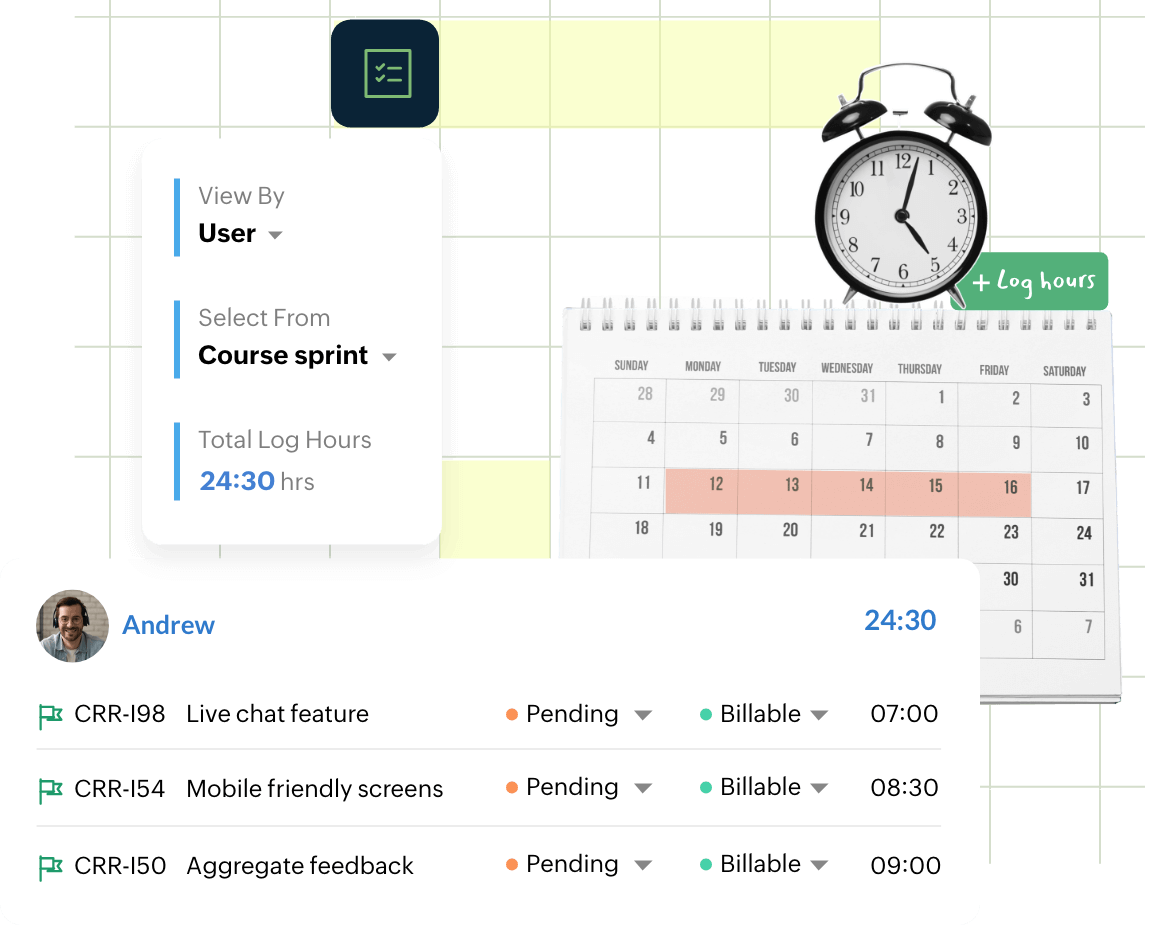
Track your team’s time and increase productivity
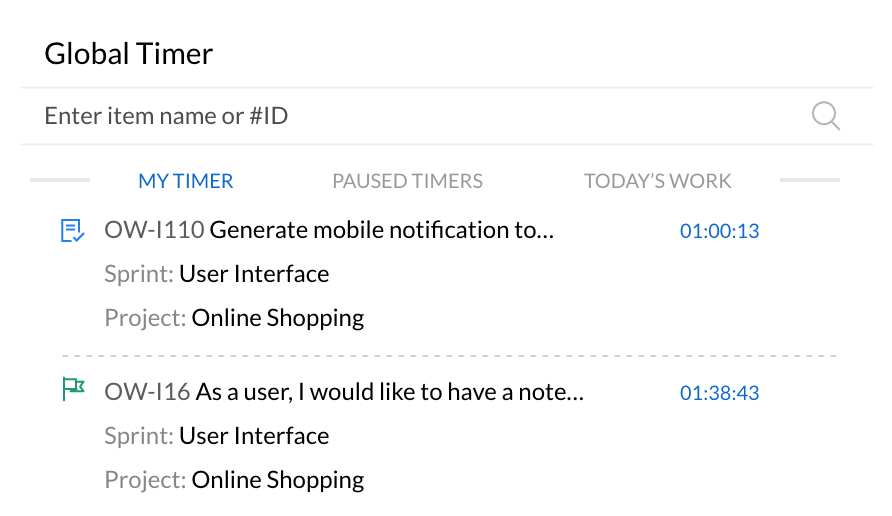
Global timer
Start timers for your work items from anywhere in the workspace and track time without interrupting your flow. Quickly search for tasks, stories, or bugs across your backlog, sprints and start tracking work the moment you begin. Manage all your active, paused, and completed timers from a single view for better visibility into ongoing work. This helps teams stay focused on their tasks while ensuring every minute spent on a sprint is captured accurately.
Approvals in an instant
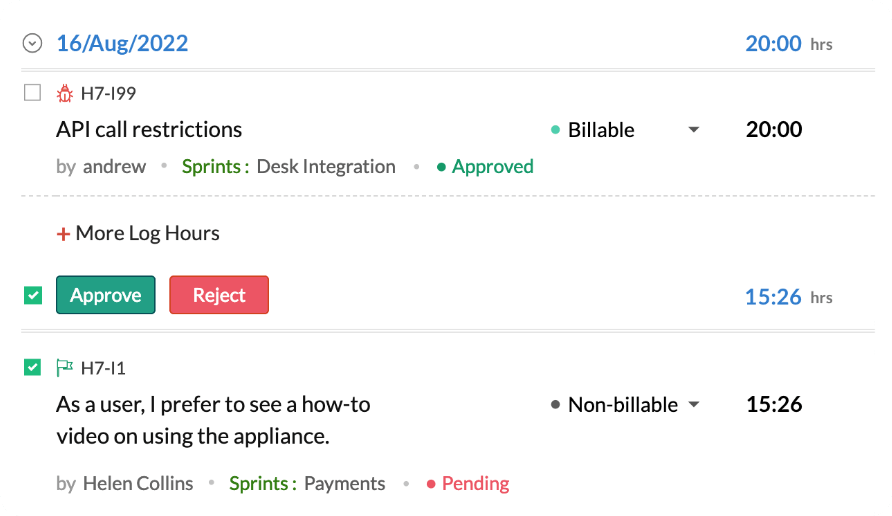
Review and approve logged hours quickly to keep your team’s work moving forward. Approvers can update the status of timesheet entries directly from the timesheet view without having to navigate elsewhere. Approve multiple logs at once to speed up reviews and keep projects on track, and add notes when rejecting entries to provide clear context.
Logging made easy
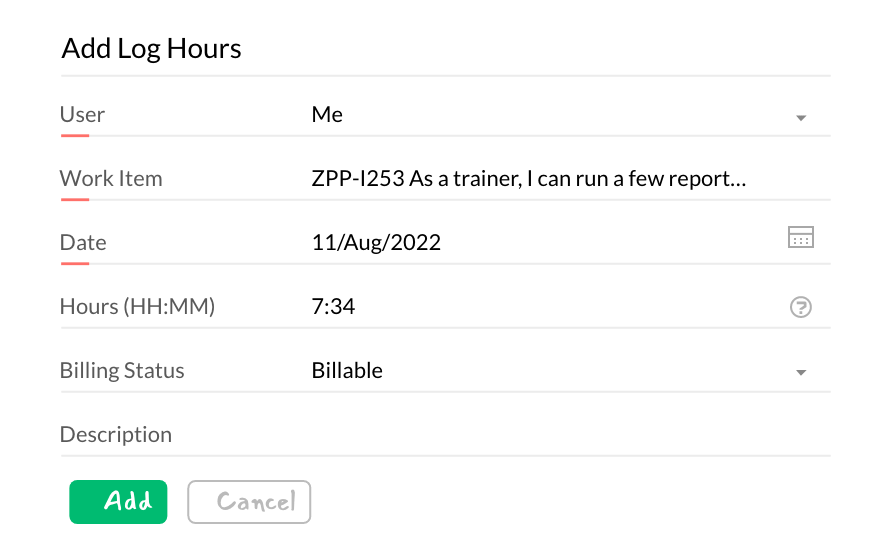
Log time for tasks, bugs, meetings, or any work item in just a few clicks. Add details like date, duration, and descriptions to keep your records clear and organized. Mark entries as billable or non-billable so teams can easily track productive and operational work. Every entry is automatically added to the timesheet, making it simple to review and submit hours for approval later.
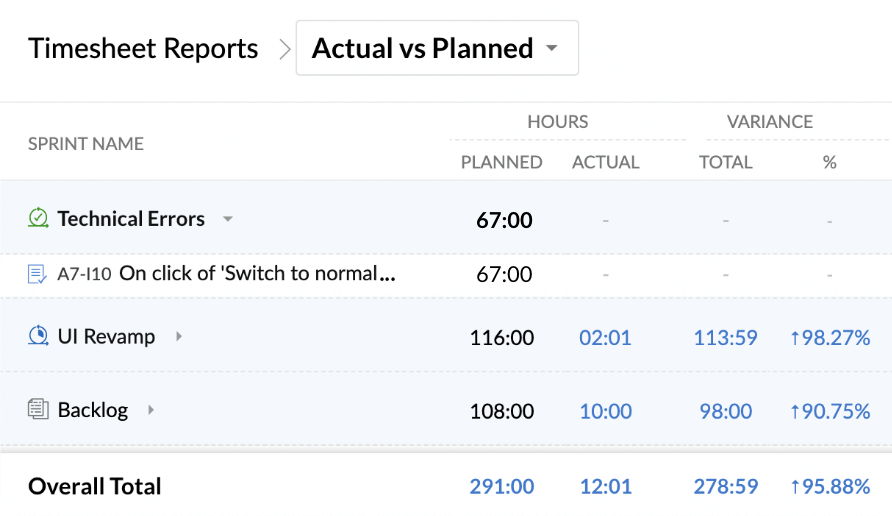
Timesheet reports
Visualize how your team’s time is distributed across sprints, work items, users, and time periods. Analyze logged hours to identify which sprints, tasks, or team members contribute the most effort. Use filters to customize reports and drill down into detailed log data for deeper insights. Export reports to share updates with stakeholders and make informed decisions for future planning.
Explore other features

FAQs
Timesheet software is a digital tool that records and manages the time that employees spend on tasks, projects, or activities. It helps teams track work hours, manage billing or payroll, and analyze team productivity.
Agile timesheets focus on tracking the time spent on sprint work items, namely tasks, user stories and bugs. They do so while keeping the time logging mechanism simple, flexible and aligned to Agile's iterative development cycles. They also help in providing visibility into team capacity, sprint effort, and project progress through dedicated dashboards and reports.
Popular options include Zoho Sprints, Jira (with certain plug-ins), Harvest, Toggl Track, and Clockify, which allow teams to log time against tasks and generate reports for planning and analysis.
- Single click approvals
- Efficient timelines
- Consistent tracking of logged hours
- Easy visualization with reports