- HOME
- Business & tech
- Zoho Show vs. Microsoft PowerPoint: Which one should your team use in 2026?
Zoho Show vs. Microsoft PowerPoint: Which one should your team use in 2026?
- Last Updated : April 30, 2026
- 411 Views
- 8 Min Read

When we built the first version of Zoho Show over 20 years ago, Microsoft PowerPoint was already the undisputed king of presentations. It was installed on virtually every work computer, and the PPTX file format had become the universal language of business communication.
A lot has changed since then.
Work has moved to the cloud. Teams collaborate across time zones. Audiences attend presentations from their phones. And AI has turned the blank slide, once the most paralyzing moment in any presenter's workflow, into a starting point rather than a barrier.
PowerPoint has evolved too, to its credit. But evolution built on top of a 30-year-old foundation is different from building with the cloud era in mind from the start. That's the distinction we want to explore here.
The question isn't whether PowerPoint is good. It is. The question is whether it's still the right tool for the way you work today.
Will my PowerPoint files work in Zoho Show?
If you have spent years building presentations in PowerPoint, this is the only question that really matters at first. So, let's settle it directly.
Your files are safe. Zoho Show reads and writes the full range of PowerPoint formats. When you import a PPT or PPTX file, every element opens as a fully editable object. Not a flattened image of what your slide used to look like. Not a best-effort approximation. The actual, editable thing.
Everything that moves with you
Fonts and layouts: Custom fonts, slide dimensions, margin offsets, and master layouts come across without text reflow or overflow. What you built is what you see.
Animations and transitions: Entrance effects, exit animations, motion path animations, compound animations across multiple objects-all of it preserved. Slide transitions too.
Charts, tables, and SmartArt: Charts import as fully editable elements, not screenshots. SmartArt becomes editable grouped shapes. Data tables stay intact and adjustable.
Export back to PPTX, anytime: You're never locked in. One click gets you a PPTX or PDF that colleagues on PowerPoint can open without a second thought. No conversion artifacts, no missing fonts, and no broken layouts.
Supported formats: Zoho Show imports and exports PPTX, PPT, PPSX, PPS, POTX, and ODP files. The file size limit is 500 MB, and there's no cap on presentations in your account.
The AI question: built-in vs. add-on
This is where the comparison gets most decisive.
Microsoft's AI for PowerPoint is Copilot. It generates decks from prompts, rewrites content, and suggests design improvements. It's genuinely useful, but it isn't included in your Microsoft 365 subscription. Copilot is a separate licence, currently starting at $21 per user per month on top of what you already pay.
Zia is Zoho's homegrown AI. Zia is built directly into Show—not behind a paywall, and not in a limited preview tier. Every user gets the full capability set from day one.
What Zia does
Generates a complete deck from a prompt: Describe your topic, pick a style, and Zia builds the entire presentation including structure, content, and layout. The blank slide problem, solved.
Adds slides that match your existing design: Ask Zia to insert a new slide. It matches your current master layout, color palette, and fonts so the result looks like it was always part of the deck.
Rewrites and refines your content: Drop in rough notes and Zia turns them into clean, presentation-ready copy that is tighter, clearer, and formatted for the way slides actually get read.
Summarises documents into slide outlines: Upload a lengthy content and Zia pulls out the key points and structures them as a slide-ready outline. Hours of manual work, done in seconds.
For individual users and growing teams, this cost difference compounds quickly. Zia is not a premium add-on. It's just part of using Zoho Show.
Feature-by-feature: Zoho Show vs PowerPoint
Here's the full picture. Every capability that matters, side by side.
Capability | Zoho Show | Microsoft PowerPoint |
|---|---|---|
AI assistant | Zia AI included | Copilot from $21/user/month extra |
Generate full deck from prompt | Included | Requires Copilot licence |
Import & export PPTX | Full fidelity | Native format |
Real-time co-editing | Available | Via Microsoft 365 |
Live broadcast to audience browsers | No app or login needed | Not available |
Auto-updating web embeds | Update once, reflects everywhere | Not available |
Smart data-aware shapes | Smart Elements | Not available |
Dynamic data fields across slides | Auto-updates across the deck | Not available |
Sketch-style draw animation | Draw Animation | Not available |
Apple Intelligence support | Mac & iOS apps | Not available |
Native Zoho ecosystem integration | Native add-ons | Not available |
Offline access | Web, Windows, Mac, Android, and iOS | Desktop app only |
Security and compliance | GDPR, SOC 2 Type 2, HIPAA, ISO 27001, file encryption, 2FA | Varies by Microsoft 365 plan |
What Zoho Show does that PowerPoint simply doesn't
The table covers parity. This section is about the gaps. These are capabilities that do not exist in PowerPoint natively, with no plugin, extension, or workaround that changes that.
Live broadcast
Share a link, and your remote audience can follow your presentation in their own browser. There's no app to download, no account to create, and no Zoom meeting to set up. For product demos, town halls, and client walkthroughs, it removes a layer of logistics from every remote presentation.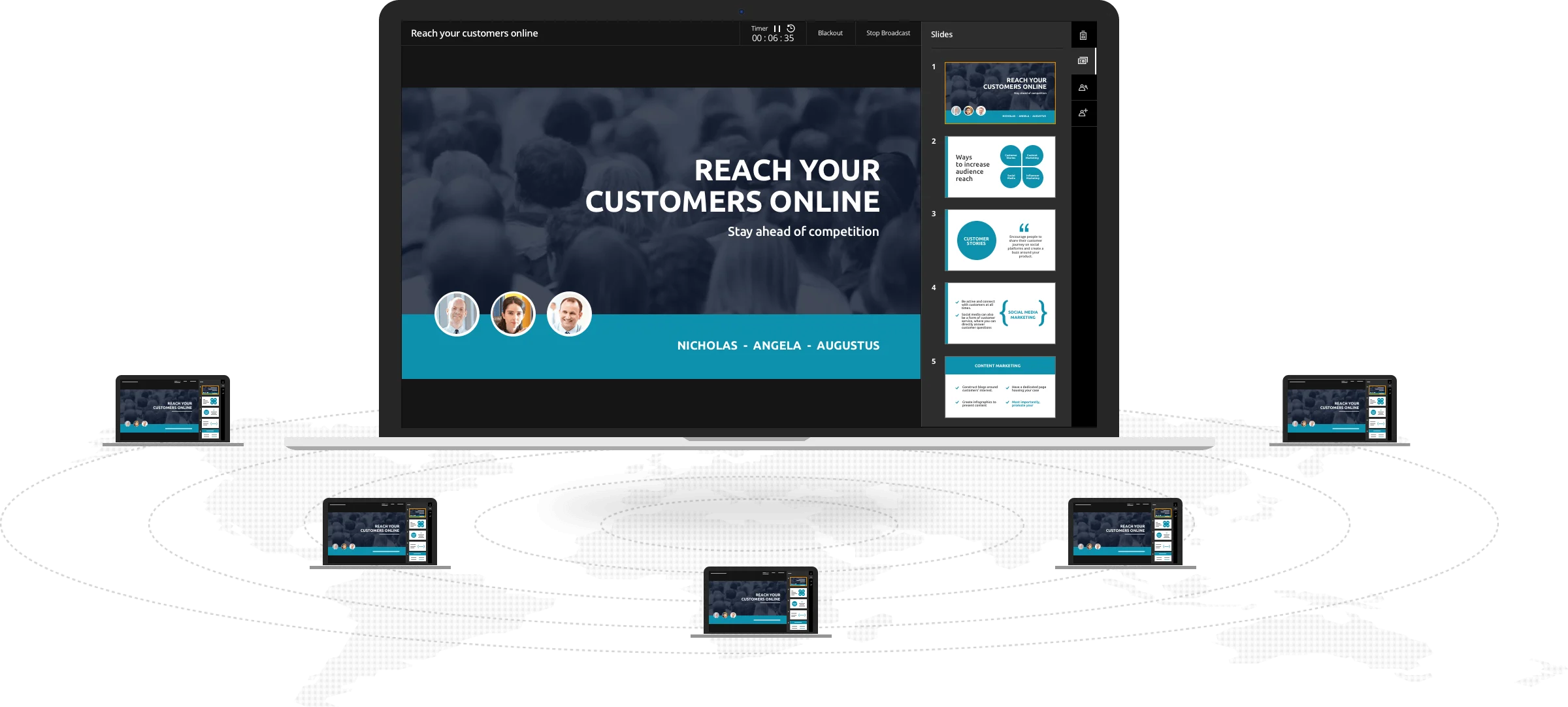
Smart Elements
Dynamic shapes including circles, arcs, progress indicators, and people icons that visually represent KPIs, ratios, and metrics. Change the underlying value and the shape updates itself. No re-exporting charts from a spreadsheet and no redesigning slides every time a number changes.
Auto-updating web embeds
Embed your deck on a website. When you update it in Zoho Show, the embedded version updates automatically with no re-uploading, no broken iframes, and no out-of-date slides sitting on your intranet for months after the numbers have changed.
Data Fields
Dynamic fields including date, presenter name, and custom values that propagate across every slide the moment you change them. If you regularly repurpose decks for different audiences or events, this one feature saves more time than it sounds.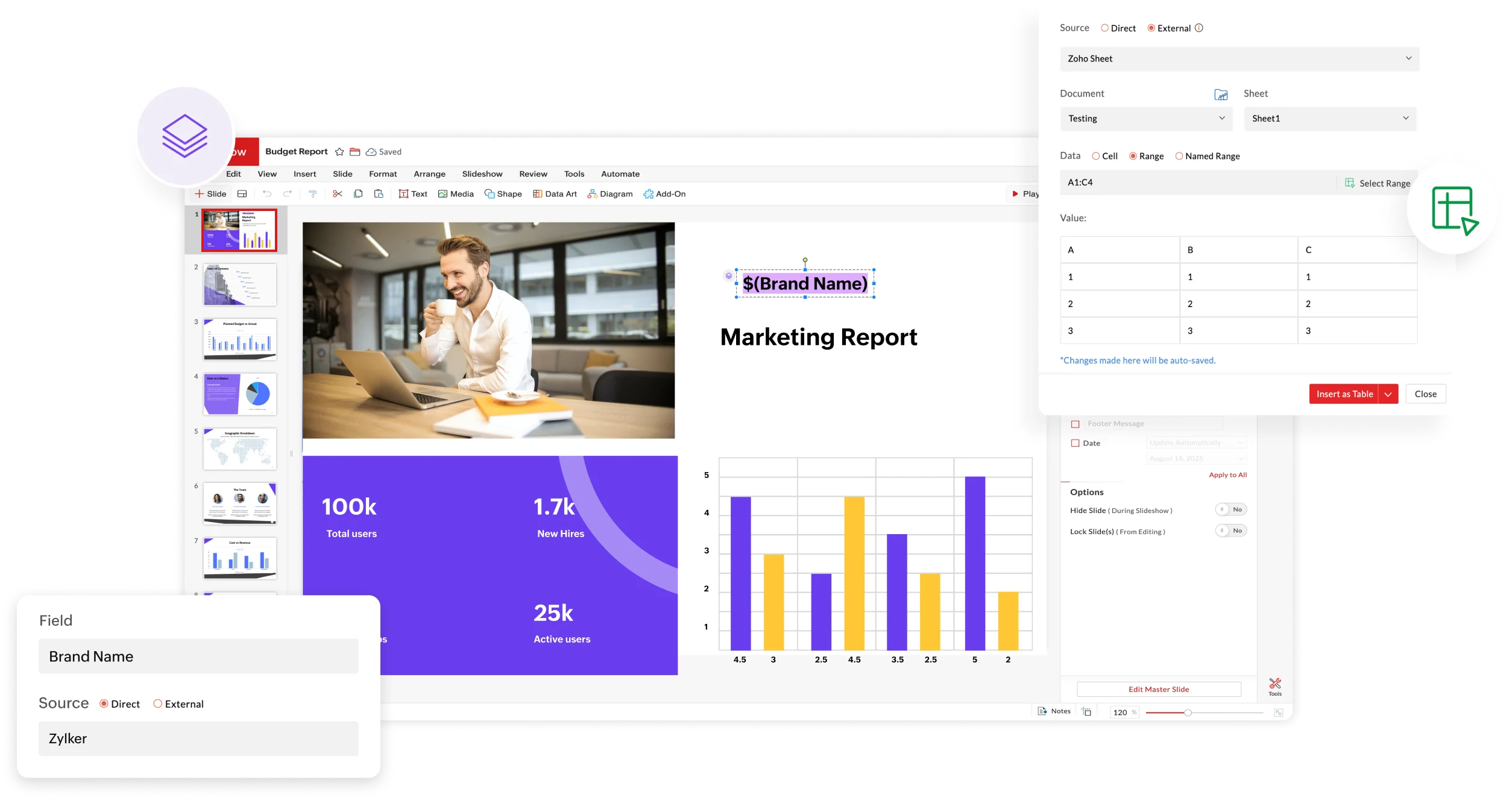
Draw Animation
Sketch-style animations that bring headings and annotations to life mid-presentation. It is the visual equivalent of writing on a whiteboard while you speak, more human, more engaging, and considerably more memorable than a standard slide transition.
Contextual UI
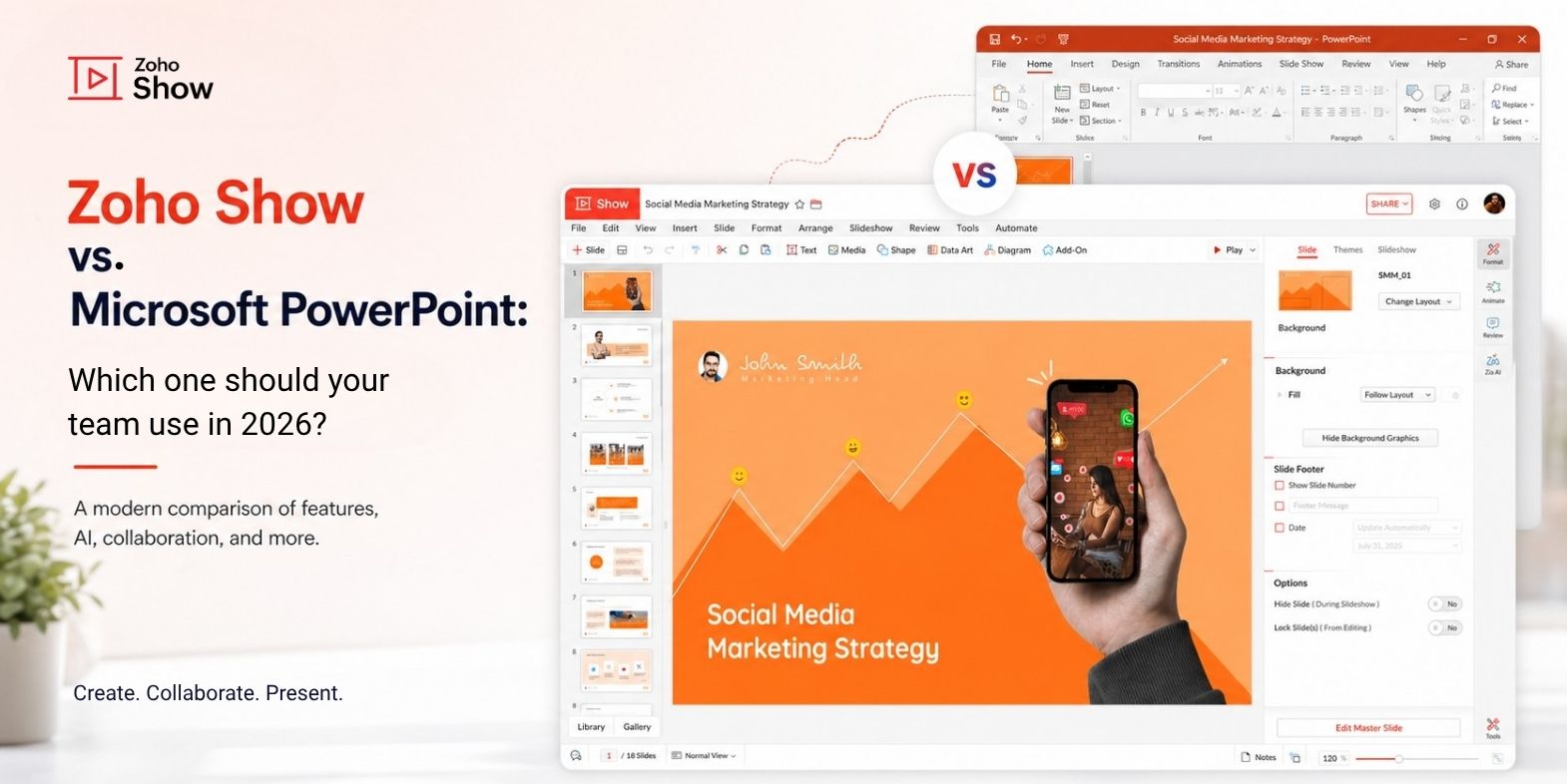
Zoho Show surfaces only the tools relevant to what you are currently editing. Click on a text block and you see text tools. Select a chart and you see chart tools. The interface reorganises itself around your intent, so you are never hunting through ribbons and nested menus to find a formatting option that should have been one click away.
Minimalistic UI
Zoho Show is built around the content, not the editor controls. The interface stays out of the way so the slide stays the focus. For teams presenting to clients, executives, or live audiences, this matters more than it sounds. A clean editing environment produces cleaner slides, because there is less visual clutter competing for your attention while you work.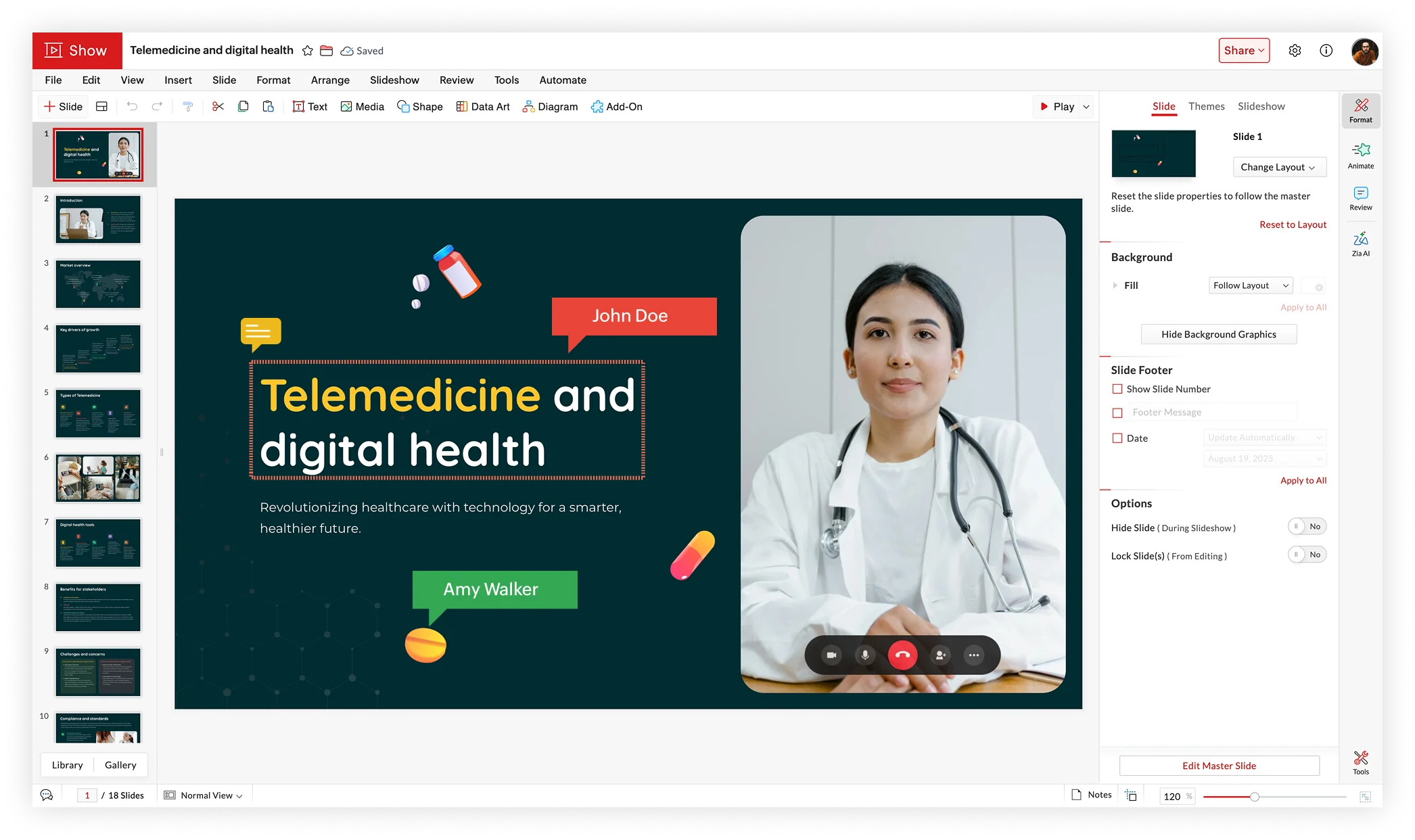
Enterprise-grade security
Zoho Show is backed by Zoho's enterprise-grade security infrastructure, which means the certifications and protections that large organizations, healthcare providers, and government teams require are already in place before you sign up.
Zoho Show is GDPR compliant, SOC 2 Type 2 certified, HIPAA compliant, and ISO 27001 certified. Every file you create or import is protected with file-level encryption. Two-factor authentication is available across all accounts. Virus and malware detection runs on uploaded content automatically.
For context on what that means in practice: SOC 2 Type 2 is not a self-assessment. It is an independent audit of how a company handles security, availability, and confidentiality over an extended period. ISO 27001 is the international standard for information security management. These are not checkboxes. They represent ongoing, audited commitments.
Microsoft also holds enterprise certifications, but they are tied to licensing tiers. Compliance features in Microsoft 365 are gated behind higher-cost plans. With Zoho Show, the security infrastructure is the same regardless of the plan you are on.
The honest verdict
PowerPoint is a strong, capable tool. If your organization is already deep in the Microsoft 365 ecosystem and the Copilot cost is something you can absorb at scale, it is a reasonable default.
But if you are evaluating this question honestly in 2026, taking into account AI cost, live delivery, cross-platform flexibility, and features that simply do not exist in PowerPoint, Zoho Show is worth a serious look. Not as a compromise. As a product built for the way teams actually work today.
The two tools are fully compatible. You can run them side by side, import your existing files, and export back to PPTX whenever you need to. The switch can happen at your own pace, and your files work in both directions, always.
Making the switch: What to expect
The most common thing we hear from teams that have switched is that the transition was easier than expected. Because Zoho Show opens every PowerPoint file exactly as it was built, the learning curve is almost entirely in discovering features you did not have before, not in relearning things you already know.
Start with one deck. Import it. Check that everything looks right. It will. Then try Zia on a slide you have been putting off writing. Broadcast a presentation to a colleague instead of scheduling a screen share. Embed a deck on a page and watch it update the next time you make an edit.
The gap between the two tools is not dramatic. It is a collection of smaller things that, once you have them, make you wonder why you managed without them. That is usually how the best product upgrades feel.
Zoho Show is free to try. Your PowerPoint files will be waiting inside it, exactly as you left them.
Happy Presenting!
Frequently asked questions
- Is Zoho Show fully compatible with Microsoft PowerPoint?
Yes. Zoho Show imports and exports PPT, PPTX, PPSX, PPS, POTX, and ODP files with full fidelity, preserving fonts, animations, layouts, charts, and transitions. You can work in Zoho Show and share back to PowerPoint users at any time with no conversion artifacts.
- Does Zoho Show have AI features like Microsoft Copilot?
Yes. Zoho Show includes Zia AI at no extra cost. Zia generates complete decks from a prompt, adds slides matching your existing design, rewrites and refines content, and summarises documents into slide-ready outlines. Microsoft Copilot for PowerPoint requires a separate licence starting at $21 per user per month.
- Can I use Zoho Show offline?
Yes. Zoho Show supports offline access on its Windows app, Mac app, Android app, and iOS app. Any changes made offline sync automatically the next time you reconnect.
- How long has Zoho Show been around?
Zoho Show was founded in 2006 and has been in the presentation software business for over 20 years, making it one of the most established cloud-based alternatives to Microsoft PowerPoint available today.
- Does Zoho Show work on Mac and mobile?
Yes. Zoho Show has native apps for Windows, Mac, Android, and iOS, all with offline support. The Android 3.0 app features a rebuilt Material Design interface with adaptive layouts for phones, tablets, and foldables. The iOS and Mac apps both support Apple Intelligence.
- What does Zoho Show offer that PowerPoint doesn't?
Zoho Show includes Live Broadcast so audiences follow along in their browser with no app needed, Smart Elements for dynamic data-aware shapes, auto-updating web embeds, Data Fields that propagate across every slide automatically, Draw Animation for sketch-style effects, and native integrations with Zoho CRM and Zoho Survey. None of these are available in PowerPoint natively.
- Is Zoho Show secure enough for enterprise use?
Yes. Zoho Show is GDPR compliant, SOC 2 Type 2 certified, HIPAA compliant, and ISO 27001 certified. All files are protected with encryption, virus and malware detection runs on uploads automatically, and two-factor authentication is available on all accounts. These certifications apply across plans, not just enterprise tiers.