- HOME
- Business & tech
- Google Slides vs. Zoho Show: Which presentation platform fits the way your team actually works?
Google Slides vs. Zoho Show: Which presentation platform fits the way your team actually works?
- Last Updated : June 16, 2026
- 195 Views
- 5 Min Read

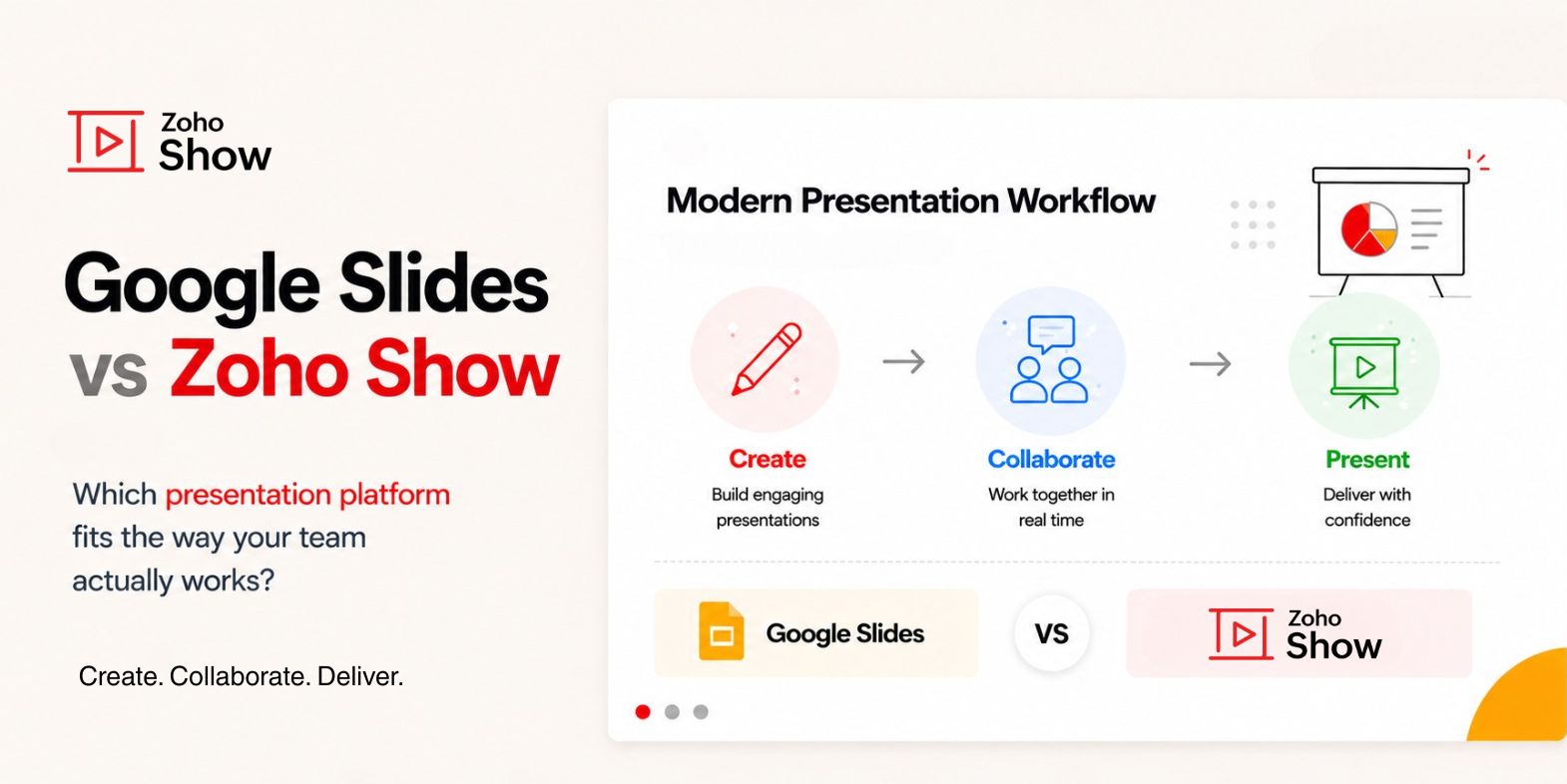
For years, presentation software competed on features. More templates. More design tools. More animation. Then collaboration changed everything.
Instead of emailing presentations back and forth, teams could work together in real time. Comments replaced feedback threads. Version history replaced folders named "Final_v7_FINAL_FINAL."
Tools like Google Slides helped make that experience mainstream. And for a long time, that basic experience was enough. But presentation workflows have evolved.
Today, the challenge is rarely getting multiple people into the same presentation. Most modern presentation tools have solved that problem.
The challenge is everything that happens around the presentation.
- How quickly can you turn an idea into a deck?
- What happens when the internet connection fails five minutes before a presentation?
- How do remote audiences follow along?
- How do teams maintain consistency across hundreds of presentations?
- How do presenters move seamlessly between laptops, phones, meeting rooms, and event stages?
These aren't collaboration problems. They're presentation problems. And they're the reason more teams are looking beyond collaborative editing when evaluating presentation software.
That's where Google Slides and Zoho Show begin to take different approaches.
At a glance: Google Slides vs Zoho Show
Capability | Zoho Show | Google Slides |
Real-time co-editing | Available | Available |
AI-powered presentation creation | Available | Available |
Native desktop apps (Windows & Mac) | Available | Browser-based only |
Offline access | Web, desktop, Android, iOS apps | Chrome only, requires setup |
Live broadcast to audience browsers | Available | Not available |
Apple TV and Android TV presenting | Available | Not available |
Smartwatch as presentation remote | Available | Not available |
Import and export PPTX | High-fidelity support | Via export/import |
Organization library for shared assets | Available | Not available |
Custom brand asset library | Professional plan | Not available |
Slide locking | Available | Not available |
Check In and Check Out | Available | Not available |
Smart Elements | Available | Not available |
Data Fields | Available | Not available |
Auto-updating web embeds | Available | Not available |
Draw Animation | Available | Not available |
Security and compliance | GDPR, SOC 2 Type II, HIPAA, ISO 27001 | Depends on Google Workspace plan |
Free plan | Available | Available |
Collaboration is no longer the differentiator
Ask someone why they use Google Slides and you'll often hear the same answer: it's easy to collaborate. That's a fair assessment.
Google Slides made real-time collaboration accessible to millions of users. Multiple contributors can work on the same deck, leave comments, suggest changes, and share presentations with minimal friction.
Zoho Show supports many of the same collaboration capabilities, including co-authoring, commenting, sharing controls, and version history.
For many teams, either platform can comfortably handle collaborative presentation creation. The more interesting question is what happens after collaboration, because that's where presentation software is increasingly being evaluated.
AI features have made creating presentations faster
The blank slide remains one of the most stubborn productivity bottlenecks in business communication, but AI is changing that.
Both Google Slides and Zoho Show now include AI-powered capabilities designed to help users move from ideas to presentations more quickly.
Google Slides integrates with Gemini to assist with content creation, drafting, and presentation development.
Zoho Show includes Zia AI, which can generate presentations from prompts, documents, and outlines, summarize content, and help create new slides that align with an existing presentation.
The important shift isn't that AI exists. It's that presentation creation is becoming less about building slides manually and more about shaping ideas into stories.
The tools that help teams get there faster will increasingly shape how presentations are created.
No Wi-Fi: The moment every presenter worries about
Most people don't think about offline access until they need it: A conference venue with unreliable Wi-Fi. A customer meeting in a restricted network environment. A presentation that's suddenly unavailable because the internet isn't cooperating.
Cloud-based software works brilliantly when connectivity is available. Reality isn't always that accommodating.
Google Slides supports offline access through a Chrome-based setup.
Zoho Show supports offline access on the browser and through dedicated Windows, Mac, and mobile applications.
This may seem like a small distinction until a presentation depends on it.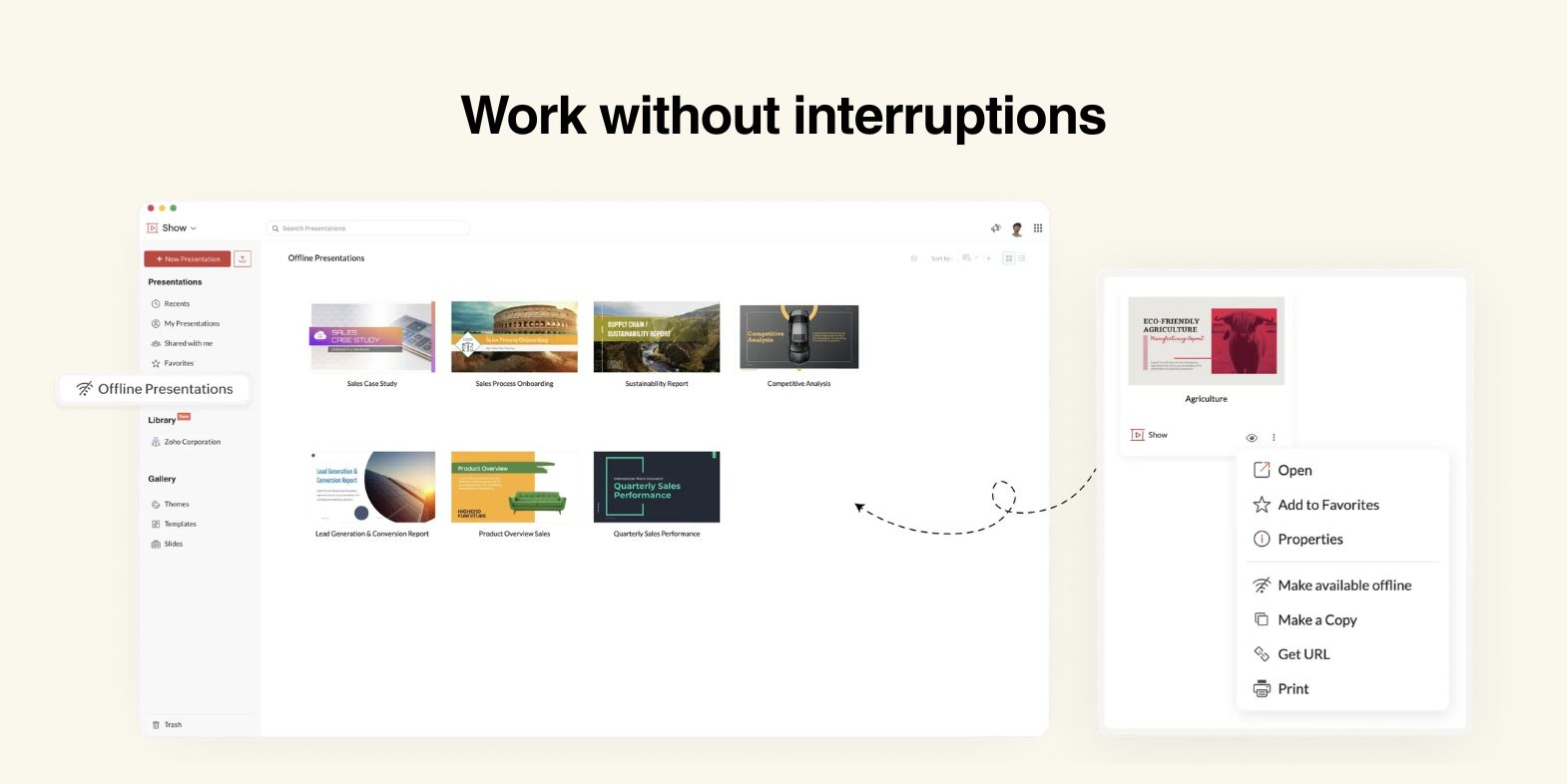
Presenting is different from editing
Creating a presentation and delivering one are fundamentally different experiences. Editing happens quietly. Presenting happens in front of an audience.
Audiences have changed, too. Meetings are often hybrid. Training sessions are distributed on demand. Product demonstrations are often attended by people across multiple locations.
As a result, presenters increasingly need ways to share presentations beyond a conference room screen.
Zoho Show includes built-in broadcasting capabilities that allow presenters to share a live link with attendees and let audiences follow presentations directly from their browsers.
For organizations running webinars, training programs, product launches, or company-wide meetings, this can simplify the presentation experience significantly.
The presentation no longer lives on one device
Modern work rarely happens from a single screen. A presentation might be drafted on a laptop, reviewed on a phone during a commute, edited on a tablet, and delivered in a meeting room.
This shift has changed expectations around presentation software.
Zoho Show extends beyond the browser with applications for Windows, Mac, smartphones, tablets, Apple TV, Android TV, and even wearable devices that can function as presentation remotes.
The result is not simply device support. It's flexibility. The ability to present wherever the presentation needs to happen.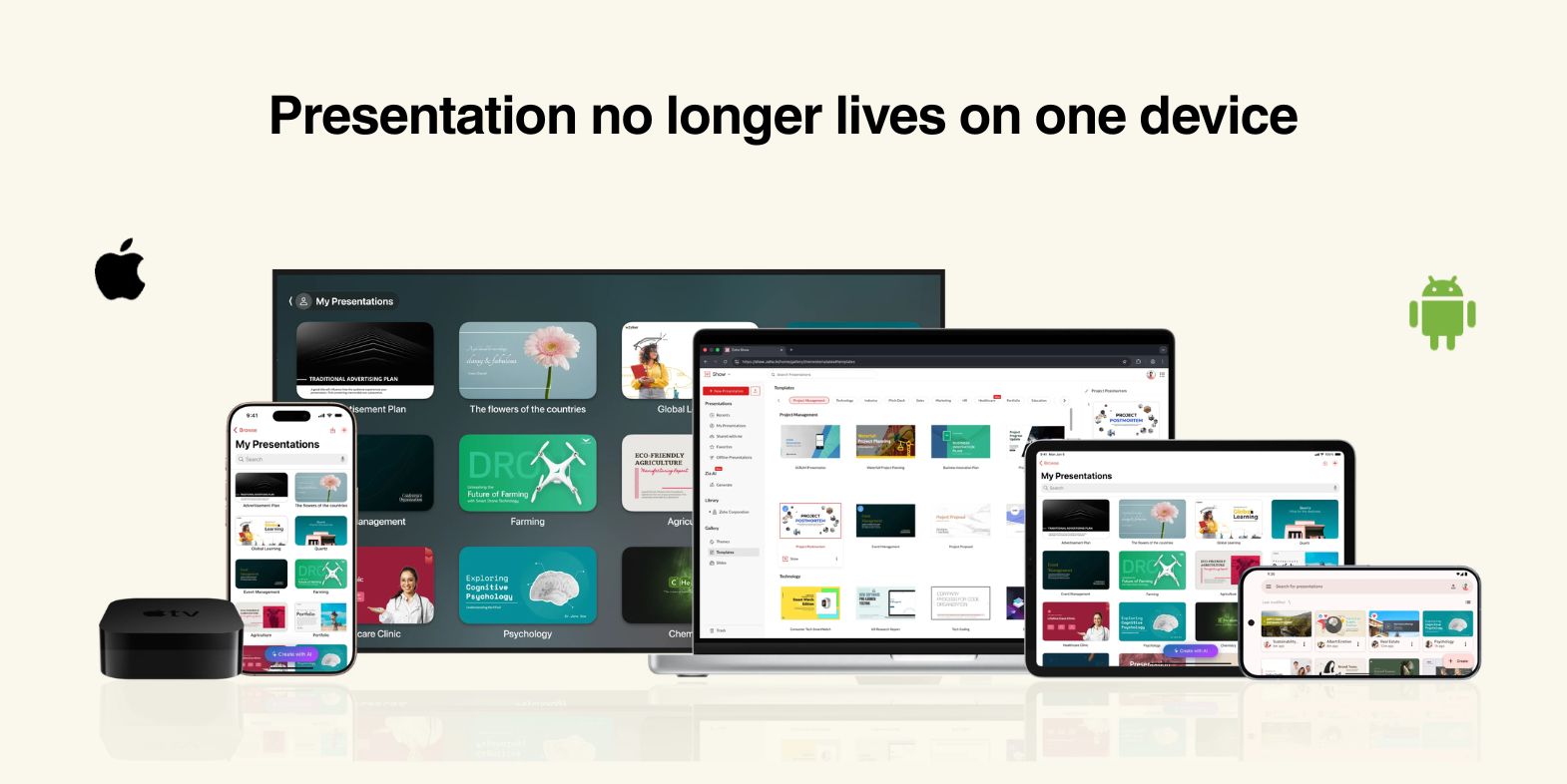
Presentations become organizational assets
As teams grow, presentations stop being individual files and start becoming shared resources. This is where governance features become increasingly important.
Marketing teams need approved templates. Sales teams need consistent messaging. Training teams need current content. Leadership teams need confidence that critical presentations aren't being modified unexpectedly.
Zoho Show includes an Organizational Library for shared assets, custom font uploads, slide locking, and Check In/Check Out capabilities.
These features are rarely discussed in presentation software comparisons, but they become increasingly valuable as presentation usage scales across an organization.
Security matters more than ever
Presentations often contain product roadmaps, financial information, customer data, and strategic plans. These aren't just slides.They're business assets.
Zoho Show supports GDPR compliance, SOC 2 Type II certification, ISO 27001 certification, and HIPAA compliance, along with encryption, two-factor authentication, malware detection, and device management capabilities.
For organizations operating in regulated industries, these considerations can be just as important as collaboration or design tools.
So which platform should you choose?
Google Slides remains one of the easiest ways to create presentations collaboratively. Its simplicity, familiarity, and integration with Google Workspace make it a natural fit for teams that prioritize collaborative editing and lightweight workflows.
Zoho Show takes a broader view of presentation software. Rather than focusing solely on slide creation, it extends into presentation delivery, audience engagement, device flexibility, governance, and offline reliability.
Neither approach is inherently better. They're built around different priorities.
If your primary need is collaborative editing, Google Slides remains a strong choice.
If presentations are a core part of how your organization communicates, trains, sells, and shares information, Zoho Show offers capabilities that extend well beyond collaboration.
And increasingly, that's where presentation software is heading.
Frequently asked questions
Is Zoho Show a good alternative to Google Slides?
Yes. Zoho Show offers collaborative presentation creation similar to Google Slides while adding capabilities such as native desktop applications, built-in broadcasting, presentation governance, and multi-device presenting.
Does Zoho Show support AI?
Yes. Zia AI can generate presentations from prompts, outlines, and documents, summarize content, and assist with presentation creation.
Can Zoho Show open presentations created in Google Slides?
Yes. Presentations exported from Google Slides can be imported into Zoho Show while preserving formatting, layouts, animations, and transitions.
Which platform is better for offline presentations?
Both platforms support offline access. Zoho Show also offers dedicated Windows, Mac, and mobile applications, providing additional flexibility when internet access is unavailable.
Which platform is better for remote presentations?
Teams that frequently conduct webinars, training sessions, or distributed presentations may benefit from Zoho Show's built-in broadcasting capabilities.