Key takeaways
- A sandbox is a virtual environment that mimics the software, configurations, and infrastructure of a real production environment.
- Sandbox testing is used by testers to validate new features and updates or fix bugs without affecting the live production system, but under realistic conditions.
- Sandbox testing or a sandbox environment helps reduce the risk of disrupting the live production environment. It's innovative, reliable, and improves software quality by identifying and mitigating bugs, performance issues and security vulnerabilities in a controlled environment.
- Test automation tools like Zoho QEngine, combined with sandbox testing, streamline test execution, generate comprehensive reports, and speed up problem resolution during development. These solutions help organizations achieve faster software cycles and greater reliability.
- Sandbox environments can be hosted in the cloud, on-premises, or in containers such as Docker or Kubernetes.
Trends in 2026
Modern applications are becoming increasingly complex and with faster development cycles, and sandbox testing continues to evolve along with them. Some key trends that are now on the rise in sandbox testing are:
- AI-powered testing
- Cloud-based environments
- Integration with CI/CD pipelines
- Containerization technologies
AI-powered testing is a key trend that emerged in recent years, in which AI is used to automatically generate test cases, maintain them by identifying potential failures, and self heal. These AI-powered environments optimize execution, increase testing efficiency, and reduce manual effort.
Cloud-based sandbox environments help quickly create and scale test environments without relying on expensive on-premises infrastructure. This significant shift helps teams around the globe collaborate seamlessly and enables parallel testing.
Integration of sandbox testing with CI/CD pipelines has become a standard practice to address the demand for continuous deployment in modern applications. Builds are deployed directly to sandbox environments via automated workflows, enabling continuous testing and bug detection. This helps in faster time to market and improved software quality.
Containerization technologies like Docker and Kubernetes are reshaping how sandbox environments are made. These technologies make it easy to consistently replicate a production-like setup.
Sandbox environments are widely used for vulnerability testing, compliance checks, and simulated cyberattack testing, as cybersecurity concerns grow worldwide.
In 2026, sandbox testing has become more scalable, secure, and intelligent, and is deeply integrated into the software lifecycle, ensuring faster, continuous releases of higher-quality software.
What is sandbox testing?
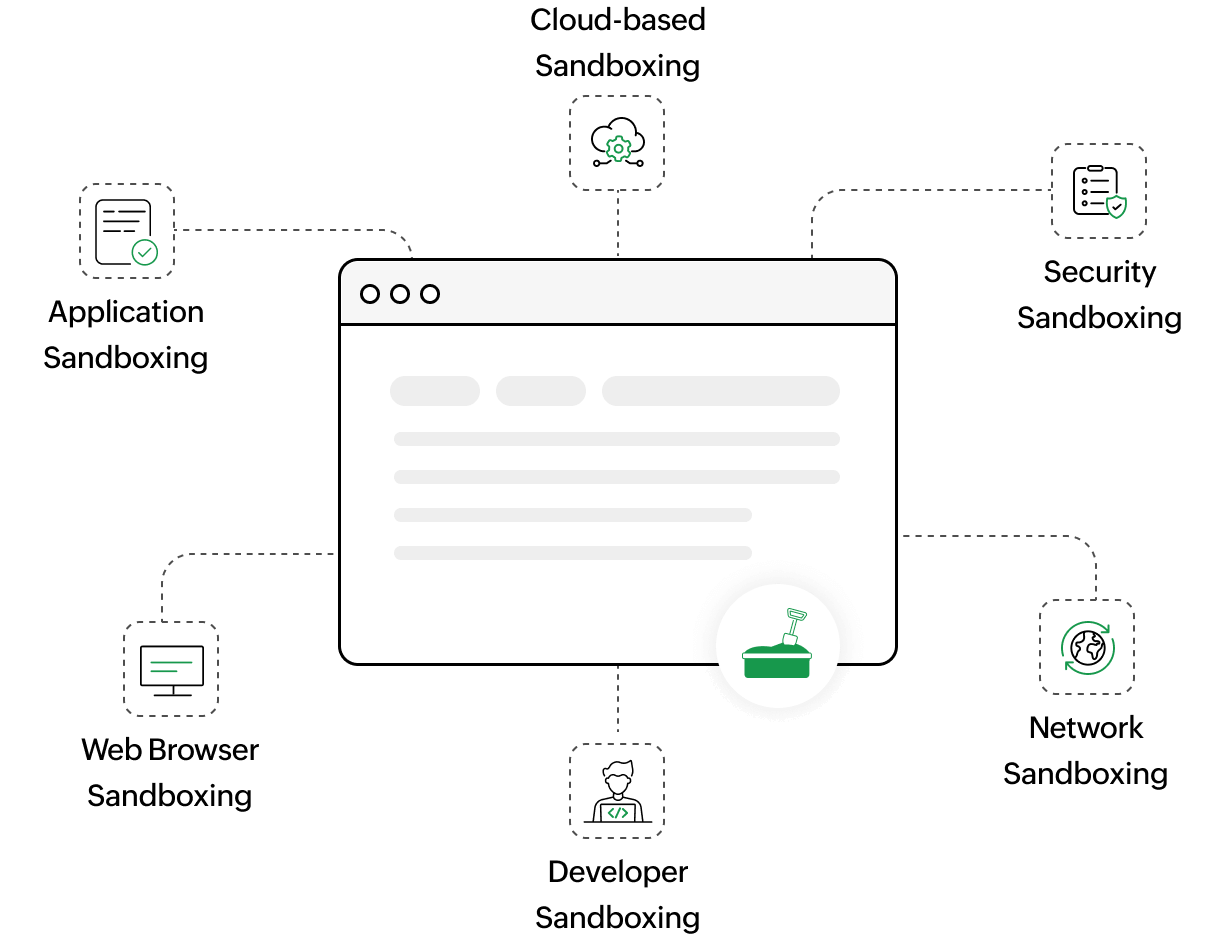
A sandbox is a virtual environment that mimics an application that needs to be tested. It's created to test a new feature or update in a software application without affecting the production environment. Sandbox testing helps experiment with new functionality, troubleshoot existing issues, and build patches without disrupting the live application.
How does a sandbox work?
A virtual sandbox mimics the software, configurations, and infrastructure of an application in isolation, providing a safe space for testing. Testing in a sandbox environment resembles testing in the production environment, but without disrupting the live system. This gives testers the freedom to experiment in a controlled setting.
Major differences between manual and automated testing in a sandbox environment:
Workflow
Manual testing
Automated testing
Why is sandbox testing important?
Sandbox environments play a crucial role, for various reasons:
Reduced risk
Testing in production may cause bugs that disrupt the normal functioning of the live application.
Isolation
A sandbox provides an isolated and secure environment to test in, without affecting the production environment.
Compliance and security
Sandbox testing helps organizations assess the security implications of software changes to ensure that data-protection and compliance standards are met.
Reliability
Before releasing a new feature or software update to the public, testing it in a controlled environment helps ensure quality and reliability.
Process efficacy
Sandbox testing facilitates refining code changes before deployment.
Innovation
It provides an environment for developers to test new code builds without disrupting the actual production environment.
Precision
Sandbox testing coupled with a test automation tool helps achieve precision by testing in a controlled environment, without impacting the live application, improving the feedback loop and increasing the release velocity.
Cost-effectiveness
Threats can be identified and eliminated early, significantly cutting down bug-fixing costs.
How to create a sandbox
The first step is to identify a virtualization platform that helps replicate the testing environment. Based on specific requirements and software dependencies, a virtual machine that mirrors the application configuration needs to be created. The next crucial step is to pick a test automation tool like Zoho QEngine.
After picking the test automation tool, network configurations need to be set up to ensure that the sandbox environment can connect with the other systems. It's integral to secure the sandbox environment with firewalls or encryption to avoid threats. As a best practice, a backup and restore process needs to be established to retrieve data.
Where are sandbox environments hosted?
A sandbox environment can be set up on the cloud, on-prem, or in containers, such as Docker or Kubernetes. There are also tools on the market that employ virtualization technology, to allow testers to create a sandbox on their local machine, or even multiple virtual machines simultaneously, on a single physical server.
Conclusion
A sandbox provides an additional layer of security to check the reliability and accuracy of automated tests. A test automation practice requires a sandbox to ensure seamless development and effective execution of test cases in a controlled environment. Without a sandbox, the validity of a build can't be checked without impacting the live system.
Zoho QEngine helps accelerate the testing lifecycle for organizations and reduces time to market. With a test automation solution like Zoho QEngine, testing can be done in parallel, in sandboxes, to improve the feedback loop. This also facilitates iterative testing, to help testers refine their test cases. It enables skill development for testers by helping them experiment with frameworks, tools, and methodologies.
Frequently asked questions
What are some of the challenges in sandbox testing?
Setting up and maintaining a sandbox may incur costs in terms of software, hardware, and IT resources. But with an end-to-end test automation tool like Zoho QEngine, sandbox testing can be easily optimized at minimal cost.
Can sandbox testing be integrated with CI/ CD pipelines?
Yes. Sandbox testing can be integrated with CI/ CD pipelines to ensure that any changes made to the application are tested in an isolated environment before deployment. By integrating sandbox testing into the CI/ CI process, organisations can improve quality, stability, and reliability of their software applications and achieve higher ROI.