
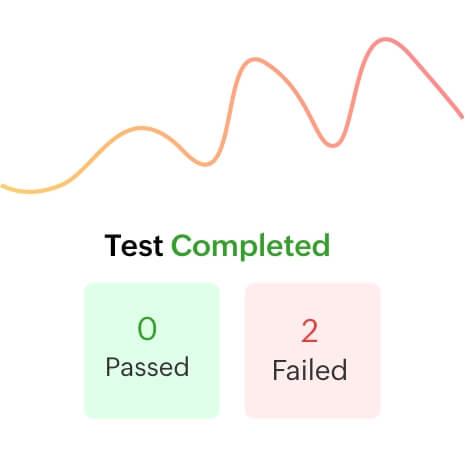
What is test execution?
Test execution is the process of running all your test cases and comparing them with presets and expected execution times and results to ensure that the software is error-free and ready to hit the market.
With Zoho QEngine's hybrid environment, you can schedule and execute test cases for any environment you want. From cloud automation testing to running the Zoho QEngine agent on your servers, the software is browser- and device-independent.
QEngine's no-code, low-code, and AI-powered features make it easy for you to build and manage tests across platforms, including web, mobile, and API, in single click. It's self-healing AI capabilities, ensures test case success by fixing broken locators during the execution. The platform also allows you to choose your preferred automation framework for execution.

Choose Selenium or Playwright for test execution
Zoho QEngine supports test execution on both Selenium and Playwright, making it easy for you to maintain reports for both frameworks in one place.
The system intelligently adapts to the selected framework, eliminating duplicate efforts to rewrite scripts. It also ensures you don't need separate tools for Selenium and Playwright execution. This efficiency and convenience gives you the edge to focus on quality, not on code maintenance.

You run the test. We take care of the environment.
Cloud
Zoho QEngine's test execution environment runs predominantly on the cloud. Cloud automation testing ensures an all-in-one-place testing experience, bypassing hitches like data redundancy, skimming through log files, and version updates.
-
Platform independence
Zoho QEngine is platform independent, which means that, irrespective of the operating system or the device —mobile or web—the testing process remains the same. You can configure presets and get insights on different environments without having to write separate blocks of code.
-
Browser independence
Zoho QEngine supports Chrome and Firefox to test your APIs and software. The compatibility check is seamless, with a no-code experience. All you have to do is select the browser on which you want to test and gather insights from the analytics.
-
Scheduling and user approvals
Test plans and test suites on Zoho QEngine let you categorize your tests that can be scheduled for a specific time and date. The software comes with support for both parallel and sequential tests.
Local agent
Local agent refers to the testing tools and software that can be installed on your local machine. With this feature in Zoho QEngine, you can install the software on your server and execute parallel tests and accelerate the testing time needed for web and mobile applications.
Test anywhere—on the ground and on the cloud
Gather your requirements and take your tests anywhere you want, with Zoho QEngine's all-in-one cloud automation testing software. With support for both local and cloud execution, you can now collaborate remotely, gather insights, schedule tests, and analyze results using dashboards, all in a single place! Sign up for free and start your first test!
Frequently asked questions
What is Zoho QEngine?
Zoho QEngine is a cloud automation testing software from the Zoho business suite that lets developers test their applications using pro-code, low-code, and no-code features. The only prerequisite is to sign up.
What are the test environments on Zoho QEngine?
Zoho QEngine supports a hybrid approach, with support for both cloud and local machine testing. This is facilitated by the QEngine agent, which can be installed on local servers to run parallel tests seamlessly.