Only you can close the sale—we'll take care of the rest
In the real estate industry, a communication gap could result in lost deals. We don't just mean losing money, but also the effort involved from all parties, the time you put in, your client's prospect of a good home—all of it could go to waste. Learn how to coordinate your work more efficiently with Zoho Projects, our collaborative project management solution.
Get Started
Real estate project management software
Projects in the real estate industry vary from renovation projects—such that they require detailed planning, skillful negotiation and understanding of the industry to close a deal. Real estate project management software helps carry out project planning, streamline complex workflows, oversee task tracking, manage resources, enable active collaboration and maintain stakeholder relations.
Common challenges in the real estate industry
Long overdue
Whatever you're selling, whether it's a building or plot of land, there's always a possibility of delays in construction, client funds, or sale proceedings.
Cannot be reached
A majority of work in real estate takes place over the phone, which often means dealing with lots of missed calls, messages, and updates.
Time and again
Though every client and property is unique, much of your basic work and tasks for each deal is routine. Repeatedly completing the same tasks for different deals and keeping track of everything for every prospect is bound to get tedious and repetitive.
Despite your best efforts
The real estate industry has evolved to become more than just selling homes and closing deals. Agents now have responsibilities in many areas, including development, sales, marketing, brokerage, and property management. This often means you end up getting overworked and overcommitted.
Why do you need Zoho Projects for real estate project management?
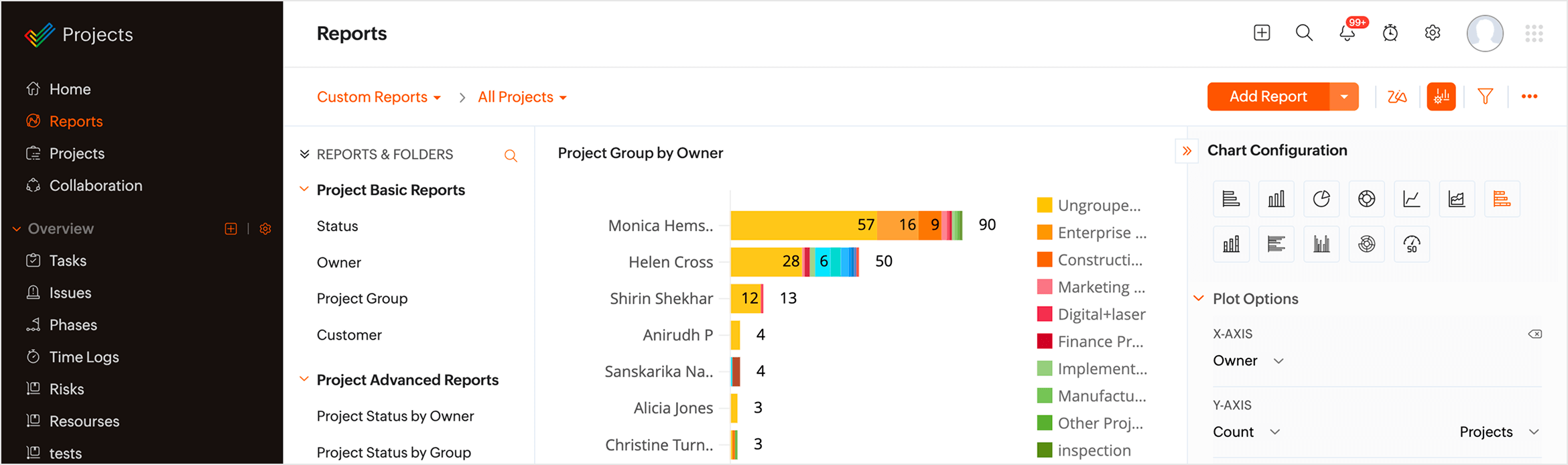
Create your own version of the product through Custom Modules. Surface quick insights over Custom Reports that you can configure through plot options, charts, and graphs, and pull all of these Reports into customizable Dashboards for high-level contextual comprehension.

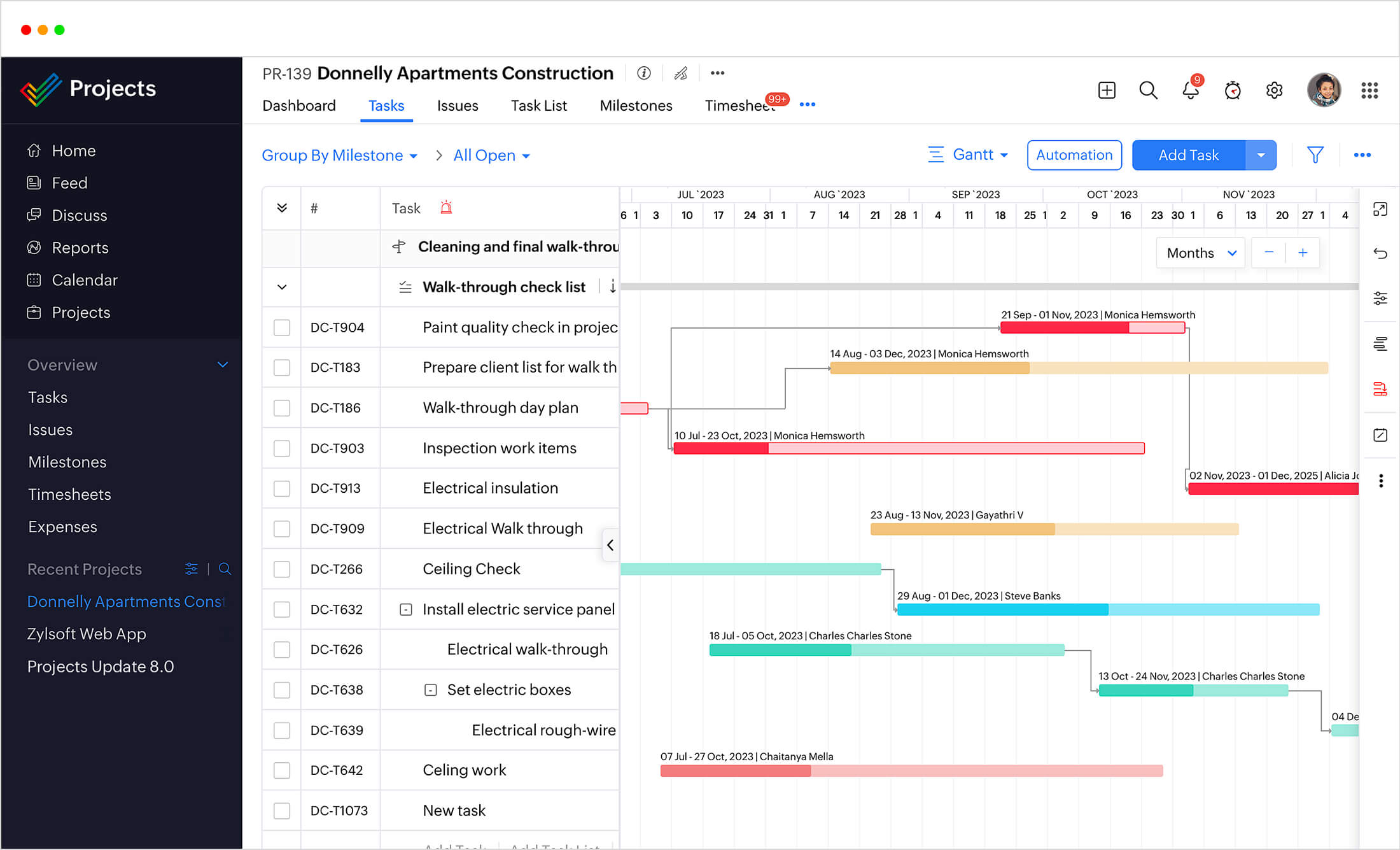
In the real estate industry, time and reliability are critical factors, so Zoho Projects keeps you on schedule. Use customizable Gantt charts to keep up with your timeline, stay up to date on critical tasks, and set up baselines to track any real-time deviations.

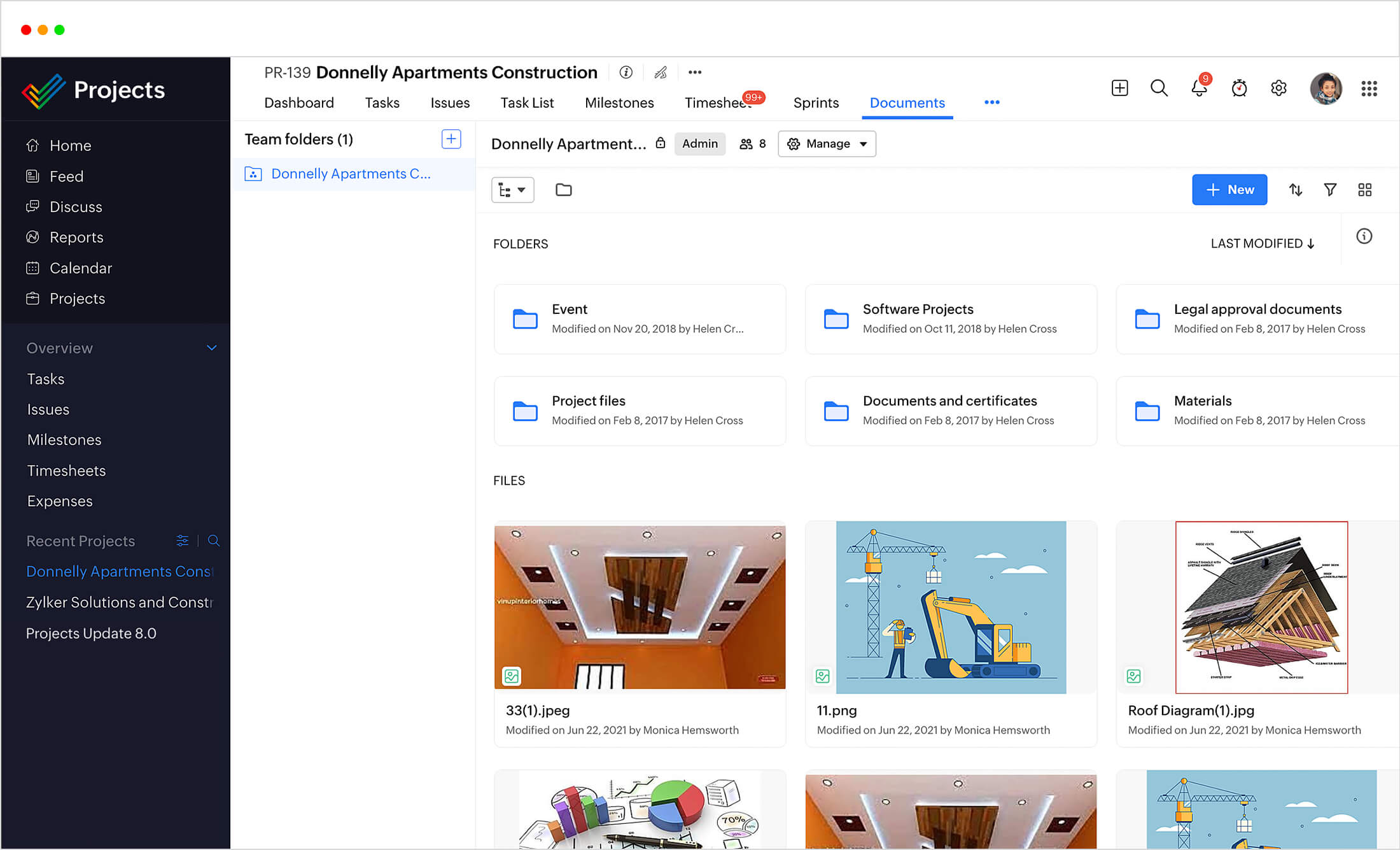
Your document types often vary depending on the kind of work you do. Whether it's a sale contract, an inspection report, or a lease agreement, you can directly upload these documents to your relevant tasks. Zoho Projects also keeps track of your versions for future reference.

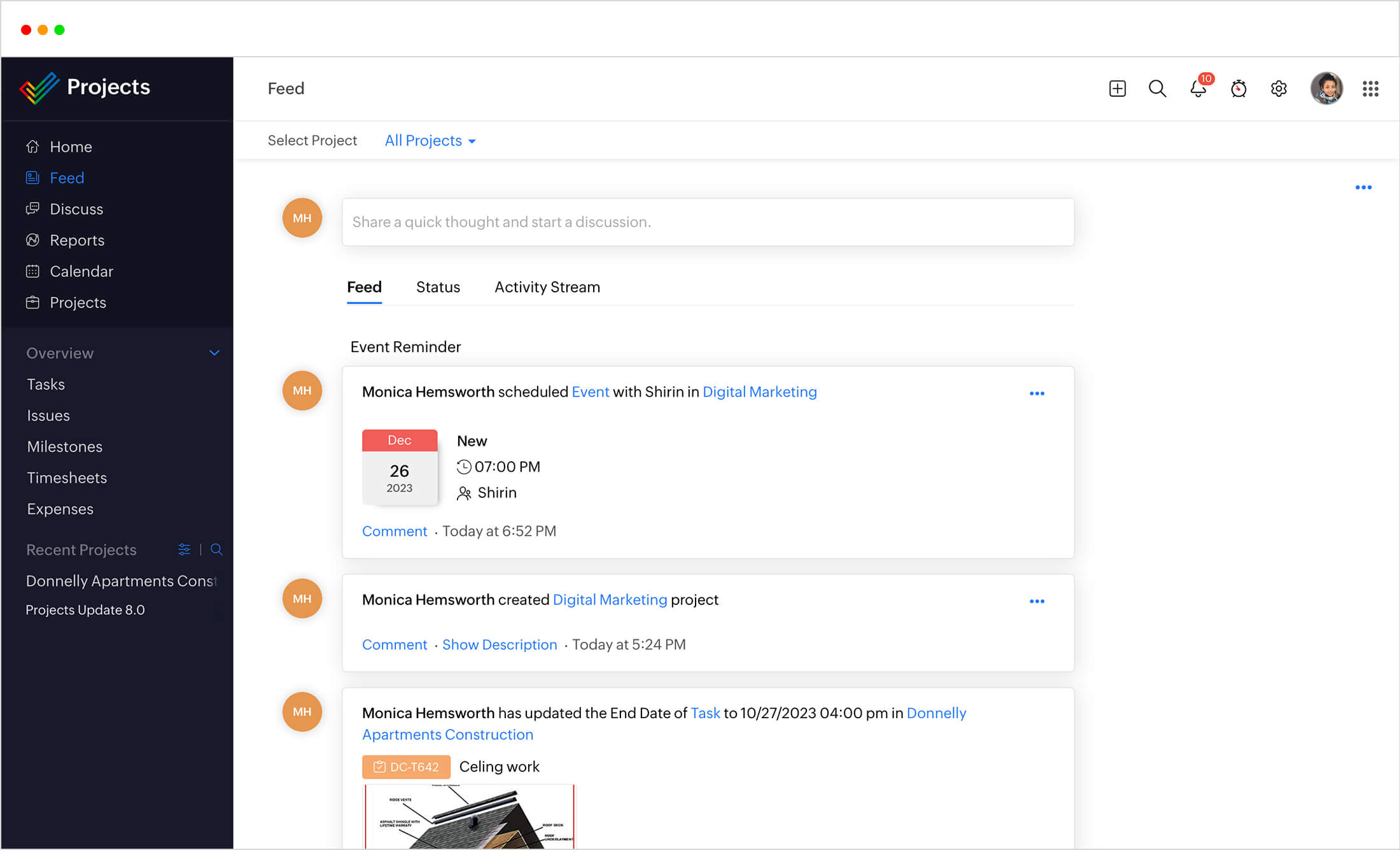
When several different parties rely on you to get work done, it means you're on call all the time, keeping track of anything from texts, DMs,emails, and calls. Add your clients to Zoho Projects to streamline communication between all the stakeholders.
These days, the real estate industry isn't just about selling a house, but also involves website creation, marketing, sales, and other professional services. Break down your projects into milestones, task lists, tasks, and sub tasks to track and complete your work items easily. Assign the right people to the right work to get things done efficiently.

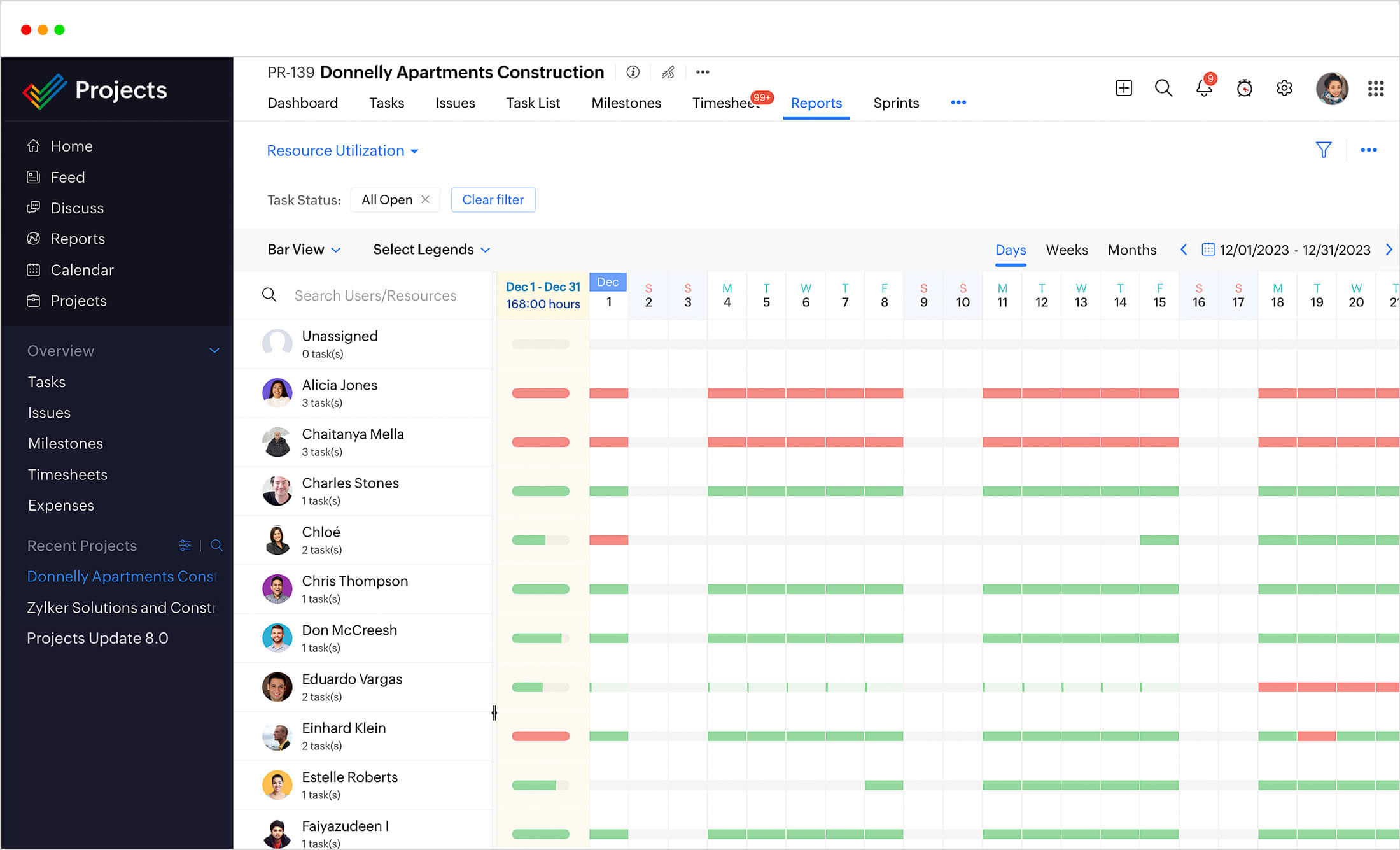
Keep your employees engaged by assigning them the best work for their time and resources. In Zoho Projects, you can assign work based on how busy an employee is or check who is available during a particular time period. The resource utilization chart gives you more insight into how over- or underworked your team members are.
Schedule management

In the real estate industry, time and reliability are critical factors, so Zoho Projects keeps you on schedule. Use customizable Gantt charts to keep up with your timeline, stay up to date on critical tasks, and set up baselines to track any real-time deviations.
Document handling
Your document types often vary depending on the kind of work you do. Whether it's a sale contract, an inspection report, or a lease agreement, you can directly upload these documents to your relevant tasks. Zoho Projects also keeps track of your versions for future reference.
Real-time collaboration
When several different parties rely on you to get work done, it means you're on call all the time, keeping track of anything from texts, DMs,emails, and calls. Add your clients to Zoho Projects to streamline communication between all the stakeholders.
Detailed planning
These days, the real estate industry isn't just about selling a house, but also involves website creation, marketing, sales, and other professional services. Break down your projects into milestones, task lists, tasks, and sub tasks to track and complete your work items easily. Assign the right people to the right work to get things done efficiently.
Custom templates
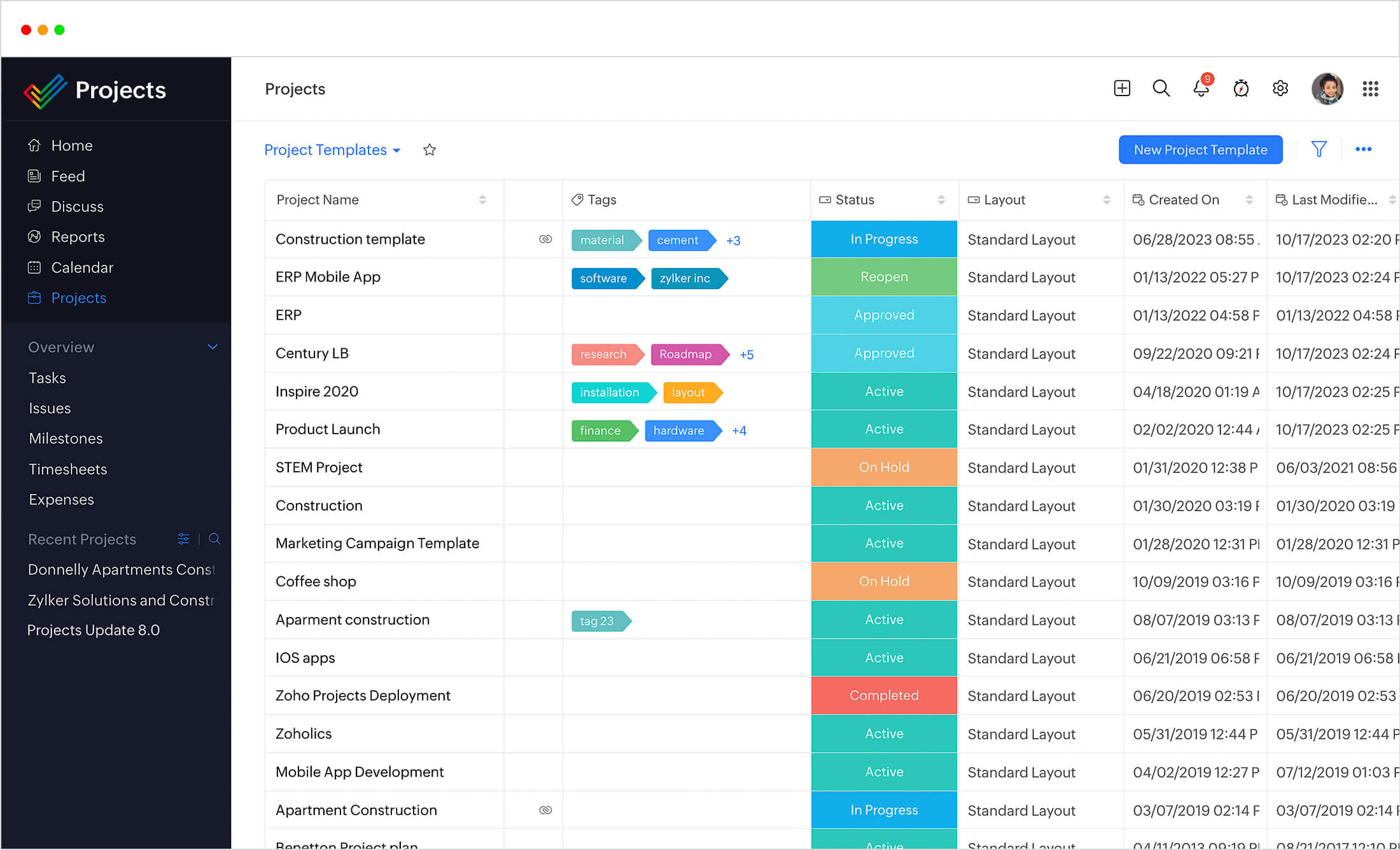
While every client is unique and every deal is different, your process might involve the same outline of tasks that need to be done each time. Zoho Projects lets you create custom project templates to overcome this. A project management software like Zoho Projects...
Resource utilization
Keep your employees engaged by assigning them the best work for their time and resources. In Zoho Projects, you can assign work based on how busy an employee is or check who is available during a particular time period. The workload report gives you more insight into how over- or underworked your team members are.
Build your Projects, your way

Custom Modules
Bridge fragmented workflows and structure site-level operations to capture snags, centralize data, and customize processes.
Custom Reports
Generate pattern-driven insights for proactive intervention through customizable reports on snag closure rates, wastage trends, or root cause analysis.
Custom Dashboards
Create dashboards that reflect the actual progress of your real estate projects. Showcase daily progress, material movement, or recurring issues as digestible layouts.
Drill down into data
- Monitor the pulse of your project in real-time through Custom Modules that adapt to your unique project parameters.
- Spot trends, detect anomalies early, and evaluate performance across teams, contractors, and phases by creating on-demand customizable Reports and Dashboards.
- Elevate visibility, expose delays, and prevent handover risks with Zia Insights.
Custom Modules for Real Estate
The real estate landscape is ever-evolving. Fluctuating prices and unpredictable shifts in the market make real estate projects real complex. But with custom modules, you can bring customized order to workflows, stay on top of the nitty gritty, and establish complete autonomy over your real estate projects.
Inventory and Material Tracking
- Establish complete control over the movement of materials, right from purchase to consumption and reduce misinformation.
- Cut back on errors, evade risks of theft, and keep your supply chains optimized. Skip last-minute purchases.
- Better material oversight translates to lower operational costs, better forecast, and smarter inventory management.

Defect Tracking
- Reliable monitoring of defects helps flag them early on. Reduce wastage, avert overruns, and create solid contingency plans.
- Automate your workflows to log defects and evaluate their severity. Conduct root cause analysis and prevent risky missteps.
- Capture defects in real-time before they slip through the cracks. Bring efficiency to your defect management process.

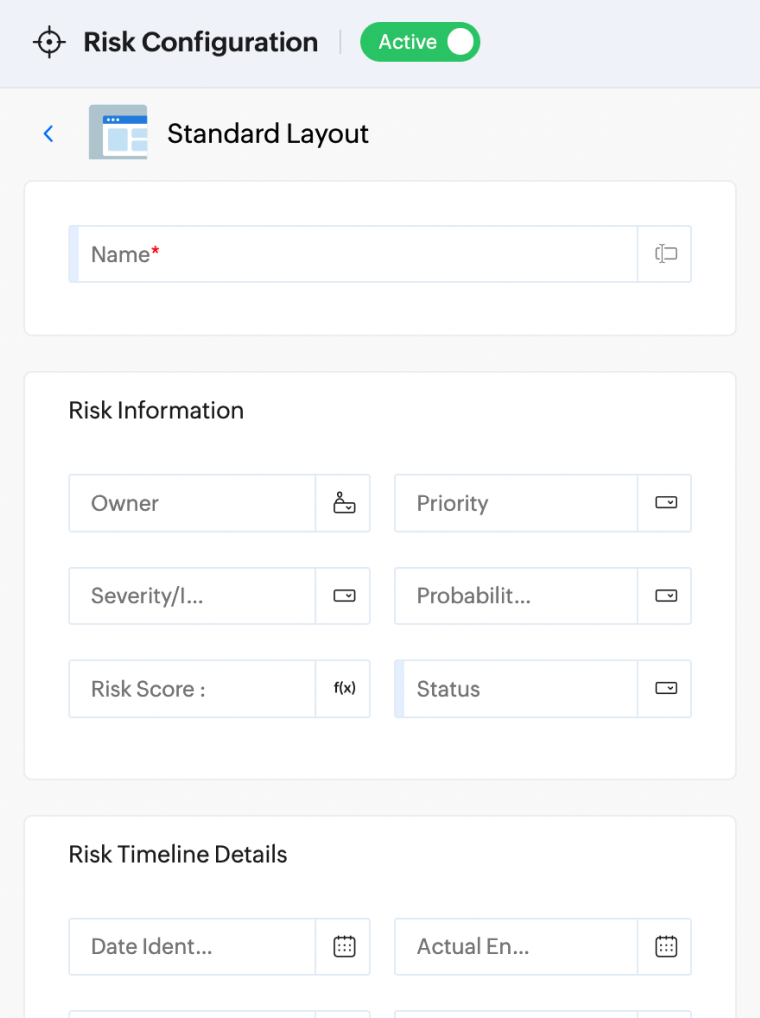
Risk Management
- Capture any kind of risk in thorough detail and insulate your real estate projects from overspends, fraud, and inferior outcomes.
- Create a comprehensive risk management strategy furnishing the impact, likelihood of recurrence, and mitigation strategy.
- Conduct routine maintenance inspections to single out risks before they become a predicament. Break destructive risk patterns.
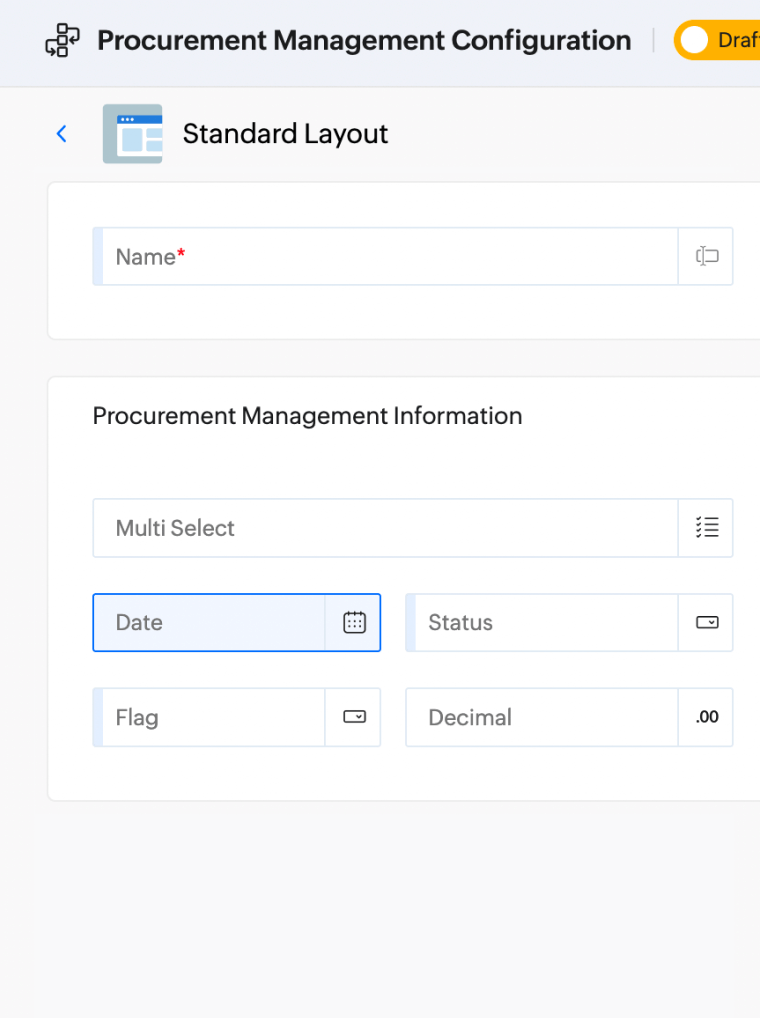
Portfolio Management
- Manage a diverse portfolio of real estate projects to align with objectives, maximize outcomes, and focus on long-term gains.
- Integrate with related modules to achieve a well-rounded portfolio management process.
- Track metrics like Net Operating Income and Internal Rate of Return and make high-yielding decisions.

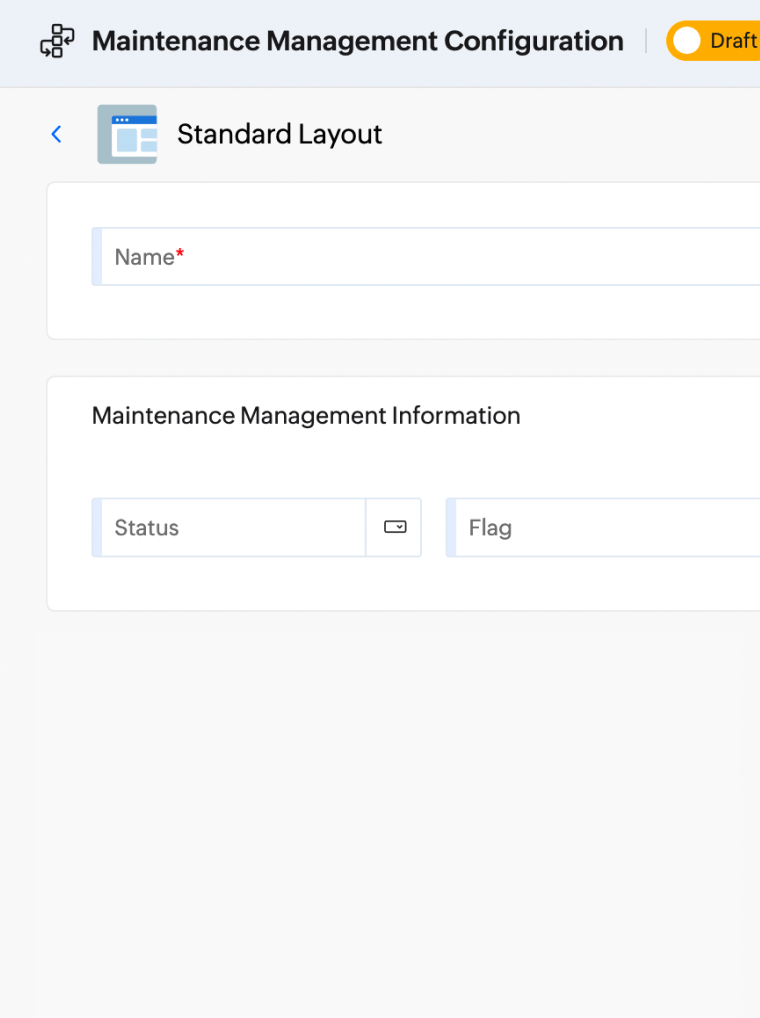
Vendor Management
- Onboard vendors by evaluating their business acumen, pricing, quality of delivery, and their ability to meet deadlines.
- Define scope objectives, record contract specifics, and attach Service Level Agreements to fortify supplier relationships.
- Establish oversight into vendor performance and enforce quality standards, defined objectives, and contractual obligations.
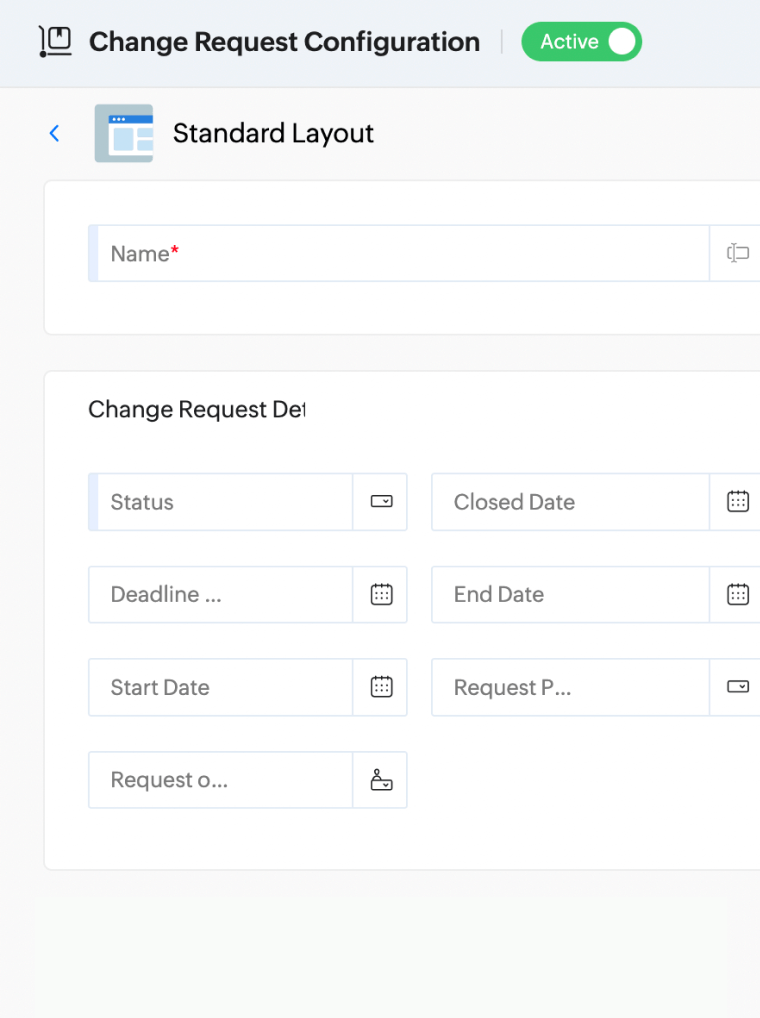
Compliance Tracking
- Stay ahead of changing regulations. Actively track and report compliance-related activities.
- Digitize compliance workflows, centralize crucial legal documents, and automate audit processes to counter undesirable outcomes.
- Receive real-time Zia Insights into compliance-related milestones and make timely pivots wherever appropriate.
Quality Management
- Create a standardized, geo-tagged quality checklist to maintain structural, material, and workmanship quality.
- Upload photo evidence, annotate documents, and receive real-time inspection updates to achieve quality oversight.
- Log snags by defining severity, impact, and recurrence levels, and track until completion.
Intelligence for the Modern Team
With Model Context Protocol (MCP), you can analyze all your project data and surface insights in seconds, right from one, unified window.
Model Context Protocol
Model Context Protocol (MCP) now lets you integrate Zoho Projects, along with several other Zoho products, directly with your preferred Generative AI model. Query project data, pull task histories, and generate insights without switching windows.
- Conduct compliance checks
- Perform visual quality control checks through images
- Create alerts for anomalies
- Analyze historical project data
- Seamlessly integrate with third-party tools
Agentic AI COMING SOON
Agentic AI takes this further by enabling Zia to act autonomously on your behalf. You define the rules and let the agent handle the mindless, repetitive work.
- Predict material shortage
- Auto-generate weekly progress reports
- Recommend optimized workforce planning
Integrations
Get the added advantage of several Zoho apps and other third-party apps.
More Integrations- Zoho Mail
- Zoho Invoice
- Slack
- Office 365
- Zoho Writer
- Calendar
- Zoho People
- Youtube





"With Zoho, we've been able to achieve four times the number of simultaneous implementations with the same head count, improving revenue, profitability, and employee well-being."
Lee TrevenaCEO, LeaseEagleFrequently Asked Questions
Real estate development management is the process of turning a project concept to a working asset. For the process to be executed smoothly, there needs to be thorough market research, budget control, strategic planning, marketing, and post-completion evaluation—looping in multiple disciplines together. At its core, real estate project management is about delivering on time and on budget while managing risks, managing paperwork, and maximizing returns.
The best real estate development management software chiefly provides capabilities for effective project control, seamless team collaboration, and financial visibility. Some of the must-have features that the "best" real estate project management software should have are:
- Project, task and milestone tracking
- Resource planning
- Document management
- Automated workflows
- Detailed Reporting
- Mobile accessibility for field teams
Zoho Projects emerges as a top contender because of its ability to scale with teams and their growing portfolios—right from single property projects to multi-phase portfolios. This software adjusts to your needs, helping teams stay flexible and achieve clarity across stakeholders.
Zoho Projects is flexible to accommodate both corporate real estate teams and external partners. Some of the users are:
- Real Estate Developers — overseeing the full lifecycle of projects
- Property Management Firms — managing renovations, upgrades, and facilities
- Construction Teams and Contractors — tracking schedules and deliverables
- Architects and Design Consultants — collaborating on plans and revisions
- Civil Engineers and Site Supervisors — coordinating field work and safety checks
- Finance Teams — tracking budgets, forecasts, and ROI
- Marketing and Leasing Teams — executing pre-launch campaigns and handovers
Whether your projects are residential communities, commercial buildings, retail spaces, or mixed-use assets, Zoho Projects helps you manage them all in one place.
Here are some key features of Zoho Projects' real estate development teams:
- Project Planning and Scheduling: Break down your tasks, visualize progress on Gantt charts, set dependencies, track milestones, and know how every piece contributes to the larger picture.
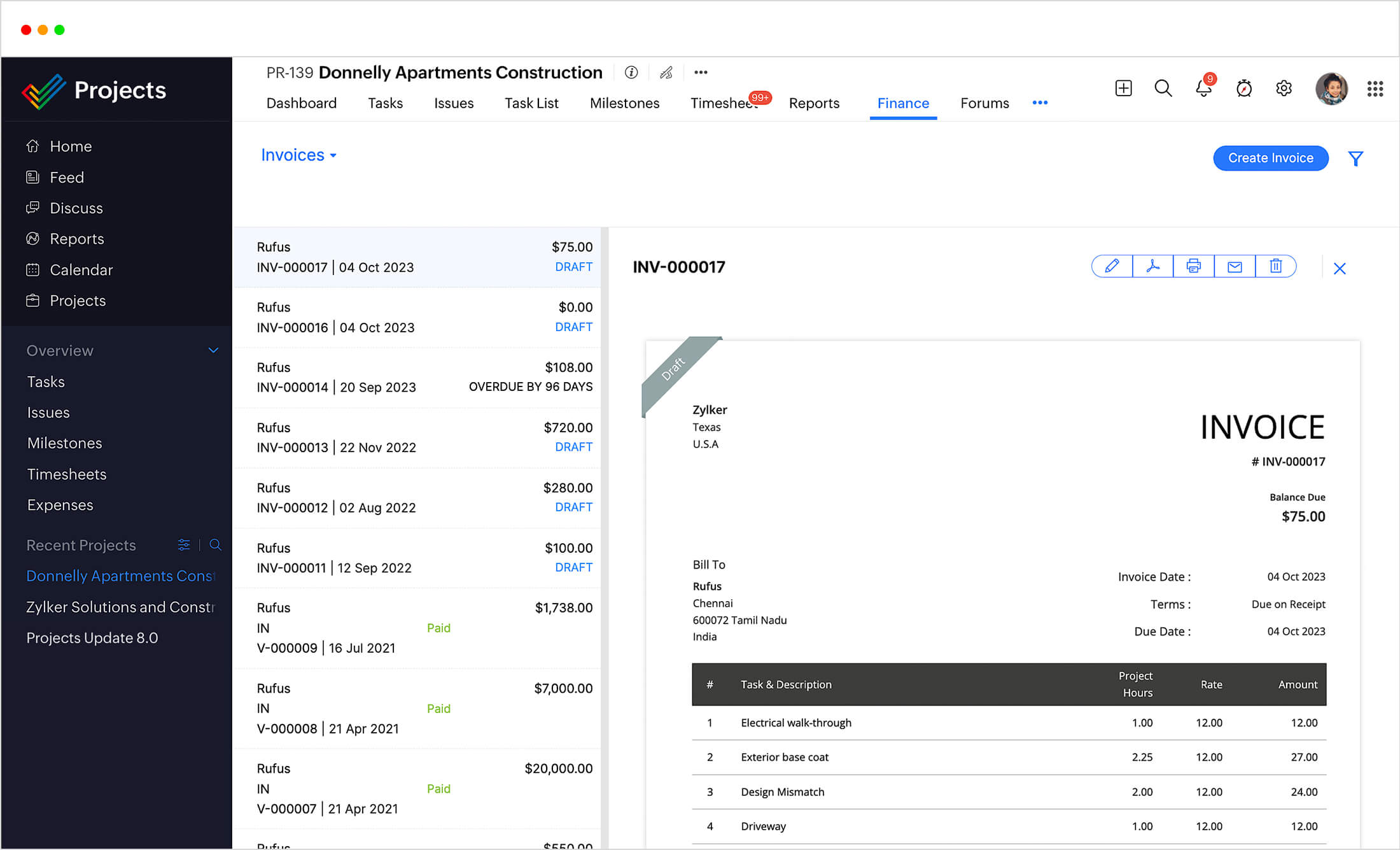
- Budget and Cost Management: Calculate planned versus actual efforts, monitor cost across milestones, and spot cost variances so your budgets stay in check.
- Resource Planning and Allocation: Delegate the right tasks to the teams, contractors, and consultants so you can prevent burnout and optimize productivity.
- Document and Drawing Management: Manage a centralized hub for site plans, permits, contracts, blueprints, and revisions within projects, and maintain version control to keep teams on the same page.
- Real-Time Collaboration and Communication: Eliminate costly miscommunication through comments, notifications, group chats, and virtual workspaces and keep office teams and field staff aligned.
- Mobile Access for Field Work: Update progress, track activities, upload photos, and log issues right from your worksite so disparate teams stay connected.
- Reporting and Dashboards: Track progress, measure risk appetite, and assess performance on customizable dashboards and analytical reports.