
What is Multi-Factor Authentication (MFA) and how do I set it up in Zoho Payments?
Multi-Factor Authentication (MFA) is a security method that requires more than just a password to verify your identity. By adding an extra layer of protection, MFA ensures that only authorized users can access your account, making it harder for unauthorized individuals to gain access. Passkey is not supported as an MFA mode. The currently supported MFA modes are:
-
Zoho OneAuth: You can use Zoho OneAuth, a secure app that generates time-based one-time passwords (OTPs) and supports biometric verification for easy and safe sign-ins. Read more about Zoho OneAuth and it's advantages.
-
OTP Authenticator: Use any OTP authenticator app to generate time-sensitive one-time passwords (OTPs) for secure two-factor authentication.
-
Security Key: A Security Key is a hardware device that provides a secure way to verify your identity through two-factor authentication.
If you haven’t set up MFA for your Zoho account already, you must set it up while creating your Zoho Payments account. To setup MFA:
-
Go to accounts.zoho.com
or
-
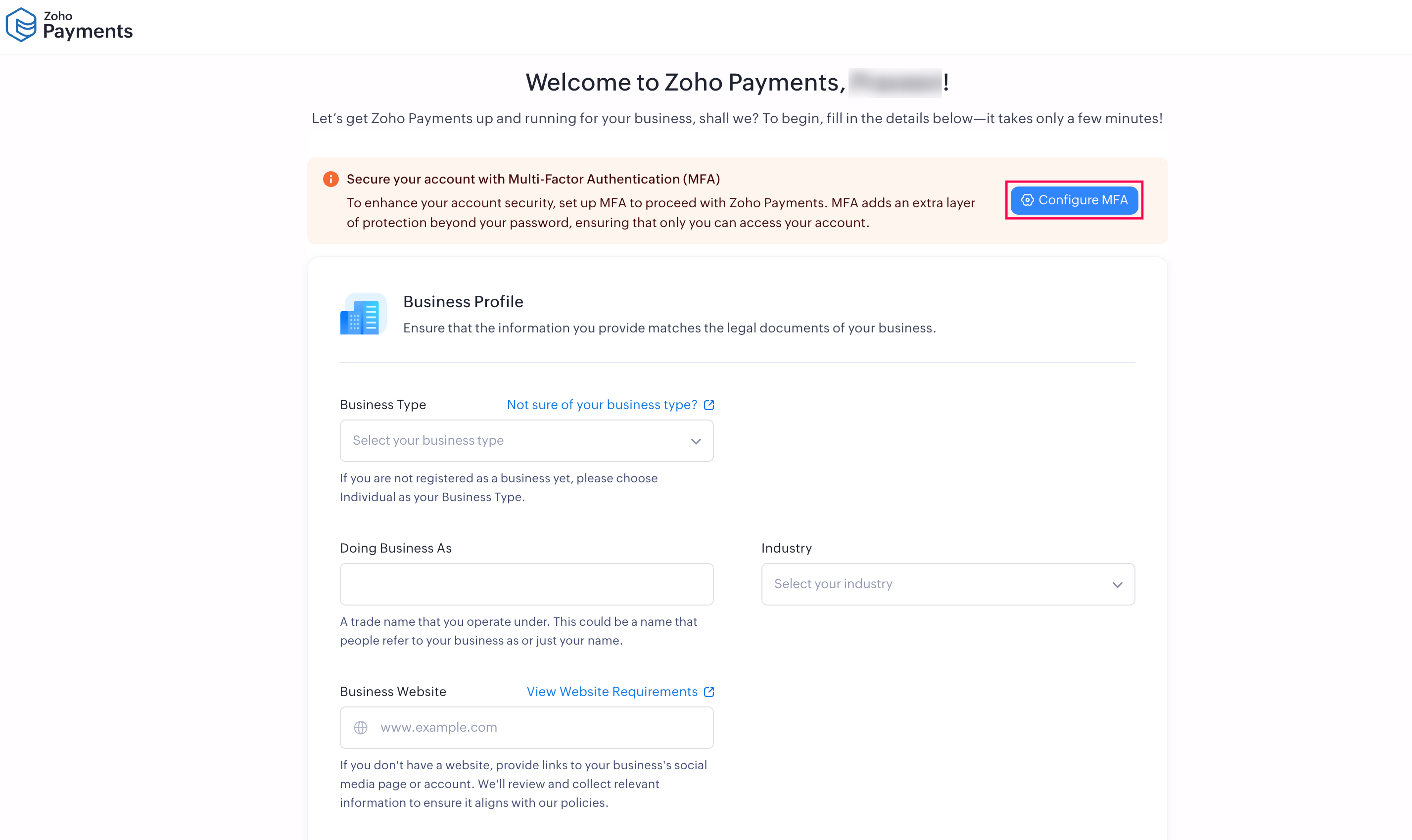
Click Configure MFA while setting up your Zoho Payments account.
-
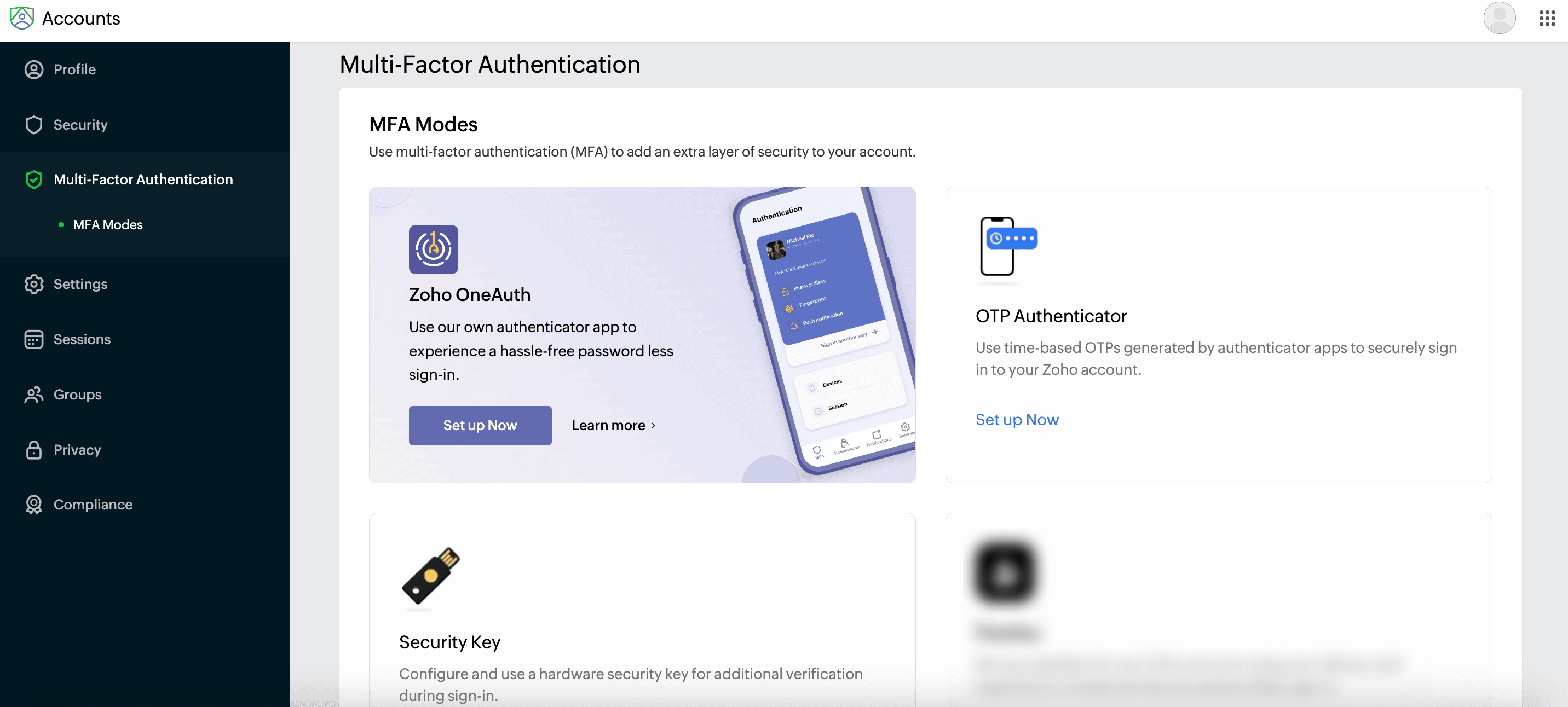
Select Multi Factor Authentication in the left sidebar.
-
Select the MFA mode you prefer (Zoho OneAuth, OTP Authenticator, or Security Key) and click Set up Now.
-
Follow the instructions listed for each MFA mode to enable it for your Zoho account.
Multi-factor authentication will be enabled for your account, and you can set one of the MFA modes as the default.

 Walkthrough of Zoho Payments personalized to your business needs